
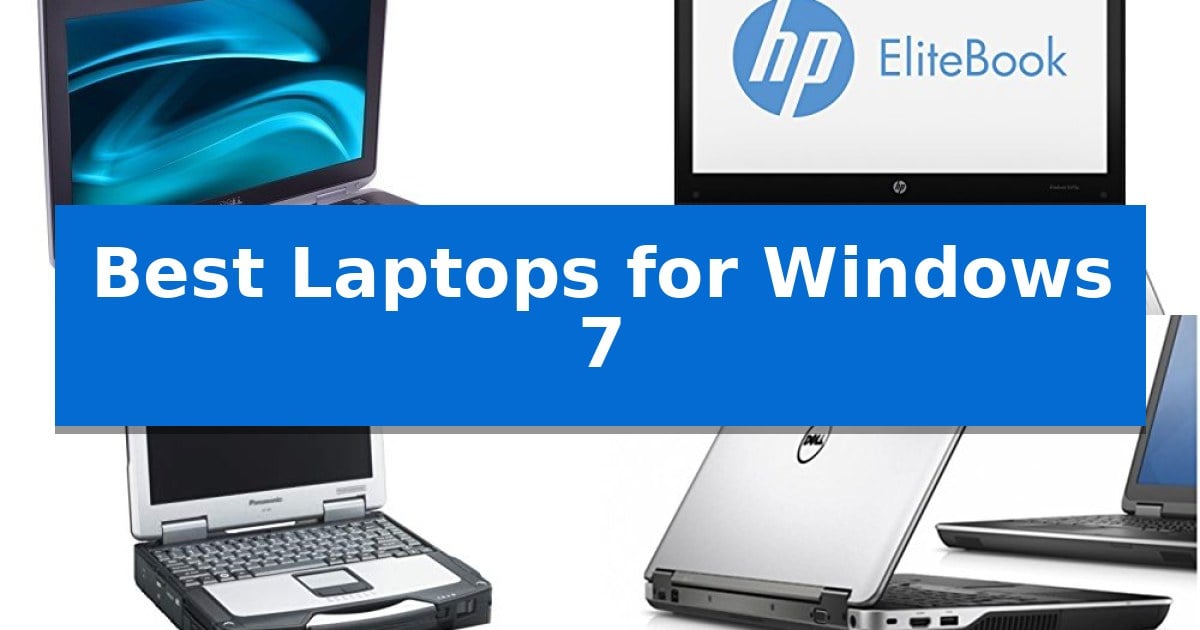
Finding reliable hardware that maintains compatibility with older operating systems can be a significant challenge for professionals and hobbyists alike. Whether you are maintaining legacy industrial software, managing specialized diagnostic equipment, or simply prefer the stability of a familiar interface, the Best Laptops for Windows 7 offer the necessary architecture to keep your workflow uninterrupted.
Our selection focuses on business-grade machines known for their robust build quality and driver support for older platforms. By prioritizing hardware that natively supports these environments, you can avoid the complexities of virtualization while ensuring your critical applications remain fully functional and accessible.
Best Laptops for Windows 7 in 2026
Quick Comparison
| Product | Best For | Key Strength | Score |
|---|---|---|---|
| Dell Latitude E6430 Laptop | Best Overall | Windows 7 Professional 64-bit pre-installed for legacy compatibility. | 4.9 |
| HP EliteBook 8470p Laptop | Durable Design for Professional Tasks | Pre-installed Windows 7 Professional 64-bit for legacy compatibility. | 4.5 |
| Panasonic Toughbook CF-31 Laptop | Rugged Build for Harsh Environments | Magnesium Alloy Case provides superior physical protection. | 4.9 |
| Dell Latitude E6440 Laptop | Balanced Performance for Older Systems | Integrated Smartcard and Contactless Smartcard readers for enhanced security. | 4.9 |
| Dell Latitude E6400 Laptop | Classic Architecture for Legacy Support | Native support for Windows Professional 32-bit environments. | 4.6 |
How We Chose
- Processor architecture and chipset compatibility with Windows 7 drivers.
- Availability of essential legacy ports for specialized peripheral connectivity.
- Build quality and chassis durability for long-term operational reliability.
- Storage and memory expandability to support specific legacy software requirements.
- Display quality and anti-glare properties for extended professional use.
1 Dell Latitude E6430 Laptop — Reliable Business-Class Legacy Hardware
The Dell Latitude E6430 Laptop provides a stable computing environment for users requiring compatibility with legacy software through its pre-installed Windows 7 Professional 64-bit operating system. This business-class machine is built around the 3rd Generation Intel Core i7-3520M processor, which offers a base clock speed of 2.9GHz and reaches up to 3.60GHz with Turbo Boost technology.
Designed for professional utility, the device features a 14.0-inch Anti-Glare LED display that helps minimize reflections in bright office environments. It includes a built-in webcam for video conferencing and utilizes Intel HD4000 graphics to manage visual output. The system is equipped with 4GB of DDR3 memory and a 500GB hard drive for storage, alongside an integrated DVDR/RW drive for optical media tasks.
Connectivity options are tailored for legacy and standard peripheral support, featuring HDMI for external displays, Bluetooth, and integrated Wi-Fi capabilities. The chassis is finished in a professional Black & Silver aesthetic, reflecting its heritage as a durable business-grade workstation.
While this laptop offers a specialized solution for specific operating system requirements, users should note that the 4GB of RAM and mechanical hard drive represent standard specifications for its era. It serves as a dedicated tool for environments where specific Windows 7-compatible applications remain essential for daily operations.
Best for: Users who require a dedicated machine for legacy software compatibility and specific Windows 7 Professional workflows.
Skip if: Users who need modern processing power, high-speed solid-state storage, or support for current operating systems and software.
PROS
- Windows 7 Professional 64-bit pre-installed for legacy compatibility.
- 3rd Generation Intel Core i7-3520M processor with Turbo Boost.
- 14.0-inch Anti-Glare LED display for reduced eye strain.
- Integrated DVDR/RW drive and HDMI connectivity.
CONS
- Limited 4GB DDR3 memory may constrain multitasking.
- Mechanical 500GB HDD offers slower data access compared to modern SSDs.
2 HP EliteBook 8470p Laptop — Durable Design for Professional Tasks
The HP EliteBook 8470p Laptop provides a stable computing environment for users requiring a legacy operating system, coming pre-installed with Windows 7 Professional 64-bit. This machine is built to handle professional workloads through its Intel Core i5-3340M processor clocked at 2.7 GHz, ensuring reliable performance for standard business applications and multitasking.
Visual clarity is managed by a 14.0-inch HD Anti-Glare LED SVA display, which is engineered to minimize eye strain during long periods of use. The laptop includes 4GB of DDR3 RAM and a 320GB hard disk drive, offering a balanced foundation for file storage and system responsiveness in a professional setting.
Connectivity and utility are prioritized through a versatile set of integrated features, including an 802.11a/b/g/n wireless module and Bluetooth technology for peripheral pairing. The inclusion of a built-in DVD+/-RW optical drive and an integrated webcam supports essential tasks such as media reading, disc writing, and video conferencing.
Designed for those who rely on specific software compatibility, this laptop serves as a functional tool for office-oriented tasks. The durable design and professional-grade OS integration make it a practical choice for environments where legacy software support remains a primary requirement.
Best for: Professionals and users who require a reliable, dedicated machine for legacy software compatibility and business applications running on Windows 7.
Skip if: Users who require modern processing speeds, high-capacity solid-state storage, or support for the latest Windows operating systems and security updates.
PROS
- Pre-installed Windows 7 Professional 64-bit for legacy compatibility.
- Intel Core i5-3340M processor provides reliable multitasking power.
- Anti-Glare LED SVA display reduces eye strain during extended work sessions.
- Integrated DVD+/-RW drive and webcam for versatile office utility.
CONS
- Limited 4GB RAM may constrain modern multitasking demands.
- 320GB HDD offers slower data access compared to modern solid-state drives.
3 Panasonic Toughbook CF-31 Laptop — Rugged Build for Harsh Environments
The Panasonic Toughbook CF-31 Laptop is engineered for demanding field environments where durability is the primary requirement. Featuring a rugged Magnesium Alloy Case with Handle, this device is specifically built to withstand physical impact, making it a reliable choice for users who require a machine that can handle drops and spills without compromising internal components.
Performance is driven by an Intel Core i5-2540M 2.6GHz processor paired with 16GB of RAM, providing sufficient overhead for legacy applications and standard office tasks. The system includes a 1TB Hard Drive that is shock-mounted using a Flex-connect design, which helps protect data integrity when the laptop is moved between job sites or used in high-vibration settings.
Visuals are managed through a 13.1" XGA Sunlight View-able TOUCHSCREEN Display. This screen technology is tailored for outdoor visibility, allowing for interaction even in bright lighting conditions. The integration of a DVD/CD-RW drive and built-in WiFi ensures that the unit remains functional for data transfer and media access in diverse professional workflows.
This laptop offers a specialized solution for those maintaining legacy software environments. By providing a robust, field-ready chassis combined with capable internal hardware, it serves as a practical tool for industrial or outdoor operations where modern, fragile consumer laptops would not survive.
Best for: Field professionals and industrial users requiring a highly durable, shock-resistant laptop for legacy software environments.
Skip if: Users seeking a lightweight, portable device for modern office productivity or high-end multimedia tasks will find this rugged unit too bulky and heavy.
PROS
- Magnesium Alloy Case provides superior physical protection.
- Shock-mounted Flex-connect Hard Drive enhances data safety.
- Sunlight View-able TOUCHSCREEN allows for outdoor usability.
- 16GB of RAM supports efficient multitasking.
CONS
- Heavy and bulky design limits portability compared to modern ultrabooks.
- Legacy processor architecture is not optimized for modern high-demand software.
4 Dell Latitude E6440 Laptop — Balanced Performance for Older Systems
The Dell Latitude E6440 offers a stable hardware environment for users maintaining legacy software workflows, centered around an Intel Core i5-4200M processor clocked at 2.5 GHz. This dual-core architecture is paired with 4GB of DDR3L RAM and a 320 GB 7200 RPM SATA hard drive, providing a functional foundation for standard office tasks and administrative applications that require a specific operating system environment.
Designed for professional utility, this laptop features a 14.0-inch HD anti-glare LED-backlit display with a resolution of 1366 x 768. The integration of Intel HD Graphics 4600 supports basic visual output, while the chassis includes an 8X DVD ROM drive for optical media access, a common requirement for legacy software installation and data retrieval.
Security and connectivity are addressed through a suite of integrated tools, including a fingerprint reader, Smartcard and Contactless Smartcard reader, and Dell ControlVault technology. These hardware-based security features allow for controlled access in environments where data protection is a priority. The device also includes an Express Card slot for expansion and 802.11b/g/n wireless connectivity for network integration.
With a weight of approximately 3.97 pounds, the Dell Latitude E6440 balances portability with a robust feature set. The inclusion of multiple card readers and a dedicated optical drive makes it a practical choice for specialized setups that rely on older interface standards and physical media.
Best for: Users who require a dedicated hardware platform for legacy software compatibility and specific administrative tasks.
Skip if: Users who need high-performance multitasking, modern gaming capabilities, or a high-resolution display for creative work.
PROS
- Integrated Smartcard and Contactless Smartcard readers for enhanced security.
- 7200 RPM hard drive provides faster data access than standard 5400 RPM drives.
- Anti-glare display reduces reflections in office environments.
- Built-in DVD-Writer supports legacy media and software installation.
CONS
- Limited 4GB RAM may restrict performance in modern multitasking scenarios.
- 1366 x 768 resolution is lower than contemporary HD standards.
5 Dell Latitude E6400 Laptop — Classic Architecture for Legacy Support
The Dell Latitude E6400 Laptop provides a specialized hardware environment for users requiring compatibility with legacy operating systems. Built with a classic architecture, this 14-inch machine is configured to support Microsoft Windows Professional 32-bit, making it a practical choice for environments that rely on older software standards.
Under the hood, the device is powered by an Intel Core 2 Duo Processor paired with 2 GB of DDR2 memory. This hardware configuration is designed to handle standard productivity tasks within the constraints of its original design era. Storage is managed via an 80 GB hard drive, providing sufficient space for essential files and legacy applications.
Designed for portability and workspace efficiency, the unit measures 13 inches in length and 10 inches in width, with a weight of 5.07 pounds. The inclusion of built-in Wi-Fi ensures that the laptop can maintain network connectivity without requiring external adapters, simplifying the integration into existing office or home setups.
While modern computing has moved toward newer interfaces, this model maintains its relevance by offering a stable platform for specific legacy workflows. It serves as a dedicated tool for users who need a reliable, purpose-built machine that remains compatible with the specific requirements of older Windows environments.
Best for: Users who require a dedicated machine for legacy software compatibility and specific Windows Professional 32-bit environments.
Skip if: Users seeking a high-performance device for modern gaming, intensive video editing, or multitasking with contemporary software applications.
PROS
- Native support for Windows Professional 32-bit environments.
- Includes built-in Wi-Fi for convenient network connectivity.
- Compact 14-inch form factor suitable for limited desk space.
CONS
- Limited 80 GB storage capacity by modern standards.
- 2 GB DDR2 memory restricts performance in multitasking scenarios.
Best Laptops for Windows 7 Buying Guide
Understanding Legacy Hardware Compatibility
When selecting a laptop for an older operating system, the processor architecture is the most critical factor. Many modern CPUs lack the necessary driver support for older platforms, which can lead to stability issues or missing functionality. Choosing systems with Intel Core i-series processors from the 2nd through 4th generations often provides the best balance between performance and native compatibility.
Beyond the CPU, consider the chipset and integrated graphics. Hardware components like the Intel HD 4000 series are well-documented and widely supported by legacy drivers, ensuring that your display, audio, and networking components function as expected without requiring complex workarounds.
Connectivity and Peripheral Support
One of the primary reasons to seek out older hardware is the inclusion of legacy ports that have been phased out of modern designs. Features such as ExpressCard slots, dedicated VGA outputs, and multiple USB 2.0 ports are essential for interfacing with older industrial machinery, laboratory equipment, or legacy printers.
Always verify the specific input/output requirements of your existing peripherals. While adapters exist, native port support is significantly more reliable and reduces the risk of communication errors between your laptop and specialized hardware.
Durability for Industrial Environments
If your work takes you outside of a traditional office, the physical construction of the laptop is paramount. Look for magnesium alloy cases and shock-mounted hard drives, which protect sensitive internal components from drops, spills, and vibrations common in field work or manufacturing settings.
A ruggedized design not only extends the lifespan of your machine but also ensures that your data remains secure even in challenging conditions. Features like spill-resistant keyboards and reinforced hinges are standard in high-end business-class laptops designed for long-term service.
Storage and Memory Upgrades
Even when running older software, modern demands on multitasking and file management can quickly consume system resources. Ensuring your laptop has accessible RAM slots and a swappable hard drive bay allows you to upgrade to larger storage capacities or faster memory modules as your project needs evolve.
Opting for a system that supports DDR3 memory provides a cost-effective way to improve system responsiveness. Furthermore, the ability to easily replace the hard drive is a major advantage for maintaining data backups and creating disk images of your entire operating environment.
Display Technology for Professional Tasks
For tasks requiring high precision, such as data entry or technical monitoring, the quality of the screen is essential. Anti-glare LED displays are highly recommended, as they reduce eye strain and maintain readability in environments with harsh overhead lighting or direct sunlight.
Resolution also plays a role in how effectively you can manage multiple windows. While many legacy machines feature standard HD resolutions, the clarity provided by high-quality panels ensures that text remains sharp and graphical interfaces are easy to navigate during long work sessions.
Frequently Asked Questions
Can I upgrade these laptops to Windows 10 or 11 later?
Yes, many of these business-class machines are capable of running newer operating systems. However, driver availability for specific hardware components may vary, so it is recommended to check manufacturer support pages before upgrading.
Are these laptops suitable for modern internet browsing?
While these machines are excellent for legacy software, their older processors may struggle with modern, resource-heavy websites. They are best utilized for specific professional tasks rather than general-purpose web consumption.
What is the benefit of a business-class laptop over a consumer model?
Business-class laptops are built with higher-quality materials, offer better port selection, and are designed for easier maintenance and component replacement, making them ideal for long-term use.
Do these laptops support external monitors?
Most of these models include VGA or HDMI ports, allowing for easy connection to external displays. Some also support docking stations for expanded connectivity options.
Is it easy to replace the battery on these models?
Yes, a significant advantage of these legacy business laptops is their modular design, which typically allows for quick and tool-free battery replacement.
Conclusion: Our Top Pick
When you require a stable, reliable machine for legacy software, the Dell Latitude E6430 Laptop stands out as the most balanced choice. Its combination of a powerful 3rd Generation Intel Core i7 processor and native Windows 7 support makes it highly capable for specialized professional applications.
While other models offer specific advantages like ruggedization or touchscreen capabilities, the Latitude E6430 provides the most versatile platform for general legacy support. Its durable build and wide range of connectivity options ensure that it remains a dependable tool for your specific technical requirements.