
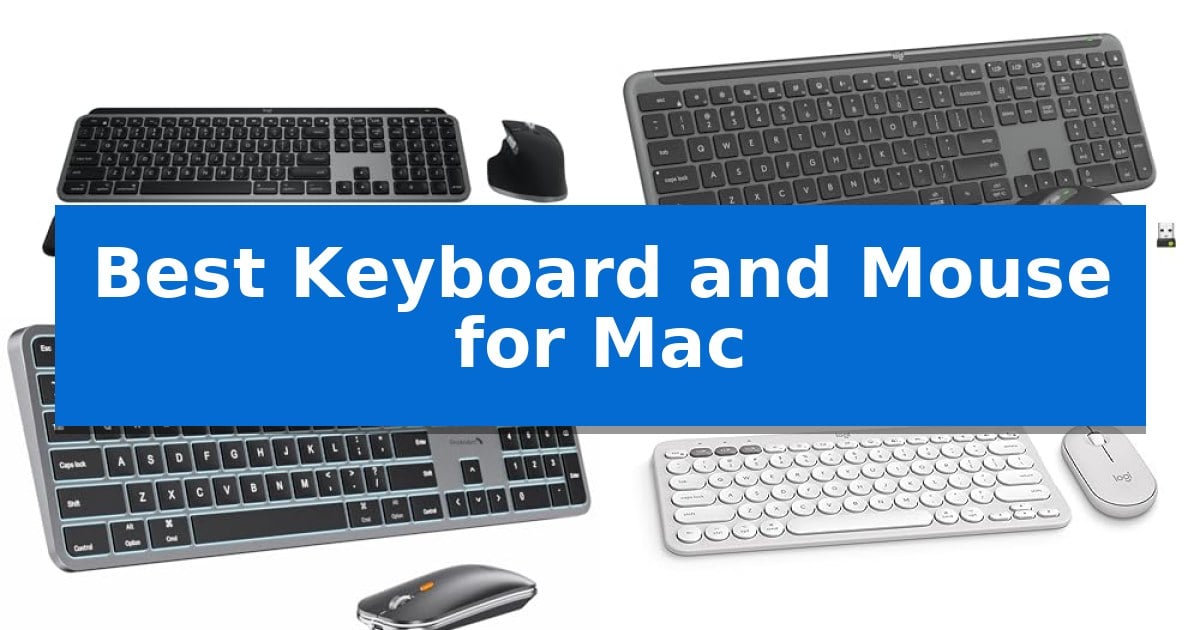
Finding the right input devices for an Apple ecosystem requires more than just basic connectivity. The Best Keyboard and Mouse for Mac must offer native macOS key layouts, reliable wireless performance, and ergonomic designs that complement the specific needs of MacBook and iMac users.
Whether you prioritize a minimalist desk setup or require advanced programmable shortcuts for professional workflows, selecting hardware that integrates seamlessly with your operating system is essential. This guide examines five distinct combinations to help you identify the hardware that best aligns with your daily computing habits.
Best Keyboard and Mouse for Mac in 2026: Optimized for macOS
Quick Comparison
| Product | Best For | Key Strength | Score |
|---|---|---|---|
| Logitech MX Keys S Combo | Best Overall | Dedicated Mac layout with native macOS function support. | 4.9 |
| Logitech Signature Slim Combo | Versatile Multi-OS Productivity | Multi-device switching across three devices with a single tap. | 4.3 |
| ProtoArc KM100-A Backlit Combo | Illuminated Keys for Dim Spaces | Full-size Mac layout with a dedicated numeric keypad. | 4.8 |
| Logitech Pebble 2 Combo | Ultra-Portable Minimalist Design | Multi-device connectivity allows switching between three Apple devices via Bluetooth. | 4.7 |
| OMOTON Wired Keyboard and Mouse | Lag-Free Reliable Wired Connection | Dual interface support for both USB-A and Type-C connections. | 4.6 |
How We Chose
- Native macOS compatibility and key mapping support.
- Connectivity reliability, including Bluetooth stability and wired options.
- Ergonomic design features that support long-term comfort.
- Customization capabilities for workflow efficiency via dedicated software.
- Build quality and the use of sustainable materials.
1 Logitech MX Keys S Combo — Premium Multi-Device Workflow
The Logitech MX Keys S Combo streamlines your workspace by pairing a high-precision mouse with a specialized keyboard designed to integrate seamlessly with your Apple ecosystem. This set features a dedicated Mac key layout and a sophisticated Space Grey finish, ensuring it complements the aesthetic of your MacBook Pro, MacBook Air, iMac, or iPad.
The keyboard offers a fluid typing experience with a laptop-like profile and spherically dished keys that match the natural shape of your fingertips. For enhanced productivity, the smarter illumination system detects your hands as they approach, automatically adjusting the backlighting brightness and duration. The included MX Master 3S wireless mouse provides exceptional control with its MagSpeed scroll wheel, capable of scrolling 1,000 lines per second, and an 8K DPI sensor that maintains tracking accuracy on virtually any surface, including glass.
Engineered for long-term comfort, both devices are designed to support better wrist posture during extended work sessions. The system supports multi-device connectivity, allowing you to pair with up to three Mac computers or iPads and switch between them instantly with a single button press. Customization is handled through the Logi Options+ software, which enables you to program functions specific to macOS workflows.
Sustainability is integrated into the design, as the plastic components are manufactured using certified post-consumer recycled plastic. The combo relies on USB-C charging for both devices, eliminating the need for disposable batteries and ensuring your setup remains powered for your daily tasks.
Best for: Professionals and creators who use multiple Apple devices and require a high-precision, ergonomic input system.
Skip if: Users who prefer mechanical switches with deep travel or those who require a wired connection for specific low-latency environments.
PROS
- Dedicated Mac layout with native macOS function support.
- MagSpeed scroll wheel allows for high-speed, precise navigation.
- Multi-device switching across three separate Apple devices.
- Smarter illumination that activates based on hand proximity.
CONS
- Non-mechanical key switches may not satisfy users seeking tactile click feedback.
- Fixed internal battery requires USB-C charging rather than user-replaceable cells.
2 Logitech Signature Slim Combo — Versatile Multi-OS Productivity
The Logitech MK955 Signature Slim Wireless Keyboard Mouse Combo streamlines multi-device workflows by allowing users to toggle between three connected devices with a single tap. Designed for versatility, this set includes a full-size keyboard with familiar laptop-style typing and a contoured mouse, both constructed using certified post-consumer recycled plastic.
Productivity is enhanced through the Logi Options+ App, which enables customization of keys and buttons for specific shortcuts on Windows and macOS. The included M750 L Signature Plus mouse features SilentTouch technology, engineered to reduce click noise by 90%, and a SmartWheel for precise line-by-line scrolling or rapid navigation through long documents.
Connectivity is handled via Bluetooth or the included Logi Bolt USB receiver, ensuring compatibility across Windows, macOS, Chrome OS, Linux, iPadOS, iOS, and Android. The keyboard's slim, solid build is intended to save desk space while maintaining a comfortable typing experience for extended sessions.
This combo serves as a practical solution for users managing multiple platforms simultaneously. While it offers broad compatibility and quiet operation, its full-size layout and specific ergonomic design are tailored for those who prefer a traditional, low-profile typing feel.
Best for: Users who need to switch seamlessly between multiple computers, tablets, or phones using a single keyboard and mouse set.
Skip if: Users who prefer mechanical switches or a highly specialized ergonomic shape, as this model focuses on a slim, laptop-style typing profile.
PROS
- Multi-device switching across three devices with a single tap.
- SilentTouch technology reduces mouse click noise by 90%.
- Customizable shortcuts via the Logi Options+ App for Windows and macOS.
- Broad compatibility with Windows, macOS, Chrome OS, Linux, and mobile platforms.
CONS
- Laptop-style typing feel may not suit users who prefer deep-travel mechanical keys.
- Full-size footprint occupies more desk space than compact or tenkeyless alternatives.
3 ProtoArc KM100-A Backlit Combo — Illuminated Keys for Dim Spaces
Maintaining a neutral wrist position during long typing sessions is simplified by the flat, low-profile design of the ProtoArc KM100-A Backlit Combo. This full-size wireless set features a dedicated numeric keypad and a layout specifically tailored for macOS, ensuring that your workflow remains efficient without requiring complex remapping. By providing a familiar, expansive layout, it serves as a reliable Best Keyboard and Mouse for Mac for users who prioritize ergonomic comfort and desktop productivity.
The ProtoArc KM100-A Backlit Combo utilizes a responsive scissor-switch mechanism to provide a quiet, tactile typing experience. For low-light environments, the keyboard includes soft white LED backlighting with three adjustable brightness levels, allowing for clear visibility without causing eye strain. The companion mouse offers customizable sensitivity via three DPI levels—1000, 1600, and 2400—to match various task requirements, from precise editing to general navigation.
Connectivity is handled through triple Bluetooth channels, enabling users to switch between three different devices with a single button press. This multi-device capability is ideal for those managing a MacBook, iPad, and iPhone simultaneously. Both components are rechargeable, featuring built-in batteries that support an automatic sleep mode after 60 minutes of inactivity to conserve power. When the battery depletes, the system requires a recharge to resume operation.
While the full-size layout enhances productivity, it is important to note that the footprint is larger than compact alternatives, requiring more desk space. Because the connection is established solely through Bluetooth, users who prefer a dedicated USB dongle for interference-heavy environments may find this limitation significant. The unit is compatible with macOS 10.12 or later and iPadOS 13.0 or above, making it a specialized tool for the Apple ecosystem.
Best for: Users who require a full-size, backlit keyboard and mouse setup for multi-device Mac workflows.
Skip if: Users with limited desk space or those who prefer mechanical switches over low-profile scissor keys.
PROS
- Full-size Mac layout with a dedicated numeric keypad.
- Triple Bluetooth connectivity for seamless device switching.
- Adjustable white LED backlighting for dim environments.
- Rechargeable batteries for both keyboard and mouse.
CONS
- Larger footprint requires more desk space than compact models.
- Bluetooth-only connection lacks a USB dongle option.
4 Logitech Pebble 2 Combo — Ultra-Portable Minimalist Design
Maintaining a clean, efficient workspace often starts with minimizing cable clutter and maximizing desk real estate. The Logitech Pebble 2 Combo addresses this by pairing an ultra-slim keyboard and a compact mouse, both designed with a focus on portability and a minimalist aesthetic that complements Apple hardware.
The keyboard features laptop-like typing that prioritizes quiet operation, while the mouse utilizes Silent Touch Technology to reduce clicking noise. This combination is particularly useful for shared environments or quiet office settings where minimizing distractions is a priority. The build quality incorporates certified post-consumer recycled plastic, with the keyboard containing at least 49% and the mouse at least 58% recycled content.
Connectivity is handled via Bluetooth, allowing users to hop across 3 devices seamlessly using dedicated Easy-Switch buttons. This multi-device functionality extends to macOS, iPadOS, and iOS, providing a consistent control scheme across an Apple ecosystem. Users can further tailor their experience through the Logi Options+ App, which allows for the customization of 10 Fn keys and the mouse's middle button to trigger specific shortcuts like screen capture or search.
Efficiency is supported by long-lasting power management, with the keyboard rated for up to 3 years of battery life and the mouse for up to 2 years. At just 0.5 inches in height and 11 inches in length, the set is engineered for users who need a lightweight, travel-ready input solution that does not sacrifice essential functionality.
Best for: Users seeking a compact, quiet, and portable multi-device input solution for Apple ecosystems.
Skip if: Users who require a full-sized keyboard with a dedicated number pad or mechanical switches for tactile feedback.
PROS
- Multi-device connectivity allows switching between three Apple devices via Bluetooth.
- Quiet operation through specialized key switches and Silent Touch mouse technology.
- High-efficiency power management with multi-year battery life for both components.
- Customizable controls via the Logi Options+ App for personalized shortcuts.
CONS
- Compact form factor lacks a dedicated number pad.
- Slim profile may not offer the same ergonomic wrist support as larger, contoured keyboards.
5 OMOTON Wired Keyboard and Mouse — Lag-Free Reliable Wired Connection
The OMOTON Wired Keyboard and Mouse provides a dedicated solution for Mac users who prioritize a consistent, lag-free connection over wireless alternatives. By utilizing a dual USB-A and Type-C interface on the keyboard, this set connects directly to modern Mac hardware without requiring additional adapters or dongles.
Designed for efficiency, the keyboard features a side USB-A hub port that allows the included wired mouse to plug directly into the keyboard itself. This integration helps manage desk space and preserves your computer's limited ports, while the ergonomic tilted design aims to reduce strain during extended typing sessions.
The hardware is specifically engineered for macOS 11.3 and above, ensuring native compatibility with systems like the Mac Mini, MacBook Pro, and iMac. Its ultra-compact, numeric-keypad-free footprint—measuring 11.22 by 4.72 inches—makes it a practical choice for users who need a portable setup for travel or shared office environments.
Because this system relies on a direct wired connection, users benefit from an instant response time without the risk of signal loss or the need to manage battery life. This makes the combo a reliable choice for high-productivity tasks where consistent input is required.
Best for: Mac users seeking a reliable, battery-free input solution that integrates directly with modern USB-C and USB-A ports.
Skip if: Users who require a numeric keypad for data entry or those who prefer a wireless workspace setup.
PROS
- Dual interface support for both USB-A and Type-C connections.
- Integrated USB-A hub on the keyboard for seamless mouse connectivity.
- Lag-free wired performance eliminates battery maintenance.
- Compact, portable design ideal for small workspaces.
CONS
- No numeric keypad included in the layout.
- Limited compatibility restricted to macOS 11.3 and newer.
Best Keyboard and Mouse for Mac Buying Guide
Connectivity and Compatibility
The most critical factor for any Mac peripheral is how it connects to your machine. Many modern devices utilize Bluetooth Low Energy for a clutter-free wireless experience, which is ideal for maintaining a clean desk space. However, ensure the device explicitly supports macOS 11.3 or later if you require specific software functionality.
For users who work in environments with high wireless interference, a wired connection remains the gold standard for reliability. Some wired models offer dual-interface support, such as USB-C and USB-A, which provides flexibility for both older and newer Mac hardware without needing additional adapters.
Ergonomics and Typing Feel
Typing comfort is subjective but heavily influenced by key switch technology and keyboard profile. Scissor-switch mechanisms are common in low-profile keyboards, offering a tactile, laptop-like feel that many Mac users prefer. A flat or slightly tilted design can help maintain a neutral wrist position during extended typing sessions.
When considering a mouse, look for a contoured shape that fits your hand anatomy. A mouse that is too small or too flat can lead to fatigue, whereas a sculpted design encourages a more natural grip, reducing strain during long hours of office work.
Customization and Productivity
Advanced users often benefit from programmable keys and buttons. Software suites like Logi Options+ allow you to map specific shortcuts to your keyboard's function keys or your mouse's side buttons, significantly speeding up repetitive tasks like screen capture or window management.
Consider whether you need multi-device switching. If you regularly toggle between a MacBook, an iPad, and a secondary work laptop, a keyboard with Easy-Switch buttons allows you to jump between connected devices instantly, keeping your workflow fluid.
Backlighting and Battery Life
Backlit keys are an invaluable feature for working in dimly lit environments. Smart illumination, which activates when your hands approach the keyboard, can help preserve battery life while ensuring you can always see your keys clearly.
Battery longevity varies significantly between models. Rechargeable internal batteries are standard for high-end combos, often utilizing USB-C charging. For more portable or minimalist options, some devices rely on long-lasting replaceable batteries that can provide years of use before needing a swap.
Space and Portability
Your available desk space dictates the ideal form factor. A full-size keyboard with a numeric keypad is excellent for data entry but occupies a larger footprint. If you travel frequently or have a compact workspace, a tenkeyless or ultra-slim design is much easier to fit into a bag or on a crowded desk.
Weight is also a factor for portability. While heavier, sturdier keyboards tend to stay firmly in place, lighter models are better suited for users who move their setup between home, the office, and cafes.
Frequently Asked Questions
Do I need special software to use these keyboards on a Mac?
While most keyboards work as plug-and-play devices, using manufacturer-specific software like Logi Options+ is often required to unlock advanced features like custom key mapping and macro programming.
Can I use a Windows-layout keyboard with my Mac?
Yes, but you will need to manually remap keys in your macOS System Settings to align the Command and Option keys, which can be less convenient than using a keyboard designed specifically for the Mac layout.
How do I know if a keyboard is compatible with my specific macOS version?
Always check the product specifications for the minimum required macOS version. Some older hardware or specific wired models may not support the latest macOS features or may require specific port types.
Are wireless keyboards for Mac prone to lag?
Modern Bluetooth 5.1 or higher connections are generally very stable. If you are a professional who requires zero-latency input, a wired connection is the most reliable way to eliminate any potential signal interference.
What is the benefit of a mouse with a high DPI sensor?
A higher DPI (dots per inch) sensor allows for more precise tracking and faster cursor movement, which is particularly useful if you are using a high-resolution display or working in design applications that require fine control.
Conclusion: Our Top Pick
Selecting the right hardware for your Apple setup comes down to balancing your specific workflow requirements with your physical workspace. For most users, the Logitech MX Keys S Combo stands out as the most comprehensive solution, offering a dedicated Mac layout, high-precision scrolling, and robust software support that integrates perfectly with the macOS environment.
While other options like the ProtoArc KM100-A or the Logitech Pebble 2 offer excellent value or portability, the MX Keys S Combo provides the most refined experience for those who spend significant time at their desk. Ensure you verify your specific device's connectivity requirements before purchasing to guarantee a seamless setup.