
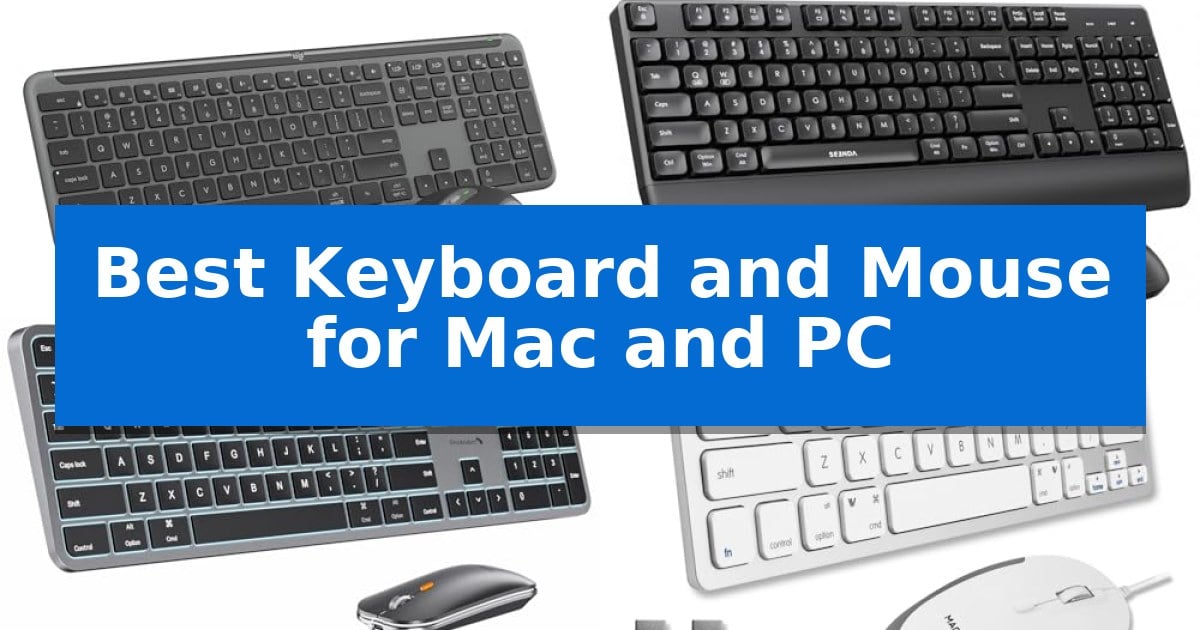
Finding the right input devices for a hybrid workspace can be a challenge when you frequently switch between macOS and Windows environments. Whether you are managing multiple laptops or simply want a consistent typing experience across different operating systems, selecting the Best Keyboard and Mouse for Mac and PC requires balancing connectivity, layout compatibility, and long-term comfort.
Our guide examines five distinct keyboard and mouse combinations to help you identify which setup best suits your specific desk requirements. We focus on how these devices handle cross-platform integration, ergonomic design, and power management to ensure your daily workflow remains uninterrupted regardless of your primary computer.
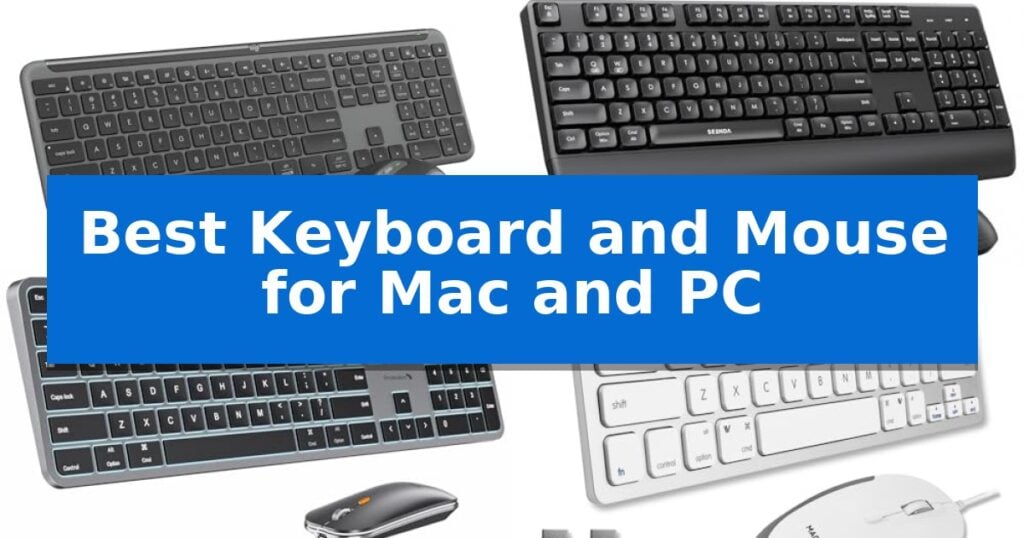
Best Keyboard and Mouse for Mac and PC in 2026
Quick Comparison
| Product | Best For | Key Strength | Score |
|---|---|---|---|
| Logitech Signature Slim MK955 Combo | Best Overall | Multi-device switching across three separate devices via Bluetooth. | 4.9 |
| seenda COE200 Wireless Combo | Ergonomic Comfort With Wrist Rest | Dual-mode connectivity allows for easy switching between USB and Bluetooth devices. | 4.6 |
| ProtoArc KM100-A Backlit Combo | Illuminated Keys For Dim Environments | Triple-device Bluetooth connectivity for efficient multi-tasking. | 4.3 |
| Macally USB Wired Combo | Reliable Plug-And-Play Connection | Silent click technology reduces noise during operation. | 4.6 |
| Logitech MK270 Wireless Combo | Long-Lasting Battery Life | Single USB-A Nano Receiver for simplified connectivity | 4.3 |
How We Chose
- Cross-platform compatibility and OS-specific key mapping support.
- Connectivity options including Bluetooth, 2.4GHz USB receivers, and multi-device switching capabilities.
- Ergonomic features such as wrist support, key profile, and mouse contouring.
- Power management efficiency, including battery life ratings and rechargeability.
- Build quality and space-saving design for various desk setups.
1 Logitech Signature Slim MK955 Combo — Seamless Multi-Device Switching
Managing multiple devices across different operating systems requires a reliable input setup that minimizes desk clutter. The Logitech Signature Slim MK955 Combo addresses this by offering a full-size, Bluetooth-enabled keyboard and a contoured mouse designed to switch seamlessly between three devices with a single tap.
The keyboard features a familiar, laptop-style typing experience, while the included M750 L Signature Plus mouse utilizes SilentTouch technology to reduce click noise by 90%. This focus on a quiet environment makes the combo suitable for shared workspaces or home offices where minimizing distraction is a priority.
Customization is handled through the Logi Options+ App, which allows users to map shortcuts and customize buttons for both Windows and macOS. The mouse also includes a SmartWheel for efficient document navigation, enabling users to switch between line-by-line precision and rapid scrolling through long web pages.
Compatibility is broad, supporting Windows, macOS, Chrome OS, Linux, iPadOS, iOS, and Android. The hardware is constructed with certified post-consumer recycled plastic, incorporating at least 48% recycled material in the keyboard and 25% in the mouse, providing a functional solution for multi-device users.
Best for: Users who need to switch between multiple computers, tablets, or phones using a single, quiet, and space-saving input set.
Skip if: Users who prefer mechanical switches or require a compact, tenkeyless layout for limited desk space.
PROS
- Multi-device switching across three separate devices via Bluetooth.
- SilentTouch technology significantly reduces noise during operation.
- Customizable keys and buttons via the Logi Options+ App.
- SmartWheel scrolling for efficient navigation of long documents.
CONS
- Full-size layout may be too large for users with limited desk space.
2 seenda COE200 Wireless Combo — Ergonomic Comfort With Wrist Rest
Maintaining a clean, efficient workspace often requires a peripheral setup that can handle multiple operating systems without constant cable swapping. The seenda COE200 Wireless Bluetooth Keyboard and Mouse Combo addresses this by offering dual-mode connectivity, allowing users to switch between a 2.4G USB receiver and Bluetooth 5.0 for seamless transitions between a Windows PC and a Mac or MacBook.
Designed for long-term comfort, this full-size keyboard features an integrated wrist rest, while the accompanying symmetric quiet mouse is built to reduce strain during extended work sessions. The keys and mouse buttons are engineered for low-noise operation, making this set suitable for shared office environments or quiet home setups where minimizing distractions is a priority.
Productivity is supported by the inclusion of a dedicated numeric keypad, which is essential for data entry and calculation-heavy tasks. The mouse offers adjustable DPI settings at 1000, 1600, and 2400, providing flexibility for different cursor control preferences. With a standby battery life of up to 365 days, the system is designed to minimize the frequency of maintenance.
Compatibility is a primary strength, with the 2.4G mode supporting Windows systems and Bluetooth mode extending functionality to macOS, iPadOS, iOS, and Android. This versatility makes it a practical choice for hybrid users who manage multiple devices throughout the day.
Best for: Hybrid professionals and students who need to switch between Windows and macOS devices using a single, ergonomic, and quiet peripheral set.
Skip if: Users who prefer mechanical switches or a compact, tenkeyless layout will find the full-size membrane design and integrated wrist rest too bulky for their needs.
PROS
- Dual-mode connectivity allows for easy switching between USB and Bluetooth devices.
- Low-noise keys and clicks help maintain a quiet environment.
- Integrated wrist rest provides ergonomic support for long-term typing.
- Long standby battery life of up to 365 days reduces maintenance needs.
CONS
- Batteries are not included, requiring separate purchases for the keyboard and mouse.
- 2.4G USB mode is limited to Windows compatibility only.
3 ProtoArc KM100-A Backlit Combo — Illuminated Keys For Dim Environments
Maintaining a clean, efficient workspace requires peripherals that minimize clutter while providing reliable input. The ProtoArc KM100-A Backlit Combo addresses this by offering a full-size wireless keyboard and mouse set that connects to three devices simultaneously via Bluetooth 5.1, allowing for seamless transitions between your Mac and other hardware.
Designed with a full-size layout that includes a dedicated numeric keypad, this keyboard mimics the familiar feel of a standard Mac setup. It features soft white LED backlighting with three adjustable brightness levels, ensuring visibility in low-light environments without causing eye strain. The scissor switch keys are engineered for quiet, responsive typing, while the low-profile, flat design promotes a neutral wrist position to reduce long-term discomfort.
The included mouse offers customizable sensitivity with three DPI levels (1000, 1600, and 2400), providing precision for various tasks. Both peripherals are rechargeable, featuring internal batteries (1200mAh for the keyboard and 300mAh for the mouse) and an automatic sleep mode that triggers after 60 minutes of inactivity to conserve power.
While this combo is optimized for Mac OS 10.12 or later and iOS/iPadOS 13.0 or above, it is important to note that it is not compatible with Windows or Linux systems. The full-size footprint provides a comfortable typing experience but requires more desk space than compact alternatives. With a two-year warranty, this set is a practical choice for users seeking a dedicated, illuminated input solution for their Apple ecosystem.
Best for: Users seeking a full-size, backlit wireless keyboard and mouse combo specifically for Mac and iPad environments.
Skip if: Users who require compatibility with Windows or Linux operating systems or those with limited desk space who prefer compact peripherals.
PROS
- Triple-device Bluetooth connectivity for efficient multi-tasking.
- Adjustable white LED backlighting for comfortable use in dim lighting.
- Rechargeable batteries eliminate the need for disposable cells.
- Quiet scissor-switch keys and ergonomic flat design.
CONS
- Not compatible with Windows or Linux systems.
- Full-size dimensions occupy significant desk space.
4 Macally USB Wired Combo — Reliable Plug-And-Play Connection
A reliable, wired connection remains a cornerstone for a clutter-free and responsive workstation. The Macally USB Wired Keyboard and Mouse Combo provides a straightforward, battery-free solution for users who want to eliminate the unpredictability of wireless pairing and the ongoing maintenance of charging or replacing batteries.
The keyboard features 78 low-profile scissor-switch keys that offer a refined, tactile typing experience, supported by 13 dedicated shortcut keys for one-touch commands. This layout is engineered to maximize productivity while maintaining a compact footprint, making it an ideal choice for users who need to save valuable desk space without sacrificing essential functionality.
Navigation is handled by an optical mouse featuring an ambidextrous design that accommodates both left- and right-handed users. It incorporates silent click technology, which is engineered to be 90% quieter than standard mice, significantly reducing noise in shared office environments or quiet home settings. Users can also tailor their cursor precision using the adjustable DPI switch, which offers settings at 800, 1200, 1600, and 2400 to match specific task requirements.
Setting up this combo is a simple plug-and-play process requiring only an available USB-A port on a Mac or Windows PC. With its durable build and a 2-year warranty, this hardware provides a consistent, dependable interface for daily computing tasks.
Best for: Users who prefer a reliable, battery-free wired connection and a space-saving footprint for their Mac or PC workstation.
Skip if: Users who require wireless freedom, mechanical switches, or devices that lack a standard USB-A port.
PROS
- Silent click technology reduces noise during operation.
- Adjustable DPI settings allow for customized cursor precision.
- Plug-and-play USB-A connectivity eliminates battery maintenance.
- Compact footprint saves valuable desk space.
CONS
- Wired connection limits placement flexibility compared to wireless models.
- USB-A interface may require adapters for modern laptops lacking legacy ports.
5 Logitech MK270 Wireless Combo — Long-Lasting Battery Life
The Logitech MK270 Wireless Combo simplifies desktop organization by pairing a full-size keyboard and a compact mouse through a single, shared USB-A Nano Receiver. This plug-and-play design allows for a reliable wireless connection up to 33 feet, removing the need for multiple dongles when setting up a workspace for either Mac or PC environments.
Typing comfort is supported by a standard layout that includes full-size F-keys, a dedicated number pad, and arrow keys. The keyboard features low-profile, quiet keys and adjustable tilt legs to help achieve a preferred typing angle. For added resilience, the keyboard is built with a spill-resistant design, ensuring it can withstand minor accidents during daily use.
The included ambidextrous mouse is designed to accommodate both left- and right-handed users, providing smooth cursor control across most surfaces. Efficiency is further enhanced by 8 dedicated multimedia hotkeys, which offer instant access to volume controls, play/pause functions, and email or internet navigation.
Maintenance is minimized through long-lasting power management, with the keyboard rated for 36 months and the mouse for 12 months of battery life. Both devices include physical on/off switches to preserve power when not in use, making this a practical choice for users who prioritize longevity and a clutter-free desk.
Best for: Users seeking a reliable, long-battery-life wireless peripheral set that connects to a single USB-A port.
Skip if: Users who require Bluetooth connectivity, backlighting, or a more ergonomic design with a palm rest.
PROS
- Single USB-A Nano Receiver for simplified connectivity
- 36-month keyboard battery life reduces maintenance frequency
- Spill-resistant design adds durability to the keyboard
- 8 multimedia hotkeys for quick system control
CONS
- USB-A receiver requires an adapter for computers with only USB-C ports
- Lacks Bluetooth connectivity for direct pairing with tablets or laptops
Best Keyboard and Mouse for Mac and PC Buying Guide
Connectivity and Multi-Device Support
The ability to switch between devices is a critical feature for modern professionals. Many modern combos offer Bluetooth connectivity or USB-A receivers, allowing you to pair with a desktop, laptop, or tablet simultaneously. Look for dedicated switching buttons that allow you to toggle between connected devices with a single tap.
Compatibility is equally important. While many keyboards are designed with a Windows-first layout, the Best Keyboard and Mouse for Mac and PC should offer clear labeling or software support to ensure that command and option keys function correctly on macOS while remaining intuitive for Windows users.
Ergonomics and Typing Comfort
Long hours at a desk require input devices that prioritize physical comfort. Features like built-in wrist rests and contoured mouse shapes can significantly reduce strain during extended work sessions. The angle of the keyboard, often adjustable via tilt legs, also plays a major role in maintaining a neutral wrist position.
Key switch technology also dictates the feel of your typing. Scissor-switch keys often provide a low-profile, laptop-like experience that is generally quieter and requires less travel distance, which can be beneficial for shared office environments or late-night work.
Power Management and Battery Life
Wireless freedom is only as good as your battery life. Some models utilize rechargeable internal batteries that can be powered via USB, while others rely on standard AAA or AA batteries. Rechargeable options are often more convenient for those who prefer not to keep spare batteries on hand.
For those who prefer a 'set it and forget it' approach, look for devices with long-lasting battery ratings, sometimes reaching up to 365 days of standby time. Power-saving features, such as automatic sleep modes during inactivity, are essential for extending the life of your peripherals.
Space and Layout Considerations
The physical footprint of your keyboard can impact your desk organization. A full-size keyboard with a numeric keypad is ideal for data entry and accounting tasks, but it requires more desk space. If your workspace is limited, a compact layout might be a better fit.
Consider the mouse size as well. Larger, contoured mice are often better for those with larger hands, while smaller, ambidextrous designs offer versatility and portability. Ensure the mouse sensor is capable of tracking on the surfaces you typically use.
Wired vs. Wireless Reliability
While wireless technology has become highly reliable, some users still prefer the simplicity of a wired plug-and-play connection. Wired combos eliminate the need for batteries and ensure a constant, lag-free connection, making them a dependable choice for static workstations.
Wireless combos, however, provide a cleaner desk aesthetic by reducing cable clutter. With modern 2.4GHz and Bluetooth 5.0 standards, the performance gap between wired and wireless has narrowed significantly, making wireless a viable option for almost any professional task.
Frequently Asked Questions
Can I use a Windows-layout keyboard on a Mac?
Yes, most keyboards are compatible with both platforms. However, you may need to adjust your system settings in macOS to map the Windows key to the Command key for a more natural experience.
What is the benefit of a multi-device keyboard?
A multi-device keyboard allows you to pair with multiple computers or tablets simultaneously and switch between them instantly using a button, which is ideal for users with dual-laptop or laptop-plus-tablet setups.
Are rechargeable keyboards better than battery-powered ones?
It depends on your preference. Rechargeable keyboards reduce waste and the need to buy batteries, while battery-powered models often offer extremely long standby times and are easy to swap if they die mid-task.
Do I need special software to use these keyboards?
Many keyboards work immediately via plug-and-play. However, some manufacturers offer companion apps that allow you to customize shortcut keys and buttons to better suit your specific workflow.
What does DPI mean for a mouse?
DPI stands for Dots Per Inch, which measures the sensitivity of the mouse. A higher DPI allows the cursor to move faster across the screen with less physical movement, which is useful for high-resolution displays.
Conclusion: Our Top Pick
When selecting the Logitech Signature Slim MK955 Combo, you are choosing a versatile solution designed for modern multi-device environments. Its ability to switch seamlessly between three devices and its quiet typing experience make it a standout choice for those who balance work across different computers and operating systems.
While other options like the seenda COE200 or ProtoArc KM100-A offer excellent ergonomic and backlit features respectively, the Logitech combo provides a refined balance of build quality and software-backed customization. It is an ideal investment for users who prioritize a quiet, efficient, and reliable workspace.