
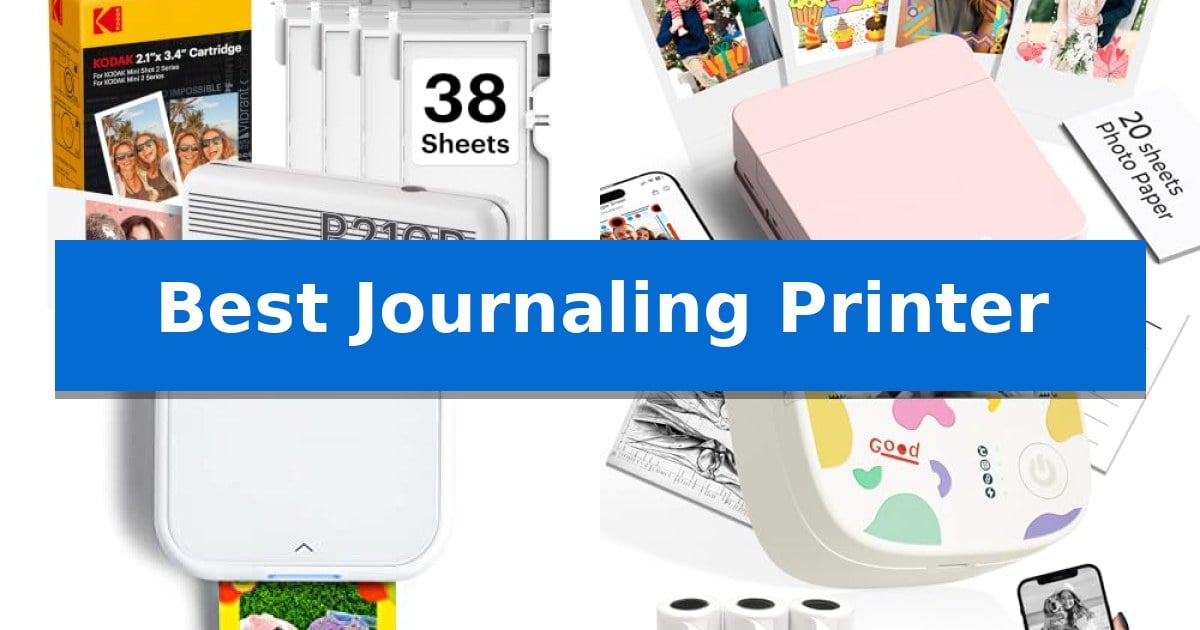
Adding physical photos and custom labels to your planner or scrapbook transforms simple notes into lasting memories. Finding the Best Journaling Printer requires balancing print quality, portability, and the ease of using adhesive-backed paper for your creative projects.
Whether you are a student organizing lecture notes or a crafter building a detailed travel journal, the right device makes all the difference. We have analyzed the top portable options to help you choose a printer that integrates seamlessly into your daily creative routine.
Best Journaling Printer in 2026: Capture Memories Instantly
Quick Comparison
| Product | Best For | Key Strength | Score |
|---|---|---|---|
| KODAK Mini 2 Retro Photo Printer | Best Overall | 4PASS dye sublimation technology provides smudge and water resistance. | 4.9 |
| Nelko PP01 Photo Printer | Vivid Prints for Creative Layouts | Portable, pocket-sized design weighing only 308 g. | 4.5 |
| Canon Ivy 2 Mini Photo Printer | Optimized Skin Tones for Portraits | ZINK (Zero Ink) technology removes the need for messy ink cartridges. | 4.7 |
| XenGro Mini Sticker Printer | Best for Organizing Study Notes | Inkless thermal printing eliminates the cost and mess of cartridges. | 4.3 |
| Cabaro Mini Sticker Printer | Versatile for Custom Journal Labels | Inkless thermal printing technology removes the ongoing cost of ink or toner cartridges. | 4.3 |
How We Chose
- Print Technology: Assessing whether the device uses ink-based or thermal methods for clarity and longevity.
- Adhesive Compatibility: Confirming the availability and quality of sticky-backed paper for easy application.
- App Integration: Evaluating the ease of editing, cropping, and customizing layouts via mobile applications.
- Portability: Measuring the physical dimensions and weight to ensure the device fits into bags or pockets.
- Connectivity: Verifying the reliability of Bluetooth pairing with iOS and Android smartphones.
1 KODAK Mini 2 Retro Photo Printer — Superior Color for Scrapbooking
Capturing memories in physical form adds a tactile dimension to scrapbooking and memory keeping, and the KODAK Mini 2 Retro Photo Printer simplifies this process by turning smartphone images into credit-card-sized prints. Its compact design allows it to fit easily into a bag or pocket, making it a practical tool for those who want to document moments while on the go.
The device utilizes 4PASS dye sublimation printing technology, which applies three color layers and a clear protective lamination layer to each photo. This process results in prints that are smudge-proof, water-resistant, and fade-resistant, ensuring that your journal entries or photo albums remain preserved over time. The printing process takes approximately 55 seconds per photo.
Connectivity is managed through the KODAK Photo Printer app, which pairs with your iOS or Android device via Bluetooth. The app provides tools to edit, crop, and customize images before printing, offering flexibility for creative projects. The printer is designed for straightforward operation, requiring minimal setup to begin printing.
The included bundle provides everything needed to get started, including the printer, a USB Type-C cable, and a starter pack of 38 sheets of photo paper with cartridges. Its small footprint and portable nature make it a suitable choice for scrapbooking, travel documentation, or creating spontaneous keepsakes.
Best for: Journalers and scrapbookers who want a portable, easy-to-use device for creating durable, credit-card-sized photo prints from their smartphone.
Skip if: Users who require larger print formats or high-volume professional photo production will find the credit-card size and single-sheet printing process limiting.
PROS
- 4PASS dye sublimation technology provides smudge and water resistance.
- Compact, portable design suitable for travel and on-the-go use.
- Integrated Bluetooth connectivity for wireless printing from smartphones.
- Comprehensive starter bundle includes 38 sheets and cartridges.
CONS
- Fixed credit-card print size may not suit all creative layouts.
- Single-sheet printing is not optimized for high-volume batch tasks.
2 Nelko PP01 Photo Printer — Vivid Prints for Creative Layouts
Capturing memories for a personal planner or scrapbook requires a tool that balances portability with immediate output. The Nelko PP01 Photo Printer addresses this by utilizing advanced inkjet technology to produce 600 DPI high-resolution images directly from a smartphone. Its compact, pocket-sized frame weighs only 308 g, allowing for seamless integration into travel bags or school supplies.
Functionality centers on the Nelko app, which serves as the hub for both connectivity and creative design. Users can connect via Bluetooth to access a suite of editing tools, including filters, text overlays, and AI image editing. The printer is designed for efficiency, capable of producing a full-color print in under 90 seconds. Each print utilizes premium sticky-backed photo paper that is specifically engineered to be smudge-proof, water-resistant, and tear-resistant.
The system is built for versatility, with each ink cartridge supporting up to 80 prints. The inclusion of adhesive backing on every 2×3 inch photo simplifies the process of adding visual elements to journals, planners, or DIY projects. While the unit includes a USB charging cable, users should note that a power adapter is not provided in the box.
This device is a practical solution for those who prioritize instant physical documentation of their daily experiences. By combining high-resolution output with a mobile-first workflow, it streamlines the transition from digital capture to physical journaling without the need for traditional desktop printing setups.
Best for: Students, crafters, and journalers who need a portable, smartphone-connected printer for instant, adhesive-backed photo prints.
Skip if: Users who require professional-grade photo lab quality or those who prefer printing larger formats than the standard 2×3 inch size.
PROS
- Portable, pocket-sized design weighing only 308 g.
- 600 DPI high-resolution output for clear, detailed images.
- Adhesive-backed photo paper ideal for scrapbooking and journaling.
- Versatile app editing features including AI tools, frames, and filters.
CONS
- Power adapter not included in the package.
- Limited to 2×3 inch print size.
3 Canon Ivy 2 Mini Photo Printer — Optimized Skin Tones for Portraits
Capturing memories in a physical format adds a tactile dimension to any personal record, and the Canon Ivy 2 Mini Photo Printer simplifies this process by allowing you to print directly from your smartphone or tablet. By utilizing the Canon Mini Print App, you can customize your images before sending them to the device, making it a versatile tool for those who enjoy documenting their daily experiences.
This device eliminates the need for traditional ink cartridges by employing ZINK (Zero Ink) technology. This method relies on colorful dye-based crystals embedded directly into the paper, which react to heat to produce the final image. The Canon Ivy 2 Mini Photo Printer also features improved print quality, specifically optimized for better skin tone reproduction, increased contrast, and sharper image detail compared to previous iterations.
Designed for portability, the printer is compact and connects to your mobile devices using Bluetooth 5.0 technology. A standout feature for journalers is the PEEL & STICK backing on the photo paper, which allows you to adhere your prints directly into a notebook or onto other surfaces without the need for additional adhesives.
While the device offers significant convenience for on-the-go printing, it is important to note that it is designed specifically for small-format photos. Users should ensure their mobile devices are compatible with the Canon Mini Print App to take full advantage of the customization features and wireless connectivity.
Best for: Journalers and scrapbookers who want to print and immediately adhere small, customized photos from their smartphone.
Skip if: Users who require high-resolution, large-format photo prints or those who prefer traditional ink-based printing methods.
PROS
- ZINK (Zero Ink) technology removes the need for messy ink cartridges.
- PEEL & STICK backing allows for easy application in journals.
- Improved print quality with optimized skin tones and sharpness.
- Bluetooth 5.0 ensures reliable mobile connectivity.
CONS
- Small-format printing limits the size of the output.
- App-dependent functionality requires a compatible smartphone or tablet.
4 XenGro Mini Sticker Printer — Best for Organizing Study Notes
Capturing and organizing daily thoughts becomes significantly more efficient with the XenGro Mini Sticker Printer, a compact device designed to turn digital notes into physical, adhesive reminders. By utilizing inkless thermal printing technology, this printer eliminates the need for messy cartridges or toners, providing a clean and cost-effective way to produce 203 DPI black-and-white prints for journals, study notes, or DIY projects.
The device connects seamlessly to iOS and Android devices via Bluetooth, allowing users to manage content through the dedicated "Funnyprinter" app. This software suite includes OCR text recognition, templates, and various editing tools that simplify the process of customizing labels or photos on the go. Its ultra-portable design, weighing only 0.26 lbs, ensures it fits easily into a backpack or handbag, making it a practical tool for students and planners who need to organize information anywhere.
Functionality is further enhanced by a built-in serrated cutter, which ensures that every sticker or note is torn with a straight, clean edge. The printer arrives ready to use with one pre-installed white sticker roll and three additional rolls, supporting both self-adhesive and standard thermal paper types. For those looking to add variety to their journaling, the system also supports color paper rolls.
Designed with a focus on versatility, the XenGro Mini Sticker Printer serves as both a label maker and a photo printer. Its AI-powered smart recognition and straightforward app interface make it an accessible gift for anyone interested in creative organization. With a 2-year warranty included, it offers a reliable solution for maintaining a structured and personalized journaling experience.
Best for: Students and journaling enthusiasts who need a portable, inkless way to print study notes, labels, and creative stickers on the go.
Skip if: Users who require high-resolution color printing or large-format document production will find the 203 DPI black-and-white thermal output insufficient for their needs.
PROS
- Inkless thermal printing eliminates the cost and mess of cartridges.
- Ultra-portable, lightweight design fits easily into pockets or bags.
- OCR text recognition and app-based editing simplify digital-to-physical note conversion.
- Built-in serrated cutter ensures clean, professional-looking edges.
CONS
- Monochrome-only output limits printing to black-and-white images.
- Thermal paper dependency requires specific refill rolls for optimal performance.
5 Cabaro Mini Sticker Printer — Versatile for Custom Journal Labels
Personalizing a bullet journal or organizing study notes requires a tool that balances portability with creative flexibility. The Cabaro Mini Sticker Printer offers a compact, inkless solution for those looking to print memos, photos, and custom labels directly from a smartphone or tablet.
This Bluetooth thermal printer eliminates the need for expensive ink or toner, utilizing a thermal printing process to produce black-and-white images. With 203dpi resolution, it is designed to provide clear, high-definition output suitable for detailed notes or decorative stickers. The device connects via Bluetooth 4.0 and is compatible with Android 4.0 and iOS 8.0 or above, ensuring broad mobile integration.
The Fun Print app serves as the control center, offering various fonts, themes, and filter effects to customize printouts. Users can print text or images instantly, making it a practical tool for quick labeling or adding visual elements to journals. The printer includes three rolls of 50mm-53mm thermal sticker paper, which can be trimmed with scissors to create labels of any desired shape or size.
Measuring approximately 4.3 by 2.5 by 2 inches and weighing about 0.35 pounds, the unit is highly portable. While it functions as a versatile sticker maker, it is important to note that it is not a camera and relies on mobile device input. If print quality appears faint, the manufacturer recommends a full charge and adjusting the print density within the app settings.
Best for: Students, journal enthusiasts, and DIY crafters who need a portable, inkless way to create custom stickers and organized notes from a mobile device.
Skip if: Users who require high-resolution color printing or those who prefer a standalone device that does not rely on a smartphone app for image processing.
PROS
- Inkless thermal printing technology removes the ongoing cost of ink or toner cartridges.
- Includes three rolls of thermal sticker paper to get started with custom labeling immediately.
- Compact and lightweight design makes it easy to carry for on-the-go journaling or study sessions.
- Customizable output via the Fun Print app allows for varied fonts and filters.
CONS
- Black-and-white output only, which may limit creative options for those seeking color prints.
- Requires a smartphone or tablet for operation as it lacks standalone scanning or camera functionality.
Best Journaling Printer Buying Guide
Understanding Print Technologies
Journaling printers generally fall into two categories: dye sublimation or thermal printing. Dye sublimation, like that found in the KODAK Mini 2 Retro, uses heat to transfer color layers, resulting in vibrant, water-resistant photos that mimic traditional prints.
Thermal printers, such as the XenGro Mini Sticker Printer, use heat-sensitive paper to create black-and-white images. These are highly efficient for text-heavy notes, labels, and quick sketches, as they require no ink or toner cartridges.
The Importance of Adhesive Backing
For a journaling enthusiast, the ability to peel and stick is essential. Most dedicated photo printers for journals, like the Canon Ivy 2, come with sticky-back paper specifically designed to adhere to paper surfaces without the need for glue or tape.
When selecting your printer, check if the manufacturer offers specific refills. Using original paper ensures the adhesive remains tacky over time and that the print quality remains consistent with the printer's resolution settings.
App-Based Customization
The software accompanying your printer is just as important as the hardware. Apps like the Nelko app or Funnyprinter allow you to add borders, text, and filters before you print, which is vital for creating cohesive journal layouts.
Look for features like OCR text recognition or AI editing if you plan on printing study notes or complex documents. These tools can save significant time by allowing you to format text directly on your phone screen.
Portability and Power
Since journaling often happens at cafes, libraries, or while traveling, the physical footprint of your printer matters. Devices like the Cabaro Mini Sticker Printer are designed to be ultra-compact, fitting easily into a pencil case or small handbag.
Consider the battery life and charging method. Most modern portable printers use USB Type-C or micro-USB charging, allowing you to power them up using the same cables you use for your smartphone or laptop.
Connectivity and Compatibility
Reliable Bluetooth connectivity is the standard for these devices. Ensure the printer is compatible with your specific smartphone operating system, whether you use iOS or Android, to avoid pairing frustrations.
Some printers require you to pair through the app rather than the phone's system settings. Always follow the manufacturer's specific setup instructions to ensure a stable connection during your printing sessions.
Frequently Asked Questions
Do I need to buy ink for these printers?
Most thermal printers, like the XenGro and Cabaro models, are inkless. Photo printers like the KODAK Mini 2 Retro use all-in-one cartridges that contain both ink and paper, so you never have to buy separate ink bottles.
Can I print on regular paper?
No, these portable printers require specific thermal or dye-sublimation paper. Using standard printer paper will not work and may damage the internal print head.
Are the photos waterproof?
Many of the photo-focused printers, such as the KODAK Mini 2 Retro and Nelko PP01, produce prints with a protective lamination layer that makes them water-resistant and smudge-proof.
How long do the prints last?
When stored properly in a journal or album, these prints are designed to be fade-resistant. Keeping them out of direct, prolonged sunlight will help maintain their color integrity.
Can I use these for school notes?
Yes, thermal sticker printers are excellent for students. They allow you to print charts, formulas, and vocabulary lists that can be stuck directly into your study notebook.
Conclusion: Our Top Pick
Selecting the right device depends on whether you prioritize high-quality color photos or efficient, text-based labels. For those seeking the best balance of print longevity and vibrant color for scrapbooking, the KODAK Mini 2 Retro Photo Printer stands out as the most reliable choice.
Its 4PASS dye sublimation technology ensures that your memories are protected against water and fading, making it a durable companion for any journal. While other options offer unique benefits for study notes or quick black-and-white labels, this printer provides the most professional finish for your creative projects.