
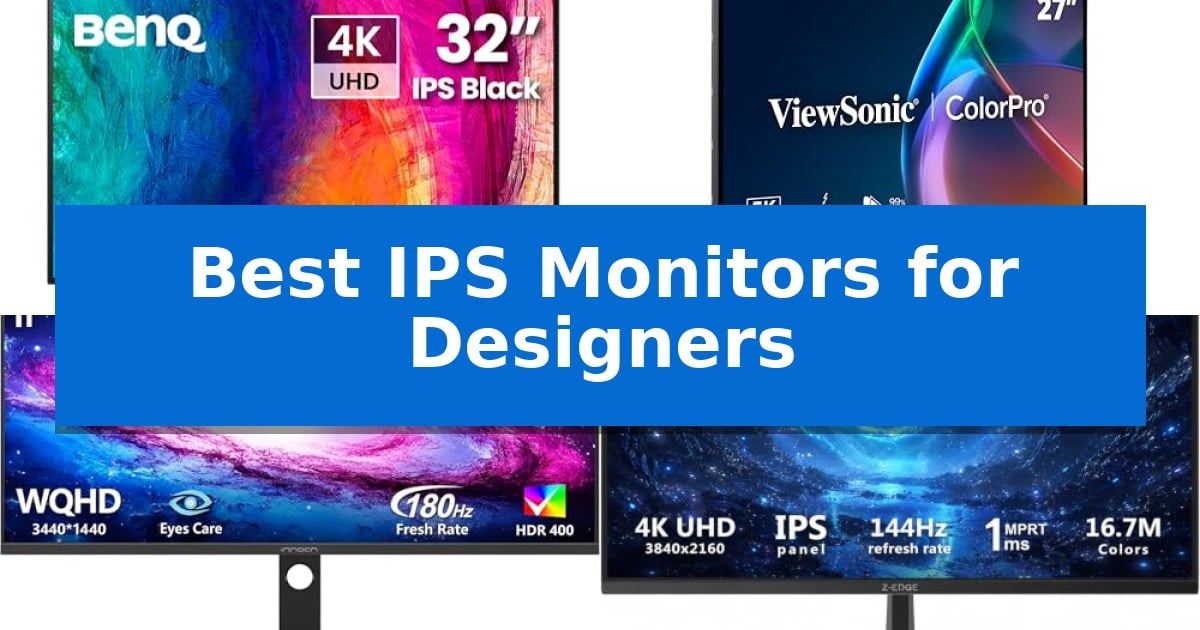
Finding the right display is essential for any visual professional who relies on precise color reproduction and sharp detail. The Best IPS Monitors for Designers provide the consistent performance needed to ensure that what you see on screen translates accurately to your final output, whether for print or digital media.
Selecting a monitor involves balancing resolution, color gamut coverage, and connectivity options that integrate seamlessly with your existing hardware. We have analyzed current market options to help you identify which display best fits your specific creative requirements and workspace setup.
Best IPS Monitors for Designers in 2026
Quick Comparison
| Product | Best For | Key Strength | Score |
|---|---|---|---|
| BenQ PD3225U IPS Monitor | Best Overall | IPS Black technology provides a superior 2000:1 contrast ratio. | 4.9 |
| ViewSonic VP2788-5K IPS Monitor | Unmatched 5K Clarity for Designers | 5K resolution provides exceptional detail for creative editing. | 4.4 |
| INNOCN 34C1R Ultrawide IPS Monitor | Expansive Canvas for Editing Timelines | 21:9 Ultrawide aspect ratio provides significant screen real estate for complex creative timelines. | 4.9 |
| Z-Edge U28I4K IPS Monitor | High-Refresh 4K Precision | 4K UHD resolution for high-detail visual work. | 4.3 |
| LG 27UP650K-W IPS Monitor | Vibrant HDR Color Accuracy | 95% DCI-P3 color gamut for professional color accuracy. | 4.7 |
How We Chose
- Color Gamut Coverage: Assessing support for industry-standard color spaces like sRGB, Rec.709, and DCI-P3.
- Resolution and Clarity: Evaluating pixel density and screen real estate to ensure sharp detail for fine-tuned editing.
- Connectivity Standards: Checking for modern interface support like Thunderbolt or USB-C for efficient data and power delivery.
- Ergonomic Flexibility: Reviewing stand adjustments including height, tilt, and pivot to support long-term comfort.
- Panel Technology: Confirming IPS-based displays for consistent viewing angles and reliable color reproduction.
1 BenQ PD3225U IPS Monitor — Best for Mac-Based Creative Work
Professional design workflows demand uncompromising color fidelity, and the BenQ PD3225U IPS Monitor is engineered to meet these rigorous standards. This 32-inch 4K display leverages IPS Black technology to achieve a 2000:1 contrast ratio, significantly improving the depth of blacks and overall image detail compared to standard IPS panels. By providing deeper contrast, it allows designers to evaluate shadows and highlights with greater precision during color-critical tasks.
Tailored for the Apple ecosystem, this monitor includes an M-Book mode for consistent color matching and covers 98% P3 and 100% sRGB color gamuts. With a Delta E ≤ 2 rating, it adheres to Pantone Validated and Calman verified standards, ensuring that what you see on screen translates accurately to final output. These features are essential for professionals who require reliable, factory-calibrated color performance out of the box.
Connectivity is handled through a high-bandwidth 40Gb/s Thunderbolt 3 interface, which simplifies cable management by supporting data, video, and 85W power delivery through a single connection. This interface also facilitates daisy-chaining for multi-monitor setups, helping to maintain a clean and efficient workspace. The included Hotkey Puck and Display Pilot 2 software provide tactile, intuitive control over brightness, input switching, and desktop partitioning, further streamlining the creative process.
The monitor is built with an ergonomic, anodized metal stand that supports full adjustability, including tilt, swivel, pivot, and height settings. This flexibility ensures that the display can be positioned to suit various desk configurations and user preferences, promoting comfort during long hours of design work.
Best for: Professional Mac-based designers who require high color accuracy and single-cable connectivity for complex workflows.
Skip if: Users who do not require professional-grade color calibration or those who prefer a smaller display footprint for limited desk space.
PROS
- IPS Black technology provides a superior 2000:1 contrast ratio.
- Thunderbolt 3 connectivity enables 85W charging and multi-monitor daisy-chaining.
- Pantone Validated and Calman verified color accuracy with 98% P3 coverage.
- Hotkey Puck allows for quick, tactile control of display settings.
CONS
- Large 32-inch form factor may be too bulky for smaller workstations.
2 ViewSonic VP2788-5K IPS Monitor — Unmatched 5K Clarity for Designers
Achieving precise color accuracy in a creative workflow often hinges on the display's ability to render professional color spaces, a requirement met by the ViewSonic VP2788-5K IPS Monitor. This 27-inch display is built for high-resolution tasks, offering a 5K (5120 x 2880) resolution that provides the pixel density necessary for detailed design work and Mac-centric creative environments.
Connectivity is a primary strength of this model, featuring Thunderbolt 4 integration. This interface supports up to 40 Gbps data transfer and provides 100W power delivery to keep a connected MacBook charged through a single cable. For those managing complex workstations, the monitor supports 5K daisy chaining, allowing users to expand their screen real estate by linking a second unit directly through the Thunderbolt 4 output.
Color fidelity is managed through 100% sRGB and 99% DCI-P3 coverage, ensuring that the monitor aligns with industry standards for professional-tier editing. It is also Pantone Validated, which confirms its capability to reproduce colors within the Pantone Matching System. These specifications are housed in a frameless design that prioritizes both aesthetics and functional workspace management.
Ergonomics are addressed through a fully adjustable stand that allows for tilt, swivel, rotate, and height adjustments. This flexibility helps maintain a comfortable viewing position during long design sessions. With additional connectivity options including HDMI and DisplayPort, the monitor integrates into diverse hardware setups while maintaining the high-speed requirements of modern creative tools.
Best for: Professional designers and Mac users who require 5K resolution, high color accuracy, and single-cable connectivity.
Skip if: Users who do not require 5K resolution or Thunderbolt 4 connectivity may find more cost-effective 4K alternatives.
PROS
- 5K resolution provides exceptional detail for creative editing.
- Thunderbolt 4 enables high-speed data and 100W charging.
- Pantone Validated color accuracy for professional workflows.
- Daisy chain support allows for multi-monitor expansion.
CONS
- Premium pricing reflects the 5K panel and advanced connectivity.
- Higher power requirements may be necessary for full daisy-chain performance.
3 INNOCN 34C1R Ultrawide IPS Monitor — Expansive Canvas for Editing Timelines
Designers requiring an expansive digital workspace often struggle with the limitations of standard aspect ratios. The INNOCN 34C1R Ultrawide IPS Monitor addresses this by providing a 21:9 aspect ratio, effectively offering the screen real estate of two monitors side-by-side. This configuration is particularly effective for managing complex video editing timelines, side-by-side document comparisons, or maintaining multiple reference windows during creative projects.
Beyond its physical dimensions, this monitor is engineered for performance, featuring a 180Hz refresh rate and 1ms (MPRT) response time. While these specs are often associated with gaming, they also benefit designers by providing smooth motion during high-frame-rate video editing or 3D animation work. The inclusion of Adaptive-Sync and G-SYNC compatibility ensures that visual output remains consistent without tearing or stuttering.
Color accuracy is central to professional design, and the INNOCN 34C1R Ultrawide IPS Monitor covers 100% of the sRGB color gamut. Supported by HDR400, the panel maintains detail in both deep shadows and bright highlights. The IPS technology provides 178° wide viewing angles, which is essential for maintaining color consistency when viewing the screen from different positions at a desk.
Usability is enhanced through a fully adjustable ergonomic stand, offering 130mm of height adjustment and -5°~15° of tilt. Connectivity options include dual HDMI 2.0 ports and DP 1.4, allowing for seamless integration with various workstations. The integrated PIP (Picture-in-Picture) and PBP (Picture-by-Picture) modes further expand utility by enabling the display of two separate devices on the same screen simultaneously.
Best for: Designers and video editors who require an expansive ultrawide workspace and reliable sRGB color reproduction for multi-tasking workflows.
Skip if: Users who require professional-grade color accuracy beyond sRGB, such as full Adobe RGB or DCI-P3 coverage, or those with limited desk space for a 34-inch ultrawide display.
PROS
- 21:9 Ultrawide aspect ratio provides significant screen real estate for complex creative timelines.
- 100% sRGB color gamut coverage ensures reliable color reproduction for standard digital design tasks.
- PIP and PBP modes allow for simultaneous input from two different devices.
- Fully adjustable ergonomic stand supports height and tilt customization for improved comfort.
CONS
- Large physical footprint may not be suitable for smaller desk setups.
- Limited to sRGB color space, which may not meet the needs of print-focused professionals requiring wider gamuts.
4 Z-Edge U28I4K IPS Monitor — High-Refresh 4K Precision
Achieving precise color reproduction and fluid motion is essential for professional design workflows, and the Z-Edge U28I4K IPS Monitor addresses these needs with a high-resolution 3840×2160 4K UHD display. By utilizing an advanced IPS panel, this monitor provides a wide 178° panoramic viewing angle, ensuring that color consistency remains stable even when viewing from off-center positions.
For designers who also require performance for video streaming or fast-paced visual tasks, the monitor features a 144Hz refresh rate paired with a 1ms MPRT response time. These specifications work together to minimize motion blur, providing smoother transitions during complex editing or high-motion content creation.
Connectivity is handled through a versatile array of ports, including two HDMI inputs and two DisplayPort connections. This setup allows for multi-device integration, maintaining full 4K resolution at 144Hz across all inputs. The ultra-thin bezel design maximizes screen real estate, while the 100x100mm VESA mount compatibility offers flexibility for wall or arm-mounted configurations to suit various workspace ergonomics.
The Z-Edge U28I4K IPS Monitor balances high-end visual clarity with the functional requirements of a modern design studio. Its combination of high refresh rates and color-accurate IPS technology makes it a capable tool for those who need to switch between detailed graphic work and high-performance media tasks without compromising on image precision.
Best for: Designers and creators who require a combination of 4K resolution for detail-oriented work and a high 144Hz refresh rate for fluid motion.
Skip if: Users who require specific color space certifications like Adobe RGB or DCI-P3 coverage, as these are not explicitly detailed in the specifications.
PROS
- 4K UHD resolution for high-detail visual work.
- 144Hz refresh rate and 1ms MPRT for smooth motion.
- IPS panel technology for consistent color and wide viewing angles.
- Versatile connectivity with dual HDMI and dual DisplayPort inputs.
CONS
- No built-in height-adjustable stand included, requiring a VESA mount for ergonomic positioning.
- Limited to 100x100mm VESA mounting standards.
5 LG 27UP650K-W IPS Monitor — Vibrant HDR Color Accuracy
The LG 27UP650K-W IPS Monitor provides a high-fidelity workspace for visual professionals through its 4K UHD (3840 x 2160) resolution and 95% DCI-P3 color gamut coverage. This combination ensures that creators can view fine details and accurate color gradients, which are essential for precise image and video editing tasks.
Beyond its display capabilities, the monitor is VESA DisplayHDR 400 compatible, allowing for a broader range of contrast and brightness when working with HDR-mastered content. The inclusion of an ergonomic stand that supports tilt, height, and pivot adjustments allows users to configure the screen to their specific desk setup, reducing strain during long editing sessions.
For multitasking, the Switch app enables users to split the screen into up to six sections, streamlining complex workflows by organizing multiple windows or applications simultaneously. While primarily focused on creative output, the monitor also includes Black Stabilizer and Dynamic Action Sync features, which reduce input lag and improve visibility in dark scenes for those who also utilize their workstation for gaming.
The LG 27UP650K-W IPS Monitor balances professional-grade color reproduction with practical ergonomic design, making it a versatile tool for designers who require both accuracy and comfort.
Best for: Designers and content creators who require high-resolution 4K color accuracy and flexible ergonomic positioning for extended professional workflows.
Skip if: Users who require ultra-high refresh rates for competitive gaming or those needing specialized connectivity like Thunderbolt 3 or 4 for high-speed data daisy-chaining.
PROS
- 95% DCI-P3 color gamut for professional color accuracy.
- 4K UHD resolution providing high pixel density for detailed design work.
- Fully adjustable ergonomic stand supporting tilt, height, and pivot.
- Switch app multitasking allows for efficient screen splitting and layout management.
CONS
- 60Hz refresh rate may be limiting for users prioritizing high-motion gaming performance.
- Standard connectivity lacks advanced high-speed data ports like Thunderbolt.
Best IPS Monitors for Designers Buying Guide
Understanding Color Gamut and Accuracy
For designers, the ability to reproduce colors accurately is non-negotiable. Look for monitors that specify coverage for sRGB, Adobe RGB, or DCI-P3 color spaces. High coverage in these areas ensures that your digital assets appear as intended across different devices and print mediums.
Beyond gamut, consider the Delta E value, which measures the difference between the color displayed and the actual color. A lower Delta E (typically ≤ 2) indicates higher color precision, reducing the need for constant recalibration and guesswork during your editing process.
Resolution and Screen Real Estate
The jump from standard HD to 4K UHD resolution significantly impacts your ability to view fine details in high-resolution imagery. A higher pixel density means smoother gradients and sharper text, which is vital when working on intricate graphic design or video editing projects.
Consider your workspace size when choosing between standard 27-inch displays or larger 32-inch and ultrawide options. An ultrawide 21:9 aspect ratio can be particularly beneficial for video editors who need extra room for long timelines without the clutter of a dual-monitor setup.
Connectivity and Workflow Integration
Modern creative workflows often rely on single-cable solutions. Monitors featuring Thunderbolt 3 or 4 connectivity allow you to transmit video, data, and power to your laptop simultaneously, effectively turning your monitor into a central docking station.
If you use multiple devices, look for built-in KVM switches or PIP/PBP (Picture-in-Picture/Picture-by-Picture) modes. These features allow you to control two computers with one set of peripherals or view inputs from different sources side-by-side, streamlining your multitasking efficiency.
Ergonomics and Comfort
Design work often involves long hours at the desk, making ergonomic adjustments essential for preventing strain. A monitor with a fully adjustable stand—offering height, tilt, swivel, and pivot—allows you to position the screen at eye level, which is critical for maintaining good posture.
Some displays also include flicker-safe technology and blue light filters, which can help reduce eye fatigue during extended sessions. Prioritizing these features can contribute to a more comfortable and sustainable creative environment.
Panel Technology and Viewing Angles
IPS (In-Plane Switching) technology is the gold standard for designers due to its superior color consistency and wide viewing angles. Unlike other panel types, IPS displays maintain color integrity even when viewed from the side, which is important if you frequently share your screen with clients or colleagues.
Recent advancements like IPS Black technology have further improved contrast ratios, allowing for deeper blacks and better shadow detail. This is particularly useful for photographers and video editors working in darker environments who need to see subtle variations in low-light areas.
Frequently Asked Questions
Why is IPS technology preferred for design work?
IPS panels are favored because they offer consistent color reproduction and wide viewing angles, ensuring that images look the same regardless of your position relative to the screen.
What does Delta E ≤ 2 mean for a monitor?
Delta E is a metric for color accuracy. A value of 2 or less is generally considered professional-grade, meaning the human eye cannot easily distinguish the difference between the displayed color and the reference color.
Do I need a 4K monitor for graphic design?
While not strictly required, 4K resolution provides significantly more detail and sharpness, which is highly beneficial for precision tasks like photo retouching, vector illustration, and 4K video editing.
What is the benefit of Thunderbolt connectivity?
Thunderbolt allows for high-speed data transfer, video output, and power delivery over a single cable, which helps reduce desk clutter and simplifies the connection process for modern laptops.
How does an ultrawide monitor help with design?
An ultrawide monitor provides more horizontal screen space, which is ideal for managing long video editing timelines, keeping multiple reference windows open, or comparing design iterations side-by-side.
Conclusion: Our Top Pick
Choosing the right display is a foundational step in building an efficient creative studio. After reviewing the available options, the BenQ PD3225U IPS Monitor stands out as our top recommendation for designers who require high color accuracy and seamless integration with Mac environments.
With its IPS Black technology providing a 2000:1 contrast ratio and its dedicated M-Book mode for color matching, it offers the precision and reliability needed for professional projects. Its Thunderbolt 3 connectivity and ergonomic design make it a highly practical choice for those looking to streamline their workspace while maintaining excellent visual performance.