
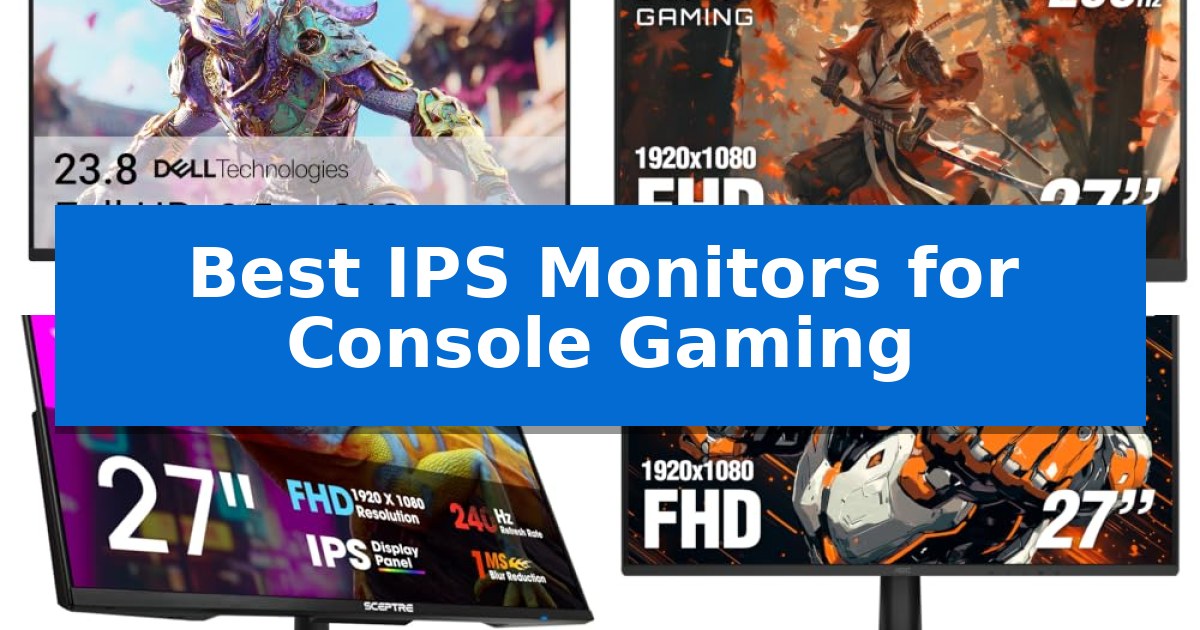
Finding the right display for your console setup requires balancing high-speed performance with the visual fidelity that modern games demand. IPS panels have become a preferred choice for many players because they offer a superior combination of wide viewing angles and vibrant color reproduction compared to traditional alternatives.
In this guide, we examine the Best IPS Monitors for Console Gaming to help you identify which features—such as high refresh rates, variable refresh rate support, and ergonomic adjustments—best suit your specific playstyle and hardware setup.
Best IPS Monitors for Console Gaming in 2026
Quick Comparison
| Product | Best For | Key Strength | Score |
|---|---|---|---|
| Dell SE2726HG Gaming Monitor | Best Overall | 240Hz refresh rate for fluid motion | 4.9 |
| AOC 27G4H Gaming Monitor | High Refresh Rate for Fluid Action | 200Hz refresh rate for smooth motion | 4.3 |
| Sceptre E275B-FP240 Gaming Monitor | Smooth 240Hz Visuals | 240Hz refresh rate for smooth motion. | 4.3 |
| AOC 27G51F2 Gaming Monitor | Responsive 180Hz Performance | 180Hz refresh rate for smooth motion performance. | 4.6 |
| Acer KB272 G0bi Gaming Monitor | Ideal 120Hz Console Match | 120Hz refresh rate for smooth motion in console gaming. | 4.6 |
How We Chose
- Refresh Rate and Response Time: We prioritized monitors capable of handling high-frequency signals to ensure fluid motion during fast-paced gameplay.
- Panel Technology: We focused on IPS displays for their inherent color accuracy and wide viewing angles, which are essential for immersive gaming.
- Console Compatibility: We assessed the inclusion of HDMI and DisplayPort connectivity, alongside support for adaptive sync technologies to minimize screen tearing.
- Ergonomic Flexibility: We reviewed the adjustability of stands, including tilt and VESA mount compatibility, to ensure a comfortable viewing experience.
- Visual Enhancements: We considered features like blue light filters and HDR readiness that contribute to long-term eye comfort and image depth.
1 Dell SE2726HG Gaming Monitor — Fast 240Hz for Competitive Play
Competitive console gaming requires a display that can keep pace with high frame rates while maintaining visual clarity. The Dell SE2726HG Gaming Monitor is built for this specific demand, utilizing a 240Hz refresh rate and a rapid 0.5ms response time to minimize input lag and motion blur during fast-paced sequences.
This 27-inch display features In-Plane Switching (IPS) technology, which provides consistent color accuracy and wide viewing angles compared to standard panels. With 99% sRGB color coverage, the monitor delivers vivid, detailed imagery, ensuring that game environments appear sharp and true to their intended design.
For console users, the integration of AMD FreeSync Premium and HDMI VRR support is essential. These technologies work to eliminate screen tearing and stuttering, creating a more fluid and responsive experience when connected to modern gaming hardware. The inclusion of dual HDMI ports and a DisplayPort 1.4 interface offers flexible connectivity for multiple devices.
Beyond performance, the monitor prioritizes user comfort through its TÜV Rheinland 3-star certified eye care features. This certification indicates the display is designed to reduce blue light exposure while maintaining color quality, a helpful consideration for extended gaming sessions. The unit also includes a tilt-adjustable stand for ergonomic positioning.
Best for: Competitive console gamers seeking high refresh rates and color accuracy in a 27-inch form factor.
Skip if: Users who require higher than 1080p resolution for productivity or high-fidelity cinematic gaming, as this monitor is limited to FHD.
PROS
- 240Hz refresh rate for fluid motion
- 0.5ms response time to reduce input lag
- 99% sRGB coverage for vivid color accuracy
- FreeSync Premium and HDMI VRR support for tear-free gaming
CONS
- 1080p resolution may lack the detail of 1440p or 4K displays
- Limited ergonomic adjustments beyond basic tilt
2 AOC 27G4H Gaming Monitor — High Refresh Rate for Fluid Action
Achieving fluid motion in fast-paced titles is the primary goal of the AOC 27G4H Gaming Monitor, which utilizes a high 200Hz refresh rate to ensure smooth frame transitions. This high refresh rate, paired with a rapid 0.3ms response time, is designed to minimize motion blur, helping players track moving targets with greater clarity during competitive sessions. By providing a responsive visual experience, this monitor serves as a capable display for console gamers looking to maximize the fluidity of their gameplay.
The display features a 121% sRGB wide color gamut and HDR10 compatibility, which work together to produce more vivid and nuanced imagery. These specifications mean that colors appear more saturated and detailed, enhancing the visual fidelity of modern games. While the monitor is limited to Full HD (1920×1080) resolution, this ensures that the high refresh rate remains the focus, providing a balance between speed and color depth for a variety of gaming genres.
Designed with a 3-sided frameless aesthetic, the AOC 27G4H Gaming Monitor is well-suited for users who prefer a clean, minimal look or those planning a multi-monitor configuration. The included fully ergonomic stand provides essential flexibility, allowing for height, swivel, and tilt adjustments to help users maintain a comfortable viewing angle. Additionally, the stand supports a pivot function, enabling the monitor to rotate into portrait mode for vertical tasks.
Connectivity and setup are streamlined through the inclusion of an audio earphone output and VESA mount compatibility. This allows for easy integration with aftermarket monitor arms or wall mounts, saving desk space. Backed by a 3-year manufacturer warranty, the unit provides long-term support, making it a reliable choice for gamers focused on performance and ergonomic customization.
Best for: Console gamers seeking a high-refresh-rate display with flexible ergonomic adjustments and wide color coverage.
Skip if: Users who require 4K resolution for high-fidelity graphics, as this monitor is limited to Full HD (1920×1080) output.
PROS
- 200Hz refresh rate for smooth motion
- 0.3ms response time to minimize blur
- Fully ergonomic stand with height, swivel, and tilt adjustments
- 121% sRGB wide color gamut for vivid visuals
- 3-sided frameless design for minimal distraction
CONS
- Full HD resolution may lack the sharpness of 4K displays
- 1080p limitation might not fully utilize high-end console graphical capabilities
3 Sceptre E275B-FP240 Gaming Monitor — Smooth 240Hz Visuals
Achieving a fluid visual experience during console gaming requires a display that balances high refresh rates with color accuracy. The Sceptre E275B-FP240 Gaming Monitor addresses this by offering a high-performance 240Hz refresh rate via its two DisplayPorts, ensuring that fast-paced motion remains smooth and responsive for competitive play.
Beyond its speed, this monitor utilizes an IPS display panel that covers 100% of the sRGB color gamut, providing vibrant and accurate visuals that enhance the detail in modern game environments. The nearly bezel-free design is particularly useful for those looking to create a multi-monitor setup, as it minimizes the physical gap between screens for a more immersive field of view.
For extended gaming sessions, the monitor includes Blue-Light Shift technology, which is designed to reduce eye strain by limiting harmful blue light emissions. Additionally, the inclusion of integrated speakers allows for a cleaner desk setup by removing the immediate need for external audio hardware, while the custom gaming modes—specifically tuned for FPS and RTS titles—allow users to quickly optimize display settings for different genres.
Connectivity is handled through one HDMI port and two DisplayPorts, providing the flexibility needed to link various consoles or PCs. While the monitor is built for performance, its 17.2-inch height and minimal footprint make it a practical fit for most gaming desks, ensuring that high-refresh-rate gaming is accessible without requiring excessive space.
Best for: Gamers who prioritize a high 240Hz refresh rate and accurate sRGB color reproduction for competitive console or PC gaming.
Skip if: Users who require 4K resolution or specific high-end HDR certifications, as this model focuses on refresh rate and color gamut performance rather than ultra-high-definition output.
PROS
- 240Hz refresh rate for smooth motion.
- 100% sRGB color gamut for accurate, vibrant visuals.
- Blue-Light Shift technology to help reduce eye strain.
- Minimal bezel design ideal for multi-monitor arrangements.
CONS
- Limited connectivity with only one HDMI port.
- Integrated speakers may not match the audio quality of dedicated sound systems.
4 AOC 27G51F2 Gaming Monitor — Responsive 180Hz Performance
The AOC 27G51F2 Gaming Monitor is built for high-speed responsiveness, featuring a 180Hz refresh rate that provides fluid motion for fast-paced console gameplay. By utilizing both DisplayPort 1.4 and HDMI 2.0 connectivity, it ensures compatibility with modern gaming consoles, allowing users to take advantage of higher frame rates where supported.
This 27-inch Full HD IPS display prioritizes visual clarity and color accuracy, offering wide viewing angles that maintain image consistency. To further enhance the gaming experience, the monitor includes a 0.5ms MPRT response time, which is engineered to minimize motion blur and ghosting during rapid on-screen action.
Designed for versatility, the unit features a modern frameless design that fits well in various desk setups. It includes Adaptive-Sync technology to help reduce screen tearing, as well as HDR Ready compatibility to assist with image contrast during gameplay. The inclusion of VESA mount compatibility provides flexible installation options for those looking to save desk space.
For audio convenience, the monitor is equipped with an integrated audio earphone out port, allowing for direct headset connection. With a 3-year manufacturer warranty, this display offers a reliable solution for console gamers seeking a balance of speed, visual quality, and functional design.
Best for: Console gamers who prioritize high refresh rates and fast response times for competitive or action-oriented gaming.
Skip if: Users who require 4K resolution or advanced HDR certification for high-fidelity cinematic gaming experiences.
PROS
- 180Hz refresh rate for smooth motion performance.
- 0.5ms MPRT response time reduces ghosting.
- IPS panel technology provides wide viewing angles and accurate color.
- VESA mount compatibility allows for flexible mounting options.
CONS
- 1080p resolution may lack the sharpness of higher-resolution displays on a 27-inch screen.
- HDR Ready is a basic compatibility standard rather than high-end HDR performance.
5 Acer KB272 G0bi Gaming Monitor — Ideal 120Hz Console Match
Achieving smooth motion during high-intensity gaming sessions often comes down to the display's ability to keep pace with the console's output. The Acer KB272 G0bi Gaming Monitor addresses this by pairing a 120Hz refresh rate with a 1ms VRB response time, ensuring that fast-moving action is rendered with minimal smearing or ghosting.
Designed with a 27-inch Full HD IPS panel, this monitor provides consistent image quality and wide viewing angles. The inclusion of Adaptive-Sync (FreeSync Compatible) technology is a significant advantage for console users, as it synchronizes the display's refresh rate with the console's frame output to eliminate screen tearing during gameplay.
For those who spend extended hours in front of the screen, the monitor features a built-in Bluelight Filter to help manage eye strain. Its design is practical for various desk setups, offering VESA mount compatibility for users who prefer to clear up their workspace with an aftermarket arm or wall mount.
While this monitor excels at delivering a smooth visual experience for console gaming, it is a 1080p display. Users looking for 4K resolution or advanced HDR peak brightness levels may find that higher-tier monitors better suit their specific visual requirements.
Best for: Console gamers seeking a smooth 120Hz experience on a 27-inch screen without the premium cost of 4K or high-end HDR displays.
Skip if: Users who prioritize 4K resolution or professional-grade color accuracy for creative work will likely find the 1080p resolution limiting.
PROS
- 120Hz refresh rate for smooth motion in console gaming.
- Adaptive-Sync (FreeSync Compatible) to prevent screen tearing.
- 1ms VRB response time to reduce ghosting in fast-paced scenes.
- VESA mountable for flexible ergonomic positioning.
CONS
- 1080p resolution may appear less sharp on a 27-inch screen compared to higher pixel densities.
- 250 nits brightness is standard but may struggle in very brightly lit rooms.
Best IPS Monitors for Console Gaming Buying Guide
Understanding Refresh Rates and Response Times
The refresh rate, measured in Hertz (Hz), dictates how many times per second the screen updates its image. For console gaming, a higher refresh rate allows for smoother motion, which is particularly beneficial in competitive shooters or fast-action titles.
Equally important is the response time, which measures how quickly pixels transition between colors. A lower response time, such as 0.5ms or 1ms, is critical for reducing ghosting and motion blur, ensuring that fast-moving objects remain sharp and clear on your screen.
The Importance of IPS Panel Technology
IPS (In-Plane Switching) technology is widely regarded for its ability to produce consistent, accurate colors across a broad spectrum. Unlike other panel types that may suffer from color shifting when viewed from an angle, IPS monitors maintain their visual integrity even if you are not sitting directly centered.
This makes them an excellent choice for console setups where you might be playing from a couch or sharing the screen with others. The color gamut coverage, often measured in sRGB, ensures that the vibrant worlds of modern games are rendered with the intended depth and saturation.
Connectivity and Compatibility
Before purchasing, ensure your monitor features the correct input ports for your console. While most modern consoles utilize HDMI, having a monitor with multiple HDMI and DisplayPort options provides the flexibility to connect a PC or secondary device simultaneously.
Look for support for Adaptive-Sync or FreeSync Premium, which synchronizes the monitor's refresh rate with the console's output. This technology is essential for eliminating screen tearing and stuttering, resulting in a much more stable and responsive gaming experience.
Ergonomics and Eye Comfort
Gaming sessions can often last for several hours, making ergonomic adjustments a key factor in your overall comfort. Monitors that offer tilt, swivel, or height adjustments allow you to position the screen at eye level, which helps reduce neck and shoulder strain.
Additionally, features like TÜV Rheinland-certified blue light filters are designed to minimize eye fatigue. These technologies reduce the amount of harmful blue light emitted by the display, allowing you to play for longer periods without experiencing significant eye discomfort.
Frameless Designs and Multi-Monitor Setups
A frameless or thin-bezel design is not just an aesthetic choice; it is highly functional for those who use multiple monitors or want a cleaner look. By minimizing the plastic border around the screen, these monitors provide a more immersive experience with fewer distractions.
If you plan to expand your workspace or gaming station, look for VESA mount compatibility. This allows you to attach your monitor to a dedicated arm or wall mount, freeing up valuable desk space and providing even greater control over the monitor's position.
Frequently Asked Questions
Do I need a 240Hz monitor for my console?
While 240Hz monitors offer extremely smooth motion, most current-generation consoles are optimized for 60Hz or 120Hz output. A 240Hz monitor will still function perfectly, but you may not see the full benefit unless your console and game support those higher frame rates.
Why choose an IPS panel over a VA or TN panel?
IPS panels are generally chosen for their superior color accuracy and wider viewing angles. While TN panels might offer faster response times, IPS technology has advanced significantly to provide both speed and high-quality visuals, making it the preferred choice for most modern gamers.
What is the benefit of FreeSync Premium?
FreeSync Premium helps synchronize the monitor's refresh rate with the console's frame rate. This prevents screen tearing and stuttering, which can occur when the console's output frame rate does not perfectly match the monitor's refresh rate.
Can I use a PC gaming monitor with my console?
Yes, most modern PC gaming monitors are fully compatible with consoles via HDMI. As long as the monitor supports the resolution and refresh rate of your console, it will work as a high-performance display.
What does VESA mount compatibility mean?
VESA mount compatibility refers to a standard pattern of four holes on the back of the monitor. This allows you to attach the monitor to universal wall mounts or desk arms, providing more flexibility in how you set up your gaming space.
Conclusion: Our Top Pick
When selecting the best monitor for your console, the Dell SE2726HG Gaming Monitor stands out as a top choice due to its high 240Hz refresh rate and fast 0.5ms response time. These features work together to provide exceptionally fluid motion, which is essential for competitive gaming and ensuring a responsive experience across various console titles.
Beyond its speed, the monitor's IPS technology ensures that colors remain vivid and accurate, while the inclusion of FreeSync Premium and eye-comfort features makes it a well-rounded solution for long-term use. Its combination of performance and display quality makes it a highly recommended option for any serious console gamer looking to upgrade their setup.