
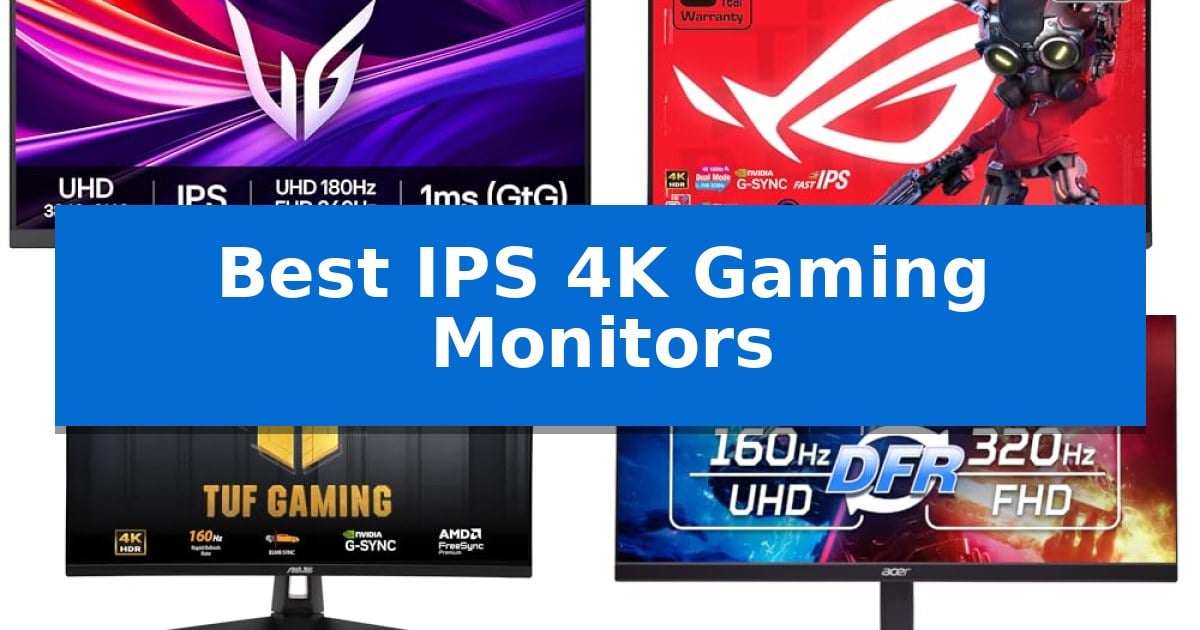
Finding the right display requires balancing high-resolution detail with the motion clarity needed for competitive play. The Best IPS 4K Gaming Monitors in 2026 prioritize versatile panel technology, allowing users to switch between cinematic 4K visuals and high-refresh-rate performance modes depending on the task at hand.
Whether you are prioritizing color accuracy for creative work or ultra-responsive frame rates for fast-paced shooters, selecting a monitor with the right interface and sync technology is essential. This guide examines top-tier options that integrate advanced features like HDMI 2.1 and variable refresh rate support to ensure your gaming experience remains smooth and immersive.
Best IPS 4K Gaming Monitors in 2026: Dual-Mode Flexibility
Quick Comparison
| Product | Best For | Key Strength | Score |
|---|---|---|---|
| LG UltraGear 27G810A-B Gaming Monitor | Best Overall | Dual Mode flexibility for 4K 180Hz or FHD 360Hz operation | 4.9 |
| ASUS ROG XG27UCG Gaming Monitor | Versatile dual-mode high-refresh performance | Dual-mode display allows switching between 4K 160Hz and FHD 320Hz. | 4.6 |
| ASUS TUF Gaming VG27UQ1A Monitor | Fast IPS for console and PC | HDMI 2.1 support enables native 4K 120Hz gaming for consoles. | 4.4 |
| Acer Nitro VG270K V4 Gaming Monitor | High-speed refresh with HDMI 2.1 | DFR technology allows switching between 4K resolution and 320Hz refresh rate. | 4.5 |
| CRUA 27-inch Dual Mode Gaming Monitor | Flexible portrait orientation for multitasking | Dual-mode switching between 4K/160Hz and FHD/320Hz. | 4.8 |
How We Chose
- Dual-mode refresh rate capability for resolution versus speed flexibility.
- IPS panel technology for color accuracy and wide viewing angles.
- Connectivity options including HDMI 2.1 for console and PC compatibility.
- Motion blur reduction and variable refresh rate support for tear-free visuals.
- Ergonomic adjustability for long-term comfort during extended sessions.
1 LG UltraGear 27G810A-B Gaming Monitor — Dual-mode speed for competitive play
The LG UltraGear 27G810A-B Gaming Monitor introduces a versatile Dual Mode feature that allows users to toggle between a high-resolution 4K UHD experience at 180Hz and a high-speed Full HD mode at 360Hz. This flexibility ensures that whether you are prioritizing visual fidelity in cinematic titles or frame-rate responsiveness in competitive shooters, the display adapts to your specific gaming requirements.
Built with a 27-inch IPS panel, this monitor achieves up to 95% DCI-P3 color coverage and supports VESA DisplayHDR 400 for enhanced contrast and vibrant color reproduction. The integration of a 1ms GtG response time minimizes ghosting, while NVIDIA G-Sync and AMD FreeSync Premium compatibility work to eliminate screen tearing and stutter during intense gameplay sessions.
Functionality is further bolstered by gaming-centric tools such as Dynamic Action Sync to reduce input lag, a Black Stabilizer for improved visibility in dark environments, and an on-screen crosshair for precision. The inclusion of a 4-pole headphone jack with DTS Headphone:X support provides a streamlined solution for spatial audio and clear communication.
The physical design emphasizes ergonomics with a stand that supports height, tilt, swivel, and pivot adjustments. The narrow bezel design helps maintain a clean aesthetic for multi-monitor setups, while the overall build is engineered to fit into a variety of desktop configurations.
Best for: Gamers who require a single display that can switch between high-resolution 4K visuals and ultra-fast refresh rates for competitive play.
Skip if: Users who require a larger screen size than 27 inches or those who do not need the specific Dual Mode high-refresh-rate functionality.
PROS
- Dual Mode flexibility for 4K 180Hz or FHD 360Hz operation
- 1ms GtG response time for reduced motion blur
- VESA DisplayHDR 400 certification for improved contrast
- Comprehensive ergonomic stand adjustments
CONS
- Limited to 27-inch screen size
- Requires specific hardware to fully utilize 360Hz or 4K 180Hz output
2 ASUS ROG XG27UCG Gaming Monitor — Versatile dual-mode high-refresh performance
The ASUS ROG XG27UCG Gaming Monitor offers a unique dual-mode display capability, allowing users to switch between a native 4K resolution at 160Hz for high-fidelity visuals and a Full HD mode at 320Hz for competitive gaming. This flexibility ensures that whether you are prioritizing image clarity or maximum frame rates, the hardware adapts to your specific session requirements.
Built with Fast IPS technology, this 27-inch panel delivers a 1ms gray-to-gray response time, which is essential for maintaining visual sharpness during fast-paced movement. To further enhance motion clarity, the monitor includes ELMB Sync, which allows for the simultaneous use of motion blur reduction and variable refresh rate technologies. This combination effectively mitigates ghosting and screen tearing without forcing a choice between smoothness and clarity.
Color performance is supported by a 95% DCI-P3 color gamut, providing vibrant and accurate color reproduction for both gaming and creative tasks. The inclusion of DisplayWidget Center software simplifies the user experience by allowing for on-the-fly monitor adjustments directly through your mouse, removing the need to navigate physical OSD buttons during gameplay.
Connectivity is streamlined through a versatile USB-C port, which supports modern setups and helps reduce cable clutter. The monitor is also G-SYNC compatible and supports FreeSync Premium, ensuring broad synchronization support across various graphics cards and consoles like the PS5 and Xbox. With a 3-year warranty that includes advanced replacement and repair, the hardware is backed for long-term reliability.
Best for: Gamers who require a single display that can toggle between high-resolution 4K visuals and ultra-high-refresh 320Hz performance.
Skip if: Users who do not require dual-mode flexibility and would prefer a dedicated, single-purpose monitor at a lower price point.
PROS
- Dual-mode display allows switching between 4K 160Hz and FHD 320Hz.
- Fast IPS technology provides a 1ms response time for reduced motion blur.
- ELMB Sync enables motion blur reduction alongside variable refresh rate support.
- USB-C connectivity simplifies cable management for modern workstations.
CONS
- High-performance feature set may be excessive for users who do not need dual-mode functionality.
3 ASUS TUF Gaming VG27UQ1A Monitor — Fast IPS for console and PC
Achieving high-fidelity visuals across both PC and console platforms requires a display that balances resolution with responsive panel technology. The ASUS TUF Gaming VG27UQ1A Monitor utilizes a 27-inch 4K Ultra HD panel to deliver sharp, detailed imagery, while its Fast IPS technology ensures a 1ms response time for fluid motion during fast-paced gaming.
For competitive play, the monitor supports an ultra-fast 160Hz refresh rate, which works in tandem with ELMB Sync to minimize ghosting and tearing. This technology allows variable-refresh-rate features to function simultaneously with motion blur reduction, providing a clearer picture when frame rates fluctuate.
Compatibility is a central focus, as the unit includes HDMI 2.1 support to enable 4K 120Hz output for modern consoles like the PS5 and Xbox without chroma subsampling. This ensures that console users can leverage the full resolution and refresh capabilities of their hardware.
The display also prioritizes color accuracy with a 95% DCI-P3 professional color gamut and HDR support for vibrant, high-contrast visuals. To simplify configuration, the DisplayWidget Center software allows for easy adjustment of monitor settings directly from the desktop, while the included 3-year warranty provides long-term support for the hardware.
Best for: Gamers who require a versatile 4K display that bridges the gap between high-refresh PC gaming and HDMI 2.1-enabled console performance.
Skip if: Users who prefer a larger screen size or an ultrawide aspect ratio for immersive simulation gaming may find this 27-inch standard 16:9 display limiting.
PROS
- HDMI 2.1 support enables native 4K 120Hz gaming for consoles.
- Fast IPS panel provides a 1ms response time with wide viewing angles.
- ELMB Sync allows for simultaneous use of variable refresh rates and motion blur reduction.
- 95% DCI-P3 color gamut ensures high color accuracy for varied media.
CONS
- 27-inch screen size may be too small for users seeking a large-format immersive experience.
- Standard 16:9 aspect ratio lacks the peripheral field of view found in ultrawide monitors.
4 Acer Nitro VG270K V4 Gaming Monitor — High-speed refresh with HDMI 2.1
The Acer Nitro VG270K V4 Gaming Monitor provides a versatile visual experience by utilizing DFR (Dynamic Frequency Resolution) technology, which allows users to toggle between a high-resolution 4K output for detailed media and a high-refresh 320Hz mode for competitive gaming. This flexibility ensures that the display adapts to different content requirements, whether prioritizing visual fidelity or motion clarity.
Built with a 27-inch IPS panel, the monitor supports 3840 x 2160 UHD resolution and a DCI-P3 90% color gamut for accurate color reproduction. The integration of AMD FreeSync Premium works to synchronize the display's output with the graphics card, aiming to reduce screen tearing and stuttering during intensive gameplay. For fast-paced action, the monitor features a response time of up to 0.5ms GTG, which helps minimize ghosting and smearing during rapid transitions.
The design focuses on maximizing screen real estate through a Zero-Frame aesthetic, which features thin bezels suitable for multi-monitor configurations. Connectivity is supported by two HDMI 2.1 ports and one DisplayPort 1.4, providing the bandwidth necessary for high-resolution and high-refresh-rate signals. The stand includes an ergonomic tilt range of -5° to 25°, and the chassis is compatible with 100 x 100mm VESA mounts for alternative positioning.
While the monitor offers high-end specifications, users should consider the physical footprint of the 27-inch display and ensure their desk setup supports the VESA mount or the included stand. The inclusion of HDR 10 support enhances contrast and brightness, though performance in this area is dependent on the source content. This monitor serves as a comprehensive solution for users who require a single display for both high-resolution creative work and high-speed gaming.
Best for: Gamers who require a hybrid monitor capable of switching between high-resolution 4K visuals and ultra-fast 320Hz refresh rates.
Skip if: Users who require a larger screen size or specialized professional-grade color calibration tools beyond the DCI-P3 90% gamut.
PROS
- DFR technology allows switching between 4K resolution and 320Hz refresh rate.
- 0.5ms GTG response time reduces motion blur in fast-paced games.
- Dual HDMI 2.1 ports provide modern connectivity for high-bandwidth signals.
- Zero-Frame design facilitates seamless multi-monitor setups.
CONS
- Fixed 27-inch screen size may not suit users looking for larger ultrawide displays.
- HDR 10 support is limited to a 90% DCI-P3 color gamut.
5 CRUA 27-inch Dual Mode Gaming Monitor — Flexible portrait orientation for multitasking
The CRUA 27-inch Dual Mode Gaming Monitor offers a unique dual-refresh rate capability, allowing users to toggle between 4K UHD resolution at 160Hz for high-fidelity visuals and FHD resolution at 320Hz for ultra-fast motion. This flexibility makes it a versatile tool for those who switch between demanding open-world titles and competitive esports.
Built with an IPS panel that covers 120% sRGB and 92% DCI-P3 color gamuts, the display provides consistent color reproduction and wide viewing angles. These specifications ensure that the monitor is as effective for color-sensitive creative work as it is for gaming, supported by FreeSync technology to minimize screen tearing during high-speed sequences.
The physical design prioritizes ergonomics and multitasking. The included stand supports 110mm height adjustment, 90-degree pivot, and 30-degree swivel, enabling a seamless transition to portrait orientation for coding or document management. Additionally, the integrated PIP/PBP modes allow for simultaneous input from multiple sources, which is beneficial for streamers and professionals managing complex workflows.
Connectivity is handled through two HDMI 2.1 ports and two DP 1.4 ports, ensuring compatibility with modern PCs and consoles. The monitor also includes built-in speakers and a 75x75mm wall-mount pattern, providing a clean desk setup without the need for external audio hardware.
Best for: This monitor is best for users who require a single display that can switch between high-resolution creative work and high-refresh-rate competitive gaming.
Skip if: Skip this monitor if you require a larger screen size or if your primary workspace lacks the depth to accommodate the 8.67-inch deep stand base.
PROS
- Dual-mode switching between 4K/160Hz and FHD/320Hz.
- Wide color gamut coverage with 120% sRGB and 92% DCI-P3.
- Highly adjustable stand with pivot, swivel, and height customization.
- Multitasking support via built-in PIP/PBP functionality.
CONS
- Limited port selection lacks USB-C or hub functionality.
- Integrated speakers may not replace dedicated audio solutions.
Best IPS 4K Gaming Monitors Buying Guide
Understanding Dual-Mode Displays
Dual-mode monitors represent a significant shift in display technology, offering the ability to toggle between a high-resolution 4K mode and a high-refresh-rate Full HD mode. This functionality is ideal for users who play both graphically intensive story-driven games and competitive titles that demand maximum frames per second.
By adjusting the resolution and refresh rate on the fly, these monitors provide a versatile solution that adapts to the specific needs of the game. This eliminates the need for multiple displays, streamlining your workspace while ensuring optimal performance for every genre.
The Importance of IPS Panel Technology
In-Plane Switching (IPS) panels are widely favored for their superior color reproduction and consistent image quality across wide viewing angles. Unlike other panel types, IPS technology ensures that colors remain vibrant and accurate, which is crucial for both immersive gaming and content creation.
When combined with high-resolution 4K output, IPS panels deliver sharp, detailed visuals that bring game environments to life. They are particularly effective at maintaining color integrity during fast motion, making them a reliable choice for gamers who value both aesthetics and performance.
Connectivity and Console Compatibility
Modern gaming monitors must support the latest connectivity standards to fully utilize the power of current-gen consoles and high-end graphics cards. HDMI 2.1 is a critical feature, as it enables higher bandwidth for 4K gaming at increased refresh rates without compromising image quality.
In addition to HDMI 2.1, DisplayPort 1.4 remains a standard for PC users seeking to maximize their refresh rates. Having a variety of ports, including USB-C for modern peripherals, adds a layer of convenience that simplifies cable management and device integration.
Motion Clarity and Sync Technologies
To achieve a smooth gaming experience, monitors often incorporate Variable Refresh Rate (VRR) technologies like NVIDIA G-SYNC and AMD FreeSync Premium. These features synchronize the monitor's refresh rate with the graphics card's output, effectively eliminating screen tearing and stuttering.
Additionally, features like Extreme Low Motion Blur (ELMB) or similar motion reduction technologies help minimize ghosting during rapid camera movements. These tools are essential for maintaining clarity in fast-paced environments, ensuring that every frame is rendered with precision.
Ergonomics and Workspace Setup
The physical design of a monitor significantly impacts your comfort during long gaming sessions. Monitors with adjustable stands—offering height, tilt, swivel, and pivot functionality—allow you to position the screen at the optimal eye level, reducing neck and eye strain.
A slim, narrow-bezel design not only looks modern but also facilitates a more seamless multi-monitor setup. When choosing a display, consider the footprint of the stand and whether the monitor supports VESA mounting if you prefer using a dedicated monitor arm to save desk space.
Frequently Asked Questions
What is the benefit of a dual-mode gaming monitor?
A dual-mode monitor allows you to switch between high-resolution 4K for visual fidelity and high-refresh-rate Full HD for competitive speed, providing flexibility for different gaming genres.
Why choose an IPS panel over other types?
IPS panels are chosen for their excellent color accuracy, vibrant contrast, and wide viewing angles, which enhance the visual quality of games and creative work.
Is HDMI 2.1 necessary for console gaming?
HDMI 2.1 is highly recommended for console gaming as it supports higher bandwidth, enabling 4K resolution at higher refresh rates that older HDMI standards cannot handle.
How do G-SYNC and FreeSync improve gameplay?
These technologies synchronize the monitor's refresh rate with your graphics card, which eliminates screen tearing and stuttering for a smoother, more stable visual experience.
Can I use these monitors for professional work?
Yes, because these monitors utilize IPS panels with high color gamuts like DCI-P3, they are well-suited for tasks that require color accuracy, such as photo and video editing.
Conclusion: Our Top Pick
For gamers seeking the ultimate balance of high-resolution clarity and competitive speed, the LG UltraGear 27G810A-B Gaming Monitor stands out as the premier choice. Its dual-mode capability allows for seamless transitions between 4K UHD and high-speed Full HD, ensuring that you are equipped for both immersive single-player adventures and intense competitive matches.
With a 1ms response time, support for both NVIDIA G-SYNC and AMD FreeSync Premium, and a vibrant IPS display, this monitor provides the technical foundation needed for a high-performance setup. While other options offer unique features like specific stand orientations or USB-C connectivity, the overall versatility and display quality of this model make it the most well-rounded solution for modern gaming.