
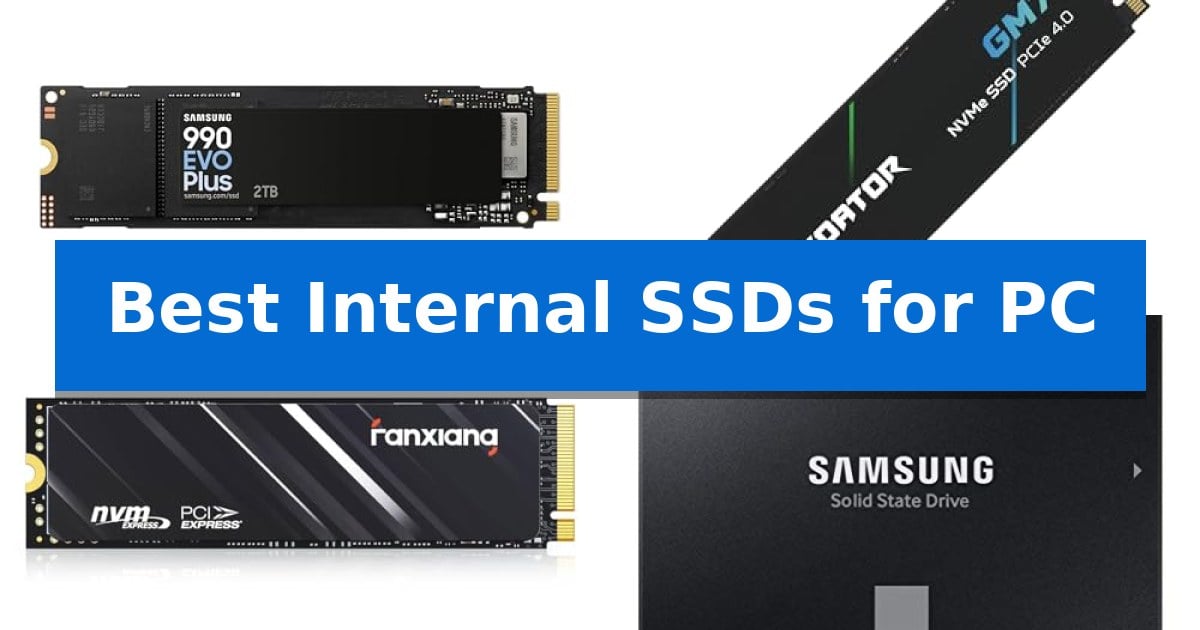
Upgrading your computer's storage is one of the most effective ways to improve system responsiveness and handle larger file libraries. Whether you are building a new gaming rig or breathing new life into an older laptop, selecting the Best Internal SSDs for PC requires balancing your motherboard's interface capabilities with your specific performance needs.
The market currently offers a variety of options, ranging from high-speed PCIe Gen 4 NVMe drives for intensive tasks to reliable SATA SSDs for general computing. This guide evaluates five distinct storage solutions, focusing on their technical specifications and real-world compatibility to help you make an informed decision for your unique hardware configuration.
Best Internal SSDs for PC in 2026
Quick Comparison
| Product | Best For | Key Strength | Score |
|---|---|---|---|
| Samsung 990 EVO Plus SSD | Best Overall | High sequential speeds up to 7,250MB/s for rapid file handling. | 4.9 |
| Acer Predator GM7 SSD | Fastest Gen 4 Data Throughput | High-speed PCIe 4.0 performance with read speeds up to 7400 MB/s. | 4.4 |
| Fanxiang S690Q NVMe SSD | Budget-Friendly Gaming Storage | PCIe Gen4 x4 interface for high-speed data transfers up to 4800 MB/s. | 4.4 |
| Samsung 870 EVO SATA SSD | Reliable Standard for SATA Upgrades | Broad compatibility with various host systems, chipsets, and NAS devices. | 4.8 |
| TEAMGROUP T-Force Vulcan Z SSD | Responsive SATA Gaming Performance | 3D NAND technology for improved system efficiency | 4.5 |
How We Chose
- Interface Compatibility: Verifying support for PCIe Gen 4 NVMe or SATA III standards to ensure seamless integration with your motherboard.
- Sequential Performance: Evaluating manufacturer-rated read and write speeds to determine suitability for gaming, content creation, or general office work.
- Thermal Management: Assessing the inclusion of heat dissipation features or power-efficient controllers that maintain performance under sustained workloads.
- Capacity and Scalability: Considering the range of available storage sizes to accommodate growing digital libraries and large-scale software installations.
- Software Support: Checking for proprietary management tools that assist with firmware updates, drive health monitoring, and data migration.
1 Samsung 990 EVO Plus SSD — High-Speed PCIe Gen 4 Performance
Upgrading your PC storage requires a balance of speed and thermal efficiency, and the Samsung 990 EVO Plus SSD addresses this by utilizing the latest NAND memory to achieve sequential read/write speeds of up to 7,250/6,300MB/s. This drive is engineered to handle massive file transfers, making it a practical choice for users looking to reduce wait times during intensive data tasks.
The drive features an efficiency-boosting nickel-coated controller, which helps maintain stable temperatures during heavy workloads. This thermal management design allows the Samsung 990 EVO Plus SSD to operate with lower power consumption while maintaining consistent performance levels. It is compatible with both PCIe 4.0 x4 and PCIe 5.0 x2 interfaces, providing flexibility for various motherboard configurations and ensuring you can maximize available bandwidth.
For long-term maintenance, the drive integrates with Samsung Magician Software. This utility provides a centralized hub for firmware updates, drive health monitoring, and additional encryption options, ensuring the hardware remains optimized throughout its lifespan. With capacities reaching up to 4TB, it offers significant headroom for large libraries and demanding applications.
The Samsung 990 EVO Plus SSD is a versatile upgrade for those prioritizing power efficiency and modern interface compatibility. By leveraging HMB technology and Intelligent TurboWrite 2.0, it delivers a responsive experience for both professional workflows and high-demand gaming environments.
Best for: Users seeking a power-efficient, high-speed storage upgrade for modern PCIe 4.0 or 5.0 compatible PC systems.
Skip if: Users requiring a dedicated heatsink for extreme thermal environments, as this model relies on its controller design for heat management.
PROS
- High sequential speeds up to 7,250MB/s for rapid file handling.
- Dual-interface compatibility supporting both PCIe 4.0 x4 and PCIe 5.0 x2.
- Nickel-coated controller for improved thermal efficiency and lower power draw.
- Comprehensive drive management via the Samsung Magician Software suite.
CONS
- Lacks an integrated heatsink, which may be a consideration for specific high-airflow or tight-clearance builds.
2 Acer Predator GM7 SSD — Fastest Gen 4 Data Throughput
The Acer Predator GM7 1TB SSD distinguishes itself through its high-performance PCIe 4.0 Gen4 interface, which facilitates rapid data throughput with read speeds reaching up to 7400 MB/s. This drive is engineered to support demanding workflows, including gaming and content creation, by leveraging NVMe 2.0 technology to ensure efficient communication between the storage and the system.
Performance is bolstered by the integration of HMB (Host Memory Buffer) and SLC Cache technology. These features work in tandem to optimize file transmission and reduce game loading times. The drive utilizes a sophisticated controller and high-quality NAND flash, which are designed to maintain excellent performance while minimizing power consumption and heat generation.
Thermal management is a priority for this model, which employs Thermal Throttling and intelligent Power Management to regulate operating temperatures automatically. This design choice helps the drive maintain stability even when subjected to heavy, sustained workloads, ensuring consistent operation without performance degradation due to overheating.
For users seeking granular control over their storage, the Biwin Intelligence management software provides a suite of tools. This utility enables essential maintenance tasks such as performance testing, data migration, and drive cloning, offering a streamlined approach to managing storage health and data integrity over the life of the drive.
Best for: Enthusiasts and gamers requiring high-speed NVMe storage for intensive applications and rapid file access.
Skip if: Users with systems limited to PCIe 3.0 interfaces or those requiring specialized heatsinks for extreme thermal environments.
PROS
- High-speed PCIe 4.0 performance with read speeds up to 7400 MB/s.
- Advanced thermal management via automatic thermal throttling.
- Comprehensive management software included for easy data migration and testing.
- Power-efficient design using the latest controller technology.
CONS
- Requires PCIe 4.0 compatibility to achieve maximum rated speeds.
3 Fanxiang S690Q NVMe SSD — Budget-Friendly Gaming Storage
The Fanxiang S690Q NVMe SSD utilizes PCIe Gen4 x4 technology and the NVMe 1.4 protocol to deliver data transfer speeds reaching 4800 MB/s. This drive is engineered to provide a responsive storage solution for users looking to improve load times in demanding applications and gaming environments.
Designed with versatility in mind, this internal drive is compatible with both PS5 consoles and standard desktop or laptop computers. The inclusion of a heat dissipation sticker helps the unit maintain lower operating temperatures during extended periods of intensive data access, supporting consistent performance.
Storage capacity options for the Fanxiang S690Q NVMe SSD range from 500GB to 4TB, allowing users to scale their storage based on specific project or library requirements. The drive leverages 3D NAND technology and an SLC cache to manage data efficiently, ensuring that the hardware remains a reliable choice for system upgrades.
To support long-term usage, the manufacturer includes a 5-year after-sales service and lifetime technical support. This commitment provides a layer of security for those integrating the drive into their primary work or gaming machines, ensuring that assistance is available should technical questions arise during the product's lifespan.
Best for: Gamers and PC users seeking an affordable, high-speed PCIe Gen4 storage upgrade for consoles or computers.
Skip if: Users requiring specialized high-end workstation performance or those with systems limited to older PCIe Gen3 interfaces may not fully utilize the drive's rated capabilities.
PROS
- PCIe Gen4 x4 interface for high-speed data transfers up to 4800 MB/s.
- Wide compatibility across PS5, desktop, and laptop platforms.
- Integrated heat dissipation sticker to manage thermal output.
- 5-year manufacturer service and lifetime technical support.
CONS
- Performance limited by the specific PCIe generation of the host system.
- Thermal management relies on a sticker rather than a dedicated heavy-duty heatsink.
4 Samsung 870 EVO SATA SSD — Reliable Standard for SATA Upgrades
Upgrading an aging desktop or laptop with the Samsung 870 EVO SATA SSD provides a straightforward path to improved system responsiveness. This 2.5-inch drive utilizes the standard SATA interface, making it a highly compatible choice for a wide range of legacy motherboards, workstations, and NAS devices that require a reliable storage boost.
Engineered for consistent performance, the drive maximizes the SATA interface limits with sequential read speeds up to 560 MB/s and write speeds up to 530 MB/s. It incorporates a larger variable buffer to help maintain high performance during demanding tasks, such as 8K video processing or heavy multitasking, ensuring the drive remains stable under sustained workloads.
Durability is a core focus, with the unit rated for up to 600 TBW (Terabytes Written) and backed by a 5-year limited warranty. Samsung produces its own DRAM and NAND components in-house, which contributes to the drive's overall reliability. For security, it includes AES 256-bit encryption, TCG/Opal, and IEEE1667 support, catering to users who require data protection.
Managing the drive is simplified through the Samsung Magician 6 software, which allows users to monitor health status, perform firmware updates, and optimize performance settings. Installation is designed to be accessible, requiring only a standard 2.5-inch SATA connection, and the included migration software assists in the transition process for those moving from an older hard drive.
Best for: Users looking to extend the lifespan of existing PCs, laptops, or NAS systems via a reliable and highly compatible SATA interface upgrade.
Skip if: Users who require the significantly higher transfer speeds offered by NVMe M.2 drives for modern high-performance gaming or professional video editing workflows.
PROS
- Broad compatibility with various host systems, chipsets, and NAS devices.
- In-house production of DRAM and NAND components for consistent quality.
- Comprehensive management via Samsung Magician software.
- Robust security features including AES 256-bit encryption.
CONS
- SATA interface limitations restrict maximum throughput compared to modern NVMe alternatives.
5 TEAMGROUP T-Force Vulcan Z SSD — Responsive SATA Gaming Performance
Upgrading an aging desktop or laptop requires a reliable storage foundation, and the TEAMGROUP T-Force Vulcan Z SSD provides a straightforward path to improved system responsiveness. By utilizing 3D NAND technology, this drive is engineered to reduce system lag and accelerate game loading times compared to traditional mechanical hard drives.
Designed for versatility, the TEAMGROUP T-Force Vulcan Z SSD features a standard 2.5-inch 7mm slim form factor, ensuring it fits seamlessly into most laptops and desktop PCs. The SATA III interface allows for a simple plug-and-play installation, making it an accessible hardware upgrade for users looking to revitalize their existing computing setup without complex configuration.
Performance is supported by a built-in high-speed SLC Cache, which facilitates stable read and write speeds of up to 550/500 MB/s. This throughput is beneficial for tasks ranging from 4K video editing to rapid file transfers, helping maintain a responsive operating system during intensive workloads.
The drive is built with no moving parts, which provides inherent resistance to shock and vibration. This design choice not only promotes silent operation but also contributes to lower power consumption and long-term data stability, backed by a 3-year limited warranty for added peace of mind.
Best for: Users seeking a reliable, high-speed SATA III storage upgrade for laptops or desktops to improve system responsiveness and game loading times.
Skip if: Users who require the significantly higher bandwidth and compact M.2 form factor offered by NVMe PCIe solid-state drives.
PROS
- 3D NAND technology for improved system efficiency
- High-speed SLC Cache for stable data transfer
- Universal 2.5-inch 7mm design for broad compatibility
- Shock and vibration resistant construction
CONS
- SATA III interface limitations compared to modern NVMe standards
Best Internal SSDs for PC Buying Guide
Understanding Interface Standards
The most critical factor when selecting an SSD is the interface your motherboard supports. NVMe PCIe Gen 4 drives offer significantly higher bandwidth than traditional SATA III connections, making them the standard for modern gaming and professional workstations. Always check your motherboard manual to confirm it has an available M.2 slot before purchasing an NVMe drive.
Conversely, if you are upgrading an older system that lacks M.2 slots, a 2.5-inch SATA SSD is the most reliable path. While these drives are limited by the SATA III interface speed, they still provide a substantial performance boost over mechanical hard drives, offering a cost-effective way to extend the life of legacy hardware.
Performance and Throughput
Sequential read and write speeds dictate how quickly your system can load large files, games, or high-resolution media. Drives utilizing Intelligent TurboWrite or SLC caching technologies can maintain high speeds during burst operations, which is beneficial for daily tasks and application launching.
For users who frequently move massive datasets, such as 4K video editors, choosing a drive with higher sequential write speeds is essential. However, for general gaming and web browsing, the difference between top-tier and mid-range NVMe drives is often negligible, allowing you to prioritize capacity over raw speed.
Thermal Control and Reliability
High-performance SSDs can generate significant heat during intensive operations. Features like nickel-coated controllers and thermal throttling management help maintain stable performance and prevent overheating, which is particularly important in compact laptop chassis with limited airflow.
Reliability is often measured by TBW (Total Bytes Written), which indicates the amount of data a drive can handle over its lifespan. If you perform frequent read/write operations, look for drives with higher endurance ratings to ensure your data remains secure over many years of use.
Form Factor and Installation
The M.2 2280 form factor is the industry standard for modern NVMe drives, fitting easily into most desktop motherboards and laptops. Ensure your system has the necessary mounting hardware, such as a standoff and screw, to secure the drive properly.
SATA drives require a different installation process, typically involving a SATA data cable and a power cable from your power supply. These drives are larger and easier to handle for beginners, but they occupy more physical space within your PC case.
Software and Maintenance
Many manufacturers provide dedicated software, such as Samsung Magician or Biwin Intelligence, which are invaluable for maintaining drive health. These tools allow you to perform firmware updates, monitor temperature, and check for potential errors before they impact your data.
Using these utilities ensures your SSD continues to perform as expected throughout its service life. Regularly checking for updates can also unlock performance optimizations or security enhancements that the manufacturer releases after the drive's initial launch.
Frequently Asked Questions
Can I use a PCIe Gen 4 SSD in a Gen 3 slot?
Yes, most PCIe Gen 4 SSDs are backward compatible with PCIe Gen 3 slots. However, the drive will be limited to the maximum speed of the Gen 3 interface.
Do I need a heatsink for my M.2 SSD?
While many drives include thermal management features, a heatsink is recommended if you are performing heavy, sustained workloads that cause the drive to run hot.
How do I migrate my data to a new SSD?
Most manufacturers provide drive cloning software that allows you to transfer your operating system and files from your old drive to the new one without a clean install.
What is the difference between NVMe and SATA?
NVMe is a modern protocol designed specifically for high-speed flash storage, while SATA is an older interface originally designed for mechanical hard drives.
Will an SSD improve my gaming performance?
An SSD will significantly reduce game load times and minimize stuttering caused by slow asset streaming, though it will not increase your maximum frame rate.
Conclusion: Our Top Pick
For most users seeking a balance of high-speed performance and reliable thermal management, the Samsung 990 EVO Plus SSD stands out as the most versatile choice. Its compatibility with both PCIe 4.0 and 5.0 interfaces ensures it can adapt to future system upgrades while providing the bandwidth necessary for demanding applications.
While other options like the Acer Predator GM7 offer excellent throughput for specific enthusiast needs, the Samsung drive's robust software support and efficient controller make it a dependable long-term investment. Ensure your motherboard supports the M.2 2280 form factor to take full advantage of the speed and stability this drive provides.