
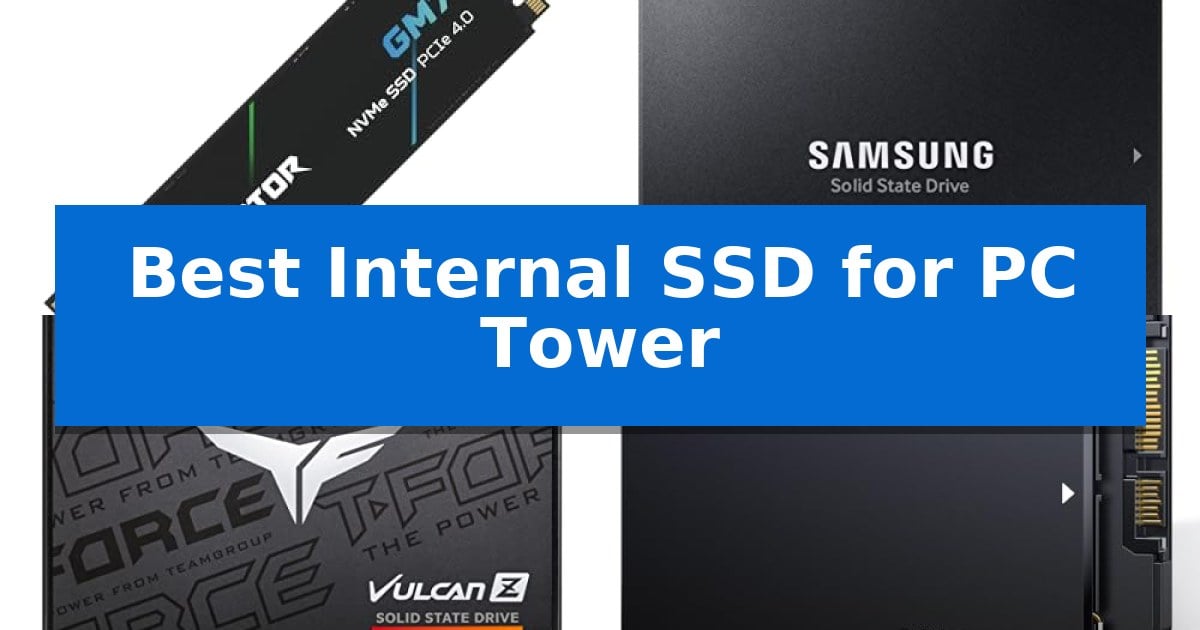
Upgrading your desktop storage is one of the most effective ways to revitalize an aging machine or ensure your new build runs at peak efficiency. Finding the Best Internal SSD for PC Tower setups requires balancing your motherboard's interface limitations with your specific needs for speed, capacity, and long-term reliability.
Whether you are looking to slash boot times, accelerate game loading, or expand your media library, the right drive makes a tangible difference. We have analyzed current market options to help you navigate the differences between high-speed NVMe drives and reliable SATA alternatives for your tower.
Best Internal SSD for PC Tower in 2026: Upgrading Your Desktop Storage
Quick Comparison
| Product | Best For | Key Strength | Score |
|---|---|---|---|
| Acer Predator GM7 SSD | Best Overall | High-speed PCIe 4.0 performance with read speeds up to 7400 MB/s. | 4.9 |
| Samsung 870 EVO SSD | Industry-Leading Reliability | High sequential performance that maximizes the SATA interface limits. | 4.5 |
| TEAMGROUP T-Force Vulcan Z SSD | Optimized for Gaming Loads | 3D NAND technology for improved system efficiency | 4.3 |
| fanxiang S101Q SSD | High-Capacity Storage Value | High-efficiency 3D NAND flash for improved system responsiveness. | 4.8 |
| Timetec SATA III SSD | Budget-Friendly System Refresh | SLC Cache technology for improved sequential read and write performance. | 4.6 |
How We Chose
- Interface Compatibility: Verifying support for PCIe Gen4 NVMe versus SATA III standards to ensure a proper fit for your motherboard.
- Sequential Throughput: Assessing read and write speed claims to determine suitability for gaming, content creation, or general office tasks.
- Endurance and Reliability: Reviewing manufacturer-stated TBW (Total Bytes Written) and warranty coverage to gauge long-term drive health.
- Thermal Management: Checking for integrated heat-throttling features or power management protocols that protect data under heavy workloads.
- Software Support: Evaluating the availability of proprietary management tools for drive cloning, health monitoring, and firmware updates.
1 Acer Predator GM7 SSD — Fastest PCIe Gen4 Speeds
The Acer Predator GM7 1TB SSD utilizes the PCIe 4.0 Gen4 interface and NVMe 2.0 protocol to deliver high-performance storage capabilities for demanding PC builds. By leveraging SLC Cache and Host Memory Buffer (HMB) technology, this drive is engineered to facilitate faster game loading and efficient file transfers, making it a suitable candidate for enthusiasts and content creators.
Designed with a focus on thermal management, the drive incorporates Thermal Throttling and active Power Management to maintain stable operating temperatures during intensive workloads. This internal cooling approach helps mitigate heat accumulation, ensuring the drive maintains consistent performance even when processing large data sets or running resource-heavy applications.
Integration into a system is supported by the Biwin Intelligence management software, which provides users with tools for data migration, drive cloning, and performance testing. This utility suite simplifies the maintenance process, allowing for secure and convenient management of storage resources directly from the desktop environment.
With a compact M.2 2280 form factor, the drive is compatible with a wide range of modern desktop motherboards, laptops, and the PlayStation 5 console. It is backed by a 5-year warranty, providing long-term support for users looking to upgrade their storage capacity with a reliable, high-speed component.
Best for: Enthusiasts and gamers requiring high-speed PCIe 4.0 storage for faster load times and efficient file handling.
Skip if: Users whose motherboards or devices do not support the M.2 2280 form factor or the PCIe 4.0 interface.
PROS
- High-speed PCIe 4.0 performance with read speeds up to 7400 MB/s.
- Advanced thermal management through built-in thermal throttling.
- Comprehensive management software included for easy data migration and cloning.
- 5-year warranty coverage for long-term reliability.
CONS
- Requires PCIe 4.0 compatibility to achieve advertised maximum speeds.
- M.2 2280 form factor may not fit older systems lacking compatible slots.
2 Samsung 870 EVO SSD — Industry-Leading Reliability
Upgrading your desktop storage requires a balance of speed and reliability, and the Samsung 870 EVO SSD provides a straightforward path to improved system responsiveness. This 2.5-inch SATA drive is designed to maximize the interface limit, offering sequential read speeds up to 560MB/s to help handle demanding tasks like 8K video processing or heavy workstation workloads.
The drive features a larger variable buffer that maintains high performance during sustained operations. Built with Samsung's in-house DRAM and NAND components, it is engineered for longevity, supporting up to 600 TBW (Terabytes Written) to ensure it can withstand the rigors of daily professional use.
Compatibility is a core strength of this model, as it has been tested across a wide range of chipsets, motherboards, and NAS devices. For users who prioritize data security, the drive includes AES 256-bit hardware-based encryption, providing a layer of protection that operates without compromising system performance.
Managing the drive is simplified through the Samsung Magician software, which allows you to monitor health status, perform firmware updates, and optimize performance settings. Installation is equally accessible, requiring only a standard SATA connection to integrate into your existing PC tower or laptop setup.
Best for: Users looking for a reliable, high-capacity SATA storage upgrade for desktop PCs, workstations, or NAS systems.
Skip if: Users who require the significantly faster data transfer rates provided by NVMe M.2 drives for specialized high-speed workflows.
PROS
- High sequential performance that maximizes the SATA interface limits.
- Robust endurance rated up to 600 TBW for long-term reliability.
- Comprehensive management via the Samsung Magician software suite.
- Advanced security features including AES 256-bit hardware encryption.
CONS
- SATA interface limitations restrict speeds compared to modern NVMe alternatives.
3 TEAMGROUP T-Force Vulcan Z SSD — Optimized for Gaming Loads
Upgrading a desktop PC with the TEAMGROUP T-Force Vulcan Z 1TB SSD provides a straightforward path to improving system responsiveness and reducing load times. This 2.5-inch SATA III drive utilizes 3D NAND technology to replace aging mechanical hard drives, offering a silent and durable storage solution for power users and gamers.
The drive features a built-in SLC Cache that facilitates stable read and write speeds of up to 550 MB/s and 500 MB/s, respectively. These specifications support efficient file transfers and provide the necessary throughput for tasks such as 4K video editing, ensuring the operating system remains snappy during intensive workloads.
Designed with a 7mm slim form factor, this SSD offers universal compatibility across most desktop PC towers and laptops. The unit contains no moving parts, which enhances its resistance to shock and vibration while maintaining lower power consumption compared to traditional spinning disks.
Reliability is supported by a 3-year limited warranty, providing coverage for the drive's operational lifespan. This plug-and-play component serves as an effective, low-maintenance upgrade for users looking to extend the utility of their current hardware setup.
Best for: Users looking to improve system responsiveness and game loading times in a desktop PC or laptop via a standard SATA III interface.
Skip if: Users requiring the extreme bandwidth of NVMe M.2 drives for high-end professional workflows or those whose systems lack a 2.5-inch SATA drive bay.
PROS
- 3D NAND technology for improved system efficiency
- SLC Cache for stable read/write performance
- Shock and vibration resistant design with no moving parts
- Universal 2.5-inch compatibility for simple installation
CONS
- SATA III interface speed limitations compared to NVMe alternatives
4 fanxiang S101Q SSD — High-Capacity Storage Value
Upgrading your desktop storage with the fanxiang S101Q SSD provides a tangible boost to system responsiveness by replacing mechanical drives with high-efficiency 3D NAND flash memory. This 2.5-inch drive is engineered to deliver read speeds up to 560MB/s and write speeds up to 510MB/s, significantly shortening boot times and application loading sequences compared to traditional HDDs.
The drive integrates advanced SLC Cache Technology to maintain consistent performance during data-heavy tasks. Beyond raw speed, the fanxiang S101Q SSD prioritizes data integrity through support for TRIM, S.M.A.R.T, ECC, and advanced wear-leveling, ensuring the drive remains stable under sustained use. Its shockproof design adds a layer of physical durability, protecting stored information against accidental impacts.
Installation is straightforward due to the universal SATA III 6Gb/s interface, which maintains backward compatibility with older SATA II systems. Measuring just 7mm in height, this drive fits easily into standard PC tower drive bays, laptops, and all-in-one computers. It is designed to work across major operating systems including Windows, Linux, and Mac OS.
To support long-term operation, the manufacturer includes a 3-year service warranty and lifetime technical support. This makes the drive a reliable choice for users looking to extend the lifespan of their existing hardware without the complexity of M.2 installation, offering a balance of capacity and improved system efficiency.
Best for: Users looking to improve system boot and application load times in older PC towers or laptops using a standard SATA interface.
Skip if: Users who require the higher bandwidth of NVMe M.2 drives for professional-grade video editing or high-speed data transfers.
PROS
- High-efficiency 3D NAND flash for improved system responsiveness.
- Shockproof design enhances physical data protection.
- Broad compatibility with SATA III, II, and major operating systems.
- Integrated SLC Cache for consistent performance during operation.
CONS
- SATA III interface limits maximum speeds compared to modern NVMe alternatives.
5 Timetec SATA III SSD — Budget-Friendly System Refresh
Revitalizing an aging desktop or building a new workstation often hinges on storage responsiveness, and the Timetec 1TB SSD 3D NAND SATA III offers a straightforward path to improved system performance. This 2.5-inch drive utilizes 3D NAND technology and an integrated SLC Cache to facilitate efficient data handling, making it a practical choice for users looking to replace slower mechanical hard drives.
Engineered for reliability, the drive boasts an industry-leading 1,000,000 hours mean time before failure (MTBF). It incorporates advanced maintenance features including S.M.A.R.T. technology, TRIM command support, and Garbage Collection, which work in tandem to maintain drive health and consistent operation over time. The inclusion of Wear-Leveling and ECC (Error Correction Code) further assists in data integrity during intensive read and write cycles.
Installation is simplified by the standard 7mm 2.5-inch form factor, ensuring broad compatibility with most PC towers and laptops that support SATA interfaces. It remains backwards compatible with SATA II and SATA I standards, allowing it to function in a wide variety of legacy and modern hardware configurations. The drive supports a range of operating systems, including Windows, macOS, and Linux, providing flexibility for diverse computing environments.
While this drive provides a significant boost over traditional spinning disks, it is important to note that it operates on the SATA III 6Gb/s interface, which has inherent speed limitations compared to modern NVMe M.2 drives. For users prioritizing maximum throughput for heavy video editing or massive file transfers, this drive serves best as a reliable secondary storage solution or a primary boot drive for general productivity tasks.
Best for: This drive is best for users seeking a reliable, budget-friendly storage upgrade for general computing, office work, and system boot acceleration in PCs that utilize a 2.5-inch SATA interface.
Skip if: Skip this drive if your motherboard supports M.2 NVMe SSDs and you require the significantly higher data transfer speeds necessary for professional 4K video editing or high-performance gaming.
PROS
- SLC Cache technology for improved sequential read and write performance.
- Broad OS compatibility across Windows, Mac, and Linux systems.
- High MTBF rating of 1,000,000 hours for long-term operational confidence.
- Includes advanced data management features like TRIM and ECC.
CONS
- SATA III interface limits maximum speeds compared to newer NVMe standards.
- Cables and mounting hardware are not included in the package.
Best Internal SSD for PC Tower Buying Guide
Understanding Interface Standards
The most critical decision when selecting an SSD is choosing between NVMe PCIe and SATA interfaces. PCIe Gen4 drives offer significantly higher bandwidth, making them the preferred choice for modern gaming, 4K video editing, and rapid file transfers. They require an M.2 slot on your motherboard, which is standard on most contemporary PC towers.
Conversely, SATA III drives utilize a 2.5-inch form factor and are ideal for upgrading older systems that lack M.2 slots. While they are limited by the SATA interface's maximum speed, they remain a cost-effective and highly compatible solution for adding bulk storage or breathing new life into legacy hardware.
Evaluating Storage Capacity
Capacity needs depend entirely on your workload. For a primary boot drive that houses your operating system and essential applications, 1TB is generally considered the sweet spot for balance between cost and performance. This provides ample room for Windows or Linux, along with a selection of frequently played games.
If you are a content creator or a collector of large media files, moving to 2TB or higher is advisable. High-capacity drives often provide better endurance ratings, as the wear is distributed across a larger number of NAND flash cells, potentially extending the total lifespan of the drive.
The Role of SLC Caching
Most modern SSDs utilize SLC Cache technology to maintain high performance during burst operations. This cache acts as a high-speed buffer, allowing the drive to write data quickly before moving it to the more permanent, slower storage cells. This is particularly beneficial for tasks like installing large software packages or game updates.
Drives without adequate caching can experience significant performance drops once the buffer is full. When comparing models, look for drives that explicitly mention SLC Cache or HMB (Host Memory Buffer) support, as these features help maintain a responsive system even during sustained write operations.
Thermal Management and Longevity
High-performance NVMe drives generate heat, which can lead to thermal throttling—a process where the drive slows down to prevent overheating. If you plan on pushing your drive with heavy workloads, ensure your PC tower has adequate airflow or consider a drive with integrated thermal throttling and advanced power management.
Reliability is also tied to the drive's TBW (Total Bytes Written) rating. This metric indicates how much data can be written to the drive before it reaches its expected end-of-life. For most users, a standard 3-to-5-year warranty provides sufficient peace of mind regarding the drive's durability.
Installation and Migration
Installing a new SSD is a straightforward process, but moving your existing data requires the right tools. Many manufacturers provide data migration software that allows you to clone your current drive to the new one, preserving your operating system, settings, and files without needing a clean install.
Before purchasing, verify that your tower has the necessary mounting hardware. M.2 drives typically require a small screw (often included with the motherboard), while 2.5-inch SATA drives may require a mounting bracket or specific drive bay rails if your case does not have dedicated 2.5-inch slots.
Frequently Asked Questions
Can I use an M.2 NVMe SSD in an older PC tower?
Only if your motherboard has an M.2 slot that supports NVMe. If your motherboard lacks this, you can use a PCIe expansion card, provided your system supports booting from PCIe, or stick with a 2.5-inch SATA SSD.
What is the difference between read and write speeds?
Read speed determines how quickly you can open files or load games, while write speed determines how fast you can save files or install software. Higher numbers in both categories generally result in a more responsive system.
Do I need a heatsink for my M.2 SSD?
While many M.2 drives manage heat well through internal throttling, a heatsink is recommended if you perform sustained, heavy tasks like 4K video rendering or if your PC tower has limited airflow.
Is a 2TB SSD better than two 1TB SSDs?
A single 2TB drive is usually more convenient for file management and leaves an extra slot open for future expansion. However, two 1TB drives can offer redundancy if you use them for separate purposes, such as one for the OS and one for media.
What does 'SATA III' mean for my upgrade?
SATA III is the interface standard for 2.5-inch SSDs. It is backwards compatible with older SATA II ports, though you will be limited to the slower speed of the older interface if your motherboard is outdated.
Conclusion: Our Top Pick
For users seeking the absolute fastest performance for their PC tower, the Acer Predator GM7 SSD stands out as the top choice. Its PCIe Gen4 interface delivers impressive read speeds of up to 7400 MB/s, making it ideal for high-end gaming and demanding content creation workflows.
While its performance is top-tier, ensure your motherboard has a compatible M.2 slot to take full advantage of these speeds. If you are working with an older system or simply need reliable, high-capacity storage for general tasks, the SATA-based options in our list remain excellent, cost-effective alternatives.