
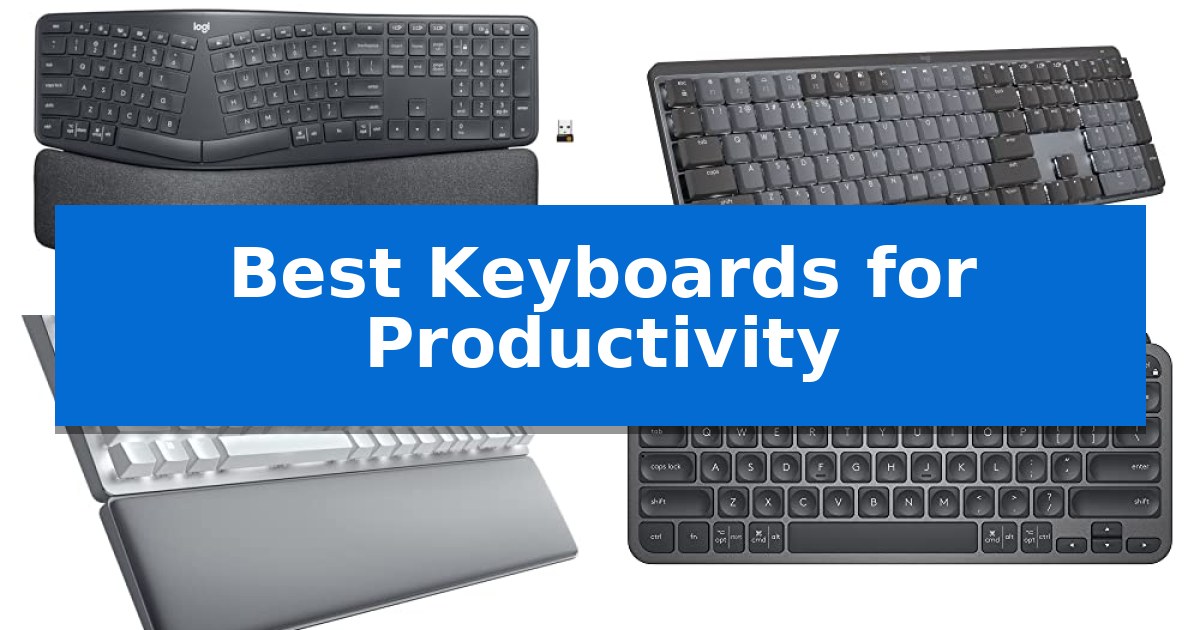
Finding the right tool to manage your daily workload can significantly impact your output and physical comfort. Whether you are drafting long reports or managing complex spreadsheets, the Best Keyboards for Productivity serve as the foundation of your digital workspace, directly influencing your speed and precision.
Selecting the right hardware requires balancing your specific typing style with your desk environment. From ergonomic split designs that prioritize wrist health to compact mechanical boards built for tactile feedback, the right choice depends on how you interact with your computer throughout the day.
Best Keyboards for Productivity in 2026
Quick Comparison
| Product | Best For | Key Strength | Score |
|---|---|---|---|
| Logitech Ergo K860 Wireless Keyboard | Best Overall | Curved, split keyframe promotes a more natural wrist and forearm posture. | 4.9 |
| Logitech MX Mechanical Wireless Keyboard | Tactile Feel for Heavy Typists | Tactile mechanical switches provide satisfying, audible feedback for high-volume typing. | 4.6 |
| Razer Pro Type Ultra Keyboard | Silent Keys for Quiet Offices | Silent, linear mechanical switches for a quiet typing experience. | 4.5 |
| Logitech MX Keys Mini Keyboard | Space-Saving Minimalist Design | Compact, minimalist design saves significant desk space and enhances portability. | 4.3 |
| ProtoArc XK01 TP Foldable Keyboard | All-in-One Mobile Workstation | Integrated multi-touch trackpad replaces the need for an external mouse. | 4.6 |
How We Chose
- Ergonomic design and physical support for long-term comfort.
- Switch type and tactile feedback for typing accuracy.
- Connectivity options, including multi-device pairing and wireless reliability.
- Layout efficiency and customization of function keys.
- Portability and footprint for various workspace configurations.
1 Logitech Ergo K860 Wireless Keyboard — Best for Reducing Wrist Strain
Maintaining a neutral wrist position during long work sessions is essential for comfort, and the Logitech Ergo K860 Wireless Ergonomic Split Keyboard addresses this through its unique curved, split keyframe. By sloping the keyboard surface and providing a pillowed wrist rest, this device is designed to reduce muscle strain in the forearms and wrists compared to standard flat keyboards.
The keyboard features Perfect Stroke keys, which are scooped to match the natural shape of your fingertips, aiming to provide a fluid and precise typing experience. To further accommodate different desk setups, the adjustable palm lift allows users to set the tilt legs to 0, -4, or -7 degrees, ensuring a natural posture whether you are seated or standing.
Connectivity is handled via Bluetooth or the included USB receiver, offering flexibility for various workstations. The unit is powered by Logitech Options software, which enables users to customize function keys and create shortcuts, making it a functional tool for productivity-focused environments.
Built with sustainability in mind, the Logitech Ergo K860 Wireless Ergonomic Split Keyboard incorporates 71% certified post-consumer recycled plastic in its graphite model. It is also certified by United States Ergonomics, highlighting its focus on posture improvement and long-term typing comfort.
Best for: Professionals seeking to reduce wrist strain and improve typing posture during extended daily work sessions.
Skip if: Users who prefer a traditional, compact, or mechanical keyboard layout may find the split design and larger footprint of this ergonomic model difficult to adapt to.
PROS
- Curved, split keyframe promotes a more natural wrist and forearm posture.
- Pillowed wrist rest provides significant support to reduce wrist bending.
- Adjustable tilt legs offer three distinct angles for personalized ergonomics.
- Perfect Stroke keys designed for quiet, precise, and comfortable typing.
CONS
- Split layout requires a learning curve for those accustomed to standard rectangular keyboards.
- Large physical footprint may occupy significant space on smaller desks.
2 Logitech MX Mechanical Wireless Keyboard — Tactile Feel for Heavy Typists
The Logitech MX Mechanical Wireless Keyboard features low-profile mechanical switches that provide a distinct, audible click and tactile feedback, catering to users who prioritize a traditional typing feel in a modern, slim form factor. This full-size keyboard is engineered for precision, with a layout that supports ergonomic comfort during extended work sessions.
Efficiency is central to its design, highlighted by smart backlighting that illuminates the keys automatically as your hands approach the device. The lighting adjusts to ambient conditions to maintain visibility, while the Logi Options+ software allows for deep customization of Fn keys and backlighting effects to suit specific professional workflows.
Connectivity and multi-device management are handled via Bluetooth Low Energy or the included Logi Bolt receiver, enabling seamless switching between up to three devices across different operating systems. The keyboard supports Flow cross-computer control, allowing users to move between machines with ease.
Power management is optimized for productivity, with USB-C quick charging providing up to 15 days of use on a single charge with backlighting enabled, or up to 10 months with the backlight turned off. The construction incorporates certified post-consumer recycled plastic, specifically 45% in the Graphite model, aligning with modern material standards.
Best for: Professionals who require a tactile, full-size mechanical typing experience with the flexibility to switch between multiple devices and operating systems.
Skip if: Users who prefer a silent typing experience or those who require a compact, tenkeyless footprint for limited desk space.
PROS
- Tactile mechanical switches provide satisfying, audible feedback for high-volume typing.
- Multi-device pairing supports up to three devices via Bluetooth or the Logi Bolt receiver.
- Smart illumination automatically adjusts brightness based on hand proximity and ambient light.
- Long battery life offers up to 10 months of usage when backlighting is disabled.
CONS
- Full-size form factor occupies a larger desk footprint compared to compact or TKL alternatives.
- Clicky switches may be too loud for shared office environments or noise-sensitive workspaces.
3 Razer Pro Type Ultra Keyboard — Silent Keys for Quiet Offices
The Razer Pro Type Ultra Wireless Mechanical Keyboard prioritizes a distraction-free environment through its silent, linear mechanical switches paired with integrated sound-dampening foam. Designed for professional workflows, this keyboard features a durable construction rated for up to 80 million clicks, ensuring longevity for heavy daily use.
Comfort is central to the design, featuring keycaps finished with a fingerprint-resistant, soft-touch coating that provides a cushioned feel. To further reduce physical strain during extended work sessions, the keyboard includes a dedicated soft, cushioned wrist support that aligns with the chassis to maintain proper wrist positioning.
Versatility is enabled by the ability to connect and control up to 4 devices simultaneously, including laptops, desktops, and tablets, with seamless switching between them. The keyboard utilizes Razer HyperSpeed technology, allowing users to connect both the keyboard and a compatible mouse to a single wireless dongle for a cleaner, cable-free desk setup.
Customization options allow users to remap keys, record macros, and establish personal shortcuts for specific office or creative applications. The unit measures approximately 17.28 inches in length and 5.15 inches in width, providing a full-sized layout that balances functional desk space with comprehensive control.
Best for: Professionals seeking a quiet, ergonomic, and multi-device wireless keyboard for office or home-work environments.
Skip if: Users who require a compact tenkeyless or 60% form factor, or those who prefer the tactile and audible feedback of clicky mechanical switches.
PROS
- Silent, linear mechanical switches for a quiet typing experience.
- Multi-device connectivity supporting up to 4 devices.
- Ergonomic wrist support included for reduced strain.
- Fully programmable keys and macro support for workflow efficiency.
CONS
- Full-sized layout may occupy significant desk space.
- ABS plastic keycaps may show wear differently than PBT alternatives.
4 Logitech MX Keys Mini Keyboard — Space-Saving Minimalist Design
The Logitech MX Keys Mini Keyboard is built for professionals who need a compact, minimalist workspace without sacrificing typing precision. Its keys are specifically shaped for fingertip comfort, and the layout integrates smart keys for dictation, mic muting, and emoji access, which can streamline repetitive communication tasks during a busy workday.
Engineered for modern workflows, this keyboard supports multi-device connectivity, allowing you to pair and switch between up to three devices seamlessly via Bluetooth Low Energy. When paired with compatible Logitech mice, the keyboard enables a fluid multi-computer workflow, letting you transition between systems effortlessly. This is particularly useful for users who manage multiple laptops or tablets simultaneously.
The device includes smart illumination that automatically adjusts backlighting based on ambient light conditions, activating as your hands approach the surface. It is USB-C rechargeable, offering up to 10 days of battery life with backlighting enabled or up to 5 months with the feature turned off, providing flexibility for different power management needs.
Constructed with a focus on sustainability, the graphite model incorporates 30% post-consumer recycled plastic. It is fully compatible with macOS, iOS, Windows, Linux, and Android, providing a versatile interface for various computing environments and mobile setups.
Best for: Professionals and creators who require a compact, multi-device keyboard that integrates seamlessly into a mobile or space-constrained workspace.
Skip if: Users who rely on a dedicated numeric keypad for data entry or those who prefer a full-sized mechanical keyboard layout will find this minimalist design insufficient.
PROS
- Compact, minimalist design saves significant desk space and enhances portability.
- Multi-device connectivity allows seamless switching between three paired devices.
- Smart illumination adjusts automatically to ambient lighting conditions.
- USB-C rechargeable battery provides long-lasting power for extended work sessions.
CONS
- Lacks a dedicated numeric keypad, which may hinder intensive data entry tasks.
- Compact layout requires adjustment for users accustomed to full-sized keyboard spacing.
5 ProtoArc XK01 TP Foldable Keyboard — All-in-One Mobile Workstation
The ProtoArc XK01 TP Foldable Keyboard streamlines mobile workflows by integrating a multi-touch trackpad directly into its tri-fold chassis, eliminating the need for a separate mouse. Designed for users who prioritize portability without sacrificing control, this device functions as an all-in-one mobile workstation that fits easily into a travel bag.
Typing comfort is addressed through an 88-key layout featuring 0.65-inch keycaps, which provides a more spacious feel than typical compact folding keyboards. The inclusion of a full shortcut row further enhances efficiency, allowing for quick adjustments during intensive tasks. The device is built for versatility, supporting Bluetooth 5.1 to maintain stable connections across three distinct devices, such as a phone, tablet, and laptop.
Power management is optimized for long-term travel, featuring a 300mAh battery that delivers up to 120 days of standby time. To preserve energy, the keyboard includes an auto-sleep function after 60 minutes of inactivity, and the tri-fold design acts as a physical power switch when closed. For added convenience, the package includes a PU leather carrying pouch and a built-in phone stand.
While the ProtoArc XK01 TP Foldable Keyboard offers significant utility for mobile professionals, it is best suited for those who value a compact, integrated setup. The trade-off for its portability is a non-traditional layout inherent to foldable designs, which may require a brief adjustment period for users accustomed to full-sized desktop keyboards.
Best for: Mobile professionals and travelers who need an integrated keyboard and trackpad solution for multi-device productivity.
Skip if: Users who require a full-sized, rigid mechanical keyboard for heavy-duty desktop typing or those who prefer a dedicated, non-folding ergonomic layout.
PROS
- Integrated multi-touch trackpad replaces the need for an external mouse.
- Tri-fold design with included PU leather pouch maximizes portability.
- 3-device Bluetooth 5.1 switching for seamless multi-tasking.
- 120-day standby time with efficient auto-sleep functionality.
CONS
- Foldable hinge design creates a non-standard layout compared to traditional desktop keyboards.
- Compact form factor may require an adjustment period for touch typists.
Best Keyboards for Productivity Buying Guide
Understanding Switch Types
The switch type determines the physical feel and sound of your typing. Mechanical switches offer distinct tactile or audible feedback, which many users prefer for high-volume typing to ensure each keypress is registered. Low-profile mechanical options provide a shorter travel distance, which can be faster for some users.
Alternatively, membrane or scissor-switch keyboards are generally quieter and lower in profile. These are often found in minimalist or portable designs, making them suitable for shared office spaces where noise reduction is a priority.
Ergonomics and Wrist Health
For those who spend hours at a desk, ergonomic features are non-negotiable. A curved, split keyframe encourages a more natural hand position, reducing the strain on wrists and forearms. Look for models that include pillowed wrist rests to provide necessary support during extended sessions.
Adjustable tilt legs are another critical component of an ergonomic setup. Being able to change the angle of the keyboard allows you to maintain a neutral wrist posture, whether you are sitting or standing at your desk.
Connectivity and Multi-Device Workflow
Modern productivity often involves switching between multiple devices, such as a desktop, laptop, and tablet. Keyboards that offer multi-device Bluetooth pairing allow you to transition between these systems with a single click.
Check for USB-C rechargeable batteries or long-lasting power solutions to minimize downtime. Reliable wireless connectivity, whether via Bluetooth or a dedicated receiver, ensures your workflow remains uninterrupted by cable clutter.
Layout and Customization
The physical layout of a keyboard dictates how quickly you can access shortcuts. Full-size layouts provide dedicated number pads and navigation keys, which are essential for data entry. Conversely, minimalist or compact layouts save valuable desk space and are easier to transport.
Software integration, such as the ability to customize function keys or create custom shortcuts, can significantly boost your efficiency. Tools that allow you to map specific commands to keys can streamline repetitive tasks in your favorite software.
Portability Requirements
If your work takes you to different locations, a foldable or compact design is essential. These keyboards are built to be lightweight and durable, often replacing the need for a separate mouse by including features like integrated touchpads.
Consider the balance between portability and typing comfort. While smaller keyboards are easier to carry, ensure they still offer a comfortable key size and spacing to prevent errors during rapid typing.
Frequently Asked Questions
What is the primary benefit of a split keyboard?
A split keyboard, like the Logitech Ergo K860, is designed to align your hands and wrists in a more natural, neutral position, which helps reduce muscle strain during long typing sessions.
Are mechanical keyboards better for productivity?
Mechanical keyboards provide consistent tactile feedback, which can improve typing accuracy and speed for heavy typists. However, the best choice depends on your preference for switch feel and your office noise environment.
Can I use these keyboards with both Windows and Mac?
Most modern wireless keyboards, including the Logitech MX series and Razer Pro Type, are compatible with multiple operating systems, including Windows, macOS, and mobile platforms.
How do I know if a keyboard is ergonomic?
Look for features like a curved keyframe, adjustable tilt legs, and integrated wrist support. Ergonomist-approved certifications can also indicate that the design has been tested for posture improvement.
Is a backlit keyboard necessary for productivity?
Backlighting is highly beneficial if you work in dim environments. Many modern keyboards feature smart illumination that adjusts based on ambient light to save battery life.
Conclusion: Our Top Pick
Choosing the right keyboard is a personal decision that balances your physical health with your specific workflow needs. For those prioritizing long-term comfort and posture, the Logitech Ergo K860 Wireless Keyboard stands out as the premier choice due to its ergonomic split design and pillowed wrist support.
While other models offer specific advantages like mechanical tactile feedback or extreme portability, the Ergo K860 provides the most comprehensive support for heavy daily use. Its combination of adjustable tilt, natural keyframe, and reliable connectivity makes it an excellent foundation for any productive workspace.