
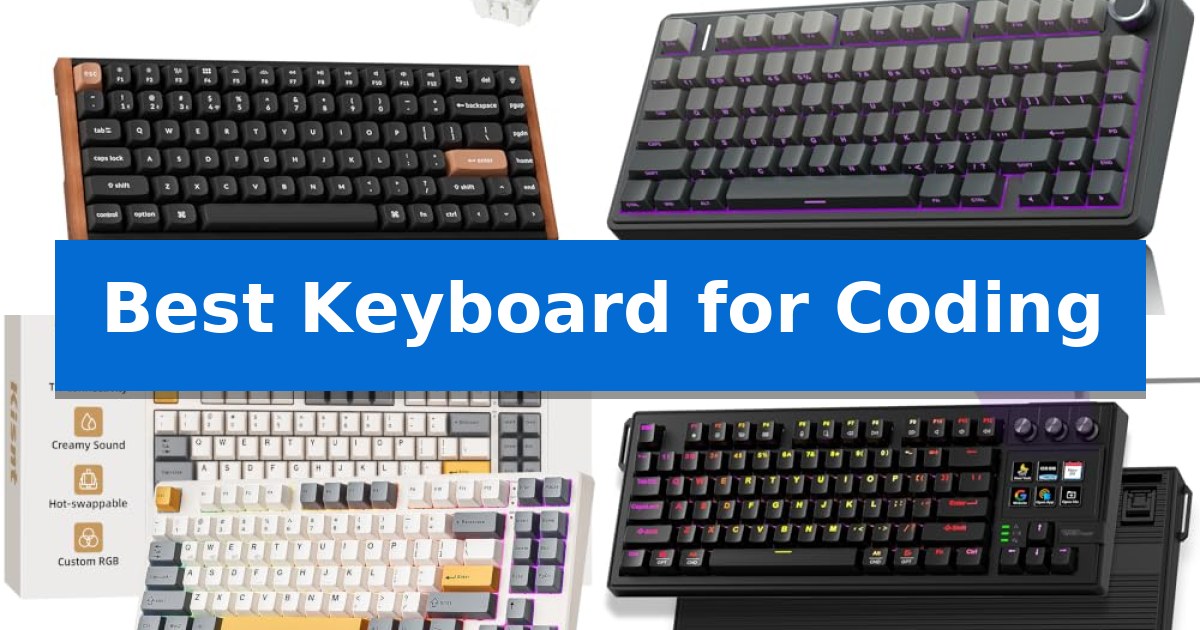
Finding the Best Keyboard for Coding requires balancing tactile feedback, layout efficiency, and long-term comfort. Whether you are debugging complex scripts or writing documentation, the right mechanical switch and keycap profile can significantly reduce fatigue during marathon sessions.
Our selection focuses on hardware that supports multi-device workflows and deep customization. From compact 75% layouts that reclaim desk space to macro-enabled decks for streamlining repetitive tasks, these keyboards are engineered to meet the specific demands of developers and power users.
Best Keyboard for Coding in 2026
Quick Comparison
| Product | Best For | Key Strength | Score |
|---|---|---|---|
| Keychron K2 HE Mechanical Keyboard | Best Overall | Adjustable magnetic actuation from 0.2 to 3.8 mm | 4.9 |
| AULA F75 Pro Mechanical Keyboard | Creamy Sounding Gasket Build | Hot-swappable PCB supports easy switch replacement without soldering. | 4.9 |
| Kisnt KN85 Mechanical Keyboard | Compact 75% Layout Efficiency | 75% compact layout maximizes desk space for mouse movement. | 4.3 |
| VSD K1 Pro Macro Keyboard | Custom LCD Keys for Workflow | Customizable LCD keys and knobs for efficient macro and media management. | 4.8 |
| AULA F99 Mechanical Keyboard | High Capacity Battery Endurance | High-capacity 8000mAh battery for long-lasting performance. | 4.7 |
How We Chose
- Switch responsiveness and customization options for varied typing styles.
- Layout efficiency, focusing on space-saving designs that retain essential navigation keys.
- Connectivity versatility, including wired, 2.4GHz wireless, and Bluetooth support.
- Build quality and acoustic dampening to ensure a consistent, non-distracting typing experience.
- Software compatibility for remapping keys and creating productivity-boosting macros.
1 Keychron K2 HE Mechanical Keyboard — Precision Magnetic Actuation
The Keychron K2 HE Mechanical Keyboard distinguishes itself through the integration of Gateron Double-Rail Magnetic switches, which provide a highly customizable typing experience with an adjustable actuation range of 0.2 to 3.8 mm. This magnetic sensing technology allows for precise control over key response, making it a versatile tool for both intensive coding sessions and fast-paced gaming environments.
Designed with a 75% layout, this keyboard balances desk space efficiency with the inclusion of essential function keys. Users can manage key remapping, macros, and rapid trigger settings via the Launcher web-based configurator, which operates directly in a browser without requiring local software installation. The inclusion of double-shot PBT keycaps and rosewood siding provides a durable and aesthetically distinct build, though the non-shine-through legends may require adequate ambient lighting for visibility.
Connectivity is handled through a multi-mode system, supporting 2.4 GHz wireless, Bluetooth 5.2, and a wired Type-C connection. This allows for seamless switching between up to three devices, such as a primary workstation and mobile devices. The keyboard maintains a 1000 Hz polling rate in wireless modes, ensuring consistent input registration across macOS, Windows, and Linux operating systems.
The hot-swappable nature of the magnetic switches offers a degree of modularity, though it is limited to compatibility with Gateron Double-Rail Magnetic switches. By combining mechanical reliability with customizable magnetic sensitivity and broad OS compatibility, the Keychron K2 HE Mechanical Keyboard serves as a specialized input device for users who prioritize granular control over their hardware interface.
Best for: Developers and gamers who require granular control over actuation points and rapid trigger responsiveness across multiple devices.
Skip if: Users who prefer shine-through keycaps for low-light environments or those who require compatibility with standard mechanical MX-style switches.
PROS
- Adjustable magnetic actuation from 0.2 to 3.8 mm
- Multi-mode connectivity including 2.4 GHz, Bluetooth, and Type-C
- Web-based Launcher for easy macro and key customization
- Durable double-shot PBT keycaps and premium rosewood siding
CONS
- Non-shine-through keycap legends may be difficult to read in dark environments
- Limited switch compatibility restricted to Gateron Double-Rail Magnetic switches
2 AULA F75 Pro Mechanical Keyboard — Creamy Sounding Gasket Build
The AULA F75 Pro Mechanical Keyboard centers its design around a gasket-mounted structure with an extended integrated silicone pad and PCB single key slotting, which work together to minimize cavity noise and provide a softer, more elastic typing feel. This 75% compact layout retains essential arrow keys while optimizing desktop space, making it a functional choice for developers who prioritize both desk real estate and a refined, creamy acoustic profile during long coding sessions.
Connectivity is handled via a tri-mode system, allowing users to switch between Bluetooth 5.0, 2.4GHz wireless, and USB-C wired connections across up to five devices. The board is powered by a 4000mAh battery and features hot-swappable sockets that accommodate 3-pin or 5-pin switches, enabling customization without the need for soldering. Pre-lubricated stabilizers and LEOBOG reaper switches are included to ensure smooth, consistent actuation out of the box.
Functionality is further enhanced by a multi-function knob that toggles between gaming and office modes. In office mode, the knob serves as a volume control and play/pause interface, while the accompanying driver software allows for macro programming of individual keys or combinations. The side-printed PBT keycaps are manufactured using double injection molding and heat sublimation, offering durability and a sweat-proof texture that allows RGB lighting to shine through the fonts.
The keyboard includes 16.8 million RGB lighting options with 16 pre-set effects, which can be adjusted via the knob or FN key combinations. For those requiring a focused environment, the lighting can be fully disabled. With N-key rollover and a dedicated Windows key lock, the hardware is built to prevent accidental inputs, maintaining a reliable interface for both intensive programming workflows and gaming.
Best for: Developers and gamers who prioritize a compact 75% layout, hot-swappable customization, and a dampened, creamy typing sound.
Skip if: Users who require a full-sized keyboard with a dedicated number pad for data entry or those who prefer a low-profile design.
PROS
- Hot-swappable PCB supports easy switch replacement without soldering.
- Tri-mode connectivity allows seamless switching between five devices.
- Gasket-mounted structure and silicone dampening provide a soft, quiet typing feel.
- Multi-function knob offers quick access to volume and media controls.
CONS
- 75% layout lacks a dedicated number pad, which may hinder intensive numerical data entry.
- Six-month warranty period is relatively short compared to some industry standards.
3 Kisnt KN85 Mechanical Keyboard — Compact 75% Layout Efficiency
A clean desk environment is often the foundation of focused development, and the Kisnt KN85 Mechanical Keyboard addresses this by utilizing a 75% space-saving layout. By removing the number pad while retaining essential navigation keys and function rows, this board provides extra room for mouse movement without sacrificing the utility required for complex coding workflows.
Connectivity is a primary strength for multi-device setups, offering tri-mode support via USB-C, 2.4GHz wireless, and Bluetooth 5.0. This flexibility allows developers to switch between a primary workstation, a laptop, or a tablet with minimal latency. The internal 4000mAh rechargeable battery supports extended wireless sessions, while the gasket-mounted design provides a cushioned, quiet typing experience that minimizes harsh acoustic feedback during long coding marathons.
For those who prefer a specific tactile feel, the hot-swappable PCB supports both 3-pin and 5-pin switches, allowing for customization without soldering. The board ships with pre-lubed Bsun linear switches that offer a consistent, smooth actuation. Users can further tailor their environment using the RGB backlighting, which provides a subtle ambient glow, and the companion software for Windows, which enables key remapping and macro creation to streamline repetitive programming tasks.
Maintenance and longevity are supported by a 2-year manufacturer warranty and a design that prioritizes user-serviceable components. While the board is designed for efficiency, users should note that the driver software is Windows-only, and animated RGB effects will reduce total battery runtime. To maintain comfort during extended sessions, pairing this keyboard with a wrist rest is recommended to ensure proper ergonomic alignment.
Best for: Developers and hybrid workers who need a compact, multi-device mechanical keyboard with a quiet, cushioned typing feel.
Skip if: Users who require a dedicated number pad for frequent data entry or those who rely exclusively on macOS-based software for macro customization.
PROS
- 75% compact layout maximizes desk space for mouse movement.
- Tri-mode connectivity allows seamless switching between three devices.
- Hot-swappable PCB enables easy switch customization without soldering.
- Gasket-mounted structure delivers a quiet, cushioned typing sound.
CONS
- Windows-only driver limits macro and remapping functionality for macOS users.
- Animated RGB lighting significantly reduces battery life during wireless use.
4 VSD K1 Pro Macro Keyboard — Custom LCD Keys for Workflow
The VSD K1 Pro Macro Keyboard integrates a unique built-in intelligent TFT color display and three dedicated knobs, allowing for real-time customization of media, backlighting, and system settings. This 87-key TKL mechanical keyboard is designed to streamline complex workflows by enabling users to assign macros and multi-step operation flows to six dedicated LCD keys, which can be personalized with images or animations for quick recognition.
Engineered for a refined typing experience, the keyboard utilizes a gasket mount design paired with an advanced 5-layer sound-dampening structure. This configuration, combined with PCB single-key slotting and pre-lubed stabilizers, minimizes cavity noise and provides a consistent, elastic feel. The hot-swappable PCB supports both 3-pin and 5-pin switches, offering flexibility for users to tailor the mechanical response to their specific preferences without requiring soldering.
For developers and power users, the VSD K1 Pro Macro Keyboard offers robust programmability via the VSD Craf software or a web-based interface. The full-key programmable nature of the board ensures that every key can be remapped to suit specific coding environments or shortcut-heavy tasks. The inclusion of adjustable stands with 3°, 6°, and 13° angles further supports ergonomic comfort during extended sessions.
Durability and compatibility are central to its design, featuring a sturdy ABS case and a 50-million keystroke rating. While the keyboard connects via a wired USB-A to USB-C cable, it provides broad compatibility across Windows, Mac, and PC platforms. The dynamic RGB backlighting adds a customizable aesthetic, with over 16.8 million colors adjustable through the LCD interface or software, ensuring the device fits into any professional or gaming setup.
Best for: Developers and creators who require a programmable TKL mechanical keyboard with dedicated macro controls and visual workflow feedback.
Skip if: Users who prioritize a wireless connection or require a full-sized layout with a dedicated number pad.
PROS
- Customizable LCD keys and knobs for efficient macro and media management.
- Hot-swappable PCB allows for easy switch customization without soldering.
- Gasket mount structure with 5-layer dampening for a quiet and elastic typing feel.
- Full-key programmability via dedicated software for complex workflow automation.
CONS
- Wired-only connectivity limits desk placement options.
- USB-C to USB-C cable is not included in the standard package.
5 AULA F99 Mechanical Keyboard — High Capacity Battery Endurance
The AULA F99 Wireless Mechanical Keyboard distinguishes itself with a massive 8000mAh battery, providing extended power for long coding sessions without frequent recharging. This 96% layout keyboard balances a compact footprint with the inclusion of essential arrow and number keys, making it a practical choice for developers who require a full-feature set in a space-saving design.
Built for versatility, the keyboard features tri-mode connectivity, allowing users to switch between BT5.0, 2.4GHz wireless, and USB-C wired modes. It supports simultaneous connection to up to five devices, enabling seamless transitions between workstations. The hot-swappable PCB accommodates both 3-pin and 5-pin switches, offering flexibility for those who prefer specific tactile or linear typing experiences.
The internal construction utilizes a gasket structure paired with PCB single key slotting to enhance stability and resilience. To minimize unwanted noise, the board includes five layers of filling silencer, which effectively dampens the sound of the switches hitting the positioning plate. This results in a softer, more consistent typing feel during high-volume coding.
For customization, the AULA F99 Wireless Mechanical Keyboard supports macro recording and editing via dedicated driver software. The double-shot PBT keycaps are designed for durability, ensuring that characters remain clear and vibrant over time. Additionally, the integrated RGB lighting offers 16 effects, including music-responsive modes, to suit various workspace aesthetics.
Best for: Developers and power users who need a high-endurance, multi-device mechanical keyboard with a compact 96% layout.
Skip if: Users who prefer a full-sized 100% layout or those who require a lightweight, ultra-portable keyboard for frequent travel.
PROS
- High-capacity 8000mAh battery for long-lasting performance.
- Tri-mode connectivity supporting up to five simultaneous devices.
- Hot-swappable PCB for easy switch customization.
- Gasket structure and multi-layer silencing for a refined typing feel.
CONS
- Heavier build due to the large battery and structural dampening components.
- 96% layout may require an adjustment period for users accustomed to standard full-sized keyboards.
Best Keyboard for Coding Buying Guide
Understanding Switch Types
Mechanical switches are the heart of any coding keyboard. Linear switches provide a smooth, consistent keystroke without a tactile bump, making them popular for fast typists who prefer a quiet, fluid experience. Magnetic switches take this further by allowing you to adjust the actuation point, giving you granular control over how deep a key must be pressed to register.
When selecting a switch, consider the actuation force and pre-lubed status. Pre-lubed switches often offer a smoother feel out of the box, reducing friction and scratchiness. If you are unsure of your preference, hot-swappable PCBs allow you to experiment with different switch types without needing to solder, ensuring your keyboard can evolve with your typing habits.
Layout and Form Factor
The 75% layout has become a standard for developers because it retains the function row (F1-F12) and dedicated arrow keys while removing the bulky number pad. This design keeps your mouse closer to the home row, which can help reduce shoulder strain during long hours of coding.
If your workflow heavily relies on data entry, a 96% or full-size layout might be more appropriate. However, for most programmers, the compact 75% footprint offers the best balance of functionality and desk ergonomics, leaving more room for your mouse or a secondary input device.
Connectivity and Multi-Device Support
Modern coding setups often involve switching between a primary workstation, a laptop, and a tablet. Look for keyboards that offer tri-mode connectivity, allowing you to toggle between Bluetooth, 2.4GHz wireless, and USB-C wired connections instantly.
Wireless stability is crucial for maintaining focus. A keyboard with a high-capacity battery ensures you aren't tethered to a cable, while a 1000Hz polling rate in 2.4GHz mode provides the low-latency performance required for a seamless, lag-free experience across all your devices.
Keycap Material and Profile
PBT keycaps are the gold standard for durability. Unlike ABS plastic, which can develop a shiny, greasy appearance over time, PBT is resistant to wear and maintains a textured feel. Double-shot molding ensures that the legends will never fade, even with heavy daily use.
Consider the profile of the keycaps as well. Some users prefer sculpted profiles that follow the natural curve of the fingers, while others prefer uniform profiles. If you work in low-light environments, check if the keycaps are shine-through, though many high-end mechanical sets prioritize durability over backlighting visibility.
Programmability and Macros
The ability to remap keys and create macros is a major productivity booster. Software-based configuration allows you to assign complex IDE shortcuts or multi-step commands to a single key press. This reduces the need for awkward finger stretches and speeds up common development tasks.
Some keyboards feature onboard memory, which saves your custom layouts directly to the hardware. This is particularly useful if you move between different computers, as your macros and key mappings will remain consistent regardless of the software installed on the host machine.
Frequently Asked Questions
What is a hot-swappable keyboard?
A hot-swappable keyboard features a PCB that allows you to pull out and replace mechanical switches without soldering. This makes it easy to customize the feel and sound of your keyboard.
Why choose a 75% layout for coding?
The 75% layout retains essential keys like the F-row and arrows while saving desk space, allowing for better ergonomic positioning of your mouse.
Are magnetic switches better than mechanical ones?
Magnetic switches offer adjustable actuation points and rapid trigger capabilities, which provide more precision than traditional mechanical switches, though they are generally limited to specific compatible switch types.
How do I connect my keyboard to multiple devices?
Many modern keyboards support tri-mode connectivity, allowing you to pair via Bluetooth, 2.4GHz wireless, and USB-C, with hotkeys to switch between devices seamlessly.
What is the benefit of PBT keycaps?
PBT keycaps are more durable and resistant to the shine that develops on cheaper ABS plastic keycaps, ensuring a consistent feel over years of use.
Conclusion: Our Top Pick
For developers seeking the ultimate blend of precision and customization, the Keychron K2 HE Mechanical Keyboard stands out as our top recommendation. Its magnetic switches allow for unparalleled control over actuation, while the QMK Launcher ensures your workflow is fully optimized for your specific coding needs.
While the aluminum and wood construction provides a premium aesthetic, users should note that the keycap legends are not shine-through. If you frequently work in dark environments, you may want to pair this with a desk lamp or consider a custom set of shine-through keycaps to maintain visibility.