
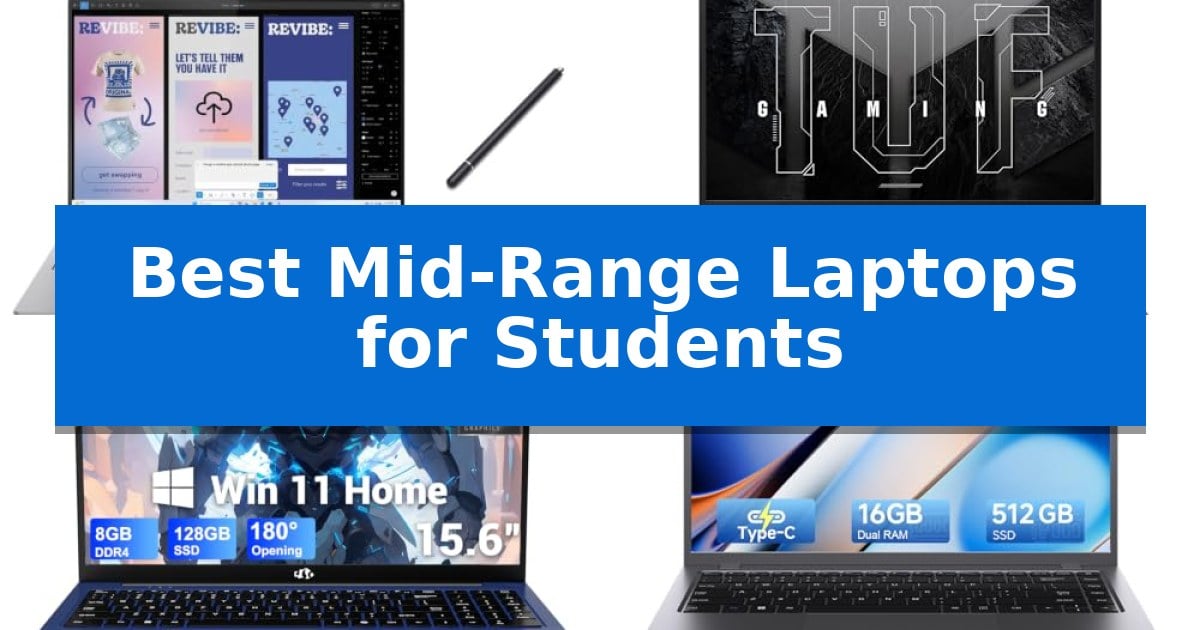
Navigating the academic year requires a reliable machine that can handle everything from intensive research and document editing to late-night study sessions. Finding the Best Mid-Range Laptops for Students involves balancing processing power with portability and battery life to ensure you stay productive without overspending on features you might not need.
Whether you are a college student managing heavy multitasking or a high schooler focusing on online learning, the right hardware makes a significant difference. We have analyzed five distinct models to help you identify which device aligns with your specific academic requirements and campus lifestyle.
You may also want to compare Best Mid-Range Laptops for Home Use, Best Mid-Range Laptops for Gaming, and Best Mid-Range Laptops.
Best Mid-Range Laptops for Students
Quick Comparison
| Product | Best For | Key Strength | Score |
|---|---|---|---|
| Lenovo Yoga 7i 2-in-1 Laptop | Best Overall | Versatile 2-in-1 design allows for laptop and tablet modes. | 4.9 |
| ASUS TUF A15 Gaming Laptop | High-Performance for Demanding Coursework | High-refresh 144Hz display for fluid visuals. | 4.5 |
| NIMO AI Ready Student Laptop | Expandable Storage for Large Files | Expandable storage and RAM slots for long-term hardware flexibility. | 4.3 |
| EvoSpan Laptop Computer | Lightweight Build for Campus Commutes | 16GB RAM provides ample memory for seamless multitasking. | 4.8 |
| Acer Chromebook 315 Laptop | Focused Learning with Extended Battery | Large 15.6-inch Full HD IPS display for improved multitasking. | 4.4 |
How We Chose
- Processing capability and RAM to ensure smooth multitasking across research tabs and applications.
- Display quality and resolution for comfortable reading and extended screen time.
- Portability and weight to accommodate frequent commutes between dorms, classrooms, and libraries.
- Storage capacity and expandability options to manage large academic files and projects.
- Battery efficiency and connectivity standards to support reliable performance throughout the school day.
1 Lenovo Yoga 7i 2-in-1 Laptop — Versatile Touchscreen for Creative Projects
Transitioning between intensive coursework and creative projects requires a device that adapts to your workflow. The Lenovo Yoga 7i 2-in-1 Laptop offers a flexible 2-in-1 design that functions as both a traditional laptop and a tablet, supported by an included aluminum alloy stylus pen for note-taking or digital illustration.
At the heart of this machine is the Intel Core Ultra 7 256V processor, a member of the Lunar Lake family. This SoC integrates 16GB of LPDDR5x-8533 RAM directly on-package, which helps maintain efficiency for multitasking. For graphical needs, the Intel Arc 140V iGPU provides the necessary power for creative software, while the 47 TOPS neural engine supports modern AI-driven tasks.
The 16-inch WUXGA touchscreen display is designed for clarity, featuring 300 nits of peak brightness and Dolby Vision for enhanced color accuracy. To support long study sessions, the screen includes TUV Low Blue Light technology, which aims to reduce eye strain during extended use. The 60Hz refresh rate ensures smooth navigation through documents and web pages.
Practicality is a core focus of this model, which includes a backlit keyboard for low-light environments and a lightweight, portable form factor. The included stylus requires no Bluetooth pairing or charging, making it a reliable tool for quick sketches or annotations. With Windows 11 Home pre-installed, it provides a familiar interface for academic and personal productivity.
Best for: Students who need a versatile 2-in-1 device for a mix of academic writing, digital note-taking, and creative projects.
Skip if: Users who require a dedicated high-performance discrete GPU for heavy 3D rendering or professional-grade gaming.
PROS
- Versatile 2-in-1 design allows for laptop and tablet modes.
- Included stylus pen requires no charging or Bluetooth pairing.
- Efficient Lunar Lake processor with integrated AI-ready neural engine.
- TUV Low Blue Light certified display for reduced eye fatigue.
CONS
- 60Hz refresh rate may feel limited compared to higher-end gaming displays.
- 512GB SSD may require external storage for users with large media libraries.
2 ASUS TUF A15 Gaming Laptop — High-Performance for Demanding Coursework
Balancing the demands of academic coursework with the need for reliable hardware requires a machine that can handle multitasking without compromise. The ASUS TUF A15 Gaming Laptop addresses this by pairing an AMD Ryzen 7 7435HS processor with 8GB of DDR5 RAM, providing a responsive foundation for heavy applications and video editing tasks.
Visual clarity is essential for long study sessions, and this model delivers with a 15.6-inch Full HD 144Hz display. The high refresh rate ensures fluid motion, while the NVIDIA RTX 3050 graphics card provides the necessary power for creative projects or demanding software. The inclusion of Wi-Fi 6 ensures stable connectivity for online lectures and research.
Designed for durability and utility, the laptop features upgraded thermals to maintain performance during extended use. The RGB backlit keyboard offers visibility in low-light environments, and the chassis houses a 512GB PCIe SSD, offering fast access to stored files and course materials. With Thunderbolt 4 USB-C support, it provides versatile connectivity for external peripherals.
While the base configuration is capable, the system is built with future flexibility in mind. The dual-channel capable RAM and two M.2 slots allow for potential storage and memory expansions, ensuring the device can adapt as academic requirements evolve throughout a student's career.
Best for: Students who require a high-performance machine capable of handling both intensive academic software and creative multimedia projects.
Skip if: Students who prioritize extreme portability or long-duration battery life for all-day campus use may find the gaming-focused design and weight less convenient.
PROS
- High-refresh 144Hz display for fluid visuals.
- Powerful AMD Ryzen 7 processor for demanding multitasking.
- Expandable storage and memory via dual M.2 slots and dual-channel RAM support.
- Advanced thermal cooling to sustain performance under load.
CONS
- Base 8GB RAM may require an upgrade for memory-intensive professional workflows.
- Gaming-oriented chassis is heavier than standard ultrabooks.
3 NIMO AI Ready Student Laptop — Expandable Storage for Large Files
The NIMO AI Ready Student Laptop distinguishes itself with a highly flexible storage architecture, featuring an expandable SSD slot that supports up to 4TB of capacity. This design choice provides a practical solution for students who need to manage large project files, research data, or media libraries without being constrained by the initial drive size.
Performance is driven by an AMD Ryzen 5 3501U processor, which utilizes a 4-core, 8-thread configuration to handle multitasking across academic applications and remote learning platforms. The device includes 8GB of DDR4 RAM, which can be expanded by the user, ensuring the system remains capable as software requirements evolve throughout a student's academic career.
Designed for mobility, the laptop features a durable metal A-shell and weighs under 3.75 lbs, making it suitable for transport between classes and study spaces. The 15.6-inch Full HD IPS display offers an 85% screen-to-body ratio, providing a clear workspace for document editing and video conferencing via the integrated 2MP HD webcam.
Connectivity and power management are prioritized through a full-function USB-C port that supports Power Delivery, DisplayPort, and data transfer. The included 65W fast charger is designed to provide approximately two hours of usage from a 15-minute charge, offering a convenient power solution for students on the move.
Security and convenience are integrated into the hardware, with a touchpad-embedded fingerprint scanner for quick authentication and fTPM support for data protection. The package includes a two-year manufacturer warranty, emphasizing the device's focus on long-term reliability for educational use.
Best for: Students who require a portable, upgradeable laptop for multitasking and remote learning.
Skip if: Users who need a high-end dedicated GPU for intensive 3D rendering or professional gaming.
PROS
- Expandable storage and RAM slots for long-term hardware flexibility.
- 65W USB-C PD fast charging for rapid battery replenishment.
- Durable metal A-shell construction for improved portability.
- Integrated fingerprint scanner for secure and quick access.
CONS
- 128GB base SSD capacity may require early upgrades for power users.
4 EvoSpan Laptop Computer — Lightweight Build for Campus Commutes
Balancing academic demands with a tight budget requires hardware that prioritizes efficiency and portability. The EvoSpan Laptop Computer addresses these needs by integrating a Pentium 6500Y processor, which provides the necessary computing power for multitasking across study applications and office software.
Designed for the modern student, this device features a 14-inch FHD IPS display with a 92% screen-to-body ratio, offering an expansive workspace for research and document editing. The inclusion of low blue light protection and an anti-glare coating helps maintain visual comfort during long study sessions, while the 2.8 lbs lightweight chassis ensures it remains easy to carry between campus locations.
Storage and memory are critical for academic projects, and this model comes equipped with 16GB of RAM and a 512GB M.2 SSD. For students requiring additional space, the system supports up to 1TB of TF card expansion, providing flexible options for managing large datasets or media files.
Usability is further enhanced by a full-size keyboard and a quiet cooling system, which allows for focused work in libraries or quiet study areas. With a 38Wh battery rated for 6 hours of use, it offers sufficient endurance for a typical day of classes and independent study.
Best for: Students who need a lightweight, portable device for daily academic tasks, document management, and research.
Skip if: Users who require high-performance hardware for intensive video editing, 3D rendering, or gaming will find the Pentium processor and integrated graphics insufficient.
PROS
- 16GB RAM provides ample memory for seamless multitasking.
- Lightweight 2.8 lbs design is ideal for campus mobility.
- 14-inch FHD IPS display with anti-glare coating reduces eye strain.
- Expandable storage via TF card slot up to 1TB.
CONS
- 38Wh battery limits usage to approximately 6 hours.
- Pentium 6500Y processor is optimized for basic productivity rather than heavy computing tasks.
5 Acer Chromebook 315 Laptop — Focused Learning with Extended Battery
A large 15.6-inch Full HD IPS anti-glare display defines the Acer Chromebook 315 Laptop, providing students with the screen real estate necessary for managing multiple browser tabs, research documents, and online coursework simultaneously. Its design prioritizes academic utility by incorporating a full-size keyboard with a dedicated numeric keypad, which simplifies data entry for spreadsheets and math-heavy assignments.
Under the hood, the device is powered by an Intel Celeron N4500 dual-core processor capable of reaching a 2.8GHz boost speed. This is paired with 4GB of LPDDR4X memory and 128GB of storage, ensuring that Chrome OS remains responsive during daily tasks like video-based learning, Google Classroom navigation, and web research. The operating system itself provides automatic updates and built-in virus protection, reducing the maintenance burden for students.
Connectivity is handled through a versatile array of ports, including two USB-C 3.2 ports that support charging and external display output, alongside two USB-A 3.2 ports for peripherals like flash drives or mice. Wireless performance is bolstered by Wi-Fi 6 and Bluetooth, maintaining stable connections for virtual classes. The inclusion of DTS Audio, a 720p webcam, and dual microphones ensures the hardware is ready for group projects and remote presentations.
Portability and endurance are key for campus life, and this model addresses these needs with a battery life rated for up to 10 hours of use on a single charge. The anti-glare screen coating helps maintain visibility across various lighting environments, from bright classrooms to home study spaces, making it a reliable tool for long-term educational requirements.
Best for: Students who require a large display and a full-size keyboard for research, writing, and virtual classroom participation.
Skip if: Users who need to run resource-intensive creative software or Windows-based applications that are incompatible with Chrome OS.
PROS
- Large 15.6-inch Full HD IPS display for improved multitasking.
- Full-size keyboard with numeric keypad for efficient data entry.
- Versatile I/O including two USB-C and two USB-A ports.
- Up to 10 hours of battery life for all-day campus use.
CONS
- Limited 4GB RAM may constrain performance during heavy multitasking.
- Chrome OS limitations prevent the installation of standard Windows or macOS software.
Best Mid-Range Laptops for Students Buying Guide
Prioritizing Processor and RAM
The processor acts as the brain of your laptop, determining how quickly you can switch between applications. For most students, an upper mid-range processor provides the necessary speed for research, word processing, and light creative tasks without the cost of high-end gaming hardware.
Equally important is the RAM, which allows your computer to handle multiple browser tabs and background processes simultaneously. Aiming for at least 16GB of RAM is recommended to prevent system lag during intensive study sessions or when running multiple academic programs at once.
Display Quality and Eye Comfort
Students spend hours reading digital textbooks and writing papers, making the display a critical factor. Look for Full HD (1920 x 1080) or WUXGA (1920 x 1200) resolutions, which offer the clarity needed for sharp text and detailed visuals.
Features like anti-glare coatings and low blue light technology are essential for reducing eye strain during long hours of study. These additions help maintain comfort and focus, especially when working in environments with varying lighting conditions.
Portability and Build Design
A student laptop needs to be easy to carry across campus. A lightweight build—ideally under four pounds—ensures that your device fits comfortably in a backpack without adding unnecessary strain during your daily commute.
The physical design, including the keyboard and trackpad, should be ergonomic. Comfortable key travel and a responsive trackpad are vital for long typing sessions, as these components directly influence your efficiency when completing assignments.
Storage and Expandability
Academic projects, especially those involving media or large datasets, require reliable storage. A solid-state drive (SSD) is the standard for fast boot times and quick file access, significantly improving the overall responsiveness of your system.
Consider models that offer expandable storage or additional slots. This flexibility allows you to increase your capacity as your coursework grows, ensuring you never have to worry about running out of space for your important documents and research files.
Connectivity and Battery Life
Reliable connectivity is necessary for modern learning. Ensure your laptop includes a variety of ports, such as USB-C and HDMI, to easily connect to external monitors, flash drives, and other peripherals without needing multiple adapters.
Battery life determines your freedom to work away from a power outlet. A laptop that supports fast charging or provides several hours of continuous use is a major advantage for students who spend their days moving between different campus locations.
Frequently Asked Questions
How much RAM do I really need for college?
For most students, 16GB of RAM is the sweet spot for smooth multitasking. It allows you to keep many browser tabs open, run research software, and handle document editing without experiencing significant slowdowns.
Is a 2-in-1 laptop better for students?
A 2-in-1 laptop offers versatility, allowing you to use it as a standard computer or a tablet. This is particularly useful for students who enjoy taking handwritten notes with a stylus or those who prefer a touchscreen interface for creative projects.
Why is an SSD better than an HDD?
An SSD (Solid State Drive) is much faster than a traditional HDD (Hard Disk Drive). It enables significantly quicker boot times, faster application launches, and better overall system responsiveness, which is essential for a productive study environment.
Does processor speed matter for basic schoolwork?
Yes, but you don't necessarily need the most expensive chip. A mid-range processor is more than capable of handling word processing, web research, and video conferencing, providing a balance between performance and cost.
How important is screen resolution?
High resolution, such as Full HD or WUXGA, is important for text clarity. It makes reading long articles and writing papers much easier on the eyes, reducing fatigue during extended study sessions.
Conclusion: Our Top Pick
When selecting the right device for your academic journey, the Lenovo Yoga 7i 2-in-1 Laptop stands out as the most versatile option. With its robust processor, ample RAM, and high-quality touchscreen display, it provides the performance needed for demanding coursework while offering the flexibility of a 2-in-1 design for creative and note-taking tasks.
While other models offer specific benefits like extreme portability or budget-friendly simplicity, the Lenovo Yoga 7i delivers the best overall balance of power and functionality. It is a well-rounded tool that adapts to various student needs, making it a reliable choice for long-term academic use.