
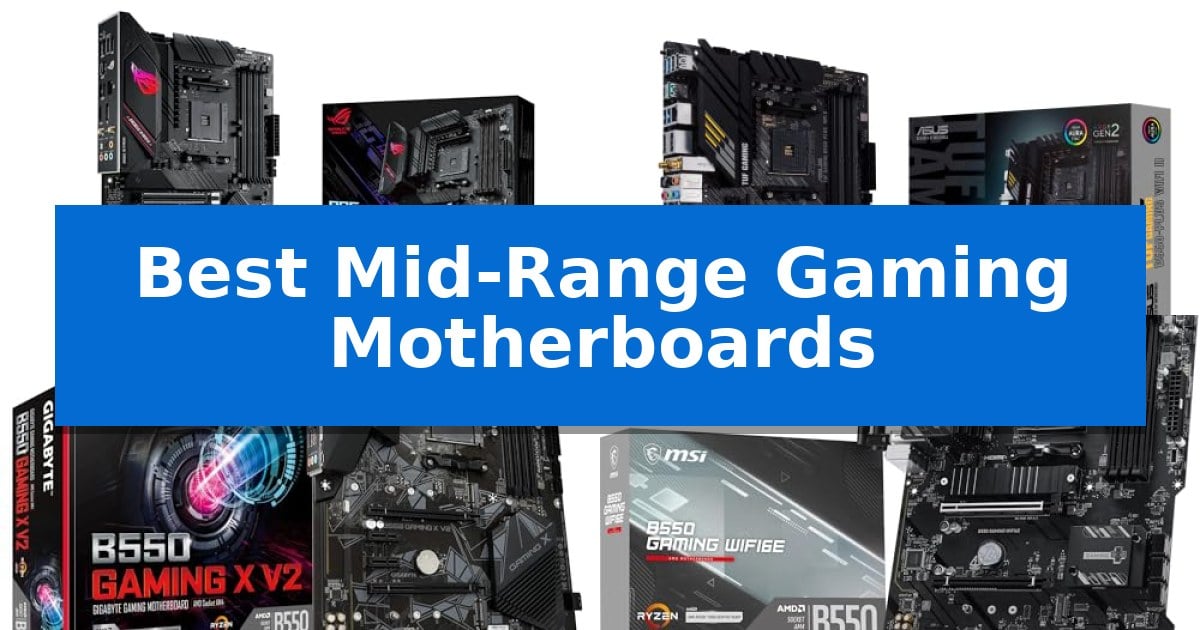
Building a balanced gaming PC requires a foundation that supports your hardware without unnecessary costs. The Best Mid-Range Gaming Motherboards provide the essential balance of power delivery, connectivity, and thermal management needed for modern AM4 processors.
Selecting the right board depends on your specific needs, such as high-speed networking, storage expansion, or compact form factors. Our guide evaluates these options to ensure your components communicate efficiently and reliably.
You may also want to compare Best Mid-Range Gaming Monitors, Best Mid-Range Gaming Monitor, and Best Mid-Range Gaming Microphones.
Best Mid-Range Gaming Motherboards
Quick Comparison
| Product | Best For | Key Strength | Score |
|---|---|---|---|
| Asus ROG Strix B550-F Gaming Motherboard | Best Overall | Robust 12+2 teamed power stages for stable power delivery. | 4.9 |
| Asus TUF Gaming B550-PLUS WiFi Motherboard | Reliable durability for gaming setups | Robust 8+2 DrMOS power design for reliable CPU stability. | 4.9 |
| Gigabyte B550 Gaming X V2 Motherboard | Essential performance for budget gamers | 10+3 Power Phase design for stable power delivery. | 4.7 |
| MSI B550 Gaming WIFI6E Motherboard | Fast wireless connectivity for gaming | 8+2+1 Duet Rail Power System for stable CPU performance | 4.4 |
| MSI B550M Gaming Plus WIFI6E Motherboard | Compact power for smaller builds | Wi-Fi 6E and Bluetooth 5.3 integration for modern wireless connectivity. | 4.4 |
How We Chose
- Power delivery systems and VRM cooling efficiency.
- Connectivity options including PCIe 4.0 support and M.2 storage slots.
- Networking capabilities such as WiFi 6E and 2.5Gb Ethernet.
- Form factor compatibility for standard ATX and compact builds.
- BIOS accessibility and ease of hardware installation.
1 Asus ROG Strix B550-F Gaming Motherboard — Premium features for mid-range builds
The Asus ROG Strix B550-F Gaming WiFi II provides a foundation for mid-range builds by integrating the AM4 socket, ensuring compatibility with AMD Ryzen 3000 and 5000 series processors. This motherboard is engineered for users who require a balance of connectivity and power stability without moving to newer, more expensive platforms.
Performance stability is managed through a 12+2 teamed power stage design, supported by a ProCool power connector and durable alloy chokes. This robust power delivery system is intended to maintain consistent operation for gaming workloads. For system builders, the inclusion of BIOS Flashback offers a straightforward method for updating the system without needing a CPU installed.
Connectivity options are extensive for a mid-range board, featuring PCIe 4.0 support for modern GPUs and storage, alongside dual M.2 slots. Networking is handled by on-board WiFi 6E and Intel 2.5 Gb Ethernet, providing high-bandwidth options for both wireless and wired setups. The rear I/O includes USB 3.2 Gen 2 Type-C, HDMI 2.1, and DisplayPort 1.2 for versatile display and peripheral integration.
The board also includes Aura Sync for addressable RGB control, allowing for aesthetic customization within the chassis. Users also receive a 60-day AIDA64 Extreme subscription, providing diagnostic tools to monitor system health and performance through the intuitive UEFI BIOS dashboard.
Best for: Builders utilizing AMD Ryzen 3000 or 5000 series processors who require high-speed networking and PCIe 4.0 support in a standard ATX form factor.
Skip if: Users planning to upgrade to newer CPU generations that require the AM5 socket or those who do not need the specific connectivity of WiFi 6E and 2.5Gb LAN.
PROS
- Robust 12+2 teamed power stages for stable power delivery.
- Advanced connectivity with WiFi 6E and 2.5Gb Ethernet.
- Future-ready storage and graphics support via PCIe 4.0.
- Simplified maintenance with BIOS Flashback functionality.
CONS
- Limited to the AM4 socket, restricting CPU upgrade paths to older Ryzen generations.
2 Asus TUF Gaming B550-PLUS WiFi Motherboard — Reliable durability for gaming setups
The ASUS TUF Gaming B550-PLUS WiFi II provides a specialized foundation for high-performance builds by pairing the AMD AM4 socket with PCIe 4.0 support, specifically engineered for 3rd Gen AMD Ryzen processors. This motherboard is designed to handle demanding workloads through a robust 8+2 DrMOS power stage configuration, utilizing high-quality alloy chokes and durable capacitors to maintain stable power delivery for high-core-count CPUs.
Thermal management is addressed through an optimized fanless VRM and PCH heatsink design, which works in tandem with multiple hybrid fan headers. Users can fine-tune their cooling profiles using the Fan Xpert 4 utility or the UEFI Q-Fan Control interface, ensuring that internal temperatures remain within operational limits during extended gaming sessions.
Connectivity options are extensive, featuring WiFi 6 (802.11ax) and 2.5 Gb LAN with ASUS LANGuard for high-performance networking. The board supports modern display standards via HDMI 2.1 and DisplayPort 1.2, while internal expansion is facilitated by dual M.2 slots—including one with PCIe 4.0 x4 bandwidth—and a variety of USB 3.2 Gen 2 Type-C and Type-A ports.
For those integrating this into a broader ecosystem, the board includes an Addressable RGB header compatible with Aura Sync, allowing for synchronized lighting control. The inclusion of a Thunderbolt 3 header and an SPI TPM header provides additional flexibility for peripheral expansion and security requirements, making this a versatile choice for mid-range gaming systems.
Best for: Gamers seeking a durable, feature-rich AM4 platform with modern networking and high-speed storage support.
Skip if: Users requiring support for newer CPU sockets or those who do not need integrated WiFi 6 and 2.5Gb LAN capabilities.
PROS
- Robust 8+2 DrMOS power design for reliable CPU stability.
- High-speed connectivity including WiFi 6 and 2.5Gb LAN.
- Dual M.2 slots with PCIe 4.0 support for fast storage.
- Comprehensive thermal control via fanless heatsinks and software utilities.
CONS
- Limited to AM4 socket, restricting future CPU upgrade paths to older generations.
3 Gigabyte B550 Gaming X V2 Motherboard — Essential performance for budget gamers
Building a reliable gaming rig on a budget requires a foundation that balances power delivery with modern connectivity, and the GIGABYTE B550 Gaming X V2 AMD AM4 ATX Motherboard addresses this by providing a robust 10+3 power phase design. This configuration, paired with premium chokes and capacitors, ensures steady power delivery to support AMD Ryzen 5000, 4000, and 3000 series processors, making it a practical choice for those looking to maximize their CPU performance without moving to a more expensive chipset.
Thermal management is handled by an advanced VRM heatsink, which works to maintain stability during extended gaming sessions. The board is designed with a focus on DIY accessibility, featuring an integrated I/O shield that simplifies the installation process. For storage and expansion, it offers a high-speed PCIe 4.0 x16 slot alongside a dedicated PCIe 4.0 M.2 slot, ensuring compatibility with modern, high-bandwidth components.
Connectivity remains a priority, with the board including a front USB 3.2 Gen 1 Type-C header for modern case compatibility, alongside multiple USB 3.2 Gen 2 Type-A ports. The inclusion of Q-Flash Plus allows users to update the BIOS without the need for a CPU, RAM, or GPU, providing a safety net for future upgrades or troubleshooting. The refreshed BIOS interface, featuring an Easy Mode, offers a user-friendly environment for adjusting system settings.
While this board provides essential features for a mid-range build, it is important to note its reliance on DDR4 memory architecture. It supports four DIMMs with Extreme Memory Profile capabilities, which remains a cost-effective standard for many gaming setups. With its combination of thermal armor, flexible connectivity, and straightforward BIOS tools, it serves as a reliable backbone for a variety of gaming configurations.
Best for: Budget-conscious gamers building a system around AMD Ryzen processors who need modern PCIe 4.0 support and easy BIOS maintenance.
Skip if: Users requiring DDR5 memory support or those planning to utilize high-end multi-GPU setups that exceed the capacity of a single PCIe 4.0 x16 slot.
PROS
- 10+3 Power Phase design for stable power delivery.
- Q-Flash Plus allows for BIOS updates without a CPU installed.
- Includes PCIe 4.0 support for both the primary GPU slot and an M.2 storage slot.
- Integrated I/O shield simplifies the PC assembly process.
CONS
- Limited to DDR4 memory architecture.
- Lacks integrated Wi-Fi, relying on GbE LAN for network connectivity.
4 MSI B550 Gaming WIFI6E Motherboard — Fast wireless connectivity for gaming
Building a high-performance gaming rig requires a foundation that balances power delivery with modern connectivity, and the MSI B550 Gaming WIFI6E Motherboard is engineered specifically for this purpose. It utilizes an 8+2+1 Duet Rail Power System with DrMOS 50A components, providing the stable power delivery necessary to support AMD Ryzen 5000 series processors during intensive gaming sessions.
Thermal management is addressed through the Frozr Guard design, which incorporates an Extended Heatsink and dedicated thermal pads on the chokes. This cooling architecture extends to the storage section, where the M.2 Shield Frozr protects high-speed Gen4 NVMe drives from thermal throttling, ensuring consistent data transfer rates during heavy read and write operations.
For connectivity and expansion, the board features a PCIe 4.0 x16 slot reinforced with Steel Armor to support heavy modern graphics cards. Memory performance is prioritized with four DIMM slots capable of reaching 4800+MHz (OC), while the integrated Wi-Fi 6E module and Bluetooth 5.3 provide low-latency wireless networking options for competitive gaming environments.
The rear I/O panel includes a USB 10Gbps Type-C port for high-speed peripheral connectivity and 7.1 HD Audio with Audio Boost for enhanced sound output. This combination of robust power delivery, advanced cooling, and modern wireless standards makes it a versatile choice for users building on the AM4 platform.
Best for: Gamers building a high-performance AM4 system who require fast Wi-Fi 6E connectivity and reliable thermal management for Gen4 storage.
Skip if: Users who require compatibility with newer CPU sockets or those who need more than one PCIe 4.0 x16 slot for multi-GPU configurations.
PROS
- 8+2+1 Duet Rail Power System for stable CPU performance
- Wi-Fi 6E and Bluetooth 5.3 integration for modern wireless connectivity
- M.2 Shield Frozr to prevent thermal throttling on high-speed storage
- Steel Armor reinforced PCIe 4.0 slot for heavy graphics cards
CONS
- Limited to AM4 socket and DDR4 memory architecture
- Single PCIe 4.0 x16 slot restricts multi-GPU expansion
5 MSI B550M Gaming Plus WIFI6E Motherboard — Compact power for smaller builds
The MSI B550M Gaming Plus WIFI6E Motherboard is built for users seeking a compact mATX foundation that integrates modern wireless connectivity and robust power delivery. By utilizing MSI Core Boost technology, this board provides the necessary stability for high-performance AMD Ryzen 5000 series processors, making it a focused choice for mid-range gaming builds where space is at a premium.
Performance-oriented features include a PCIe 4.0 x16 slot reinforced with Steel Armor to support heavy graphics cards, alongside four DIMM slots capable of memory overclocking speeds up to 4400+ MT/s. Thermal management is addressed through the Frozr Guard system, which incorporates an extended heatsink, thermal pads, and a dedicated M.2 Shield Frozr to prevent thermal throttling on high-speed Gen4 storage drives.
Connectivity is a primary strength of this model, featuring an integrated Wi-Fi 6E module and Bluetooth 5.3 for modern wireless standards. The board also includes a 1Gbps LAN port and 7.1 HD Audio with Audio Boost technology, ensuring that essential gaming peripherals and networking hardware are well-supported without requiring additional expansion cards.
While the MSI B550M Gaming Plus WIFI6E Motherboard offers a comprehensive feature set for its form factor, users should note that it is limited to the AM4 platform and DDR4 memory standards. It is an ideal choice for those upgrading or building within the established Ryzen 5000 or 3000 series ecosystem who prioritize a balance of cooling, storage speed, and wireless integration.
Best for: Gamers building a compact, high-performance system using AMD Ryzen 5000 or 3000 series processors who require Wi-Fi 6E connectivity.
Skip if: Users planning to utilize the latest AM5 processor socket or DDR5 memory standards, as this board is strictly limited to the AM4 platform.
PROS
- Wi-Fi 6E and Bluetooth 5.3 integration for modern wireless connectivity.
- M.2 Shield Frozr cooling to maintain performance on Gen4 storage.
- Steel Armor reinforced PCIe 4.0 slot for structural support of heavy GPUs.
- MSI Core Boost for improved power stability under load.
CONS
- AM4 socket limitation prevents compatibility with newer Ryzen 7000/9000 series CPUs.
- DDR4 memory support only, which is not compatible with newer DDR5 standards.
Best Mid-Range Gaming Motherboards Buying Guide
Socket and CPU Compatibility
The AM4 socket remains a versatile choice for many gamers. Before purchasing, ensure your chosen motherboard supports your specific CPU generation, such as the Ryzen 5000 or 4000 G-series, as BIOS updates may be required for older boards to recognize newer chips.
Look for boards with BIOS Flashback capabilities, which allow you to update the firmware without needing a CPU installed. This feature provides a significant safety net during the initial assembly process.
Power Delivery and Thermal Management
Stable power delivery is critical for maintaining consistent frame rates during intense gaming sessions. Motherboards featuring robust power stages and high-quality alloy chokes help manage the electrical load required by high-core-count CPUs.
Effective thermal solutions, such as extended heatsinks and thermal pads, prevent components from throttling under load. Boards that include dedicated M.2 shields also help maintain optimal temperatures for your NVMe storage drives.
Connectivity and Expansion
Modern gaming setups benefit from fast data transfer and peripheral support. Prioritize boards that offer PCIe 4.0 support, which is essential for maximizing the bandwidth of current-generation graphics cards and high-speed SSDs.
Check the rear I/O panel for the number and type of USB ports. Features like USB 3.2 Gen 2 Type-C ports provide faster connectivity for external drives and modern peripherals, while HDMI 2.1 support is useful if you are utilizing integrated graphics.
Networking Standards
For online gaming, a stable network connection is as important as your GPU. Many mid-range boards now include WiFi 6E or WiFi 6, which offer improved bandwidth and lower latency in crowded wireless environments.
If you prefer a wired connection, look for boards equipped with 2.5Gb LAN ports. This standard provides significantly higher throughput than traditional Gigabit Ethernet, ensuring your network is ready for faster home internet plans.
Form Factor Considerations
The physical size of your motherboard determines your case compatibility. ATX boards offer more expansion slots and headers, making them ideal for full-sized towers, while mATX boards are better suited for compact builds.
Ensure your case has sufficient clearance for the motherboard's dimensions and the necessary headers for your front-panel connectors, RGB lighting, and cooling fans.
Frequently Asked Questions
Do all B550 motherboards support PCIe 4.0?
Most B550 motherboards support PCIe 4.0 for the primary x16 graphics slot and at least one M.2 storage slot, though secondary slots often default to PCIe 3.0 speeds.
Can I use a Ryzen 5000 series CPU on these boards?
Yes, all listed B550 motherboards are compatible with Ryzen 5000 series processors, though you may need to perform a BIOS update depending on the manufacturing date of the board.
What is the benefit of WiFi 6E over WiFi 6?
WiFi 6E adds access to the 6GHz band, which provides more channels and less interference compared to the 2.4GHz and 5GHz bands used by WiFi 6.
Is 2.5Gb LAN necessary for gaming?
While standard 1Gb LAN is sufficient for most gaming, 2.5Gb LAN provides future-proofing and faster local network speeds if you transfer large files between devices.
What does BIOS Flashback do?
BIOS Flashback allows you to update or recover the motherboard's BIOS using a USB flash drive without the need for a CPU, RAM, or GPU to be installed.
Conclusion: Our Top Pick
Selecting the right motherboard is about matching your specific hardware requirements with the board's connectivity and power capabilities. For most users, the Asus ROG Strix B550-F Gaming Motherboard stands out as the most balanced option due to its robust power solution and comprehensive connectivity features.
While other boards in this lineup offer excellent value or compact form factors, the Asus ROG Strix B550-F provides the most reliable foundation for a wide range of gaming builds. Ensure you verify your case size and CPU compatibility before finalizing your purchase.