
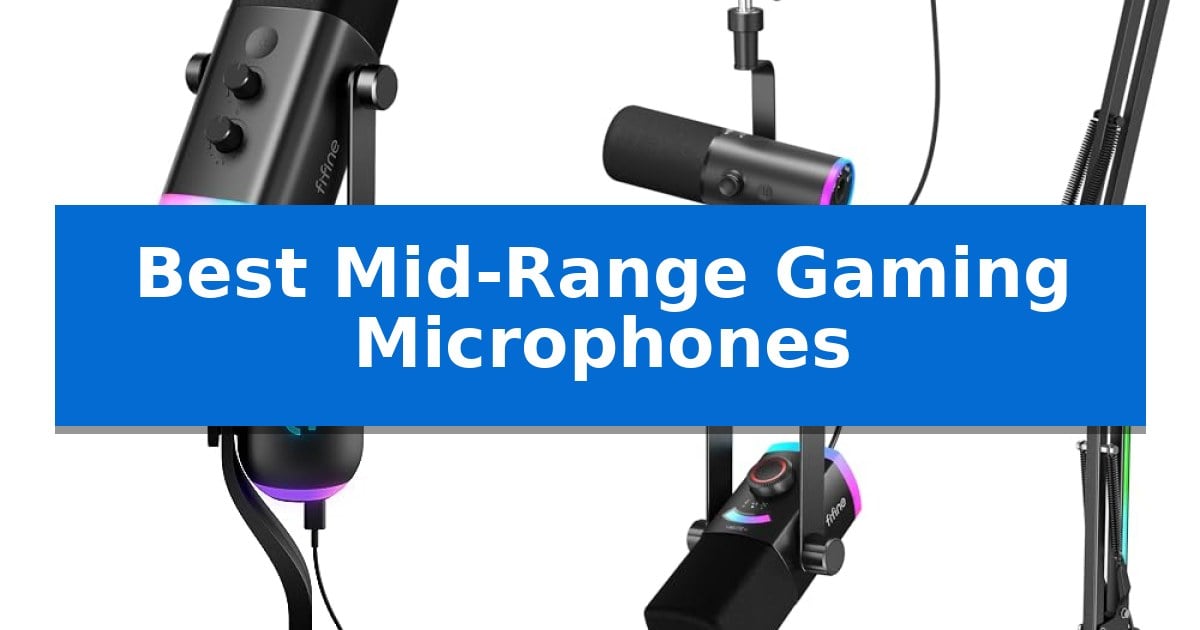
Finding the right balance between professional audio quality and ease of use is the primary challenge for streamers and gamers. Upgrading from a basic headset mic to a dedicated solution significantly improves vocal clarity, ensuring your audience hears every detail without the interference of background noise.
We have evaluated the Best Mid-Range Gaming Microphones to help you identify which models offer the most reliable performance for your specific setup. Whether you need simple plug-and-play USB convenience or the professional-grade flexibility of XLR connectivity, these selections provide the essential features required for high-quality vocal recording.
You may also want to compare Best Mid-Range Gaming Mice, Best Mid-Range Gaming Laptops, and Best Mid-Range Gaming Laptop.
Best Mid-Range Gaming Microphones
Quick Comparison
| Product | Best For | Key Strength | Score |
|---|---|---|---|
| FIFINE AmpliGame AM8 Gaming Microphone | Best Overall | Dual USB and XLR connectivity for flexible setup options. | 4.9 |
| TONOR TD510 Air S Gaming Microphone | AI-Powered Background Noise Reduction | Dual USB & XLR outputs for future-proof audio upgrades. | 4.3 |
| Logitech G Yeti GX Gaming Microphone | Advanced Software-Driven Audio Control | Broadcast-style dynamic capsule effectively isolates voice from background noise. | 4.9 |
| FIFINE AmpliGame AM8PROT Gaming Microphone | Complete Kit with Integrated Mix Control | Dual XLR/USB connectivity for flexible integration into different audio setups. | 4.4 |
| MAILANGSHI D2 Gaming Microphone | High-Fidelity 32-bit Audio Capture | Dual-mode connectivity supports both USB-C and XLR interfaces. | 4.3 |
How We Chose
- Audio Fidelity: Evaluating frequency response and signal-to-noise ratios to ensure clear, natural vocal reproduction.
- Connectivity Versatility: Assessing the availability of both USB and XLR interfaces to support current and future hardware setups.
- On-Device Controls: Checking for accessible gain, volume, and mute functions that allow for real-time adjustments without software interference.
- Build and Mounting: Reviewing the physical construction, including metal housing and compatibility with standard microphone stands or boom arms.
- Environmental Noise Management: Identifying features like cardioid patterns or AI-driven noise reduction that help isolate the voice from room sounds.
1 FIFINE AmpliGame AM8 Gaming Microphone — Versatile Dual USB and XLR Connectivity
The FIFINE AmpliGame AM8 Gaming Microphone offers a versatile dual-connection design, allowing users to switch between USB and XLR connectivity to suit different recording environments. This dynamic microphone is engineered for vocal clarity, utilizing a cardioid polar pattern to focus on the audio source while minimizing background noise, making it a practical choice for streaming and podcasting.
For those prioritizing ease of use, the USB connection provides a plug-and-play experience with integrated tap-to-mute functionality and a clear LED mute indicator. Users can also take advantage of the built-in headphone jack for real-time monitoring, with a dedicated volume control knob and mic gain adjustment to fine-tune audio levels directly on the device.
When shifting to a more professional setup, the XLR connection allows for integration with external audio interfaces or mixers, providing greater fidelity and flexibility for music or vocal recording. The microphone features a robust build with 3/8'' and 5/8'' metal threads, ensuring compatibility with most standard microphone stands without the need for additional adapters.
Aesthetically, the FIFINE AmpliGame AM8 Gaming Microphone includes a controllable RGB ring with multiple color modes, which can be customized via a button on the mic when using the USB interface. A memory function ensures that your preferred lighting settings remain active after power cycles, helping to maintain a consistent look for your gaming or streaming setup.
Best for: Beginner and intermediate creators who need a versatile microphone that can start as a simple USB device and upgrade to an XLR interface later.
Skip if: Users who require a dedicated XLR-only microphone or those who prefer a condenser microphone for capturing high-frequency detail in studio-grade acoustic environments.
PROS
- Dual USB and XLR connectivity for flexible setup options.
- Integrated tap-to-mute button with LED status indicator.
- Built-in headphone monitoring with gain and volume controls.
- Customizable RGB lighting with memory function.
CONS
- RGB and function keys are inactive when using the XLR connection.
- XLR cable not included in the package.
2 TONOR TD510 Air S Gaming Microphone — AI-Powered Background Noise Reduction
Achieving clear, professional-grade audio for gaming streams and voice chats often requires managing background noise, a challenge addressed by the TONOR TD510 Air S Gaming Microphone. This device features Triple AI Noise Cancellation, which actively works to filter out distracting sounds like keyboard clatter, ensuring your voice remains the focus during intense sessions.
The TONOR TD510 Air S Gaming Microphone offers significant versatility through its Dual USB & XLR Outputs. This design choice allows you to start with a simple USB connection to your PC or console and later upgrade to a professional sound card setup without needing to replace the microphone. The inclusion of customizable RGB ambient lighting adds a visual flair to your desk, while the integrated 3.5mm headphone jack provides real-time monitoring for precise audio fine-tuning.
Usability is enhanced by dedicated controls for microphone and headphone volume, allowing for quick adjustments on the fly. The tap-to-mute function provides an immediate way to silence your input, which is essential for maintaining privacy during live broadcasts. With a two-year warranty included, the hardware is built to support long-term use in various content creation environments.
While the microphone provides high-quality audio options, it is important to note that the XLR mode is not compatible with XBOX consoles. Additionally, the kit does not include XLR cables, so users planning to utilize the analog interface will need to source those separately to complete their setup.
Best for: Content creators and gamers who want a versatile microphone that can start as a USB device and transition to a professional XLR audio interface setup.
Skip if: Users who primarily game on an XBOX console or those who require an all-in-one kit that includes XLR cables out of the box.
PROS
- Dual USB & XLR outputs for future-proof audio upgrades.
- Triple AI noise cancellation effectively reduces background keyboard noise.
- Integrated volume controls and tap-to-mute for easy on-the-fly adjustments.
- Customizable RGB lighting to match gaming setups.
CONS
- Not compatible with XBOX consoles.
- XLR cables are not included in the kit.
3 Logitech G Yeti GX Gaming Microphone — Advanced Software-Driven Audio Control
Achieving consistent audio clarity during intense gaming sessions often requires specialized hardware that minimizes background interference. The Logitech G Yeti GX Gaming Microphone utilizes a broadcast-style dynamic mic capsule specifically engineered to isolate the user's voice while effectively ignoring mechanical keyboard clicks and other ambient room noise.
This microphone integrates Smart Audio Lock technology, which employs an analog limiter to prevent clipping and a downward expander to reduce unwanted background sounds. These features ensure that audio levels remain steady even during high-intensity moments, providing a reliable stream or recording experience without the need for constant manual gain adjustments.
Designed with a supercardioid pickup pattern, the device focuses strictly on the sound source directly in front of it. Users can further refine their output using Blue VO!CE filters and effects available through G HUB software, allowing for the addition of samples and vocal enhancements to engage audiences during live broadcasts.
The physical design incorporates dual RGB light zones compatible with LIGHTSYNC, enabling users to synchronize the microphone's lighting with other Logitech G peripherals for a cohesive aesthetic. The unit connects via a simple USB plug and play interface, ensuring compatibility with both PC and Mac systems without requiring complex driver installations.
Best for: Gamers and streamers who require a focused, noise-rejecting microphone with integrated software-driven audio leveling and RGB lighting synchronization.
Skip if: Users who prefer an XLR-based professional studio setup or those who require a multi-pattern microphone for recording omnidirectional sound sources.
PROS
- Broadcast-style dynamic capsule effectively isolates voice from background noise.
- Smart Audio Lock prevents clipping and manages gain automatically.
- Dual-zone LIGHTSYNC RGB integrates with existing gaming setups.
- USB plug and play functionality simplifies installation on PC and Mac.
CONS
- Supercardioid pattern is limited to front-facing audio capture only.
4 FIFINE AmpliGame AM8PROT Gaming Microphone — Complete Kit with Integrated Mix Control
The FIFINE AmpliGame AM8PROT Gaming Microphone distinguishes itself with a versatile dual-interface design, offering both XLR and USB connectivity to accommodate diverse recording setups. This dynamic microphone utilizes a cardioid pattern and a 75dB SNR to isolate vocals from ambient noise, ensuring clear audio capture during intense gaming sessions or podcast recordings.
Equipped with a tap-to-mute function featuring a visible LED indicator, the microphone provides immediate control to prevent unwanted audio transmission. Users connecting via USB gain access to a multifunctional 3-in-1 dial that manages gain, headphone volume, and mix control, allowing for real-time balancing of background music and vocal levels.
The included thickened boom arm features multi-angle joints and a 30-inch extension, designed to minimize mechanical noise while optimizing desk space. The kit also includes a foam windscreen to mitigate plosives and breath noise, while the integrated RGB lighting system offers over 240 combinations to match various gaming aesthetics.
Advanced customization is available through the FIFINE Genie Desktop App, which allows users to create independent mix channels and adjust EQ settings for specific vocal profiles. This software integration enables fine-tuning of the microphone's output, whether for bright, clear communications or warm, deep tones for podcasting.
Best for: Streamers and gamers requiring a versatile, all-in-one microphone kit that bridges the gap between simple USB plug-and-play and professional XLR audio workflows.
Skip if: Users who exclusively require a high-end XLR-only studio microphone and do not need the included boom arm, RGB lighting, or USB-specific digital features.
PROS
- Dual XLR/USB connectivity for flexible integration into different audio setups.
- Integrated 3-in-1 control dial for convenient on-the-fly adjustments.
- Comprehensive kit including a sturdy boom arm and foam windscreen.
- Customizable RGB lighting and EQ settings via the FIFINE Genie app.
CONS
- USB-exclusive features like the mix control and RGB lighting are not available when using the XLR connection.
5 MAILANGSHI D2 Gaming Microphone — High-Fidelity 32-bit Audio Capture
Achieving high-fidelity audio for streaming and recording does not require a complex studio setup. The MAILANGSHI D2 Gaming Microphone distinguishes itself by offering dual-mode connectivity, allowing users to choose between a plug-and-play USB connection for immediate use or an XLR interface for integration with professional mixers and audio equipment.
Designed for clarity, this dynamic microphone supports up to 192 kHz/32-bit recording when used in USB mode. It features a high 95 dB signal-to-noise ratio and a 128 dB maximum SPL, which helps maintain audio integrity even during loud gaming sessions or energetic commentary. The microphone is built with an all-metal body and includes a weighted stand, providing a stable foundation for desktop use.
Usability is a priority for live streamers, and the MAILANGSHI D2 Gaming Microphone addresses this with integrated hardware controls. In USB mode, users can access real-time headphone monitoring via a 3.5 mm jack, adjust microphone gain and headphone volume independently, and utilize a tap-to-mute function for privacy. The inclusion of customizable RGB lighting allows users to match the device to their existing gaming aesthetic, though lighting and touch-mute features are exclusive to USB operation.
To achieve the best results, the manufacturer recommends keeping the microphone 2–6 inches (5–15 cm) from the mouth. This close-proximity placement is essential for dynamic capsules to effectively isolate the voice from ambient room noise, such as keyboard clicks or mouse movements. While the unit provides versatility for both beginners and those looking to expand their audio chain, users should note that XLR cables and adapters are not included in the box.
Best for: Streamers and podcasters who want a versatile microphone that can start as a simple USB device and later transition to an XLR-based professional audio setup.
Skip if: Users who require a dedicated XLR-only microphone or those who do not have desk space for a weighted stand and close-proximity microphone placement.
PROS
- Dual-mode connectivity supports both USB-C and XLR interfaces.
- High-resolution 192 kHz/32-bit audio capture in USB mode.
- Integrated hardware controls for gain, volume, and tap-to-mute.
- Durable all-metal construction with customizable RGB lighting.
CONS
- XLR cable and adapters are not included with the purchase.
- RGB lighting and touch-mute features are unavailable when using the XLR connection.
Best Mid-Range Gaming Microphones Buying Guide
Understanding Connectivity: USB vs. XLR
The most significant decision when selecting a microphone is choosing between USB and XLR connectivity. USB microphones are designed for simplicity, offering a plug-and-play experience that connects directly to your PC or console without extra hardware.
XLR microphones require an external audio interface or mixer to function. While this adds complexity and cost, it provides greater control over your audio signal and allows for professional-grade upgrades to your recording chain over time.
The Importance of Polar Patterns
Most gaming microphones utilize a cardioid polar pattern, which is essential for focused recording. This pattern prioritizes sound directly in front of the capsule while rejecting noise from the sides and rear, such as keyboard clicks or cooling fans.
Proper positioning is critical when using a cardioid mic. Keeping the microphone within 2 to 6 inches of your mouth ensures your voice remains the primary audio source, maximizing the effectiveness of the directional capsule.
Real-Time Monitoring and Control
A headphone jack located directly on the microphone is a vital feature for streamers. It allows for real-time monitoring, letting you hear exactly what your audience hears without the latency issues often associated with software-based monitoring.
Look for physical gain knobs and mute buttons on the device itself. These controls allow you to make immediate adjustments to your volume or silence your mic during private moments without needing to navigate away from your game or streaming software.
Build Quality and Mounting
A durable, all-metal body provides both longevity and a stable weight that helps dampen vibrations. When selecting a microphone, consider how it will be placed on your desk, as the mount significantly impacts the final audio quality.
Many mid-range models include standard 3/8-inch or 5/8-inch threads, making them compatible with a wide range of boom arms and desk stands. Using a boom arm is often the best way to reduce desk-borne noise and keep your workspace organized.
Software and Customization
Advanced software suites can provide additional tools like EQ adjustments, noise gates, and lighting synchronization. These features allow you to tailor the microphone's output to your specific voice profile and match the aesthetic of your gaming setup.
While software is powerful, ensure that the microphone retains its core functionality even if you choose not to use the proprietary applications. The best microphones offer a balance between deep software control and reliable hardware-based performance.
Frequently Asked Questions
Do I need an audio interface for these microphones?
If you are using the USB connection, you do not need an audio interface. If you intend to use the XLR connection, an external audio interface or mixer is required.
What is the benefit of a dynamic microphone for gaming?
Dynamic microphones are excellent for gaming because they are less sensitive to background noise compared to condenser microphones, helping to isolate your voice from keyboard and mouse sounds.
Can I use these microphones with a PS5?
Yes, most of these USB-compatible microphones can be connected directly to a PS5, typically via the USB-A port on the back of the console.
Why is a tap-to-mute button useful?
A tap-to-mute button allows you to instantly silence your microphone without needing to click through software menus, which is helpful for maintaining privacy during live streams.
How close should I be to the microphone?
For optimal audio clarity with these dynamic microphones, it is generally recommended to keep the microphone within 2 to 6 inches of your mouth.
Conclusion: Our Top Pick
For gamers and streamers seeking the best balance of features, the FIFINE AmpliGame AM8 Gaming Microphone stands out as the top choice. Its dual-interface design allows you to start with a simple USB setup and transition to a professional XLR configuration as your needs evolve, making it a highly versatile long-term investment.
While other options offer specific benefits like AI noise reduction or advanced software suites, the AM8 provides the most reliable foundation for vocal clarity and ease of use. Ensure you have a compatible XLR cable if you plan to utilize the analog output, as it is not included with the microphone.