
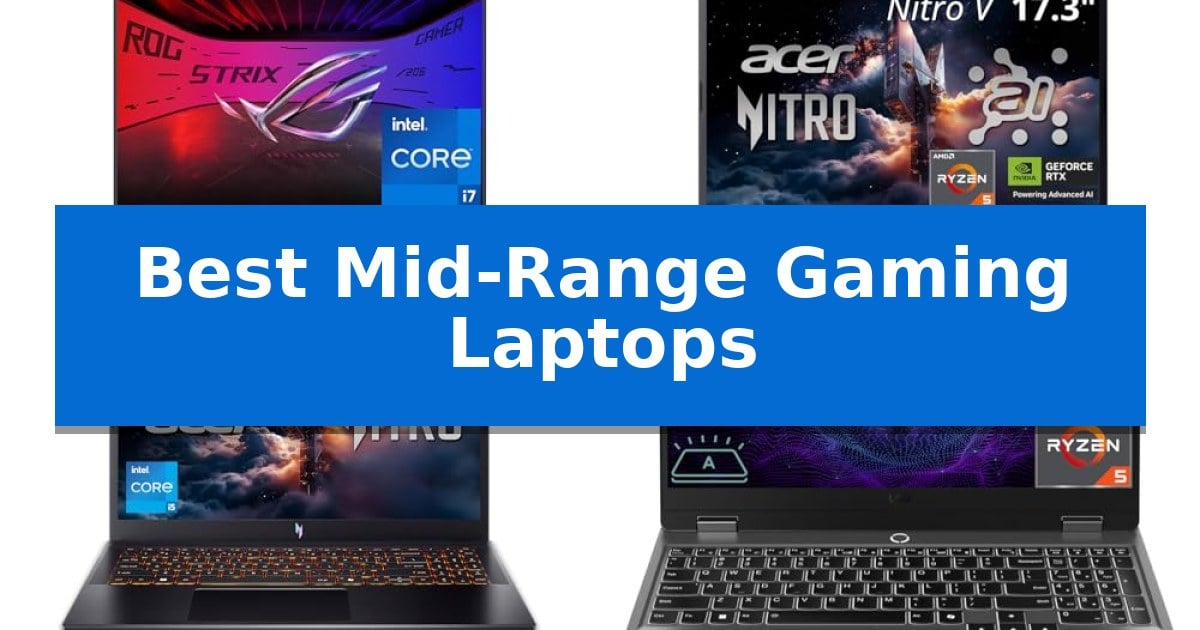
Finding the right machine for your digital library often involves navigating a crowded market where high-end specifications can quickly inflate costs. For many players, the sweet spot lies in finding Best Mid-Range Gaming Laptops that prioritize essential hardware like dedicated graphics and high-refresh-rate displays without unnecessary luxury additions.
Our guide focuses on systems that offer a reliable balance between processing power and thermal management. By examining key components such as current-generation GPUs, display response times, and memory configurations, we help you identify which hardware setups best suit your specific gaming habits and multitasking needs.
You may also want to compare Best Mid-Range Gaming Laptop, Best Mid-Range Gaming Keyboards, and Best Mid-Range Gaming Headset for PS4.
Best Mid-Range Gaming Laptops
Quick Comparison
| Product | Best For | Key Strength | Score |
|---|---|---|---|
| ASUS ROG Strix G16 Gaming Laptop | Best Overall | Advanced ROG Intelligent Cooling with liquid metal and vapor chamber technology. | 4.9 |
| Acer Nitro V Gaming Laptop | Expansive Screen for Immersive Play | Expansive 17.3-inch display with a fast 180Hz refresh rate. | 4.3 |
| Acer Nitro V Gaming Laptop (B0F5KTGDS9) | Fast Refresh for Competitive Edge | 165Hz high-refresh display for smooth visual motion. | 4.7 |
| Lenovo LOQ Gaming Laptop | Reliable Build for Daily Gaming | High-refresh 144Hz display with G-SYNC for smoother visual output. | 4.7 |
| MSI Cyborg Gaming Laptop | Portable Design with Dock Included | Includes 6-in-1 GaN dock for enhanced connectivity. | 4.5 |
How We Chose
- Graphics Processing Power: Assessing the specific GPU architecture to ensure smooth frame rates in demanding titles.
- Display Specifications: Evaluating refresh rates and response times for fluid, tear-free visual output.
- Thermal Management: Reviewing cooling solutions and airflow designs that maintain performance during extended sessions.
- Memory and Storage: Analyzing the capacity and speed of RAM and SSD configurations for system responsiveness.
- Connectivity and Build: Checking for essential ports and structural reliability for daily use.
1 ASUS ROG Strix G16 Gaming Laptop — Premium Cooling for Sustained Power
Maintaining peak performance during extended gaming sessions requires more than just raw processing power; it demands a thermal solution capable of keeping internal components stable. The ASUS ROG Strix G16 (2025) addresses this with a sophisticated ROG Intelligent Cooling system, which utilizes an end-to-end vapor chamber, tri-fan technology, and Conductonaut extreme liquid metal applied directly to the chipset to ensure sustained, high-level gameplay.
Under the hood, this machine is driven by an Intel Core i7 Processor 14650HX paired with an NVIDIA GeForce RTX 5060 Laptop GPU. Built on the NVIDIA Blackwell architecture, the GPU supports DLSS 4 and Max-Q technologies, providing a modern foundation for demanding titles. Multitasking is handled by 16GB of DDR5-5600MHz memory, while a 1TB PCIe Gen 4 SSD offers ample space for a substantial game library.
Visual fidelity is managed by a 16-inch FHD+ 16:10 display that features a 165Hz refresh rate and a 3ms response time. To improve clarity, the screen incorporates a new ACR film designed to enhance contrast and minimize distracting glare. The chassis itself is accented by a 360-degree RGB light bar that can be synchronized with other peripherals, though users can switch to a Stealth Mode to disable all lighting for a more understated, professional aesthetic.
As a member of the Best Mid-Range Gaming Laptops category, this device balances high-end thermal management with current-generation hardware. It is a robust choice for users who prioritize consistent performance and cooling efficiency over ultra-thin portability, weighing in at approximately 5.84 pounds.
Best for: Gamers who prioritize sustained performance and advanced thermal management during long play sessions.
Skip if: Users who require a lightweight, highly portable laptop for frequent travel or those who prefer a smaller form factor.
PROS
- Advanced ROG Intelligent Cooling with liquid metal and vapor chamber technology.
- NVIDIA Blackwell architecture GPU with DLSS 4 support.
- 165Hz FHD+ display with contrast-enhancing ACR film.
- Customizable 360-degree RGB light bar with a dedicated Stealth Mode.
CONS
- Heavier chassis design at 5.84 pounds may limit portability.
- 16GB RAM may require future upgrades for memory-intensive creative workflows.
2 Acer Nitro V Gaming Laptop — Expansive Screen for Immersive Play
The Acer Nitro V Gaming Laptop centers its design around a expansive 17.3-inch Full HD IPS display, providing a large canvas for immersive gaming and high-speed action. This machine is built to handle demanding tasks through a combination of modern processing power and dedicated graphics, making it a functional choice for users seeking a desktop-replacement experience.
Performance is driven by the AMD Ryzen 5 240 processor, which integrates dedicated Ryzen AI capabilities to assist with multitasking and streaming. The system pairs this with the NVIDIA GeForce RTX 5060 Laptop GPU, utilizing the Blackwell architecture to support DLSS 4 and Ray Tracing for enhanced visual fidelity in AAA titles.
To maintain responsiveness, the laptop includes 16GB of DDR5 RAM and a 512GB PCIe Gen4 NVMe SSD, facilitating quick boot times and efficient data handling. The 180Hz refresh rate and 3ms response time on the display are specifically engineered to minimize motion blur during fast-paced gameplay.
Thermal management is addressed through a dual-fan cooling system and a quad-exhaust design, intended to keep internal components stable during extended sessions. Connectivity options are comprehensive, featuring USB4, HDMI 2.1, and Wi-Fi 6E, ensuring the device integrates easily into modern high-speed home or office setups.
Best for: Gamers and power users who prioritize a large 17.3-inch screen and modern AI-enhanced graphics for a desktop-replacement setup.
Skip if: Users who require a highly portable or lightweight device will find the 5.5-pound weight and 17.3-inch form factor less convenient for frequent travel.
PROS
- Expansive 17.3-inch display with a fast 180Hz refresh rate.
- NVIDIA GeForce RTX 5060 GPU with DLSS 4 and Ray Tracing support.
- Advanced dual-fan cooling and quad-exhaust thermal design.
- Modern connectivity including USB4 and Wi-Fi 6E.
CONS
- Large 17.3-inch footprint may be difficult to transport.
- 5.5-pound weight is heavier than more compact gaming alternatives.
3 Acer Nitro V Gaming Laptop (B0F5KTGDS9) — Fast Refresh for Competitive Edge
The Acer Nitro V Gaming Laptop (B0F5KTGDS9) centers its utility on a high-refresh 165Hz display, designed to provide fluid motion for competitive gaming and visual accuracy. By pairing an Intel Core i5-13420H processor with NVIDIA GeForce RTX 4050 graphics, this machine balances the requirements for modern gaming with the overhead needed for multitasking, such as streaming or media editing.
Performance is supported by 8GB of DDR5 memory, which can be expanded up to 32GB across two slots, and a 512GB PCIe Gen 4 SSD for storage. The inclusion of DLSS 3.5 technology allows the GPU to leverage AI for enhanced ray tracing and frame generation, aiming to maintain high frame rates in demanding titles.
Connectivity options are tailored for versatility, featuring Wi-Fi 6 for wireless stability and a Killer Ethernet E2600 port for wired network priority. The chassis includes a Thunderbolt 4 port, which serves as a multi-functional interface for high-speed data transfer, video output, and power delivery, simplifying the connection to external peripherals.
Measuring 0.93 inches in thickness and weighing 4.66 pounds, the device is built to fit into standard laptop bags while maintaining a 15.6-inch screen size. The backlit keyboard and 82.64% screen-to-body ratio are intended to keep the focus on the display while ensuring usability in various lighting conditions.
Best for: Gamers and multitaskers who prioritize a high-refresh-rate display and versatile connectivity in a portable 15.6-inch form factor.
Skip if: Users requiring high-end professional rendering power or those who need more than 8GB of RAM out of the box without performing an upgrade.
PROS
- 165Hz high-refresh display for smooth visual motion.
- Thunderbolt 4 port for flexible data, video, and power connectivity.
- Expandable DDR5 memory up to 32GB.
- DLSS 3.5 AI-powered graphics for enhanced gaming performance.
CONS
- 8GB base RAM may be limiting for heavy multitasking without an upgrade.
- 512GB storage capacity may require external expansion for large game libraries.
4 Lenovo LOQ Gaming Laptop — Reliable Build for Daily Gaming
The Lenovo LOQ Gaming Laptop provides a balanced foundation for gaming through its combination of an AMD Ryzen 5 7235HS processor and the NVIDIA GeForce RTX 4050 6GB GDDR6 graphics card. This hardware pairing is designed to handle modern titles while maintaining a manageable footprint, making it a practical choice for those who need a machine that transitions between gaming and daily tasks.
Visual performance is supported by a 15.6-inch 144Hz FHD IPS display that features G-SYNC support to help minimize screen tearing during fast-paced sequences. With a peak brightness of 300 nits and an anti-glare coating, the screen is configured to maintain visibility in various lighting conditions. The inclusion of 16GB of DDR5 RAM ensures efficient data handling, while the 512GB SSD provides a starting point for game and application storage.
Connectivity is well-represented with a selection of ports including USB-C, three USB-A ports, and an HDMI output, alongside an Ethernet RJ45 port for stable wired networking. Wireless needs are covered by Wi-Fi 6 and Bluetooth 5.2 integration. The chassis measures 0.86 inches in height and weighs 5.25 pounds, housing a backlit keyboard that aids in low-light navigation.
For users looking to expand the system over time, the laptop supports up to 64GB of DDR5 RAM and up to 8TB of PCIe M.2 SSD storage. This upgrade potential allows the device to evolve alongside changing software requirements, ensuring the internal hardware remains relevant for longer periods.
Best for: Gamers seeking a balanced, upgradeable entry-to-mid-range system for 1080p gaming and general productivity.
Skip if: Users requiring a lightweight, ultra-portable device or those looking for high-end 4K rendering capabilities.
PROS
- High-refresh 144Hz display with G-SYNC for smoother visual output.
- Significant upgrade potential supporting up to 64GB RAM and 8TB storage.
- Versatile connectivity including dedicated Ethernet and multiple USB ports.
- Efficient DDR5 memory architecture for improved system responsiveness.
CONS
- Moderate weight of 5.25 pounds may be less ideal for frequent travel.
- Base storage of 512GB may require early upgrades for large game libraries.
5 MSI Cyborg Gaming Laptop — Portable Design with Dock Included
Balancing portability with reliable processing power, the MSI Cyborg Gaming Laptop offers a streamlined solution for users who need a machine capable of handling both demanding gaming sessions and everyday productivity. This device distinguishes itself by including a 6-in-1 GaN dock, expanding connectivity options right out of the box for users who frequently switch between mobile and desktop-style setups.
At the heart of the system is the Intel Core i5-13420H processor, which provides the necessary responsiveness for multitasking across browser tabs, creative applications, and modern games. The inclusion of 16GB DDR5 RAM ensures that memory-intensive tasks remain smooth, while the NVIDIA GeForce RTX 5050 8GB GDDR7 graphics card delivers dedicated visual performance for GPU-accelerated workloads and compatible gaming titles.
The visual experience is centered on a 15.6" FHD 144Hz display, which supports a 1920 x 1080 resolution. The high refresh rate is designed to provide fluid motion, a significant benefit for fast-paced gaming environments. With a 512GB NVMe SSD, the laptop offers fast storage access for files and games, running on the Windows 11 Home operating system.
Measuring just 0.89 inches in height and weighing approximately 4.19 pounds, this laptop is built for those who prioritize a compact footprint without sacrificing essential gaming hardware. The integration of the Belkin 6-in-1 GaN Dock further enhances its utility, allowing users to connect multiple peripherals easily, making it a versatile choice for students and professionals who require a flexible workstation.
Best for: Students and professionals who need a portable gaming laptop that includes a docking station for expanded connectivity.
Skip if: Users who require high-capacity storage for massive game libraries or those needing top-tier desktop-class cooling and performance.
PROS
- Includes 6-in-1 GaN dock for enhanced connectivity.
- 144Hz refresh rate display for smooth motion.
- 16GB DDR5 memory for efficient multitasking.
- Compact and lightweight design for portability.
CONS
- 512GB SSD may be limiting for users with large media or game libraries.
- Entry-level i5 processor may face limitations in highly demanding professional rendering tasks.
Best Mid-Range Gaming Laptops Buying Guide
Prioritizing GPU Performance
The graphics processing unit is the most critical component for any gaming machine. Look for current-generation cards that support advanced features like DLSS or Ray Tracing, which can significantly enhance visual fidelity and frame rates in supported games.
Ensure the GPU has sufficient dedicated video memory to handle high-resolution textures. A balanced mid-range choice often pairs a capable GPU with a processor that prevents bottlenecks during intensive gameplay.
Display Refresh Rates and Clarity
A high refresh rate, such as 144Hz or 165Hz, is essential for competitive gaming where every millisecond counts. These displays provide smoother motion, reducing the ghosting effects often seen on standard office monitors.
Consider the panel type and resolution. While Full HD (1920 x 1080) remains the standard for mid-range systems, features like anti-glare coatings or high contrast ratios can improve visibility in various lighting conditions.
Thermal Management Systems
Gaming laptops generate significant heat, and effective cooling is necessary to prevent thermal throttling. Look for models featuring multi-fan designs, vapor chambers, or advanced thermal compounds that help dissipate heat away from the chipset.
A well-cooled system not only maintains consistent performance but also extends the lifespan of internal components. Check for designs that include multiple exhaust vents to ensure steady airflow.
Memory and Storage Capacity
Modern games and multitasking applications require fast memory. A minimum of 16GB of DDR5 RAM is recommended to ensure the system remains responsive while running background tasks or streaming software.
Storage speed is equally important for reducing load times. A PCIe Gen 4 SSD provides the high-speed data transfer necessary for quick boot times and rapid game asset loading, ensuring you spend more time playing and less time waiting.
Connectivity and Expansion
Ensure your laptop includes the necessary ports for your peripherals, such as high-speed USB-C, HDMI 2.1, and Ethernet jacks. Reliable wired connections are often preferred for competitive online gaming to minimize latency.
Consider the ease of upgrading components. Some models allow for future expansion of RAM or storage, which can be a cost-effective way to keep your machine relevant as game requirements evolve.
Frequently Asked Questions
What is the minimum RAM needed for a mid-range gaming laptop?
For modern gaming, 16GB of DDR5 RAM is the recommended baseline to ensure smooth multitasking and performance in current titles.
Why is the refresh rate important for gaming?
A higher refresh rate, such as 144Hz or 165Hz, allows the screen to update more frequently, resulting in smoother motion and reduced input lag during fast-paced action.
Does thermal cooling affect gaming performance?
Yes, effective cooling prevents thermal throttling, which is when a system slows down its processor or GPU to avoid overheating, ensuring consistent performance during long sessions.
Can I upgrade the storage on these laptops?
Many gaming laptops offer accessible slots for SSD upgrades, though it is best to check the specific model's documentation for compatibility and ease of access.
Is a wired internet connection better for gaming?
A wired Ethernet connection typically provides more stable latency and faster speeds compared to wireless connections, which is beneficial for competitive online play.
Conclusion: Our Top Pick
When selecting from the available options, the ASUS ROG Strix G16 Gaming Laptop stands out for its robust thermal management and high-performance hardware configuration. Its integration of advanced cooling technology and a high-refresh-rate display provides a consistent experience for demanding gaming sessions.
While other models offer unique benefits like larger screens or included accessories, this system provides the most balanced foundation for users seeking reliable power. Ensure your choice aligns with your specific space requirements and the types of games you intend to play most frequently.