
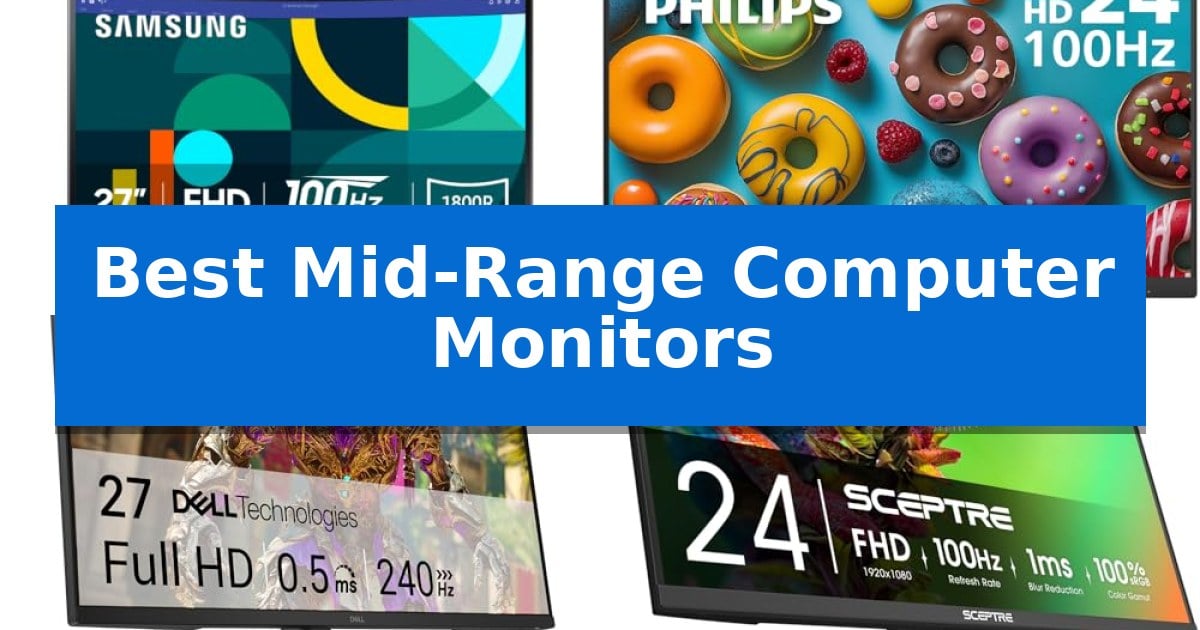
Finding the right display for your desk setup requires balancing technical specifications with your daily workflow needs. Whether you are managing spreadsheets, editing creative projects, or jumping into a gaming session, the Best Mid-Range Computer Monitors offer a sweet spot between entry-level affordability and high-end professional features.
Selecting a monitor involves more than just looking at screen size. We have analyzed current market options to help you identify which display features—such as refresh rates, panel types, and connectivity options—will provide the most utility for your specific environment.
You may also want to compare Best Mid-Range Computer Case, Best Mid-Range Compact Digital Cameras, and Best Mid-Range Compact Camera for Low Light Under $250.
Best Mid-Range Computer Monitors
Quick Comparison
| Product | Best For | Key Strength | Score |
|---|---|---|---|
| Samsung Essential S3 Curved Monitor | Best Overall | 1800R curvature provides an immersive, wide-angle viewing experience. | 4.9 |
| Philips V Line Computer Monitor | Reliable Productivity and Clarity | Virtually bezel-free design for seamless multi-monitor configurations. | 4.4 |
| Dell 24 Gaming Monitor | High Refresh Rate Performance | 240Hz refresh rate for fluid motion. | 4.3 |
| Sceptre Prime Gaming Monitor | Vibrant Color for Creative Work | 100% sRGB color gamut for naturalistic color reproduction. | 4.4 |
| Sceptre Curved Gaming Monitor | Compact Immersive Desktop Setup | 1800R curvature for an immersive viewing experience | 4.4 |
How We Chose
- Panel Technology: Assessing VA and IPS options for color accuracy and viewing angles.
- Refresh Rate and Motion: Evaluating how display speeds impact gaming and general fluid movement.
- Ergonomics and Design: Considering features like VESA mounting, curvature, and bezel-free designs.
- Connectivity: Checking for HDMI, DisplayPort, and D-sub compatibility for various hardware setups.
- Eye Comfort: Identifying integrated blue light reduction and flicker-free technologies.
1 Samsung Essential S3 Curved Monitor — Immersive Curved Viewing Experience
The Samsung 27" Essential S3 (S36GD) Series FHD 1800R Curved Computer Monitor centers its design around an 1800R curvature, which is engineered to wrap the display around your field of vision. This physical design choice is intended to enhance depth perception and minimize peripheral distractions, making it a functional choice for users who spend extended periods at their desks.
Performance is driven by a 100Hz refresh rate, which facilitates fluid visual transitions. By reducing motion blur and lag, this refresh rate provides a smoother experience during fast-paced content, such as gaming or video playback. The monitor also includes a dedicated Game Mode that allows users to adjust color and image contrast, helping to reveal details in darker on-screen scenes.
For long-term usability, the display integrates Advanced Eye Comfort technology. This feature is TÜV-certified to minimize blue light emissions and reduce screen flicker, which helps mitigate eye strain during prolonged work or entertainment sessions. The monitor measures 24.5 inches in width and 18.4 inches in height, offering a balanced footprint for various desktop setups.
Connectivity is handled through integrated HDMI and D-sub ports, providing direct attachment options for a range of computing devices. While the FHD resolution is standard for this class, the combination of the curved panel and high refresh rate provides a distinct set of features for those prioritizing immersion and motion clarity over higher pixel density.
Best for: Users seeking an immersive, curved display experience for a mix of gaming, creative projects, and general productivity.
Skip if: Users requiring ultra-high resolution beyond FHD or those needing modern connectivity like DisplayPort or USB-C hubs.
PROS
- 1800R curvature provides an immersive, wide-angle viewing experience.
- 100Hz refresh rate offers smoother motion compared to standard 60Hz panels.
- TÜV-certified eye comfort technology helps reduce strain during long sessions.
- Optimizable Game Mode allows for quick adjustments to contrast and color settings.
CONS
- Limited port selection relies on older HDMI and D-sub standards.
- FHD resolution may appear less sharp on a 27-inch screen compared to higher-density displays.
2 Philips V Line Computer Monitor — Reliable Productivity and Clarity
The Philips V Line Computer Monitor (241V8LB) is engineered with a virtually bezel-free design on three sides, a structural choice that minimizes visual distractions and facilitates a clean, continuous look when arranging multiple displays side-by-side. This minimalist approach maximizes the active screen area within a compact 23.8-inch footprint, making it a practical solution for workstations where desk space is at a premium.
Built around a VA panel, this display offers high-contrast visuals characterized by deep blacks and bright whites. The integration of a 178/178 degree extra-wide viewing angle ensures that color consistency is maintained even when the screen is viewed from off-center positions, which is beneficial for collaborative office tasks or multi-monitor setups where angles vary.
For users managing document-heavy workflows, the monitor includes an EasyRead mode. This setting adjusts the display parameters to simulate a paper-like reading experience, aimed at reducing eye strain during extended periods of text-based work. The hardware is further supported by a 100Hz refresh rate and Adaptive Sync technology, which work together to provide smoother visual transitions during general computing tasks.
Durability and support are addressed through a 4-year advance replacement warranty, providing long-term coverage for the hardware components. While the monitor is well-suited for productivity, users should note that it features a standard 1080p resolution and relies on HDMI 1.4 connectivity, which may limit its utility for high-resolution creative work or advanced display configurations requiring higher bandwidth.
Best for: Office professionals and home users who require a reliable, high-contrast display for multi-monitor productivity setups.
Skip if: Users who require professional-grade color accuracy for photo editing or high-speed gaming performance will find the VA panel and standard 1080p resolution insufficient.
PROS
- Virtually bezel-free design for seamless multi-monitor configurations.
- VA panel technology provides excellent contrast and deep blacks.
- EasyRead mode creates a comfortable, paper-like experience for documents.
- 4-year advance replacement warranty ensures long-term reliability.
CONS
- Standard 1080p resolution may lack the sharpness of higher-density displays.
- Limited to HDMI 1.4 connectivity, which may restrict advanced display features.
3 Dell 24 Gaming Monitor — High Refresh Rate Performance
Achieving a fluid visual experience requires hardware that balances high frame rates with color accuracy. The Dell 24 Gaming Monitor – SE2426HG addresses this by pairing a 240Hz refresh rate with a 0.5ms response time, ensuring that motion remains sharp during fast-paced sequences. This combination is designed to minimize input lag, providing a responsive interface for both competitive PC gaming and console play.
Beyond raw speed, this display utilizes Fast IPS technology to maintain consistent image quality across wide viewing angles. The panel offers 99% sRGB color coverage, which helps in rendering vivid and detailed imagery. For those concerned with long-term viewing, the monitor is TÜV Rheinland 3-star certified, a feature that lowers blue light output while attempting to preserve overall color integrity.
Connectivity and physical adjustments are tailored for a standard desktop environment. The unit includes two HDMI ports and a DisplayPort 1.4 interface, allowing for multi-device setups. The stand supports tilt adjustment, enabling users to position the 23.8-inch screen for better ergonomics. With AMD FreeSync Premium and HDMI VRR support, the monitor effectively manages frame synchronization to prevent screen tearing during variable frame rate scenarios.
When selecting among the Best Mid-Range Computer Monitors, it is essential to weigh the trade-offs of a 1080p resolution on a 23.8-inch screen. While the FHD (1920×1080) resolution is standard for this size, users prioritizing high-density pixel counts for professional design work may find the pixel density lower than 1440p alternatives. However, for users whose primary goal is high-refresh-rate gaming, the Dell 24 Gaming Monitor provides a focused set of performance-oriented features.
Best for: Competitive gamers seeking high-refresh-rate performance and accurate color reproduction in a compact 24-inch form factor.
Skip if: Users who require a higher resolution than 1080p for productivity tasks or professional creative work where pixel density is the priority.
PROS
- 240Hz refresh rate for fluid motion.
- 0.5ms response time reduces ghosting.
- 99% sRGB coverage ensures vivid color.
- TÜV 3-star certification for eye comfort.
CONS
- 1080p resolution may lack sharpness for high-density work.
- 23.8-inch screen size is smaller than typical productivity-focused monitors.
4 Sceptre Prime Gaming Monitor — Vibrant Color for Creative Work
Achieving a balanced workspace requires a display that handles both high-motion gaming and color-sensitive creative tasks without compromise. The Sceptre 27-inch Prime Gaming Monitor addresses this by integrating a 100% sRGB color gamut with a 100Hz refresh rate, ensuring that both vibrant design work and fast-paced action sequences appear fluid and accurate.
Designed for versatility, this monitor features multiple connectivity options including one DisplayPort and two HDMI ports, allowing users to switch between gaming consoles and workstations seamlessly. The inclusion of AMD FreeSync technology helps maintain image stability during motion, while the 1ms response time is engineered to minimize ghosting in competitive scenarios.
Ergonomics and space management are prioritized through a VESA wall mountable design, which helps clear desk clutter. For extended sessions, the Blue Light Shift setting adjusts color temperatures to reduce eye strain, making it a practical choice for long hours of productivity or entertainment.
The monitor also includes built-in speakers to provide integrated audio, saving valuable desk space by eliminating the need for external peripherals. With custom FPS and RTS game modes, users can quickly toggle display settings to optimize visual clarity based on their current activity.
Best for: Users who need a versatile 27-inch display that balances color accuracy for creative work with high-refresh-rate performance for gaming.
Skip if: Users who require professional-grade color calibration tools, 4K resolution, or advanced ergonomic stands with height and swivel adjustments.
PROS
- 100% sRGB color gamut for naturalistic color reproduction.
- 100Hz refresh rate and 1ms response time for smooth motion.
- VESA mount compatibility for flexible workspace setups.
- Blue Light Shift technology to support eye comfort.
CONS
- Limited ergonomic adjustments compared to premium stands.
- Integrated speakers may lack the fidelity of dedicated audio systems.
5 Sceptre Curved Gaming Monitor — Compact Immersive Desktop Setup
A curved display can significantly alter your desktop workspace by creating a more immersive field of view. The Sceptre Curved Gaming Monitor utilizes a leading 1800R screen curvature, designed to wrap images around your peripheral vision for a more consistent viewing distance across the entire panel.
This 24-inch display is built for versatility, featuring HDMI, VGA, and PC audio-in ports to accommodate various legacy and modern hardware configurations. With a 75Hz refresh rate, it offers a smoother motion experience compared to standard 60Hz panels, which is beneficial for both general desktop navigation and light gaming.
The monitor is VESA wall mount ready, providing flexibility for users who prefer to clear desk space or utilize custom mounting arms. Its design includes built-in speakers, reducing the need for external audio hardware in compact setups. The unit is fully compatible with Windows 10, ensuring straightforward integration into most modern PC environments.
With a pixel pitch of 0.27156mm, the display balances clarity with screen real estate. The 30,000+ hour lamp life indicates a focus on long-term utility, making it a practical choice for daily use. While it prioritizes a compact footprint, the curved aesthetic provides a distinct visual profile for those looking to upgrade their standard flat-panel setup.
Best for: Users seeking an immersive, space-saving curved display for general computing and light gaming.
Skip if: Users requiring ultra-high refresh rates, professional-grade color accuracy, or advanced connectivity like DisplayPort.
PROS
- 1800R curvature for an immersive viewing experience
- 75Hz refresh rate for smoother motion than standard monitors
- VESA mount compatibility for flexible workspace configurations
- Built-in speakers to save desk space
CONS
- Limited connectivity options lacking DisplayPort
- Standard brightness levels may not suit very bright environments
Best Mid-Range Computer Monitors Buying Guide
Understanding Panel Types
Monitors generally utilize either IPS (In-Plane Switching) or VA (Vertical Alignment) panels. IPS panels are widely recognized for their superior color accuracy and wide viewing angles, making them a preferred choice for creative work where color consistency is critical.
VA panels, by contrast, often provide higher contrast ratios, resulting in deeper blacks and brighter whites. This makes them highly effective for immersive media consumption and general office productivity where a paper-like reading experience is desired.
Refresh Rates and Motion Clarity
The refresh rate, measured in Hertz (Hz), dictates how many times per second the screen updates. A standard 60Hz monitor is sufficient for basic office tasks, but moving to 100Hz or 240Hz significantly reduces motion blur.
Higher refresh rates are particularly beneficial for fast-paced gaming and smooth navigation through complex software interfaces. When paired with technologies like AMD FreeSync, these monitors help eliminate screen tearing for a more responsive experience.
Ergonomics and Mounting
A monitor's physical design impacts your long-term comfort. Features such as VESA wall mount compatibility allow you to clear desk space and position the screen at an optimal eye level, which is essential for preventing neck strain during long work sessions.
Curved displays, such as those with an 1800R curvature, are designed to wrap around your field of vision. This design choice can enhance depth perception and minimize peripheral distractions, creating a more focused viewing environment.
Connectivity Standards
Ensure your chosen monitor supports the ports required by your computer. HDMI remains the most common standard for both PCs and consoles, while DisplayPort is often preferred for high-refresh-rate gaming setups to ensure maximum bandwidth.
Some monitors also include legacy ports like D-sub (VGA) or dedicated audio jacks. Checking these inputs before purchase ensures your current hardware will connect without the need for additional adapters or dongles.
Eye Care Technology
Modern monitors often include built-in features to mitigate digital eye strain. Low Blue Light modes and flicker-free technology are standard in many mid-range models to help maintain comfort during extended periods of use.
Look for certifications from organizations like TÜV Rheinland, which verify that a display meets specific standards for reducing blue light emissions while maintaining image quality and color accuracy.
Frequently Asked Questions
What is the difference between a curved and flat monitor?
A curved monitor is designed to match the natural curvature of the human eye, which can improve immersion and reduce peripheral distortion. Flat monitors are generally better for multi-monitor setups where seamless alignment is required.
Do I need a 100Hz or 240Hz monitor for office work?
For standard office tasks like word processing and web browsing, 60Hz to 100Hz is more than adequate. Higher refresh rates like 240Hz are primarily beneficial for competitive gaming where split-second reaction times are necessary.
Is VESA mounting important?
Yes, VESA mounting is important if you want to use a monitor arm or wall mount. It allows you to adjust the height, tilt, and swivel of your monitor more freely than the standard stands included in the box.
What does sRGB color coverage mean?
sRGB is a standard color space. A monitor with 98% to 100% sRGB coverage can display a wider and more accurate range of colors, which is essential for graphic design, photo editing, and video production.
Can I use a gaming monitor for office work?
Absolutely. Many gaming monitors feature excellent color accuracy and eye-care technologies that make them perfectly suitable for professional office environments, often providing a smoother experience than standard office-only displays.
Conclusion: Our Top Pick
For most users seeking a balance of immersion and performance, the Samsung Essential S3 Curved Monitor stands out as the top choice. Its 1800R curved design provides a wider field of view that minimizes distractions, while the 100Hz refresh rate ensures smooth performance for both creative projects and entertainment.
While other options offer specialized features like higher refresh rates for competitive gaming or specific panel types for color-critical work, the Samsung Essential S3 provides a versatile, comfortable, and immersive experience that fits a wide range of desktop setups. It is a reliable, well-rounded solution for those upgrading their primary display.