
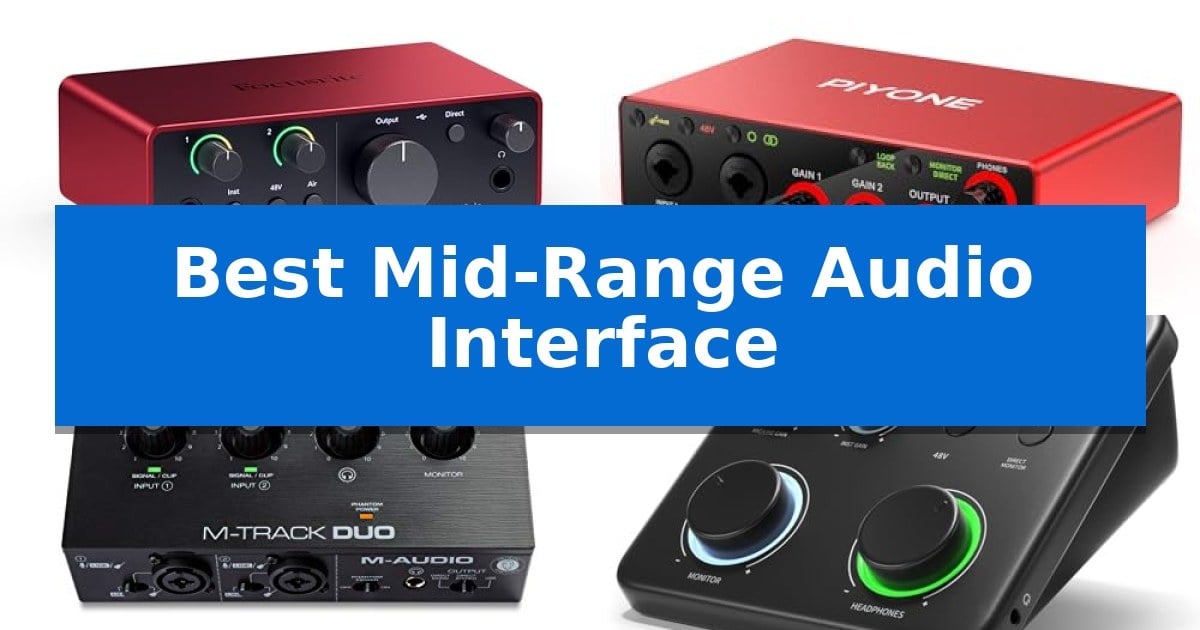
Selecting the Best Mid-Range Audio Interface requires balancing high-fidelity conversion with the specific connectivity needs of your home studio. Whether you are tracking vocals, recording instruments, or managing live streams, the right interface acts as the essential bridge between your analog gear and digital workstation.
Our guide evaluates current models based on their preamp transparency, dynamic range, and software integration to ensure you find a reliable solution that fits your recording workflow without overspending on unnecessary features.
You may also want to compare Best Mid-Range Android Tablets (Wi-Fi Only), Best Mid-Range Android Tablets, and Best Mid-Range Android Tablet.
Best Mid-Range Audio Interface
Quick Comparison
| Product | Best For | Key Strength | Score |
|---|---|---|---|
| Focusrite Scarlett Solo 4th Gen Audio Interface | Best Overall | 120dB dynamic range for professional-grade audio conversion | 4.9 |
| Piyone Q2 Audio Interface | Modern Aesthetics with LED Monitoring | USB-C bus-powered for a clutter-free, portable setup. | 4.9 |
| M-Audio M-Track Duo Audio Interface | Versatile Dual-Input Portability | Zero-latency monitoring via a dedicated USB/Direct switch. | 4.4 |
| Maono PS22 Lite Audio Interface | Streamer-Friendly Routing Software | ProStudio Routing Software enables flexible loopback and virtual channel management for streamers. | 4.4 |
| Focusrite Scarlett Solo 3rd Gen Audio Interface | Proven Reliable Preamp Performance | High-performance mic pre-amps with switchable Air mode for enhanced clarity. | 4.5 |
How We Chose
- Input Versatility: Evaluating the availability of XLR, TRS, and Hi-Z instrument inputs for diverse recording setups.
- Conversion Quality: Assessing bit depth and sample rate capabilities alongside dynamic range specifications.
- Monitoring Features: Checking for direct monitoring, loopback functionality, and headphone output performance.
- Software Compatibility: Verifying driver stability and inclusion of essential production software suites.
- Build and Design: Considering physical form factor, control layout, and ease of use in desktop environments.
1 Focusrite Scarlett Solo 4th Gen Audio Interface — Industry-Standard Studio Conversion
Capturing studio-grade audio in a compact form factor, the Focusrite Scarlett Solo 4th Gen Audio Interface centers its design around high-fidelity conversion. It utilizes the same converters found in the brand's flagship interfaces, delivering a 120dB dynamic range that provides significant headroom for recording vocals and instruments.
This interface simplifies the recording process with a dedicated XLR mic preamp and a Hi-Z instrument input, allowing for direct connection of microphones and guitars. The Air mode feature is integrated to enhance recordings, providing a lift to vocals and guitars by adding musical presence and harmonic drive to the signal path.
Designed for versatility in home or mobile setups, the unit is compatible with PC, Mac, and iPad. It comes equipped with a comprehensive software bundle, including Pro Tools Intro+, Ableton Live Lite, Cubase LE, and the Hitmaker Expansion suite, which provides essential effects and mastering tools for immediate production.
The Focusrite Scarlett Solo 4th Gen Audio Interface maintains a small footprint, measuring approximately 5.63 inches in width and weighing 0.9 pounds. This makes it a practical choice for songwriters and creators who require a portable solution without compromising on the quality of their digital signal conversion.
Best for: Songwriters and solo creators who need a compact, high-quality interface for recording vocals and instruments on PC, Mac, or iPad.
Skip if: Users who require multiple microphone inputs or advanced routing capabilities beyond a single XLR and instrument channel will find this interface too limited.
PROS
- 120dB dynamic range for professional-grade audio conversion
- Air mode for enhanced vocal and guitar presence
- Comprehensive software bundle included for recording and mastering
- Portable, lightweight design suitable for mobile recording
CONS
- Single XLR input limits simultaneous multi-mic recording
2 Piyone Q2 Audio Interface — Modern Aesthetics with LED Monitoring
The Piyone Q2 Audio Interface simplifies home studio setups with its USB-C bus-powered design, eliminating the need for bulky external power supplies while maintaining high-speed data transfer. This interface is built for creators who prioritize a streamlined, plug-and-play workflow on both Mac and PC platforms.
Engineered for high-fidelity recording, the device captures audio at 24-bit/192kHz resolution. It features two combo XLR/TRS inputs, allowing for versatile connections ranging from condenser microphones requiring 48V phantom power to high-impedance instruments like guitars. The inclusion of Direct Monitor functionality provides zero-latency tracking, which is essential for performers monitoring their own input in real-time.
The hardware design emphasizes both utility and aesthetics. Each gain knob is equipped with a fixed LED light ring, providing clear visual feedback on signal levels even in low-light environments. The unit also includes a dedicated 3.5mm headphone jack, ensuring direct compatibility with standard headsets without requiring additional adapters.
This interface balances professional-grade conversion with a compact, portable form factor. While it is designed for efficiency and ease of use, users should note that its feature set is optimized for two-channel recording, making it a focused tool for solo artists, podcasters, or mobile creators rather than large-scale multi-track studio environments.
Best for: Solo musicians, podcasters, and mobile creators who need a compact, bus-powered, two-channel interface for high-resolution recording.
Skip if: Users who require more than two simultaneous inputs or advanced routing capabilities for complex multi-instrument studio sessions.
PROS
- USB-C bus-powered for a clutter-free, portable setup.
- 24-bit/192kHz studio-grade recording resolution.
- Illuminated LED gain knobs for easy visibility in dim studios.
- Zero-latency monitoring for precise real-time tracking.
CONS
- Two-channel input limit may restrict larger recording projects.
- No dedicated MIDI I/O for external hardware controllers.
3 M-Audio M-Track Duo Audio Interface — Versatile Dual-Input Portability
The M-Audio M-Track Duo Audio Interface provides a streamlined solution for creators needing a portable, dual-input recording setup. By utilizing two combo XLR/Line/Instrument inputs with Crystal Preamps, this device ensures transparent signal capture for both microphones and instruments, making it a functional choice for podcasters and musicians working in home or mobile environments.
Designed for versatility, the interface supports 48kHz audio resolution and includes a dedicated USB/Direct switch for zero-latency monitoring. This hardware-based feature allows users to hear their input signal in real-time without the delay often associated with software processing, which is essential for vocalists and podcasters monitoring their own performance.
The unit features a compact footprint, measuring approximately 7.5 inches in width and 2.13 inches in height, allowing it to fit easily into smaller workspaces or gear bags. It includes a 1/4-inch headphone output and stereo 1/4-inch main outputs, providing the necessary connectivity for standard studio monitors and headphones.
Included with the hardware is a professional software suite, specifically MPC Beats, which provides the tools necessary for production and recording right out of the box. With its combination of phantom power support for condenser microphones and a straightforward, bus-powered design, the M-Audio M-Track Duo Audio Interface serves as a reliable entry point for those building a foundational recording rig.
Best for: Solo podcasters or musicians who require a compact, bus-powered interface for recording vocals and instruments simultaneously.
Skip if: Users who require higher than 48kHz sample rates or those needing more than two simultaneous inputs for multi-mic setups.
PROS
- Zero-latency monitoring via a dedicated USB/Direct switch.
- Transparent Crystal Preamps suitable for various microphone types including condensers.
- Compact and portable design ideal for mobile recording setups.
- Includes MPC Beats software for immediate production capability.
CONS
- Limited to 48kHz audio resolution.
- Maximum of two input channels.
4 Maono PS22 Lite Audio Interface — Streamer-Friendly Routing Software
Achieving professional-grade audio capture in a home studio or streaming setup requires hardware that balances clarity with workflow efficiency. The Maono PS22 Lite Audio Interface addresses this by offering high-resolution 24-bit/192kHz recording capabilities alongside a 106dB dynamic range, ensuring that every vocal nuance or instrument detail is preserved with precision.
Designed for versatility, this interface features a low-noise preamp with 56 dB of gain and 48V phantom power, making it compatible with both condenser and dynamic microphones. Musicians can utilize the dedicated instrument input to record guitars with rich, realistic tones, while the direct monitoring switch provides a seamless way to track audio without distracting delays.
The Maono PS22 Lite Audio Interface distinguishes itself through its ProStudio Routing Software, which provides streamers with essential tools like loopback functionality and virtual channels. These features, combined with ASIO driver compatibility, allow for low-latency output during live broadcasts, ensuring that creators can manage complex audio routing directly from their computer.
Portability and ease of use are central to its design. The device is compact enough to fit in the palm of a hand and includes a dynamic light ring that provides immediate visual feedback on input status. With plug-and-play compatibility across Windows, Mac, and iPad, it integrates effortlessly into existing DAW environments like Ableton Live or Pro Tools, minimizing setup time for beginners and experienced creators alike.
Best for: Content creators and musicians who need a compact, streamer-friendly interface with advanced routing software for live broadcasting and home recording.
Skip if: Users who require more than two simultaneous inputs or advanced hardware-based DSP effects beyond standard routing capabilities.
PROS
- ProStudio Routing Software enables flexible loopback and virtual channel management for streamers.
- High-resolution 24-bit/192kHz audio capture ensures professional sound quality.
- Compact and portable design with a helpful dynamic light ring for input monitoring.
- Broad plug-and-play compatibility with Windows, Mac, and iPad devices.
CONS
- Limited to two inputs, which may restrict complex multi-instrument recording sessions.
5 Focusrite Scarlett Solo 3rd Gen Audio Interface — Proven Reliable Preamp Performance
Achieving professional-grade audio capture requires a reliable foundation, and the Focusrite Scarlett Solo 3rd Gen Audio Interface provides this through its high-performance mic pre-amps and 24-bit/192kHz converters. Designed for musicians and podcasters, this interface simplifies the recording process by offering dedicated inputs for both vocals and instruments, ensuring that your signal remains clean and clear.
The device features a switchable Air mode, which adds a distinct clarity to acoustic instruments, effectively mimicking the sonic character of classic pre-amps. To prevent unwanted clipping or distortion during high-energy takes, the interface incorporates Gain Halos that provide visual feedback on your input levels, helping you maintain optimal signal integrity throughout your session.
Connectivity is straightforward, with a single XLR microphone input and a high-headroom instrument input for guitars or basses. The unit also includes two low-noise balanced outputs for studio monitors and a dedicated headphone output for private, high-fidelity monitoring. Its compact, portable form factor makes it suitable for desktop setups or mobile recording rigs.
Included with the hardware is a comprehensive software bundle, featuring Pro Tools Intro, Ableton Live Lite, and the Hitmaker Expansion suite. This package provides the essential tools needed to begin recording and mastering immediately. The unit is backed by a three-year warranty, ensuring long-term support for your hardware investment.
Best for: Solo musicians and podcasters seeking a compact, high-quality interface for recording vocals and instruments.
Skip if: Users requiring multiple microphone inputs or complex multi-channel recording setups will find this single-preamp interface too limited.
PROS
- High-performance mic pre-amps with switchable Air mode for enhanced clarity.
- Gain Halos for easy visual monitoring of input levels to prevent clipping.
- Comprehensive software suite including Pro Tools Intro and Ableton Live Lite.
- Three-year warranty providing long-term hardware protection.
CONS
- Single XLR input limits the ability to record multiple microphones simultaneously.
Best Mid-Range Audio Interface Buying Guide
Understanding Input Types
The Best Mid-Range Audio Interface typically offers a mix of input types to accommodate different sources. XLR inputs are standard for microphones, while Hi-Z instrument inputs are specifically designed to handle the high-impedance signals from electric guitars and basses without requiring an external DI box.
Look for combo jacks if you need the flexibility to switch between microphone and line-level signals in the same port. This design choice saves desk space while maintaining a professional signal path for your various hardware devices.
The Importance of Dynamic Range
Dynamic range measures the difference between the quietest and loudest sounds an interface can capture without distortion. A higher dynamic range, such as 120dB, allows for more headroom, which is critical when recording dynamic performances or quiet sources that require significant gain.
Interfaces with lower dynamic range may introduce noise when pushed to higher gain levels. Prioritizing a model with high-quality converters ensures that your recordings remain clean and detailed throughout the entire mixing process.
Monitoring and Latency
Direct monitoring is a vital feature that allows you to hear your input signal in real-time before it passes through your computer's software. This eliminates the distracting delay, or latency, that can occur when recording through a DAW.
Some modern interfaces also include loopback functionality, which is essential for streamers who need to route audio from their computer applications back into their recording or broadcasting software. This feature simplifies the process of mixing system audio with live microphone input.
Software and Driver Stability
Reliable drivers are the backbone of any audio interface. A stable connection ensures that your interface is recognized consistently by your operating system and DAW, preventing crashes or audio dropouts during long recording sessions.
Many manufacturers bundle their hardware with a production software suite, including DAWs and plugins. While these are helpful for beginners, the core value of the interface remains in its hardware performance and the quality of its preamps.
Form Factor and Connectivity
Consider the physical footprint of the device in relation to your workspace. Compact, bus-powered interfaces are ideal for mobile setups, as they eliminate the need for external power supplies and reduce cable clutter.
Check for USB-C compatibility to ensure the interface can handle high-speed data transfer and power delivery efficiently. A well-designed layout with clearly marked controls and indicators, such as gain halos, can significantly improve your efficiency during tracking.
Frequently Asked Questions
What is the difference between an XLR input and a Hi-Z input?
An XLR input is designed for microphones, while a Hi-Z (high-impedance) input is optimized for electric guitars and basses to prevent signal loss and maintain proper tone.
Do I need a separate power supply for these interfaces?
Most modern mid-range interfaces are bus-powered via USB, meaning they draw power directly from your computer, though some larger units may require external power.
What is direct monitoring?
Direct monitoring allows you to hear your input signal directly from the interface hardware, bypassing the computer's processing to eliminate latency while recording.
Can I use these interfaces with an iPad?
Many current interfaces are class-compliant and compatible with iPadOS, but you should verify specific model support and connection requirements before purchasing.
Why does sample rate matter?
A higher sample rate, such as 192kHz, allows for the capture of higher frequency content, though 24-bit/48kHz is generally considered sufficient for most professional-grade music production and podcasting.
Conclusion: Our Top Pick
When choosing the right equipment, the Focusrite Scarlett Solo 4th Gen Audio Interface stands out as a top contender for most users. Its combination of high-quality converters, a 120dB dynamic range, and the inclusion of a comprehensive software suite makes it a versatile tool for both songwriters and podcasters.
While other models offer specific advantages like unique routing software or aesthetic LED monitoring, the overall reliability and studio-grade performance of the Focusrite unit provide a solid foundation for any home recording setup. It remains a dependable choice for those who prioritize clean, transparent audio capture.