
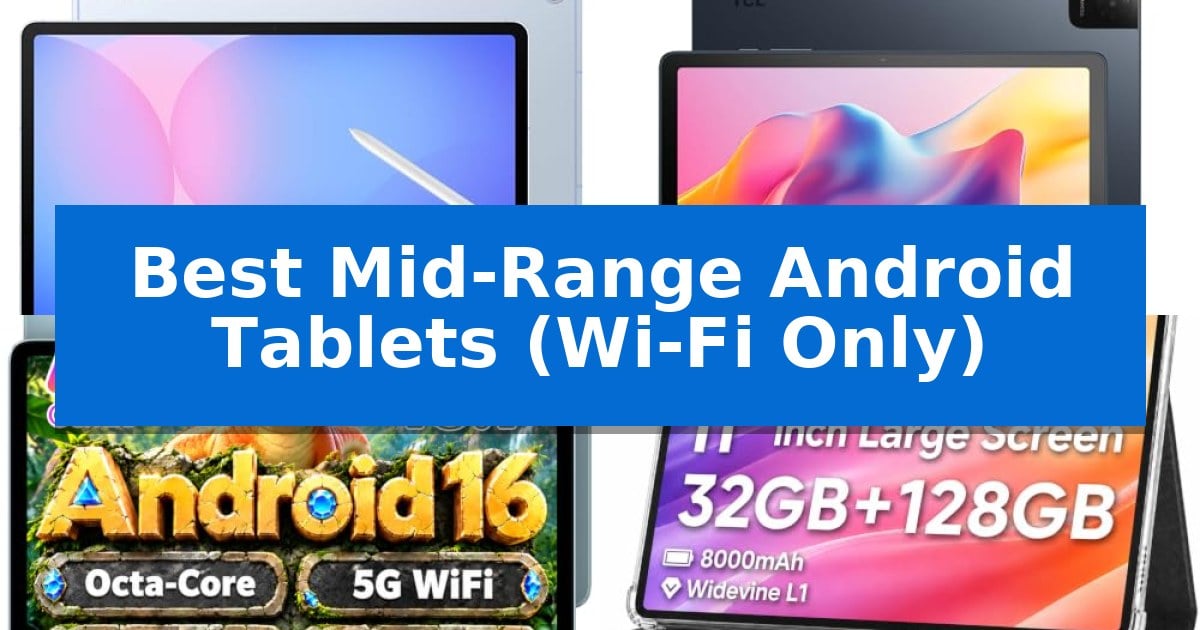
Finding the right device for your daily digital needs requires balancing performance with practical utility. Whether you are managing documents, streaming media, or organizing your schedule, the Best Mid-Range Android Tablets (Wi-Fi Only) offer a versatile middle ground between entry-level hardware and high-end flagship devices.
This guide examines five distinct models to help you identify which tablet aligns with your specific workflow. By focusing on essential specifications like display resolution, processing power, and storage expandability, we provide the clarity needed to make an informed decision without overspending on unnecessary extras.
You may also want to compare Best Mid-Range Android Tablets, Best Mid-Range Android Tablet, and Best Mid-Range ANC Headphones.
Best Mid-Range Android Tablets (Wi-Fi Only)
Quick Comparison
| Product | Best For | Key Strength | Score |
|---|---|---|---|
| Samsung Galaxy Tab S10 FE+ | Best Overall | IP68 water and dust resistance for increased durability. | 4.9 |
| TCL TAB 10 Gen 4 | Reliable Daily Productivity | Expandable storage up to 1TB via microSD card. | 4.8 |
| TECLAST P35 Tablet | HD Streaming on a Budget | Widevine L1 DRM support for HD streaming. | 4.3 |
| AD16WUVI 11 Inch Tablet | Extended Screen Real Estate | 32GB total RAM for improved multitasking responsiveness | 4.6 |
| Cloudangle 10 Inch Tablet | Fast Wi-Fi 6 Connectivity | Wi-Fi 6 support for improved wireless stability. | 4.3 |
How We Chose
- Display quality and resolution for clear media consumption.
- Processor efficiency for smooth multitasking and app responsiveness.
- Storage capacity and the availability of expandable memory via microSD.
- Battery life and charging standards for sustained daily use.
- Software compatibility and inclusion of productivity-enhancing tools.
1 Samsung Galaxy Tab S10 FE+ — Best for Premium Note-Taking
The Samsung Galaxy Tab S10 FE+ distinguishes itself with a expansive 13.1-inch display and a water-resistant IP68 rating, providing a durable and spacious canvas for both productivity and entertainment. This tablet is built to handle diverse tasks, from note-taking with the included S Pen to multitasking across apps, all supported by a robust processor.
Equipped with Handwriting Assist, the device automatically straightens and aligns handwritten notes, while the Math Solver feature allows users to write equations directly on the screen for instant text conversion. These tools, paired with the 90 Hz refresh rate, ensure that interactions remain smooth and responsive during daily use.
For those who prioritize media consumption, the dual speakers deliver enhanced sound, and the Circle to Search with Google feature simplifies information gathering. The tablet includes 128GB of internal storage, which can be expanded by up to 1TB via a microSD card, ensuring ample space for media libraries and documents.
Practicality is further addressed through Super Fast Charging capabilities, minimizing downtime between tasks. The inclusion of a dedicated AI hot key on the keyboard accessory allows for quick navigation, making this a versatile choice for users who need a balance of creative input and efficient performance in a portable, water-resistant package.
Best for: Users who require a large, durable, and water-resistant tablet specifically optimized for precise note-taking and academic or creative tasks.
Skip if: Users seeking a compact, pocketable device or those who require a professional-grade desktop operating system for heavy-duty video editing or complex software development.
PROS
- IP68 water and dust resistance for increased durability.
- Large 13.1-inch display with a smooth 90 Hz refresh rate.
- Includes S Pen with responsive, paper-like writing feel.
- Expandable storage up to 1TB via microSD card.
CONS
- Large form factor may be less portable than smaller tablet alternatives.
2 TCL TAB 10 Gen 4 — Reliable Daily Productivity
Finding a reliable tablet for daily tasks often involves balancing portability with performance. The TCL TAB 10 Gen 4 addresses this by combining a 10.1-inch IPS FHD display with a slim, 7.55mm metal unibody design that weighs only 395g, making it a practical choice for students and commuters who need a lightweight device for reading, streaming, or light productivity.
Under the hood, the TCL TAB 10 Gen 4 utilizes an octa-core processor paired with TCL NXTURBO optimization to manage heat and power efficiency during everyday app switching. With 4GB of physical RAM and an additional 8GB of virtual RAM expansion, the device is built to handle multitasking, while the 128GB of internal storage—expandable up to 1TB via microSD—ensures there is ample room for documents, lessons, and media.
For families and students, the tablet includes integrated software tools like Kids Space and Google Family Link to manage screen time and filter content. The 6000mAh battery supports 18W fast charging, providing the endurance needed for long days away from a power outlet, while the inclusion of a 3.5mm headphone jack and dual speakers with Sound Booster adds flexibility for both private study and shared entertainment.
Practicality extends to its connectivity and camera features, featuring Wi-Fi 5 and Bluetooth 5.1 for stable links to peripherals. The 5MP front-facing camera is positioned for video calls, while the 8MP rear camera allows for quick document scanning or capturing project photos, rounding out a well-rounded package for those seeking a dedicated, mid-range Android experience.
Best for: Students and families looking for a lightweight, durable tablet for media consumption, light productivity, and managed educational use.
Skip if: Users requiring high-end processing power for intensive gaming or professional-grade creative software will find the hardware limitations of this mid-range device insufficient.
PROS
- Expandable storage up to 1TB via microSD card.
- Slim and lightweight metal unibody design for portability.
- Integrated family management tools including Kids Space and Google Family Link.
- Enhanced audio with Sound Booster for fuller sound output.
CONS
- Charger not included in the box for the 18W fast charging feature.
- Sound Booster functionality is disabled when using headphones.
3 TECLAST P35 Tablet — HD Streaming on a Budget
Accessing high-definition streaming content on a budget is often restricted by DRM limitations, but the TECLAST P35 Tablet distinguishes itself by including Widevine L1 certification. This allows for true HD playback on major platforms like Netflix and Disney+, a feature rarely found in this price tier. Designed for versatility, it serves as a capable companion for media consumption, online classes, and daily productivity tasks.
The device is built around a 10.1-inch HD IPS display with a resolution of 1280×800, featuring low blue-light eye protection to minimize strain during extended use. Performance is driven by a Unisoc T7200 octa-core processor, which provides the necessary power for smooth web browsing and multitasking. Users can leverage split-screen functionality to manage multiple applications simultaneously, such as taking notes while viewing educational content.
Storage and memory constraints are addressed through a combination of 3GB of physical RAM, which is bolstered by 13GB of virtual expansion, and 32GB of internal storage. For users with larger media libraries, the device includes a TF card slot supporting up to 2TB of additional space. Connectivity is robust for its class, featuring 2.4G/5GHz dual-band Wi-Fi and Bluetooth 5.0, ensuring stable connections for streaming and online communication.
Portability and longevity are supported by a 6000mAh battery, rated for 10-12 hours of video playback. The tablet includes practical additions such as GPS and BDS dual satellite positioning for navigation, as well as a dedicated Kids Mode with parental controls. With a clean, bloatware-free version of Android 16, the tablet remains responsive and secure, making it a functional choice for both students and adults.
Best for: Users seeking an affordable tablet for HD streaming and light multitasking who prioritize Widevine L1 support and expandable storage.
Skip if: Users requiring high-performance hardware for intensive gaming or professional-grade creative applications will find the processor and base RAM insufficient.
PROS
- Widevine L1 DRM support for HD streaming.
- Expandable storage up to 2TB via TF card.
- Dual-band Wi-Fi for reliable connectivity.
- Clean Android 16 interface without pre-installed ads.
CONS
- Limited 32GB internal storage requires an external card for media.
- 3GB physical RAM may struggle with heavy multitasking.
4 AD16WUVI 11 Inch Tablet — Extended Screen Real Estate
The AD16WUVI 11 Inch Tablet provides a versatile mobile computing experience by integrating the latest Android 16 OS with Gemini AI capabilities, ensuring a responsive interface for daily tasks. Its 11-inch fully-in-cell display is engineered with anti-blue light technology, making it a practical choice for extended viewing sessions during work or media consumption.
Performance is driven by a high-performance Octa-core processor paired with 32GB of RAM (8GB base plus 24GB extended memory). This hardware configuration is designed to handle multitasking and streaming without significant lag. For storage, the device includes 128GB of internal ROM, which can be expanded by up to 1TB via a MicroSD card, providing ample space for large media libraries and applications.
Portability and durability are central to its design, as the tablet includes a rugged protective case that offers 360-degree drop protection. The internal 8000mAh battery is rated for at least 5.5 hours of continuous video playback, supporting use during travel or commutes. Connectivity is handled through Wi-Fi 6 and Bluetooth 5.0, ensuring stable wireless connections for home and office environments.
The audio experience is supported by dual stereo box speakers, which complement the high-definition screen for a cinematic feel. With GMS certification, the tablet maintains compatibility with standard Google services, ensuring a familiar software environment for users looking for a reliable, mid-range Android solution.
Best for: Users seeking a durable, GMS-certified Android tablet with expandable storage for media consumption and light productivity tasks.
Skip if: Users requiring high-end processing power for intensive gaming or professional-grade creative software may find the hardware limitations restrictive.
PROS
- 32GB total RAM for improved multitasking responsiveness
- 1TB storage expansion via MicroSD card slot
- Rugged protective case included for enhanced durability
- Wi-Fi 6 support for faster, more stable wireless connectivity
CONS
- 5.5-hour video playback limit may require frequent charging during long trips
- Extended RAM relies on internal storage, which may impact performance compared to dedicated physical RAM
5 Cloudangle 10 Inch Tablet — Fast Wi-Fi 6 Connectivity
Selecting the right hardware for daily digital tasks requires balancing processing power with versatile connectivity. The Cloudangle 10 Inch Tablet centers its utility around Wi-Fi 6 integration, providing a more stable network connection compared to older standards. This focus on wireless performance makes it a practical choice for users who prioritize consistent streaming and browsing stability within their home or office environment.
Under the hood, the device utilizes an octa-core processor paired with 6GB of physical RAM and 24GB of virtual memory to manage multitasking across study apps, web pages, and emails. The 10.1-inch HD touchscreen features Widevine L1 certification, which is a critical specification for users who intend to stream high-definition content from platforms like Netflix or Disney+ without resolution restrictions.
Storage needs are addressed through 64GB of internal capacity, supplemented by a microSD card slot that supports expansion up to 1TB. This allows for a significant library of photos, videos, and documents to be stored locally. Power is managed by a 6000mAh battery, rated for up to 6 hours of continuous video playback, ensuring the device remains operational during commutes or extended study sessions.
The tablet runs on Android 16 and includes Gemini AI tools to assist with organizing daily routines and generating ideas. With its dual-camera setup and GPS functionality, the device offers a comprehensive feature set for a mid-range tablet. It is backed by a 1-year warranty, providing a baseline of support for the hardware components.
Best for: Users who require a stable Wi-Fi 6 connection and HD streaming capabilities for home or travel entertainment.
Skip if: Users who need high-performance hardware for intensive gaming or professional-grade creative software.
PROS
- Wi-Fi 6 support for improved wireless stability.
- Widevine L1 certification enables HD streaming on major platforms.
- 1TB expandable storage via microSD card.
- Android 16 operating system with integrated AI tools.
CONS
- 6-hour battery life may require frequent charging during heavy use.
- 64GB base storage is modest for modern applications.
Best Mid-Range Android Tablets (Wi-Fi Only) Buying Guide
Display Technology and Visual Clarity
The screen is the primary interface for any tablet, making display quality a critical factor. Look for Full HD (FHD) resolutions or higher, which ensure that text remains sharp and video content appears crisp. Features like IPS panels are preferred for their wide viewing angles, ensuring consistent color reproduction even when the tablet is viewed from the side.
Consider the physical size of the display based on your primary use case. A 10-inch to 11-inch screen is generally the sweet spot for portability and productivity, while larger displays, such as the 13.1-inch options, provide more room for split-screen multitasking and detailed note-taking.
Processing Power and Multitasking
Mid-range tablets rely on octa-core processors to handle everyday tasks like web browsing, document editing, and video streaming. It is important to look for hardware-software optimizations that help manage heat and power consumption, which keeps the device responsive during extended use.
RAM capacity also dictates how many apps you can keep open simultaneously. While 4GB of physical RAM is a standard baseline, many modern tablets now offer virtual RAM expansion to help maintain smooth performance when switching between several active applications.
Storage and Expandability
Internal storage fills up quickly with high-resolution photos, apps, and downloaded media. A base capacity of 64GB or 128GB is recommended for most users to ensure you have enough room for essential files without constant management.
The ability to add a microSD card is a vital feature for long-term value. Many mid-range Android tablets support expansion up to 1TB, allowing you to store large libraries of offline content, educational materials, or work documents without relying on cloud storage.
Battery Life and Charging
A reliable tablet should last through a full day of mixed use. Look for battery capacities in the 6000mAh range or higher, which typically provide several hours of continuous video playback. This is particularly important for students or commuters who may not have immediate access to a power outlet.
Fast charging capabilities, such as 18W support, significantly reduce downtime. When evaluating a tablet, check if it uses a standard USB-C port, as this ensures compatibility with modern charging cables and accessories you likely already own.
Productivity and Software Features
Modern Android tablets often include specialized software tools that enhance productivity. Features like Handwriting Assist or Math Solver can be invaluable for students, while Kids Space and parental controls are essential for families sharing a single device.
Consider the ecosystem integration of the tablet. Some models feature AI-enhanced search or quick-access hotkeys on compatible keyboards, which can streamline your workflow and make managing emails or documents more efficient than on a standard smartphone.
Frequently Asked Questions
Can I use these tablets for professional work?
These tablets are well-suited for light productivity tasks like email management, document review, and web-based research. However, they may not replace a dedicated laptop for heavy-duty creative or computational work.
Do these tablets support HD streaming?
Many mid-range tablets include Widevine L1 certification, which is necessary for streaming content in high definition from platforms like Netflix and Disney+.
Is a Wi-Fi only tablet sufficient for travel?
Yes, as long as you have access to Wi-Fi networks or can use your smartphone as a mobile hotspot. Many models also support offline map navigation and local file storage.
How much RAM do I really need?
For basic browsing and streaming, 4GB of physical RAM is sufficient. If you plan on multitasking with multiple apps, look for models that offer virtual RAM expansion.
Are these tablets durable?
Durability varies by model. Some feature metal unibody construction or water-resistant ratings, while others may benefit from a protective case to prevent damage from drops or scratches.
Conclusion: Our Top Pick
When selecting the right device from our list, the Samsung Galaxy Tab S10 FE+ stands out as the most capable option for users who prioritize productivity and note-taking. Its large 13.1-inch display, combined with S Pen support and advanced software tools like Handwriting Assist, provides a premium experience that bridges the gap between a standard tablet and a more specialized workstation.
While other models in this guide offer excellent value for streaming and daily tasks, the Samsung Galaxy Tab S10 FE+ is our top pick for its robust feature set and durable design. It is an ideal choice for those who need a reliable, high-performance tablet that can handle both entertainment and serious work without requiring a flagship-level investment.