
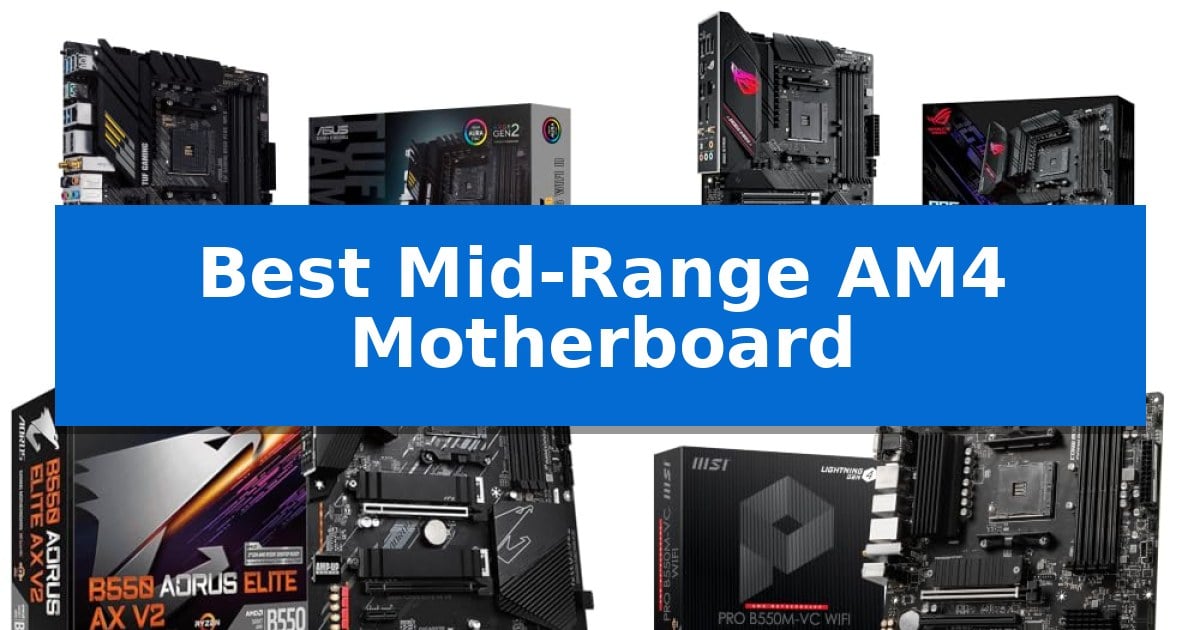
Building a PC on the AM4 platform remains a cost-effective way to achieve high performance, but selecting the right foundation is essential for system stability. Finding the Best Mid-Range AM4 Motherboard requires balancing robust power delivery for multi-core processors with the connectivity features needed for modern peripherals.
Whether you are upgrading an existing Ryzen system or assembling a new rig, the right motherboard ensures your components operate within their thermal limits while providing the necessary expansion slots for your storage and networking needs. We have analyzed current options to help you identify which board aligns with your specific build requirements.
You may also want to compare Best Mid-Range AM4 CPU, Best Mid-Range All-in-One Printers for Scan and Copy, and Best Mid-Range All-in-One Printer for Small Business.
Best Mid-Range AM4 Motherboard
Quick Comparison
| Product | Best For | Key Strength | Score |
|---|---|---|---|
| ASUS TUF Gaming B550-PLUS WiFi II | Best Overall | Robust 8+2 DrMOS power design for stable CPU performance. | 4.9 |
| ASUS ROG Strix B550-F Gaming WiFi II | Premium Features for Enthusiast Builds | Robust 12+2 power solution for stable system operation | 4.7 |
| GIGABYTE B550 AORUS Elite AX V2 | Strong VRM for High-Core CPUs | 12+2 power phase design for stable power delivery. | 4.8 |
| MSI PRO B550M-VC WiFi | Value Pick for Compact Systems | Wi-Fi 6E and Bluetooth 5.2 for advanced wireless connectivity. | 4.4 |
| GIGABYTE B550 Gaming X V2 | Essential Connectivity for ATX Builds | Q-Flash Plus allows for BIOS updates without requiring a CPU or RAM. | 4.6 |
How We Chose
- Power Delivery: We assessed the VRM design and phase count to ensure stable operation under sustained CPU loads.
- Thermal Management: We looked for integrated heatsinks on VRMs and M.2 slots to prevent thermal throttling.
- Connectivity: We prioritized boards offering high-speed networking, such as 2.5Gb LAN and Wi-Fi 6 or 6E, alongside versatile USB port configurations.
- Expansion Support: We verified PCIe 4.0 support for GPUs and NVMe drives to ensure compatibility with modern hardware standards.
- Build Convenience: We considered features like pre-installed I/O shields and BIOS flashback buttons that simplify the assembly process.
1 ASUS TUF Gaming B550-PLUS WiFi II — Durable Build for Stable Gaming
The ASUS TUF Gaming B550-PLUS WiFi II centers its design around a robust 8+2 DrMOS power stage architecture, utilizing high-quality alloy chokes and durable capacitors to ensure stable power delivery for high-core-count AMD processors. This motherboard is engineered for users who require a reliable foundation for their AM4-based systems without sacrificing essential modern connectivity.
Equipped with an AMD AM4 socket and support for PCIe 4.0, this board provides the necessary bandwidth for current-generation storage and graphics hardware. The thermal management system includes a fanless VRM and PCH heatsink, which can be managed through the UEFI Q-Fan Control utility or Fan Xpert 4 to maintain optimal operating temperatures under load.
Networking and peripheral support are highlights of this model, featuring integrated WiFi 6 (802.11ax) and a 2.5 Gb LAN port protected by ASUS LANGuard. For display and data, the board offers HDMI 2.1 and DisplayPort 1.2 outputs, alongside a variety of USB 3.2 Gen 2 Type-C and Type-A ports, ensuring compatibility with a wide range of external devices and high-speed storage solutions.
The board includes dual M.2 slots, with one supporting PCIe 4.0 x4 speeds for fast NVMe SSD performance. With additional features like BIOS Flashback, an addressable RGB header for Aura Sync, and a Thunderbolt 3 header, it provides a versatile platform for both gaming and productivity builds that prioritize long-term durability and component compatibility.
Best for: Users building a reliable, mid-range gaming or productivity PC using 3rd Gen AMD Ryzen processors who require high-speed networking and PCIe 4.0 support.
Skip if: Users who require compatibility with newer CPU sockets, as this board is strictly limited to the AMD AM4 platform.
PROS
- Robust 8+2 DrMOS power design for stable CPU performance.
- Integrated WiFi 6 and 2.5 Gb LAN for high-performance networking.
- PCIe 4.0 support for modern high-speed storage and graphics cards.
- Comprehensive thermal management with fanless heatsinks and hybrid fan headers.
CONS
- Limited to AM4 socket, restricting future CPU upgrade paths to older generations.
- No support for DDR5 memory, as it is strictly a DDR4-based platform.
2 ASUS ROG Strix B550-F Gaming WiFi II — Premium Features for Enthusiast Builds
Building a high-performance system requires a motherboard that balances power delivery with modern connectivity, and the Asus ROG Strix B550-F Gaming WiFi II is engineered specifically for this role. Centered on a 12+2 teamed power stage architecture, this board utilizes high-quality alloy chokes and durable capacitors to ensure stable power delivery, making it a reliable choice for AMD Ryzen 3000 and 5000 series processors.
Connectivity is a defining feature of this ATX motherboard, which provides PCIe 4.0 readiness and dual M.2 slots for high-speed storage configurations. To support modern networking requirements, it includes on-board WiFi 6E and Intel 2.5 Gb Ethernet, both optimized by ASUS LANGuard to maintain signal integrity during data-heavy tasks.
The rear I/O panel offers versatile output options, including HDMI 2.1 and DisplayPort 1.2, alongside USB 3.2 Gen 2 Type-C ports for rapid peripheral data transfer. Maintenance is simplified through the BIOS Flashback feature, which allows for firmware updates without the need to install a CPU or memory, providing a practical solution for system builders.
System management is facilitated by the intuitive UEFI BIOS dashboard, which offers granular control over hardware settings. To assist with monitoring, the package includes a 60-day subscription to AIDA64 Extreme, providing users with detailed insights into component performance and thermal metrics.
Best for: Enthusiasts building a high-performance gaming PC using AMD Ryzen 3000 or 5000 series processors who require modern connectivity like WiFi 6E and PCIe 4.0.
Skip if: Users planning to utilize older AM4 processors not supported by the B550 chipset or those requiring a smaller form factor than standard ATX.
PROS
- Robust 12+2 power solution for stable system operation
- Comprehensive connectivity including WiFi 6E and 2.5 Gb Ethernet
- Future-ready PCIe 4.0 support and dual M.2 slots
- Convenient BIOS Flashback for easy maintenance
CONS
- ATX form factor may be too large for compact PC builds
3 GIGABYTE B550 AORUS Elite AX V2 — Strong VRM for High-Core CPUs
The GIGABYTE B550 AORUS Elite AX V2 centers its design around a robust 12+2 power phase digital twin architecture, providing the necessary stability for high-core count AMD Ryzen 5000, 4000, and 3000 series processors. This ATX motherboard prioritizes thermal management through an Advanced Thermal Armor system, which includes a dedicated VRM heatsink and an M.2 Thermal Guard to maintain operational efficiency during sustained workloads.
For system builders, the board simplifies the assembly process with an integrated I/O shield and Q-Flash Plus for BIOS updates without needing a CPU or memory installed. Connectivity is a primary focus, featuring PCIe 4.0 support for both the primary x16 slot—reinforced with PCIe UD Armor—and the primary M.2 storage slot. This ensures compatibility with high-speed NVMe drives and modern graphics cards.
Memory performance is supported through four DIMM slots compatible with DDR4 and Extreme Memory Profile (XMP) configurations. The rear I/O panel provides a versatile array of ports, including multiple USB 3.2 Gen 2 and Gen 1 Type-A connections, while the internal headers include support for a front USB 3.2 Gen 1 Type-C port to accommodate modern case designs.
Networking and aesthetics are integrated via WIFI 6 and 2.5 GbE LAN for high-bandwidth connectivity, alongside RGB Fusion for lighting customization. This board offers a balanced feature set for users seeking a reliable foundation for an AM4-based system without unnecessary complexity.
Best for: Users building a high-performance AMD Ryzen system who require reliable power delivery, PCIe 4.0 storage support, and integrated Wi-Fi 6 connectivity.
Skip if: Users who require a smaller form factor like Micro-ATX or Mini-ITX, or those who need support for newer CPU sockets outside of the AM4 ecosystem.
PROS
- 12+2 power phase design for stable power delivery.
- Integrated PCIe 4.0 support for high-speed storage and GPU performance.
- Convenient Q-Flash Plus for easy BIOS updates.
- Includes WIFI 6 and 2.5 GbE LAN for fast networking.
CONS
- Limited to ATX form factor, which may not fit compact PC cases.
4 MSI PRO B550M-VC WiFi — Value Pick for Compact Systems
Building a compact, high-performance PC requires a foundation that balances modern connectivity with robust power delivery. The MSI PRO B550M-VC WiFi centers its design around a 2oz thickened copper PCB and a digital PWM IC, providing a stable power environment for AMD Ryzen 5000 and 3000 series processors.
For users prioritizing storage speed and thermal management, this motherboard integrates a Lightning Gen4 x4 M.2 slot paired with an M.2 Shield Frozr heatsink. This combination helps maintain consistent performance for high-speed NVMe drives during intensive tasks. The board also features a premium thermal solution utilizing 7W/mK pads on the chokes to manage heat output effectively.
Connectivity is a primary focus, highlighted by the inclusion of Wi-Fi 6E and Bluetooth 5.2 for modern wireless integration. The mATX form factor ensures compatibility with smaller chassis while still offering support for DDR4 memory up to 4400(OC) MHz. With PCIe 4.0 support, the board is equipped to handle current-generation graphics cards and storage devices.
The MSI PRO B550M-VC WiFi serves as a practical choice for those who need a reliable, feature-rich platform without the footprint of a full-sized ATX board. Its Core Boost technology and DDR4 Boost optimization ensure that system components operate within their intended parameters, making it a dependable backbone for a mid-range workstation or gaming build.
Best for: Users building a compact, high-performance PC who require modern wireless connectivity and PCIe 4.0 support.
Skip if: Users who require an ATX form factor for multi-GPU setups or those using older, incompatible Ryzen 3000G-series processors.
PROS
- Wi-Fi 6E and Bluetooth 5.2 for advanced wireless connectivity.
- M.2 Shield Frozr provides effective thermal management for storage.
- 2oz thickened copper PCB enhances power stability and durability.
- PCIe 4.0 support ensures compatibility with modern high-speed components.
CONS
- mATX form factor limits expansion slots compared to full ATX boards.
- Incompatibility with specific older Ryzen G-series processors.
5 GIGABYTE B550 Gaming X V2 — Essential Connectivity for ATX Builds
Building a reliable PC around the AMD AM4 platform requires a foundation that balances power delivery with modern connectivity. The GIGABYTE B550 Gaming X V2 addresses this by integrating a Digital Twin 10+3 Power Phase design, ensuring stable voltage regulation for Ryzen 5000, 4000, and 3000 series processors.
For those managing high-speed storage and memory, this ATX motherboard provides a PCIe 4.0 x16 slot alongside a PCIe 4.0 M.2 slot, allowing for faster data transfer rates with compatible hardware. Memory performance is supported through four DIMM slots with Extreme Memory Profile compatibility, enabling users to optimize their DDR4 RAM settings.
The board simplifies the assembly process with an integrated I/O shield and a DIY-friendly BIOS that features an Easy Mode interface for intuitive configuration. Maintenance is further streamlined by Q-Flash Plus, which allows for BIOS updates without the need to install a CPU, RAM, or GPU, preventing potential compatibility hurdles during initial setup.
Thermal management is handled by an advanced VRM heatsink, which dissipates heat generated by the power delivery components. Connectivity options are comprehensive, including a front USB 3.2 Gen 1 Type-C header for modern case compatibility and a suite of USB 3.2 Gen 2 Type-A ports for peripheral expansion.
Best for: Users building a versatile ATX system on the AM4 platform who require PCIe 4.0 support and straightforward BIOS management.
Skip if: Users requiring integrated Wi-Fi or those needing a smaller form factor like Micro-ATX or Mini-ITX.
PROS
- Q-Flash Plus allows for BIOS updates without requiring a CPU or RAM.
- PCIe 4.0 support for both the primary graphics slot and M.2 storage.
- Integrated I/O shield simplifies the physical installation process in the PC case.
- 10+3 Power Phase design provides stable power delivery for supported Ryzen processors.
CONS
- Lacks integrated Wi-Fi, requiring an external adapter or PCIe card for wireless connectivity.
- ATX form factor may be too large for compact PC builds.
Best Mid-Range AM4 Motherboard Buying Guide
Understanding VRM and Power Delivery
The Voltage Regulator Module (VRM) is responsible for converting power from your supply into the clean, stable voltage required by your CPU. A board with a higher number of power stages and high-quality chokes is generally better equipped to handle high-core-count processors without overheating.
When selecting a board, look for DrMOS power stages and robust heatsinks. These components work together to dissipate heat efficiently, which is critical if you plan to run your processor at high utilization for extended periods, such as during gaming or content creation.
Connectivity and Networking Standards
Modern motherboards serve as the hub for all your peripherals and network traffic. Prioritizing boards with 2.5Gb LAN provides a significant bandwidth upgrade over standard Gigabit Ethernet, which is beneficial for fast file transfers and reduced latency in online applications.
Integrated Wi-Fi 6 or 6E is another essential feature for those who cannot use a wired connection. These standards offer improved stability and throughput in crowded wireless environments, ensuring your connection remains reliable even when multiple devices are active.
Storage Expansion and PCIe 4.0
The AM4 platform supports PCIe 4.0, which doubles the bandwidth of the previous generation. This is particularly important for modern NVMe SSDs, allowing for significantly faster read and write speeds that can reduce load times in games and applications.
Ensure your chosen board includes at least one M.2 slot with thermal shielding. These heatsinks, often referred to as Shield Frozr or Thermal Guards, help keep your high-speed storage drives cool, preventing performance drops during heavy data operations.
Form Factor Considerations
Motherboards typically come in ATX or mATX form factors. ATX boards offer more space for additional PCIe expansion cards and extra connectivity, making them ideal for standard mid-tower cases where space is not a constraint.
Conversely, mATX boards are designed for compact builds. While they may have fewer expansion slots, they often provide the same core functionality as their larger counterparts, making them a space-saving choice for users who do not require multiple add-in cards.
BIOS and Ease of Assembly
Features like BIOS Flashback allow you to update your motherboard firmware without needing a CPU or RAM installed. This is a vital tool if you are using a newer processor on an older chipset, as it ensures compatibility without requiring a secondary, older CPU.
Additionally, an integrated I/O shield simplifies the installation process by removing the need to fumble with a separate metal plate during the case-mounting stage. These small design choices significantly improve the overall building experience.
Frequently Asked Questions
Do all AM4 motherboards support Ryzen 5000 series CPUs?
Most B550 motherboards support Ryzen 5000 series processors out of the box or via a simple BIOS update. Always verify the manufacturer's CPU support list for the specific board model.
Is PCIe 4.0 necessary for gaming?
While many current GPUs still operate effectively on PCIe 3.0, PCIe 4.0 is recommended for modern NVMe SSDs to achieve their full rated speeds and for future-proofing your graphics card connectivity.
What is the difference between Wi-Fi 6 and Wi-Fi 6E?
Wi-Fi 6E extends the capabilities of Wi-Fi 6 by adding support for the 6GHz band, which provides less interference and more available channels for faster, more stable wireless performance.
Can I use an ATX motherboard in a compact case?
You must check your case specifications. Most compact cases are designed specifically for mATX or Mini-ITX boards and will not accommodate the physical dimensions of a standard ATX motherboard.
What does the VRM phase count mean for my CPU?
A higher VRM phase count generally allows for more stable power delivery and better heat distribution. This is more important if you are using high-TDP processors or engaging in overclocking.
Conclusion: Our Top Pick
Choosing the right motherboard is a critical step in ensuring your PC remains stable and performant for years to come. Based on our analysis of the available options, the ASUS TUF Gaming B550-PLUS WiFi II stands out as a balanced choice for most users.
This board provides a robust power design, reliable thermal management, and essential modern connectivity like WiFi 6 and 2.5Gb LAN. While other options may offer specific advantages for compact builds or enthusiast-level features, the ASUS TUF Gaming B550-PLUS WiFi II delivers a consistent, high-quality experience that fits the needs of a wide range of AM4 system configurations.