
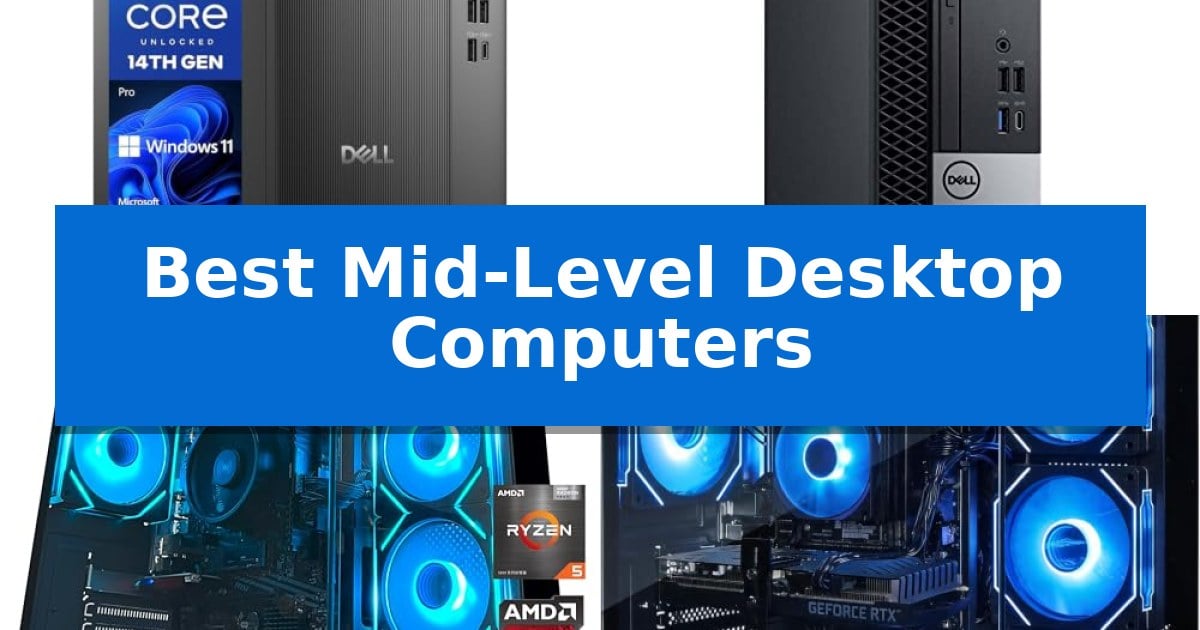
Selecting the right hardware for your home or office requires balancing raw processing power with practical design considerations. Whether you are managing complex spreadsheets, handling multiple browser tabs, or engaging in light creative work, the Best Mid-Level Desktop Computers offer the necessary stability to keep your tasks moving without unnecessary overhead.
Our evaluation focuses on systems that provide a reliable foundation for daily productivity. By examining hardware specifications, connectivity options, and physical footprints, we have identified machines that cater to different workspace requirements. This guide simplifies your search by highlighting the distinct advantages of each model, ensuring you invest in a machine that fits your specific professional or personal needs.
You may also want to compare Best Mid-Level Color Laser Printer, Best Mid-Level Cardioid Microphone, and Best Mid-Level Camera Drone.
Best Mid-Level Desktop Computers
Quick Comparison
| Product | Best For | Key Strength | Score |
|---|---|---|---|
| Dell Pro 2027 Desktop Tower | Best Overall | 14th Gen Intel Core i3 processor paired with 16GB DDR5 RAM for agile multitasking. | 4.9 |
| Dell Optiplex 7060 Desktop | Reliable Multitasking Workstation | Powerful 6-core Intel i7 processor for efficient multitasking. | 4.9 |
| YAWYORE Gaming Desktop | Balanced Performance for Daily Tasks | Fast data access and ample storage provided by the 1TB M.2 NVMe PCIe SSD. | 4.8 |
| Olialia Gaming Desktop | Entry-Level Gaming Powerhouse | RTX 3060 Ti provides capable 1440p gaming performance. | 4.8 |
| Qehi All-in-One Desktop | Space-Saving Integrated Design | Space-saving integrated design eliminates the need for a separate tower and reduces cable clutter. | 4.3 |
How We Chose
- Processor and Memory capacity for handling multitasking workflows.
- Storage type and speed to ensure quick boot times and responsive file access.
- Physical footprint and chassis design for compatibility with various desk setups.
- Connectivity options including modern wireless standards and port variety for peripheral support.
- Integrated features like webcams or cooling solutions that enhance out-of-the-box functionality.
1 Dell Pro 2027 Desktop Tower — Modern Efficiency for Office Work
Managing professional workflows requires hardware that balances processing power with a footprint suitable for modern office environments. The Dell Pro 2027 Desktop Tower addresses this by integrating a 14th Gen Intel Core i3-14100 processor with 16GB of DDR5 RAM, ensuring agile application responsiveness for daily multitasking. Its compact chassis, measuring just 12.76" H x 6.06" W x 11.53" D, allows it to occupy minimal desk space while providing immediate, out-of-the-box functionality.
For connectivity and display needs, this desktop supports multi-monitor setups through dedicated DisplayPort 1.4 and HDMI 2.1 outputs. Users can rely on eight USB ports for peripheral management, while MediaTek Wi-Fi 6 and Bluetooth provide stable wireless networking. The inclusion of an integrated media card reader further simplifies file transfers, reducing the need for external adapters.
Security and durability are prioritized through a metal-reinforced chassis, a Kensington lock slot, and a padlock loop, making it a viable choice for shared office spaces. The system comes pre-loaded with Windows 11 Pro, offering enterprise-grade tools such as BitLocker data protection and Remote Desktop accessibility, which are essential for secure, remote-capable workstations.
While the Dell Pro 2027 Desktop Tower is optimized for productivity, its integrated Intel UHD Graphics 730 are designed for standard office visuals rather than intensive graphical rendering or gaming. This desktop remains a focused solution for professionals seeking a steady, secure, and space-efficient machine for business and home-office computing.
Best for: Home-office professionals and small business environments requiring a secure, compact, and efficient workstation for daily productivity tasks.
Skip if: Users who require dedicated high-performance graphics for video editing, 3D rendering, or gaming will find the integrated Intel UHD Graphics insufficient.
PROS
- 14th Gen Intel Core i3 processor paired with 16GB DDR5 RAM for agile multitasking.
- Compact, space-saving chassis that fits easily into tight desk configurations.
- Extensive I/O options including DisplayPort 1.4, HDMI 2.1, and eight USB ports.
- Enterprise-grade security features like Windows 11 Pro and a metal-reinforced, lockable design.
CONS
- Integrated Intel UHD Graphics 730 limits the system to standard office and productivity tasks.
- Non-upgradable graphics capability due to the compact, integrated nature of the tower.
2 Dell Optiplex 7060 Desktop — Reliable Multitasking Workstation
The Dell Optiplex 7060 Desktop provides a compact, reliable foundation for professional and home office environments, centered around an Intel 8th Generation i7-8700 processor. This six-core CPU reaches speeds up to 4.60 GHz, offering the necessary processing power for efficient multitasking across demanding applications.
Designed for productivity, this small form factor workstation includes 32GB of DDR4 RAM and a 512GB M.2 NVMe solid-state drive. The inclusion of NVMe storage ensures faster boot times and rapid file access compared to traditional hard drives, while the substantial memory capacity supports complex workflows and multiple open programs.
Connectivity is a primary focus, featuring five USB 3.0 ports and two USB 2.0 ports for peripheral integration. The system supports dual-monitor setups via two DisplayPort outputs, and it arrives with a wireless keyboard and mouse, providing a ready-to-use solution for immediate deployment.
The Dell Optiplex 7060 Desktop comes pre-installed with Windows 11 Pro, offering a modern operating system environment tailored for business security and management. Its small form factor chassis is engineered for space efficiency while maintaining room for potential internal expansion, making it a versatile choice for evolving office needs.
Best for: Business professionals and home office users requiring a compact, high-performance workstation for multitasking and dual-monitor productivity.
Skip if: Users who require a dedicated graphics card for intensive gaming or professional 3D rendering, as this small form factor unit has limited space for full-sized expansion cards.
PROS
- Powerful 6-core Intel i7 processor for efficient multitasking.
- 32GB of RAM provides ample headroom for memory-intensive tasks.
- Fast 512GB NVMe SSD significantly improves system responsiveness.
- Dual-monitor support via integrated DisplayPort connectivity.
CONS
- Small form factor design limits internal hardware expansion options.
- 90-day limited warranty is shorter than typical new retail hardware coverage.
3 YAWYORE Gaming Desktop — Balanced Performance for Daily Tasks
Finding a reliable machine for daily computing tasks requires a balance of processing power and efficient storage. The YAWYORE Gaming Desktop is built around the AMD Ryzen 5 5600GT 6-core processor, providing a capable foundation for multi-threaded workloads and mainstream 1080P gaming through its integrated Radeon Vega graphics.
This system prioritizes responsiveness by pairing 16GB of DDR4 3200MHz RAM with a 1TB M.2 NVMe PCIe SSD. This combination ensures that applications load quickly and multitasking remains smooth during office or creative projects. The inclusion of an MSI A520M-A PRO motherboard offers a stable base with room for future system adjustments.
Thermal management is handled by an advanced air cooling system featuring five 12cm ARGB fans, designed to maintain low noise levels while keeping internal temperatures in check. Power is delivered via a 550W 80PLUS Bronze certified supply, which provides the necessary stability for the hardware configuration.
Connectivity is integrated directly into the tower, featuring built-in WiFi and Bluetooth for wireless networking and peripheral pairing. With its 21.4-pound build, the YAWYORE Gaming Desktop provides a stationary, robust solution for users who need a dedicated console for both productivity and light entertainment.
Best for: Users seeking a balanced, pre-built desktop for office productivity, creative multitasking, and casual 1080P gaming.
Skip if: Users requiring high-end dedicated graphics for intensive 4K gaming or professional-grade 3D rendering will find the integrated Vega graphics insufficient.
PROS
- Fast data access and ample storage provided by the 1TB M.2 NVMe PCIe SSD.
- Efficient thermal management using five 12cm ARGB fans for quiet operation.
- Reliable foundation with the MSI A520M-A PRO motherboard and 80PLUS Bronze power supply.
CONS
- Integrated graphics limit performance for demanding modern gaming titles.
- Fixed desktop form factor lacks the portability of laptop or mini-PC alternatives.
4 Olialia Gaming Desktop — Entry-Level Gaming Powerhouse
The Olialia Gaming Desktop is built around the RTX 3060 Ti GPU, a component chosen to provide reliable 1440p gaming performance and high frame rates in demanding titles. This mid-tower system balances graphical power with a functional design, making it a candidate for those seeking a pre-built solution that handles both gaming and general productivity tasks without requiring custom assembly.
At the heart of the system is the AMD Ryzen 5 5500, a 6-core, 12-thread processor that reaches clock speeds up to 4.2GHz. This CPU is paired with 16GB of RAM and a 512GB SSD, providing a baseline for quick system responsiveness and storage for modern applications. The inclusion of Windows 11 ensures the machine is ready for use immediately upon unboxing.
The chassis features a dual-chamber design with dual tempered glass panels, allowing for a clear view of the internal components. Cooling is managed by a multi-fan layout, which includes 6 adjustable RGB case fans and an dedicated RGB CPU cooler. This setup is designed to maintain airflow across the GPU and CPU, supported by built-in dust filters to help keep the interior clean.
Connectivity options are comprehensive, featuring top-mounted USB 3.0 and 2.0 ports for easy access to peripherals. The rear I/O panel includes HDMI and DisplayPorts to support multi-monitor configurations, along with high-speed Ethernet for stable networking. The system also includes WiFi 6 for wireless connectivity, and the manufacturer provides a 1-year warranty with service performed in the United States.
Best for: This desktop is best for gamers and users who need a pre-configured, mid-level system capable of 1440p gaming and efficient multitasking right out of the box.
Skip if: Skip this model if you require massive internal storage for large media libraries or if you prefer a smaller form factor than a standard mid-tower chassis.
PROS
- RTX 3060 Ti provides capable 1440p gaming performance.
- 6-core AMD Ryzen 5 5500 processor handles multitasking effectively.
- Dual tempered glass design with integrated RGB lighting and 6 fans.
- Includes WiFi 6 and multiple display outputs for multi-monitor setups.
CONS
- 512GB SSD capacity may be limited for users with large game libraries.
- Mid-tower footprint requires more desk space than compact alternatives.
5 Qehi All-in-One Desktop — Space-Saving Integrated Design
A clean, minimalist workspace often requires balancing performance with a footprint that does not overwhelm your desk. The Qehi All-in-One Desktop addresses this by integrating the display, speakers, webcam, and core computing components into a single, streamlined unit that requires only one power cord for operation.
At the center of this system is a 24-inch FHD frameless anti-glare display, which provides a clear workspace for office tasks and media consumption. The screen features tilt adjustment from -5° to 25°, allowing users to find a comfortable viewing angle to help reduce eye strain during extended periods of use. The ultra-thin bezels help maximize the available screen real estate.
Under the hood, the system is equipped with 16GB of high-speed memory and a 256GB solid-state drive. This configuration is designed to handle daily multitasking, such as managing multiple browser tabs, office documents, and video conferencing applications simultaneously, while ensuring responsive app loading and quick boot times.
Communication and connectivity are handled through a built-in HD webcam with a physical privacy slider and dual-array microphones that are designed to reduce background noise. The inclusion of Dual-Band WiFi 6 helps maintain a stable connection for virtual meetings, while the provided wired keyboard and mouse allow for an immediate out-of-the-box setup.
This all-in-one computer is a practical solution for home offices, student dorms, or small business environments where space is at a premium. It is backed by a 1-year worry-free warranty to support its use in daily study and professional workflows.
Best for: Home office users and students who need a space-saving, all-in-one solution for daily productivity and video conferencing.
Skip if: Users requiring high-performance dedicated graphics for gaming or intensive creative rendering will find the integrated hardware insufficient for those tasks.
PROS
- Space-saving integrated design eliminates the need for a separate tower and reduces cable clutter.
- 16GB of RAM provides ample headroom for smooth daily multitasking.
- Physical privacy slider on the webcam ensures security when the camera is not in use.
- Tiltable anti-glare display improves ergonomic comfort during long work sessions.
CONS
- Limited internal storage of 256GB may require external drives for large media libraries.
- Wired peripherals included in the box may not suit users who prefer a wireless desk setup.
Best Mid-Level Desktop Computers Buying Guide
Understanding Processor and Memory Requirements
The processor serves as the engine of your desktop, dictating how quickly you can switch between applications. For mid-level computing, look for modern multi-core processors that can handle concurrent tasks without stuttering. Pairing this with sufficient RAM—ideally 16GB or more—is essential for keeping your system responsive when running multiple heavy applications simultaneously.
While higher core counts are beneficial for specialized tasks, a balanced mid-level system prioritizes efficiency. Ensure the memory type, such as DDR5, is compatible with your motherboard to maximize data transfer speeds, which directly impacts how fluidly your desktop performs during a standard workday.
Storage Solutions and Data Access
Solid-state drives (SSDs) have become the standard for a reason: they offer significantly faster boot times and file retrieval compared to traditional hard drives. For a mid-level desktop, a 512GB or 1TB PCIe SSD is generally sufficient to hold your operating system, essential software, and a large library of documents.
Consider whether your chosen model allows for future storage expansion. Some tower designs offer extra drive bays, providing a clear path to upgrade your capacity as your data needs grow over time, which can extend the useful life of your machine.
Connectivity and Peripheral Integration
A desktop is only as useful as the devices you can connect to it. Look for a robust selection of USB ports, including both Type-A and Type-C options, to accommodate keyboards, mice, and external drives. If you plan to use multiple screens, verify that the system includes dedicated video outputs like DisplayPort or HDMI.
Wireless connectivity is equally vital in modern workspaces. Features like Wi-Fi 6 and integrated Bluetooth ensure that your desktop maintains a stable connection to your network and peripherals without the need for excessive cable management, keeping your desk clean and organized.
Form Factor and Workspace Constraints
The physical size of your computer should match your available desk space. A traditional tower offers more room for internal airflow and potential hardware upgrades, but it requires a dedicated spot on or under your desk. If space is at a premium, a compact tower or an all-in-one system can be a better fit.
All-in-one computers integrate the display and internal components into a single unit, which is ideal for minimalist setups. However, keep in mind that these systems often have limited upgrade paths compared to towers, so choose one that meets your performance needs from the start.
Security and Long-Term Reliability
For business or home-office use, security features are non-negotiable. Look for systems that support advanced operating system security tools, such as BitLocker or remote access capabilities, which are often standard on professional-grade versions of Windows.
Durable construction, such as metal-reinforced chassis or Kensington lock slots, adds a layer of physical security for shared environments. Additionally, checking the manufacturer's warranty and support options provides peace of mind, ensuring that you have assistance if hardware issues arise.
Frequently Asked Questions
What is the primary advantage of a desktop tower over an all-in-one?
Desktop towers typically offer better airflow, easier access for hardware upgrades, and more flexibility in choosing your own monitor, whereas all-in-one systems prioritize a compact, integrated design.
Is 16GB of RAM enough for a mid-level desktop?
Yes, 16GB of RAM is generally sufficient for most office tasks, web browsing, and multitasking, providing a smooth experience without the need for more expensive memory configurations.
Why should I prioritize an SSD over a traditional hard drive?
An SSD provides much faster read and write speeds, which results in quicker system boot times, faster application loading, and a more responsive overall computing experience.
Can I connect multiple monitors to these desktops?
Most modern mid-level desktops include multiple video outputs such as HDMI and DisplayPort, allowing you to connect two or more monitors for an expanded workspace.
Are these desktops suitable for gaming?
While some models with dedicated graphics cards can handle light or entry-level gaming, mid-level desktops are primarily designed for productivity and office workflows rather than high-end gaming performance.
Conclusion: Our Top Pick
Choosing the right desktop depends on your specific workspace and performance requirements. For those seeking a balance of modern efficiency, compact design, and reliable business-grade security, the Dell Pro 2027 Desktop Tower stands out as the most versatile option. Its combination of a 14th Gen Intel processor and fast DDR5 RAM ensures it handles daily office workflows with ease.
While other models offer specific benefits like integrated displays or higher storage capacities, the Dell Pro 2027 provides the most stable foundation for a wide range of users. It is a practical investment for anyone needing a secure, responsive, and space-efficient workstation that is ready to perform immediately out of the box.