
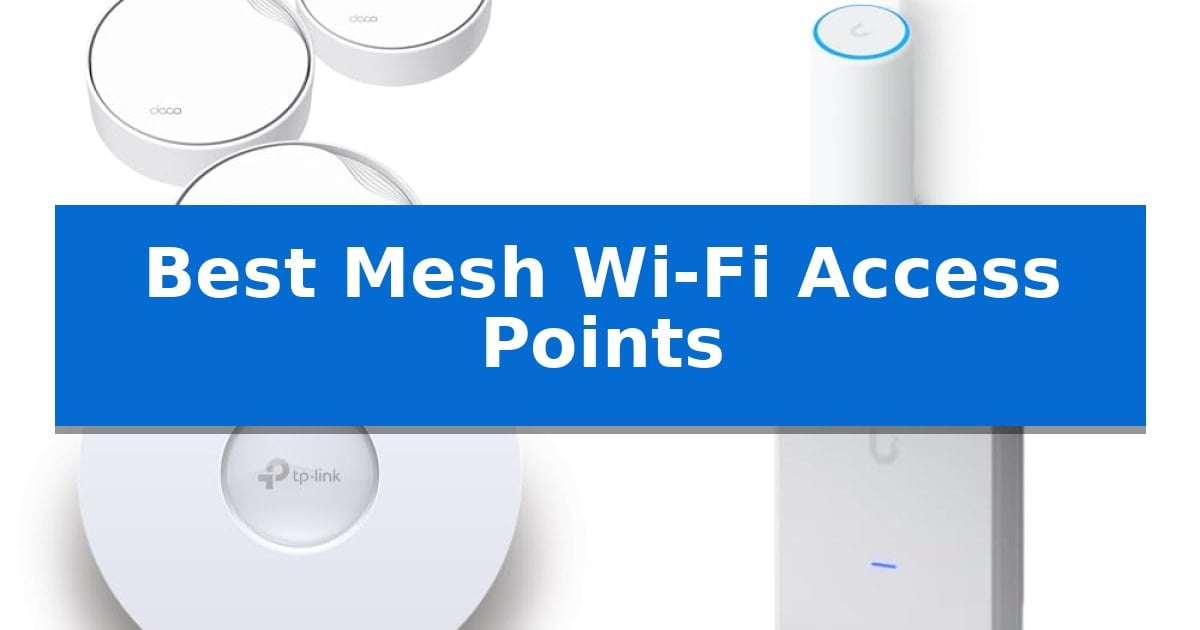
Maintaining a reliable network across a large home or office often requires more than a single router. If you struggle with dead zones, buffering, or inconsistent speeds, upgrading to the Best Mesh Wi-Fi Access Points can provide the seamless coverage you need. These systems work together to create a unified network, allowing your devices to stay connected as you move throughout your space.
Selecting the right hardware depends on your specific layout, the number of devices you need to support, and your preference for mounting options. Whether you require high-speed backhaul for heavy data tasks or a simple setup for everyday browsing, modern mesh technology offers scalable solutions to eliminate connectivity gaps.
You may also want to compare Best Mesh Wi-Fi 7 Systems, Best Mesh Wi-Fi 6E Router, and Best Mesh Wi-Fi 6 Systems.
Best Mesh Wi-Fi Access Points
Quick Comparison
| Product | Best For | Key Strength | Score |
|---|---|---|---|
| TP-Link Deco X50-PoE Mesh WiFi System | Best Overall | PoE+ support allows for flexible ceiling or wall mounting without needing nearby AC outlets. | 4.9 |
| Ubiquiti U7-Mesh Wireless Access Point | Next-Gen WiFi 7 Performance | Compact form factor suitable for both indoor and outdoor installation. | 4.5 |
| TP-Link Omada EAP650 Access Point | Compact Business-Grade Connectivity | Free cloud management with no recurring subscription fees. | 4.3 |
| Ubiquiti UniFi U6 Mesh Pro | Indoor and Outdoor Versatility | Weatherproof design suitable for both indoor and outdoor installation. | 4.9 |
| TP-Link Deco S4 Mesh WiFi System | Whole-Home Coverage Simplified | Whole-home coverage up to 5,500 square feet | 4.6 |
How We Chose
- Wireless standards and throughput capabilities
- Coverage area and device capacity limits
- Deployment options including ceiling and wall mounting
- Backhaul connectivity via Ethernet or wireless mesh
- Management software and security protocols
1 TP-Link Deco X50-PoE Mesh WiFi System — Versatile Ceiling-Mountable Mesh
Achieving a reliable, high-speed network across a large space often requires more than a standard router. The TP-Link Deco X50-PoE Mesh WiFi System offers a unique approach to this challenge by supporting Power over Ethernet (PoE+), allowing for flexible installation on ceilings or walls where traditional power outlets may be unavailable.
This system utilizes AX3000 Dual-Band WiFi 6 technology to deliver combined speeds of up to 2402 Mbps on the 5 GHz band and 574 Mbps on the 2.4 GHz band. Designed to handle demanding environments, it supports connections for up to 150 devices simultaneously, making it suitable for modern homes with extensive smart device ecosystems.
Performance is bolstered by dual 2.5 Gigabit Ethernet ports on each unit, which help eliminate wired bottlenecks and support high-speed backhaul configurations. The system employs AI-Driven Mesh technology, which intelligently learns network traffic patterns to ensure devices maintain the most stable connection as they move throughout the coverage area.
Management is handled through the dedicated Deco app, which provides guided setup and ongoing control over network settings. Security is a primary focus, as the hardware is built under a Secure-by-Design pledge and includes TP-Link HomeShield for integrated network protection, parental controls, and quality of service reporting.
Best for: Users who need professional-grade installation flexibility via PoE and high-speed wired backhaul for large, multi-device environments.
Skip if: Users who lack a PoE+ switch or existing Ethernet cabling infrastructure, as these are required to utilize the system's primary installation and performance advantages.
PROS
- PoE+ support allows for flexible ceiling or wall mounting without needing nearby AC outlets.
- Dual 2.5G Ethernet ports provide high-bandwidth connectivity for demanding wired devices.
- AI-Driven Mesh intelligently optimizes signal paths for seamless device roaming.
- Comprehensive security features included via TP-Link HomeShield.
CONS
- PoE+ switch required for optimal multi-gigabit backhaul performance.
- No integrated power adapter for standard wall outlets mentioned as a primary focus compared to the PoE functionality.
2 Ubiquiti U7-Mesh Wireless Access Point — Next-Gen WiFi 7 Performance
The U7-Mesh Wireless Access Point by Ubiquiti provides a versatile networking solution with its compact indoor/outdoor design. This device integrates a remote antenna system to facilitate flexible placement, allowing users to extend high-performance connectivity into areas where traditional access points might not fit.
Engineered to support WiFi 7 standards, this access point is built for environments requiring modern wireless throughput. The hardware is specifically optimized for mesh deployments; the manufacturer recommends that users align the U7 Mesh logo on units facing each other to ensure the most effective signal path between nodes.
This unit serves as a specialized component for those building or expanding a professional-grade wireless network. Its ability to withstand various environments makes it a practical choice for bridging gaps in coverage between indoor spaces and outdoor patios or entryways without requiring multiple distinct hardware types.
When deploying this system, consider that the integrated remote antenna system is the primary driver for its unique form factor. Users should ensure their existing controller environment supports the specific requirements of this model to fully utilize its capabilities in a cohesive mesh network.
Best for: Users needing a flexible, compact WiFi 7 access point capable of both indoor and outdoor placement within a mesh network.
Skip if: Users who do not have an existing Ubiquiti ecosystem or those who require a standalone router with integrated modem functionality.
PROS
- Compact form factor suitable for both indoor and outdoor installation.
- Supports WiFi 7 for modern wireless performance standards.
- Integrated remote antenna system enhances placement flexibility.
- Optimized for mesh signal performance when units are aligned correctly.
CONS
- Requires proper alignment of the U7 Mesh logo for optimal mesh connectivity.
- Designed primarily as an access point, necessitating a separate gateway or controller.
3 TP-Link Omada EAP650 Access Point — Compact Business-Grade Connectivity
Maintaining a reliable network across a large space requires hardware that balances coverage with centralized control. The TP-Link Omada EAP650 Access Point is engineered for environments where seamless roaming and high-density connectivity are essential, utilizing Wi-Fi 6 technology to achieve speeds up to 2976 Mbps.
This unit is built for integration into the Omada Software Defined Networking (SDN) platform. This allows administrators to manage multiple access points, switches, and gateways from a single interface. Whether you prefer a hardware controller, software controller, or the free cloud management option, the system provides flexible deployment without the need for additional subscription fees.
Installation is simplified by the ultra-slim design, which allows the device to blend into modern office, hotel, or classroom aesthetics. The EAP650 supports PoE (Power over Ethernet), reducing cable clutter by delivering power and data through a single connection. Its compact form factor ensures it remains unobtrusive while providing robust wireless coverage.
Security and management are prioritized through features like WPA3 encryption and remote cloud access via the Omada app. By scanning the serial number on the package, users can quickly provision the device, making it a practical choice for scaling professional network infrastructures.
Best for: Business or professional environments requiring centralized, scalable Wi-Fi 6 coverage with flexible cloud-based management.
Skip if: Home users who prefer a simple, all-in-one consumer mesh router system that does not require professional networking configuration or PoE infrastructure.
PROS
- Free cloud management with no recurring subscription fees.
- Ultra-slim design that integrates discreetly into professional spaces.
- Wi-Fi 6 performance supporting high-speed dual-band connectivity.
- Flexible control options including hardware, software, and cloud-based SDN integration.
CONS
- Requires PoE infrastructure or a compatible injector for power, which may necessitate additional hardware purchases.
- Business-focused interface may present a steeper learning curve for users unfamiliar with SDN networking.
4 Ubiquiti UniFi U6 Mesh Pro — Indoor and Outdoor Versatility
The Ubiquiti UniFi U6 Mesh Pro provides a versatile networking solution by offering weatherproof construction, allowing for both indoor and outdoor deployment. This access point is designed to handle high-density environments, supporting over 350 connected devices simultaneously, which makes it a robust choice for expansive properties or busy commercial settings.
Equipped with Wi-Fi 6 technology and 4 spatial streams, this unit is engineered to maintain efficient data throughput across large areas. It features an integrated omnidirectional super antenna capable of providing coverage up to 185 m2, ensuring consistent signal distribution without the need for multiple overlapping units in smaller configurations.
Installation is streamlined through Power over Ethernet (PoE), which simplifies cabling by delivering both data and power through a single connection. Its compact form factor allows for discreet placement on walls or poles, maintaining a clean aesthetic while providing reliable wireless connectivity.
Choosing this access point involves balancing its high-capacity performance with the requirements of a UniFi ecosystem. Because it relies on PoE for power, users must ensure they have a compatible switch or injector available in their network infrastructure to utilize the device effectively.
Best for: Large homes or commercial spaces requiring high-capacity, weather-resistant Wi-Fi 6 coverage for hundreds of devices.
Skip if: Users without a PoE-capable network infrastructure or those who do not require outdoor-rated hardware.
PROS
- Weatherproof design suitable for both indoor and outdoor installation.
- High capacity supporting over 350 connected devices.
- Efficient Wi-Fi 6 performance with 4 spatial streams.
- Simplified power delivery via PoE.
CONS
- Requires PoE infrastructure for power and connectivity.
- May be over-specified for small residential environments.
5 TP-Link Deco S4 Mesh WiFi System — Whole-Home Coverage Simplified
Eliminating dead zones in large homes often requires a robust networking solution that goes beyond traditional single-router setups. The TP-Link Deco S4 Mesh WiFi System addresses this by utilizing Deco Mesh technology, which creates a unified network across your entire living space, allowing for seamless roaming under a single network name and password.
This system is designed for high-capacity environments, featuring AC1900 Dual-Band Wi-Fi 5 speeds that deliver up to 1300 Mbps on the 5 GHz band and 600 Mbps on the 2.4 GHz band. With its 3×3 6-stream architecture, the system is capable of maintaining stable connectivity for up to 100 devices simultaneously, making it suitable for households with numerous smart home gadgets and streaming requirements.
Installation is simplified through the dedicated Deco app, which guides users through the setup process on Android or iOS devices. Each of the three included units is equipped with two Gigabit Ethernet ports, providing the flexibility to use a wired backhaul for enhanced stability. The system also integrates with Alexa, allowing for convenient voice-controlled management of guest networks.
Security and management are handled through robust parental controls, enabling users to set time limits and filter content for individual family members. While the system provides extensive coverage of up to 5,500 square feet, users should note that a separate modem is required to connect to their ISP, and actual performance will depend on physical obstacles like walls and the distance between nodes.
Best for: Large households requiring seamless, whole-home Wi-Fi coverage for multiple devices and integrated parental control features.
Skip if: Users who require Wi-Fi 6 or 6E speeds, or those who do not have an existing modem to pair with the system.
PROS
- Whole-home coverage up to 5,500 square feet
- Seamless roaming with a single network name
- Supports up to 100 devices simultaneously
- Gigabit Ethernet ports for wired backhaul
CONS
- Requires a separate modem for internet connectivity
- Performance limited by physical obstacles and distance
Best Mesh Wi-Fi Access Points Buying Guide
Understanding Mesh Networking
A mesh network consists of multiple nodes that communicate with each other to form a single, expansive network. Unlike traditional range extenders that often create separate networks or reduce bandwidth, mesh systems use intelligent routing to ensure your devices always connect to the strongest available signal.
This technology is particularly beneficial for multi-story homes or offices with thick walls. By placing nodes strategically, you can ensure that high-bandwidth activities like video streaming or gaming remain stable regardless of your physical location.
The Role of PoE in Connectivity
Power over Ethernet (PoE) is a critical feature for professional-grade installations. It allows you to power your access points directly through the Ethernet cable, eliminating the need for a dedicated power outlet near every node.
This capability is essential for ceiling-mounted units or outdoor access points where power access is limited. Using a PoE+ switch also enables high-speed wired backhaul, which significantly improves overall network performance compared to wireless-only mesh setups.
Evaluating Coverage and Capacity
When choosing a system, consider the total square footage you need to cover. Manufacturers often provide estimates based on ideal conditions, so it is wise to account for physical obstructions like furniture and walls that can degrade signal strength.
Additionally, check the device capacity rating. If you have a smart home with dozens of connected devices, look for systems that support high-density environments to prevent network congestion and latency.
Security and Management
Modern access points often include built-in security features to protect your network from unauthorized access. Look for systems that offer regular firmware updates and robust encryption standards like WPA3.
Management software is equally important. Whether you prefer a simple mobile app for quick adjustments or a comprehensive cloud-based controller for advanced configuration, ensure the interface aligns with your technical comfort level.
Wired vs. Wireless Backhaul
The backhaul is the connection between your mesh nodes. A wired backhaul using Ethernet cables provides the most stable and fastest performance, as it frees up wireless bands for your client devices.
If running cables is not feasible, many systems support wireless backhaul. While convenient, this method may experience performance drops in larger homes, so prioritize systems with dedicated bands for inter-node communication if you choose this route.
Frequently Asked Questions
Do I need a modem with these access points?
Yes, most mesh access points function as routers or extenders but require a separate modem provided by your internet service provider to connect to the internet.
Can I mix different brands of mesh access points?
Generally, no. Mesh systems are designed to work within their own ecosystem. Mixing brands often results in incompatible protocols and the loss of seamless roaming features.
What is the benefit of a 2.5G port?
A 2.5G port allows for multi-gigabit speeds, which helps prevent bottlenecks if you have a high-speed internet plan exceeding 1 Gigabit.
Are these systems difficult to install?
Most modern mesh systems are designed for easy setup via a mobile app. However, professional-grade units may require more advanced configuration through a web interface.
Can I use these outdoors?
Only if the specific model is rated for outdoor use. Always check the product specifications for weatherproofing before installing units in exposed environments.
Conclusion: Our Top Pick
For those seeking a balance of performance and installation flexibility, the TP-Link Deco X50-PoE Mesh WiFi System stands out as a top choice. Its support for PoE and ceiling mounting makes it highly adaptable for various home and office layouts, while the dual 2.5G ports ensure that your network is ready for high-speed data demands.
While this system offers robust coverage and AI-driven optimization, ensure your environment supports the necessary Ethernet cabling if you plan to utilize the PoE features for the best possible backhaul performance. It remains a reliable, feature-rich solution for eliminating dead zones and maintaining consistent connectivity across your entire space.