
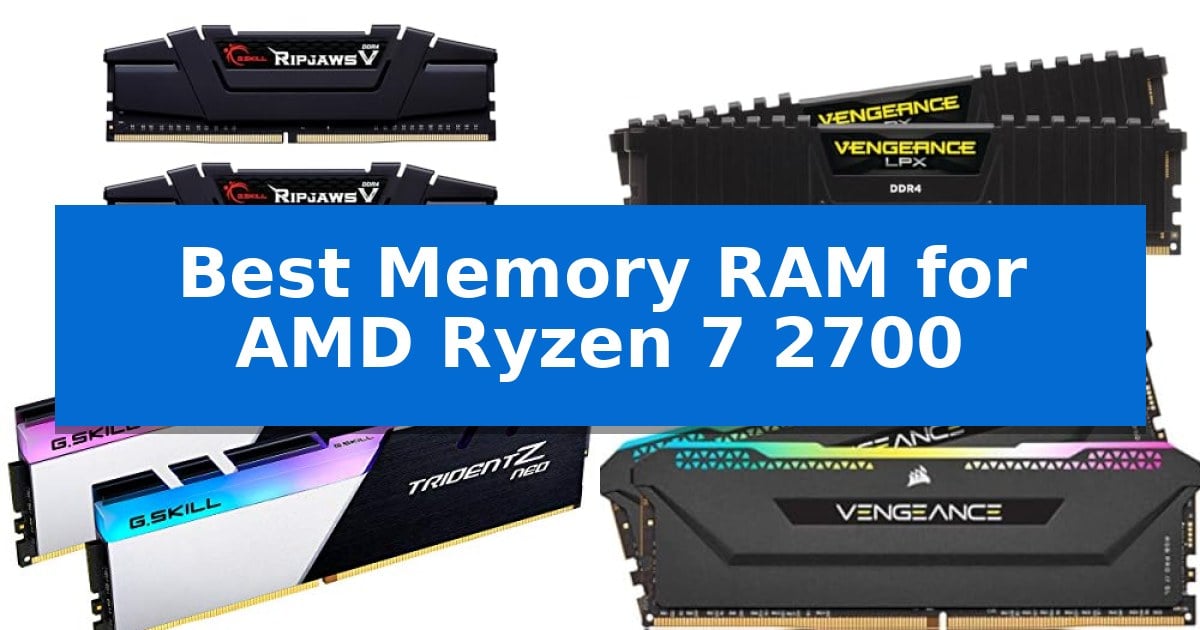
Selecting the right memory for your processor is essential for maintaining system stability and achieving the performance levels your hardware is capable of. When building or upgrading a system around the AMD Ryzen 7 2700, choosing compatible modules is the most effective way to ensure smooth multitasking and reliable operation.
The Best Memory RAM for AMD Ryzen 7 2700 must balance frequency, latency, and physical fitment to work seamlessly with your motherboard. We have evaluated several DDR4 kits to help you identify which options provide the necessary stability and performance for your specific desktop build.
You may also want to compare Best Memory RAM, Best Memory PC Build, and Best Memory Latency for RAM.
Best Memory RAM for AMD Ryzen 7 2700
Quick Comparison
| Product | Best For | Key Strength | Score |
|---|---|---|---|
| G.SKILL RipjawsV Series DDR4 Memory | Best Overall | High-speed 3600MT/s performance potential | 4.9 |
| Corsair Vengeance LPX DDR4 Memory | Low-profile fit for compact builds | Low-profile 34mm height fits easily into small-form-factor cases. | 4.7 |
| G.SKILL Trident Z Neo DDR4 Memory | Optimized for Ryzen stability | Optimized for AMD platform stability | 4.7 |
| Corsair Vengeance RGB Pro DDR4 Memory | Vivid lighting with reliable speed | Individually addressable RGB lighting with extensive software control. | 4.4 |
| G.SKILL RipjawsV Series DDR4 RAM (XMP) 16GB (2x8GB) Up to 3000MT/s* CL16-18-18-38 1.35V Intel AMD De | Balanced frequency for older platforms | Matched 16GB kit ensures stability when used as a pair. | 4.4 |
How We Chose
- Compatibility with DDR4 motherboard standards and Ryzen architecture.
- Frequency and latency profiles that align with processor performance targets.
- Physical dimensions and heat spreader design for case clearance.
- Reliability of XMP profiles for simplified BIOS configuration.
- Manufacturer warranty and support for long-term system stability.
1 G.SKILL RipjawsV Series DDR4 Memory — High-speed performance for Ryzen
Optimizing memory performance for an AMD Ryzen 7 2700 requires balancing frequency and stability to ensure the system operates within its design parameters. The G.SKILL RipjawsV Series DDR4 Memory provides a high-speed solution designed for desktop PCs, offering a rated speed of up to 3600MT/s to support demanding workloads.
This 16GB (2x8GB) kit features a CAS latency of CL16-19-19-39 and operates at 1.35V. It includes both a JEDEC default profile for standard operation and an Intel XMP profile for overclocking. Users must perform BIOS adjustments to achieve the rated speeds, as the system will default to JEDEC speeds upon initial installation.
Compatibility is a critical factor when pairing this memory with the Ryzen 7 2700. G.SKILL emphasizes that users should consult their specific motherboard's Qualified Vendor List (QVL) or use the G.SKILL RAM Configurator tool to verify hardware validation. Because these modules are sold as a matched set, they must not be mixed with other kits to avoid potential stability issues or system failure.
The G.SKILL RipjawsV Series DDR4 Memory is built as a non-ECC, 288-pin U-DIMM, making it a direct fit for standard desktop motherboards. With a limited lifetime manufacturer warranty, this kit serves as a reliable option for users looking to maximize their system's memory throughput through validated overclocking profiles.
Best for: Users seeking high-speed DDR4 memory for a desktop PC who are prepared to perform BIOS adjustments for XMP profile configuration.
Skip if: Users who prefer a plug-and-play experience without BIOS configuration or those whose motherboard is not validated on the G.SKILL QVL for this specific kit.
PROS
- High-speed 3600MT/s performance potential
- Matched 16GB kit ensures stability when used as a set
- Includes Intel XMP profile for easier overclocking
- Backed by a Limited Lifetime Manufacturer Warranty
CONS
- Requires BIOS/overclocking adjustments to reach maximum speed
- Performance depends on CPU and motherboard compatibility
2 Corsair Vengeance LPX DDR4 Memory — Low-profile fit for compact builds
Optimizing memory performance for an AMD Ryzen 7 2700 system requires balancing frequency and stability. The Corsair Vengeance LPX DDR4 Memory is engineered to address this by utilizing hand-sorted memory chips that provide significant overclocking headroom, allowing users to push their system performance further than standard modules might permit.
Designed with a low-profile height of 34mm, this memory kit is particularly well-suited for compact builds where space is at a premium. Despite its small footprint, it features a solid aluminum heatspreader that efficiently dissipates heat, ensuring that the modules remain stable even when running at high clock speeds during intensive tasks.
Compatibility is a core strength of this kit, as it is specifically optimized for both Intel and AMD DDR4 motherboards. The inclusion of Intel XMP 2.0 support simplifies the installation process, enabling users to achieve rated speeds through a single setting in the BIOS without complex manual configuration.
The use of a high-performance PCB ensures consistent signal quality, which is essential for maintaining system stability. By combining a compact design with robust thermal management and broad platform support, the Corsair Vengeance LPX DDR4 Memory offers a reliable foundation for users looking to maximize their processor's potential.
Best for: Users building compact PC systems who need reliable, low-profile memory with high overclocking potential.
Skip if: Users who prioritize aesthetic features like integrated RGB lighting or those requiring higher-profile modules for specific cooling configurations.
PROS
- Low-profile 34mm height fits easily into small-form-factor cases.
- Hand-sorted memory chips provide excellent overclocking headroom.
- Solid aluminum heatspreader ensures efficient thermal dissipation.
- Intel XMP 2.0 support allows for simple, one-setting configuration.
CONS
- Lacks integrated RGB lighting for users focused on system aesthetics.
3 G.SKILL Trident Z Neo DDR4 Memory — Optimized for Ryzen stability
Optimizing system stability for your build requires memory that aligns with specific hardware requirements. The G.SKILL Trident Z Neo Series DDR4 RAM is engineered with a focus on compatibility for AMD platforms, providing a reliable foundation for your desktop PC.
This 16GB (2x8GB) memory kit operates as a DDR4 U-DIMM and is designed to run at speeds up to 3600MT/s. It features both a JEDEC default profile for standard operation and an Intel XMP memory overclock profile for those looking to reach higher performance levels through BIOS adjustments.
The G.SKILL Trident Z Neo Series DDR4 RAM is a non-ECC memory solution that requires careful installation. Users must ensure they do not mix memory kits, as these are sold as matched sets designed to function together. Stability is contingent upon using compatible hardware; it is recommended to consult the G.SKILL memory QVL or their online configuration tool to verify motherboard and CPU support before installation.
Operating at 1.35V, this kit provides a balance of power and performance for gaming and general computing. Because maximum speed depends heavily on your specific motherboard and CPU, users should be prepared to perform the necessary BIOS configuration to achieve the rated speeds, as the system will default to JEDEC SPD settings upon initial boot.
Best for: Users seeking a matched 16GB DDR4 memory kit specifically optimized for compatibility with AMD Ryzen desktop systems.
Skip if: Users who prefer a plug-and-play experience without the need to enter the BIOS to configure XMP profiles or verify QVL compatibility.
PROS
- Optimized for AMD platform stability
- Matched 16GB (2x8GB) kit for consistent performance
- Includes Intel XMP profile for easier overclocking
- Limited Lifetime Manufacturer Warranty
CONS
- Requires manual BIOS adjustments to reach advertised speeds
- Compatibility dependent on specific motherboard and CPU
4 Corsair Vengeance RGB Pro DDR4 Memory — Vivid lighting with reliable speed
Achieving optimal system responsiveness with an AMD Ryzen 7 2700 processor requires memory that balances stability with reliable clock speeds. The Corsair Vengeance RGB Pro 16GB (2x8GB) DDR4 3200MHz offers a high-performance solution designed to integrate seamlessly into modern desktop builds, featuring a custom performance PCB that ensures signal quality and stability for your processor.
Beyond its core functionality, this memory kit serves as a visual centerpiece for your system. Each module is equipped with ten individually addressable RGB LEDs, allowing for extensive customization through CORSAIR iCUE software. You can synchronize these lighting effects with other compatible components, creating a cohesive aesthetic without the need for additional cables.
Thermal management is handled by a built-in aluminum heat spreader, which is essential for maintaining performance stability during extended use or overclocking sessions. The kit utilizes carefully screened ICs to support higher potential, while Intel XMP 2.0 support simplifies the configuration process, allowing you to reach rated speeds with a single setting in your BIOS.
Installation is straightforward, as the modules are designed for a clean, wire-free fit on most DDR4-compatible motherboards. With a limited lifetime warranty, this memory provides a reliable upgrade path for users looking to maximize the potential of their Ryzen 7 2700 setup.
Best for: Users seeking a balance of high-speed DDR4 performance and customizable RGB lighting for their AMD Ryzen 7 2700 desktop builds.
Skip if: Users with small form factor cases where the 2-inch height of these modules might cause clearance issues with large air coolers.
PROS
- Individually addressable RGB lighting with extensive software control.
- Aluminum heat spreader for improved thermal management.
- Custom performance PCB for enhanced signal stability.
- Intel XMP 2.0 support for easy configuration.
CONS
- Increased module height may interfere with some large CPU air coolers.
5 G.SKILL RipjawsV Series DDR4 RAM (XMP) 16GB (2x8GB) Up to 3000MT/s* CL16-18-18-38 1.35V Intel AMD De — Balanced frequency for older platforms
Optimizing memory for an AMD Ryzen 7 2700 requires balancing frequency and stability to ensure the system operates reliably. The G.SKILL RipjawsV Series DDR4 RAM (XMP) 16GB (2x8GB) Up to 3000MT/s* CL16-18-18-38 1.35V Intel AMD Desktop Computer Memory U-DIMM – Red (F4-3000C16D-16GVRB) provides a reliable foundation by offering a tested XMP profile that helps users achieve higher memory speeds beyond standard JEDEC defaults.
This 16GB (2x8GB) kit is designed for desktop PCs, utilizing a 288-pin U-DIMM form factor. It is engineered with a CL16-18-18-38 latency configuration and operates at 1.35V. Because memory performance is heavily dependent on the specific motherboard and CPU combination, this kit includes an Intel XMP memory overclock profile to simplify the process of reaching its rated speed, though manual BIOS adjustments are required to enable these settings.
Compatibility is a critical factor when pairing memory with the Ryzen 7 2700. Users should verify their specific motherboard model against the G.SKILL memory QVL or RAM Configurator tool to ensure the kit is validated for their hardware. The manufacturer emphasizes that memory kits are sold as matched sets and should not be mixed with other modules, as doing so can lead to system instability or failure.
While the kit is capable of reaching 3000MT/s, it will default to standard JEDEC SPD speeds upon initial installation. Achieving the advertised performance requires navigating the BIOS to apply the XMP profile. This kit is backed by a Limited Lifetime Manufacturer Warranty, providing long-term support for users building or upgrading their desktop systems.
Best for: Users looking for a reliable, matched 16GB DDR4 memory kit that supports XMP profiles for compatible AMD desktop motherboards.
Skip if: Users who prefer a plug-and-play experience without entering the BIOS to manually configure overclocking settings or those whose motherboards are not listed on the G.SKILL QVL.
PROS
- Matched 16GB kit ensures stability when used as a pair.
- Includes Intel XMP profile for easier overclocking configuration.
- Backed by a Limited Lifetime Manufacturer Warranty.
- Designed specifically for DDR4 desktop U-DIMM compatibility.
CONS
- Requires BIOS adjustments to reach the advertised 3000MT/s speed.
- Performance is dependent on motherboard and CPU compatibility.
Best Memory RAM for AMD Ryzen 7 2700 Buying Guide
Understanding Memory Frequency and Latency
Memory frequency, measured in MT/s, dictates the speed at which data is transferred between the RAM and the CPU. For the AMD Ryzen 7 2700, selecting a frequency that the memory controller can handle is vital for avoiding system instability or boot failures.
Latency, represented by CL timings, refers to the delay between a command being issued and the data being available. Lower latency generally results in faster response times, though this must be balanced against the overall frequency of the modules.
The Importance of XMP Profiles
Most high-performance DDR4 memory kits utilize Intel XMP (Extreme Memory Profile) to reach their advertised speeds. While these profiles are primarily designed for Intel platforms, many modern AMD motherboards support them to simplify the overclocking process.
When installing new RAM, you must enter the BIOS to enable the XMP profile. Without this step, your memory will likely default to the standard JEDEC speed, which is often significantly lower than the rated performance of the kit.
Physical Clearance and Form Factor
The physical size of your RAM modules is a critical consideration, especially if you are using a large aftermarket CPU cooler. High-profile heat spreaders or RGB lighting modules can physically obstruct the installation of certain cooling solutions.
Low-profile memory kits are designed to fit under most air coolers and within compact cases. Always check the height specifications of your chosen RAM against the clearance requirements of your CPU cooler and motherboard layout.
Dual-Channel Configuration
To maximize the performance of the Ryzen 7 2700, memory should always be installed in pairs to utilize dual-channel architecture. This effectively doubles the bandwidth available to the processor compared to using a single stick of RAM.
Ensure that your modules are installed in the correct DIMM slots on your motherboard—typically the second and fourth slots from the CPU—to enable dual-channel mode. Consult your motherboard manual for the specific configuration required for your board.
Avoiding Memory Kit Mixing
It is strongly recommended to use memory kits that are sold as a matched set. Manufacturers test these modules together to ensure they can run at the same voltage, timing, and frequency without causing system errors.
Mixing different kits, even from the same manufacturer, can lead to compatibility issues, system crashes, or the inability to boot. If you need more memory capacity, it is safer to purchase a single, larger kit rather than attempting to combine multiple smaller ones.
Frequently Asked Questions
What is the ideal RAM speed for the Ryzen 7 2700?
The Ryzen 7 2700 generally benefits from memory speeds between 2933MT/s and 3200MT/s. While higher speeds are possible, they depend heavily on the quality of the motherboard and the silicon lottery of the CPU's memory controller.
Do I need to enable XMP in the BIOS?
Yes, enabling the XMP profile in your BIOS is necessary to ensure your RAM runs at its advertised speed. If you do not enable it, the system will default to a lower, standard JEDEC frequency.
Can I use RGB memory with my Ryzen 7 2700 build?
Yes, RGB memory is compatible with most Ryzen builds. Ensure your motherboard supports the specific lighting control software or that the RAM is compatible with your motherboard's RGB header system.
Why is my RAM not running at the advertised speed?
This is usually because the XMP profile has not been enabled in the BIOS. Alternatively, the motherboard or CPU memory controller may not be able to stabilize the high frequency of the kit, requiring a manual adjustment to a lower, more stable speed.
Is 16GB of RAM enough for a Ryzen 7 2700 system?
16GB is the current standard for most gaming and productivity workloads. It provides sufficient headroom for multitasking and modern applications without the performance bottlenecks associated with lower capacities.
Conclusion: Our Top Pick
Choosing the right memory is a foundational step in building a reliable system. For users seeking a balance of performance and compatibility with the AMD Ryzen 7 2700, the G.SKILL RipjawsV Series DDR4 Memory stands out as a highly effective option. Its design is optimized for desktop stability, and it offers the necessary frequency headroom to support the processor's architecture effectively.
While other options like the Corsair Vengeance LPX are excellent for compact builds where space is limited, the G.SKILL kit provides a consistent and well-documented performance profile. Always remember to enable the XMP profile in your BIOS after installation to ensure your system operates at the intended speed and stability.