
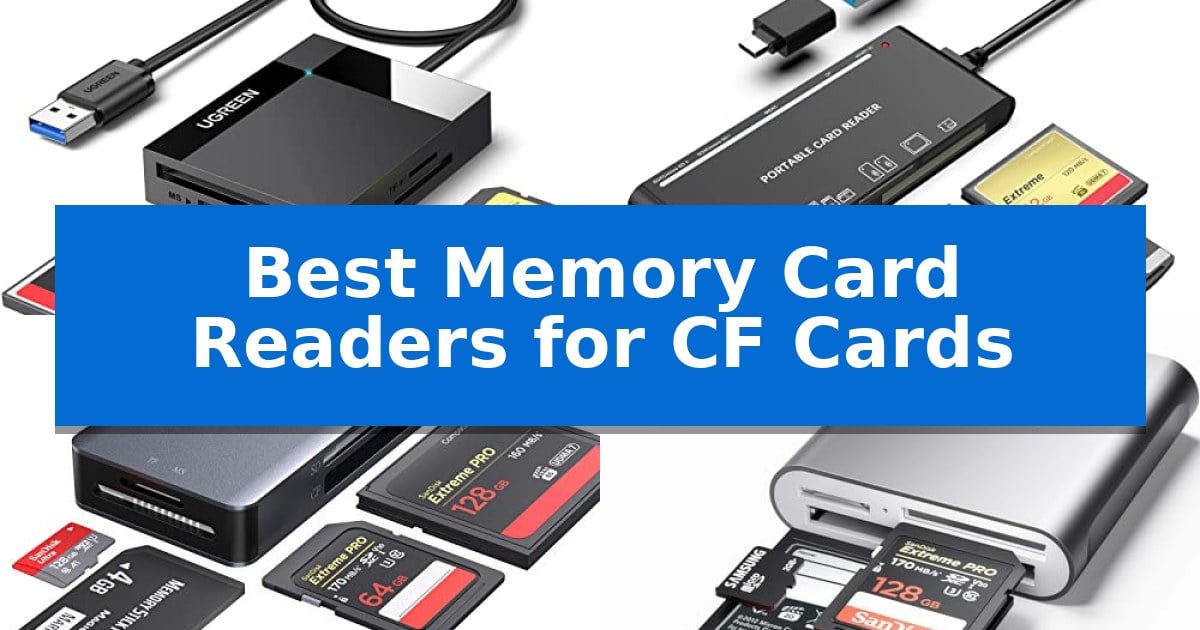
Finding the right hardware to manage your photography workflow is essential, especially when dealing with older or specialized storage media. The Best Memory Card Readers for CF Cards must bridge the gap between high-speed data requirements and the physical constraints of CompactFlash interfaces, ensuring your files move securely from camera to computer.
Whether you are working with legacy equipment or modern high-resolution setups, selecting a reliable reader prevents data corruption and saves significant time. We have analyzed current market options to help you identify a device that balances interface compatibility with the necessary throughput for your specific storage needs.
You may also want to compare Best Memory Card Readers, Best Memory Card Reader for Photos, and Best Memory Card Reader for Photographers.
Best Memory Card Readers for CF Cards
Quick Comparison
| Product | Best For | Key Strength | Score |
|---|---|---|---|
| UGREEN USB 3.0 Card Reader | Best Overall | Simultaneous multi-card access for efficient file management. | 4.9 |
| Rocketek 7-in-1 Card Reader | Broadest Format Compatibility | Simultaneous multi-card access for up to five cards at once. | 4.3 |
| ZIYUETEK USB 3.0 Card Reader | Durable Aluminum Build | Simultaneous multi-card reading saves time by allowing access to multiple slots at once. | 4.6 |
| Unitek USB-C Card Reader | Ideal for Modern Laptops | Simultaneous 3-card reading capability for efficient file management. | 4.5 |
| BENFEI 4-in-1 Card Reader | Compact Simultaneous Transfer | Simultaneous read/write capability across four card slots. | 4.9 |
How We Chose
- Interface Compatibility: Assessing support for USB-A, USB-C, and Thunderbolt 3 connections to ensure integration with both legacy and modern hardware.
- Simultaneous Transfer Capability: Evaluating the ability to read and write to multiple card slots concurrently to streamline high-volume workflows.
- Build Quality and Thermal Management: Considering the use of materials like aluminum for heat dissipation and overall structural durability.
- Format Versatility: Reviewing the range of supported media types beyond CF, such as SD, microSD, and Memory Stick, to provide a comprehensive hub solution.
1 UGREEN USB 3.0 Card Reader — Fast Multi-Card Workflow
Managing high-capacity data transfers from professional cameras requires a reliable bridge between legacy storage and modern workstations. The UGREEN USB 3.0 Card Reader streamlines this process by offering a dedicated slot for CompactFlash cards, ensuring that photographers and videographers can access their media without needing multiple disparate adapters.
This device is built for efficiency, featuring a USB 3.0 interface that supports transmission rates up to 5Gbps. This bandwidth allows for the rapid transfer of large files, which is essential when working with high-resolution imagery or long-form video footage. Its all-in-one functionality is a standout design choice, as it integrates slots for SD, Micro SD, CF, and MS cards into a single, compact housing.
A significant advantage for busy workflows is the ability to perform simultaneous work across four different memory cards. By eliminating the need to plug and unplug individual cards, the reader saves time during data ingestion. The unit is plug and play ready and maintains broad compatibility with Windows, Mac OS, Linux, and Chrome OS, making it a versatile tool for various computing environments.
Measuring just 2.17 x 2.68 x 0.59 inches, the reader is designed for portability. The inclusion of a 1.7 ft cable provides enough reach to connect comfortably to a desktop tower or a laptop, while the compact footprint ensures it remains an unobtrusive addition to a mobile workstation setup.
Best for: Photographers and creators who need to manage multiple memory card formats, including CF cards, simultaneously on a single workstation.
Skip if: Users who require ultra-high-speed transfer protocols beyond USB 3.0 or those who only need a single-slot reader for a specific card type.
PROS
- Simultaneous multi-card access for efficient file management.
- USB 3.0 interface supporting up to 5Gbps transfer speeds.
- Compact, portable design suitable for mobile workflows.
- Broad compatibility with major operating systems.
CONS
- Limited to USB 3.0 speeds, which may be slower than newer USB-C or Thunderbolt-based readers.
2 Rocketek 7-in-1 Card Reader — Broadest Format Compatibility
Managing multiple memory card formats often requires a versatile interface that can handle legacy media alongside modern standards. The Rocketek 7-in-1 Card Reader addresses this by integrating a dedicated CF slot alongside support for SD, TF, Micro SD, XD, and MS cards, ensuring broad compatibility for photographers and videographers who rely on diverse storage media.
Designed for high-efficiency workflows, this adapter allows users to read and write to five different cards simultaneously. This capability is particularly useful when transferring large volumes of footage from multiple cameras or devices. The unit utilizes a USB 3.0 interface to support data transfer speeds up to 5Gbps, which helps reduce waiting times during file ingest.
The hardware features a 2-in-1 connector design that includes both USB-C and USB-A plugs. This dual-interface approach provides direct connectivity to a wide range of devices, including modern laptops, tablets, and smartphones, without requiring additional dongles or adapters. It is a plug-and-play device, meaning it operates without the need for extra drivers on major operating systems like Windows, macOS, Linux, and Android.
Built for durability, the device has been tested for thousands of connection cycles and includes a 12-month warranty. Its support for high-speed UDMA CF cards and SDXC cards up to 2TB ensures that it remains functional even when paired with high-capacity, professional-grade storage media.
Best for: Users who need to manage multiple memory card formats, including CF, simultaneously across both USB-C and USB-A devices.
Skip if: Users who require a ruggedized, weather-sealed card reader for extreme field conditions or those who only use a single card type and prefer a more minimalist, single-slot form factor.
PROS
- Simultaneous multi-card access for up to five cards at once.
- Dual-connector design with both USB-C and USB-A interfaces.
- Broad format support including CF, UDMA, SDXC, and XD.
- Plug-and-play functionality across multiple operating systems.
CONS
- Larger physical footprint compared to single-slot card readers due to the 7-in-1 design.
3 ZIYUETEK USB 3.0 Card Reader — Durable Aluminum Build
Managing multiple memory cards efficiently requires a reliable interface that can handle diverse formats without constant cable swapping. The ZIYUETEK USB 3.0 Card Reader addresses this by integrating five distinct card slots into a single, compact hub, allowing for simultaneous data access across different media types.
Built with a high-performance chip, this reader supports transfer speeds up to 5Gbps, provided the host device and memory cards allow for such throughput. Its design features a durable aluminum alloy cover, which serves the dual purpose of providing a premium feel and assisting with heat dissipation during prolonged data transfers.
Compatibility is a core strength of this device, as it works with a wide range of formats including SDXC, Micro SD, MS, M2, and CF cards. Because it is a plug-and-play device, it requires no driver installation, making it compatible with Windows, Mac OS, Linux, and Chrome OS environments immediately upon connection.
The unit also incorporates intelligent multiple protection features, including safeguards against over-current, over-voltage, and short circuits. This ensures that both your memory cards and the connected computer remain protected during heavy file management tasks.
Best for: Photographers and creators who need to transfer data from multiple card formats simultaneously using a single, portable USB 3.0 hub.
Skip if: Users who require specialized high-speed interfaces like CFexpress or Thunderbolt, as this reader is limited to USB 3.0 speeds and standard card formats.
PROS
- Simultaneous multi-card reading saves time by allowing access to multiple slots at once.
- Durable aluminum alloy housing improves heat dissipation and longevity.
- Broad compatibility across five different card slots including CF, SD, and Micro SD.
- Plug-and-play functionality requires no additional drivers or software.
CONS
- USB 3.0 interface limits maximum transfer speeds compared to newer standards like USB 3.2 or Thunderbolt.
- Actual transfer rates are dependent on the specific memory card and host device hardware.
4 Unitek USB-C Card Reader — Ideal for Modern Laptops
The Unitek USB-C Card Reader facilitates efficient data management for photographers and videographers by allowing the simultaneous transfer of files across three distinct memory card slots. Designed for modern workflows, this device supports high-resolution image and video offloading from SD, Micro SD, and CF cards up to 2TB capacity.
This reader utilizes a USB-C interface, ensuring compatibility with a wide range of contemporary hardware including MacBook Pro, iPad Pro, and various Windows-based tablets and laptops. The inclusion of a 30cm cable provides enough reach for desktop setups, while the plug-and-play functionality eliminates the need for external driver installations.
Equipped with an integrated LED indicator, the unit provides visual confirmation of USB bus power and active data transfers. Its aluminum construction houses the internal components, supporting high-speed data movement between cards, such as transferring files directly from SD to CF or Micro SD to CF, which can streamline backup processes on the go.
While the device offers broad compatibility with USB-C and Thunderbolt 3 ports, it is important to note that it does not support older Thunderbolt 1 or 2 interfaces. The compact dimensions of approximately 2.4 by 2.3 inches make it a portable solution for those who require multi-card access without carrying multiple individual adapters.
Best for: Users of modern USB-C laptops and tablets who need to manage data across SD, Micro SD, and CF memory cards simultaneously.
Skip if: Users who rely on older computers featuring only Thunderbolt 1 or 2 ports, as this device is not compatible with those specific standards.
PROS
- Simultaneous 3-card reading capability for efficient file management.
- Broad compatibility with USB-C and Thunderbolt 3 devices.
- Plug-and-play installation requiring no additional drivers.
- Supports high-capacity cards up to 2TB.
CONS
- Not compatible with Thunderbolt 1 or 2 ports.
- Requires a USB-C host connection.
5 BENFEI 4-in-1 Card Reader — Compact Simultaneous Transfer
Managing high-speed data transfers across multiple storage formats requires a reliable interface, and the BENFEI 4-in-1 Card Reader simplifies this by offering simultaneous access to four distinct card types. This adapter features an integrated 2-in-1 design that bridges the gap between legacy USB 3.0 ports and modern USB-C (Thunderbolt 3) connections, ensuring compatibility with a wide range of devices from older laptops to the latest smartphones like the iPhone 15 series.
Built with an advanced IC chip, this reader maintains signal integrity for high-speed data transfers. It supports UHS-I mode with transfer rates reaching up to 160MB/sec, depending on the card and host port specifications. The ability to read from and write to SD, Micro SD, MS, and CF cards at the same time provides a streamlined workflow for users who frequently handle multiple media sources.
The device is designed for broad compatibility, working seamlessly with major operating systems and hardware platforms including MacBook Pro, iPad Pro, and various Windows-based laptops. It is important to note that while it supports a wide array of media, it is incompatible with CF Type I, standard Memory Stick, and Memory Stick Micro (M2) cards. Users should also ensure their system supports the exFAT file format for high-capacity SDXC cards.
With its compact footprint and durable construction, this reader is a practical tool for photographers and professionals who need a portable, multi-format solution. The inclusion of an 18-month unconditional warranty provides long-term support, ensuring that the hardware remains a reliable component of your digital setup.
Best for: Users who need to transfer data simultaneously from multiple card formats across both USB-A and USB-C devices.
Skip if: Users who specifically require support for CF Type I cards, as this model is incompatible with that standard.
PROS
- Simultaneous read/write capability across four card slots.
- Dual-interface design featuring both USB 3.0 and USB-C connectors.
- Advanced IC chip for stable high-speed data transfer.
- 18-month unconditional warranty for added peace of mind.
CONS
- Incompatible with CF Type I and certain Memory Stick variants.
- Data transfer speeds are dependent on the host port and card specifications.
Best Memory Card Readers for CF Cards Buying Guide
Understanding Interface Standards
The connection type is the most critical factor when choosing a card reader. While many older CF-compatible devices rely on USB 3.0 (USB-A), modern workflows increasingly demand USB-C connectivity for direct integration with current laptops and tablets.
Ensure your chosen reader matches the ports available on your primary workstation. If you frequently switch between devices, look for models that offer dual-connector designs or include high-quality cables to maintain signal stability.
The Importance of Simultaneous Access
For photographers and videographers who use multiple camera bodies or card types, the ability to read several slots at once is a major productivity booster. A reader that supports simultaneous access eliminates the need to constantly swap cards, reducing wear on both the reader and the media.
Check the technical specifications to confirm that the device can handle multiple active connections without dropping data packets or requiring a system restart.
Thermal Management and Build Quality
Data transfer generates heat, and sustained high-speed operations can lead to thermal throttling if the reader is poorly constructed. Aluminum housings are generally superior to plastic as they act as a passive heat sink, protecting the internal controller chip.
A durable build also ensures that the delicate pins within the CF slot remain protected. Since CompactFlash cards are sensitive to alignment, a rigid, well-engineered slot is essential for long-term reliability.
Format Compatibility Beyond CF
Most modern CF readers act as multi-card hubs. While the primary requirement is CF support, consider what other cards you use. Many readers now include dedicated slots for SD, microSD, and MS cards, effectively turning the device into a central hub for all your digital storage.
Verify the maximum capacity support, as some older readers may struggle with high-capacity cards (e.g., 2TB). Choosing a device that supports modern high-capacity standards ensures your reader remains useful as your storage needs grow.
Plug-and-Play Convenience
A professional-grade reader should not require complex driver installations. Look for devices that are natively supported by major operating systems like Windows, macOS, and Linux to ensure immediate functionality upon connection.
Hot-swapping capability is another key feature, allowing you to insert or remove cards while the reader is connected to your computer without risking data loss or system errors.
Frequently Asked Questions
Can I use a CF card reader with my USB-C only laptop?
Yes, provided you choose a reader with a USB-C connector or use a high-quality USB-A to USB-C adapter. Some modern readers are designed specifically with dual USB-A and USB-C interfaces for this purpose.
Do I need to install drivers for these card readers?
Most modern USB 3.0 and USB-C card readers are plug-and-play, meaning they are automatically recognized by Windows, macOS, and Linux without the need for external driver software.
Why does my card reader get warm during use?
It is normal for card readers to warm up during high-speed data transfers. Devices with aluminum housings are designed to dissipate this heat efficiently to protect the internal components.
Can I read multiple cards at the same time?
Many multi-slot readers support simultaneous access, allowing you to transfer files from different cards concurrently. Check the specific product features to confirm this capability.
What is the maximum capacity these readers support?
Many current models support cards up to 2TB. Always verify the specific capacity limits listed in the product specifications to ensure compatibility with your high-capacity storage media.
Conclusion: Our Top Pick
Selecting the right hardware for your CompactFlash media is vital for maintaining a smooth and efficient digital workflow. After reviewing the available options, the UGREEN USB 3.0 Card Reader stands out as the most versatile choice for most users due to its robust multi-card support and reliable 5Gbps transfer speeds.
This reader effectively balances the need for simultaneous multi-card access with a compact, portable design. Its broad compatibility with various operating systems and card formats makes it a dependable addition to any photographer's kit, ensuring your data moves quickly and securely.