
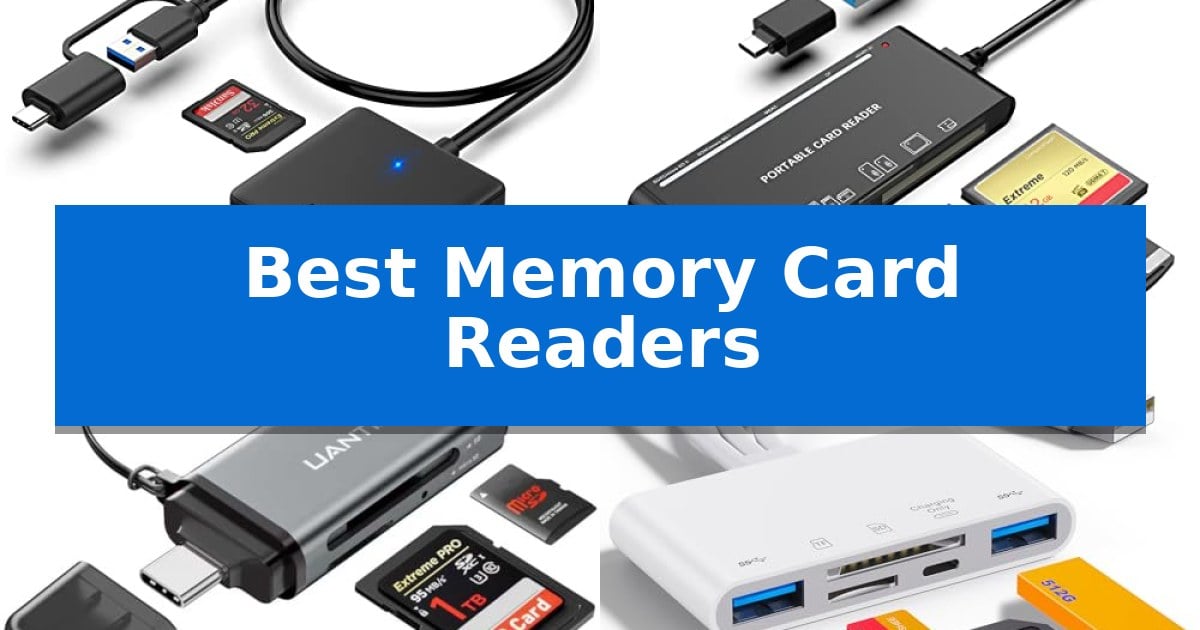
Managing high-resolution photos and 4K video files requires reliable hardware that bridges the gap between your memory cards and your computer. Finding the Best Memory Card Readers is essential for photographers and videographers who need to move large volumes of data without encountering bottlenecks or connection drops.
Whether you are working with legacy Compact Flash cards or the latest high-speed SDXC media, the right adapter ensures your workflow remains efficient. We have analyzed several top-performing models to help you understand which features, such as multi-card support and interface compatibility, best suit your specific storage and device environment.
You may also want to compare Best Memory Card Reader for Photos, Best Memory Card Reader for Photographers, and Best Memory Card Reader for PC.
Best Memory Card Readers
Quick Comparison
| Product | Best For | Key Strength | Score |
|---|---|---|---|
| BENFEI 4-in-1 Memory Card Reader | Best Overall | Simultaneous read/write capability across four different card slots. | 4.9 |
| Rocketek 7-in-1 Multi Card Reader | Supports Seven Different Card Types | Simultaneous read/write capability for up to five cards. | 4.4 |
| UANTIN Dual Slot Card Reader | Compact Keychain-Ready Design | Simultaneous read and write capability for SD and microSD cards. | 4.5 |
| JOOPSHEE 5-in-1 Card Reader | Includes Dedicated Charging Port | Integrated charging port allows simultaneous power and data transfer. | 4.4 |
| SmartQ C368 USB 3.0 Card Reader | Reliable Four-in-One Connectivity | Four-in-one design supports multiple common memory card formats simultaneously. | 4.5 |
How We Chose
- Interface Compatibility: Assessing support for USB-C and USB-A connections to ensure compatibility with modern laptops and older workstations.
- Format Versatility: Evaluating the number and type of card slots available, including SD, MicroSD, CF, and MS support.
- Simultaneous Access: Determining if the reader allows for multiple cards to be read or written to at the same time.
- Build and Portability: Considering the physical footprint, heat management, and durability for field or studio use.
- Data Throughput: Reviewing the supported transfer standards to ensure they meet the demands of high-capacity media.
1 BENFEI 4-in-1 Memory Card Reader — Reads Four Cards Simultaneously
Managing multiple memory cards simultaneously requires a reliable interface that can handle diverse formats without bottlenecking your workflow. The BENFEI 4-in-1 Memory Card Reader simplifies this by providing an integrated design that supports SD, Micro SD, MS, and CF cards, allowing for simultaneous read and write operations across all four slots.
Equipped with a 2-in-1 USB-C and USB 3.0 connector, this adapter ensures broad compatibility with both modern Thunderbolt 3-equipped laptops and legacy USB-A ports. The device utilizes an advanced IC chip to maintain signal stability during high-speed transfers, supporting UHS-I mode with transfer rates up to 160MB/sec, depending on the card and host interface.
Designed for versatility, the reader is compatible with a wide range of devices, including the iPhone 15 series, MacBook Pro, and various Windows-based PCs. Users should note that while it supports a broad spectrum of media, it is incompatible with standard Memory Stick, Memory Stick Micro (M2), and CF Type I cards. Additionally, ensure your system supports the exFAT file format for high-capacity SDXC cards to maintain full functionality.
To provide long-term support, the manufacturer includes an 18-month unconditional warranty. This commitment to service ensures that the hardware remains a dependable part of your digital toolkit, whether you are browsing photos on a smartphone or offloading large HD movie files to a workstation.
Best for: Users who need to manage data across multiple card formats simultaneously on both USB-C and USB-A devices.
Skip if: Users who specifically require support for standard Memory Stick, M2, or CF Type I cards, as these formats are not compatible.
PROS
- Simultaneous read/write capability across four different card slots.
- Dual-interface design featuring both USB-C and USB 3.0 connectors.
- Advanced IC chip for stable high-speed data transfer.
- 18-month warranty for long-term support.
CONS
- Incompatibility with standard Memory Stick, M2, and CF Type I cards.
2 Rocketek 7-in-1 Multi Card Reader — Supports Seven Different Card Types
Managing multiple memory cards across different devices requires a versatile solution, and the Rocketek 7-in-1 Multi Card Reader addresses this by integrating seven distinct card slots into a single, compact hub. This adapter is built to handle a wide range of formats, including CF, SD, Micro SD, TF, MS, and XD cards, making it a central point for data management.
The device features a 2-in-1 connector design that includes both USB-C and USB 3.0 interfaces. This dual-connector approach allows for direct, plug-and-play access to laptops, tablets, and smartphones without the need for additional drivers or complex software installations. It is compatible with a broad range of operating systems, including Windows, Mac OS, Linux, and Android.
Efficiency is a primary focus, as the reader supports 5Gbps super speed data transfer, enabling users to move images and videos quickly. A notable capability is its ability to read and write to five different cards simultaneously, which streamlines workflows for those dealing with large volumes of media. The unit is also backward compatible with USB 2.0 and 1.1 ports.
Designed for longevity, the reader is constructed from high-quality materials and backed by a 12-month warranty. It supports high-capacity storage, including SDXC cards up to 2TB, ensuring it remains functional as your storage needs grow. This combination of broad card support and multi-port connectivity provides a practical tool for users who frequently switch between various memory formats.
Best for: Users who need to manage multiple memory card formats simultaneously across both USB-C and USB-A devices.
Skip if: Users who require specialized high-speed interfaces like Thunderbolt or those who only need a single-slot card reader for a specific format.
PROS
- Simultaneous read/write capability for up to five cards.
- Dual USB-C and USB 3.0 connectivity for broad device compatibility.
- Wide format support including CF, SD, Micro SD, XD, and MS cards.
- Plug-and-play operation with no driver installation required.
CONS
- Multi-slot design may be larger than single-purpose card readers.
3 UANTIN Dual Slot Card Reader — Compact Keychain-Ready Design
The UANTIN Dual Slot Card Reader simplifies file management for creators by offering a dual-slot design that enables simultaneous reading and writing of SD and microSD cards. This functionality allows for direct file transfers between memory cards, effectively bypassing the need to move data through a phone or computer's internal storage.
Engineered for reliability, the device features a heat-dissipation layout and an advanced safety chip to prevent overheating and speed throttling during heavy data transfers. It supports 5Gbps transfer speeds, ensuring that large 4K video backups or RAW photo files are moved efficiently, provided the host device supports USB 3.0.
The reader is built for portability, featuring an ultra-mini keychain design that allows it to be attached to camera bags or lanyards. Its broad compatibility includes USB-C devices like the iPhone 15/16/17 series, iPad Pro, and MacBook models, alongside a USB-A connector for older PC hardware, making it a versatile tool for photographers and videographers working across multiple platforms.
To maintain data integrity, the reader includes stable signal shielding and reinforced connectors. Users should note that the device may become slightly warm during prolonged high-speed operations, which is a standard aspect of its heat-dissipation design. For optimal performance on desktop PCs, connecting to the rear motherboard port is recommended to ensure a stable power supply.
Best for: Creators and photographers who need a portable, dual-slot solution to transfer files between SD and microSD cards across multiple USB-C and USB-A devices.
Skip if: Users who require specialized high-speed interfaces like CFexpress or XQD, as this reader is strictly limited to SD and microSD formats.
PROS
- Simultaneous read and write capability for SD and microSD cards.
- 5Gbps transfer speed supported by a heat-dissipation design.
- Dual-connector versatility with both USB-C and USB-A interfaces.
- Ultra-mini keychain design for convenient portability.
CONS
- May become warm during extended high-speed data transfers.
- Performance dependent on host device port and card speed ratings.
4 JOOPSHEE 5-in-1 Card Reader — Includes Dedicated Charging Port
The JOOPSHEE 5-in-1 Card Reader addresses the common challenge of managing data across multiple platforms by integrating a charging port, allowing users to power their i-Phone or Pad while simultaneously transferring files. This design choice removes the anxiety of battery depletion during lengthy data migrations or photo backups.
Engineered for versatility, this device features a plug and play interface that requires no additional drivers or network connections. It includes dedicated SD and micro SD card slots, alongside USB-C and USB-A connectivity, enabling seamless file management between mobile devices, tablets, and computers. The reader supports standard photo formats like JPEG and RAW, as well as various HD video formats.
Beyond simple file transfers, the adapter functions as a multi-peripheral hub. Users can connect external hardware such as PC keyboards, mice, or USB flash drives to their mobile devices, which can simplify typing and navigation tasks. The device is compatible with i-OS 9.1 and above, as well as OTG-enabled Android devices.
The reader is built for portability with compact dimensions of 5.6 x 2.7 x 0.4 inches. It supports high-capacity storage, accommodating micro SD cards up to 1TB and USB 2.0 flash drives up to 512GB, providing a robust solution for users who need to move large volumes of media on the go.
Best for: Users who need to transfer media from SD cards to mobile devices while keeping their phone or tablet charged.
Skip if: Users requiring high-speed USB 3.0 flash drive support for drives exceeding 128GB, as this device is limited to 128GB for that specific interface.
PROS
- Integrated charging port allows simultaneous power and data transfer.
- Plug and play functionality requires no drivers or network setup.
- Multi-peripheral support enables connection of keyboards and mice.
- Wide compatibility across i-OS and OTG Android platforms.
CONS
- USB 3.0 flash drive capacity is limited to 128GB.
- Memory cards are not included with the reader.
5 SmartQ C368 USB 3.0 Card Reader — Reliable Four-in-One Connectivity
Managing multiple memory card formats often leads to cluttered desks and inefficient workflows, but the SmartQ C368 USB 3.0 Card Reader simplifies this by offering a four-in-one design. This compact device allows for independent reading of SD, Micro SD, MS, and CF cards, ensuring that photographers and data users can access various media types through a single, streamlined interface.
Engineered for efficiency, this reader supports data transfer speeds up to 5GB per second when utilizing the USB 3.0 standard. It remains backward compatible with USB 2.0 ports, providing flexibility for older hardware. The unit is designed for a plug and play experience, requiring no additional drivers, which makes it a practical choice for users switching between Windows, Mac OS, and Linux environments.
The physical design prioritizes portability and clarity, measuring approximately 2.78 inches in length and weighing only 0.07 pounds. A built-in blue LED light indicator provides immediate visual confirmation of the device's power and connection status. To assist with cable management, the package includes a dedicated cable organizer, keeping the workspace tidy during operation.
This reader is a straightforward solution for those who require reliable, multi-format access without the complexity of proprietary software. By consolidating four card slots into one portable housing, it minimizes the need for multiple adapters, making it a functional addition to any mobile or desktop setup.
Best for: Travelers and professionals who need a compact, multi-format card reader for quick data transfers across different operating systems.
Skip if: Users who require specialized high-speed interfaces like CFexpress or XQD, as this reader is limited to standard SD, Micro SD, MS, and CF formats.
PROS
- Four-in-one design supports multiple common memory card formats simultaneously.
- Plug and play compatibility across Windows, Mac OS, and Linux without driver installation.
- USB 3.0 support enables high-speed data transfers up to 5GB per second.
- Portable dimensions and included cable organizer facilitate easy travel.
CONS
- Limited card format support excludes newer, specialized high-performance card types.
- Memory card not included in the package.
Best Memory Card Readers Buying Guide
Understanding Interface Standards
The connection type is the most critical factor when choosing a reader. Modern devices increasingly rely on USB-C (Thunderbolt 3 compatible), while many desktop computers still utilize USB 3.0 ports. A reader that offers a 2-in-1 design provides the most versatility, allowing you to switch between devices without needing extra dongles.
Ensure your chosen reader supports the USB 3.0 standard to take full advantage of high-speed memory cards. Using an outdated USB 2.0 interface will significantly throttle your transfer speeds, turning a quick backup into a time-consuming task.
Card Format Support
Not all readers are created equal regarding the types of cards they accept. If you use professional equipment, you may require a reader that supports Compact Flash (CF) cards, which are common in high-end DSLRs. For mobile creators, MicroSD support is often the priority.
Look for a reader that explicitly lists the formats you use daily. Some compact readers only support SD and MicroSD, while others act as a comprehensive hub for MS, CF, and XD cards, catering to a wider range of legacy and modern hardware.
Simultaneous Data Transfer
For users who frequently back up multiple cameras or devices, the ability to read cards simultaneously is a major productivity booster. A reader that supports simultaneous read and write functions allows you to copy files from an SD card and a MicroSD card at the same time without swapping media.
This feature is particularly useful for photographers who need to clear space on multiple cards during a shoot. It effectively doubles your efficiency and reduces the wear and tear on the card slots caused by constant insertion and removal.
Thermal Management and Stability
High-speed data transfers generate heat, which can cause some lower-quality readers to throttle speeds or disconnect unexpectedly. Readers equipped with advanced IC chips and heat-dissipation layouts are designed to maintain stable performance during long 4K video backups.
If you frequently transfer large RAW files or high-bitrate video, prioritize models that emphasize stable signal shielding and heat management. This prevents the frustration of mid-transfer disconnections that can lead to data corruption.
Portability and Design
The physical design of your card reader should match your work environment. For field photographers, an ultra-mini keychain design or a slim, lightweight profile is ideal for attaching to camera bags or lanyards. This ensures you are never without your adapter when you need it most.
For studio setups, you might prefer a more robust, stationary reader that stays firmly on your desk. Regardless of the size, look for reinforced connectors to ensure the device can withstand the rigors of daily use and frequent travel.
Frequently Asked Questions
Do I need a driver to use these memory card readers?
Most modern memory card readers are plug-and-play devices. They do not require specific drivers for Windows, macOS, or Linux systems, allowing for immediate use upon connection.
Why is my transfer speed slower than the advertised 5Gbps?
Actual transfer speeds depend on several factors, including the speed rating of your memory card, the USB port version on your computer, and the quality of the cable used. Ensure you are using a USB 3.0 port to achieve optimal performance.
Can I use these readers with my smartphone?
Many USB-C card readers are compatible with OTG-enabled Android phones and tablets, as well as the iPhone 15/16/17 series. Check the product specifications to confirm compatibility with your specific mobile device.
Is it normal for a card reader to get warm during use?
Yes, it is normal for a card reader to become slightly warm during prolonged, high-speed data transfers. This is a result of the heat-dissipation process and generally does not affect the performance or safety of the device.
What is the difference between SDXC and standard SD cards?
SDXC cards (64GB and larger) use the exFAT file format. Ensure your operating system is up to date, as older versions of Windows or macOS may not support this format natively.
Conclusion: Our Top Pick
Selecting the right hardware is vital for maintaining an efficient digital workflow. After evaluating the available options, the BENFEI 4-in-1 Memory Card Reader stands out as the most versatile choice for most users. Its ability to handle four card types simultaneously, combined with a dual USB-C and USB 3.0 interface, makes it an excellent companion for both modern laptops and traditional desktop setups.
While other models offer specialized features like dedicated charging ports or extra slots for niche cards, the BENFEI provides a reliable, high-speed solution that balances performance with broad compatibility. It is a dependable tool for anyone needing to manage multiple media formats with ease.