
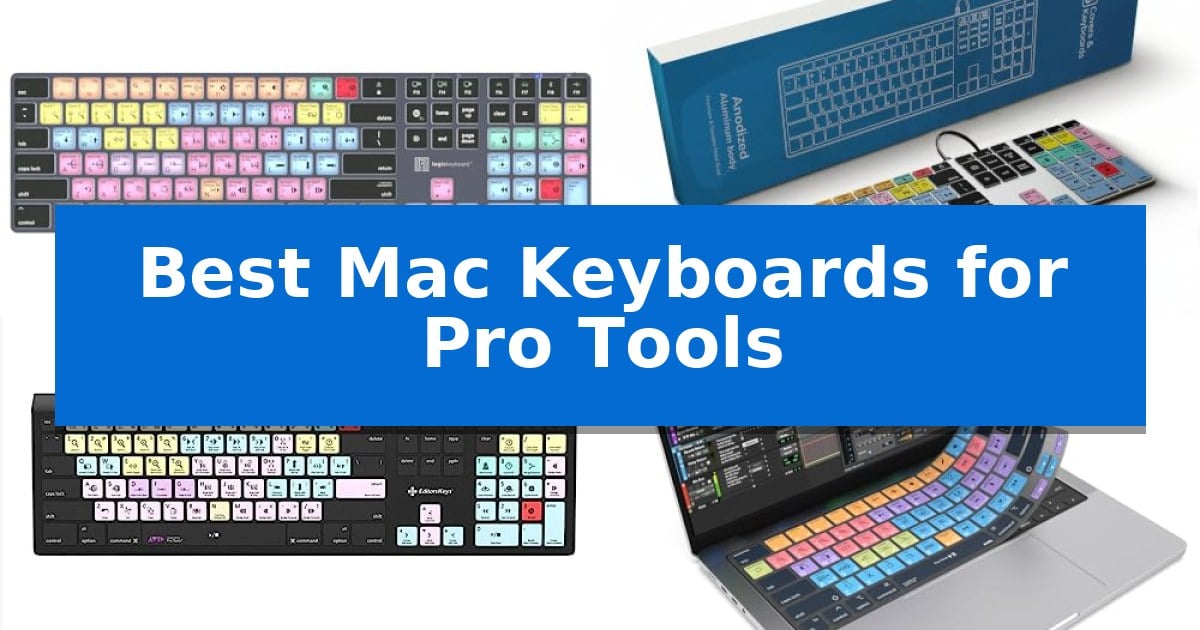
Navigating complex audio sessions requires precision and speed, often hindered by the time spent hunting for obscure menu commands. Finding the Best Mac Keyboards for Pro Tools can transform your workflow by placing essential transport, editing, and mixing functions directly at your fingertips through dedicated, color-coded shortcut keys.
Whether you are a professional sound engineer working in low-light studio environments or a student mastering your first mix, the right hardware integration is essential. We have evaluated a range of specialized keyboards and protective covers designed to enhance your efficiency, ensuring you spend less time navigating software menus and more time refining your audio projects.
You may also want to compare Best Mac Keyboards for Designers, Best Mac Keyboards for Coding, and Best Mac Keyboards and Mice.
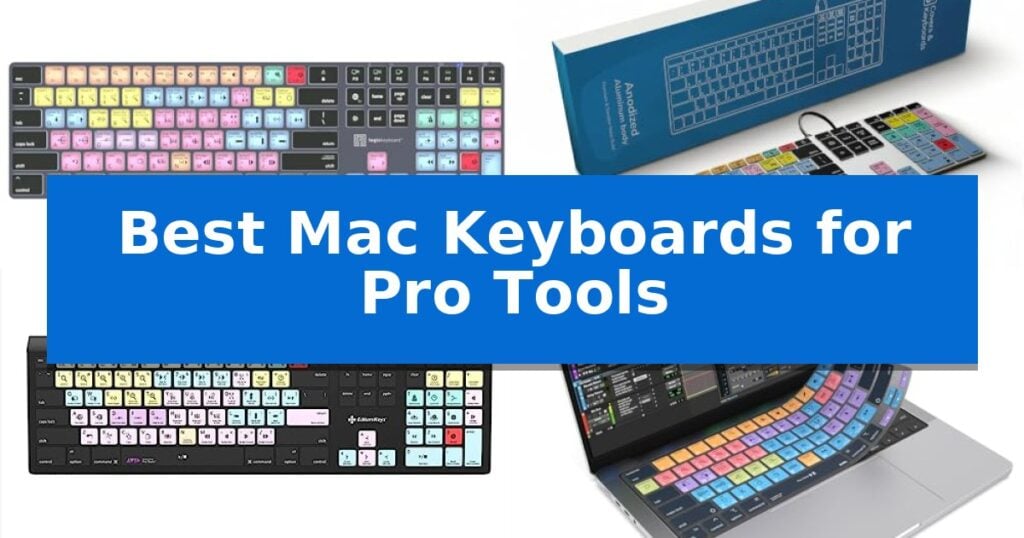
Best Mac Keyboards for Pro Tools
Quick Comparison
| Product | Best For | Key Strength | Score |
|---|---|---|---|
| Logickeyboard Titan Wireless Keyboard | Best Overall | Visual keyboard shortcuts printed on keys for faster command execution. | 4.9 |
| KB Covers Pro Tools Keyboard | Durable Backlit Aluminum Build | 150+ color-coded shortcuts for faster command execution. | 4.6 |
| Editors Keys Pro Tools Keyboard | Color-Coded for Faster Editing | Dedicated Pro Tools shortcuts printed on keys for faster navigation. | 4.3 |
| JCPal Pro Tools Keyboard Cover | Ultra-Thin Spill Protection | 90+ color-coded shortcuts for efficient Pro Tools navigation. | 4.4 |
| XSKN Pro Tools Keyboard Cover | Precision Fit for Magic Keyboards | Color-coded shortcut layout for faster navigation in Avid Pro Tools. | 4.7 |
How We Chose
- Shortcut Accessibility: We prioritized devices that feature clear, color-coded labels for essential Pro Tools commands.
- Build Quality and Ergonomics: We assessed the physical construction, including aluminum frames and silicone material durability.
- Lighting and Visibility: We looked for backlighting or high-contrast printing that aids navigation in dim studio settings.
- Compatibility: We verified that each product is specifically designed for current Mac layouts and hardware interfaces.
- Ease of Integration: We considered whether the solution requires additional software or functions as a simple plug-and-play tool.
1 Logickeyboard Titan Wireless Keyboard — Wireless Freedom for Pro Tools
Navigating complex audio editing sessions requires precise control, and the Logickeyboard Titan Wireless Backlit Keyboard for Avid Pro Tools – Mac streamlines this workflow by integrating visual keyboard shortcuts directly onto the keycaps. This specialized hardware allows editors to identify and execute commands without relying on memory or software overlays, significantly reducing the time spent searching for specific functions within the interface.
Designed specifically for the Mac ecosystem, this keyboard features Bluetooth connectivity to maintain a clean, cable-free workspace. The inclusion of backlit keys ensures that users can maintain high visibility of the color-coded shortcuts even in dimly lit studio environments, supporting long sessions where focus is paramount.
The hardware is powered by a rechargeable battery, eliminating the need for frequent battery replacements. With a physical footprint of 17.9 by 6.4 inches and a height of 1.15 inches, it provides a stable, full-sized typing experience that fits standard desk setups while offering the specific layout required for professional audio production.
Choosing this model means prioritizing dedicated functionality over generic input devices. The 2-year warranty provides long-term assurance for the hardware, making it a reliable addition to a professional audio workstation where consistent performance and specialized command access are essential.
Best for: Professional audio editors and producers who require dedicated visual shortcuts to accelerate their workflow within Avid Pro Tools on macOS.
Skip if: Users who require a compact or tenkeyless layout, or those who do not use Avid Pro Tools as their primary digital audio workstation.
PROS
- Visual keyboard shortcuts printed on keys for faster command execution.
- Backlit keys for improved visibility in low-light studio environments.
- Bluetooth connectivity for a clutter-free, wireless workspace.
- Rechargeable battery removes the need for disposable batteries.
CONS
- Specialized layout may be less versatile for general-purpose typing compared to standard keyboards.
- Large physical footprint requires significant desk space.
2 KB Covers Pro Tools Keyboard — Durable Backlit Aluminum Build
The KB Covers Pro Tools Keyboard streamlines audio production workflows by featuring over 150 dedicated Pro Tools shortcuts printed directly onto the keycaps. Color-coded by function, these commands allow engineers and editors to execute complex mixing and recording tasks without needing to memorize secondary hotkey combinations.
Designed specifically for the macOS ecosystem, this keyboard utilizes a standard US layout with familiar Command, Option, and Control keys. It connects via a reliable USB-C wired interface, ensuring a stable, lag-free connection for professional studio environments. Because it is a plug-and-play device, users can integrate it immediately into any Mac setup, including MacBook Pro, Mac Studio, or iMac, without installing additional drivers or software.
Beyond its specialized labeling, the unit functions as a high-quality typing tool. The backlit aluminum build provides a durable, solid frame that remains visible in dim studio lighting or late-night sessions. Each key retains its standard letter character alongside the shortcut icon, allowing for seamless transitions between standard typing and command-heavy editing sessions.
This keyboard is built for professionals who prioritize efficiency and hardware reliability. By eliminating the need for Bluetooth pairing or battery management, it provides a consistent, always-ready interface for demanding post-production and music engineering tasks.
Best for: Audio engineers and music producers who want to accelerate their Pro Tools workflow through visual shortcut mapping.
Skip if: Users who require a wireless connection or those who do not use Avid Pro Tools as their primary digital audio workstation.
PROS
- 150+ color-coded shortcuts for faster command execution.
- Backlit keys for visibility in low-light studio environments.
- Durable aluminum frame construction.
- Plug-and-play USB-C connectivity with no software required.
CONS
- Wired-only connection limits desk placement flexibility.
- Specific layout is optimized primarily for Avid Pro Tools users.
3 Editors Keys Pro Tools Keyboard — Color-Coded for Faster Editing
Navigating complex audio editing sessions requires efficiency, and the Editors Keys Avid Pro Tools Keyboard for Mac is engineered specifically to accelerate this workflow. By featuring dedicated Pro Tools shortcuts, icons, and text directly on the keycaps, this peripheral removes the need to memorize intricate command sequences, allowing for more focus on the creative process.
Designed with a sleek black finish that integrates visually with the Mac ecosystem, the keyboard provides gentle backlighting to maintain visibility in low-light studio environments. This focus on ergonomics and utility ensures that navigation remains intuitive during long sessions, while the durable construction is built to handle the demands of frequent, intense use.
Setup is straightforward due to the plug-and-play design, which requires no additional software installation or complex configuration. Users can simply connect the device to their Mac to immediately access the color-coded shortcuts, making it a practical addition for those looking to streamline their editing speed without technical overhead.
While this keyboard offers specialized utility for Pro Tools users, it is a dedicated tool rather than a general-purpose peripheral. Its value is centered on the color-coded shortcut layout, which is most beneficial for editors who prioritize speed and command accessibility over customizable mechanical switch options or wireless connectivity.
Best for: Audio editors and producers using Avid Pro Tools on macOS who want to increase workflow speed via dedicated shortcut keys.
Skip if: Users who require a wireless connection, mechanical switches, or a multi-purpose keyboard for non-editing tasks will find this specialized wired model limiting.
PROS
- Dedicated Pro Tools shortcuts printed on keys for faster navigation.
- Backlit keys ensure visibility in dim studio environments.
- Plug-and-play simplicity with no software installation required.
- Color-coded layout helps identify command groups quickly.
CONS
- Wired-only connection limits desk placement flexibility.
- Specialized design is less versatile for general typing or non-editing workflows.
4 JCPal Pro Tools Keyboard Cover — Ultra-Thin Spill Protection
The JCPal Pro Tools Keyboard Cover provides a specialized interface overlay designed to streamline professional audio workflows by placing over 90 color-coded shortcuts directly onto your MacBook keys. This 0.3 mm ultra-thin silicone protector ensures that tactile feedback remains responsive during intensive editing, mixing, and automation tasks.
Engineered specifically for studio environments, the cover acts as a quick-reference guide for producers and engineers using Avid Pro Tools. Beyond its utility as a shortcut map, the washable silicone material serves as a protective barrier against dust, crumbs, and accidental liquid spills, which can be easily removed, rinsed, and dried to maintain a clean workspace.
Compatibility is focused on modern Apple hardware, fitting MacBook Pro 14 and 16-inch (M1-M5) models, as well as MacBook Air 13 and 15-inch (M2-M5) and the MacBook Neo 13. The US English ANSI layout ensures that the printed shortcuts align precisely with the underlying key structure for accurate navigation during rapid transport and edit commands.
This accessory includes a 12-month manufacturer warranty, offering a practical trade-off for users who require a dedicated reference tool without committing to a permanent hardware modification. While it adds a layer of protection, users should note that the cover is designed specifically for the US ANSI layout and may not align with international keyboard configurations.
Best for: Audio engineers and producers using Avid Pro Tools who want a visual shortcut reference and spill protection for their MacBook.
Skip if: Users who prefer the tactile feel of bare keys or those using non-US ANSI keyboard layouts will find this cover incompatible or distracting.
PROS
- 90+ color-coded shortcuts for efficient Pro Tools navigation.
- 0.3 mm ultra-thin design maintains key responsiveness.
- Washable silicone construction protects against spills and debris.
- 12-month manufacturer warranty included.
CONS
- US English ANSI layout only; not suitable for other regional keyboard layouts.
- Adds a physical layer over keys which may alter the typing feel for some users.
5 XSKN Pro Tools Keyboard Cover — Precision Fit for Magic Keyboards
Optimizing your workflow in Avid Pro Tools often requires quick access to complex key commands, which is where the XSKN Avid Pro Tools Shortcut Keyboard Cover proves useful. Designed specifically for the Apple Magic Keyboard with Touch ID and Numeric Keypad (Model A2520), this silicone skin overlays your hardware with a color-coded layout of essential software shortcuts.
The cover is manufactured from soft silicone material using a 1:1 molding process, ensuring it sits flush against each individual key. This precision fit helps maintain a professional appearance while protecting the underlying keyboard from dust, spills, and daily wear. The graphics are applied via heat-fused silk-screen printing, which provides a durable finish that resists fading during frequent use.
Functionality is at the core of this design, as it provides a visual reference for QWERTY character layouts and Pro Tools-specific commands. While the cover does not allow for backlight shine-through, it is engineered to let the Caps Lock indicator light remain visible. This makes it a practical tool for users looking to reduce the time spent navigating menus by keeping necessary shortcuts directly under their fingertips.
Installation is straightforward, provided you verify your hardware compatibility. Because it is tailored for the A2520 model, it is essential to check the model number on the back of your keyboard before purchase. This accessory offers a simple, non-permanent way to enhance your editing environment without requiring a specialized hardware keyboard.
Best for: Audio editors and producers using Avid Pro Tools on a compatible Apple Magic Keyboard who want a visual reference for shortcuts to improve workflow efficiency.
Skip if: Users who rely heavily on keyboard backlighting or those who own a different Apple keyboard model, such as the A1843 or A3119, as this cover will not fit.
PROS
- Color-coded shortcut layout for faster navigation in Avid Pro Tools.
- 1:1 precision fit specifically molded for the Apple Magic Keyboard A2520.
- Durable heat-fused printing that resists wear and tear.
- Provides physical protection against dust and liquid spills.
CONS
- Blocks keyboard backlight shine-through.
- Limited compatibility strictly restricted to the A2520 model.
Best Mac Keyboards for Pro Tools Buying Guide
Understanding Shortcut Integration
The primary benefit of a dedicated Pro Tools keyboard is the visual mapping of shortcuts directly onto the keys. This eliminates the need to memorize hundreds of key combinations, allowing you to trigger transport controls, automation, and editing tools with a single press.
When selecting a keyboard, consider whether you prefer a dedicated hardware unit or a silicone cover. Hardware keyboards often provide a more tactile, consistent typing experience, while covers offer a cost-effective way to add functionality to your existing Apple Magic Keyboard.
Wired vs. Wireless Connectivity
Wired keyboards, typically using USB-C, offer a stable, lag-free connection that is ideal for professional studio environments where reliability is paramount. You never have to worry about battery life or pairing issues during a critical recording session.
Wireless options provide a cleaner desk aesthetic and greater flexibility if you move between different workstations. However, ensure the device supports reliable Bluetooth connectivity and has a rechargeable battery to avoid interruptions during long editing sessions.
The Importance of Backlighting
Audio editing often takes place in dimly lit rooms to reduce eye strain and focus on the screen. Backlit keys are a significant advantage in these environments, ensuring that every shortcut icon remains legible even when the studio lights are low.
Check if the backlighting is adjustable, as some users prefer a softer glow that does not distract from the monitor. High-quality backlit keyboards use individual LED illumination to ensure consistent brightness across the entire layout.
Compatibility and Layout
Always verify that the keyboard or cover is designed for the specific Mac layout you use. Pro Tools shortcuts are optimized for macOS, so ensure the Command, Option, and Control keys are correctly placed to match your muscle memory.
If you are using a keyboard cover, check the model number of your Apple Magic Keyboard or MacBook to ensure a perfect fit. A misaligned cover can interfere with key responsiveness and the overall typing feel.
Durability and Maintenance
Studio equipment is subject to daily wear and tear. Keyboards with aluminum frames offer superior structural integrity, while silicone covers provide an added layer of protection against dust, crumbs, and accidental liquid spills.
Maintenance is straightforward for most of these products. Silicone covers are generally washable and reusable, while dedicated keyboards should be cleaned with compressed air and a soft cloth to keep the keys and shortcut labels in pristine condition.
Frequently Asked Questions
Do I need to install special software to use these keyboards?
Most dedicated Pro Tools keyboards are designed as plug-and-play devices. They function as standard HID keyboards, meaning your Mac will recognize them immediately without the need for additional drivers or software.
Will a keyboard cover affect my typing speed?
Ultra-thin silicone covers, such as those that are 0.3 mm thick, are designed to maintain tactile responsiveness. While there may be a slight adjustment period, they generally do not significantly hinder typing speed once you are accustomed to the texture.
Can I use a Pro Tools keyboard for everyday typing?
Yes, these keyboards retain the standard QWERTY layout and function like any other keyboard. The Pro Tools shortcuts are printed as secondary labels, so you can use them for general tasks just as easily as for audio editing.
How do I know if a cover fits my specific Mac keyboard?
Check the model number on the back of your Apple keyboard or the bottom of your MacBook. Manufacturers provide compatibility lists based on these model numbers, such as A2520, to ensure the cover aligns perfectly with your keys.
Are the shortcut labels durable?
High-quality keyboards and covers use heat-fused printing or silk-screening to ensure that the shortcut labels remain legible over time, even with heavy daily use in a professional studio environment.
Conclusion: Our Top Pick
Selecting the right tool for your audio workflow depends on whether you prefer a dedicated hardware solution or a protective, functional cover. For those seeking the most seamless and professional experience, the Logickeyboard Titan Wireless Keyboard stands out as the top choice. Its combination of wireless freedom, rechargeable battery, and clear, backlit shortcut keys provides a comprehensive solution for any Pro Tools user.
While the Logickeyboard offers the most robust feature set for a dedicated workstation, users who already own an Apple Magic Keyboard may find that a high-quality cover provides sufficient utility at a lower price point. Regardless of your choice, integrating these specialized tools will significantly reduce the time spent navigating menus, allowing you to focus entirely on the creative process.