
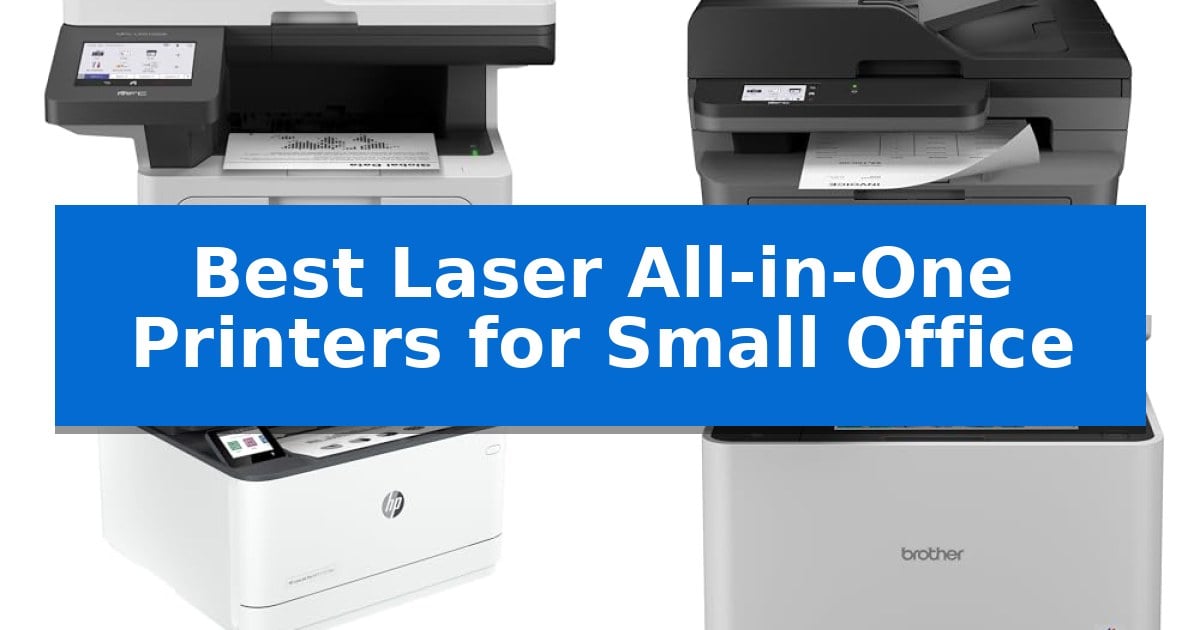
Finding the right equipment for a growing business requires balancing performance with physical constraints. The Best Laser All-in-One Printers for Small Office environments must handle high-volume document tasks while maintaining a footprint that does not overwhelm limited workspace.
Selecting a machine involves evaluating print speeds, scanning capabilities, and connectivity options that support multiple users. We have analyzed five laser all-in-one printers to help you identify which features align with your specific daily workflow demands.
Best Laser All-in-One Printers for Small Office in 2026
Quick Comparison
| Product | Best For | Key Strength | Score |
|---|---|---|---|
| Brother MFC-L5915DW Laser All-in-One Printer | Best Overall | 50ppm print speed for rapid document production. | 4.9 |
| Brother MFC-L2820DW Laser All-in-One Printer | Compact Footprint for Small Offices | Compact footprint ideal for space-constrained office environments. | 4.5 |
| HP LaserJet Pro 3101fdw All-in-One Printer | Fast Multi-User Productivity | Fast print speeds of up to 35 pages per minute for efficient document production. | 4.3 |
| Brother MFC-L8930CDW Color Laser All-in-One | Advanced Security and Color Output | High-speed duplex scanning at 104ipm with an 80-page feeder. | 4.4 |
| HP Color LaserJet Pro 3301sdw Printer | Vivid Professional Color Results | Fast print speeds of up to 26 ppm for both color and black documents. | 4.5 |
How We Chose
- Print and copy speeds measured in pages per minute (ppm) for high-volume tasks.
- Scanning efficiency, specifically the capacity and speed of the automatic document feeder (ADF).
- Connectivity options including Gigabit Ethernet and dual-band wireless networking for multi-user environments.
- Operational cost considerations based on toner yield and replacement cartridge options.
- Physical dimensions and footprint to ensure suitability for varied office layouts.
1 Brother MFC-L5915DW Laser All-in-One Printer — High-Speed Volume Printing
Maintaining document throughput in a busy office requires hardware that balances rapid output with operational efficiency. The Brother MFC-L5915DW Laser All-in-One Printer is engineered to meet these demands by delivering print and copy speeds of up to 50ppm, ensuring that large batches of documents are processed quickly to keep workflows moving without interruption.
Beyond raw speed, this machine focuses on managing long-term operating costs. It supports the Brother Genuine TN920UXXL ultra high-yield toner cartridge, which is rated for up to 18,000 pages. This high capacity significantly reduces the frequency of supply replacements, offering a practical solution for offices that handle high-volume printing tasks daily.
The device is equipped with a robust scanning suite, featuring a 70-page capacity auto document feeder. This component supports single-pass, two-sided scanning at speeds up to 56ipm, allowing for the efficient digitization of multi-page reports or legal-sized documents via the integrated document glass. This capability is particularly beneficial for offices that frequently convert physical archives into digital files.
Connectivity is managed through built-in Gigabit Ethernet and dual-band wireless networking. These options provide flexible integration into existing office infrastructures, ensuring reliable access for multiple users across a workspace. While the unit offers significant performance, its physical footprint of 19.5" x 18.6" x 19.1" requires a dedicated space, and its monochrome-only output means it is best suited for text-heavy business documentation rather than color-critical materials.
Best for: Small to medium-sized offices that require high-speed monochrome printing and efficient, high-volume document scanning.
Skip if: Users who require color printing or those with limited desk space, as the unit measures 19.5" x 18.6" x 19.1".
PROS
- 50ppm print speed for rapid document production.
- Ultra high-yield toner support to minimize operating costs.
- Single-pass duplex scanning for efficient digitization.
- Dual-band wireless and Gigabit Ethernet connectivity.
CONS
- Monochrome-only output limits document versatility.
- Large physical footprint requires dedicated office space.
2 Brother MFC-L2820DW Laser All-in-One Printer — Compact Footprint for Small Offices
Maximizing desk space while maintaining high-volume document handling is the primary challenge for any growing workspace. The Brother MFC-L2820DW Laser All-in-One Printer addresses this by integrating print, copy, scan, and fax capabilities into a compact 12.5-inch tall chassis, ensuring that essential office tasks do not dominate your limited surface area.
Efficiency is central to this model's design, featuring print speeds of up to 36 ppm and a 50-page auto document feeder that streamlines the processing of multi-page reports and contracts. For digital workflows, the device supports direct scanning to cloud services like Google Drive and Dropbox, which can be managed directly through the 2.7-inch touchscreen interface.
Connectivity remains flexible to suit various network environments, offering dual-band wireless (2.4GHz/5GHz), Ethernet, and USB options. Users can also leverage the Brother Mobile Connect App to manage print jobs, monitor toner levels, and initiate scans from mobile devices, providing a degree of mobility for those working away from their primary desk.
To manage ongoing operational costs, the printer is compatible with the Refresh EZ Print Subscription Service, which automates toner replacement. By utilizing genuine TN830 or TN830XL toner cartridges, offices can maintain consistent monochrome output quality while potentially reducing supply expenses through the subscription model.
Best for: Small offices requiring a compact, multi-functional monochrome laser printer with robust cloud-integrated scanning and mobile management capabilities.
Skip if: Users who require high-volume color printing or large-format document handling will find the monochrome-only, compact design of this model insufficient for their needs.
PROS
- Compact footprint ideal for space-constrained office environments.
- Fast print speeds up to 36 ppm for increased productivity.
- Dual-band wireless and Ethernet connectivity for versatile network integration.
- Cloud-integrated scanning via an intuitive 2.7-inch touchscreen.
CONS
- Monochrome-only printing limits output to black and white documents.
- Subscription-dependent toner savings require enrollment in the Refresh EZ Print service.
3 HP LaserJet Pro 3101fdw All-in-One Printer — Fast Multi-User Productivity
Maintaining productivity in a busy workspace requires equipment that balances high-volume output with a space-saving design. The HP LaserJet Pro 3101fdw All-in-One Printer is engineered to serve teams of up to seven people by consolidating printing, scanning, copying, and faxing into a single, efficient unit. Its compact footprint ensures it fits into shared office environments without dominating valuable desk space.
For high-output requirements, the device delivers print speeds of up to 35 pages per minute, allowing teams to process documents quickly. To minimize manual intervention and paper usage, the printer includes an automatic document feeder for batch scanning and copying, alongside auto 2-sided printing capabilities. These features are designed to streamline repetitive document tasks and reduce overall paper consumption.
Connectivity is essential for modern, flexible workspaces. This model features intelligent Wi-Fi that actively monitors for the most stable network signal, ensuring the printer remains online and ready for use. It supports a variety of connection methods, including Ethernet, Bluetooth, and AirPrint, enabling seamless printing from PCs, tablets, and smartphones across different operating systems.
Security is integrated directly into the hardware through HP Wolf Pro Security. This suite provides customizable settings that help protect sensitive business data and maintain network integrity. By securing the printer's access points, the device provides a reliable foundation for daily operations, ensuring that document workflows remain protected against unauthorized access.
Best for: Small teams of up to seven people who require a fast, reliable, and secure monochrome laser printer for high-volume document tasks.
Skip if: Users who require high-quality color printing or those with extremely limited desk space who do not need integrated fax and automatic document feeder capabilities.
PROS
- Fast print speeds of up to 35 pages per minute for efficient document production.
- Comprehensive all-in-one functionality including print, scan, copy, and fax capabilities.
- HP Wolf Pro Security for customizable data and device protection.
- Flexible connectivity options including intelligent Wi-Fi, Ethernet, and mobile printing support.
CONS
- Monochrome-only printing limits the device to black-and-white output.
- Footprint size may be substantial for smaller individual workstations.
4 Brother MFC-L8930CDW Color Laser All-in-One — Advanced Security and Color Output
The Brother MFC-L8930CDW Color Laser All-in-One is engineered for high-volume office environments, featuring a 7-inch color touchscreen that supports up to 64 customized shortcuts for frequently used tasks. This interface simplifies complex workflows, allowing users to navigate menus and preview scans directly at the device.
Designed to boost productivity, the unit delivers print and copy speeds of up to 33ppm. It includes an 80-page auto document feeder capable of high-speed, two-sided scanning at up to 104ipm. The inclusion of dual-band wireless networking and Gigabit Ethernet ensures flexible connectivity options for various office network setups.
To manage operational costs, the printer supports TN635XXL super high yield toner cartridges, which provide a capacity of 7,500 pages for black and 6,500 pages for color. The multipurpose tray adds versatility for custom printing needs, while the overall design is 25% smaller than the previous model to save office space.
Security and sustainability are integrated into the hardware. The device features Triple Layer Security to protect documents and networks, including an integrated NFC card reader for badge authentication. It is EPEAT Gold rated and ENERGY STAR certified, utilizing EPS-free packaging and 11% post-consumer recycled materials.
Best for: Small offices requiring high-speed, secure color printing and efficient two-sided document scanning.
Skip if: Users who require a compact, lightweight device or those who do not need high-volume laser printing capabilities.
PROS
- High-speed duplex scanning at 104ipm with an 80-page feeder.
- Advanced security features including integrated NFC card reader.
- Lower printing costs via super high yield toner compatibility.
- Flexible connectivity with dual-band Wi-Fi and Gigabit Ethernet.
CONS
- Large physical footprint and weight of 71.2 pounds may limit placement options.
5 HP Color LaserJet Pro 3301sdw Printer — Vivid Professional Color Results
Maintaining professional document workflows requires hardware that balances speed with consistent output quality. The HP Color LaserJet Pro MFP 3301sdw addresses this need by incorporating next-generation TerraJet toner, which is engineered to produce more vivid colors for business reports and professional presentations.
This all-in-one device serves as a central hub for small teams, offering print speeds up to 26 ppm for both black and color documents. To streamline daily operations, it includes an auto document feeder and auto 2-sided printing, reducing the manual effort required for high-volume tasks.
Designed for integration into busy office environments, the unit features a 250-sheet input tray and wireless connectivity. It is built to handle the high demands of business environments, providing a reliable solution for printing, scanning, and copying within a compact footprint of approximately 16.5 inches in height.
The printer is optimized for use with Original HP 218A standard and 218X high yield LaserJet toner cartridges. Users should note that the system is designed to work exclusively with cartridges containing HP chips or circuitry, and it will block the use of non-HP alternatives to maintain print effectiveness.
Best for: Small teams that require a compact, reliable all-in-one solution for high-quality color printing and document scanning.
Skip if: Offices that rely on third-party or non-HP toner cartridges, as this device is restricted to official HP supplies.
PROS
- Fast print speeds of up to 26 ppm for both color and black documents.
- Integrated auto document feeder and automatic 2-sided printing for efficient workflows.
- TerraJet toner technology designed for vivid, professional-quality color output.
- Compact design suitable for small office spaces.
CONS
- Strict cartridge compatibility requiring the use of Original HP chips and circuitry.
- Limited to HP-branded toner, which may impact supply procurement flexibility.
Best Laser All-in-One Printers for Small Office Buying Guide
Connectivity and Multi-User Support
In a small office, the ability to share a printer across multiple workstations is essential. Look for models that offer both Gigabit Ethernet for stable wired connections and dual-band wireless networking to accommodate modern office layouts without requiring bulky cabling.
Advanced models often include mobile app integration, allowing team members to print or scan directly from mobile devices. This flexibility is crucial for teams that frequently transition between desktop and mobile workflows.
Print Speed and Volume Capacity
The primary advantage of a laser printer is its ability to produce high-quality text documents rapidly. For busy offices, a print speed of at least 30-50 ppm ensures that large reports or multi-page documents do not create bottlenecks.
Consider the automatic document feeder (ADF) capacity if your office handles frequent scanning or copying. A higher capacity feeder reduces the time spent manually loading pages, allowing staff to focus on other tasks while the machine processes documents.
Operational Costs and Toner Yield
The total cost of ownership is heavily influenced by toner consumption. Many professional laser printers offer ultra high-yield replacement toner cartridges, which significantly lower the cost per page over the life of the machine.
When evaluating options, compare the standard yield versus high-yield cartridge capacities. Investing in a machine that supports high-capacity toner can reduce the frequency of supply changes and lower long-term expenses.
Physical Footprint and Design
Small offices often face space limitations, making the physical dimensions of the printer a critical factor. Compact designs are ideal, but ensure that the machine still provides easy access to the paper tray and the document glass.
Some models feature a vertical design or reduced width to save desk or floor space. Always verify the clearance required for opening trays and accessing the rear of the unit for maintenance or paper jams.
Security Features
Protecting sensitive business data is a priority for any office. Look for printers that offer advanced security features, such as integrated card readers for badge authentication or secure print settings that prevent unauthorized access to documents.
These features help safeguard your network and ensure that confidential reports remain private, even in shared office environments where multiple users access the same hardware.
Frequently Asked Questions
Why choose a laser printer over an inkjet for a small office?
Laser printers typically offer faster print speeds and a lower cost-per-page for monochrome text documents, making them more efficient for high-volume business printing.
What is the benefit of an automatic document feeder (ADF)?
An ADF allows you to scan or copy multiple pages automatically without having to place each sheet on the glass individually, which saves significant time during document processing.
Can these printers handle legal-sized documents?
Most professional all-in-one laser printers include a document glass large enough to accommodate up to legal-sized documents, though you should verify the specific model's scanning specifications.
How do I reduce printing costs?
Using high-yield or ultra high-yield toner cartridges is the most effective way to lower your cost per page and reduce the frequency of maintenance tasks.
Are these printers compatible with mobile devices?
Yes, most modern laser all-in-one printers include wireless connectivity and support for mobile apps, enabling printing and scanning directly from smartphones and tablets.
Conclusion: Our Top Pick
For offices requiring a balance of speed, high-volume capacity, and professional document handling, the Brother MFC-L5915DW Laser All-in-One Printer stands out as the most capable choice. Its 50 ppm print speed and high-capacity scanning make it well-suited for demanding environments where efficiency is paramount.
While it offers robust performance, ensure your office has the necessary floor space for its dimensions before purchase. For smaller teams with lower volume needs, other compact models in this list may provide a more space-efficient alternative.