Best Laptop Battery Chargers in 2026

Best Laptop Battery Chargers

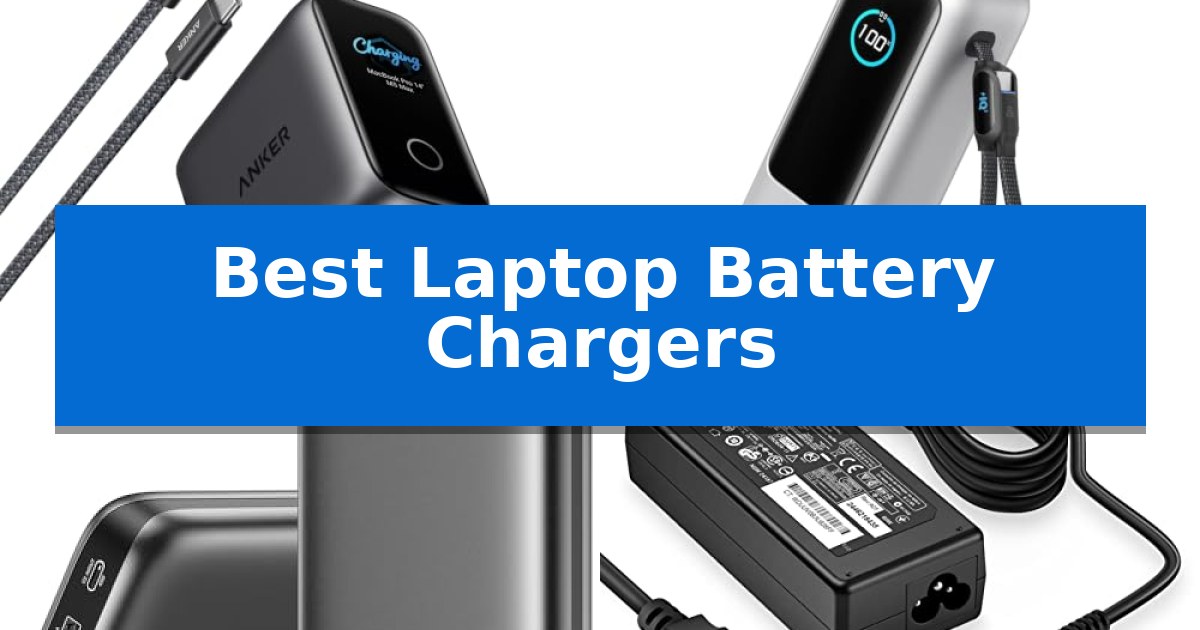
Finding the right power solution for your mobile workstation is essential for maintaining productivity and device longevity. Whether you are looking to replace a lost adapter or need a high-capacity power bank for travel, the Best Laptop Battery Chargers must balance raw power delivery with reliable safety standards.

Our guide focuses on identifying chargers and power banks that meet modern standards for USB-C Power Delivery and device-specific compatibility. By examining technical specifications and design features, we help you navigate the options to ensure your hardware stays powered efficiently, whether you are at your desk or on the move.
Best Laptop Battery Chargers in 2026

Our Top Picks
  1. Built-in cables for travel convenience Anker Laptop Power Bank
  2. Ultra-fast 140W charging speed AsperX Laptop Power Bank
  3. Compact wall-plug replacement HIBBO Laptop Power Adapter
  4. Reliable round-tip power supply Ostrich Laptop Power Adapter

Quick Comparison

Product Best For Key Strength Score
Anker Laptop Smart Display Charger Best Overall Battery lifespan extension technology using specific charging curves. 4.9
Anker Laptop Power Bank Built-in cables for travel convenience Triple 100W USB-C ports for simultaneous high-speed charging. 4.9
AsperX Laptop Power Bank Ultra-fast 140W charging speed 140W single-port output for fast laptop charging. 4.3
HIBBO Laptop Power Adapter Compact wall-plug replacement Lifetime exchange guarantee for defective units. 4.5
Ostrich Laptop Power Adapter Reliable round-tip power supply Broad compatibility with Dell Inspiron, XPS, and Vostro series. 4.4

How We Chose

  • Power Output and Wattage: We prioritized chargers that provide sustained, high-wattage output to meet the requirements of modern high-performance laptops.
  • Portability and Design: We evaluated the physical footprint, weight, and the inclusion of features like foldable plugs or built-in cables for travel efficiency.
  • Compatibility and Standards: We assessed support for universal charging protocols like USB-PD and the ability to recognize specific laptop models for optimized charging.
  • Safety and Reliability: We reviewed the inclusion of built-in safety mechanisms such as overvoltage, overcurrent, and overheating protection.
  • Smart Features: We looked for value-added technology like real-time power displays and battery health management modes.

1 Anker Laptop Smart Display Charger — Real-time insights for battery health

Managing the longevity of your hardware requires more than just a standard power brick; the Anker Laptop Smart Display Charger introduces a specialized approach to power delivery by integrating a Smart Display that provides real-time insights into charging power, temperature, and progress. This device is designed to move beyond simple power transfer by offering a Care Mode that applies a laptop-specific charging curve, which can help extend your laptop battery lifespan by up to 40% compared to standard charging methods.

Performance is anchored by 100W Max Fast Charging, capable of bringing a 14-inch MacBook Pro from 0% to 50% in approximately 30 minutes under optimal conditions. The charger utilizes Smart Recognition to identify connected devices, including various MacBook models, iPads, and select Windows laptops like the Dell XPS and ThinkPad X1. Users can further customize their experience by installing the Anker Charging Manager app, which enables firmware updates to expand device support and allows for personalized display wallpapers.

Portability remains a core focus, as the unit is 38% smaller and 33% lighter than a standard 96W charger. The inclusion of a 90° foldable plug makes it a practical choice for travel, fitting easily into compact bags. Every unit comes with a 5-foot 240W braided USB-C cable, ensuring you have a high-capacity connection right out of the box to support the charger's full output potential.

While the smart features offer significant utility for battery maintenance, the charger is best suited for users who prioritize device health and real-time monitoring. Those who require a multi-port charging station for several devices simultaneously may find the single-port design limiting, as this model is optimized specifically for high-wattage, single-device delivery.

Best for: Users who want to monitor charging metrics and maximize the long-term health of their laptop battery through specialized charging modes.

Skip if: Users who need to charge multiple devices at the same time, as this unit features a single-port design.

PROS

  • Battery lifespan extension technology using specific charging curves.
  • Real-time monitoring via a built-in smart display.
  • Compact and travel-friendly design with a foldable plug.
  • High-speed 100W output compatible with a wide range of modern laptops.

CONS

  • Single-port limitation prevents simultaneous charging of multiple devices.
  • App dependency required for certain advanced features like custom wallpapers and expanded device recognition.

2 Anker Laptop Power Bank — Built-in cables for travel convenience

Maintaining productivity while traveling requires reliable power, and the Anker Laptop Power Bank addresses this with a high-capacity 25,000mAh design. This portable charger is engineered for versatility, offering a total output of 165W to keep multiple devices running during extended trips or remote work sessions.

The device features three 100W USB-C ports, allowing for simultaneous high-speed charging of laptops and other hardware. For added convenience, it includes two built-in cables: one retractable cable extending up to 2.3 ft and a shorter 0.98 ft cable that functions as a durable carrying strap. These integrated solutions reduce the need for extra accessories in your travel bag.

Designed with portability in mind, this power bank complies with 100Wh airline carry-on restrictions, making it a practical choice for long-haul travel. Users can charge up to four devices at once by utilizing the two built-in cables alongside the additional USB-C and USB-A ports.

The unit supports rapid recharging when paired with a 100W or higher charger, ensuring you spend less time tethered to a wall outlet. Each purchase includes a protective pouch and an 18-month warranty, providing a comprehensive power solution for mobile professionals.

Best for: Remote workers and frequent travelers who need to charge multiple high-power devices, such as laptops and smartphones, simultaneously while on the move.

Skip if: Users who require a lightweight, pocket-sized power bank for occasional phone top-offs, as the 1.3-pound weight and 25,000mAh capacity are optimized for heavy-duty laptop support.

PROS

  • Triple 100W USB-C ports for simultaneous high-speed charging.
  • Integrated retractable cables for reduced clutter during travel.
  • 25,000mAh capacity suitable for long-haul trips.
  • Airline-friendly design compliant with 100Wh carry-on restrictions.

CONS

  • Heavier build at approximately 1.3 pounds compared to standard smartphone power banks.
  • Charger not included for the power bank's own high-speed recharge capability.

3 AsperX Laptop Power Bank — Ultra-fast 140W charging speed

Maintaining power for high-performance mobile hardware requires more than a standard wall plug, especially when working away from a desk. The AsperX Laptop Power Bank addresses this by delivering a substantial 145W total output, capable of powering demanding devices like the MacBook Pro and Dell XPS through its high-speed USB-C ports. Its ability to provide up to 140W from a single port ensures that even power-hungry laptops receive the necessary wattage to maintain efficiency while on the move.

Designed for portability, this power bank features a 25,000mAh capacity (92.5Wh), which complies with TSA regulations for safe air travel. The inclusion of a Smart TFT Control Panel provides real-time data on battery levels, input/output wattage, and remaining usage time, removing the guesswork often associated with portable charging. This display is protected by a removable film to ensure it remains clear during transit.

Versatility is a core component of this device, as it supports multiple fast-charging protocols including PD3.0, QC3.0, PPS, AFC, and UFCS. For users with smaller electronics, the unit includes a dedicated low-power mode that can be activated by holding the power button, allowing for safe charging of headphones, smartwatches, and other sensitive accessories. The bidirectional USB-C port also supports 65W input, enabling the power bank to reach a full charge in approximately 1.8 hours when paired with a compatible adapter.

The package includes a 140W USB-C to USB-C cable and a carrying pouch, providing a complete solution for mobile professionals. With an 18-month technical support warranty, the device is built to handle the rigors of daily use, whether for business travel, remote work, or emergency backup during power outages.

Best for: Business professionals and travelers who need high-wattage, flight-compliant power for laptops and multiple mobile devices.

Skip if: Users who only require a compact, lightweight charger for small smartphones and do not need to power high-wattage laptops.

PROS

  • 140W single-port output for fast laptop charging.
  • TSA-compliant 92.5Wh capacity for convenient air travel.
  • Smart TFT display for precise monitoring of power metrics.
  • Low-power mode for safe charging of small electronics.

CONS

  • Large capacity and wattage result in a heavier, bulkier form factor compared to standard phone chargers.

4 HIBBO Laptop Power Adapter — Compact wall-plug replacement

Maintaining a reliable power supply for your mobile workstation is essential for productivity, and the HIBBO Laptop Power Adapter offers a streamlined solution for users of specific HP hardware. This adapter is engineered to deliver a consistent 65W output, making it a versatile replacement or travel companion for a wide range of HP EliteBook, ProBook, and Pavilion models.

Designed with a compact footprint, this charger is built for portability, allowing it to fit easily into laptop bags or pockets. It features a standard blue tip connector (4.5 x 3.0mm), ensuring compatibility with various HP smart blue tip power systems. The unit operates across a broad input voltage range of 110-240V, providing flexibility for use in different regions.

Safety remains a priority in the design of this power supply. The HIBBO Laptop Power Adapter is listed by a leading American consumer product testing laboratory, confirming it meets established standards for electrical safety and design in the United States and Canada. Integrated protection mechanisms include safeguards against short circuiting, overvoltage, overcurrent, and internal overheating.

The manufacturer supports this adapter with an industry-leading return policy and a lifetime exchange guarantee should the product become defective. This commitment to quality provides long-term assurance for users seeking a dependable, evidence-backed power solution for their compatible HP devices.

Best for: Users of compatible HP laptops seeking a portable, safety-certified replacement charger with a lifetime exchange guarantee.

Skip if: Users whose laptops require a different connector size, higher wattage, or non-HP proprietary power standards.

PROS

  • Lifetime exchange guarantee for defective units.
  • Safety-certified by a leading American testing laboratory.
  • Compact, lightweight design ideal for travel.
  • Broad compatibility with various HP smart blue tip series.

CONS

  • Limited to specific HP models using the 4.5 x 3.0mm blue tip connector.

5 Ostrich Laptop Power Adapter — Reliable round-tip power supply

Maintaining a reliable power supply for your Dell laptop is essential for consistent productivity, and the Ostrich Laptop Power Adapter is engineered to provide a stable 65W output. This adapter is designed to support a wide range of Dell models, including the Inspiron, XPS, and Vostro series, ensuring broad compatibility for users needing a dependable replacement or secondary charger.

The unit features a standard 4.5 x 3.0mm round tip connector, but it also includes a convenient 4.5mm x 3.0mm to 7.4mm x 5.0mm converter cable. This inclusion enhances its versatility, allowing it to function with older Dell laptops that utilize the larger 7.4mm x 5.0mm connector. With an input range of 100-240V, it is suitable for various electrical environments.

Safety is a primary focus for this power supply, as it is listed by a leading American consumer product testing laboratory for meeting strict electrical safety and design standards. The adapter incorporates multiple integrated protection mechanisms, including safeguards against short-circuiting, overvoltage, overcurrent, and internal overheating, to help protect your hardware during operation.

To provide peace of mind, the manufacturer offers a 30-day return and exchange policy alongside a lifetime exchange guarantee should the product become defective. This commitment to support underscores the reliability of the Ostrich Laptop Power Adapter as a practical solution for keeping your laptop powered and ready for use.

Best for: Users of Dell Inspiron, XPS, or Vostro laptops who require a versatile 65W/45W replacement charger with multi-tip compatibility.

Skip if: Users who require a USB-C power delivery charger or those whose specific Dell laptop model does not utilize a round-tip connector.

PROS

  • Broad compatibility with Dell Inspiron, XPS, and Vostro series.
  • Includes a converter cable for legacy 7.4mm x 5.0mm connectors.
  • Equipped with multiple safety mechanisms including overvoltage and short-circuit protection.
  • Backed by a lifetime exchange guarantee for defective units.

CONS

  • Limited to round-tip connectors, making it unsuitable for newer USB-C charging standards.

Best Laptop Battery Chargers Buying Guide

Understanding Power Delivery Standards

The shift toward USB-C Power Delivery (PD) has simplified the landscape for laptop charging. Most modern laptops now rely on this standard, allowing a single high-wattage charger to power multiple devices, from smartphones to tablets and high-end notebooks.

When selecting a charger, ensure it supports the specific wattage your laptop requires. Using a charger with insufficient wattage may result in slow charging or, in some cases, the laptop failing to charge entirely while in use.

The Importance of Wattage and Output

Wattage is the primary indicator of how quickly a charger can replenish your battery. A 100W charger is generally sufficient for most ultrabooks and even some professional-grade laptops under standard workloads.

If you frequently perform resource-intensive tasks like video editing or gaming, look for chargers that offer sustained full-power output to prevent performance throttling during heavy usage.

Portability for the Mobile Professional

For those who travel, the physical design of the charger is as important as its electrical specs. Foldable plugs and compact form factors make it significantly easier to pack your gear into tight bags without damaging other items.

Some modern power banks now include built-in retractable cables, which eliminate the need to carry extra cords and reduce the risk of cable fraying during transit.

Battery Health and Smart Charging

Advanced chargers now offer more than just raw power; they include smart recognition technology that adjusts the charging curve based on your device's battery status.

Features like Care Mode or battery health management can extend the lifespan of your laptop's internal battery by preventing overcharging and managing heat during the final stages of the charging cycle.

Safety Mechanisms and Certifications

Never compromise on safety when choosing a power adapter. Look for products that explicitly mention protection against short-circuiting, overvoltage, and internal overheating.

Reputable manufacturers often subject their products to rigorous testing to meet electrical safety standards. Investing in a certified product protects your expensive laptop hardware from potential electrical damage.

Frequently Asked Questions

Can I use a 100W charger on a laptop that only requires 65W?

Yes, most modern USB-C chargers are intelligent enough to negotiate the correct power output. Your laptop will only draw the power it needs, making it safe to use a higher-wattage charger.

Are power banks allowed on airplanes?

Most airlines allow power banks under 100Wh (watt-hours) in carry-on luggage. Always check your specific airline's policy before traveling, as regulations can vary.

What is the difference between a power adapter and a power bank?

A power adapter plugs into a wall outlet to provide continuous power to your laptop. A power bank contains an internal battery, allowing you to charge your laptop when you do not have access to a wall outlet.

How do I know if a charger is compatible with my laptop?

Check your laptop's original power adapter for its output voltage and wattage. For USB-C laptops, ensure the charger supports the USB-PD protocol and provides at least the minimum wattage recommended by your laptop manufacturer.

Do I need to use the cable that came with the charger?

For optimal performance, especially with high-wattage charging (like 100W or 140W), it is highly recommended to use the cable provided by the manufacturer, as it is rated to handle the necessary current safely.

Conclusion: Our Top Pick

When selecting the best power solution, the Anker Laptop Smart Display Charger stands out for its combination of high-wattage output and intelligent battery health management. Its ability to recognize specific laptop models and apply a custom charging curve makes it an excellent choice for users who want to maximize the longevity of their device's battery.

While other options like high-capacity power banks are better suited for off-grid travel, the Anker charger provides the most reliable and informative experience for daily use at home or in the office. Its compact design and real-time display take the guesswork out of the charging process, ensuring your laptop is always ready for your next task.
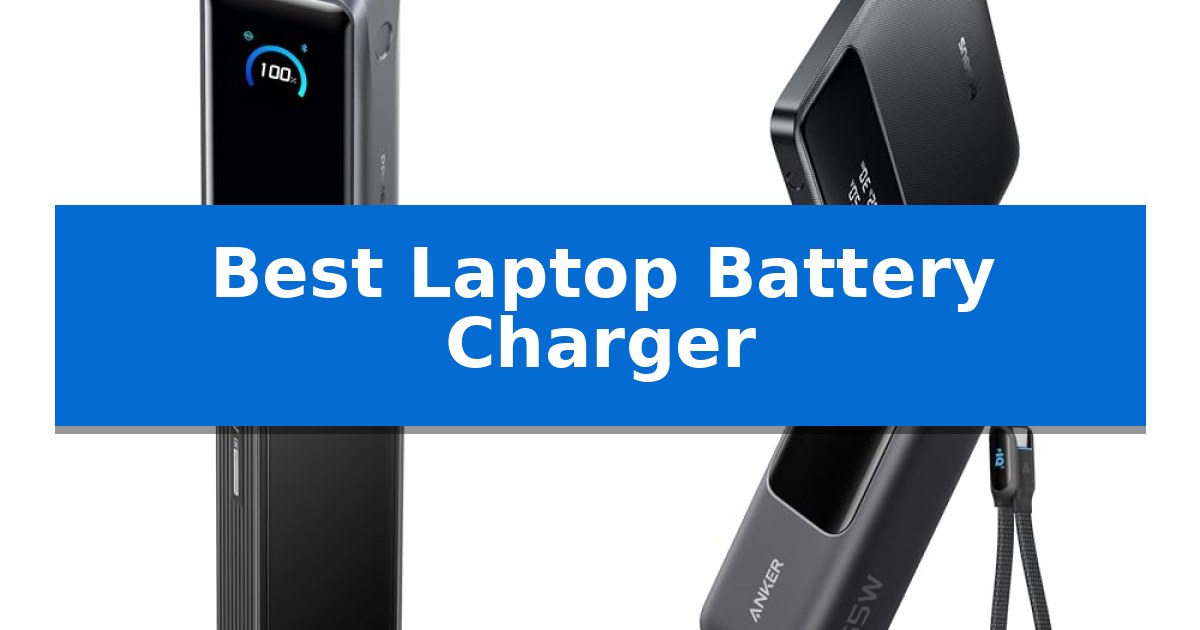
Best Laptop Battery Charger in 2026: High-Capacity Power for Remote Work

Best Laptop Battery Charger

Finding a reliable power solution is essential for maintaining productivity when you are away from a wall outlet. Whether you are working from a coffee shop, commuting, or traveling internationally, the Best Laptop Battery Charger ensures your devices remain powered throughout the day.

Selecting the right unit requires balancing capacity, output wattage, and portability. We have analyzed current market offerings to help you identify which portable power bank aligns with your specific charging needs and device requirements.

Best Laptop Battery Charger in 2026: High-Capacity Power for Remote Work

Our Top Picks
  1. Slim Profile for Business Travel Baseus Blade Power Bank
  2. High-Density Power for Remote Work EF ECOFLOW Laptop Power Bank
  3. Convenient Built-In Retractable Cables Anker Laptop Power Bank
  4. Versatile AC Outlet for Laptops GENSROCK Portable Power Bank

Quick Comparison

Product Best For Key Strength Score
Anker Prime Power Bank Best Overall 300W total output for simultaneous multi-device charging. 4.9
Baseus Blade Power Bank Slim Profile for Business Travel 100W USB-C PD output for rapid laptop charging. 4.6
EF ECOFLOW Laptop Power Bank High-Density Power for Remote Work 140W two-way fast charging for rapid device replenishment. 4.7
Anker Laptop Power Bank Convenient Built-In Retractable Cables Triple 100W USB-C ports for simultaneous high-speed charging. 4.6
GENSROCK Portable Power Bank Versatile AC Outlet for Laptops Versatile 8-port output including AC, DC, and USB options. 4.3

How We Chose

  • Maximum output wattage to ensure compatibility with power-hungry laptops.
  • Total battery capacity measured in mAh to determine how many full charges a device can receive.
  • Port configuration, focusing on the number and type of USB-C Power Delivery (PD) ports.
  • Physical dimensions and weight to assess overall travel convenience.
  • Compliance with airline safety standards for carry-on luggage.

1 Anker Prime Power Bank — Ultra-Fast 300W Multi-Device Charging

Maintaining power for multiple high-performance devices during travel or busy workdays requires a reliable, high-capacity solution. The Anker Prime Power Bank addresses this by offering a massive 26,250mAh (99.75Wh) capacity that is TSA-approved for air travel, ensuring you can keep your essential gear charged on the go.

This portable charger is engineered for speed, featuring a 300W total output across its three ports. With two USB-C ports and one USB-A port, it can simultaneously power multiple devices, including two MacBook Pros at full speed. When utilizing a 5A cable, it delivers up to 140W fast charging, capable of powering a MacBook Pro (M4 Pro) to 50% in just 27 minutes.

Efficiency extends to the recharging process as well. The device supports 250W dual-port input, allowing the power bank itself to reach a 50% charge in only 13 minutes. This rapid turnaround is particularly useful for users with limited time, such as during short airport layovers or quick morning preparations.

Usability is enhanced through a built-in smart display that provides real-time charging data. Users can also utilize app control to manually adjust output settings, offering a level of customization that ensures optimal power delivery for different electronics. The package includes a 3.3 ft 240W USB-C to USB-C cable and a travel pouch for added convenience.

Best for: Professionals and travelers who need to rapidly charge multiple high-power devices like laptops and smartphones simultaneously.

Skip if: Users who require compatibility with the Starlink mini, as this power bank does not support that specific device.

PROS

  • 300W total output for simultaneous multi-device charging.
  • 140W high-speed output for rapid laptop charging.
  • 250W dual-port input allows for extremely fast recharging of the power bank.
  • Smart display and app control for precise power management.

CONS

  • Not compatible with Starlink mini devices.
  • Base station not included in the standard package.

2 Baseus Blade Power Bank — Slim Profile for Business Travel

Maintaining productivity during transit requires reliable power, and the Baseus Blade Power Bank addresses this with a slim, travel-friendly design that fits easily into laptop bags. Its flat profile is specifically engineered for business travelers who need to keep devices running through long flights or back-to-back meetings without the bulk of traditional power banks.

The unit features 100W PD fast charging via dual USB-C ports, capable of charging a MacBook Pro to 50% in approximately 30 minutes. With a 20000mAh high-capacity battery, it provides enough energy to extend the runtime of most 13-15 inch laptops by over 70%, or deliver multiple full charges to smartphones and tablets. A built-in real-time power display allows users to monitor remaining capacity during use.

Safety and compatibility are core to its design, with UL/IEC-certified protection against overcharge, overheating, and short-circuits. It is compatible with a wide range of devices, including the MacBook Pro/Air, iPad, iPhone 16/15/14/13/12 series, Samsung Galaxy devices, and the Steam Deck. The package includes a 100W USB-C cable and is backed by a 24-month warranty.

While the Baseus Blade Power Bank offers significant power in a portable form factor, its performance is dependent on the connected device's charging protocols. Users should ensure their laptop supports USB-C Power Delivery to take full advantage of the 100W output.

Best for: Business travelers and remote workers who need a high-capacity, 100W fast-charging solution for laptops and mobile devices in a slim, TSA-compliant form factor.

Skip if: Users who do not require high-wattage laptop charging or those who prefer a smaller, lighter power bank for phone-only charging needs.

PROS

  • 100W USB-C PD output for rapid laptop charging.
  • Slim, travel-friendly profile designed for easy storage in laptop bags.
  • 20000mAh capacity suitable for extended travel and multiple device charges.
  • Real-time power display for accurate battery management.

CONS

  • Physical footprint is wider than standard brick-style power banks due to its flat design.
  • Charging speed is limited by the specific power requirements of the connected device.

3 EF ECOFLOW Laptop Power Bank — High-Density Power for Remote Work

Maintaining power for high-performance mobile hardware requires a reliable energy source that balances capacity with portability. The EF ECOFLOW Laptop Power Bank addresses this need by incorporating a substantial 25,000mAh high-density battery within a compact frame, specifically engineered to support 1–2 days of remote work without needing a wall outlet.

Equipped with 140W PD fast charging technology, this unit provides high-efficiency power delivery for modern laptops and mobile devices. It features a versatile multi-port configuration, including two 140W USB-C ports and one 33W USB-A port, allowing users to charge three devices simultaneously with a total output of 170W.

Designed for frequent travelers, the device measures 6.18 × 2.12 × 1.92 inches and weighs 20 oz. It is compliant with TSA airline carry-on standards, ensuring it can accompany users on flights. The integration of a clear TFT smart display provides real-time monitoring of battery levels and charging status, while an advanced battery management system offers protection against overheating and short circuits.

This power bank serves as a robust solution for professionals who rely on high-powered electronics in environments where traditional power access is limited. By prioritizing high-wattage output and travel-friendly dimensions, it minimizes downtime for users managing multiple devices.

Best for: Professionals and travelers who require high-wattage, multi-device charging for laptops and mobile gear while on the move.

Skip if: Users who only need to charge low-power devices and prefer a lighter, smaller battery pack without high-wattage output capabilities.

PROS

  • 140W two-way fast charging for rapid device replenishment.
  • Multi-port design capable of charging three devices simultaneously.
  • TSA-compliant dimensions and weight for air travel.
  • TFT smart display for precise real-time power monitoring.

CONS

  • Higher weight compared to standard, lower-capacity portable chargers.

4 Anker Laptop Power Bank — Convenient Built-In Retractable Cables

Maintaining power for multiple devices during travel requires a reliable solution that balances high capacity with portability. The Anker Laptop Power Bank addresses this need by integrating a 25,000mAh capacity with a 165W total output, ensuring that high-drain electronics like MacBooks and smartphones remain operational during extended trips.

This power bank is engineered for efficiency, featuring three 100W USB-C ports that allow for simultaneous charging of multiple devices. The inclusion of dual built-in cables—one extendable up to 2.3 ft and another doubling as a carrying strap—simplifies travel logistics by reducing the need for extra accessories. All cables are rated for durability, with the retractable cable supporting 20,000 retractions and the strap cable enduring over 20,000 bends.

Designed with the frequent traveler in mind, the unit is airline carry-on friendly and complies with 100Wh airline restrictions. Beyond its primary ports, it provides a versatile charging ecosystem by supporting up to four devices at once, utilizing its USB-A port alongside the three USB-C connections. This makes it a practical choice for remote work setups or family travel where multiple devices require power.

The device comes with a protective pouch to maintain its condition during transit. While it offers significant power, users should note that the high-speed recharge capability of the power bank itself requires a 100W or higher charger, which is not included in the package. This ensures that the 25,000mAh capacity can be replenished efficiently between uses.

Best for: Frequent travelers and remote workers who need to charge multiple high-power devices simultaneously using a compact, integrated cable system.

Skip if: Users who do not own a 100W or higher wall charger will find the recharge time for the power bank significantly slower.

PROS

  • Triple 100W USB-C ports for simultaneous high-speed charging.
  • Integrated retractable cables reduce the need for carrying extra cords.
  • Airline-compliant 25,000mAh capacity suitable for long-haul travel.
  • Versatile 4-device charging capability including USB-A and USB-C ports.

CONS

  • High-speed recharging requires a separate 100W+ charger not included in the box.

5 GENSROCK Portable Power Bank — Versatile AC Outlet for Laptops

Maintaining power for essential electronics during travel or emergencies requires a versatile solution that bridges the gap between small mobile chargers and large power stations. The GENSROCK Portable Power Bank addresses this need by incorporating a 150W peak AC outlet into a compact, 2.3-pound frame, allowing users to power laptops and other small appliances away from wall outlets.

Designed with a 24,000mAh capacity, this device features a comprehensive array of eight output ports, including two 120W AC outlets, two 12V DC ports, and multiple USB connections. This multi-output configuration enables the simultaneous charging of various devices such as tablets, drones, and cameras, while the integrated digital screen provides real-time monitoring of energy levels and operational status.

Safety remains a core focus, with a built-in battery management system (BMS) that monitors for overcharge, short circuits, and thermal fluctuations. An intelligent cooling fan activates automatically to maintain optimal temperatures, supporting a cycle life exceeding 1,500 charges. For added utility in off-grid or emergency scenarios, the unit includes dual-mode emergency lighting.

The GENSROCK Portable Power Bank offers three distinct recharging methods—AC adapter, car outlet, or solar panel—providing flexibility for different environments. While it is built for portability, its primary trade-off is the 88Wh capacity limit, which is intended for essential device support rather than high-draw, long-term appliance operation.

Best for: Travelers and outdoor enthusiasts who need a compact, multi-port power source for charging laptops and small electronics on the go.

Skip if: Users requiring high-wattage power for large household appliances or extended off-grid living will find the 88Wh capacity and 150W peak limit insufficient.

PROS

  • Versatile 8-port output including AC, DC, and USB options.
  • Compact and lightweight design at only 2.3 lbs for easy transport.
  • Comprehensive safety system with integrated BMS and thermal cooling.
  • Flexible recharging options via AC, car, or solar input.

CONS

  • Limited 88Wh capacity restricts use to smaller devices and shorter durations.
  • 150W peak AC output is not suitable for high-power appliances.

Best Laptop Battery Charger Buying Guide

Understanding Power Delivery (PD) Standards

Modern laptops rely on USB-C Power Delivery to manage high-speed charging. When shopping for a charger, ensure the device supports the wattage your specific laptop requires. A charger providing insufficient wattage may charge your laptop slowly or not at all while the device is in use.

Look for chargers that offer PPS (Programmable Power Supply) or high PD profiles. These standards allow the charger to negotiate the optimal voltage and current with your laptop, maximizing efficiency and protecting the internal battery health of your computer.

Capacity vs. Portability Trade-offs

There is a direct correlation between battery capacity and the physical size of the power bank. Units with 25,000mAh or higher offer significant runtime but are naturally heavier and bulkier. If you prioritize mobility, a slimmer 20,000mAh unit may be more practical for daily carry.

Consider the Wh (Watt-hour) rating of the battery. Most airlines restrict portable power banks to under 100Wh for carry-on luggage. Always check the label on your power bank to ensure it complies with international travel regulations before heading to the airport.

Multi-Device Charging Efficiency

Many power banks feature multiple output ports, allowing you to charge a laptop, smartphone, and tablet simultaneously. However, note that the total output wattage is often shared across these ports. If you plug in multiple devices, the power delivered to your laptop may decrease.

Check the specifications to see how the power is distributed. Some advanced chargers maintain a high-wattage output on a primary USB-C port even when secondary ports are in use, which is a critical feature for users who need to keep their laptop running at full speed.

The Importance of Input Speed

A high-capacity power bank is only useful if it can be recharged quickly. Look for models that support high-speed input, often labeled as dual-port input or high-wattage charging. This allows you to replenish the power bank in a fraction of the time compared to standard 5W or 10W chargers.

Using a compatible high-wattage wall adapter is necessary to take advantage of these fast-recharge features. Without the correct wall charger, the power bank will default to a much slower charging speed, which can be inconvenient during short layovers.

Safety and Durability Features

Reliable power banks include integrated Battery Management Systems (BMS). These systems provide essential protections against overcharging, overheating, and short circuits. These safety layers are vital when dealing with the high energy density found in modern lithium-ion cells.

Build quality also matters for long-term use. Look for units with durable casings and, if applicable, reinforced cables. If the unit includes a smart display, it can provide helpful real-time data regarding battery status and output power, allowing you to monitor your charging progress accurately.

Frequently Asked Questions

Can I take these power banks on an airplane?

Most of the power banks listed here are TSA-approved, provided they are under the 100Wh capacity limit. Always carry them in your carry-on luggage rather than checked bags.

Will these chargers work with my specific laptop model?

Most modern laptops that support USB-C charging will work with these power banks. Ensure your laptop supports USB-PD and check that the charger's output wattage meets your laptop's minimum power requirement.

Why is my laptop charging slowly?

Slow charging often occurs if the power bank's output wattage is lower than what the laptop requires, or if you are using a cable that does not support high-speed data and power transfer.

Do these power banks come with wall chargers?

Generally, portable power banks include a charging cable, but they do not include the high-wattage wall adapter required to recharge the bank itself at maximum speed.

How do I know if my device is charging at full speed?

Units with smart displays or app integration provide real-time feedback on output wattage. Otherwise, check your laptop's battery icon; if it indicates 'plugged in' or 'charging' without a warning, it is receiving power.

Conclusion: Our Top Pick

Choosing the right power bank depends on your specific travel habits and the power requirements of your laptop. For those needing the highest performance and fastest recharge times, the Anker Prime Power Bank stands out as the most capable option due to its 300W total output and rapid 250W dual-port input.

While this high-performance model is ideal for power users, ensure your existing wall adapters can support the high input wattage required to recharge it quickly. For lighter travel needs, other options in our list provide excellent portability and sufficient capacity to keep your essential devices running throughout the day.

Best Laptop Bag for MacBook Air M2 in 2026

Best Laptop Bag for MacBook Air M2

Finding the right carrying solution for your device is essential for maintaining its condition during daily commutes or travel. The Best Laptop Bag for MacBook Air M2 must balance slim portability with reliable protection against accidental bumps, scratches, and spills.

Whether you prioritize an all-in-one kit that includes screen and keyboard protection or a minimalist sleeve for easy packing, selecting the correct model ensures your laptop remains secure. We have analyzed various options to help you identify the ideal fit for your specific model and lifestyle requirements.

Best Laptop Bag for MacBook Air M2 in 2026

Our Top Picks
  1. Ultra-Lightweight Memory Foam Cushioning MasiBloom Laptop Sleeve
  2. Quick-Access 180-Degree Opening CaseBuy Laptop Sleeve Case
  3. Stylish Quilted Shockproof Design MOSISO Puffy Laptop Sleeve
  4. Slim Profile for Easy Packing CCPK Laptop Sleeve

Quick Comparison

Product Best For Key Strength Score
MOSISO MacBook Air 13 Case Set Best Overall Comprehensive 5-in-1 protection kit covering both hardware and privacy. 4.9
MasiBloom Laptop Sleeve Ultra-Lightweight Memory Foam Cushioning 6mm memory foam provides effective cushioning for daily transit. 4.5
CaseBuy Laptop Sleeve Case Quick-Access 180-Degree Opening 180-degree opening for easy access. 4.7
MOSISO Puffy Laptop Sleeve Stylish Quilted Shockproof Design Comprehensive 5-in-1 kit including sleeve, hard shell, and screen/keyboard protection. 4.3
CCPK Laptop Sleeve Slim Profile for Easy Packing Tailored fit specifically engineered for the MacBook Air M2 and various 14-inch laptops. 4.3

How We Chose

  • Compatibility verification against specific A-series model numbers.
  • Assessment of protective materials, including memory foam and shock-absorbing padding.
  • Evaluation of storage capacity for accessories like chargers and cables.
  • Review of portability factors such as weight, slim profiles, and integrated handles.
  • Analysis of additional included accessories like keyboard covers and screen protectors.

1 MOSISO MacBook Air 13 Case Set — Complete All-in-One Protection Kit

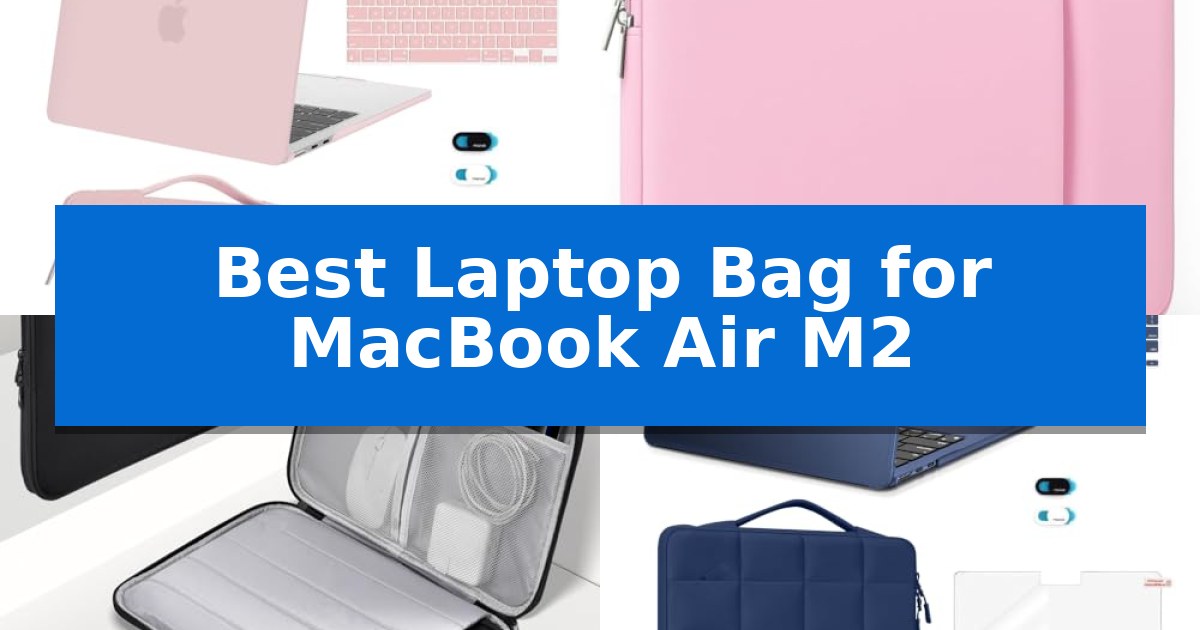
Protecting your device with a comprehensive kit is a practical way to maintain its condition, and the MOSISO MacBook Air 13 Case Set provides a multi-layered approach to hardware safety. This bundle includes a hard shell cover, a shockproof sleeve, a keyboard skin, a screen protector, and a webcam cover, offering a complete solution for users who want to safeguard their laptop from daily wear and environmental hazards.

The core of the set is the 360-degree protective shockproof sleeve, which features an internal dimension of 13.39 x 9.25 x 0.79 inches. Constructed from durable polyester, the sleeve includes a front pocket for accessories and a handle for portability. Because it is designed to be lightweight, it adds minimal bulk, allowing the laptop to slide easily into standard backpacks or briefcases.

Precision is critical for the hard shell component, which is engineered specifically for MacBook Air models released between 2022 and 2026, including the M2, M3, M4, and M5 chips. The case dimensions of 12 x 8.5 x 0.46 inches ensure a snug fit for devices with the 13.6-inch Liquid Retina Display. Users must verify their specific A-series model number on the back of the laptop to ensure compatibility before installation.

Beyond physical impact protection, the set addresses software and hygiene concerns with its included accessories. The keyboard cover protects against spills and debris, while the screen protector guards the display surface. The webcam cover provides a physical privacy barrier, a simple yet effective tool for those who prioritize security without adding weight to the thin profile of the MacBook Air.

Best for: Users seeking an all-in-one protective bundle that combines a hard shell case, a shockproof carrying sleeve, and essential keyboard and screen accessories.

Skip if: Users who prefer a minimalist aesthetic or those who already own specific protective accessories and do not require a bundled set.

PROS

  • Comprehensive 5-in-1 protection kit covering both hardware and privacy.
  • Shockproof sleeve design with a dedicated front pocket for extra storage.
  • Precision-engineered hard shell compatible with multiple MacBook Air generations.
  • Lightweight construction that maintains the portable nature of the laptop.

CONS

  • Strict model compatibility requires verifying the A-series number before purchase.
  • Transparency variations in keyboard and screen covers may affect visual preference.

2 MasiBloom Laptop Sleeve — Ultra-Lightweight Memory Foam Cushioning

Protecting a slim device requires a balance of cushioning and portability, which is exactly what the MasiBloom Laptop Sleeve provides for your MacBook Air M2. This sleeve utilizes 6mm memory foam to absorb impact, ensuring your device remains shielded from daily bumps while maintaining a slim profile that fits easily into larger bags.

The design prioritizes both organization and surface protection. A soft velvet lining prevents scratches on the laptop's finish, while the dual-zipper pockets allow you to separate your MacBook from smaller essentials like a charger or earphones. This dual-pocket layout keeps accessories from pressing against the laptop surface during transit.

Weighing only 120g (4.23 oz), the sleeve is engineered for those who prioritize a lightweight carry. The slow-rebound fabric offers a soft tactile feel, and the overall dimensions of 13 x 9 x 0.8 inches are specifically tailored to accommodate the MacBook Air M2, ensuring a snug fit that prevents the device from sliding around inside.

Choosing the right sleeve comes down to balancing protection with bulk. While this model excels at scratch prevention and organization, it is a soft-shell design. Those requiring heavy-duty, hard-shell impact resistance for extreme environments may find this lightweight memory foam approach less substantial than a rigid case.

Best for: Users who need a lightweight, scratch-resistant sleeve with dedicated storage for small accessories.

Skip if: Users who require a rigid, hard-shell case for high-impact protection or heavy-duty drop resistance.

PROS

  • 6mm memory foam provides effective cushioning for daily transit.
  • Dual-zipper pockets allow for organized storage of accessories.
  • Velvet lining protects the laptop surface from scratches.
  • Ultra-lightweight design at only 120g for easy portability.

CONS

  • Soft-shell construction offers less impact protection than rigid cases.

3 CaseBuy Laptop Sleeve Case — Quick-Access 180-Degree Opening

Protecting your hardware during transit requires a balance of slim dimensions and reliable impact resistance. The CaseBuy Laptop Sleeve Case is designed with shock-absorbing padding and a soft interior lining to provide a protective barrier for your device against daily bumps and scratches. Its water-resistant exterior adds an extra layer of defense, shielding your laptop from dust and light rain while you are on the move.

Functionality is at the core of this sleeve, which features a 180-degree opening with double zippers for quick access to your device. Beyond the main compartment, it includes multiple storage options such as two mesh pockets, a large compartment, and a dedicated pen loop. An additional front pocket provides space for essential accessories like chargers, cables, and hubs, keeping your gear organized in one place.

Measuring 13.8 x 10 x 1.2 inches, the sleeve maintains a slim and lightweight profile, allowing it to slide easily into larger backpacks or suitcases. The integrated comfortable hand strap offers a convenient carrying option for short trips. This case is tailored for a wide range of devices, including the MacBook Air M2, M3, and M4 models, as well as various Surface Laptop configurations.

This accessory is an ideal choice for users who prioritize organization and protection without adding significant bulk to their daily carry. While it excels at keeping accessories and laptops secure, users with a high volume of bulky peripherals may find the slim design limits the total capacity for larger power bricks or external drives.

Best for: Users seeking a slim, organized, and protective sleeve with dedicated storage for chargers and accessories.

Skip if: Users who need to carry large, bulky peripherals or multiple heavy items that exceed the capacity of a slim-profile sleeve.

PROS

  • 180-degree opening for easy access.
  • Shock-absorbing padding and soft lining for device safety.
  • Multiple compartments for organized accessory storage.
  • Water-resistant material to protect against environmental factors.

CONS

  • Slim profile may limit storage for very bulky power adapters.

4 MOSISO Puffy Laptop Sleeve — Stylish Quilted Shockproof Design

Protecting your hardware while on the move requires more than just a standard sleeve, and the MOSISO Puffy Laptop Sleeve offers a comprehensive approach by combining a dedicated protective bag with a suite of essential accessories. This kit is specifically engineered for the MacBook Air 13-inch (M2 through M5 models), ensuring a precise fit that avoids the excess bulk often found in generic carrying solutions.

The core of this set is the sixteen grid quilted puffy polyester sleeve, which provides a cushioned layer to guard against accidental spills and minor impacts during daily commutes or travel. With internal dimensions of 12.99 x 8.66 x 0.79 inches, it maintains a slim profile that slides easily into larger backpacks or briefcases while keeping your device secure.

Beyond the sleeve, the package includes a crack-resistant hard shell case designed to shield the laptop exterior from scratches and scuffs. The inclusion of two keyboard covers, a screen protector, and a privacy-focused webcam sticker provides a complete ecosystem of protection, allowing users to maintain the aesthetic and functional integrity of their MacBook Air without needing to source individual components separately.

This bundle is an efficient choice for those who want an all-in-one solution for device maintenance and transport. While the sleeve is optimized for specific model numbers, the lightweight design ensures that adding this layer of security does not significantly increase the weight of your daily carry.

Best for: Users seeking an all-in-one protective bundle that includes a padded sleeve, hard shell case, and screen/keyboard accessories for a specific MacBook Air model.

Skip if: Users who prefer a minimalist, standalone sleeve without additional hard-shell or accessory components, or those with a MacBook model not explicitly listed in the compatibility specifications.

PROS

  • Comprehensive 5-in-1 kit including sleeve, hard shell, and screen/keyboard protection.
  • Quilted puffy polyester material provides effective cushioning against minor bumps and spills.
  • Slim, lightweight design allows for easy transport inside other bags without adding bulk.
  • Custom-engineered fit specifically for MacBook Air 13-inch models (M2-M5).

CONS

  • Strict model compatibility requires verifying the 'Axxxx' number before purchase.
  • Limited storage space in the front pocket for bulky chargers or accessories.

5 CCPK Laptop Sleeve — Slim Profile for Easy Packing

Protecting a device with a slim profile requires a sleeve that balances minimal bulk with reliable insulation. The CCPK Laptop Sleeve is designed specifically for this purpose, offering a tailored fit for the MacBook Air M2 and a variety of other 13-14 inch laptops. Its lightweight construction ensures that your device remains portable while providing a necessary barrier against daily wear, bumps, and scratches.

The sleeve features a slim and modern aesthetic that complements the design of the MacBook Air. With internal dimensions of 12.99" x 8.86" x 0.59", it provides a snug environment that prevents the laptop from shifting during transport. The inclusion of heavy-duty custom zipper pulls and closed-seam construction adds a layer of durability to the exterior, ensuring the sleeve can withstand frequent use.

Compatibility is a primary strength of this model, as it is engineered to fit a wide range of devices beyond the MacBook Air, including various HP, Lenovo, ASUS, and Acer models. By prioritizing exact length and width dimensions over screen size, the CCPK Laptop Sleeve ensures a precise fit for your specific hardware. This attention to detail helps maintain a compact footprint, making it an efficient choice for those who frequently carry their laptop in a larger bag or backpack.

While the sleeve excels at providing a protective, padded layer, it is optimized for a streamlined experience. It is best suited for users who value a minimalist approach to gear protection. The 90-day manufacturer warranty provides a baseline of support for the product's construction, reinforcing its role as a practical accessory for daily commuters and students alike.

Best for: Users who need a slim, padded protective sleeve that fits the MacBook Air M2 precisely without adding unnecessary bulk to their bag.

Skip if: Users who require a dedicated external storage pocket for bulky accessories like chargers, mice, or large power adapters.

PROS

  • Tailored fit specifically engineered for the MacBook Air M2 and various 14-inch laptops.
  • Slim and modern profile that adds minimal weight and thickness to your carry setup.
  • Padded interior provides essential insulation against bumps and surface scratches.
  • Heavy-duty custom zipper pulls and closed-seam construction for enhanced durability.

CONS

  • No external accessory pockets for carrying chargers or peripherals.
  • Limited storage capacity strictly for the laptop device.

Best Laptop Bag for MacBook Air M2 Buying Guide

Prioritizing Model Compatibility

The most critical factor when selecting a case is ensuring it is specifically designed for your laptop's dimensions. Because the MacBook Air series features specific chassis designs, using a case that matches your exact A-series model number is vital for a secure, non-slip fit.

Always verify the model number located on the back of your laptop before purchasing. A precise fit prevents the device from shifting inside the sleeve, which is the first line of defense against internal wear and accidental drops.

Material and Shock Absorption

Look for sleeves that utilize shock-absorbing padding or memory foam to cushion your device. These materials are designed to dissipate energy from minor impacts, protecting the delicate internal components of your laptop.

Water-resistant exteriors provide an extra layer of security, shielding your device from light rain or accidental spills. Combining a soft, scratch-resistant interior lining with a durable outer shell offers the best balance of protection and longevity.

Portability and Slim Design

For users who frequently travel, the weight and thickness of a laptop bag are significant considerations. A slim profile allows the sleeve to slide easily into larger backpacks or briefcases without adding unnecessary bulk.

Consider whether you need a dedicated handle for carrying the sleeve on its own or if you prefer a streamlined design that fits inside another bag. Lightweight materials, such as specialized polyester or soft fabrics, help keep your overall load manageable.

Accessory Storage Needs

Think about what you carry alongside your laptop. If you frequently need to transport a power adapter, mouse, or cables, a sleeve with external zippered pockets or internal mesh compartments is highly beneficial.

Some models offer specialized pockets for smaller items like pens or USB drives. Having dedicated space for these accessories prevents them from scratching the surface of your laptop while stored in the same bag.

Value-Added Accessories

Some laptop cases come as part of a comprehensive kit that includes extras like keyboard covers, screen protectors, and webcam covers. These items can provide additional value by protecting your screen from keyboard imprints and ensuring your privacy.

When choosing a kit, ensure that the included accessories are also compatible with your specific model. While these additions are convenient, the quality of the primary sleeve should remain your top priority.

Frequently Asked Questions

How do I know if a sleeve will fit my MacBook Air?

Check the model number (e.g., A2681) on the back of your laptop and compare it against the compatibility list provided by the manufacturer. Always prioritize the model number over screen size alone.

Are these sleeves waterproof?

Most sleeves are described as water-resistant, meaning they can protect against light splashes or rain, but they are generally not designed to be submerged in water.

Can I fit my charger in a slim laptop sleeve?

It depends on the design. Sleeves with dedicated external pockets are better suited for carrying chargers, while ultra-slim sleeves may only have enough room for the laptop itself.

Do I need a hard shell case and a sleeve?

Using both provides maximum protection. A hard shell protects against scratches and minor dents, while a padded sleeve offers shock absorption for drops and impacts.

What is the benefit of memory foam in a laptop sleeve?

Memory foam provides superior cushioning compared to standard padding, as it conforms to the shape of the device and absorbs impact energy more effectively.

Conclusion: Our Top Pick

For those seeking a comprehensive solution, the MOSISO MacBook Air 13 Case Set stands out as an excellent choice due to its all-in-one nature. It provides not just a protective sleeve, but also a hard shell, keyboard cover, and screen protector, ensuring your device is covered from multiple angles.

While this kit is ideal for users who want a complete protection package, ensure you verify your specific model number against the product's compatibility list to guarantee a perfect fit. Its combination of shockproof design and included accessories makes it a highly practical investment for maintaining your laptop's pristine condition.

Best Laptop Backup Hard Drives in 2026

Best Laptop Backup Hard Drives

Losing important documents, photos, or project files can be a stressful experience, making a dependable storage solution essential for every computer user. Whether you are a creative professional handling large video files or a student needing extra space for coursework, finding the right hardware is the first step toward peace of mind.

We have analyzed the current market to identify the Best Laptop Backup Hard Drives available today. By focusing on transfer speeds, physical durability, and connection versatility, this guide helps you navigate the options to ensure your data remains accessible and protected.

Best Laptop Backup Hard Drives in 2026

Our Top Picks
  1. High-Speed Choice for Creators OSCOO External SSD
  2. High-Capacity Stationary Backup ModusTech Desktop External Hard Drive
  3. Slim Design for Daily Use ModusTech Facet External Hard Drive
  4. Durable Aluminum Build MICCOO External Hard Drive

Quick Comparison

Product Best For Key Strength Score
Sandisk Portable SSD Best Overall High-speed data transfers with read speeds up to 1000 MB/s. 4.9
OSCOO External SSD High-Speed Choice for Creators High-speed NVMe performance reaching up to 2100MB/s. 4.4
ModusTech Desktop External Hard Drive High-Capacity Stationary Backup 7200 RPM mechanism for sustained, high-performance operation. 4.8
ModusTech Facet External Hard Drive Slim Design for Daily Use Versatile connectivity with included USB-C and USB-A adapter. 4.6
MICCOO External Hard Drive Durable Aluminum Build Slim aluminum-alloy housing provides a durable and portable design. 4.3

How We Chose

  • Data Transfer Speeds: Assessing read and write performance to ensure efficient file movement.
  • Physical Durability: Checking for shock resistance and build quality for mobile use.
  • Interface Compatibility: Verifying support for USB-C, USB-A, and cross-platform file systems.
  • Capacity and Form Factor: Matching storage volume with the physical footprint of the device.
  • Operational Requirements: Distinguishing between bus-powered portable drives and mains-powered desktop units.

1 Sandisk Portable SSD — Fast Transfers for Modern Files

Managing digital assets requires a reliable storage solution that balances speed with physical resilience. The Sandisk Portable SSD addresses this by utilizing high-speed solid-state technology to deliver read speeds up to 1000 MB/s, significantly reducing wait times when transferring large files compared to traditional mechanical drives.

Designed for users who frequently move between workstations, this drive features a pocket-sized, lightweight form factor that fits easily into bags or pockets. Its construction includes no moving parts, which enhances its durability and provides drop protection up to 2 meters, making it a practical choice for protecting data during travel.

Compatibility is straightforward with its USB-C ready interface, allowing for plug-and-play functionality without the need for additional drivers or complex setup. With a 1TB capacity, it provides ample space for modern digital files, including high-resolution photos, videos, and AI-generated edits, ensuring consistent performance for creative workflows.

The drive is backed by a 3-year limited manufacturer warranty, emphasizing its role as a dependable tool for daily backups. By combining fast data throughput with a rugged, compact design, it serves as an efficient bridge between portable computing and secure, high-capacity storage.

Best for: Users needing a fast, durable, and highly portable storage solution for frequent file transfers and backups on the go.

Skip if: Users who require massive multi-terabyte storage arrays for desktop-bound archival or those who specifically need legacy USB-A connectivity without an adapter.

PROS

  • High-speed data transfers with read speeds up to 1000 MB/s.
  • Durable construction with 2-meter drop protection and no moving parts.
  • Compact and lightweight design for easy portability.
  • Plug-and-play USB-C connectivity requiring no driver installation.

CONS

  • Fixed storage capacity of 1TB, which may limit users needing larger archival space.

2 OSCOO External SSD — High-Speed Choice for Creators

Managing large media files and system backups requires hardware that balances speed with portability. The OSCOO 2TB External Hard Drive is built for these high-demand tasks, utilizing an NVMe SSD with premium NAND Flash to reach transfer speeds of up to 2100MB/s. This performance profile is specifically engineered to handle 5K video editing, RAW photo workflows, and heavy gaming assets, making it a versatile tool for digital creators who need to move data quickly between workstations.

Beyond raw speed, this drive is designed for versatility in the field. It supports direct 4K 120fps HDR recording when connected to compatible USB-C mobile devices, cameras, and tablets, allowing videographers to capture high-bitrate footage directly to the SSD. Its physical construction features a durable aluminum shell that provides water- and drop-proof protection, ensuring that stored data remains secure during travel or on-location shoots.

The OSCOO External SSD is remarkably compact, measuring just 2.85 x 1.52 x 0.40 inches and weighing only 0.03 lbs. This small form factor allows it to fit easily into any gear bag or pocket. It offers true plug-and-play functionality across a wide range of platforms, including Windows, Mac, iPad Pro, Chromebooks, Android, Linux, and modern gaming consoles like the PS5 and Xbox.

To maintain data integrity, the drive includes SMART monitoring and advanced error correction technology. Users should note that while the drive supports high-speed transfers, actual performance depends on the host interface, with peak speeds requiring USB 3.2 Gen 2×2, Thunderbolt 4, or Thunderbolt 5 connections. Additionally, system calculation differences may result in approximately 7–10% less usable storage than the labeled 2TB capacity.

Best for: Content creators and videographers who require high-speed, rugged portable storage for 4K video recording and large file transfers.

Skip if: Users who primarily rely on older USB interfaces that cannot support the drive's maximum potential transfer speeds.

PROS

  • High-speed NVMe performance reaching up to 2100MB/s.
  • Rugged aluminum design with water- and drop-proof protection.
  • Direct 4K 120fps recording compatibility with mobile devices and cameras.
  • Broad cross-platform compatibility including consoles, tablets, and computers.

CONS

  • Reduced usable capacity compared to the labeled 2TB due to system formatting.
  • Speed limitations when used with older, slower USB interfaces.

3 ModusTech Desktop External Hard Drive — High-Capacity Stationary Backup

Managing large volumes of digital assets requires a reliable, stationary solution that prioritizes sustained operation over portability. The ModusTech Desktop External Hard Drive is engineered with a 7200 RPM mechanism, specifically designed for continuous, high-performance data management rather than occasional file transfers.

This drive offers significant storage expansion, with capacities reaching up to 20TB, allowing users to consolidate extensive photo, video, and project libraries. By offloading these files from internal drives, it helps maintain system responsiveness. The unit utilizes a USB-C 3.1 Gen 1 interface capable of speeds up to 5Gbps, ensuring broad compatibility with modern laptops, desktops, and gaming consoles like the PS5 and Xbox.

Usability is a core focus, as the device is pre-formatted and ready to use immediately upon unboxing. It requires no complex software installation; simply connect the USB-C cable and the mains power adapter to begin transferring data. The compact desktop design measures approximately 5.9 inches in length, making it a space-efficient addition to a workstation.

Built for longevity, the drive is backed by a 2-year ModusTech warranty. It functions seamlessly across Windows and macOS environments, as well as with smart TVs, providing a versatile backup hub for various hardware ecosystems.

Best for: Users needing a high-capacity, stationary storage solution for continuous backup and media consolidation across multiple devices.

Skip if: Users who require a portable, bus-powered drive for travel or on-the-go data access, as this unit requires a dedicated mains power connection.

PROS

  • 7200 RPM mechanism for sustained, high-performance operation.
  • High-capacity options up to 20TB for extensive data consolidation.
  • Plug-and-play simplicity with no required software installation.
  • Broad compatibility with Windows, macOS, and major gaming consoles.

CONS

  • Mains-powered design limits mobility compared to portable, bus-powered drives.

4 ModusTech Facet External Hard Drive — Slim Design for Daily Use

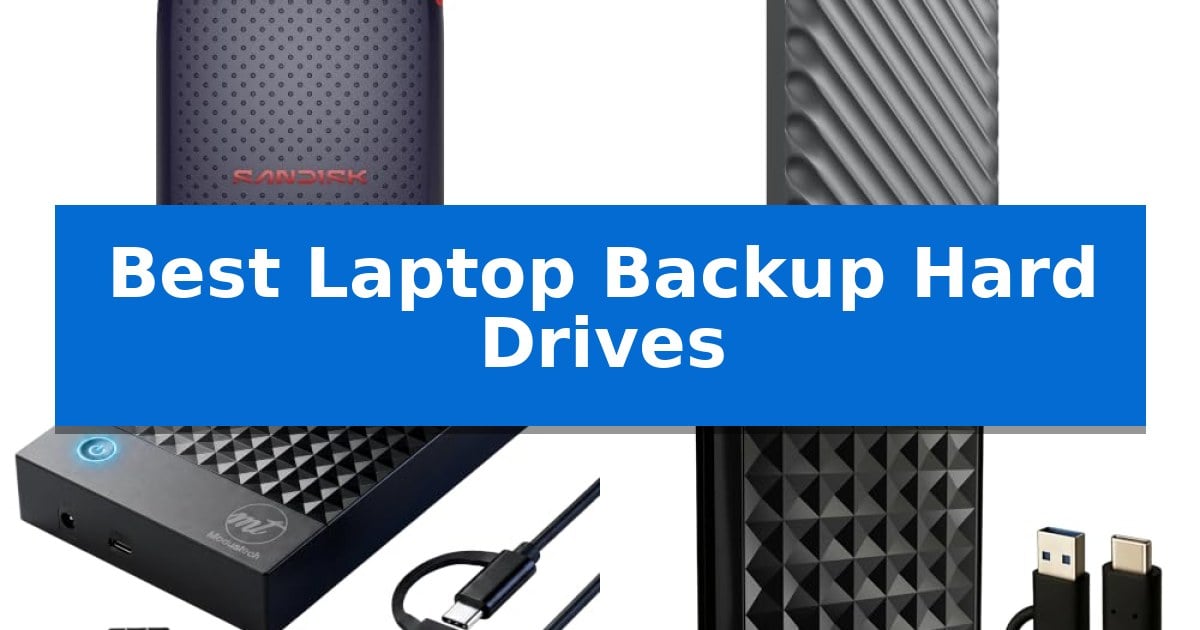
The ModusTech Facet External Hard Drive distinguishes itself with a faceted diamond-texture top panel designed to resist fingerprints and everyday wear, housing a 2.5-inch drive in a slim 160g chassis. This portable storage solution is built for users who need a reliable way to back up photos, videos, and documents while maintaining a compact footprint suitable for a laptop or camera bag.

Connectivity is a primary focus, as the drive ships with a USB-C to USB-C cable and a tethered USB-A adapter. This dual-interface approach ensures compatibility with modern USB-C laptops and tablets, as well as legacy USB-A computers, without the need for additional cables. The USB 3.1 Gen 1 interface supports transfer speeds up to 100MB/s, providing a functional balance for routine file backups and media archiving.

Designed for immediate use, the drive comes preformatted in exFAT, enabling true plug-and-play functionality across Windows PCs, macOS, and Chromebooks without requiring drivers or software setup. Beyond standard computing, it serves as an external storage expansion for PS4, Xbox One, and USB-compatible Smart TVs, allowing for direct game library storage or media playback.

The device is bus-powered, drawing all necessary energy through the USB connection, which eliminates the need for bulky power adapters. With a shock-resistant casing and a 1-year limited warranty, this drive provides a straightforward, durable option for those requiring a versatile storage companion for daily digital life.

Best for: Users needing a versatile, portable storage solution that works across multiple platforms including laptops, gaming consoles, and smart TVs.

Skip if: Users requiring high-speed SSD performance for intensive video editing or those needing storage capacities exceeding 2TB.

PROS

  • Versatile connectivity with included USB-C and USB-A adapter.
  • Plug-and-play compatibility across Windows, Mac, and gaming consoles.
  • Slim, shock-resistant design weighing only 160g.
  • Bus-powered operation removes the need for external power supplies.

CONS

  • HDD-based transfer speeds are limited to 100MB/s compared to SSD alternatives.
  • 1-year limited warranty is shorter than some industry-standard storage warranties.

5 MICCOO External Hard Drive — Durable Aluminum Build

Managing digital files requires a reliable storage solution that balances capacity with portability. The MICCOO 500GB External Hard Drive offers a dedicated space for photos, videos, and documents, helping to declutter internal laptop storage while providing a straightforward backup method.

Designed with a scratch-resistant silver aluminum-alloy housing, this drive is built for mobility. Measuring approximately 4.65 x 2.99 x 0.51 inches and weighing 0.36 lb, it fits easily into standard laptop bags or backpacks. A built-in indicator light provides immediate feedback on connection and activity status, ensuring users know when the drive is actively transferring data.

The drive utilizes a 5400 RPM mechanical HDD and connects via USB 3.0, offering a consistent interface for daily file transfers. It comes with a USB 3.0 Micro-B to USB-A cable and a USB-A to USB-C adapter, providing flexibility for various laptop ports. The device is pre-formatted in NTFS for Windows, though it can be reformatted to exFAT for cross-platform compatibility between Windows and macOS.

Beyond standard laptop use, this drive supports expansion for PS4 and Xbox consoles, as well as selected Android devices with OTG support. Users should note that console or mobile use may require specific formatting or additional adapters not included in the package. For optimal performance, the manufacturer recommends connecting directly to a USB 3.0 port rather than an unpowered hub.

Best for: Users needing a slim, portable storage solution for everyday file backups and media expansion across laptops, consoles, and compatible mobile devices.

Skip if: Users requiring high-speed solid-state drive (SSD) performance or massive storage capacities beyond 500GB for professional-grade video editing workflows.

PROS

  • Slim aluminum-alloy housing provides a durable and portable design.
  • Includes USB-A to USB-C adapter for broad device compatibility.
  • Plug and play functionality simplifies setup on most computers.
  • Versatile use cases including console storage expansion and Android OTG support.

CONS

  • 5400 RPM mechanical HDD speed is limited compared to modern SSDs.
  • Requires reformatting to exFAT for native write access on macOS.

Best Laptop Backup Hard Drives Buying Guide

Understanding Storage Interfaces

The connection type is the most critical factor for performance and compatibility. Modern drives often utilize USB-C for faster data throughput and universal connectivity, while older systems may still rely on USB 3.0 or USB-A ports.

Ensure your chosen drive supports the interface found on your laptop. If your computer only has USB-A ports, look for drives that include adapters or dual-cable support to avoid additional purchases.

Portable SSDs vs. Desktop HDDs

Portable SSDs (Solid State Drives) are ideal for users on the move. Because they lack moving parts, they are naturally more resistant to drops and impacts, making them perfect for travel.

Desktop HDDs (Hard Disk Drives) are designed for stationary use. They typically offer significantly higher storage capacities at a lower price point but require an external power source and are not intended to be moved while in operation.

File System Compatibility

Most drives come pre-formatted for specific operating systems, such as NTFS for Windows or exFAT for cross-platform compatibility. Understanding these formats is vital if you intend to switch between a PC and a Mac.

Reformatting a drive is possible, but it will erase all existing data. Always check the default file system of your new drive before moving your important files onto it.

Durability and Protection

If you carry your drive in a backpack or camera bag, look for models with shock-resistant casings or drop protection. These features help prevent data loss caused by accidental bumps during your daily commute.

Aluminum-alloy housings not only provide a minimalist aesthetic but also offer superior physical protection compared to standard plastic enclosures, ensuring your hardware lasts longer.

Capacity Planning

Consider how much data you actually need to back up. A 500GB drive is often sufficient for documents and photos, while content creators working with 4K video or RAW images should prioritize 2TB or higher capacities.

Remember that actual usable storage is often slightly less than the labeled capacity due to system calculations. Always aim for a slightly larger drive than you think you need to accommodate future growth.

Frequently Asked Questions

Can I use a desktop external hard drive with my laptop?

Yes, as long as your laptop has a compatible USB port. However, desktop drives require an external power outlet, making them less convenient for travel compared to portable, bus-powered drives.

Why is my drive not showing up on my computer?

Ensure all cables are fully inserted and try a different USB port. If the drive is new, it may need to be initialized or formatted via your computer's disk management utility.

Do I need to install software to use these drives?

Most modern external drives are plug-and-play, meaning they work immediately without the need for additional drivers or software installations.

What is the difference between an SSD and an HDD?

SSDs use flash memory for faster speeds and higher durability, while HDDs use spinning magnetic platters, offering higher storage capacity at a lower cost.

How do I safely disconnect my drive?

Always use the 'Safely Remove Hardware' or 'Eject' function in your operating system before unplugging the cable to prevent data corruption.

Conclusion: Our Top Pick

Choosing the right storage depends on your specific balance of speed, portability, and capacity. For most users, the Sandisk Portable SSD stands out as the most versatile option due to its compact size, impressive read speeds, and robust drop protection.

While other drives in this list offer specific advantages like higher stationary capacity or specialized creator features, the Sandisk Portable SSD provides the most reliable performance for everyday laptop backups. It is an excellent choice for those who need a durable, high-speed solution that fits easily into any bag.

Best Laptop Backpack Charger in 2026: Stay Powered During Every Commute

Best Laptop Backpack Charger

Finding a reliable way to keep your devices charged while traveling can be a significant challenge for modern professionals and students. A dedicated Best Laptop Backpack Charger solution integrates seamless power management into your daily carry, ensuring you never run out of battery during critical moments.

These specialized bags feature built-in USB ports that connect to your own power bank, allowing for convenient charging while you move. We have analyzed several top-rated models to help you identify which design best fits your storage needs, device compatibility, and daily commuting style.

Best Laptop Backpack Charger in 2026: Stay Powered During Every Commute

Our Top Picks
  1. Maximum Capacity for Long Trips ProEtrade 17 Inch Laptop Backpack
  2. Reliable Daily Commuter Choice DUSLANG 17 Inch Laptop Backpack
  3. Best for Organized Daily Carry BAGSWAN 15.6 Inch Laptop Backpack
  4. Slim Profile for Urban Commutes hk 15.6 Inch Laptop Backpack

Quick Comparison

Product Best For Key Strength Score
MOZETO 17 Inch Laptop Backpack Best Overall TSA-friendly design allows for quick security scans without removing the laptop. 4.9
ProEtrade 17 Inch Laptop Backpack Maximum Capacity for Long Trips 50L extra-large capacity for extensive storage 4.5
DUSLANG 17 Inch Laptop Backpack Reliable Daily Commuter Choice Built-in USB charging port for convenient mobile power access 4.5
BAGSWAN 15.6 Inch Laptop Backpack Best for Organized Daily Carry Integrated USB charging port for convenient on-the-go power access. 4.7
hk 15.6 Inch Laptop Backpack Slim Profile for Urban Commutes Integrated USB A&C charging port for on-the-go device power. 4.7

How We Chose

  • Charging Integration: Assessment of the external USB port placement and internal cable management systems.
  • Device Compatibility: Verification of laptop compartment dimensions to ensure secure fit for 15.6-inch to 18-inch devices.
  • Build Quality: Evaluation of material durability, including water resistance and fabric density.
  • Organizational Utility: Review of pocket count, internal dividers, and specialized storage for accessories.
  • Travel Readiness: Analysis of TSA-friendly features and luggage strap compatibility for airport transit.

1 MOZETO 17 Inch Laptop Backpack — Best for Tactical Travel Needs

Navigating airport security and managing mobile devices during travel requires a reliable, organized carry system. The MOZETO 17 Inch Laptop Backpack offers a specialized solution for travelers who need to keep their electronics powered and accessible, featuring an integrated external USB charging port that connects to your own internal power bank.

Built with military-grade 900D high-density fabric, this bag provides a rugged exterior designed for durability. It features a 30L capacity with a dedicated, TSA-friendly quick-scan laptop compartment that unfolds to allow for efficient screening. The bag is sized at 18’’ x 14’’ x 8’’, making it a compliant personal item for many airlines, including Spirit and Frontier.

Comfort is addressed through a back panel equipped with thick, multi-layer ventilated padding and breathable, adjustable shoulder straps. For added utility, the backpack includes a MOLLE webbing system, allowing users to attach extra pouches or gear, and a front organizer compartment to keep smaller essentials like notebooks and phones separated from the main storage area.

While the MOZETO 17 Inch Laptop Backpack excels in organization and tactical utility, users should note that the USB port is a pass-through feature and does not include a battery. It is a practical choice for those who prioritize a rugged, high-capacity design for commuting or air travel.

Best for: Travelers and commuters who need a rugged, high-capacity backpack with integrated USB charging access and TSA-friendly laptop storage.

Skip if: Users who prefer a minimalist, slim-profile bag or those who require a built-in battery rather than a pass-through USB port.

PROS

  • TSA-friendly design allows for quick security scans without removing the laptop.
  • Constructed from military-grade 900D high-density fabric for increased durability.
  • MOLLE webbing system provides versatile expansion options for additional gear.
  • Includes a convenient external USB charging port for on-the-go power access.

CONS

  • No built-in battery included; requires a separate power bank.
  • Tactical aesthetic may not suit formal professional environments.

2 ProEtrade 17 Inch Laptop Backpack — Maximum Capacity for Long Trips

The ProEtrade 17 Inch Laptop Backpack is designed for high-volume storage, featuring a substantial 50L capacity across three main compartments. This layout allows for the organization of a laptop up to 17.3 inches alongside separate sections for clothing and travel essentials, making it a practical choice for those who need to consolidate gear into a single carry-on.

Built for mobility, the exterior is constructed from anti-scratch fabrics paired with double metal zippers to ensure durability during frequent use. The bag includes an external USB charging port with a built-in cable, allowing for convenient device charging on the go when paired with a user-supplied power bank. A dedicated headphone port is also integrated for streamlined access to audio devices.

Travelers benefit from the TSA-friendly design, which allows the bag to unfold between 90 and 180 degrees for easier security screening. Safety features include an anti-theft pocket for securing valuables, while the luggage strap simplifies transport by allowing the bag to attach securely to rolling suitcases.

Comfort is addressed through an airflow padded back and breathable mesh, which promotes air convection to assist with heat elimination. The sponge shoulder straps and adjustable chest strap are engineered to distribute weight and reduce pressure on the back, supporting longer periods of wear during commutes or travel.

Best for: Travelers and professionals who require a high-capacity bag with dedicated space for a 17-inch laptop and integrated charging convenience.

Skip if: Users seeking a slim or minimalist profile may find the 50L capacity and larger dimensions of this bag excessive for daily light-duty carry.

PROS

  • 50L extra-large capacity for extensive storage
  • TSA-friendly design for efficient airport security
  • Integrated USB charging port for mobile power access
  • Ergonomic airflow system with chest strap for comfort

CONS

  • Power bank not included for the USB charging feature
  • Large physical footprint may be bulky for minimalists

3 DUSLANG 17 Inch Laptop Backpack — Reliable Daily Commuter Choice

Managing mobile power during a commute requires a balance of organization and utility, which is where the DUSLANG 17 Inch Laptop Backpack integrates a practical solution. By featuring a built-in USB port with an internal charging cable, this bag allows for convenient device charging while on the move, provided you have your own power bank connected inside.

Designed to accommodate large hardware, the DUSLANG 17 Inch Laptop Backpack includes a dedicated compartment that fits laptops up to 17 inches, alongside a separate sleeve for a 9.7-inch iPad. The interior is structured with multiple pockets for electronics, accessories, and enough space for several days of clothing or books, making it a versatile choice for both professional and travel use.

Durability and comfort are addressed through the use of water-resistant polyester fabric and a multi-panel ventilated back design. The adjustable shoulder straps and foam-padded top handle are engineered to distribute weight, while the luggage strap on the back allows the bag to slide securely over suitcase handles for easier transit through airports or train stations.

Security and organization are prioritized with a hidden anti-theft pocket located on the back panel, keeping valuables close to the body. The front compartment is specifically laid out with dedicated spots for a power bank, pens, and keys, ensuring that small essentials remain accessible without digging through the main storage area.

Best for: Professionals and students who need to carry large 17-inch laptops and require on-the-go charging capabilities.

Skip if: Users who prefer a compact, minimalist daypack or those who do not require a dedicated 17-inch laptop compartment.

PROS

  • Built-in USB charging port for convenient mobile power access
  • Spacious 17-inch laptop compartment with additional tablet storage
  • Water-resistant polyester construction for daily durability
  • Integrated luggage strap for seamless travel with rolling suitcases

CONS

  • Requires separate power bank to utilize the USB charging feature
  • Large 17-inch form factor may feel bulky for minimalists

4 BAGSWAN 15.6 Inch Laptop Backpack — Best for Organized Daily Carry

Managing mobile power while on the move is a common challenge for professionals and students alike. The BAGSWAN 15.6 Inch Laptop Backpack addresses this by integrating an external USB charging port and a set-in charging cable, allowing for seamless device connectivity without needing to dig through your bag for a power bank.

Beyond its charging capabilities, this backpack is built for high-volume organization. It features a 25L capacity distributed across 21 pockets and 5 distinct compartments. The dedicated padded laptop sleeve accommodates computers up to 15.6 inches, while the main compartment provides ample space for A4 folders, documents, and daily essentials.

Designed with travel in mind, the bag measures 16.5 x 12 x 7.5 inches, meeting standard airline personal-item requirements. It includes a luggage strap on the back for easy attachment to suitcases, and an anti-theft hidden pocket located at the rear to keep valuables secure during transit. The exterior is constructed from water-resistant premium nylon and faux-leather, balancing durability with a lightweight, easy-to-clean finish.

Comfort is supported by adjustable breathable mesh shoulder straps that help distribute weight evenly during extended wear. With two side pockets sized to fit a 32oz water bottle or umbrella, this bag serves as a versatile solution for commuting, business trips, or academic use.

Best for: Students and professionals who need a highly organized, travel-friendly bag with integrated USB charging capabilities.

Skip if: Users requiring a specialized ruggedized or weatherproof pack for extreme outdoor environments or those needing a capacity significantly larger than 25L.

PROS

  • Integrated USB charging port for convenient on-the-go power access.
  • 21-pocket organization system ensures dedicated space for small items and tech accessories.
  • Airline-friendly dimensions designed to fit under airplane seats.
  • Anti-theft security features including a hidden rear pocket and secure main zipper.

CONS

  • Power bank not included, requiring a separate purchase to utilize the charging feature.
  • 15.6-inch laptop limit may not accommodate larger workstation-class laptops.

5 hk 15.6 Inch Laptop Backpack — Slim Profile for Urban Commutes

Navigating a busy commute requires gear that balances organization with utility, and the hk 15.6 Inch Laptop Backpack addresses this with a dedicated external USB charging port and integrated internal cable. This design choice allows for convenient mobile device charging on the move, provided you have your own power bank connected inside.

The hk 15.6 Inch Laptop Backpack is constructed from waterproof Oxford cloth and features durable metal zippers, ensuring protection for your electronics. Its internal layout is highly structured, offering a main compartment, a front pocket, and two padded sleeves designed to accommodate laptops up to 15.6 inches, alongside dedicated slots for tablets, pens, and cards.

Designed for long-term comfort, the bag incorporates high-quality EVA material on the back panel to provide support, paired with breathable, foam-padded shoulder straps. Weighing only 670g, the slim profile maintains a lightweight feel, while the wide-open mouth design allows for efficient packing and retrieval of items.

For frequent travelers, the inclusion of a luggage strap on the back simplifies transport by allowing the bag to attach securely to rolling suitcases. This versatile daypack is suitable for professional, academic, or casual use, supported by a 1-year quality assurance service.

Best for: Professionals and students who need a lightweight, organized bag with integrated mobile charging capabilities for daily commuting.

Skip if: Users who require a heavy-duty, high-capacity pack for multi-day travel or those who prefer a rigid, structured frame over a slim, soft-shell design.

PROS

  • Integrated USB A&C charging port for on-the-go device power.
  • Lightweight 670g construction with ergonomic EVA back support.
  • Wide-open mouth design for easy access to contents.
  • Dedicated padded sleeves for up to 15.6-inch laptops.

CONS

  • Power bank not included with the USB charging system.
  • Slim profile may limit storage for bulky items.

Best Laptop Backpack Charger Buying Guide

Understanding Integrated Charging Ports

Most laptop backpacks labeled as having a charger do not contain an internal battery. Instead, they provide an external USB port connected to an internal cable. This allows you to store your own power bank inside the bag, keeping your device charging while you walk or sit in a terminal.

When selecting a bag, ensure the internal cable is compatible with your power bank's output. Some models offer dual USB-A and USB-C options, which provides greater flexibility for modern smartphones and tablets that require specific charging standards.

Laptop Compartment Sizing and Protection

The primary purpose of these bags is device safety. Always verify the maximum laptop size supported by the compartment. A bag designed for a 15.6-inch laptop may not accommodate a larger 17-inch workstation, leading to a poor fit and inadequate protection.

Look for foam-padded interiors or reinforced corners. These features absorb impact during daily commutes, protecting your screen and chassis from accidental drops or pressure when the bag is placed under an airplane seat.

Material Durability and Weather Resistance

Daily commuters should prioritize bags made from high-density fabrics like 900D polyester or Oxford cloth. These materials offer superior resistance to abrasions and tears compared to standard nylon, ensuring the bag maintains its structure over time.

Water resistance is another critical factor. While few backpacks are fully waterproof, those with treated surfaces can protect your electronics from light rain or accidental spills, providing an essential layer of security for your expensive hardware.

Organization and Accessibility

A well-organized backpack reduces the time spent searching for cables, pens, or documents. Models with multi-pocket front organizers allow you to separate small items like chargers, mice, and notebooks from your primary clothing or document storage.

Consider the zipper quality and access style. Wide-opening or "lay-flat" designs are particularly useful for airport security, as they allow you to pass through checkpoints without removing your laptop entirely from the bag.

Ergonomics for Extended Carrying

If you carry a heavy laptop and multiple accessories, the weight can quickly become uncomfortable. Look for multi-layer ventilated padding on the back panel, which promotes airflow and reduces heat buildup during long walks.

Adjustable, foam-padded shoulder straps are essential for weight distribution. A chest strap or a luggage trolley sleeve can further enhance comfort, allowing you to secure the bag to a suitcase handle during travel.

Frequently Asked Questions

Do these backpacks come with a battery included?

No. The USB port is a pass-through feature. You must place your own power bank inside the bag and connect it to the internal cable to charge your devices.

Are these bags TSA-friendly?

Many models feature TSA-friendly compartments that allow the bag to unfold 90 to 180 degrees, enabling security scanners to view your laptop without requiring you to remove it from the bag.

Can I fit a 17-inch laptop in a 15.6-inch bag?

It is not recommended. Always check the specific dimensions of the laptop compartment to ensure your device fits securely without straining the zippers or compromising the padding.

What does the MOLLE system do?

MOLLE is a modular webbing system that allows you to attach additional pouches or gear to the exterior of the backpack, increasing its versatility for outdoor or tactical use.

Are these backpacks waterproof?

Most are water-resistant, meaning they can handle light rain or splashes. They are generally not designed to be submerged in water or used in heavy, sustained downpours.

Conclusion: Our Top Pick

Choosing the right bag depends on your specific capacity requirements and travel habits. For those needing a balance of rugged durability and high-capacity storage, the MOZETO 17 Inch Laptop Backpack stands out as a versatile choice. Its military-grade fabric and tactical MOLLE system provide a robust platform for both daily work and extended travel.

While other models offer specific benefits like slim profiles or extra pockets, the MOZETO model's combination of airline-approved dimensions and dedicated quick-scan laptop storage makes it a reliable companion for frequent travelers. Ensure you pair it with a high-capacity power bank to take full advantage of the integrated charging port.

Best Laptop Backlit Keyboard in 2026

Best Laptop Backlit Keyboard

Finding the right machine that balances performance with user comfort is essential for anyone working in dim environments. A Best Laptop Backlit Keyboard setup ensures you can maintain productivity during late-night study sessions or low-light office tasks without straining your eyes or guessing key placements.

We have evaluated several current models that integrate high-quality illumination with robust internal hardware. Whether you prioritize AI-driven multitasking or a large display for creative projects, these selections provide the necessary visibility and speed to streamline your daily computing experience.

Best Laptop Backlit Keyboard in 2026

Our Top Picks
  1. Best Overall Dell 15.6 Laptop
  2. Ultra-Slim Design for Portability Lenovo IdeaPad Slim 3 Laptop
  3. Expansive Screen for Productivity HP Omnibook 3 17 Laptop
  4. Fast WiFi 6 Connectivity WISESWAN 15.6 Laptop
  5. Large Display with Flexible Sharing BIRDPLAY 17.3 Laptop

Quick Comparison

Product Best For Key Strength Score
Dell 15.6 Laptop Best Overall Backlit keyboard enhances visibility in low-light environments. 4.9
Lenovo IdeaPad Slim 3 Laptop Ultra-Slim Design for Portability Backlit keyboard for improved visibility in low-light conditions. 4.7
HP Omnibook 3 17 Laptop Expansive Screen for Productivity Full-size backlit keyboard improves visibility and typing comfort in low-light settings. 4.9
WISESWAN 15.6 Laptop Fast WiFi 6 Connectivity Backlit keyboard for comfortable typing in dim lighting conditions. 4.9
BIRDPLAY 17.3 Laptop Large Display with Flexible Sharing Adjustable backlit keyboard for improved visibility in dim environments. 4.4

How We Chose

  • Keyboard Illumination Quality: Assessing the consistency and brightness levels of the backlighting for various lighting conditions.
  • System Responsiveness: Evaluating the integration of modern processors and RAM to ensure smooth multitasking.
  • Display Specifications: Reviewing screen size, resolution, and anti-glare properties for comfortable extended viewing.
  • Connectivity and Ports: Checking for modern standards like Wi-Fi 6 and versatile USB/Type-C expansion options.
  • Build and Ergonomics: Considering physical dimensions, weight, and design features like lifted hinges that improve typing comfort.

1 Dell 15.6 Laptop — AI-Powered Multitasking Efficiency

Typing in dim environments is significantly improved by the integrated backlit keyboard found on the Dell 15.6 Laptop, which provides clear visibility for late-night productivity. This device is engineered for those who prioritize efficiency, featuring a 15.6-inch display with a 3-sided narrow bezel and 300 nits of brightness, ensuring a clean and expansive workspace.

Performance is driven by the Intel Core Ultra 5 225U processor, which incorporates NPU-powered AI features to assist with multitasking. The inclusion of a dedicated Copilot key allows for immediate access to AI-driven organizational tools, streamlining daily workflows. For those concerned with long-term usage, the Dell ComfortView technology is implemented to reduce blue-light emissions.

Design considerations extend to the physical chassis, which utilizes lifted hinges to create an ergonomic typing angle. This design choice serves a dual purpose by promoting better airflow beneath the system, aiding in thermal management during intensive tasks. The laptop maintains a portable profile at 3.67 pounds and a thickness of 0.74 inches, making it a practical choice for professional environments.

Connectivity and storage are handled via Wi-Fi 6 for reliable networking and a 512GB SSD for responsive file access. With 16GB of DDR5 RAM, the system is equipped to handle modern business applications smoothly. The unit is supported by a 1-year basic onsite service warranty, providing a layer of hardware support for business users.

Best for: Professionals and students who require a reliable, AI-ready laptop with a backlit keyboard for productive work in various lighting conditions.

Skip if: Users who require a dedicated discrete GPU for high-end gaming or professional 3D rendering will find the integrated Intel Graphics insufficient for those specific workloads.

PROS

  • Backlit keyboard enhances visibility in low-light environments.
  • Lifted hinges provide an ergonomic typing angle and improved airflow.
  • Dedicated Copilot key offers quick access to AI productivity tools.
  • 16GB DDR5 RAM ensures smooth multitasking performance.

CONS

  • Integrated Intel Graphics may limit performance for graphic-intensive tasks.
  • 3.67-pound weight is standard but not the lightest option for frequent travelers.

2 Lenovo IdeaPad Slim 3 Laptop — Ultra-Slim Design for Portability

Typing in dim environments is significantly more manageable with the Lenovo IdeaPad Slim 3 Laptop, which features a dedicated backlit keyboard designed for visibility in any lighting condition. This device balances portability and performance, weighing between 3 and 3.9 pounds with a slim 0.7-inch profile, making it a practical choice for users who need a mobile workstation.

At the heart of the machine is the AMD Ryzen 5 5625U processor, a 6-core chip capable of reaching speeds up to 4.3 GHz. This hardware supports efficient multitasking across work and entertainment applications. The system is equipped with 16GB of RAM and a 512GB NVMe SSD, providing both the memory capacity for smooth operation and rapid storage access for files and media.

Visuals are handled by a 15.6-inch Full HD display that offers wide viewing angles, suitable for browsing or media consumption. The laptop comes pre-installed with Windows 11 Pro, ensuring immediate access to modern security and productivity features without requiring initial setup. Connectivity is bolstered by WiFi-6, facilitating stable network performance.

While the design prioritizes a lightweight form factor, users should note the specific hardware configuration provided. The inclusion of a backlit keyboard is a key functional addition for those who frequently work in low-light settings, ensuring that the keys remain legible during late-night tasks or travel.

Best for: Users who require a portable, thin laptop with a backlit keyboard for productive work in various lighting environments.

Skip if: Users who require dedicated graphics for high-end gaming or specialized creative rendering, as this model is optimized for general productivity.

PROS

  • Backlit keyboard for improved visibility in low-light conditions.
  • AMD Ryzen 5 5625U processor provides capable 6-core performance.
  • 16GB RAM enables seamless multitasking.
  • Ultra-slim and lightweight design enhances portability.

CONS

  • Fixed storage capacity of 512GB may require external solutions for large media libraries.

3 HP Omnibook 3 17 Laptop — Expansive Screen for Productivity

Typing in low-light environments is significantly more manageable with the HP Omnibook 3 17 Laptop, which features a full-size backlit English keyboard. This design choice ensures that keys remain visible during late-night work sessions or in dimly lit rooms, while the inclusion of a dedicated numeric keypad and a specific Copilot key enhances overall workflow efficiency.

Beyond its typing interface, the device is built for expansive viewing. It houses a 17.3-inch Full HD (1920 x 1080) IPS display that utilizes an anti-glare finish and slim micro-edge bezels. With 300 nits of brightness, the screen provides a clear, detailed workspace suitable for multitasking across various home, work, or school applications.

Performance is driven by an AMD Ryzen 3 30 processor, which offers 4 cores and 8 threads with boost speeds reaching up to 4.1 GHz. This hardware, paired with 8GB of DDR5 RAM and a 512GB SSD, supports responsive daily computing. The system is also optimized for modern communication, integrating a 1080p Full HD webcam with HDR enhancement and temporal noise reduction to improve clarity during video meetings.

The laptop operates on Windows 11 Home, providing a familiar interface with built-in security and productivity tools. It is also designed to be Microsoft 365 on the web capable, allowing users to access essential office software through a browser, provided an internet connection is available.

Best for: Users who require a large-screen laptop with a backlit keyboard for productive work and communication in various lighting conditions.

Skip if: Users who need a highly portable, lightweight device, as the 17.3-inch form factor and 4.43-pound weight are optimized for desk-bound productivity rather than frequent travel.

PROS

  • Full-size backlit keyboard improves visibility and typing comfort in low-light settings.
  • Large 17.3-inch IPS display with 300 nits brightness offers an expansive workspace.
  • 1080p Full HD webcam with HDR and noise reduction enhances video call quality.
  • Dedicated Copilot key provides quick access to productivity features.

CONS

  • Larger physical footprint may be cumbersome for users prioritizing portability.
  • Browser-dependent for full Microsoft 365 functionality.

4 WISESWAN 15.6 Laptop — Fast WiFi 6 Connectivity

The WISESWAN 15.6 Laptop is built for students and professionals who require a reliable, portable device for late-night productivity, featuring a dedicated backlit keyboard that ensures visibility in low-light environments. Its combination of a 15.6-inch Full HD anti-glare display and efficient processing makes it a practical choice for daily academic and office tasks.

Under the hood, the device is powered by an Intel Core i3 processor with 12GB of RAM and a 256GB SSD, providing the necessary overhead for smooth multitasking and office software usage. The inclusion of WiFi 6 (802.11ax) and Bluetooth 5.2 ensures stable, high-speed wireless connectivity, which is essential for consistent video conferencing and online classes.

Designed with mobility in mind, the laptop weighs only 1.63kg (3.6 lbs) and measures 19.5mm in thickness, allowing it to fit easily into standard backpacks. The 57.75Wh high-capacity battery supports approximately 7 hours of mixed-use, providing enough power to get through a typical day of campus lectures or remote work sessions.

Connectivity is a major strength, as the chassis includes 3 x USB 3.0 ports, an HDMI 2.1 port, and a Type-C port that supports PD3.0 fast charging. Users can also expand their storage capacity up to 2TB using the integrated TF card slot, offering flexibility for those who need to store large files or media libraries locally.

Best for: Students and remote workers who need a portable, backlit-keyboard laptop for daily productivity and online learning.

Skip if: Users who require high-performance hardware for intensive tasks like 3D rendering or professional video editing.

PROS

  • Backlit keyboard for comfortable typing in dim lighting conditions.
  • WiFi 6 and Bluetooth 5.2 for modern, stable wireless connectivity.
  • Lightweight and thin design at 1.63kg for easy campus portability.
  • Versatile I/O including USB 3.0, HDMI 2.1, and PD3.0 fast charging.

CONS

  • Intel Core i3 processor may limit performance for heavy multitasking or demanding software.
  • 256GB SSD capacity may require expansion via TF card for users with large file storage needs.

5 BIRDPLAY 17.3 Laptop — Large Display with Flexible Sharing

Typing in low-light environments requires hardware that prioritizes visibility and tactile feedback. The BIRDPLAY 17.3 Laptop addresses this with a full-size keyboard featuring an adjustable backlit design, ensuring keys remain legible during late-night work sessions or in dim settings.

Beyond its illumination, the keyboard layout integrates an independent numeric keypad, which is essential for data entry and financial tasks. The system is built around a Core i7-9750H processor with 6 cores and 12 threads, providing the necessary overhead for multitasking. The inclusion of a large sensitive touchpad complements the typing experience, offering a spacious surface for navigation.

The device is designed for practical utility, featuring a 17.3-inch FHD display that supports a 180-degree opening angle for flexible viewing. Security is handled via a fast fingerprint unlock sensor, allowing for quick access to the Windows 11 Home environment. Connectivity is robust, with three USB 3.0 ports, a Type-C port with DP/PD support, and a dedicated MicroSD TF card slot.

For users requiring sustained operation, the 10000 mAh large capacity battery provides endurance for extended use. Wireless stability is maintained through an upgraded WiFi 6 module and Bluetooth 5.2, ensuring reliable peripheral pairing and network performance.

Best for: Users who require a large-screen laptop with a dedicated numeric keypad and adjustable backlighting for productivity in varied lighting conditions.

Skip if: Users seeking a highly portable or lightweight device, as the 17.3-inch form factor and 5.07-pound weight are optimized for desk-bound use rather than frequent travel.

PROS

  • Adjustable backlit keyboard for improved visibility in dim environments.
  • Full-size layout including an independent numeric keypad.
  • Versatile connectivity with multiple USB 3.0 and Type-C ports.
  • 180-degree screen opening for flexible content sharing.

CONS

  • Large 17.3-inch footprint may be cumbersome for users prioritizing portability.
  • Weight of 5.07 pounds makes it less ideal for frequent commuting.

Best Laptop Backlit Keyboard Buying Guide

Understanding Backlit Keyboard Utility

A backlit keyboard is more than just a visual aesthetic; it is a functional tool for professionals and students who work across different time zones or environments. The primary benefit is improved key legibility in low-light conditions, which reduces typing errors and minimizes the need for external desk lamps.

When selecting a laptop, look for models that offer adjustable brightness levels. This flexibility allows you to dim the lights in a dark room or increase intensity when working in a moderately lit space, ensuring your eyes remain comfortable throughout the day.

The Importance of Display Comfort

The keyboard is only one part of the user experience. A high-quality display with anti-glare technology and sufficient brightness—typically measured in nits—is crucial for reducing eye strain. Features like ComfortView or blue-light reduction are significant advantages for long-term health.

For those who spend hours reading or writing, a larger display with a narrow bezel provides a more immersive experience. Ensuring your screen has a high refresh rate or accurate color reproduction can also make a noticeable difference in your daily workflow.

Performance and Multitasking Capabilities

Modern laptops are increasingly incorporating AI-powered processors to handle complex tasks more efficiently. Whether you are managing multiple browser tabs, streaming video, or running office software, having a robust CPU and sufficient RAM is vital for preventing system lag.

Look for machines that offer fast storage solutions like NVMe SSDs. These drives significantly decrease boot times and application load speeds, allowing you to get to work faster and maintain a seamless flow during your most demanding projects.

Connectivity and Expansion Options

A laptop is often the hub of a larger workspace. Reliable Wi-Fi 6 connectivity is now a standard requirement for stable video conferencing and high-speed data transfers. Ensure your chosen device includes enough ports, such as USB 3.0 and Type-C, to connect your peripherals without needing constant dongles.

If you frequently work with external monitors or storage drives, check for specific port capabilities like DisplayPort (DP) or Power Delivery (PD) support. These features expand the utility of your laptop, turning it into a versatile workstation.

Portability Versus Screen Real Estate

Choosing between a 15.6-inch and a 17.3-inch laptop involves a trade-off between portability and workspace. A 15-inch model is generally easier to carry in a backpack, making it ideal for students or commuters who travel frequently.

Conversely, a 17.3-inch display offers a larger canvas for multitasking, which is beneficial for creative work or data analysis. Consider your typical environment—if you stay at a desk most of the time, the larger screen is often worth the extra weight.

Frequently Asked Questions

Can I adjust the brightness of my laptop's backlit keyboard?

Most modern laptops with backlit keyboards allow you to adjust brightness using dedicated function keys, often marked with a sun or light icon. Check your manufacturer's manual for the specific key combination.

Does using the backlit keyboard drain the battery faster?

Yes, keeping the backlighting on will consume more power. If you are working on battery power, dimming or turning off the backlight can help extend your overall usage time.

Are all backlit keyboards the same color?

No. While many business-ready laptops feature a standard white or soft-toned backlight, some gaming or specialized models offer RGB lighting that can be customized to different colors.

What is a Copilot key and why is it useful?

The Copilot key is a dedicated shortcut found on newer laptops that provides instant access to AI-powered assistance, helping you organize files, search for information, and manage tasks more efficiently.

Is it possible to upgrade the RAM on these laptops?

Upgradeability varies by model. While some laptops allow for user-accessible RAM slots, many modern ultra-slim designs have soldered memory. Always check the specific technical specifications of your model before attempting an upgrade.

Conclusion: Our Top Pick

For those seeking a balance of performance, ergonomic design, and reliable illumination, the Dell 15.6 Laptop stands out as a highly capable choice. Its combination of AI-powered processing and a comfortable, backlit typing experience makes it well-suited for both professional and academic environments.

While other models offer larger screens or specific connectivity advantages, the Dell provides a consistent, high-quality experience that addresses the core needs of most users. Its focus on eye comfort and efficient multitasking ensures it remains a dependable tool for your daily computing requirements.

Best Laptop Audio Features for Streaming in 2026

Best Laptop Audio Features for Streaming

Achieving professional-grade sound during live broadcasts requires more than just a standard laptop setup. Many built-in components struggle to isolate voice or handle high-fidelity audio, which is why identifying the Best Laptop Audio Features for Streaming is vital for any creator looking to improve their production value.

Whether you are a musician recording direct instruments or a podcaster needing crystal-clear vocal capture, the right hardware makes a significant difference. We have evaluated several key audio solutions that address common streaming challenges, such as latency, background noise, and sound clarity, to help you build a more reliable and engaging broadcast environment.

Best Laptop Audio Features for Streaming in 2026

Our Top Picks
  1. Direct instrument recording for streams KYXAIN Guitar Audio Interface
  2. Clear voice capture for broadcasts NewTH USB Lavalier Microphone

Quick Comparison

Product Best For Key Strength Score
NSY Audio Powered Computer Speakers Best Overall 60W stereo output with wooden enclosure for reduced resonance. 4.9
KYXAIN Guitar Audio Interface Direct instrument recording for streams Plug-and-play functionality requires no batteries for operation. 4.3
NewTH USB Lavalier Microphone Clear voice capture for broadcasts Plug-and-play USB connectivity requires no additional drivers. 4.7

How We Chose

  • Audio Fidelity: Prioritizing devices that offer clear, distortion-free sound reproduction or capture.
  • Connectivity Standards: Evaluating the versatility of USB-C, Bluetooth, and analog inputs for seamless laptop integration.
  • Latency Management: Assessing hardware that minimizes delay to ensure perfect synchronization between audio and video.
  • Portability and Design: Considering the physical footprint and ease of setup for various workspace configurations.
  • Ease of Use: Focusing on plug-and-play functionality that avoids complex software installation.

1 NSY Audio Powered Computer Speakers — Room-filling stereo for desktop

Achieving high-fidelity sound for your streams often requires moving beyond the limitations of integrated hardware. The NSY Audio Powered Computer Speakers provide a dedicated 60W stereo output, utilizing 3-inch drivers housed within a premium MDF wooden enclosure to minimize resonance and deliver clear, distortion-free audio that standard laptop speakers cannot match.

These speakers offer significant flexibility for creators and streamers through multiple connectivity options. You can utilize Bluetooth 5.3 for a low-latency wireless connection or take advantage of the included USB-C, RCA, and 3.5mm AUX cables for a reliable, hardwired setup. This versatility allows them to integrate seamlessly with laptops, mini PCs, or even gaming consoles like the PS5 and Xbox.

Designed with a compact footprint, the NSY Audio Powered Computer Speakers fit easily under monitors or alongside dual-screen configurations, making them suitable for small home offices or dorm setups. The front-panel dial provides immediate control over power and volume, ensuring you can adjust your audio levels quickly during live broadcasts or video calls without navigating complex software menus.

Setting up the system is straightforward, as the hardware is designed for immediate plug-and-play functionality. By removing the need for specialized drivers or complicated installations, these speakers serve as an efficient upgrade for anyone looking to improve their multimedia output or work-from-home productivity without a significant technical learning curve.

Best for: Streamers and desktop users seeking a compact, versatile audio upgrade with both wired and wireless connectivity options.

Skip if: Users requiring a portable, battery-powered solution or those with extremely limited desk space who cannot accommodate two separate bookshelf-style units.

PROS

  • 60W stereo output with wooden enclosure for reduced resonance.
  • Versatile connectivity including Bluetooth 5.3, USB-C, RCA, and AUX.
  • Compact design suitable for small desks and dual-monitor setups.
  • Plug-and-play operation with convenient front-panel volume control.

CONS

  • Requires physical desk space for two separate speaker units.
  • Wired power source necessary for operation.

2 KYXAIN Guitar Audio Interface — Direct instrument recording for streams

Capturing clean audio for live streams often requires more than a standard microphone, and the KYXAIN Guitar Audio Interface offers a dedicated solution for musicians streaming from mobile devices or laptops. This compact unit features a 24bit/48KHz high-quality internal recording path, specifically designed to bridge the gap between electric instruments and digital streaming platforms.

The device prioritizes a low-latency digital audio processing workflow, ensuring that the sound captured from your guitar or bass remains in sync with your video feed. Because it functions as a plug-and-play interface, it requires no batteries, drawing power directly from your connected hardware. This makes it a practical choice for creators who need a portable setup that avoids the complexity of traditional mixing consoles.

Connectivity is handled through a versatile Type-C USB interface, with an included Lightning to Type-C adapter to support iPads and iPhones. Users can connect instruments via the 1/4" 6.35mm jack and monitor their levels through the 1/8" 3.5mm headphone output. The interface includes physical volume buttons and an indicator light that shifts from green to red to warn of potential distortion, providing immediate visual feedback during a broadcast.

Designed for mobility, the interface incorporates a back clip for secure attachment during use. While it is built for direct recording without onboard mixing or editing functions, its focus on high-fidelity signal transmission makes it a straightforward tool for those who prefer to handle their audio processing within their streaming software.

Best for: Musicians and streamers who need a portable, plug-and-play interface to connect electric instruments directly to mobile devices or laptops for live broadcasts.

Skip if: Users who require advanced onboard mixing, multi-track recording capabilities, or complex digital signal processing features beyond simple instrument-to-device audio routing.

PROS

  • Plug-and-play functionality requires no batteries for operation.
  • Low-latency processing ensures audio stays synchronized with video streams.
  • High-fidelity 24bit/48KHz recording quality for clear instrument capture.
  • Compact back-clip design allows for convenient, mobile-friendly streaming.

CONS

  • No onboard mixing or editing functions are available.
  • Limited to single-instrument input and monitoring.

3 NewTH USB Lavalier Microphone — Clear voice capture for broadcasts

Achieving professional-grade audio for your broadcasts requires a reliable input source that isolates your voice from background distractions. The NewTH USB Lavalier Microphone simplifies this process by offering a plug-and-play design that eliminates the need for complex drivers or external sound cards, making it an immediate upgrade for laptop-based streaming.

This omnidirectional condenser microphone is engineered for versatility, featuring high sensitivity and built-in noise cancellation to ensure clear, natural sound capture. Whether you are conducting interviews, hosting online meetings, or recording content, the microphone effectively isolates the primary sound source while minimizing unwanted ambient noise.

Portability is a core strength of this device, as it weighs only 39 grams and includes a secure aluminum lapel clip for easy attachment to clothing. The generous 6.58-foot (2M) cable provides ample reach for various desk setups, allowing you to move naturally while maintaining a consistent connection to your PC or laptop via the standard USB Type-A interface.

To maintain audio integrity, the package includes a wind muff to reduce plosives and breath noise during recording. With its straightforward setup and lightweight form factor, this microphone provides a practical solution for creators who prioritize ease of use and consistent voice clarity in their streaming environment.

Best for: Streamers and remote professionals who need a lightweight, plug-and-play audio solution for voice capture on a laptop or PC.

Skip if: Users who require an XLR-based professional studio setup or those whose devices lack a standard USB Type-A port.

PROS

  • Plug-and-play USB connectivity requires no additional drivers.
  • Omnidirectional condenser design provides clear and natural voice capture.
  • Extremely lightweight build at only 39 grams for easy portability.
  • Integrated noise cancellation helps isolate the main sound source.

CONS

  • USB Type-A interface may require an adapter for modern laptops with only USB-C ports.
  • Fixed cable length may be restrictive for large-scale studio setups.

Best Laptop Audio Features for Streaming Buying Guide

Understanding Audio Connectivity

The foundation of any streaming setup is how your audio hardware communicates with your computer. USB-C and USB-A connections are generally preferred for their stability and plug-and-play simplicity, ensuring that your microphone or interface is recognized instantly without the need for specialized drivers.

For those using analog gear like guitars or turntables, an audio interface is essential to convert signals into a digital format your laptop can process. Always ensure your chosen device supports the specific input types you require, such as 1/4-inch jacks or 3.5mm auxiliary ports, to avoid unnecessary adapters.

The Importance of Low Latency

Latency, or the delay between an action and the sound reaching your audience, can ruin a live stream. High-quality audio interfaces use digital audio processing to keep your voice or instrument perfectly synced with your video feed.

If you notice your audio is trailing behind your camera, it is often a sign that your hardware or software is struggling to process the signal in real-time. Investing in dedicated hardware designed for low-latency recording is the most effective way to maintain professional synchronization.

Microphone Placement and Polar Patterns

The type of microphone you choose dictates how much background noise is captured. Omnidirectional microphones are excellent for capturing natural sound from all directions, but they may pick up unwanted room echoes or keyboard clicks.

For streamers, a lavalier microphone that clips directly to your clothing can significantly improve vocal clarity by isolating your voice from the surrounding environment. This proximity helps maintain a consistent volume level, even if you move around during your broadcast.

Optimizing Desktop Sound

If you are monitoring your stream or playing music, standard laptop speakers rarely provide the depth required for a high-quality experience. Powered bookshelf speakers with dedicated drivers offer a much wider frequency response, allowing you to hear subtle details in your audio mix.

Look for speakers with a wooden enclosure, which helps reduce plastic resonance and provides a warmer, more natural sound profile. This upgrade is particularly beneficial for creators who spend long hours editing or monitoring their live content.

Space-Saving Audio Solutions

Streaming setups can quickly become cluttered with cables and bulky equipment. Choosing compact audio gear allows you to maintain a clean, organized workspace without sacrificing performance.

Devices with integrated back clips or small footprints are ideal for those working in dorms or small home offices. By selecting equipment that fits your specific desk layout, you can focus more on your content and less on managing a complex web of hardware.

Frequently Asked Questions

Do I need a separate audio interface for streaming?

If you are using professional instruments like electric guitars or high-end microphones, an audio interface is necessary to convert analog signals into high-quality digital audio that your laptop can stream.

What is the benefit of Bluetooth 5.3 for streaming?

Bluetooth 5.3 provides a more stable and lower-latency wireless connection compared to older versions, making it a reliable option for streaming audio to speakers without the clutter of extra wires.

Can I use a USB lavalier microphone for professional broadcasts?

Yes, a USB lavalier microphone is an excellent choice for broadcasts because it offers clear voice capture and noise isolation, which helps keep your audio focused on your speech rather than background ambient sounds.

Why do some speakers sound better than others?

Speaker quality is largely determined by driver size and enclosure material. Speakers with larger drivers and MDF wooden enclosures typically produce less distortion and better bass response than standard built-in laptop speakers.

Is plug-and-play hardware better than software-based solutions?

Plug-and-play hardware is generally more reliable for live streaming because it bypasses the need for complex software installations that can crash or cause compatibility issues during a live broadcast.

Conclusion: Our Top Pick

For most streamers, the NSY Audio Powered Computer Speakers represent the most effective way to upgrade your desktop audio environment. Their combination of 60W room-filling sound, versatile connectivity options including Bluetooth 5.3, and a compact design makes them a standout choice for anyone looking to replace thin-sounding laptop speakers with something more robust and reliable.

While other tools like interfaces and lavalier mics serve specific recording needs, these speakers provide the consistent, high-quality audio monitoring necessary for long-term streaming success. Their ease of setup ensures you can start improving your production quality immediately, regardless of your technical experience level.

Best Laptop Audio Experience in 2026

Best Laptop Audio Experience

Struggling with thin, tinny sound from your built-in laptop speakers? Whether you are deep into a gaming session, leading a professional video conference, or simply trying to enjoy your favorite music, the Best Laptop Audio Experience requires more than what standard hardware can provide.

Upgrading your setup with a dedicated soundbar or speakerphone can transform your desk into a high-fidelity environment. We have analyzed the latest audio hardware to help you find the perfect match for your specific needs, focusing on clarity, connectivity, and ease of use.

Best Laptop Audio Experience in 2026

Our Top Picks
  1. Rechargeable Wireless Flexibility Bluedee Computer Soundbar
  2. High-Fidelity Digital Decoding XKX Computer Soundbar
  3. Enhanced Bass for Desktop Setups HEGMUXCO Computer Soundbar
  4. Professional Audio for Meetings EPOS Expand SP 20 Speakerphone

Quick Comparison

Product Best For Key Strength Score
Razer Leviathan V2 Soundbar Best Overall THX Spatial Audio for detailed surround sound 4.9
Bluedee Computer Soundbar Rechargeable Wireless Flexibility Rechargeable battery provides up to 13 hours of cordless playback. 4.3
XKX Computer Soundbar High-Fidelity Digital Decoding USB plug-n-play connectivity eliminates driver setup. 4.3
HEGMUXCO Computer Soundbar Enhanced Bass for Desktop Setups Dual bass reflex design for improved low-end response. 4.8
EPOS Expand SP 20 Speakerphone Professional Audio for Meetings Battery-free operation via USB power 4.8

How We Chose

  • Acoustic Performance: We assessed the driver configuration and bass-boosting capabilities to ensure rich, balanced sound reproduction.
  • Connectivity Versatility: We prioritized devices offering multiple input methods, such as Bluetooth, USB, and 3.5mm AUX, for seamless integration.
  • Desktop Integration: We considered the physical dimensions and form factor to ensure the hardware fits neatly under monitors without creating clutter.
  • Ease of Control: We evaluated the accessibility of volume, mute, and playback controls for intuitive daily operation.
  • Compatibility: We checked for plug-and-play support across major operating systems including Windows, macOS, and Linux.

1 Razer Leviathan V2 Soundbar — Immersive Spatial Audio for Gaming

Achieving an immersive Best Laptop Audio Experience often requires moving beyond integrated speakers to a dedicated sound system. The Razer Leviathan V2 Soundbar addresses this by combining a multi-driver soundbar with a dedicated down-firing subwoofer, creating a high-fidelity audio environment that occupies a compact footprint beneath your monitor.

This system utilizes THX Spatial Audio to deliver 7.1 surround sound, providing detailed soundstages for gaming and media. The design includes detachable rubber feet, which allow you to angle the soundbar upward toward your ears, minimizing obstructions and ensuring direct audio delivery from your desktop setup.

Connectivity is handled via Bluetooth 5.2, enabling low-latency transitions between your PC and up to eight other devices, such as smartphones or tablets. Users can manage their audio profile and lighting through the Razer Audio App and Razer Synapse, which provide granular control over the soundbar's output and its 18-zone Razer Chroma RGB lighting effects.

The Razer Leviathan V2 Soundbar is engineered for those who prioritize desk space without sacrificing audio range. While it offers significant versatility for multi-device users, it is a wired system that requires a dedicated power source and physical space for the subwoofer, making it best suited for stationary desktop or laptop workstations.

Best for: Desktop and laptop users who want a compact, multi-driver audio system with spatial sound capabilities.

Skip if: Users who require a portable, battery-powered speaker or those with extremely limited floor space for a dedicated subwoofer.

PROS

  • THX Spatial Audio for detailed surround sound
  • Compact form factor fits easily under most monitors
  • Bluetooth 5.2 for multi-device connectivity
  • Customizable Razer Chroma RGB lighting

CONS

  • Requires physical space for the external subwoofer
  • Wired power connection limits placement flexibility

2 Bluedee Computer Soundbar — Rechargeable Wireless Flexibility

Achieving a cleaner desk setup while maintaining high-quality audio is a common challenge for modern workstations. The Bluedee Computer Soundbar addresses this by combining a compact, space-saving form factor with the versatility of rechargeable wireless operation, allowing users to declutter their workspace without sacrificing sound output.

This soundbar features dual full-range drivers and tweeters designed to provide a balanced audio profile for streaming, gaming, or general office tasks. Its 16.5-inch wide design is specifically engineered to fit neatly beneath most monitors, ensuring it integrates seamlessly into minimalist or crowded desktop environments.

Connectivity is a primary strength of the Bluedee Computer Soundbar, offering Bluetooth 5.3 for wireless streaming alongside a 3.5mm AUX input for wired reliability. For added flexibility, the device includes USB flash drive and TF card playback capabilities, enabling standalone audio without requiring a constant connection to a computer.

Portability is supported by an internal battery that provides up to 13 hours of playback at moderate volume levels. When stationary, the unit can be powered via USB-C for uninterrupted use, making it a practical solution for users who frequently move between different setups or rooms.

Best for: Users seeking a versatile, space-saving audio solution that offers both wired and wireless connectivity for a clean, minimalist desk setup.

Skip if: Users who require high-fidelity, dedicated surround sound systems or those who need a permanent, high-wattage audio output for professional studio environments.

PROS

  • Rechargeable battery provides up to 13 hours of cordless playback.
  • Versatile connectivity including Bluetooth 5.3, AUX, USB, and TF card support.
  • Compact, space-saving design fits neatly under most monitors.
  • Dual full-range drivers deliver balanced audio for various media types.

CONS

  • Battery life is limited to 13 hours, requiring periodic recharging.
  • USB port is strictly for flash drive playback, not for PC audio data.

3 XKX Computer Soundbar — High-Fidelity Digital Decoding

Achieving a high-quality Best Laptop Audio Experience often requires moving beyond the limitations of built-in speakers. The XKX Computer Soundbar addresses this by utilizing dual 2-inch super-magnetic full-range drivers to deliver a 10W output, providing a more robust sound profile for desktop environments.

Engineered with a dedicated Hi-definition DSP decoding chip, this soundbar processes digital audio directly from your system to maintain clarity without compression. The internal cavity features an exclusive bass-boosting port, which the manufacturer notes improves bass energy by approximately 50% compared to traditional passive radiator designs, resulting in more elastic low-end response.

Usability is centered on a straightforward USB plug-n-play interface. It eliminates the need for driver installations or 3.5mm auxiliary cables, functioning across Windows, macOS, ChromeOS, and Linux. For users with modern hardware, the included USB-C to USB adapter ensures compatibility with Apple MacBooks, iPads, and various USB-C equipped Ultrabooks.

Physical controls are kept minimal and intuitive, featuring top-mounted touch-sensitive buttons for volume adjustment and muting. Measuring 8.4 inches in width and 2.8 inches in height, the XKX Computer Soundbar is designed to fit under most monitors, making it a practical addition to space-constrained workstations.

Best for: Desktop users seeking a simple, driver-free audio upgrade with a small footprint for general media consumption and gaming.

Skip if: Users requiring high-fidelity audiophile performance or those who prefer a multi-speaker surround sound setup for professional audio editing.

PROS

  • USB plug-n-play connectivity eliminates driver setup.
  • Hi-definition DSP decoding ensures undistorted digital audio.
  • Bass-boosting port enhances low-frequency response in a compact form.
  • Included USB-C adapter supports modern laptops and tablets.

CONS

  • Wired-only connection limits placement flexibility.
  • No 3.5mm auxiliary input for non-USB audio sources.

4 HEGMUXCO Computer Soundbar — Enhanced Bass for Desktop Setups

Achieving a high-quality Best Laptop Audio Experience often requires moving beyond integrated hardware to external solutions designed for acoustic clarity. The HEGMUXCO Computer Soundbar addresses this by utilizing a dual bass reflex acoustic design, which provides a fuller stereo sound profile compared to standard built-in laptop or monitor speakers.

This soundbar is engineered with dual independent acoustic chambers to minimize distortion and enhance vocal clarity. These features are specifically beneficial for users who frequently engage in video calls, online classes, or streaming, where speech intelligibility is a priority. The compact form factor, measuring 16.54 inches in width, allows it to fit neatly beneath most desktop monitors.

Connectivity is handled through a versatile interface that supports Bluetooth playback, USB audio, and USB wired input. The device features automatic switching between these modes, simplifying the transition between different audio sources. It is powered via a USB-C or USB-A connection, ensuring compatibility with a wide range of laptops, tablets, and desktop gaming setups.

For those who prioritize aesthetics alongside audio, the unit includes Mirror RGB lighting with six distinct modes. Beyond the visual appeal, the enhanced stereo output is designed to improve positional awareness, helping users distinguish directional audio cues during gaming sessions. The system is backed by a 1-year manufacturer warranty.

Best for: Users seeking a compact, multi-connectivity audio solution to improve voice clarity and bass depth for desktop and laptop workstations.

Skip if: Users requiring high-fidelity audiophile-grade sound or those with extremely limited desk space who cannot accommodate a 16.5-inch wide soundbar.

PROS

  • Dual bass reflex design for improved low-end response.
  • Versatile connectivity including Bluetooth and USB wired input.
  • Automatic mode switching between wired and wireless sources.
  • Compact footprint designed to fit under standard PC monitors.

CONS

  • Fixed width may not suit smaller or ultra-wide monitor setups.
  • USB-powered limitations may restrict maximum volume output compared to AC-powered systems.

5 EPOS Expand SP 20 Speakerphone — Professional Audio for Meetings

The EPOS Expand SP 20 USB/3.5mm 1000226 provides a dedicated audio solution for professionals seeking to improve their virtual meeting clarity. By connecting directly via USB or a 3.5mm jack, this speakerphone bypasses the limitations of standard integrated laptop hardware to deliver a more consistent sound profile for both incoming and outgoing audio.

Designed for portability and ease of use, the device features a compact footprint measuring approximately 5.7 by 5.1 inches. It is engineered to operate without internal batteries, drawing power directly from the connected PC or laptop via USB. This design choice eliminates the need for charging cycles during long work sessions, ensuring the unit remains ready whenever a meeting begins.

The EPOS Expand SP 20 is built to support extended communication, with a rated talk time of up to 20 hours when utilized in appropriate configurations. Its dual-connectivity approach allows for flexibility across different hardware setups, including PCs, Macs, and mobile devices, making it a versatile tool for various office or remote work environments.

While the device offers significant utility for voice-focused tasks, users should note that its primary design intent is communication rather than high-fidelity music playback. The reliance on a wired connection ensures a stable link, though it does require a physical cable management strategy on the desk.

Best for: Professionals who require a reliable, battery-free audio upgrade for frequent video conferencing on PCs, Macs, and laptops.

Skip if: Users who prioritize wireless Bluetooth freedom or those seeking a dedicated high-fidelity speaker system for music production.

PROS

  • Battery-free operation via USB power
  • Dual connectivity options (USB and 3.5mm)
  • Compact, portable design for mobile setups
  • Optimized for voice clarity in meetings

CONS

  • Wired-only connection requires cable management
  • Not designed for high-fidelity music playback

Best Laptop Audio Experience Buying Guide

Understanding Audio Form Factors

Choosing between a soundbar and a speakerphone depends largely on your primary use case. Soundbars are typically optimized for media consumption, gaming, and general entertainment, often featuring wider soundstages and dedicated bass drivers.

Conversely, speakerphones are engineered for voice clarity during meetings. They often include specialized microphones and echo-cancellation technology, making them the superior choice for professional communication rather than immersive music playback.

Connectivity and Compatibility

Modern laptop audio devices should offer flexible connection options. USB plug-and-play is the most reliable method for desktop setups, as it often handles both power and data transmission, reducing cable clutter.

For those who switch between devices, Bluetooth connectivity provides the freedom to move audio from your laptop to a smartphone or tablet. Always verify if your chosen device supports the specific Bluetooth version and wired inputs required by your current hardware.

Optimizing Your Desk Space

The physical size of your audio equipment is a critical factor for a clean workspace. Many soundbars are designed with a compact desktop form factor specifically to fit beneath a monitor, ensuring your screen remains at an ergonomic height.

Consider the height and width of the unit to avoid obstructing your view or interfering with your keyboard placement. Detachable feet or angled designs can also help direct sound toward your ears rather than into the desk surface.

The Role of DSP and Decoding

High-fidelity digital decoding, often powered by a DSP (Digital Signal Processor), is essential for maintaining sound purity. This technology processes audio signals to minimize distortion and ensure that vocals remain clear even at higher volumes.

Devices featuring independent acoustic chambers or bass-boosting ports can significantly improve the depth of your audio. These features allow small units to produce a more resonant, full-bodied sound that basic internal speakers cannot achieve.

Power and Portability

While most desktop speakers are USB-powered, some models offer rechargeable batteries for added flexibility. This is ideal if you frequently move your laptop between different rooms and want to maintain a consistent audio setup without needing a constant power outlet.

Check the rated playback time on a single charge to ensure it meets your daily requirements. Keep in mind that wireless models often require a wired connection for charging, so having a USB-C cable handy is always recommended.

Frequently Asked Questions

Do I need special drivers to use these soundbars?

Most modern computer soundbars are plug-and-play, meaning they work immediately upon connection to a USB port without requiring additional software or driver installations.

Can I use these speakers with my smartphone?

Yes, models that feature Bluetooth connectivity can easily pair with smartphones, tablets, and other mobile devices in addition to your laptop.

Will a soundbar fit under my monitor?

Most of the models listed are designed with a compact profile specifically to fit under standard monitors, but it is best to check the dimensions of your specific monitor stand.

What is the benefit of a dedicated subwoofer?

A subwoofer, like the one included with the Razer Leviathan V2, handles low-frequency sounds, providing deeper, more impactful bass that enhances gaming and movie experiences.

Are these speakers compatible with Mac and Windows?

Yes, the majority of these devices are designed for broad compatibility and will function seamlessly with Windows, macOS, Linux, and ChromeOS.

Conclusion: Our Top Pick

For those seeking the ultimate audio upgrade, the Razer Leviathan V2 Soundbar stands out as the premier choice. Its combination of a dedicated subwoofer, THX Spatial Audio, and customizable RGB lighting provides a comprehensive, high-fidelity experience that is difficult to match in a compact desktop form factor.

While it is a fantastic investment for gamers and media enthusiasts, ensure you have the necessary desk space for the external subwoofer. If you prioritize portability or professional meeting functionality over deep bass, you may want to consider the other specialized options in our list.

Best Laptop Attachable Monitor in 2026: Boost Your Mobile Workstation

Best Laptop Attachable Monitor

Managing multiple windows on a single screen often leads to constant tab switching, which can significantly hinder your daily output. A Best Laptop Attachable Monitor provides the extra screen real estate needed to keep your primary tasks, reference materials, and communication tools visible simultaneously, effectively turning your mobile setup into a full-fledged workstation.

Whether you are a remote professional, a student, or a frequent traveler, these portable displays offer a seamless way to expand your digital workspace. By integrating a secondary screen, you can maintain focus and improve your workflow efficiency by up to 200% without sacrificing the portability of your laptop.

Best Laptop Attachable Monitor in 2026: Boost Your Mobile Workstation

Our Top Picks
  1. Wide compatibility for diverse devices KEFEYA S1 Laptop Screen Extender
  2. Scratch-free frame design APILDELLA A4 Laptop Screen Extender
  3. Versatile stand and cover included MNN 15 Portable Monitor

Quick Comparison

Product Best For Key Strength Score
Orfibz A3 Laptop Screen Extender Best Overall Ultra-portable design weighing only 1.87lbs. 4.9
KEFEYA S1 Laptop Screen Extender Wide compatibility for diverse devices Plug-and-play connectivity with multiple cable options included. 4.9
APILDELLA A4 Laptop Screen Extender Scratch-free frame design Zero-contact frame design protects the laptop screen from scratches. 4.6
MNN 15 Portable Monitor Versatile stand and cover included Single-cable connectivity via USB-C for power and signal. 4.8

How We Chose

  • Compatibility with various laptop sizes and operating systems.
  • Ease of connection through plug-and-play interfaces like USB-C and HDMI.
  • Portability factors including overall weight and slimness for travel.
  • Display performance, focusing on resolution, brightness, and viewing angles.
  • Adjustability and mounting stability for different work environments.

1 Orfibz A3 Laptop Screen Extender — Ultra-lightweight for frequent travelers

Managing multiple windows on a single laptop screen often leads to inefficient tab switching, but the Orfibz A3 Laptop Screen Extender addresses this by providing a secondary 14.2-inch FHD 1080P display. This device is engineered for portability, weighing only 1.87lbs with a 0.27-inch thin profile, making it a viable addition for remote workers and travelers who need to maintain a dual-monitor setup on the go.

The hardware is designed for broad compatibility, fitting laptops ranging from 14 to 17.3 inches. It offers flexible orientation options, including extend, mirror, and portrait modes, which helps in organizing data analysis or online meetings. The display features 300 nits of brightness and a 226-degree adjustable viewing angle, allowing users to customize the screen position based on their specific lighting or desk environment.

Connectivity is streamlined through a plug-and-play approach. For laptops equipped with full-function USB-C ports, the device connects directly with a single cable. For older hardware, it supports HDMI and USB-A connections, with all necessary cables included. The system is compatible with Windows, macOS, ChromeOS, Linux, and Android, requiring no additional drivers for installation.

Built with high-quality materials and certified for safety standards including FCC, CE, and RoHS, this extender is intended for consistent use. It comes with a 1-year warranty and 24-hour support, providing a reliable path to expanding screen real estate without the bulk of a traditional desktop monitor.

Best for: Remote workers and frequent travelers who need a lightweight, dual-monitor setup to increase productivity on 14-inch to 17.3-inch laptops.

Skip if: Users with laptops smaller than 14 inches or those who require high-end color accuracy for professional creative work beyond standard 1080P IPS specifications.

PROS

  • Ultra-portable design weighing only 1.87lbs.
  • Plug-and-play connectivity with no driver installation required.
  • Versatile viewing with 226-degree angle adjustment and multiple display modes.
  • Wide compatibility across major operating systems and laptop sizes.

CONS

  • Limited to 1080P resolution, which may not meet the needs of high-resolution professional workflows.
  • Requires specific port configurations (full-function USB-C or HDMI/USB-A) for operation.

2 KEFEYA S1 Laptop Screen Extender — Wide compatibility for diverse devices

Managing multiple windows on a single laptop screen often leads to constant toggling, which can disrupt workflow and reduce overall productivity. The KEFEYA S1 Laptop Screen Extender addresses this by providing a 14-inch FHD 1080P IPS display that attaches directly to your device, effectively expanding your workspace to support multitasking for remote work, stock trading, or programming.

This portable monitor features a 1920×1080 resolution with a 16:9 aspect ratio and a 60Hz refresh rate, ensuring clear visuals for professional tasks. Users can independently adjust brightness, contrast, and backlight settings to suit their environment. Its design supports multiple display modes, including mirror and extension, and allows for 180-degree rotation to accommodate landscape or portrait orientations, making it versatile for presentations or collaborative work.

Compatibility is a primary focus, as the unit supports a wide range of operating systems including Windows, Mac, Chrome, and Linux, along with various processors like Intel, AMD, and the Apple M-series. The device utilizes a plug-and-play interface, requiring no additional driver downloads. It comes equipped with Type-C, USB-A, and HDMI cables to facilitate connections with laptops, tablets, and gaming consoles like the Switch or PS5.

The KEFEYA S1 Laptop Screen Extender is designed for portability, weighing approximately 2.29 pounds. While it offers a significant increase in screen real estate, users should ensure their laptop's hinge can support the additional weight and dimensions when attached. It serves as a practical solution for professionals who require a multi-monitor setup while traveling or working in limited desk spaces.

Best for: Remote workers, programmers, and stock traders who need a portable dual-monitor setup to increase multitasking efficiency.

Skip if: Users with laptops that have fragile hinges or those who require a lightweight, ultra-thin setup that does not add bulk to their portable device.

PROS

  • Plug-and-play connectivity with multiple cable options included.
  • 180-degree rotation allows for flexible landscape or portrait viewing.
  • Wide compatibility across major operating systems and gaming consoles.
  • Independent display adjustments for brightness and contrast.

CONS

  • Adds noticeable weight to the laptop lid, which may affect stability on some devices.
  • Requires extra power via USB-A to USB-C cable when using an HDMI connection.

3 APILDELLA A4 Laptop Screen Extender — Scratch-free frame design

Expanding your digital workspace while on the move is simplified with the APILDELLA A4 Laptop Screen Extender, which features an upgraded zero-contact frame design to prevent scratches on your primary laptop screen. This portable monitor attaches securely to laptops ranging from 13 to 16 inches, offering a flexible solution for professionals who require a multi-screen setup outside of a traditional office.

The device utilizes a 1080P FHD IPS panel that supports HDR mode for enhanced color depth and contrast. Users can customize their viewing experience by adjusting brightness, contrast, and backlight settings directly on the monitor. To reduce eye strain during long work sessions, the display incorporates low blue light and anti-vertigo technology, making it suitable for extended coding, research, or administrative tasks.

Designed for versatility, the APILDELLA A4 Laptop Screen Extender supports both extend and mirror modes, allowing for seamless task management across two displays. The unit is built with a 0-225° folding capability and includes an integrated bracket to ensure stability when mounted. It is a plug-and-play device, meaning no driver installation is required, and it connects via USB-C or HDMI cables.

Compatibility is broad, supporting Mac, Windows, and Android operating systems. The monitor includes a simple troubleshooting guide for various connection configurations, such as C-to-C or HDMI with external power, ensuring that users can quickly resolve signal issues. Its lightweight, minimalist structure allows for easy transport in a laptop bag, making it a practical addition for business travel or remote collaboration.

Best for: Professionals and remote workers who need a portable, plug-and-play dual-screen setup for 13-16 inch laptops.

Skip if: Users with laptops smaller than 13 inches or those who require a high-refresh-rate display for competitive gaming.

PROS

  • Zero-contact frame design protects the laptop screen from scratches.
  • 1080P FHD IPS display with HDR support for vivid image quality.
  • Plug-and-play functionality eliminates the need for complex driver installations.
  • Adjustable 0-225° folding range provides flexible viewing angles.

CONS

  • Requires specific cable configurations or external power for optimal brightness.
  • Limited to 13-16 inch laptop compatibility due to the sliding support arm design.

4 MNN 15 Portable Monitor — Versatile stand and cover included

The MNN 15 Portable Monitor offers a streamlined solution for expanding your workspace, featuring a 15.6-inch Full HD IPS display that supports a 178-degree viewing angle. This monitor is designed for versatility, allowing users to switch between landscape and portrait orientations while utilizing a scratch-proof smart cover that functions as a protective case and a stand.

Connectivity is handled through two full-feature USB Type-C ports, enabling a single-cable setup for both power and signal transmission, provided the host device supports Thunderbolt 3.0 or USB 3.1 Type-C DP Alt-Mode. For users requiring additional flexibility, the monitor supports multiple display modes including Copy, Extended, and Second Screen, making it suitable for laptops, gaming consoles like the Switch, and mobile devices.

Engineered for portability, the device weighs 1.53 pounds and maintains an ultra-slim profile, fitting easily into standard backpacks or suitcases. The integrated HDR mode enhances visual output by providing brighter highlights and deeper color contrast, while the eye-care technology reduces blue light radiation and flicker to assist with extended viewing sessions.

The included smart cover is constructed from durable PU leather, ensuring the screen remains protected during transit. With a 2-year warranty included, this monitor provides a reliable way to improve productivity or gaming setups without the bulk of a traditional desktop display.

Best for: Professionals and students who need a lightweight, single-cable secondary display for travel or remote work.

Skip if: Users whose host devices lack USB-C DP Alt-Mode or Thunderbolt 3.0 support, as they would require additional adapters or power configurations.

PROS

  • Single-cable connectivity via USB-C for power and signal.
  • Ultra-slim and lightweight design for easy portability.
  • Versatile smart cover that doubles as a stand.
  • HDR support for improved color and contrast.

CONS

  • Device compatibility limited to hardware supporting DP Alt-Mode or Thunderbolt 3.0.

Best Laptop Attachable Monitor Buying Guide

Display Resolution and Quality

The visual fidelity of your secondary screen is paramount for long-term comfort. Most modern portable monitors feature 1080P FHD IPS panels, which provide sharp text and accurate color reproduction. Look for displays that offer at least 300 nits of brightness to ensure visibility in varied lighting conditions, such as bright offices or outdoor settings.

Additionally, features like anti-glare coatings and low blue light modes are essential for reducing eye strain during extended work sessions. Choosing a display with a wide viewing angle ensures that colors remain consistent even when the screen is tilted or rotated.

Connectivity and Power Requirements

Seamless integration is the hallmark of a high-quality attachable monitor. Many current models support plug-and-play functionality, requiring only a single USB-C cable for both power and data transmission. This minimizes cable clutter and simplifies your setup process.

If your laptop lacks a full-function USB-C port, ensure the monitor supports HDMI connectivity. Note that when using HDMI, you may need an additional USB-A to USB-C cable to provide the necessary power to the display, so check your laptop's available ports before purchasing.

Portability and Weight

For those who travel frequently, the weight of your gear is a critical consideration. An ideal Best Laptop Attachable Monitor should be lightweight, ideally under two pounds, to avoid adding unnecessary bulk to your laptop bag.

Look for ultra-slim designs that can easily slide into a backpack alongside your laptop. A durable, protective cover or a built-in stand is also beneficial, as it protects the screen from scratches during transit while providing a stable base for your dual-screen configuration.

Mounting and Stability

The mechanism used to attach the monitor to your laptop determines how stable your workstation will be. Some models use sliding support arms that adjust to fit various laptop widths, while others rely on magnetic or clip-on systems.

Ensure the mounting system is compatible with your laptop's screen size, typically ranging from 13 to 17.3 inches. A well-designed mount should distribute weight evenly to prevent the laptop screen from tipping backward, ensuring a secure and ergonomic viewing experience.

Display Modes and Flexibility

Versatility in display orientation can significantly improve your productivity. Many portable monitors support extend, mirror, and portrait modes, allowing you to customize your layout based on the task at hand. For example, portrait mode is excellent for coding or reading long documents.

Look for monitors that offer a wide range of rotation, such as 0-226 degrees, which allows you to adjust the viewing angle to suit your specific desk height and lighting environment, providing a more comfortable and efficient workspace.

Frequently Asked Questions

Do I need to install software drivers to use these monitors?

Most modern laptop screen extenders are designed for plug-and-play use, meaning no driver installation is required. They typically work immediately upon connection via a compatible USB-C or HDMI port.

Will these monitors work with my specific laptop?

Compatibility generally depends on your laptop's screen size and available ports. Most extenders support laptops between 13 and 17.3 inches. Ensure your laptop has a full-function USB-C port or an HDMI port with an available USB-A port for power.

Can I use these monitors in portrait mode?

Yes, many portable monitors support multiple display modes, including portrait mode. You can adjust the display settings in your operating system (Windows or macOS) to rotate the screen orientation.

How do I power the monitor if my laptop doesn't have a full-function USB-C port?

If you are using an HDMI connection, you will typically need to connect an additional USB-A to USB-C cable to the monitor to provide the necessary power for the display to function.

Are these monitors safe for my laptop screen?

Many newer models feature zero-contact frame designs or protective padding to prevent scratches and damage to your laptop's screen. Always ensure the mounting mechanism is properly secured to avoid excessive pressure.

Conclusion: Our Top Pick

After reviewing the available options, the Orfibz A3 Laptop Screen Extender stands out as the most effective solution for users needing a balance of portability and performance. Its ultra-lightweight 1.87lb design and slim profile make it an excellent choice for frequent travelers who need to maintain a high-productivity workstation anywhere.

While other models offer wider compatibility or different mounting styles, the Orfibz A3 provides a reliable, plug-and-play experience that is easy to set up and adjust. It is a practical investment for anyone looking to eliminate the limitations of a single-screen setup without adding significant weight to their travel gear.

Best Laptop Around $500 in 2026: Reliable Daily Computing

Best Laptop Around $500

Finding a dependable machine on a budget can feel overwhelming, but you do not need to sacrifice essential functionality to stay within your budget. The Best Laptop Around $500 offers a balance of processing power, display clarity, and portability that meets the demands of students, home office users, and professionals alike.

Whether you need a lightweight device for commuting or a reliable driver for daily productivity, our guide highlights the most capable models currently available. We focus on practical specifications and real-world utility to help you make an informed decision without overspending.

Best Laptop Around $500 in 2026: Reliable Daily Computing

Our Top Picks
  1. Capable Renewed Professional Choice Dell Latitude 7300 Business Laptop
  2. Reliable Daily Productivity Driver Lenovo 15.6 Inch FHD Business Laptop
  3. Streamlined Design for Home Office Lenovo Essential 15.6 Inch FHD Laptop

Quick Comparison

Product Best For Key Strength Score
HP Essential 14 Chromebook Best Overall Fast boot times and automatic updates via Chrome OS. 4.9
Dell Latitude 7300 Business Laptop Capable Renewed Professional Choice 16GB RAM for smooth multitasking performance. 4.4
Lenovo 15.6 Inch FHD Business Laptop Reliable Daily Productivity Driver MIL-STD-810H military-grade durability for increased longevity. 4.4
Lenovo Essential 15.6 Inch FHD Laptop Streamlined Design for Home Office MIL-STD-810H military-grade durability for reliable long-term use 4.8

How We Chose

  • Processor efficiency and multitasking capacity for everyday workloads.
  • Display resolution and anti-glare properties for comfortable viewing.
  • Connectivity options including modern Wi-Fi standards and port versatility.
  • Portability and build durability for reliable daily use.
  • Storage solutions and software integration for immediate productivity.

1 HP Essential 14 Chromebook — Budget-Friendly Student Essential

Reliability for daily tasks often hinges on a device that boots in seconds and integrates seamlessly with cloud-based workflows. The HP Essential 14 Chromebook utilizes the efficiency of Chrome OS to provide a streamlined computing experience, making it a practical candidate when searching for the Best Laptop Around $500.

At the heart of this machine is an Intel Celeron N4500 dual-core processor paired with 4GB of LPDDR4x-2933 RAM. This configuration is optimized for web browsing, video streaming, and document editing. The device features a 14-inch HD anti-glare display with 250 nits of brightness, designed to reduce eye strain during extended use while maintaining a micro-edge design for a modern aesthetic.

Connectivity is a primary strength, as the laptop includes Wi-Fi 6 and Bluetooth 5.3 for stable, fast wireless performance. The port selection is versatile, featuring a USB Type-C 10Gbps port that supports both Power Delivery and DisplayPort 1.4, alongside two USB Type-A ports and an HDMI 1.4b output. This allows users to easily connect external monitors or peripherals to expand their workspace.

Portability and security are central to its design, weighing in at 3.35 lbs with a sleek grey finish. The inclusion of an H1 secure microcontroller provides enterprise-grade data protection, while the 720p HD camera and dual-array microphones facilitate clear communication for meetings. With 64GB of eMMC storage supplemented by an included 500GB external HDD, users have a balance of local and external file management.

Best for: Students and professionals who prioritize cloud-based productivity, fast boot times, and reliable connectivity for everyday tasks.

Skip if: Users who require high-performance hardware for intensive video editing, gaming, or specialized software that is incompatible with the Chrome OS ecosystem.

PROS

  • Fast boot times and automatic updates via Chrome OS.
  • Versatile connectivity including Wi-Fi 6 and USB-C Power Delivery.
  • Ample storage flexibility with the included 500GB external HDD.
  • Anti-glare display designed to minimize eye strain.

CONS

  • Limited RAM may restrict heavy multitasking.
  • Chrome OS limitations prevent the installation of standard Windows or macOS software.

2 Dell Latitude 7300 Business Laptop — Capable Renewed Professional Choice

Finding a reliable machine that balances cost and capability is essential for students and professionals alike. The Dell Latitude 7300 Business Laptop provides a focused solution for those seeking a portable, efficient device without the premium price tag of a brand-new model.

## Best Laptop Around $500

Our Top Picks

Dell Latitude 7300 Business Laptop – Capable Renewed Professional Choice

### 1 Dell Latitude 7300 Business Laptop – Capable Renewed Professional Choice

The Dell Latitude 7300 Business Laptop centers its utility on a balance of processing power and physical portability. Equipped with an Intel Core i7 8th Gen Quad-Core processor, it is engineered to handle multitasking and standard office productivity tasks with efficiency. The inclusion of 16GB RAM and a 500GB NVMe M.2 SSD ensures that applications load quickly and the system remains responsive during daily workflows.

Designed for versatility, this laptop features a 13.3-inch Full HD (1920×1080) display that provides clear visuals for document editing and media consumption. The chassis is compact, measuring just 0.7 inches in height, making it a practical choice for users who frequently travel or work from different locations. For those working in varied environments, the backlit keyboard allows for continued productivity in low-light settings, while the integrated webcam facilitates clear communication during video calls.

This device ships with Windows 11 Pro, providing a professional-grade operating system environment out of the box. By focusing on essential internal components like high-speed storage and sufficient memory, this model offers a streamlined experience for users who prioritize performance over unnecessary aesthetic flourishes.

Best for: This model is best for students and professionals who need a compact, reliable machine for multitasking and office productivity.

Skip if: Skip this model if you require a brand-new device with a manufacturer warranty or if you need high-end dedicated graphics for gaming or complex video rendering.

PROS

  • 16GB RAM for smooth multitasking performance.
  • 500GB NVMe SSD provides fast load times.
  • Compact 13.3-inch form factor for high portability.
  • Backlit keyboard enhances usability in dim lighting.

CONS

  • Renewed condition may not appeal to those seeking factory-new hardware.
  • Integrated graphics are limited to standard productivity tasks.

3 Lenovo 15.6 Inch FHD Business Laptop — Reliable Daily Productivity Driver

Finding a reliable machine for daily tasks doesn't have to break the bank. The Lenovo 15.6 Inch FHD Business Laptop is built to handle essential computing needs, featuring an Intel N150 processor that balances performance with power efficiency for web browsing, document editing, and streaming.

This laptop is designed for consistent productivity, utilizing 8GB of high-speed LPDDR5-4800 memory to keep multiple browser tabs and programs running without unnecessary lag. Storage is handled via a 128GB UFS 2.2 drive, supplemented by a 500GB external HDD and 1TB of cloud storage, providing a practical mix of speed and capacity for students and home office users.

Visuals are delivered through a 15.6-inch FHD anti-glare display, which features an 88% screen-to-body ratio and TÜV Rheinland Low Blue Light certification to help reduce eye strain. The chassis is constructed to meet MIL-STD-810H military-grade durability standards, ensuring it can withstand the rigors of daily use while remaining portable at 1.55kg.

Connectivity options include Wi-Fi 6 and Bluetooth 5.2 for stable wireless performance, alongside a versatile port selection featuring USB-C with Power Delivery and DisplayPort support, HDMI 1.4, and an SD card reader. The system comes pre-loaded with Windows 11 Home and a 1-year Microsoft 365 Personal subscription, making it ready for immediate use.

Best for: Students and home office users needing a durable, ready-to-use laptop for essential daily tasks and document management.

Skip if: Users requiring high-performance computing for video editing, 3D rendering, or intensive gaming, as the Intel N150 processor is optimized for light multitasking.

PROS

  • MIL-STD-810H military-grade durability for increased longevity.
  • TÜV Rheinland Low Blue Light certification to reduce eye strain.
  • Comprehensive software package including a 1-year Microsoft 365 Personal subscription.
  • Versatile connectivity with USB-C Power Delivery and Wi-Fi 6.

CONS

  • Limited internal storage capacity at 128GB, relying on external hardware for larger files.
  • TN display panel may offer narrower viewing angles compared to IPS alternatives.

4 Lenovo Essential 15.6 Inch FHD Laptop — Streamlined Design for Home Office

Reliability in a portable form factor defines the Lenovo Essential 15.6 Inch FHD Laptop, which is built to MIL-STD-810H military-grade standards to withstand the rigors of daily transport. At just 0.70 inches thick and weighing 3.42 lbs, this device balances mobility with a full-sized keyboard and a precision touchpad for consistent productivity.

The laptop features a 15.6-inch Full HD anti-glare display, offering 250 nits of brightness and an 88% screen-to-body ratio for a clear, expansive workspace. Security is integrated directly into the hardware with a built-in privacy shutter for the 720p HD camera, ensuring peace of mind during video calls and online learning sessions.

Under the hood, the system is powered by an Intel N150 Quad-Core processor paired with 8GB of LPDDR5-4800 RAM. This configuration is optimized for everyday computing tasks, including web browsing, document editing, and streaming. The inclusion of 128GB UFS 3.1 storage ensures quick file access and boot times, while the pre-installed Windows 11 Home in S mode and Microsoft 365 Personal provide a ready-to-use environment.

Connectivity remains a priority with Wi-Fi 6 (802.11ax) and Bluetooth 5.2, facilitating faster and more stable wireless performance. The chassis is equipped with a versatile port selection, including a USB-C port with Power Delivery and DisplayPort capabilities, two USB-A 5Gbps ports, an HDMI 1.4 output, and an SD card reader, allowing for seamless integration with external peripherals.

Best for: Students and home office users who require a durable, portable device for document editing, streaming, and secure video conferencing.

Skip if: Users who require high-capacity local storage for large media files or those needing significant processing power for intensive creative software or gaming.

PROS

  • MIL-STD-810H military-grade durability for reliable long-term use
  • Privacy shutter on the HD camera for enhanced security
  • Versatile connectivity including USB-C with Power Delivery
  • Wi-Fi 6 support for faster wireless networking

CONS

  • Limited 128GB internal storage capacity
  • Windows 11 in S mode restricts software installation to verified apps

Best Laptop Around $500 Buying Guide

Understanding Processor Performance

At this price point, you will typically encounter processors designed for efficiency rather than high-end gaming or heavy video editing. Look for chips that handle web browsing, document creation, and streaming without significant lag.

A dual-core or quad-core processor is usually sufficient for common tasks. Ensure the laptop has enough RAM, ideally 4GB or 8GB, to keep multiple browser tabs and applications running smoothly during your workday.

Display Quality and Eye Comfort

The screen is your primary interface, so prioritize a Full HD (1920×1080) resolution if possible. This provides sharper text and more workspace compared to standard HD panels.

Features like anti-glare coatings and low blue light certification are significant benefits if you spend long hours working. These additions help reduce eye strain and make the screen easier to read in various lighting conditions.

Connectivity and Port Versatility

Modern laptops should include a mix of legacy and current ports. Look for USB-C with power delivery, which allows you to charge your device and connect to external displays using a single cable.

Check for Wi-Fi 6 compatibility, which ensures faster and more stable wireless connections. This is essential for video conferencing and streaming in environments with multiple connected devices.

Storage and Cloud Integration

Budget laptops often use eMMC or smaller SSD storage to keep costs down. If your primary work involves cloud-based applications, internal storage capacity may be less critical than speed.

Many models now include external storage options or rely on cloud services like Google Drive or Microsoft 365. Evaluate your file storage needs to see if an included external drive or cloud subscription meets your requirements.

Build and Portability

If you travel frequently, the weight and thickness of the laptop are vital. A device weighing under 3.5 lbs is generally comfortable for carrying in a backpack or bag.

Look for durability standards like MIL-STD-810H testing, which indicates that the chassis has been tested against environmental stress. This provides peace of mind for a machine intended for daily use.

Frequently Asked Questions

Is 4GB of RAM enough for a modern laptop?

For basic tasks like web browsing, document editing, and streaming, 4GB is functional, especially on optimized operating systems like Chrome OS. However, 8GB is recommended if you frequently multitask with many open applications.

What is the benefit of an anti-glare display?

An anti-glare display features a matte finish that diffuses light, significantly reducing reflections and glare from overhead lights or windows. This makes the screen much easier to view in bright environments.

Can I use these laptops for video conferencing?

Yes, all models listed include integrated webcams and microphones. Features like privacy shutters and dual-array microphones help improve security and audio clarity during meetings.

What does 'Renewed' mean for a laptop?

A renewed laptop is a pre-owned device that has been inspected, tested, and cleaned to function like new. It is often a cost-effective way to access higher-tier hardware specifications within a limited budget.

Are these laptops suitable for students?

These laptops are excellent for students as they balance portability, battery life, and the necessary performance for research, writing papers, and attending online classes.

Conclusion: Our Top Pick

Choosing the right machine depends on your specific workflow, but the HP Essential 14 Chromebook stands out as a highly capable and portable option for students and professionals. Its combination of a lightweight design, reliable performance, and cloud-ready integration makes it a practical choice for those who prioritize efficiency and ease of use.

While other models offer different benefits like Windows 11 Pro or larger displays, the HP Essential 14 provides a balanced experience that fits well within the $500 price range. Ensure you consider your specific software needs before finalizing your purchase to guarantee the best fit for your daily tasks.