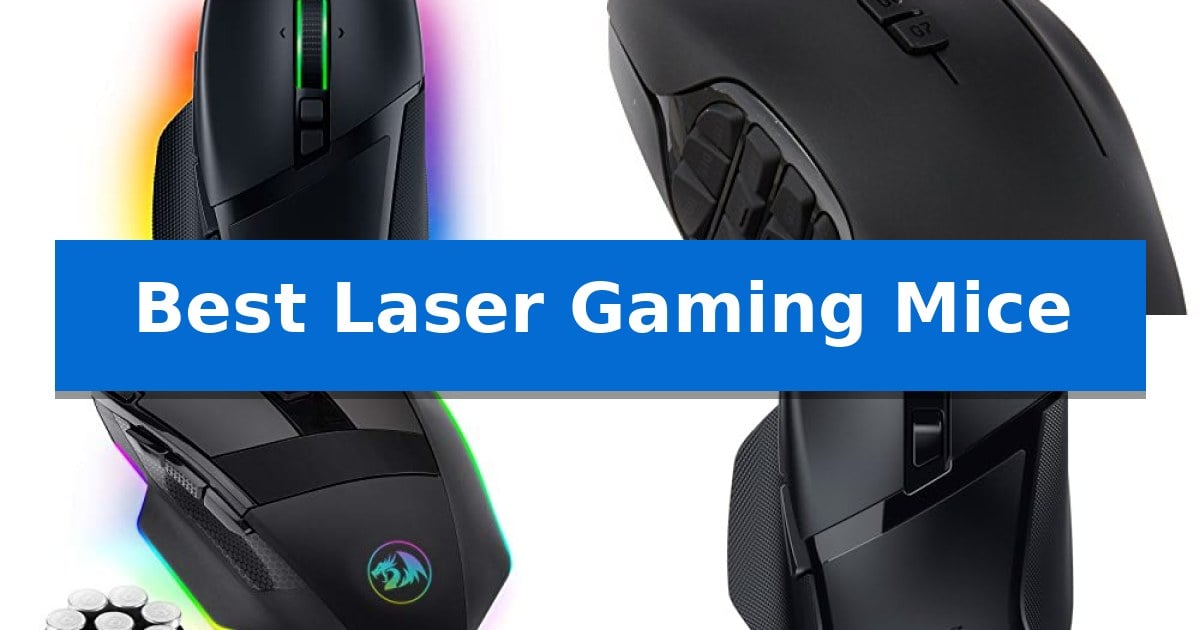
Best Laser Gaming Mice in 2026: Precision Control for Competitive Play

Best Laser Gaming Mice

Finding the right peripheral can significantly impact your performance in fast-paced titles. When searching for the Best Laser Gaming Mice, you need a device that balances sensor precision with a shape that fits your hand during long sessions.

Our guide focuses on identifying models that offer reliable tracking and programmable controls to suit various playstyles. Whether you prioritize wireless freedom or a high button count for complex macros, these options provide the technical foundation needed for consistent gameplay.
Best Laser Gaming Mice in 2026: Precision Control for Competitive Play

Our Top Picks
  1. Twenty buttons for complex macros Logitech G600 MMO Gaming Mouse
  2. High DPI with weight tuning Redragon M801 Gaming Mouse
  3. Low latency wireless freedom Razer Basilisk V3 X HyperSpeed
  4. Twelve side buttons for MMOs Redragon M901P-KS Wireless Mouse

Quick Comparison

Product Best For Key Strength Score
Razer Basilisk V3 Gaming Mouse Best Overall HyperScroll Tilt Wheel with dual-mode functionality. 4.9
Logitech G600 MMO Gaming Mouse Twenty buttons for complex macros 20 programmable buttons for complex macro execution 4.5
Redragon M801 Gaming Mouse High DPI with weight tuning 8-piece weight tuning set for customized handling 4.9
Razer Basilisk V3 X HyperSpeed Low latency wireless freedom Dual-mode wireless connectivity with HyperSpeed and Bluetooth options. 4.4
Redragon M901P-KS Wireless Mouse Twelve side buttons for MMOs 12 side buttons for extensive macro programming 4.3

How We Chose

  • Sensor accuracy and DPI range for consistent tracking.
  • Button layout and macro programmability for game-specific commands.
  • Ergonomic design and weight distribution for comfort.
  • Connectivity options, including wired stability and wireless latency.
  • Build quality and switch durability for long-term use.

1 Razer Basilisk V3 Gaming Mouse — Precision sensor with tilt wheel

The Razer Basilisk V3 Gaming Mouse features a versatile HyperScroll Tilt Wheel that allows users to toggle between free-spin and tactile modes, providing precise control for cycling through in-game skills or weapons. This wired ergonomic mouse is built for high-performance input, utilizing Optical Mouse Switches Gen 2 that offer a 0.2ms actuation speed and a lifespan of up to 70 million clicks.

Designed with an iconic ergonomic shape and a dedicated thumb rest, the device is engineered to support the hand during extended gaming sessions. Users can assign secondary functions or complex macros across 11 programmable buttons, which are positioned for quick access. The mouse also incorporates 11 Razer Chroma RGB lighting zones that provide customizable visual effects that sync with over 150 integrated games.

At the core of its performance is the Focus+ 26K DPI Optical Sensor, which is designed to track movement with high accuracy and zero smoothing. The mouse allows for further performance optimization through the Razer Synapse App, where users can adjust settings to suit their specific playstyle. With a weight of 0.2225 pounds, it balances a sturdy feel with the responsiveness required for competitive gaming.

While the mouse offers extensive customization, it is a wired-only peripheral, which may be a consideration for those prioritizing a cable-free desktop setup. The inclusion of the Razer Synapse App is recommended for users looking to fully leverage the programmable buttons and lighting configurations, ensuring the device is tuned for optimal accuracy.

Best for: Gamers who require high-precision tracking and extensive button customization for complex macro assignments.

Skip if: Users who prioritize a wireless connection or a lightweight, ambidextrous design will find other models more suitable.

PROS

  • HyperScroll Tilt Wheel with dual-mode functionality.
  • 11 programmable buttons for advanced macro support.
  • Focus+ 26K DPI Optical Sensor for high-precision tracking.
  • Optical Mouse Switches Gen 2 for responsive, durable clicking.

CONS

  • Wired-only connection limits desk placement flexibility.
  • Requires Razer Synapse software to fully unlock customization features.

2 Logitech G600 MMO Gaming Mouse — Twenty buttons for complex macros

Managing complex ability rotations in MMO titles requires more than standard inputs, and the Logitech G600 MMO Gaming Mouse addresses this with a dedicated 12-button thumb panel. This design choice provides immediate access to a vast array of macros, allowing players to execute commands without relying solely on keyboard shortcuts.

Beyond its extensive button layout, the mouse features a laser sensor capable of tracking movement with precision. The gaming-grade construction ensures the device remains durable during long play sessions while maintaining a lightweight feel. Its ambidextrous design accommodates different grip styles, providing a versatile physical profile for various hand sizes.

The Logitech G600 MMO Gaming Mouse utilizes USB connectivity for a consistent, wired link to your computer, eliminating the need for battery management. With 20 programmable buttons in total, including the thumb cluster and primary clicks, it offers a high degree of customization for users who need to map multiple spells, items, or utility functions directly to their peripheral.

While the high button count is the primary draw, it represents a specific trade-off in physical footprint and complexity. The dense layout requires a period of muscle memory development to distinguish between the thumb buttons effectively during fast-paced encounters.

Best for: Players who require extensive macro management and high-density button mapping for MMO or MOBA titles.

Skip if: Users who prefer a minimalist mouse design or those who find high-density thumb button clusters distracting for standard desktop tasks.

PROS

  • 20 programmable buttons for complex macro execution
  • Laser sensor for accurate tracking
  • Durable, lightweight construction suitable for extended use
  • Wired USB connectivity for reliable performance

CONS

  • High-density thumb panel requires a learning curve for button identification

3 Redragon M801 Gaming Mouse — High DPI with weight tuning

The Redragon M801 Gaming Mouse provides a customizable experience through an 8-piece weight tuning set, allowing users to adjust the physical feel of the device to suit their specific handling preferences. This wired peripheral is built for precision, utilizing an Avago sensor that supports up to 16,000 DPI and a 1000 Hz polling rate to ensure consistent input tracking.

Designed with versatility in mind, the mouse features 9 programmable buttons and 5 memory profiles. These allow for rapid remapping and lighting adjustments, which can be toggled to match different gaming scenarios or productivity tasks. The inclusion of Omron micro switches is intended to provide reliable click feedback during extended use.

Aesthetically and functionally, the device includes RGB backlighting with 8 distinct effects and 10 brightness levels, all of which can be disabled if preferred. The chassis is contoured for comfort and includes smooth TEFLON feet pads to facilitate fluid movement across various surfaces. A dedicated fire button is integrated into the design, offering a 1-click-to-3-clicks function for specific gaming requirements.

Durability is addressed through a 6ft braided-fiber cable equipped with a gold-plated USB connector, designed to maintain signal accuracy and withstand regular wear. The mouse is compatible with Windows 10, 8, 7, Vista, and XP operating systems, and it ships with a driver CD to facilitate full configuration of its programmable features.

Best for: Gamers who require high DPI sensitivity and the ability to physically adjust the weight of their mouse for a customized feel.

Skip if: Users who prefer a wireless setup or those who require a lightweight, minimalist design without extra programmable buttons.

PROS

  • 8-piece weight tuning set for customized handling
  • 9 programmable buttons with 5 onboard memory profiles
  • High-precision sensor supporting up to 16,000 DPI
  • Durable braided-fiber cable with gold-plated connector

CONS

  • Wired-only connection limits desk mobility
  • Requires driver installation for full button and profile customization

4 Razer Basilisk V3 X HyperSpeed — Low latency wireless freedom

Precision and comfort define the Razer Basilisk V3 X HyperSpeed, a wireless gaming mouse engineered with an iconic ergonomic shape that supports various grip styles for extended play. Its design integrates 9 customizable controls, allowing users to map complex macros and commands to suit specific gaming needs, ensuring that essential actions remain accessible during intense sessions.

Connectivity is managed through dual-mode technology, offering Razer HyperSpeed Wireless for low-latency performance alongside Bluetooth for maximum battery efficiency. This setup provides flexibility for different environments, with battery life reaching up to 285 hours on HyperSpeed or up to 535 hours when using Bluetooth, minimizing the need for frequent charging.

Tracking accuracy is powered by the Razer 5G Advanced 18K Optical Sensor, which is designed to provide pixel-precise aim and prevent spinouts during rapid movements. The mouse also features Razer Mechanical Mouse Switches Gen-2, utilizing gold-plated contact points to ensure durability and consistent execution for up to 60-million clicks.

Aesthetic and functional customization is provided by Razer Chroma RGB, featuring 16.8 million colors that can react dynamically with integrated game titles. Users can further refine the sensor performance and sensitivity settings through the Razer Synapse App, allowing for a tailored experience that matches individual playstyles.

Best for: Gamers who prioritize ergonomic comfort, multi-device wireless connectivity, and long battery life for extended play sessions.

Skip if: Users who require a lightweight, symmetrical mouse for competitive eSports or those who prefer a wired-only connection to avoid battery maintenance.

PROS

  • Dual-mode wireless connectivity with HyperSpeed and Bluetooth options.
  • High-durability switches rated for 60-million clicks.
  • Ergonomic design featuring 9 programmable buttons.
  • Extended battery life reaching up to 535 hours on Bluetooth.

CONS

  • No wired-only mode for users who prefer to avoid battery-powered operation.
  • Heavier build compared to ultra-lightweight competitive gaming mice.

5 Redragon M901P-KS Wireless Mouse — Twelve side buttons for MMOs

Managing complex ability rotations in MMOs requires more than just standard mouse clicks, and the Redragon M901P-KS Wireless Mouse addresses this with a dedicated array of 12 side buttons. This layout allows users to map intricate keyboard combinations directly to the thumb, potentially streamlining gameplay efficiency in demanding scenarios.

Beyond its button density, the device features a high-performance sensor capable of up to 16,000 DPI, providing adjustable sensitivity to suit various gaming styles. Users can fine-tune the polling rate between 125Hz and 1000Hz, ensuring the hardware adapts to specific performance requirements. The inclusion of 40G acceleration is intended to assist with rapid, precise movements during intense sessions.

The mouse offers dual-mode functionality, allowing for a wireless experience that eliminates cable drag while maintaining a 1000mAh built-in battery rated for up to 70 hours of use with RGB lighting disabled. For longer sessions, the unit supports wired charging, ensuring it remains operational without downtime. Customization is managed through dedicated software, which supports 5 memory profiles and macro editing for all 16 programmable buttons.

Designed with ergonomics in mind, the chassis utilizes skin-friendly materials to support extended use. The aesthetic is complemented by 16.8 million color RGB lighting with four distinct modes, all of which can be adjusted via the Redragon software to match a specific gaming setup.

Best for: MMO and MOBA players who require extensive macro mapping and thumb-accessible button layouts.

Skip if: Users who prefer a minimalist, lightweight mouse for fast-paced FPS titles may find the 12-button side panel and overall footprint cumbersome.

PROS

  • 12 side buttons for extensive macro programming
  • High-sensitivity sensor with 16,000 DPI
  • Wireless and rechargeable design with 70-hour battery life
  • Customizable 5 memory profiles for different gaming scenarios

CONS

  • Higher button density may require an adjustment period for muscle memory
  • Weight of 0.64 lbs is heavier than standard competitive gaming mice

Best Laser Gaming Mice Buying Guide

Sensor Technology and DPI

The sensor is the heart of any gaming mouse, determining how accurately your physical movements translate to the screen. High DPI (Dots Per Inch) settings allow for faster cursor movement, which is useful for high-resolution displays, while lower settings provide more control for precise aiming.

Look for sensors that offer zero smoothing or acceleration to ensure your muscle memory remains consistent. Advanced optical or laser sensors provide the pixel-precise accuracy required for competitive shooters and strategy games alike.

Programmable Buttons and Macros

Many gaming mice feature extra buttons that can be mapped to specific in-game actions. This is particularly beneficial for MMO (Massively Multiplayer Online) players who need quick access to complex spell rotations or inventory management.

Ensure the software allows for profile switching, so you can save different configurations for various games. The placement of these buttons is just as important as the count, as they should be reachable without compromising your grip.

Ergonomics and Grip Style

Your grip style—whether palm, claw, or fingertip—dictates which mouse shape will feel most natural. Mice with thumb rests or contoured sides can reduce fatigue during extended play by providing better support for your hand.

Consider the weight of the device as well. Some users prefer a heavier mouse for stability, while others opt for lightweight designs to facilitate quick flicks and rapid movements.

Connectivity: Wired vs. Wireless

Wired mice offer the advantage of a constant connection and no need for battery management. They are ideal for users who want a simple, plug-and-play experience without the risk of signal interference.

Modern wireless technology has reached a point where low-latency performance is comparable to wired alternatives. If you choose wireless, look for models that also support Bluetooth or wired charging to keep you in the game.

Switch Durability

The switches beneath your primary buttons determine how long your mouse will last and how satisfying each click feels. High-quality switches are rated for millions of clicks, ensuring they remain responsive over time.

Look for features like gold-plated contact points or optical switches, which are designed to prevent unintended misclicks and provide a crisp, consistent execution speed.

Frequently Asked Questions

What is the benefit of a high DPI sensor?

A high DPI sensor allows for greater sensitivity, which can be useful for high-resolution setups or games that require rapid camera movement.

Do I need a wireless or wired mouse?

Wired mice provide a reliable, battery-free connection, while wireless mice offer more freedom of movement without the risk of cable drag.

How many programmable buttons do I need?

The number of buttons depends on your game; MMO players often benefit from 12+ buttons for macros, while FPS players may prefer fewer, more accessible buttons.

Does mouse weight affect performance?

Yes, weight affects how much effort is required to move the mouse. Some models offer weight tuning systems to help you find the balance that suits your preference.

What is the advantage of a tilt wheel?

A tilt wheel adds extra inputs by allowing you to scroll horizontally or click the wheel to the left or right, providing more control options.

Conclusion: Our Top Pick

For most gamers, the Razer Basilisk V3 Gaming Mouse stands out as the most versatile option. Its combination of a high-precision 26K DPI sensor, 11 programmable buttons, and the unique HyperScroll tilt wheel makes it highly adaptable for both fast-paced shooters and complex strategy games.

While other models offer specific benefits like higher button counts for MMOs or wireless freedom, the Razer Basilisk V3 provides a balanced ergonomic design and reliable performance that fits a wide variety of gaming needs.
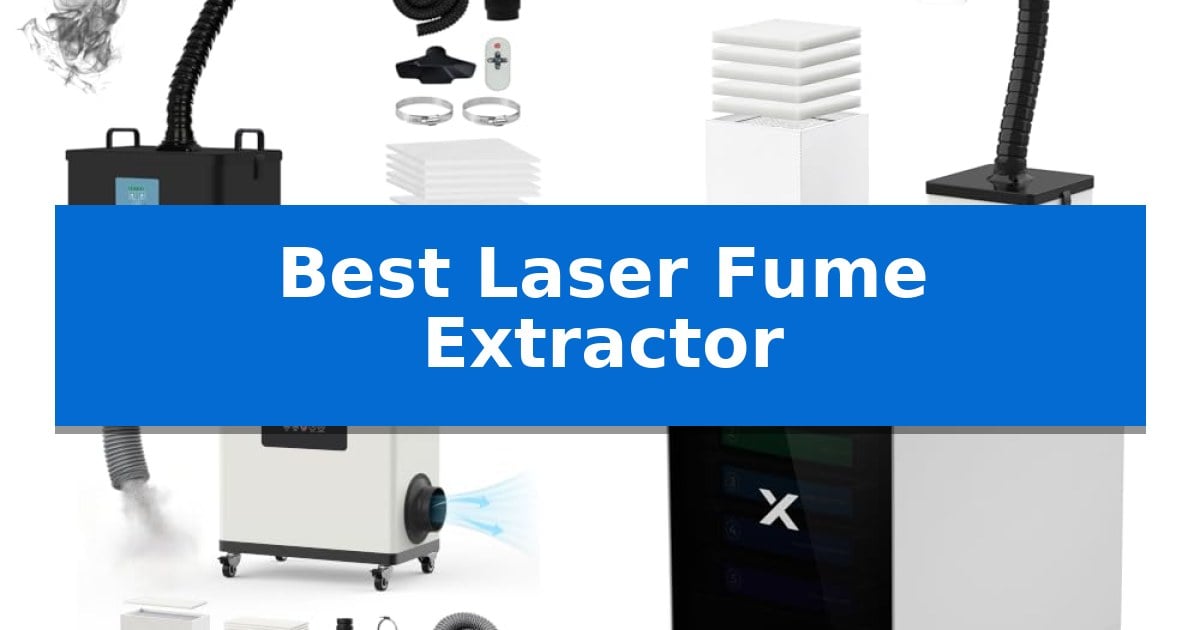
Best Laser Fume Extractor in 2026: Clean Air for Your Workshop

Best Laser Fume Extractor

Laser engraving and cutting projects often produce harmful smoke, dust, and volatile organic compounds that can irritate your lungs and eyes. Finding the Best Laser Fume Extractor is essential for maintaining a safe, breathable environment in your home studio or professional workshop.

These specialized air purification systems go beyond simple ventilation by using multi-stage filtration to capture microscopic particles and neutralize odors. Whether you are working with wood, leather, or acrylic, selecting the right unit ensures your creative process remains both productive and healthy.

Best Laser Fume Extractor in 2026: Clean Air for Your Workshop

Our Top Picks
  1. Versatile Arm for Flexible Positioning FUMEGO XF250 Laser Fume Extractor
  2. High-Capacity Filtration for Enclosed Lasers FUMEGO DX1002W Laser Fume Extractor
  3. Advanced Cyclone Technology for Dust xTool SafetyPro AP2 Smoke Purifier
  4. Best for High-Power Laser Cutting FumeClear FC-2004 Laser Fume Extractor

Quick Comparison

Product Best For Key Strength Score
FumeClear FC-2002A Laser Fume Extractor Best Overall High-efficiency 3-stage filtration capturing particles down to 0.3 microns. 4.9
FUMEGO XF250 Laser Fume Extractor Versatile Arm for Flexible Positioning 4-stage filtration system with HEPA and high-iodine activated carbon. 4.9
FUMEGO DX1002W Laser Fume Extractor High-Capacity Filtration for Enclosed Lasers Powerful 200W motor with 177 CFM airflow capacity. 4.8
xTool SafetyPro AP2 Smoke Purifier Advanced Cyclone Technology for Dust SuperCyclone Technology captures large particles to extend filter life. 4.6
FumeClear FC-2004 Laser Fume Extractor Best for High-Power Laser Cutting Triple filtration system effectively captures particles below 0.2 microns. 4.3

How We Chose

  • Suction Power and Airflow: Measured in CFM or m³/h to ensure the unit can effectively capture smoke at the source.
  • Filtration Stages: Assessed the combination of pre-filters, HEPA filters, and activated carbon layers for comprehensive particle and odor removal.
  • Compatibility: Verified the unit's ability to integrate with specific laser engraver power ranges and exhaust port sizes.
  • Noise Levels: Evaluated the operational volume to ensure the system remains suitable for indoor residential or studio use.
  • Maintenance Requirements: Considered filter lifespan and the ease of replacing consumables to determine long-term cost-effectiveness.

1 FumeClear FC-2002A Laser Fume Extractor — Powerful Suction for Desktop Lasers

Maintaining clean air in a workspace involving laser engraving, soldering, or 3D printing requires effective particulate management. The FumeClear FC-2002A Laser Fume Extractor addresses this by combining high-volume air movement with a multi-stage filtration system designed to capture smoke, dust, and volatile organic compounds.

At the core of its operation is a powerful suction capability rated at up to 153 CFM (260m³/h). This allows the unit to effectively pull exhaust gases and debris from a 15cm³ range near the hood head, making it suitable for 10-40W laser systems and desktop soldering stations. To ensure air quality, it utilizes a 3-stage filtration system consisting of a pre-filter, a HEPA filter, and a main carbon filter, achieving a 99.97% purification rate for particles as small as 0.3 microns.

The unit is engineered for longevity and operational comfort. The main filter uses highly iodized coconut shell activated carbon, which provides enhanced adsorption compared to standard carbon filters and supports a service life of up to 4000 hours. For noise management, the extractor features an aerospace-grade noise reduction structure, utilizing a noise-reducing coating and high-density sound-absorbing sponges to keep operating noise levels under 55dB.

Designed for professional and hobbyist environments, the system includes 10 replaceable pre-filters to extend the life of the primary filtration stages. The device is certified for safety and compliance, including CE, FCC, ROHS, and UKCA standards, and is supported by 24-hour technical assistance.

Best for: This extractor is best for hobbyists and professionals using desktop laser engravers, 3D printers, or soldering irons who need a quiet, high-efficiency air purification solution.

Skip if: Skip this model if you require an industrial-scale ventilation system for high-wattage lasers exceeding 40W or if your workspace lacks the physical footprint for a 15.7-inch tall unit.

PROS

  • High-efficiency 3-stage filtration capturing particles down to 0.3 microns.
  • Quiet operation with noise levels maintained under 55dB.
  • Durable main carbon filter with up to 4000 hours of service life.
  • Powerful 153 CFM suction suitable for various desktop fabrication tools.

CONS

  • Filter replacement costs may accumulate over time despite the long service life.
  • Fixed footprint requires dedicated space on a workbench or floor.

2 FUMEGO XF250 Laser Fume Extractor — Versatile Arm for Flexible Positioning

Maintaining a clean and safe workspace while using laser engravers is essential for long-term health and equipment longevity. The FUMEGO XF250 Laser Fume Extractor addresses this by providing a robust 150W system specifically engineered for 10 to 40W laser engravers, including popular models like the S1, M1, and Vista.

This unit features an advanced 4-stage filtration system that includes an upgraded pre-filter, a HEPA filter capable of capturing 99.97% of 0.3 µm particles, and a high-iodine activated carbon layer. By utilizing an Ultra-Dense Carbon Mesh, the system effectively removes up to 95% of odors, ensuring that fumes from wood, metal, or leather are captured before they circulate in your environment.

Usability is a core focus of the FUMEGO XF250 Laser Fume Extractor, which includes a 1.2m flexible gooseneck arm for precise positioning and a 1.5m hose that fits 50-75mm exhaust ports. The design prioritizes a tight seal to minimize leakage, while the low-noise brushless motor and aviation-grade soundproof materials keep operation as low as 60 dB, allowing for focused work sessions.

Certified by CE, FCC, and RoHS, this device meets global safety standards for indoor use in homes, studios, and offices. The combination of high-capacity airflow and a multi-stage filter makes it a reliable choice for those managing smoke and odors from laser cutting, soldering, or 3D printing tasks.

Best for: The FUMEGO XF250 is best for hobbyists and professionals using 10 to 40W laser engravers who require a quiet, multi-stage filtration system to manage smoke and odors in indoor workspaces.

Skip if: Skip this model if you are operating high-powered industrial laser systems exceeding 40W, as this unit is specifically optimized for lower-wattage desktop engravers.

PROS

  • 4-stage filtration system with HEPA and high-iodine activated carbon.
  • Low-noise operation at 60 dB using a brushless motor.
  • Versatile connectivity with a 360-degree adjustable gooseneck arm.
  • Broad compatibility with 10 to 40W laser engravers including S1 and M1 models.

CONS

  • Limited to 10-40W lasers, making it unsuitable for high-wattage industrial equipment.

3 FUMEGO DX1002W Laser Fume Extractor — High-Capacity Filtration for Enclosed Lasers

Maintaining a clean and safe workspace while operating an enclosed laser engraver requires efficient air management. The FUMEGO DX1002W Laser Fume Extractor addresses this need with a 200W brushless DC motor capable of delivering up to 177 CFM of airflow, ensuring that smoke and odors are captured effectively during operation.

Designed for versatility, this unit features a 4-stage filtration system that includes an integrated HEPA filter and 11 pre-filters. This configuration is engineered to capture particles as small as 0.3μm, while the pre-filters help extend the lifespan of the main filter by trapping larger PM2.5 particles, which helps manage long-term maintenance costs.

The device offers precise control through an intelligent control panel, allowing users to select from 10 adjustable suction levels to match the intensity of their laser work. To maintain a quiet environment, the durable metal housing is lined with sound-absorbing cotton, keeping operating noise levels below 54dB even when the system is under load.

Practicality is central to its design, featuring a 4-inch exhaust port that supports both indoor air recirculation and outdoor venting via the included 1.5m hose. The unit also includes a smart clogging alarm to notify users when filter replacement is necessary, along with braked castors and a carry handle for mobility within a workshop or studio.

Best for: Users of enclosed laser engravers under 60W who require a mobile, high-suction filtration system with adjustable settings.

Skip if: Users operating open-frame laser systems or high-power industrial lasers exceeding 60W that require different exhaust specifications.

PROS

  • Powerful 200W motor with 177 CFM airflow capacity.
  • 10 adjustable suction levels for customized performance.
  • 4-stage filtration with a smart clogging alarm for maintenance tracking.
  • Quiet operation at under 54dB due to sound-absorbing construction.

CONS

  • Requires periodic replacement of the 11 included pre-filters to maintain efficiency.
  • Specific compatibility limited to enclosed laser engravers under 60W.

4 xTool SafetyPro AP2 Smoke Purifier — Advanced Cyclone Technology for Dust

Maintaining a clean workspace during laser processing requires effective air filtration to manage smoke and debris. The xTool SafetyPro AP2 Smoke Purifier addresses this need by utilizing a specialized SuperCyclone Technology system, which employs 36 cyclones to capture 99% of large particles before they reach the internal filters. This design choice is intended to extend the lifespan of the filtration components, potentially reducing maintenance frequency.

This purifier features a 6-layer filtration system engineered to remove 99.99% of dust and odors from the air. Designed for versatility, it is compatible with various laser engraving machines, including diode and fiber lasers, as well as CO2 laser cutters with a fume extraction rate of 150 m³/h or less. The unit includes an Ultra-Dense Carbon Mesh filter to assist in the absorption of odors and harmful chemicals.

Usability is enhanced through smart features such as auto-sync with xTool lasers, which allows for tailored settings based on the material being processed. The device provides real-time filter monitoring to keep the user informed of the system's status. Maintenance is simplified by a pull-out magnetic door that facilitates easy removal, washing, and replacement of the filter elements.

Operating with a focus on efficiency, the system is designed for low-dB operation to minimize noise in the workspace. While it offers robust filtration, users should verify their specific laser's extraction requirements, as this model is not compatible with machines like the xTool P3 that exceed its 238 m³/h extraction capacity. The unit weighs approximately 46 lbs, providing a stable footprint for workshop environments.

Best for: Users of diode, fiber, or CO2 laser engravers seeking an integrated, multi-stage filtration system with automated settings.

Skip if: Users operating high-output laser cutters like the xTool P3, which require higher fume extraction rates than this unit provides.

PROS

  • SuperCyclone Technology captures large particles to extend filter life.
  • 6-layer filtration removes 99.99% of dust and odors.
  • Auto-sync functionality enables tailored settings for different materials.
  • Magnetic door design allows for quick and easy filter maintenance.

CONS

  • Incompatible with high-extraction machines exceeding 150 m³/h, such as the xTool P3.
  • Substantial weight of 46 lbs may limit portability for some users.

5 FumeClear FC-2004 Laser Fume Extractor — Best for High-Power Laser Cutting

Maintaining a clean and safe workspace during high-power laser operations requires robust air purification, and the FumeClear FC-2004 Laser Fume Extractor is engineered specifically to handle the demands of 20-80W laser cutters. By utilizing a high-capacity suction system, this unit effectively captures exhaust gas, dust, and fine particles directly from the source, ensuring that hazardous byproducts are managed before they circulate in your environment.

At the heart of the FumeClear FC-2004 is a triple filtration system designed for comprehensive air quality control. The process begins with a pre-filter and a HEPA filter to trap larger debris, followed by a professional-grade high-iodine coconut shell carbon filter. This specialized carbon layer is engineered to be 2-3 times more effective than standard activated carbon at adsorbing smoke and harmful impurities below 0.2 microns, offering a service life exceeding 4000 hours.

Usability is a core focus of this design, featuring a powerful 420m³/h suction capacity that ensures consistent airflow even during intensive engraving or cutting tasks. The unit is built to be a reliable addition to professional settings, including chemistry labs and 3D printing stations, and it comes with 10 replacement pre-filter cottons to maintain peak efficiency over time. Its certification across CE, FCC, ROHS, and UKCA standards underscores its focus on safety and regulatory compliance.

While the FumeClear FC-2004 provides significant air purification power, users should note its physical footprint, as the unit measures 26.2 inches in height and 21 inches in length. This size is necessary to house the multi-stage filtration system and high-output motor, making it a dedicated piece of equipment for stationary laser setups rather than a portable solution for small, cramped hobbyist desks.

Best for: This extractor is best for professional users and hobbyists operating 20-80W laser engravers who require high-volume air purification and long-lasting filtration.

Skip if: Skip this model if you have limited floor or bench space, as its large dimensions and heavy-duty design are optimized for stationary, high-power laser setups.

PROS

  • Triple filtration system effectively captures particles below 0.2 microns.
  • High-iodine coconut shell carbon offers superior adsorption and a 4000-hour service life.
  • Powerful 420m³/h suction capacity handles exhaust from high-power lasers.
  • Includes 10 pre-filter cottons for extended maintenance value.

CONS

  • Large physical footprint requires dedicated space in your workshop.
  • Heavy-duty design is less suitable for small or portable laser setups.

Best Laser Fume Extractor Buying Guide

Understanding Filtration Stages

A high-quality fume extractor typically employs a multi-stage filtration system. The pre-filter is the first line of defense, capturing larger debris like wood chips and dust to prevent the more expensive filters from clogging prematurely.

The HEPA filter is critical for trapping fine particulate matter, often down to 0.3 microns, while the activated carbon filter is responsible for adsorbing chemical odors and VOCs. Ensuring your system has a balanced combination of these layers is vital for true air purification.

Matching Suction to Laser Power

The suction power, often expressed in CFM (cubic feet per minute), must be matched to the intensity of your laser work. High-power laser cutters generate significantly more smoke and debris than smaller diode lasers, requiring higher airflow to maintain a clean cutting area.

Always check the manufacturer's recommendations regarding the laser wattage compatibility. Using an underpowered extractor for a high-wattage machine can lead to smoke buildup inside the laser housing, potentially damaging your optics and affecting cut quality.

Noise and Workspace Integration

Because these units often run for extended periods, noise reduction technology is a major consideration for home-based makers. Look for extractors that utilize sound-absorbing materials or brushless motors designed for quieter operation.

Consider the physical footprint and mobility of the unit. If your workspace is limited, a compact model with a flexible hose or arm may be more practical than a large, stationary floor unit.

Filter Longevity and Maintenance

The cost of ownership is heavily influenced by how often you need to replace filters. Systems that include multiple replaceable pre-filters can significantly extend the life of the more expensive main HEPA and carbon cartridges.

Many modern units now feature clogging alarms or status indicators that alert you when it is time for maintenance. Staying on top of these alerts ensures your extractor maintains its peak purification efficiency over time.

Venting Options

Some extractors are designed to recirculate purified air back into the room, while others offer the option to attach a hose to vent exhaust outdoors. Recirculating units are ideal for spaces without easy access to windows or external vents.

If you choose a unit that vents outdoors, ensure the hose diameter is compatible with your laser machine's exhaust port. A tight seal is necessary to prevent smoke leakage, which can negate the benefits of your filtration system.

Frequently Asked Questions

Can I use a standard air purifier instead of a laser fume extractor?

No. Standard air purifiers are not designed to handle the high volume of concentrated smoke, resinous vapors, and chemical fumes produced by laser cutting. A dedicated laser fume extractor uses specific carbon blends and high-pressure fans tailored for these pollutants.

How often should I change the filters?

Filter life depends on your usage frequency and the materials you cut. Pre-filters usually require more frequent changes, while HEPA and carbon filters can last several months to a year. Always monitor the manufacturer's indicators or check for reduced airflow.

Does the fume extractor remove all odors?

While high-quality activated carbon filters are highly effective at neutralizing most laser-generated odors, some trace smells may persist depending on the material being cut. Proper ventilation and regular filter maintenance are key to minimizing lingering odors.

Is it safe to vent the filtered air back into my house?

Yes, provided your unit uses a high-efficiency HEPA and carbon filtration system that is properly maintained. These systems are designed to return clean, purified air to the workspace, making them suitable for indoor use.

What is the benefit of a high-iodine carbon filter?

High-iodine activated carbon has a larger surface area and superior adsorption capacity compared to standard carbon. This allows it to capture a wider range of chemical vapors and odors more effectively, extending the time between filter replacements.

Conclusion: Our Top Pick

Selecting the right equipment for your workshop is a balance of suction capacity, filtration quality, and workspace constraints. For most users, the FumeClear FC-2002A Laser Fume Extractor stands out as the most versatile choice, offering a robust 153 CFM suction power and a reliable 3-stage filtration system that effectively handles the demands of 10-40W laser engravers.

Its aerospace-grade noise reduction and high-iodine carbon filter provide a professional-grade solution that keeps your air clean without the excessive noise often associated with industrial extractors. By investing in this system, you ensure that your creative projects remain safe and your workspace stays free from harmful smoke and dust.

Best Laser for X-Carve in 2026

Best Laser for X-Carve

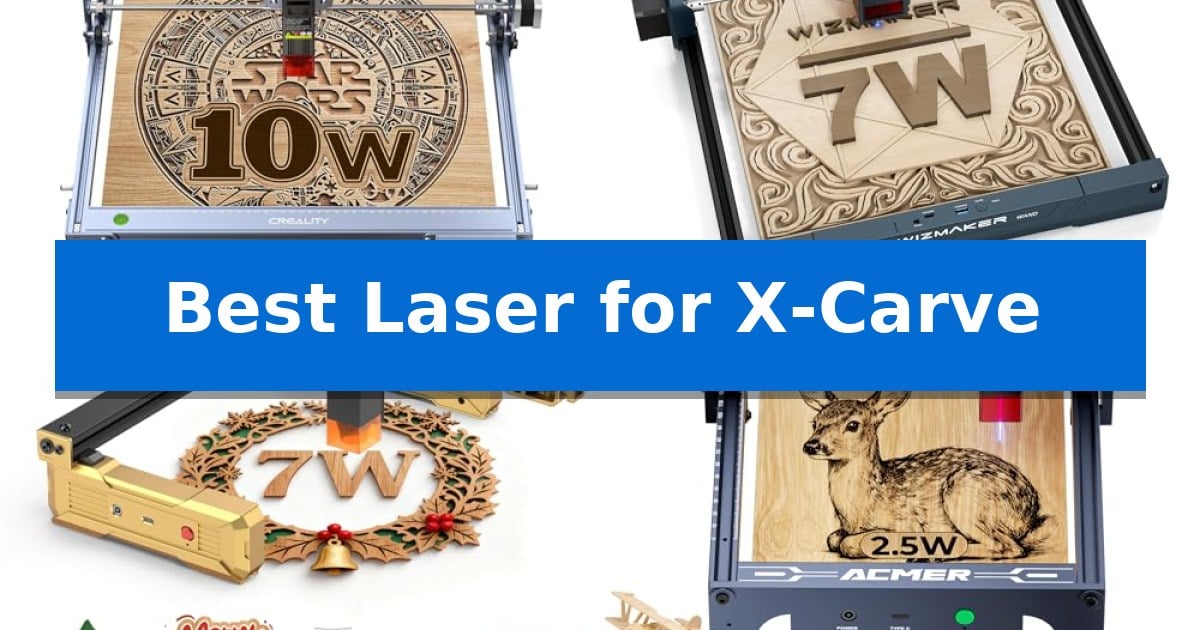
Integrating a laser module into your existing CNC setup can significantly expand your workshop's capabilities, allowing for intricate engraving and light cutting tasks on materials like wood and acrylic. Finding the Best Laser for X-Carve requires balancing power output, mounting compatibility, and software integration to ensure a seamless transition from milling to laser processing.

Whether you are looking to add fine-detail engraving to your woodworking projects or need a reliable cutting solution for thin materials, selecting the right hardware is essential. This guide evaluates several diode laser options, focusing on their technical specifications and practical utility to help you determine which module best fits your current CNC configuration.

Best Laser for X-Carve in 2026

Our Top Picks
  1. Spacious Area for Larger Projects WIZMAKER WAND 7W Laser Engraver
  2. Compact Design for Detailed Work Artilume T1 Laser Engraver
  3. Beginner-Friendly Preassembled Unit ACMER S1 Laser Engraver
  4. Essential Material for Laser Cutting ACXFOND Basswood Sheets

Quick Comparison

Product Best For Key Strength Score
Creality CR-Laser Falcon 10W Best Overall 0.06mm x 0.06mm super fine spot focus for high-precision detailing. 4.9
WIZMAKER WAND 7W Laser Engraver Spacious Area for Larger Projects Spacious 300x300mm engraving area for increased project capacity. 4.9
Artilume T1 Laser Engraver Compact Design for Detailed Work 0.01mm engraving accuracy for highly detailed designs. 4.5
ACMER S1 Laser Engraver Beginner-Friendly Preassembled Unit 99% preassembled for rapid setup. 4.6
ACXFOND Basswood Sheets Essential Material for Laser Cutting Consistent 1/8-inch thickness ensures predictable laser cutting results. 4.4

How We Chose

  • Laser power output and focal spot size for engraving precision.
  • Compatibility with standard CNC control software like LightBurn and LaserGRBL.
  • Ease of mounting and integration with existing gantry systems.
  • Safety features including protective shielding and eye protection.
  • Material versatility for both cutting and surface marking.

1 Creality CR-Laser Falcon 10W — High-Precision Desktop Laser Cutter

Precision and versatility are essential when integrating a laser into a CNC environment like the X-Carve. The Creality CR-Laser Falcon 10W provides a 0.06mm x 0.06mm super fine spot focus, which is critical for maintaining the high-accuracy engraving and cutting required for detailed woodworking projects.

Equipped with 10W output power and 72W machine power, this unit is capable of cutting through a 5mm basswood board or 3mm black acrylic in a single pass at speeds reaching 10,000mm/m. Its all-aluminum alloy structure and steel shaft wheel guide rails ensure stability during operation, while the integrated belt tension adjustment helps maintain consistent movement across the work area.

Usability is enhanced by the inclusion of a focusing plate, which allows for tool-free height adjustment, significantly reducing setup time. The machine is compatible with industry-standard software such as LightBurn and LaserGRBL, offering flexibility for both experienced users and those new to laser processing. Data transfer is supported via Wi-Fi, USB cable, or SD card for convenient workflow management.

Safety remains a priority with the anti-UV filter acrylic on the laser module, designed to filter 97% of UV rays. The unit is designed for rapid assembly, typically requiring only 10 to 20 minutes, and includes a one-year warranty on parts to support long-term operation.

Best for: Makers seeking a high-precision, 10W laser module for detailed cutting and engraving tasks on wood, acrylic, and leather.

Skip if: Users requiring a higher power output for thick material cutting or those who prefer a fully integrated, pre-assembled laser system without any DIY setup requirements.

PROS

  • 0.06mm x 0.06mm super fine spot focus for high-precision detailing.
  • 10W output power capable of single-pass cutting on 5mm basswood.
  • Tool-free focusing plate for quick and easy height adjustments.
  • Wide software compatibility including LightBurn and LaserGRBL.

CONS

  • Requires assembly which may take 10-20 minutes.
  • Manual focus adjustment despite the included plate.

2 WIZMAKER WAND 7W Laser Engraver — Spacious Area for Larger Projects

The WIZMAKER WAND 7W Laser Engraver offers a substantial 300 mm x 300 mm engraving area, providing a spacious workspace for creators who need to handle multiple items like metal jewelry or acrylic pieces simultaneously. This desktop-friendly unit is designed to maximize utility while maintaining a compact footprint for home or studio environments.

Engineered for versatility, this laser engraver features a 7000mW laser capable of processing a wide range of materials, including wood, bamboo, leather, cardboard, slate, and dark opaque acrylic. It achieves precise results with a 0.1mm laser spot and supports processing speeds up to 10,000 mm/min, balancing detail with efficiency for various cutting and engraving tasks.

Integration into existing workflows is supported through USB, WiFi, and hotspot connectivity, allowing for control via computer or mobile app. The hardware is compatible with LaserGRBL and LightBurn software, providing users with flexibility in selecting their preferred design and control interface across Android, iOS, Windows, and MacOS platforms.

Setting up the device is streamlined, with a manufacturer-stated installation time of under 10 minutes. The unit is classified as a Class 4 safety level device and includes access to 24/7 technical support, ensuring that users have resources available for setup and operational guidance.

Best for: Creators and hobbyists who require a large 300x300mm work area for batch-processing multiple small items or larger materials.

Skip if: Users who require a higher-wattage laser for deep-cutting thick materials or those who prefer a fully enclosed laser system for maximum safety.

PROS

  • Spacious 300x300mm engraving area for increased project capacity.
  • Versatile connectivity options including WiFi, hotspot, and USB.
  • Broad software compatibility with LaserGRBL and LightBurn.
  • Fast setup time of approximately 10 minutes.

CONS

  • 7W power output may limit the thickness of materials that can be cut in a single pass.
  • Class 4 safety level requires strict adherence to safety protocols during operation.

3 Artilume T1 Laser Engraver — Compact Design for Detailed Work

Achieving precise detail on small-scale projects requires a machine that balances power with a compact footprint. The Artilume T1 Laser Engraver provides a specialized solution for makers who need to transition between engraving intricate patterns and performing light cutting tasks without occupying a large portion of their workspace.

Equipped with a 7W diode laser, this machine is capable of cutting through 4mm basswood using multiple passes, while its 0.01mm engraving accuracy ensures that fine text and detailed artwork remain crisp. The system is built on a rigid aluminum frame paired with an advanced stepper motor, supporting a maximum speed of 10,000 mm/min to help manage project timelines effectively.

The 200x150mm working area is optimized for desktop DIY projects, including coasters, leather patches, and custom ornaments. Its foldable design allows for efficient storage when not in use, making it a practical addition to a crowded workbench. The device maintains wide material compatibility, including wood, leather, bamboo, and dark acrylic, though users should note that bare metal requires pre-treatment with a marking spray.

Operating this engraver requires attention to material settings, as the 7W output is best suited for light-duty applications rather than heavy industrial production. With its 1-year warranty and compact form factor, it serves as a focused tool for hobbyists looking to add professional-grade detail to small-scale craft items.

Best for: Makers focused on small-scale DIY projects, custom signage, and detailed engraving on materials like wood, leather, and acrylic.

Skip if: Users requiring large-format engraving or high-volume industrial cutting will find the 200x150mm work area and 7W laser power insufficient for their needs.

PROS

  • 0.01mm engraving accuracy for highly detailed designs.
  • Foldable design saves significant workspace.
  • 7W diode laser supports both engraving and light cutting.
  • High-speed operation up to 10,000 mm/min.

CONS

  • Limited 200x150mm work area restricts project size.
  • Requires pre-treatment for marking on bare metal surfaces.

4 ACMER S1 Laser Engraver — Beginner-Friendly Preassembled Unit

Integrating a laser module into an X-Carve setup requires a balance of precision and ease of installation. The ACMER S1 Laser Engraver distinguishes itself with a 99% preassembled design that allows for a rapid 1-minute laser head installation, making it a practical choice for those looking to expand their CNC capabilities without extensive mechanical modifications.

This unit features a 2500mW diode laser with a 455±5nm wavelength and a 2mm focal length, engineered to provide 0.01mm repeatable positioning accuracy. With an engraving speed reaching up to 10,000mm/min, it is capable of handling detailed work on materials like wood, bamboo, leather, and acrylic. The machine is constructed from industrial-grade aluminum alloy, maintaining a lightweight 2kg profile that fits within a compact 130 x 130mm working area.

Software integration is handled through the included Acmerstudio software, which is optimized for immediate use. For users with existing workflows, the device maintains wide compatibility with industry-standard tools such as LightBurn and LaserGRBL. It supports a variety of file formats including NC, DXF, BMP, JPG, and PNG, ensuring it fits into diverse project requirements.

The ACMER S1 Laser Engraver is built for versatility, functioning as both a cutter for thin plywood and MDF and an engraver for harder surfaces like aluminum oxide and ceramics. Its multi-core processor supports efficient control, and the system is fully compliant with IEC 60825-1 standards for safety.

Best for: Beginners and hobbyists seeking a preassembled, compact laser module that integrates easily with existing CNC workflows.

Skip if: Users requiring a large-format engraving area or high-power cutting capabilities for thick materials will find the 130 x 130mm workspace and 2500mW power output limiting.

PROS

  • 99% preassembled for rapid setup.
  • High-precision 0.01mm repeatable positioning.
  • Versatile compatibility with LightBurn and LaserGRBL.
  • Durable industrial-grade aluminum alloy construction.

CONS

  • Limited 130 x 130mm working area restricts project size.
  • 2500mW power is optimized for light cutting and engraving rather than heavy-duty fabrication.

5 ACXFOND Basswood Sheets — Essential Material for Laser Cutting

Achieving precise results with your CNC machine requires reliable, consistent materials, and the ACXFOND Basswood Sheets provide a stable foundation for a wide range of projects. These 1/8-inch thick boards are specifically prepared for laser cutting, ensuring that your Best Laser for X-Carve setup can execute intricate designs without the common frustrations of warping or uneven surfaces.

Each pack includes 24 sheets measuring 16 x 12 inches, offering a substantial supply for batch production or complex multi-part models. The wood features a beautiful & even grain, which is essential for achieving clean, professional-looking engravings and cuts. Because the material is laser cut and polished, you can expect a smooth finish right out of the box, significantly reducing the need for post-processing or sanding.

Versatility is a core strength of this basswood, as it is suitable for everything from architectural models and movie props to decorative puzzles and holiday ornaments. The 1/8-inch thickness strikes an ideal balance, providing enough structural integrity for durable models while remaining easy to cut through with standard laser power settings. This makes it a highly practical choice for both hobbyists and those focusing on detailed craft projects.

While these sheets are optimized for laser systems, they are also compatible with manual tools like scroll saws or utility knives, offering flexibility if you need to make quick adjustments. The no-burr, no-warping construction ensures that your material stays flat against the machine bed, helping to maintain consistent focus and cut depth across the entire surface of the board.

Best for: Makers and hobbyists looking for a consistent, warp-free supply of basswood for laser cutting, engraving, and architectural modeling.

Skip if: Users requiring thicker wood stock or specialized hardwoods for heavy-duty structural projects will need to look for alternative material grades.

PROS

  • Consistent 1/8-inch thickness ensures predictable laser cutting results.
  • Polished, burr-free surface minimizes the need for manual sanding.
  • Warp-resistant construction keeps material flat on the machine bed.
  • Large 24-pack quantity provides excellent value for high-volume projects.

CONS

  • Limited to 1/8-inch thickness, which may not suit projects requiring thicker wood.

Best Laser for X-Carve Buying Guide

Understanding Laser Power and Cutting Capacity

The power rating of a laser module, typically measured in watts, directly dictates its ability to cut through materials. A 10W module is generally more capable of handling thicker substrates like 5mm basswood or acrylic in fewer passes compared to lower-wattage alternatives.

However, higher power does not always mean better engraving quality. For fine detail work, the focal spot size is more critical than raw wattage. Look for modules that specify a fine focal point, as this ensures cleaner lines and sharper images on your workpiece.

Software Integration and Compatibility

Your laser module must communicate effectively with your CNC controller. Most modern diode lasers are compatible with industry-standard software like LightBurn or LaserGRBL, which provide the necessary control for both raster engraving and vector cutting.

Ensure the module you choose supports the connection method required by your controller, whether that is a direct PWM signal connection or a standalone USB interface. Compatibility with your existing operating system, such as Windows, macOS, or Linux, is also a vital consideration.

Mounting and Mechanical Considerations

Since you are adding a laser to an existing X-Carve or similar CNC machine, the physical mounting process is a primary concern. Many desktop laser modules are designed for easy attachment to standard gantry systems, but you should verify the weight and dimensions to ensure your Z-axis can handle the additional load without sacrificing stability.

Consider the ease of focus adjustment. Modules that include a fixed-focus plate or tool-less adjustment mechanisms allow for faster transitions between different material thicknesses, saving you time during your project workflow.

Safety and Environmental Controls

Laser engraving generates smoke, fumes, and potentially harmful UV radiation. A module equipped with an anti-UV filter is a standard safety requirement to protect your eyes and those of others in your workshop.

Beyond the module's built-in shielding, you should plan for adequate ventilation or an air filtration system. Proper fume extraction is essential for maintaining a safe working environment when processing materials like acrylic or treated woods.

Material Compatibility

Different diode lasers excel at marking or cutting specific materials. While most can handle wood, paper, and leather, engraving on metal or glass often requires specific power settings or pre-treatment with marking sprays.

Always check the manufacturer's compatibility list for the materials you intend to use most frequently. Testing on scrap material is the best practice to dial in the correct speed and power settings for your specific project requirements.

Frequently Asked Questions

Can I use these lasers directly with my X-Carve controller?

Most diode laser modules require a PWM signal from your controller. You may need to verify your specific controller's pinout and ensure it supports the voltage requirements of the laser module you select.

What software is best for laser engraving?

LightBurn is widely considered the industry standard for both engraving and cutting, offering robust control over power and speed. LaserGRBL is a popular, free alternative that is excellent for beginners.

Do I need special glasses for these lasers?

Yes. Even if a module has an anti-UV filter, wearing certified laser safety goggles that match the wavelength of your laser (typically 455nm for blue diode lasers) is mandatory for eye protection.

How do I focus the laser?

Many modern modules include a fixed-focus plate. You simply place the plate between the laser head and the material surface to set the correct distance before tightening the mount.

Can these lasers cut through metal?

Diode lasers in this power range are generally not capable of cutting through metal. They can, however, engrave or mark coated metals if the correct power and speed settings are applied.

Conclusion: Our Top Pick

For users seeking a balance of power and precision, the Creality CR-Laser Falcon 10W stands out as a strong choice for CNC integration. Its 10W output provides the necessary power for efficient cutting of common materials like basswood and acrylic, while its fine focal spot ensures the accuracy required for detailed engraving tasks.

While this module is highly capable, ensure your CNC's Z-axis can accommodate the additional weight and that your controller supports the necessary PWM signal for laser control. By prioritizing a well-supported module like the Creality CR-Laser Falcon 10W, you can effectively transition your machine into a versatile dual-purpose tool for your workshop.

Best Laser for Wood Cutting in 2026

Best Laser for Wood Cutting

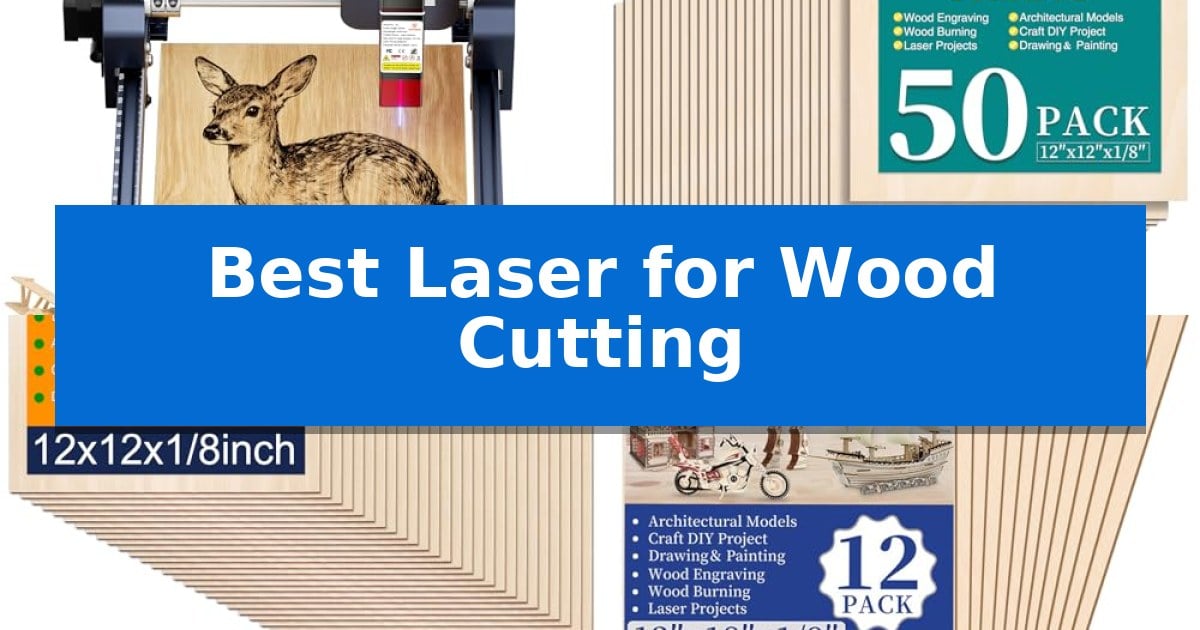
Finding the Best Laser for Wood Cutting requires balancing machine precision with the quality of the raw materials you intend to use. Whether you are crafting intricate architectural models or personalized wooden ornaments, the synergy between your laser engraver and the wood sheet determines the final detail and edge quality of your work.

This guide evaluates essential hardware and compatible wood supplies to help you build a reliable setup. By focusing on focal length, material thickness, and machine compatibility, you can ensure your projects move from concept to reality with consistent results.

Best Laser for Wood Cutting in 2026

Our Top Picks
  1. Bulk Pack for Frequent Projects MITINU Basswood Sheets
  2. Premium Polished Surface Yalumo Basswood Sheets
  3. Extended Size for Larger Designs VKIZA Basswood Sheets
  4. Thinner Profile for Intricate Cuts MOWPOG Balsa Wood Sheets

Quick Comparison

Product Best For Key Strength Score
ACMER S1 Laser Engraver Machine Best Overall 99% preassembled design allows for rapid setup. 4.9
MITINU Basswood Sheets Bulk Pack for Frequent Projects Bulk quantity of 50 sheets provides excellent value for high-volume projects. 4.9
Yalumo Basswood Sheets Premium Polished Surface 26-pack quantity provides excellent value for high-volume projects. 4.3
VKIZA Basswood Sheets Extended Size for Larger Designs Flat and smooth surface ensures consistent results during laser cutting. 4.6
MOWPOG Balsa Wood Sheets Thinner Profile for Intricate Cuts Polished, burr-free surface ensures clean results for painting and staining. 4.5

How We Chose

  • Laser power and focal length accuracy for fine detail.
  • Material surface quality, including grain consistency and presence of burrs.
  • Compatibility with standard design software and file formats.
  • Ease of setup and portability for home-based workshops.
  • Thickness and structural stability of wood sheets to prevent warping during cutting.

1 ACMER S1 Laser Engraver Machine — Compact Desktop Precision

Achieving precise detail in DIY projects often requires a compact tool that balances power with maneuverability. The ACMER S1 Laser Engraver Machine features a 2500mW diode laser capable of reaching engraving speeds up to 10,000mm/min, providing a specialized solution for those working with wood, acrylic, and leather in a home workshop setting.

Designed for immediate usability, this unit arrives 99% preassembled, requiring only a one-minute installation of the laser head. The 130 x 130mm working area is housed within a durable industrial-grade aluminum alloy frame, keeping the total weight to just 2kg. This portability ensures the machine can be easily stored or moved between workspaces without sacrificing structural stability.

The device offers 2-in-1 versatility, functioning as both an engraver and a cutter for thin materials like plywood and MDF. It utilizes a 455±5nm wavelength with a 2mm focal length to maintain a 0.01mm repeatable positioning accuracy. This level of precision is supported by a high-performance multi-core processor, ensuring consistent results across detailed craft projects.

Compatibility is a primary focus, as the ACMER S1 Laser Engraver Machine supports macOS, Windows, and Linux operating systems. It is optimized for the proprietary Acmerstudio software while remaining compatible with industry-standard tools like LightBurn and LaserGRBL. The system handles a wide range of file formats, including NC, DXF, BMP, JPG, and PNG, allowing for flexible design workflows.

Best for: DIY enthusiasts and hobbyists who need a compact, preassembled laser for detailed engraving and light cutting on small wood or acrylic projects.

Skip if: Users requiring large-format cutting capabilities or high-power industrial output for thick materials will find the 130x130mm working area and 2500mW power output too restrictive.

PROS

  • 99% preassembled design allows for rapid setup.
  • High-precision 0.01mm positioning for detailed work.
  • Wide software compatibility including LightBurn and LaserGRBL.
  • Portable 2kg aluminum alloy construction.

CONS

  • Limited 130x130mm working area restricts project size.
  • 2500mW power is optimized for thin materials only.

2 MITINU Basswood Sheets — Bulk Pack for Frequent Projects

Achieving precise results in laser-based woodworking requires a consistent, high-quality substrate that remains stable under the beam. The MITINU 50 Pack Basswood Sheets provide a reliable foundation for these projects, featuring a 12"x12"x1/8" dimension that is well-suited for standard laser cutter beds. Each sheet is constructed with a poplar core and high-quality basswood, ensuring a consistent density that helps maintain uniform cutting depth.

The manufacturing process focuses on producing smooth, unwarped, and completely straight surfaces, which is essential for maintaining focus and accuracy during the laser cutting process. By providing 50 pieces in a single pack, these sheets allow for extensive prototyping or batch production of architectural models, intricate cutouts, or pyrography projects without the need for frequent restocking.

These sheets are designed to be versatile, accommodating not only laser cutters but also scroll saws and craft knives. The burr-free finish reduces the need for extensive post-processing, allowing users to move directly from the cutting stage to staining or painting. The material's composition is specifically selected to be environmentally friendly while providing the structural integrity needed for detailed craft work.

For those managing ongoing projects, the MITINU 50 Pack Basswood Sheets offer a practical solution for maintaining a steady supply of material. While the sheets are optimized for precision cutting, the inclusion of a 3-month return or exchange policy provides a layer of assurance regarding the consistency of the wood quality upon arrival.

Best for: Crafters and makers requiring a large, consistent supply of 1/8-inch thick basswood for repetitive laser cutting or architectural modeling projects.

Skip if: Users who require thicker wood stock or specific wood grains like walnut or cherry, as these sheets are strictly 3mm basswood/poplar core.

PROS

  • Bulk quantity of 50 sheets provides excellent value for high-volume projects.
  • Smooth, unwarped surface ensures consistent laser focus and clean cuts.
  • Versatile compatibility with lasers, scroll saws, and hand tools.
  • Environmentally friendly construction with a stable poplar core.

CONS

  • Fixed dimensions of 12"x12" may not accommodate larger laser bed formats.
  • Limited thickness options, restricted to 1/8" (3mm) only.

3 Yalumo Basswood Sheets — Premium Polished Surface

Achieving precise cuts in woodworking requires materials that remain stable under the heat of a laser beam. The Yalumo Basswood Sheets are specifically engineered for this purpose, featuring a poplar core that provides a lightweight yet strong structure designed to resist warping during the engraving or cutting process.

These sheets measure 11.8 x 11.8 x 1/8 inches, offering a consistent 3mm thickness that is compatible with most standard laser cutters. The surface is finely polished to ensure a smooth, burr-free finish, which is essential for achieving clean edges on architectural models, ornaments, or intricate DIY crafts without requiring extensive post-processing.

With a total of 26 sheets per pack, this set provides enough material for high-volume projects or prototyping. The clear grain of the linden wood allows for consistent results when wood burning or painting, making these sheets a versatile choice for creators who require reliable, uniform stock for multiple applications.

While these sheets are optimized for laser precision, their utility extends to manual crafting as well. They can be easily shaped using scroll saws or hand tools, offering flexibility for makers who combine laser-cut components with traditional woodworking techniques.

Best for: Makers and hobbyists who need a large, consistent supply of uniform, warp-resistant wood for laser cutting and detailed craft projects.

Skip if: Users requiring thicker wood stock or specific hardwood varieties for structural furniture-grade projects will find these 3mm sheets insufficient.

PROS

  • 26-pack quantity provides excellent value for high-volume projects.
  • Finely polished surface ensures clean, burr-free laser cuts.
  • Poplar core construction helps maintain flatness and prevents warping.
  • Standard 3mm thickness is ideal for most desktop laser cutters.

CONS

  • Fixed 1/8-inch thickness limits use for projects requiring thicker material.

4 VKIZA Basswood Sheets — Extended Size for Larger Designs

Achieving precise cuts for intricate DIY projects requires a reliable material base, and the VKIZA Basswood Sheets provide a consistent foundation for laser cutting and engraving. Each pack includes 12 sheets measuring 12 by 18 inches with a thickness of 1/8 inch, offering a standardized size that fits most common laser cutter beds without requiring additional trimming.

These sheets are crafted from 100% environmentally friendly basswood, selected for its flat and smooth surface which is essential for maintaining focus during laser operations. The material is engineered to provide high durability and rigidity, minimizing the risk of warping or bending during the cutting process. This structural stability helps ensure that your designs remain accurate and clean.

Beyond laser applications, the VKIZA Basswood Sheets feature strong machinability, allowing for easy painting, staining, or writing on the surface. Whether you are constructing architectural models, airplane kits, or custom signage, the clear texture of the wood supports a variety of finishing techniques. The set is designed to be a versatile resource for hobbyists looking to create detailed ornaments or small-scale wooden structures.

The manufacturer includes a dedicated after-sales service team to address any product inquiries, ensuring support for your craft projects. By providing a consistent, unfinished plywood surface, these sheets serve as a practical starting point for both functional woodworking and decorative art.

Best for: Makers and hobbyists who need a consistent, flat, and stable wood surface for laser cutting, engraving, or architectural model building.

Skip if: Users requiring thicker wood stock or specialized hardwoods for heavy-duty structural woodworking will find these 1/8-inch sheets too thin for their needs.

PROS

  • Flat and smooth surface ensures consistent results during laser cutting.
  • High durability and rigidity minimizes warping and bending.
  • Standardized 12×18 inch dimensions are compatible with most laser cutter beds.
  • Strong machinability allows for easy painting and staining.

CONS

  • Fixed 1/8-inch thickness may not be suitable for projects requiring thicker material.

5 MOWPOG Balsa Wood Sheets — Thinner Profile for Intricate Cuts

Achieving precise detail in woodworking requires materials that remain stable under the heat of a laser beam. The MOWPOG Balsa Wood Sheets are specifically engineered for this purpose, featuring a 1/16-inch thickness that allows for intricate cutting and engraving without the structural instability often found in thicker, less uniform stock.

These unfinished basswood blanks are polished on both sides to ensure a smooth, burr-free surface. This preparation is essential for crafters who intend to stain, paint, or burn their designs, as the consistent texture provides a reliable canvas for finishing work. The sheets are designed to stay flat during the laser process, minimizing the risk of warping or uneven cuts that can ruin a project.

Measuring 12 by 12 inches, these sheets are sized for standard laser beds and craft projects like model airplanes, boats, or custom ornaments. The material is versatile enough to be processed using a laser, engraver, craft knife, or scroll saw, offering flexibility for various workshop setups. Each package includes five pieces, providing enough material for multiple iterations or complex multi-part builds.

While these sheets offer high stability, users should note that they are optimized for light-duty, precision work due to their thin profile. They are not intended for heavy structural applications where thicker lumber would be required. The manufacturer provides a replacement policy specifically for sheets that may arrive warped due to transport, ensuring you receive usable material for your projects.

Best for: Crafters and model makers requiring a thin, stable, and smooth surface for intricate laser cutting or engraving projects.

Skip if: You require thick, heavy-duty lumber for structural projects, as these 1/16-inch sheets are designed primarily for delicate, decorative, or model-scale work.

PROS

  • Polished, burr-free surface ensures clean results for painting and staining.
  • High stability keeps the wood flat and consistent during laser processing.
  • Versatile 1/16-inch thickness is ideal for detailed, intricate designs.
  • Standard 12×12 inch dimensions fit most hobbyist laser cutters.

CONS

  • Thin profile limits the material to light-duty and decorative applications.

Best Laser for Wood Cutting Buying Guide

Understanding Laser Power and Focal Length

The laser power rating, typically measured in milliwatts (mW) or watts (W), dictates the machine's ability to penetrate different wood thicknesses. For most hobbyist projects involving thin plywood or basswood, a 2500mW diode laser provides a balance between speed and precision. Higher power does not always equate to better detail; instead, it often allows for faster cutting speeds or the ability to work with denser materials.

Equally important is the focal length, which determines the size of the laser spot. A shorter focal length produces a finer, more concentrated beam, which is crucial for achieving ultra-fine accuracy in intricate engravings. Always ensure your laser is calibrated to the specific thickness of your wood to maintain a clean cut without excessive charring.

Selecting the Right Wood for Laser Projects

Basswood is widely considered the gold standard for laser cutting due to its uniform grain and light color, which allows for high-contrast engravings. When purchasing wood sheets, look for descriptions that specify smooth, unwarped surfaces. A flat sheet is essential because any bowing or warping can cause the laser to lose focus, leading to uneven cuts or incomplete sections.

Thickness is another critical factor. Most desktop lasers are optimized for sheets between 1/16" and 1/8". Thinner sheets, such as 1/16" balsa or basswood, require less power and are ideal for delicate, layered designs, while 1/8" sheets offer more structural rigidity for architectural models or structural components.

Software Compatibility and Workflow

A laser engraver is only as useful as the software that controls it. Many modern desktop units support industry-standard software like LightBurn or LaserGRBL, which offer advanced control over power settings, speed, and pathing. Using software that allows for precise adjustments ensures you can optimize your workflow for different wood densities.

Look for machines that offer wide compatibility with common file formats such as DXF, BMP, and PNG. This flexibility allows you to import designs from various vector and image editing programs, simplifying the process of moving from a digital design to a physical wooden product.

Workshop Safety and Setup

Operating a laser cutter requires a dedicated, well-ventilated space. Even with small desktop units, the process of burning wood produces smoke and fine particulates. Always ensure your workspace has adequate airflow or use an external ventilation system to clear fumes effectively.

Additionally, consider the physical footprint of your equipment. Compact desktop designs are excellent for home use, but they must be placed on a stable, fire-resistant surface. Always follow the manufacturer's safety guidelines regarding laser classification and eye protection to maintain a safe environment.

Maintenance and Longevity

To keep your laser performing at its best, regular maintenance is required. This includes cleaning the laser lens to prevent residue buildup, which can scatter the beam and reduce cutting efficiency. Keeping the machine free of wood dust and debris also protects the internal components and ensures smooth movement of the gantry.

If you use your laser frequently, check the tension of belts and the alignment of the laser head periodically. Proper care not only extends the life of your machine but also ensures that your cuts remain square and your engravings stay crisp over time.

Frequently Asked Questions

Can all laser engravers cut through 1/8 inch wood?

Not necessarily. Cutting through 1/8 inch wood depends on the laser's power output and the density of the wood. While many 2500mW lasers can cut through thin plywood or basswood, you may need to perform multiple passes to achieve a clean cut.

Why is my wood sheet warping during the cutting process?

Warping is often caused by heat buildup or moisture content in the wood. Ensure your wood is stored in a dry environment and try using a honeycomb bed to improve airflow underneath the sheet, which helps dissipate heat.

Is basswood better than balsa for laser cutting?

Basswood is generally preferred for its tighter grain and superior strength, making it more durable for finished projects. Balsa is much softer and lighter, which makes it easier to cut but more prone to damage and less suitable for structural applications.

Do I need special software to use a laser engraver?

Most lasers come with proprietary software, but many also support third-party programs like LightBurn or LaserGRBL. These programs are highly recommended as they provide better control over cutting parameters and design features.

How do I prevent charring on the edges of my wood?

Charring is often a result of the laser moving too slowly or using too much power for the material thickness. Try increasing the cutting speed or reducing the power output to find the optimal setting for a cleaner edge.

Conclusion: Our Top Pick

For those seeking a reliable and versatile tool, the ACMER S1 Laser Engraver Machine stands out as an excellent choice for home-based projects. Its compact design and 2500mW power output provide the necessary precision for detailed engraving and cutting on materials like basswood and plywood.

While the machine is highly capable, remember that your results are also dependent on the quality of your wood sheets. Pairing this engraver with high-quality, flat-surfaced basswood will yield the best results for your creative work, ensuring your designs are clean, accurate, and professional.

Best Laser for Wood in 2026

Best Laser for Wood

Finding the right tool for your workshop can be a challenge, especially when you need consistent results on natural materials. The Best Laser for Wood must balance raw cutting power with the fine detail required for intricate engraving, ensuring your projects look professional every time.

Whether you are a hobbyist creating personalized gifts or a small business owner scaling production, selecting the right machine depends on your specific material needs and workspace constraints. We have analyzed the latest models to help you navigate the options and choose a laser that fits your creative workflow.

Best Laser for Wood in 2026

Our Top Picks
  1. Smart Camera for Easy Alignment xTool M2 Laser Engraver
  2. Fast Cutting in One Pass Creality Falcon 10W Laser Engraver
  3. Portable Design for Home Workshops ELIDOR Z6 Laser Engraver
  4. Advanced Compression for Fine Detail Twotrees TTS-55 Pro Laser Engraver

Quick Comparison

Product Best For Key Strength Score
xTool S1 Laser Engraver Best Overall 40W laser power for efficient single-pass cutting on thick wood. 4.9
xTool M2 Laser Engraver Smart Camera for Easy Alignment Built-in dual cameras for accurate, real-time workspace preview. 4.9
Creality Falcon 10W Laser Engraver Fast Cutting in One Pass 10W output power enables efficient single-pass cutting on wood and acrylic. 4.7
ELIDOR Z6 Laser Engraver Portable Design for Home Workshops High-precision 0.01 mm accuracy for detailed designs. 4.7
Twotrees TTS-55 Pro Laser Engraver Advanced Compression for Fine Detail High-precision 0.08mm laser spot for detailed engraving. 4.8

How We Chose

  • Cutting capacity and material thickness compatibility
  • Engraving resolution and spot size accuracy
  • Software intuitiveness and design template availability
  • Safety features including enclosure design and flame detection
  • Operational speed for batch production

1 xTool S1 Laser Engraver — High-Speed Precision for Large Projects

Achieving precise cuts on wood projects requires a machine that balances raw power with intuitive control. The xTool S1 40W Laser Cutter and Laser Engraver distinguishes itself with a 40W laser module capable of slicing through 18mm cherry wood in a single pass, providing a significant advantage for those transitioning from hobbyist tools to more demanding fabrication tasks.

Beyond its cutting capacity, the machine features Auto-focus and Pin-point Positioning technology, which simplify the setup process for complex engravings. The 23.93" x 15.16" bed accommodates large-scale projects, while the AutoPassthrough Technology allows for working on materials up to 118 inches long, expanding the creative possibilities for larger signage or furniture components.

Safety and build quality are central to the design. The unit is constructed with a 3mm aerospace-grade aluminum frame and includes a protective cover that filters 99% of laser light, removing the need for external goggles. For added security, the system integrates 5 flame sensors and an emergency stop button, ensuring the machine halts operation if environmental conditions change.

Ease of use is managed through the xTool Creative Space (XCS) software, which comes pre-loaded with parameters for over 400 materials. This reduces the learning curve for new users, while the AI-powered design tools assist in generating unique patterns, making the xTool S1 Laser Engraver a versatile choice for both beginners and experienced makers.

Best for: Makers and small business owners who need high-power cutting and engraving capabilities for large-format wood projects.

Skip if: Users with limited workspace or those who do not require the high-wattage output and large bed size for their specific projects.

PROS

  • 40W laser power for efficient single-pass cutting on thick wood.
  • AutoPassthrough Technology supports materials up to 118 inches in length.
  • Class 1 safety enclosure with built-in flame sensors for secure operation.
  • Intuitive software with pre-tested parameters for over 400 materials.

CONS

  • Large physical footprint requires significant dedicated workbench space.

2 xTool M2 Laser Engraver — Smart Camera for Easy Alignment

The xTool M2 Laser Engraver simplifies the creative process by integrating built-in dual cameras that provide a real-time preview of your workspace. This visual feedback, combined with motion control, enables a "Place & Go" workflow that eliminates the need for manual alignment and reduces material waste during home DIY projects.

Designed for versatility, this machine features a 10W diode laser capable of precision cutting and engraving on materials such as wood, leather, felt, and paper. The fully enclosed design meets Class 1 safety standards, ensuring the unit is safe for home environments while providing real-time monitoring during operation.

The xTool M2 Laser Engraver is supported by the xTool Studio software, which includes an integrated AI image generator and a library of ready-to-use templates. This software environment is built to lower the barrier to entry for beginners, allowing users to move from design to a finished product in minutes without requiring advanced technical skills.

While the base unit offers significant functionality, it also supports expansion for more complex tasks. Users can add a CMYK Inkjet module (sold separately) for full-color printing or a 3W IR laser (sold separately) for fine engraving on metal and plastic surfaces, allowing the system to scale alongside your creative goals.

Best for: Home crafters and DIY makers seeking a safe, beginner-friendly laser engraver with integrated camera-based alignment for wood and other soft materials.

Skip if: Users who require high-power industrial cutting capabilities or those who need an open-frame laser system for oversized materials that exceed the enclosed workspace dimensions.

PROS

  • Built-in dual cameras for accurate, real-time workspace preview.
  • Class 1 enclosed design enhances safety for home use.
  • Beginner-friendly software with AI image generation and templates.
  • Modular architecture allows for future upgrades like color printing or IR laser modules.

CONS

  • Additional modules like the CMYK Inkjet or IR laser are sold separately.
  • Enclosed design limits the maximum size of materials that can be processed.

3 Creality Falcon 10W Laser Engraver — Fast Cutting in One Pass

Precision in woodworking often hinges on the ability to execute clean, consistent cuts without excessive material waste. The Creality Falcon 10W Laser Engraver addresses this by utilizing a 10W output power laser module capable of slicing through 5mm basswood or 3mm black acrylic in a single pass. Its structural integrity is supported by an all-aluminum alloy frame and a steel shaft wheel guide rail, providing the stability necessary for intricate projects.

Accuracy is a primary focus of this machine, which features a 0.06mm x 0.06mm super fine spot focus. This allows for precise control, with engraving and cutting accuracy maintained within 0.004 inches and a repositioning accuracy of less than 0.007 inches. For users concerned with safety, the integrated anti-UV filter acrylic on the laser module is designed to block 97% of UV rays during operation.

Operating the device is flexible, supporting both LightBurn for advanced users and LaserGRBL for those newer to laser work. Connectivity options include Wi-Fi, USB cable, and SD card, facilitating data transfer across Windows, Mac, and Linux systems. The setup process is streamlined with a tool-free focusing plate, allowing for quick adjustments before beginning a project.

Maintenance and support are built into the ownership experience, with a 1-year free parts replacement policy and ongoing technical service. The machine's design includes a belt tension adjustment device to ensure consistent movement, making it a functional choice for those looking to integrate laser cutting into their workshop workflow.

Best for: Makers and hobbyists requiring a precise, versatile laser for cutting and engraving wood, acrylic, and leather with high accuracy.

Skip if: Users who require a high-volume industrial production laser or those who need to cut materials significantly thicker than 5mm in a single pass.

PROS

  • 10W output power enables efficient single-pass cutting on wood and acrylic.
  • High-precision spot focus of 0.06mm ensures detailed engraving results.
  • Tool-free focusing plate simplifies the setup and calibration process.
  • Multi-platform software compatibility including LightBurn and LaserGRBL.

CONS

  • Limited material thickness capacity compared to industrial-grade laser cutters.
  • Assembly required upon arrival, though designed for quick 10-20 minute setup.

4 ELIDOR Z6 Laser Engraver — Portable Design for Home Workshops

Achieving precise, personalized designs on wood and other materials requires a tool that balances fine detail with operational flexibility. The ELIDOR Z6 Laser Engraver distinguishes itself with a fine 0.04 × 0.14 mm laser spot, enabling engraving accuracy up to 0.01 mm for crisp text and intricate graphics.

Designed for versatility, this machine handles a wide range of materials including wood, leather, acrylic, and metal. It operates at speeds up to 10,000 mm/min, making it suitable for both hobbyists and small business creators looking to produce custom keychains, tumblers, or personalized home décor.

Portability is a core feature of the ELIDOR Z6 Laser Engraver, which weighs only 2.13 kg (4.7 lbs) and offers a 300 × 300 mm working area. This compact footprint makes it an efficient choice for home workshops, classrooms, or mobile projects where space is limited.

Integration into existing workflows is straightforward due to its compatibility with popular software like LaserGRBL and LightBurn. It supports common file formats such as NC, DXF, and BMP across Windows, macOS, and Linux, providing a flexible, beginner-friendly experience for various DIY projects.

For users prioritizing safety in their workspace, the unit can be paired with a protective enclosure to establish a Class 1 laser system. This addition helps manage the environment while maintaining the machine's high-precision output for detailed woodworking tasks.

Best for: Hobbyists and small business creators needing a portable, high-precision laser for detailed wood and multi-material engraving projects.

Skip if: Users requiring a high-volume industrial production machine or those who need a pre-enclosed system without purchasing additional accessories.

PROS

  • High-precision 0.01 mm accuracy for detailed designs.
  • Compact and lightweight design for easy portability.
  • Wide software compatibility including LightBurn and LaserGRBL.
  • Versatile material support covering wood, metal, and acrylic.

CONS

  • Class 1 safety requires purchasing a separate protective enclosure.

5 Twotrees TTS-55 Pro Laser Engraver — Advanced Compression for Fine Detail

The Twotrees TTS-55 Pro Laser Engraver centers its performance around an upgraded 5500mW laser module paired with a metal air-assisted nozzle, a combination engineered to improve cutting depth and safety during operation. This unit provides a 300 x 300 mm work area, offering sufficient space for diverse DIY projects ranging from custom wood signs to intricate leather detailing.

Equipped with LD+FAC+C-Lens compression technology, the laser achieves a 0.08 x 0.46 mm super fine spot focus, which is essential for maintaining high accuracy during detailed engraving tasks. The machine utilizes a dual-core 32-bit MCU to support high-speed operation, reaching engraving speeds of up to 30,000mm/min, while maintaining a focus on precision with an engraving accuracy of up to 0.1mm.

Connectivity and workflow flexibility are addressed through built-in Wi-Fi, allowing users to manage projects via a mobile app or web interface, alongside traditional TF card offline engraving capabilities. The hardware is designed for broad software compatibility, functioning seamlessly with LaserGRBL and LightBurn across Windows, macOS, and Linux platforms.

The physical design incorporates a red laser shield to enhance safety during use. The system is intended for hobbyists and makers who require a balance between cutting power—capable of handling 5mm plywood or 3mm acrylic—and the fine detail required for surface engraving. The package includes the necessary installation tools and access to 24/7 support to assist with setup.

Best for: Hobbyists and small-scale makers needing a versatile, high-speed laser for precision wood and acrylic cutting.

Skip if: Users requiring industrial-grade power for thick materials or those who prefer a pre-assembled, plug-and-play unit without any setup requirements.

PROS

  • High-precision 0.08mm laser spot for detailed engraving.
  • Integrated air assist support for cleaner, deeper cuts.
  • Versatile connectivity including Wi-Fi and offline TF card support.
  • Broad software compatibility with industry-standard tools like LightBurn.

CONS

  • Manual assembly required for initial setup.
  • 5.5W power limitation restricts cutting thickness on dense materials.

Best Laser for Wood Buying Guide

Understanding Laser Power and Cutting Depth

The laser power rating, typically measured in watts, is the primary indicator of how thick a material a machine can cut in a single pass. For wood projects, a higher wattage allows for faster cutting speeds and the ability to process denser hardwoods without charring or needing multiple passes.

When choosing a laser, consider the material thickness you plan to work with most often. While lower-wattage machines are excellent for surface engraving and thin veneers, they may struggle with thicker plywood or solid lumber, requiring more time and potentially compromising edge quality.

Precision and Spot Size

The laser spot size determines the level of detail your machine can achieve. A smaller, more compressed spot size results in sharper lines and more intricate engraving, which is essential for portraits, fine text, and complex graphic designs.

Look for machines that utilize advanced compression technology to maintain a tight focus over the entire working area. This ensures that your designs remain crisp from the center of the bed to the edges, preventing distortion or blurring in your finished wood pieces.

Software and Workflow Integration

The software interface is the bridge between your creative ideas and the physical product. A user-friendly platform that supports AI-powered design generation or offers a library of templates can significantly reduce the learning curve for beginners.

Compatibility with industry-standard software like LightBurn is a major advantage for experienced users. It provides granular control over power, speed, and pass settings, allowing for more complex projects and a more efficient production workflow.

Safety and Workspace Environment

Because laser engraving involves high heat and potential smoke, enclosed designs are highly recommended for home and classroom environments. These units often include protective covers that filter harmful light, eliminating the need for separate safety goggles.

Integrated flame sensors and emergency stop buttons provide an essential layer of security. These features automatically halt the machine if an issue is detected, protecting both the user and the equipment during longer, unattended cutting sessions.

Work Area and Versatility

The bed size dictates the maximum dimensions of your projects. If you plan on creating large signs or batch-producing items like coasters or tags, a larger working area is necessary to maximize efficiency and minimize the need for repositioning materials.

Consider whether the machine supports passthrough technology, which allows you to feed longer materials through the unit. This feature is a game-changer for creators who want to work on projects that exceed the standard dimensions of the machine's bed.

Frequently Asked Questions

What is the difference between a diode laser and a CO2 laser for wood?

Diode lasers are generally more compact and affordable, making them ideal for home hobbyists and detailed engraving. CO2 lasers typically offer higher power for faster cutting of thicker materials but are often larger and more expensive.

Do I need an air assist system for wood engraving?

An air assist system is highly recommended for wood. It blows air directly onto the cutting point, which clears smoke and debris, prevents charring, and allows for deeper, cleaner cuts.

Is it safe to use a laser engraver indoors?

Yes, provided the machine is properly enclosed and vented. Always ensure you have a ventilation system to exhaust smoke and fumes outside, and use a machine with a certified protective cover.

Can I engrave on curved wood surfaces?

Some advanced laser engravers feature specialized technology or rotary attachments that allow for engraving on curved surfaces like tumblers, spoons, or bowls.

How do I determine the right settings for my wood project?

Most modern laser software comes with pre-tested material parameters. It is always best to perform a small test cut on a scrap piece of the same wood to fine-tune your power and speed settings before starting your final project.

Conclusion: Our Top Pick

When selecting the best laser for wood, the xTool S1 Laser Engraver stands out as the most versatile option for both hobbyists and serious makers. Its combination of high-power output, large bed size, and advanced safety features makes it a reliable choice for a wide range of projects, from intricate engravings to deep cuts in thick lumber.

While other models offer portability or specific niche benefits, the xTool S1 provides the most balanced performance for those who prioritize precision and productivity. Its user-friendly software and robust build quality ensure that it can handle demanding workloads while remaining accessible for those just starting their laser crafting journey.

Best Laser for Wall Tile in 2026: Precision Layouts for DIY Projects

Best Laser for Wall Tile

Achieving a professional finish on a tiling project often comes down to the initial layout. Whether you are working on a small bathroom backsplash or a large-scale wall renovation, maintaining perfectly straight lines is essential to avoid crooked tiles that become glaringly obvious once the grout is applied. Using the Best Laser for Wall Tile simplifies this process by projecting accurate, high-visibility reference lines directly onto your workspace.

These specialized tools eliminate the need for traditional chalk lines, which can be messy and difficult to maintain over large areas. By selecting a device that offers the right combination of beam visibility, mounting versatility, and self-leveling capabilities, you can significantly reduce your installation time while ensuring every tile is placed with confidence.

Best Laser for Wall Tile in 2026: Precision Layouts for DIY Projects

Our Top Picks
  1. Ideal for 90-degree tile squaring Prexiso Square Laser Level
  2. High visibility for wall tiling Huepar Green Cross Line Laser
  3. Full room coverage for tiling Prexiso 360 Laser Level
  4. Compact choice for wall projects Huepar Self Leveling Laser

Quick Comparison

Product Best For Key Strength Score
Bosch GTL3 Wall Floor Laser Best Overall Versatile layout options including 0, 45, 90, and 135-degree lines. 4.9
Prexiso Square Laser Level Ideal for 90-degree tile squaring Dual-beam 90-degree projection for accurate squaring. 4.3
Huepar Green Cross Line Laser High visibility for wall tiling High-visibility green beam for better clarity in indoor lighting. 4.9
Prexiso 360 Laser Level Full room coverage for tiling 360° horizontal coverage for seamless room-wide alignment. 4.4
Huepar Self Leveling Laser Compact choice for wall projects Green laser technology provides up to 2x the brightness of traditional red lasers. 4.6

How We Chose

  • Beam Visibility: Assessing the brightness and clarity of the laser lines, particularly in varied indoor lighting conditions.
  • Self-Leveling Capability: Evaluating the speed and range of the internal pendulum system to ensure true horizontal and vertical alignment.
  • Mounting Versatility: Checking for magnetic bases, tripod compatibility, and specialized plates that allow for stable positioning on walls.
  • Layout Functionality: Prioritizing models that offer 90-degree squaring or additional angle guides for diagonal patterns.
  • Ease of Operation: Reviewing the simplicity of controls for quick setup and adjustments during active tiling.

1 Bosch GTL3 Wall Floor Laser — Specialized for precise tile layouts

Achieving precise alignment during tile installation relies on the Bosch GTL3 Wall/Floor Covering Laser, which projects 0 and 90-degree layout lines to simplify squaring a room. This professional-grade tool features an offset pivot point that allows for easy centering over a starting point, ensuring accuracy before you begin setting tiles.

The device is engineered for versatility, offering 0, 45, 90, and 135-degree layout lines from a single setup point. A dedicated 45-degree beam provides an essential guide for planning diagonal layouts, while the elevated beam design ensures the laser line travels clearly over uneven surfaces or common obstructions on the floor.

Designed for efficiency, the Bosch GTL3 Wall/Floor Covering Laser utilizes single-button operation to toggle between layout modes quickly. Its base is equipped with powerful magnets, allowing for secure attachment to the included positioning plate or directly onto ferrous-metal surfaces, providing a stable foundation for your work.

Compact and durable, this laser measures approximately 6.125 inches in length and weighs less than one pound, making it a portable addition to a contractor's toolkit. It is backed by a one-year limited warranty, which can be extended for an additional year upon registration within eight weeks of purchase.

Best for: Professional contractors and DIY enthusiasts who need a reliable, multi-angle laser for precise wall and floor tile alignment.

Skip if: Users who require long-range outdoor leveling or a self-leveling rotary laser for large-scale construction projects may find this specialized tile layout tool insufficient for their needs.

PROS

  • Versatile layout options including 0, 45, 90, and 135-degree lines.
  • Elevated beams that project over uneven surfaces and obstructions.
  • Powerful magnetic base for secure mounting on metal surfaces.
  • Offset pivot point for precise centering and adjustment.

CONS

  • Limited to indoor tile layout applications rather than general-purpose construction leveling.

2 Prexiso Square Laser Level — Ideal for 90-degree tile squaring

Achieving a precise 90-degree layout on wall tiles requires a reliable reference, and the Prexiso Square Laser provides this through its dual-beam projection system. By casting two perpendicular laser lines, this tool acts as a digital chalk line, allowing for consistent alignment across vertical or horizontal surfaces.

The device features a magnetic base that facilitates attachment to metal studs or included leveling plates, making it adaptable for wall-mounted fixtures or floor tiling. Its one-button operation simplifies the process, powering both lines simultaneously to help visualize the square layout before mortar sets.

Integrated dual bubble vials provide a manual check for leveling, ensuring that the projected lines remain true during installation. The inclusion of an alignment guide allows for adjustments in 5-degree increments, which is useful for specialized tiling patterns or template work where standard right angles are not the only requirement.

Designed for versatility, the Prexiso Square Laser serves as a multi-purpose tool for tasks beyond tiling, such as mounting electrical outlets, switches, or wall fixtures. While it provides a 30ft range for indoor projects, its reliance on a manual leveling check means users should verify alignment against the bubble vials during setup to maintain accuracy.

Best for: DIYers and professionals needing a compact, 90-degree reference for tile layout and wall fixture installation.

Skip if: Users requiring long-range outdoor visibility or self-leveling pendulum technology will find this manual-vial model insufficient for their needs.

PROS

  • Dual-beam 90-degree projection for accurate squaring.
  • Magnetic base for secure mounting on metal surfaces.
  • Compact, one-button design for simple operation.
  • Integrated bubble vials for manual leveling verification.

CONS

  • Manual leveling requires user verification via bubble vials.
  • 30ft range is limited to indoor or low-light environments.

3 Huepar Green Cross Line Laser — High visibility for wall tiling

Achieving perfectly aligned tile layouts requires a reliable reference point, and the Huepar Green Cross Line Laser simplifies this by projecting a bright, high-visibility green beam. This tool provides both horizontal and vertical lines with a 110-degree spread, ensuring that your wall tiles remain level and plumb across a working range of up to 100 feet.

The device features a self-leveling mode that automatically compensates for tilts up to 4 degrees, blinking to alert you if the unit is placed on an uneven surface. For specialized angles or custom layouts, you can lock the pendulum to enter manual mode, allowing you to tilt the laser to match any required orientation.

Designed for versatility, the package includes a 60-inch adjustable tripod with a 3-way pan head, making it easy to position the laser at the exact height needed for your project. The included magnetic bracket offers further flexibility, allowing you to attach the laser to metal surfaces or rotate it 360 degrees for precise alignment.

Built for the rigors of home renovation, the Huepar Green Cross Line Laser carries an IP54 protection grade, meaning it is dust-proof and water-resistant. The shockproof enclosure is rated for 4-foot collision protection, ensuring the internal components remain safe during use in active work areas.

Power management is handled via a rechargeable battery system that provides up to 6 hours of continuous operation. The integrated Type-C charging port allows you to conveniently top off the battery using common power sources like power banks or laptops, eliminating the need for disposable batteries.

Best for: DIYers and professionals performing indoor tile installation, picture hanging, or furniture alignment who require a high-visibility green laser with flexible mounting options.

Skip if: Users requiring an outdoor-rated laser or those needing 360-degree horizontal coverage, as this model is designed specifically for indoor use and cross-line projection.

PROS

  • High-visibility green beam for better clarity in indoor lighting.
  • Includes a 60-inch tripod and magnetic bracket for versatile positioning.
  • Rechargeable Type-C battery eliminates the need for constant AA battery replacements.
  • IP54-rated enclosure provides dust and water resistance for durability.

CONS

  • Indoor use only, limiting its application for outdoor construction projects.
  • Limited to cross-line projection, lacking 360-degree plane coverage.

4 Prexiso 360 Laser Level — Full room coverage for tiling

Achieving precise alignment for wall tiling requires a reliable reference point, and the Prexiso 360 Laser Level simplifies this by projecting a 360° horizontal green laser beam that covers entire walls and ceilings. This tool is designed to assist with square layouts by intersecting horizontal and vertical lines at a 90° angle, ensuring your tile work remains consistent across the room.

The Prexiso 360 Laser Level features a self-leveling mode that automatically adjusts when the tool is within ±4° of horizontal. If the surface tilt exceeds this range, the device provides a visual alert by blinking. For specialized tasks requiring angled lines, the manual mode disables the self-leveling feature, allowing you to lock the laser at any desired orientation.

Versatility is a core component of this device, which includes a bonus 37-1/2 inch tripod with a 1/4" quick-release plate for rapid setup and height adjustment. The unit is powered via a Type-C interface, supporting operation even when the battery is removed by using a power bank or direct plug-in. Its housing is constructed with TPE soft rubber for shock resistance and durability in demanding work environments.

Designed primarily for indoor use, the green laser source is engineered to be three times brighter than standard red lasers, providing visibility up to 100 ft. Whether you are installing tiles, mounting fixtures, or calibrating windows, this Class II laser offers a practical solution for maintaining accuracy throughout your renovation projects.

Best for: Home renovators and tilers who need full-room horizontal coverage and a flexible, tripod-mounted setup for indoor alignment tasks.

Skip if: Outdoor professionals working in direct sunlight, as the laser energy is weakened by strong light and may affect measurement range.

PROS

  • 360° horizontal coverage for seamless room-wide alignment.
  • Dual power modes allow for operation via battery or Type-C direct power.
  • Self-leveling and manual modes provide flexibility for both standard and angled layouts.
  • Included tripod with quick-release plate facilitates precise height positioning.

CONS

  • Indoor-only recommendation due to potential performance degradation in direct sunlight.

5 Huepar Self Leveling Laser — Compact choice for wall projects

Achieving precise alignment for wall tiling or picture hanging requires a reliable reference line, and the Huepar Self Leveling Laser provides this through its 110° field of projection and ±1/9 inch accuracy at 33 feet. This compact tool is designed to simplify layout tasks by offering an instant cross-line projection that activates in under 3 seconds, making it a practical choice for both DIY enthusiasts and professionals.

The device features a self-leveling mode that automatically adjusts within ±4°, with a built-in alert system where the laser line flashes if the unit is placed on an uneven surface. For specialized tasks like angled patterns or stair layouts, the manual mode allows users to lock the pendulum and project lines at any desired angle. The inclusion of a 40-inch aluminum tripod with a 3-way pan head provides significant versatility, allowing for 90, 180, and 360-degree swivel motions to accommodate various wall heights and orientations.

Built for durability and ease of use, the Huepar Self Leveling Laser features a soft grip and a palm-sized design that is rated for 47.2-inch drop resistance. The package is comprehensive, including a magnetic bracket, AA batteries, and a carrying bag, ensuring the tool is ready for immediate use. With a 24-month warranty and technical support, it serves as a dependable solution for indoor alignment needs.

When selecting a laser for tiling, consider that this unit is optimized for indoor environments where the green laser provides enhanced visibility compared to traditional red lasers. While the tripod is highly adjustable, it is best suited for stable, flat surfaces such as tables or floors to ensure the accuracy of the projected lines.

Best for: DIY users and professionals needing a compact, versatile tool for indoor wall tiling, picture hanging, and layout projects.

Skip if: Users requiring long-range outdoor visibility or heavy-duty construction site durability beyond standard indoor use should look for professional-grade rotary lasers.

PROS

  • Green laser technology provides up to 2x the brightness of traditional red lasers.
  • Dual-mode operation includes both self-leveling and manual modes for angled layouts.
  • Comprehensive kit includes a 40-inch tripod, magnetic bracket, and carrying bag.
  • Compact, rugged design with 47.2-inch drop resistance.

CONS

  • Limited tripod height requires placement on furniture or elevated surfaces for higher wall applications.
  • Indoor-focused design may have reduced visibility in direct, bright sunlight.

Best Laser for Wall Tile Buying Guide

Understanding Laser Beam Colors

When selecting a laser, you will typically encounter red or green beams. Green laser beams are generally considered more visible to the human eye, making them a preferred choice for indoor tiling projects where ambient light might otherwise wash out a dimmer red line.

While red lasers are often more budget-friendly, the enhanced brightness of green diodes can be a significant advantage when working on large wall surfaces or in rooms with multiple windows. Always consider the lighting conditions of your specific workspace before choosing between these two options.

The Importance of Self-Leveling

A self-leveling laser is a critical feature for wall tiling. These devices use an internal pendulum to automatically find true level within a specific range, typically around 4 degrees. If the tool is placed on an uneven surface, the laser will often blink to alert you that it cannot achieve a true level.

This feature removes the guesswork from your layout. By ensuring your horizontal and vertical lines are perfectly square, you prevent the accumulation of errors that can lead to uneven grout lines as you progress across the wall.

Mounting and Positioning Options

Wall tiling presents unique challenges, as you often need to project lines at specific heights or on vertical surfaces. Look for models that include magnetic brackets or specialized positioning plates that allow you to attach the laser directly to metal studs or wall corners.

Tripod compatibility is another essential factor. A sturdy tripod allows you to adjust the height of the laser precisely, which is particularly useful when you need to align tiles along a specific row or maintain a consistent reference point across an entire wall.

Squaring and Layout Guides

For complex tiling patterns, such as diagonal layouts, a laser that provides 90-degree squaring or additional 45-degree beams is invaluable. These guides help you establish a central starting point and maintain symmetry throughout the room.

Using a tool that projects multiple lines from a single setup point saves time and reduces the need to constantly move the laser. This is especially beneficial when you are working alone and need to maintain a consistent reference for the entire surface.

Durability and Protection

Construction environments are demanding, and your laser level should be built to withstand the occasional bump or dust exposure. Look for an IP54 rating or similar, which indicates the device is protected against dust and water splashes.

A rugged, shock-resistant housing ensures that the internal pendulum mechanism remains calibrated even after accidental drops or rough handling on the job site. Investing in a durable tool protects your accuracy over the long term.

Frequently Asked Questions

Can I use a wall tile laser outdoors?

Most wall tile lasers are designed specifically for indoor use. Outdoor sunlight is significantly brighter than indoor lighting and will often wash out the laser beam, making it difficult or impossible to see.

What is the difference between manual and self-leveling modes?

Self-leveling mode uses an internal pendulum to ensure the laser is perfectly level. Manual mode locks the pendulum, allowing you to tilt the laser to project lines at custom angles, which is useful for stairs or specific design patterns.

How accurate are these laser levels?

Most professional-grade lasers for tiling offer high precision, often within 1/9 of an inch at 33 feet. Always check the specific technical specifications of the model you are considering to ensure it meets your project requirements.

Do I need a tripod for wall tiling?

While not always strictly necessary, a tripod is highly recommended. It provides a stable base and allows you to adjust the height of the laser line to match your tile layout precisely, which is difficult to achieve with hand-held or makeshift supports.

How do I know if my laser is out of level?

Most modern self-leveling lasers feature an alarm system, such as a blinking beam or an audible beep, if the device is tilted beyond its self-leveling range. This ensures you never accidentally tile based on an incorrect reference line.

Conclusion: Our Top Pick

For those seeking the most reliable and specialized tool for tiling, the Bosch GTL3 Wall Floor Laser stands out as the top choice. Its ability to project 0, 45, and 90-degree lines from a single setup point makes it exceptionally efficient for both standard and diagonal tile layouts. The inclusion of an offset pivot point and elevated beams allows for precise centering and clear visibility even over uneven surfaces.

While other models offer great features like green beams or included tripods, the Bosch GTL3 is purpose-built for the specific demands of tile installation. Its durable construction and straightforward single-button operation provide the professional-grade performance needed to ensure your wall tiling project is completed with accuracy and ease.

Best Laser for Tile Work in 2026: Precision Alignment for Every Floor

Best Laser for Tile Work

Achieving a professional-grade tile layout requires more than just a steady hand; it demands absolute precision from the very first row. Using the Best Laser for Tile Work ensures that your horizontal and vertical lines remain perfectly square, preventing the common frustration of uneven gaps or misaligned patterns as you progress across a room.

Whether you are a DIY enthusiast tackling a bathroom renovation or a contractor managing large-scale flooring, selecting the right tool is essential. We have analyzed several high-performance models to help you find a reliable laser level that provides the visibility, stability, and ease of use required for flawless tile installation.

Best Laser for Tile Work in 2026: Precision Alignment for Every Floor

Our Top Picks
  1. High Precision for Floor Layouts SOARFLY 4×360 Laser Level
  2. Stable Tripod for Wall Alignment CinusLinus 4D Laser Level
  3. Extended Battery for Long Jobs IKOVWUK 3×360 Laser Level
  4. Compact Design for Tight Spaces Prexiso Dual Module Laser Level

Quick Comparison

Product Best For Key Strength Score
Alloyman 4×360 Laser Level Best Overall 4×360-degree coverage for complete room alignment. 4.9
SOARFLY 4×360 Laser Level High Precision for Floor Layouts 4×360° laser coverage for full-room alignment. 4.9
CinusLinus 4D Laser Level Stable Tripod for Wall Alignment 4×360° green laser coverage for full-room alignment 4.3
IKOVWUK 3×360 Laser Level Extended Battery for Long Jobs 3×360-degree full coverage for comprehensive room layout 4.8
Prexiso Dual Module Laser Level Compact Design for Tight Spaces Dual laser modules provide bright, accurate cross-line projection. 4.9

How We Chose

  • Laser Visibility: We prioritized models featuring high-brightness green beams, which are significantly easier to see on surfaces than traditional red lasers.
  • Coverage Range: We assessed the projection capabilities, specifically looking for 360-degree lines that allow for full-room alignment without constant repositioning.
  • Mounting Versatility: We examined the included accessories, such as tripods and magnetic brackets, to ensure the tool can be positioned at various heights and angles.
  • Operational Modes: We checked for the inclusion of both self-leveling and manual modes, which are necessary for both standard layouts and intentionally sloped surfaces.
  • Power Reliability: We reviewed battery capacity and runtime to ensure the tools can support long-duration projects without frequent charging interruptions.

1 Alloyman 4×360 Laser Level — Full Room Coverage for Tiling

Achieving precise alignment for tile installation requires a reliable reference, and the Alloyman 4×360 Laser Level provides comprehensive coverage with its 16 bright green laser lines. By projecting four 360-degree planes, this tool allows for simultaneous leveling and alignment across floors, walls, and ceilings, which is essential for maintaining consistent layouts during home renovation projects.

The device features a self-leveling mode that automatically corrects within 3 degrees, accompanied by an audible beep and flashing light if the unit is placed on an uneven surface. For specialized tasks like tiling on a slope, the manual mode allows users to lock the pendulum and project lines at any angle. The inclusion of a 37.5-inch tripod and a magnetic swivel stand provides the flexibility needed to position the laser at various heights and orientations.

Visibility is maintained through high-brightness Class II green laser beams, which are designed for clear projection in indoor environments. For larger spaces or outdoor applications, the pulse mode extends the working range up to 150 feet when paired with a compatible laser receiver. Power is managed by two 4.0V lithium batteries, offering up to 12 hours of continuous operation to support extended work sessions.

The kit includes essential accessories such as a remote control and a target plate, ensuring the user has the necessary components for immediate setup. By combining full room coverage with versatile mounting options, this laser level serves as a practical solution for both professional construction tasks and detailed DIY home improvements.

Best for: Home renovators and DIY enthusiasts requiring full-room, multi-plane alignment for tiling, flooring, and wall framing projects.

Skip if: Users who require a high-precision rotary laser for long-range outdoor grading or those who do not own a compatible laser receiver for extended distance work.

PROS

  • 4×360-degree coverage for complete room alignment.
  • High-visibility green laser suitable for bright environments.
  • 12-hour battery life with two included lithium batteries.
  • Versatile mounting with an included tripod and magnetic swivel stand.

CONS

  • Laser receiver not included for reaching the maximum 150ft range.
  • Manual battery installation requires firm pressure to ensure stability.

2 SOARFLY 4×360 Laser Level — High Precision for Floor Layouts

Achieving precise alignment during renovation projects requires a reliable reference point, and the SOARFLY 4×360 Laser Level provides comprehensive coverage with its 4×360° laser system. This tool projects horizontal and vertical lines across an entire room, which is essential for tasks like tile installation, framing, and wall layout where maintaining a consistent level is critical.

The device features a Class II laser rating with an accuracy of ±1mm at 5m, ensuring high-precision measurements for both professional contractors and DIY enthusiasts. For outdoor applications, the integrated Outdoor Pulse Mode allows the unit to work with a laser receiver, extending the visible range up to 165ft. Users can easily toggle between self-leveling mode—which alerts with a flash and beep if the unit is outside its 3° range—and a manual mode for creating sloped lines.

Power management is handled by dual 4000mAh rechargeable lithium batteries, offering up to 12 hours of continuous operation. The kit is designed for versatility, including a 40-inch extendable tripod for floor-level work and a magnetic mount for securing the laser to metal surfaces or wall brackets. A remote control is also provided, allowing for adjustments without disturbing the unit's position.

The complete kit includes a fine-adjustment base, a lifting platform, and a storage case, providing a comprehensive solution for various installation needs. While the unit is highly capable for interior and exterior layout, users should note that a laser receiver is required for the maximum 165ft range and is not included in the package.

Best for: Professional contractors and DIYers needing high-precision, 360-degree laser coverage for large-scale tile installation and home renovation projects.

Skip if: Users who do not require long-range outdoor functionality or those who prefer a simpler, single-line laser level for basic, small-scale picture hanging.

PROS

  • 4×360° laser coverage for full-room alignment.
  • ±1mm at 5m accuracy for professional-grade precision.
  • Dual 4000mAh batteries providing up to 12 hours of runtime.
  • Versatile mounting options including a 40-inch tripod and magnetic bracket.

CONS

  • Laser receiver not included for extended outdoor range.
  • Requires manual setup for specific sloped angles in manual mode.

3 CinusLinus 4D Laser Level — Stable Tripod for Wall Alignment

Precision alignment for floor tiling and wall installation requires a reliable reference, and the CinusLinus 4D Laser Level simplifies this with its 4×360° green laser projection. By casting two horizontal and two vertical planes, this tool provides comprehensive coverage for complex layouts, ensuring that your tile patterns remain consistent across both floors and walls.

The device features self-leveling technology that automatically adjusts within a ±4° range, providing an immediate visual and auditory warning if the unit is tilted beyond this threshold. For specialized tasks requiring specific slopes, a manual mode can be engaged, allowing for flexible angle adjustments beyond the standard self-leveling parameters.

Usability is enhanced by the included 47-inch laser level tripod, which features a 3-way head and a 1/4-inch quick-release plate for rapid setup. The unit also includes a remote control, enabling you to toggle laser functions or adjust brightness settings from across the room, which is particularly useful when working alone on large-scale renovation projects.

To manage power and visibility, the CinusLinus 4D Laser Level is equipped with a 4800mAh rechargeable battery that supports up to 8 hours of operation. Users can also toggle pulse mode for compatibility with laser receivers in dim conditions, or adjust the beam brightness to suit specific indoor lighting environments, balancing energy efficiency with line clarity.

Best for: Indoor renovation tasks such as floor tiling, wall alignment, and cabinetry installation where high-visibility green laser lines are required.

Skip if: You require a laser for outdoor use in bright natural sunlight, as the manufacturer specifies that intense light impairs visibility.

PROS

  • 4×360° green laser coverage for full-room alignment
  • Remote control operation for hands-free adjustments
  • Includes a 47-inch adjustable tripod with a quick-release plate
  • Self-leveling and manual modes for versatile project requirements

CONS

  • Not suitable for outdoor use or areas with intense natural light
  • Pulse mode and brightness adjustment cannot be used simultaneously

4 IKOVWUK 3×360 Laser Level — Extended Battery for Long Jobs

Achieving precise alignment for tile installation requires a reliable reference, and the IKOVWUK 3×360 Laser Level provides comprehensive coverage with its 12-line layout. By projecting one horizontal and two vertical 360-degree planes, this device allows for simultaneous layout of floor, wall, and ceiling tiles without needing to reposition the unit frequently.

The device features a 5200 mAh Li-ion battery that supports up to 8 hours of continuous operation, ensuring it remains powered through extended tiling projects. Users can monitor energy levels via the integrated battery indicator, which shifts from green to red when a recharge is necessary.

For added convenience, the included remote control allows for adjustments from up to 16 feet away, even through walls, which helps maintain the integrity of a set laser position. The unit also includes a Pulse Mode for use in varying light conditions, allowing for brightness adjustments to suit the specific indoor or outdoor environment.

The IKOVWUK 3×360 Laser Level offers both self-leveling and manual modes. In self-leveling mode, the laser automatically compensates for tilts up to 3 degrees, triggering an alarm if the unit is placed on a surface exceeding this range. For angled tile patterns, the manual mode allows the laser to be locked at any desired orientation.

Best for: Professional tile installers and DIY enthusiasts who need full-room 360-degree coverage and remote-controlled adjustments for complex layouts.

Skip if: Users who require a compact, pocket-sized laser or those who do not need the 360-degree multi-plane projection for simpler, smaller-scale projects.

PROS

  • 3×360-degree full coverage for comprehensive room layout
  • Remote control functionality for adjustments up to 16 feet
  • Long-lasting 5200 mAh battery providing up to 8 hours of runtime
  • Versatile self-leveling and manual modes for standard and angled tiling

CONS

  • Larger footprint compared to single-line or cross-line laser levels
  • Weight of 3.28 pounds may require a sturdy tripod for elevated use

5 Prexiso Dual Module Laser Level — Compact Design for Tight Spaces

Achieving precise alignment for flooring and wall installations requires a tool that provides both visibility and stability. The PREXISO Laser Level with Tripod addresses this by utilizing dual laser modules that project bright horizontal, vertical, and cross-line patterns. This configuration allows for accurate 90° intersections, which are essential for laying tile or calibrating window and door frames.

The device features a self-leveling mode that automatically compensates for surface tilts up to ±4°. If the tool is placed on a surface exceeding this range, it provides a visual alert with blinking lasers and a red LED indicator. For specialized layouts that require non-level lines, the manual mode disables the self-leveling feature, allowing users to lock the laser at custom angles.

Designed for versatility, the unit includes a 31-1/2 inch tripod with a 1/4" quick-release plate, facilitating rapid setup and height adjustments. The laser level itself is built with a TPE soft rubber exterior for a secure grip and is rated for dustproof and temperature-resistant operation. It is powered by two AA batteries and features a 1/4"-20 threaded mount, ensuring compatibility with most standard tripods.

The green beam technology provides increased brightness compared to standard red lasers, maintaining visibility up to 100 feet. Its compact form factor allows it to fit easily into tool bags, making it a practical choice for remodelers and builders who need a portable solution for various alignment tasks.

Best for: Professional remodelers and DIY enthusiasts who need a portable, self-leveling green laser for precise tile and carpentry alignment.

Skip if: Users who require a 360-degree laser projection or advanced Bluetooth connectivity for remote control will find this dual-module model too limited.

PROS

  • Dual laser modules provide bright, accurate cross-line projection.
  • Includes a 31-1/2 inch tripod for adjustable positioning.
  • Self-leveling and manual modes offer flexibility for various project types.
  • Green beam technology enhances visibility up to 100 feet.

CONS

  • Limited to 90° cross-line projection rather than 360-degree coverage.
  • Requires AA batteries, which may necessitate frequent replacements during long sessions.

Best Laser for Tile Work Buying Guide

Understanding Laser Coverage

When selecting a laser for tiling, the number of planes is critical. A 360-degree laser is the gold standard because it projects a continuous line around the entire room. This allows you to reference your starting point on any wall without having to manually rotate the device.

For complex tile patterns, look for models that offer both horizontal and vertical planes. This intersection creates a perfect 90-degree angle, which is essential for ensuring your tiles are square to the room's layout.

Green vs. Red Beam Lasers

Green laser beams are widely considered superior for indoor tile work because they are up to four times more visible to the human eye than red beams. This increased visibility makes it much easier to align tiles over long distances or in rooms with high ambient light.

While red lasers are often more affordable, the clarity provided by green diodes reduces eye strain and minimizes the risk of alignment errors during long installation sessions.

The Importance of Self-Leveling

Self-leveling technology uses an internal pendulum to ensure the laser lines are perfectly horizontal or vertical, even if the floor itself is slightly uneven. Most modern units will flash or beep if they are tilted beyond their self-leveling range, providing a crucial safety check.

Manual mode is an equally important feature. It allows you to lock the pendulum, enabling you to project lines at specific angles for diagonal tile patterns or stairwell installations where a level line is not desired.

Mounting and Stability

A laser level is only as accurate as its mounting system. A sturdy tripod is essential for floor work, as it allows you to adjust the height of the beam to match your tile thickness or specific layout requirements.

Magnetic mounts are also highly beneficial for wall tiling. They allow you to attach the laser directly to metal studs or corner brackets, keeping the floor clear of obstructions while you work.

Battery Life and Power

Tile work can be a slow, meticulous process, so battery longevity is a key factor. Look for models that include rechargeable lithium-ion batteries, which offer consistent power and are more cost-effective than disposable alternatives over time.

Some units also feature pulse mode, which allows the laser to be detected by an external receiver. While primarily used outdoors, this feature can also help in exceptionally bright indoor environments where the beam might otherwise be difficult to track.

Frequently Asked Questions

Can I use a laser level for outdoor tiling?

Yes, provided the laser has a pulse mode that is compatible with a laser receiver. Without a receiver, the green beam will likely be invisible in bright sunlight.

What should I do if my laser level starts beeping?

Beeping usually indicates that the unit is outside of its self-leveling range. Ensure the device is placed on a relatively flat surface or adjust the tripod legs until the unit is level.

Are green lasers better than red lasers for tile work?

Yes, green lasers are significantly brighter and easier to see on most surfaces, which helps in maintaining accuracy during precise tile placement.

Do I need a tripod for my laser level?

While not strictly required, a tripod is highly recommended for floor tiling as it provides the stability and height adjustment needed to align your first row of tiles accurately.

How do I create a diagonal tile pattern with a laser?

You can use the manual mode on your laser level to lock the beam at a specific angle, allowing you to project a diagonal line across the floor as a guide.

Conclusion: Our Top Pick

For most tiling projects, the Alloyman 4×360 Laser Level stands out as the most versatile option. Its 4×360-degree coverage ensures that you have a constant reference line around the entire room, which is invaluable for maintaining consistency across large floor areas.

The inclusion of a tripod and dual lithium batteries makes this unit a comprehensive kit for both professionals and DIYers. While it is highly capable, remember to ensure the unit is placed on a stable surface to take full advantage of its self-leveling accuracy.

Best Laser for Small Business in 2026

Best Laser for Small Business

Scaling a small business requires tools that balance professional output with operational efficiency. Whether you are producing custom merchandise or managing high-volume document workflows, selecting the right equipment is essential for consistent results.

Finding the Best Laser for Small Business involves evaluating your specific production needs, from precision engraving hardware to reliable printing systems. This guide explores top-tier options designed to help you maintain quality while maximizing your daily output.

Best Laser for Small Business in 2026

Our Top Picks
  1. Fast Batch Engraving Alignment The 328 Collective Business Card Jig
  2. Efficient Multi-Card Production Generic Business Card Engraving Jig
  3. Durable Professional Branding Material baklean Aluminum Engraving Blanks
  4. Professional DIY Card Stock Avery Clean Edge Business Cards

Quick Comparison

Product Best For Key Strength Score
Brother MFC-L8930CDW Laser Printer Best Overall High-speed duplex scanning up to 104ipm with an 80-page document feeder. 4.9
The 328 Collective Business Card Jig Fast Batch Engraving Alignment Batch processing capability for 8 cards at once. 4.3
Generic Business Card Engraving Jig Efficient Multi-Card Production 6-card capacity for high-volume efficiency 4.5
baklean Aluminum Engraving Blanks Durable Professional Branding Material High-quality aluminum alloy construction provides a sturdy, bend-resistant feel. 4.8
Avery Clean Edge Business Cards Professional DIY Card Stock Clean Edge technology ensures smooth, professional card edges without jagged perforations. 4.9

How We Chose

  • Compatibility with existing laser systems and office hardware.
  • Material versatility for diverse branding and documentation needs.
  • Throughput capacity to support scaling operations.
  • Ease of setup and integration into daily business routines.
  • Durability and build quality for long-term professional use.

1 Brother MFC-L8930CDW Laser Printer — High-Volume Professional Document Printing

Maintaining high productivity in a professional environment requires equipment that balances speed with security. The Brother MFC-L8930CDW Laser Printer addresses these needs through its fast print and copy speeds up to 33ppm, ensuring that high-volume document tasks are handled efficiently without sacrificing output quality.

Designed for the modern workspace, this all-in-one device features a compact footprint that is 25% smaller than its predecessor, making it a practical addition to offices where space is at a premium. The inclusion of a 7-inch color touchscreen simplifies navigation, allowing users to manage scan previews and access up to 64 customized shortcuts for recurring tasks.

For businesses managing sensitive data, the printer incorporates Triple Layer Security, which protects documents during transit and safeguards network integrity. The integrated NFC card reader further enhances security by enabling badge authentication, ensuring that only authorized personnel can access specific printing or scanning functions.

Versatility is a core strength of this model, highlighted by its high-speed, two-sided scanning capabilities. With an 80-page auto document feeder and the ability to create searchable, editable Microsoft Office documents, it streamlines digital workflows. The dual-band wireless networking and Gigabit Ethernet support provide flexible connectivity options to suit various office network configurations.

Sustainability and cost management are integrated into the design through EPEAT Gold and ENERGY STAR certifications. Users can optimize printing budgets by utilizing TN635XXL super high yield toner cartridges, which support up to 7,500 black and 6,500 color pages, significantly reducing the frequency of supply replacements.

Best for: Small businesses requiring high-speed, secure, and versatile all-in-one document management with a focus on long-term toner cost efficiency.

Skip if: Users who do not require color printing or those with extremely limited desk space who might prefer a single-function laser printer.

PROS

  • High-speed duplex scanning up to 104ipm with an 80-page document feeder.
  • Advanced security suite including NFC badge authentication and network protection.
  • Cost-effective printing via support for super high yield toner cartridges.
  • Flexible connectivity featuring dual-band wireless and Gigabit Ethernet.

CONS

  • Large physical dimensions may still be substantial for very small workstations.
  • Weight of 71.2 pounds makes the unit difficult to move once installed.

2 The 328 Collective Business Card Jig — Fast Batch Engraving Alignment

Precision in production environments often hinges on the ability to maintain consistent alignment during repetitive tasks. The The 328 Collective Business Card Jig addresses this by providing a dedicated fixture that allows users to batch engrave 8 standard metal business cards simultaneously. By securing cards in a fixed position, it eliminates the need for manual alignment for every individual piece.

Designed for versatility, this jig accommodates both portrait and landscape orientations without requiring a change in hardware. Its universal design ensures compatibility across a wide range of laser systems, including CO2, diode, fiber, and UV engravers. Users simply place the jig within their machine's workspace and reference their preferred origin point to begin operations.

The construction utilizes rigid 3D-printed materials specifically engineered for production work. This design choice focuses on maintaining consistent positioning to reduce overall setup time and improve the repeatability of engraving jobs. To assist with initial implementation, the manufacturer provides access to support resources and downloadable templates.

This tool is a practical addition for businesses looking to streamline their workflow when processing metal cards. While it excels at standardizing the engraving process, it is specifically sized for 86 x 54 mm cards, meaning it is not suitable for non-standard dimensions or materials that fall outside these specific parameters.

Best for: Small businesses and creators looking to increase efficiency and repeatability when batch engraving standard metal business cards.

Skip if: Users who primarily engrave non-standard card sizes or materials that do not fit the 86 x 54 mm specification.

PROS

  • Batch processing capability for 8 cards at once.
  • Universal compatibility with CO2, diode, fiber, and UV lasers.
  • Rigid construction designed for consistent, repeatable positioning.
  • Flexible orientation supporting both portrait and landscape layouts.

CONS

  • Fixed dimensions limited to standard 86 x 54 mm cards.

3 Generic Business Card Engraving Jig — Efficient Multi-Card Production

Streamlining high-volume personalization tasks, the Generic Business Card Engraving Jig features a 6-card capacity design that allows for efficient, simultaneous laser engraving. This accessory is engineered with precise alignment grooves to ensure consistent results across multiple items, making it a practical addition for small business owners looking to optimize their production workflow.

The jig is designed for rapid operation, enabling users to drop cards into the snug-fitting cavities, perform the engraving, and lift them out in seconds. This easy setup and tag swap process is specifically tailored for shops that require frequent, repetitive personalization without the need for constant manual repositioning.

Constructed from high-temperature resistant PLA, this tool is built for durability in demanding workshop environments. The dimensions are optimized for standard US business card sizes, providing a reliable fit that maintains proper spacing during the laser process.

While this jig provides a significant boost to production speed, it is a specialized tool intended for specific laser platforms like xTool and Wecreat. Its utility is centered on its ability to hold multiple cards, making it an essential component for businesses focused on batch processing rather than one-off custom designs.

Best for: Small business owners and personalization shops needing to engrave multiple business cards efficiently in a single batch.

Skip if: Users who primarily perform one-off, custom-sized engraving projects or those using laser systems not compatible with this specific jig design.

PROS

  • 6-card capacity for high-volume efficiency
  • Precise alignment grooves for consistent placement
  • High-temperature resistant PLA construction
  • Fast tag swap design for rapid production

CONS

  • Limited compatibility with specific laser systems
  • Fixed dimensions restricted to standard business card sizes

4 baklean Aluminum Engraving Blanks — Durable Professional Branding Material

Achieving a professional, high-end look for business collateral often requires moving beyond standard paper cards. The baklean Aluminum Engraving Blanks provide a durable, metallic foundation for branding, loyalty programs, or specialized event materials. These cards are engineered specifically for laser systems, ensuring that your small business can produce crisp, permanent designs in-house.

Each set includes 200 precision-cut aluminum sheets that match the exact dimensions of a standard bank card at 86 x 54 mm. With a consistent 0.21 mm thickness, these blanks are designed to be sturdy and bend-resistant. The surface features an upgraded matte anti-fingerprint coating, which helps maintain a clean, professional aesthetic even after repeated handling.

Compatibility is a primary strength of this material. The blanks are optimized to work with a wide range of laser engraving and etching equipment, including Glowforge, CNC, CO2 lasers, Silhouette, and Cricut systems. Because the material is specifically formulated for laser interaction, users can expect sharp text and detailed graphics that remain scratch-resistant over time.

Beyond traditional business cards, the versatility of these aluminum sheets allows for various practical applications. They serve as effective materials for luggage tags, VIP access cards, nameplates, or wedding place cards. The smooth, rounded corners are a thoughtful design choice, ensuring safe handling during the production and distribution process.

Best for: Small businesses and hobbyists looking to create durable, professional-grade metal cards or tags using laser engraving equipment.

Skip if: You require a flexible or paper-based material, or you do not have access to a laser engraving or CNC system.

PROS

  • High-quality aluminum alloy construction provides a sturdy, bend-resistant feel.
  • Matte anti-fingerprint surface keeps designs looking clean and professional.
  • Broad compatibility with major laser and CNC engraving systems.
  • Precision-cut dimensions identical to standard bank cards for a professional finish.

CONS

  • Requires laser engraving equipment to achieve the intended design results.
  • Metal material may not be suitable for applications requiring flexibility or lightweight paper alternatives.

5 Avery Clean Edge Business Cards — Professional DIY Card Stock

Maintaining a professional image for a small business often starts with the quality of your printed materials. The Avery Clean Edge Business Cards provide a reliable solution for creating custom loyalty cards, appointment reminders, and professional business cards in-house using your existing laser printer.

These cards feature Clean Edge technology, which allows the individual cards to be snapped apart easily from the sheet, resulting in smooth, professional edges rather than perforated, jagged lines. This design choice ensures that your finished cards maintain a polished, high-quality appearance suitable for client-facing interactions.

Efficiency during the printing process is supported by Avery Sure Feed technology, which is engineered to improve alignment and minimize the risk of printer jams. The sheets are constructed from 91 lbs / 247 gsm cardstock, providing a sturdy feel that is optimized specifically for laser printing to ensure crisp, clear results on both sides of the card.

With 200 cards included in each pack, this product offers a practical way to manage small-batch printing needs. Users can utilize the Avery Design & Print Online platform to access a wide variety of templates, making it straightforward to design and print custom materials without needing specialized professional printing services.

Best for: Small business owners who need to produce professional-quality, custom-designed business cards or loyalty materials in-house using a laser printer.

Skip if: Users who require high-volume industrial printing or those who prefer pre-printed, professionally manufactured cards that do not require manual separation.

PROS

  • Clean Edge technology ensures smooth, professional card edges without jagged perforations.
  • Avery Sure Feed technology improves alignment and helps reduce printer jams.
  • Optimized for laser printers to provide consistent, high-quality double-sided printing.
  • Customizable templates available through Avery Design & Print Online for easy design creation.

CONS

  • Manual separation of cards is required after printing.
  • Laser printer compatibility is specific, meaning they are not intended for use with inkjet printers.

Best Laser for Small Business Buying Guide

Understanding Your Production Needs

Before investing in new equipment, assess whether your primary bottleneck is document management or product customization. A laser printer is critical for administrative tasks, while specialized engraving jigs and blanks are necessary for expanding your product line.

Consider the volume of your work. High-frequency tasks require durable, high-capacity equipment that minimizes downtime, whereas occasional projects may be better served by versatile, modular tools.

Material Compatibility and Precision

When engraving, the quality of your engraving blanks directly impacts the final appearance of your products. Look for materials that are bend-resistant and feature anti-fingerprint surfaces to ensure a professional finish that requires minimal post-processing.

Precision is non-negotiable for small businesses. Using alignment jigs allows for repeatable positioning, which is vital when working with small items like business cards to ensure consistent results across every batch.

Connectivity and Workflow Integration

For office hardware, flexible connectivity is a major factor. Features like dual-band wireless networking and Gigabit Ethernet allow for seamless integration into your existing network, enabling multiple users to print or scan without bottlenecks.

Look for devices that support cloud scanning and searchable document creation. These features simplify digital record-keeping, allowing you to spend less time managing files and more time on core business activities.

Security and Sustainability

Protecting sensitive business information is a priority. Advanced triple-layer security features, including NFC badge authentication, help safeguard your network and ensure that documents remain secure during transit to and from the device.

Sustainability is increasingly important for brand reputation. Opting for ENERGY STAR certified equipment and materials with recycled content can help lower your environmental footprint while often reducing long-term operational costs.

Cost Management and Scalability

Maximize your budget by choosing hardware that supports high-yield toner cartridges. Lowering the cost-per-page is a simple way to improve your bottom line without sacrificing print quality.

Scalability also means choosing tools that grow with you. Whether it is a printer with a multipurpose tray for custom media or an engraving jig that handles both portrait and landscape orientations, versatility is key to adapting to new client demands.

Frequently Asked Questions

Can I use these engraving jigs with any laser machine?

Most universal jigs are designed to work with CO₂, diode, fiber, and UV laser engravers by allowing you to reference from your machine's preferred origin.

What is the benefit of using a jig for engraving?

Jigs provide repeatable, accurate positioning, which significantly reduces setup time and ensures consistency when engraving multiple items in a single batch.

Are these aluminum blanks suitable for professional branding?

Yes, high-quality aluminum blanks are durable, bend-resistant, and designed to produce crisp, permanent results, making them ideal for business cards, nameplates, and promotional gifts.

How does the printer handle high-volume document tasks?

The printer features fast print and copy speeds, an 80-page auto document feeder, and support for high-yield toner cartridges to maintain productivity during high-volume periods.

Do I need special software to use these business cards?

Avery provides online design tools and templates that help you customize your cards easily, ensuring they are formatted correctly for your laser printer.

Conclusion: Our Top Pick

For small businesses requiring a reliable, high-volume document solution, the Brother MFC-L8930CDW Laser Printer stands out as the most effective choice. Its combination of fast print speeds, advanced security features, and support for high-yield toner makes it a robust asset for managing daily administrative workflows.

While the printer handles your documentation, integrating specialized tools like engraving jigs and professional-grade blanks will help you scale your custom product offerings. By focusing on equipment that offers both efficiency and precision, you can ensure your business remains competitive and professional.

Best Laser for Metal Engraving in 2026

Best Laser for Metal Engraving

Finding the Best Laser for Metal Engraving requires balancing laser power, beam precision, and software compatibility to ensure your designs appear clearly on hard surfaces. Whether you are looking to mark coated metals for small business branding or seeking deep, vivid color marking on stainless steel, the right machine makes all the difference in achieving professional-grade results without excessive material waste.

Our guide focuses on the technical capabilities of current desktop laser systems, evaluating how different laser types—such as infrared and diode—interact with metal substrates. By understanding the specific needs of your workspace, you can select a tool that provides the accuracy and speed necessary for your creative or commercial metalwork projects.

Best Laser for Metal Engraving in 2026

Our Top Picks
  1. Upgradeable for bare metal engraving Carverall K15 Pro Laser Engraver
  2. Precision metal and glass detailing BlazeX M3 Laser Engraver
  3. Portable option for metal projects ELIDOR Laser Engraver
  4. Compact desktop metal engraving ACMER S1 Laser Engraver

Quick Comparison

Product Best For Key Strength Score
xTool F2 Dual Laser Engraver Best Overall Dual-laser system combines IR and diode capabilities for diverse material compatibility. 4.9
Carverall K15 Pro Laser Engraver Upgradeable for bare metal engraving Upgradeable design allows for future expansion to bare metal engraving. 4.3
BlazeX M3 Laser Engraver Precision metal and glass detailing High-definition smart camera for real-time design preview and precise material placement. 4.3
ELIDOR Laser Engraver Portable option for metal projects High-precision 0.01 mm accuracy for detailed graphic work. 4.3
ACMER S1 Laser Engraver Compact desktop metal engraving High-precision 0.01mm positioning for detailed work. 4.9

How We Chose

  • Laser Type and Power: Assessing whether the machine uses infrared (IR) for metal marking or diode lasers for cutting and embossing.
  • Precision and Accuracy: Analyzing motion accuracy and spot size to ensure high-resolution detail on small metal components.
  • Software and Connectivity: Verifying compatibility with industry-standard control software like LightBurn and LaserGRBL.
  • Workspace Integration: Considering the physical footprint, safety enclosure ratings, and ease of setup for home or workshop use.
  • Batch Processing Efficiency: Evaluating features like cameras and extensions that facilitate scaling from single items to small-batch production.

1 xTool F2 Dual Laser Engraver — Fastest for metal color marking

Achieving precise metal marking requires more than just power; it demands the right wavelength to interact with material surfaces. The xTool F2 5W IR & 15W Diode Dual Laser Engraver distinguishes itself by integrating two distinct laser sources into a single desktop unit, allowing users to switch between deep 3D embossing and high-contrast color marking on metal without changing machines.

The device utilizes a 5W infrared laser specifically tuned for metal, enabling the creation of vivid, dark marks that are often difficult to achieve with standard diode lasers alone. For structural work, the 15W diode laser provides the necessary output to cut through thicker materials and perform detailed 3D embossing, making it a versatile tool for varied fabrication needs.

Efficiency is central to the design, with the system capable of reaching speeds up to 6000mm/s. This high-speed operation is supported by a built-in 50MP camera that provides real-time workspace visualization and 0.1 mm alignment accuracy, ensuring that designs are positioned correctly on small pieces to minimize material waste.

Designed for both workshop and mobile use, the xTool F2 features a fully enclosed, leak-proof chassis that includes a built-in fan for fume management. Weighing only 4.6 kg, it is compact enough for transport to markets or pop-up events, arriving fully assembled for immediate deployment.

Best for: Small-batch creators and mobile personalization services requiring both deep cutting and high-contrast metal color marking.

Skip if: Users who require a large-format laser bed for engraving oversized architectural panels or large furniture pieces.

PROS

  • Dual-laser system combines IR and diode capabilities for diverse material compatibility.
  • 50MP camera enables precise, waste-free alignment on small objects.
  • High-speed performance reaches up to 6000mm/s for efficient batch processing.
  • Portable, enclosed design allows for safe, fume-managed operation in varied environments.

CONS

  • Compact build limits the maximum size of workpieces compared to open-frame or large-bed laser systems.

2 Carverall K15 Pro Laser Engraver — Upgradeable for bare metal engraving

Precision and versatility define the Carverall K15 Pro Laser Engraver, a 10W diode-based system engineered to handle over 300 materials including coated metal, wood, and acrylic. Its one-touch smart focus and 0.01mm precision allow for intricate detailing on small business merchandise, while the dual-fan diode module is specifically designed to manage heat during extended batch processing.

Designed for efficiency, the machine features a compact 11.8×7.9-inch A4 workspace that fits easily into home studios. Users can manage operations via the free CutLabX software on mobile or desktop, or utilize offline engraving by loading files directly onto a TF card. The unit is built for longevity with a module life rated at 15,000 hours and includes four heightening columns to accommodate taller items like skateboards or gift boxes.

The system is built to grow with your creative needs. While the base diode configuration is optimized for non-metallic materials and coated metals, it supports an optional 1W IR laser head for those looking to expand into bare metal engraving on stainless steel and aluminum. This modular approach ensures the hardware remains relevant as your project requirements evolve.

Setup is streamlined with a 6-screw assembly process that takes approximately 3 minutes. The package includes a full starter kit with safety glasses and tools, and the device maintains compatibility with industry-standard software like LightBurn and LaserGRBL for cross-platform flexibility.

Best for: Small business owners and hobbyists who need a compact, upgradeable laser system for batch engraving on coated metals, wood, and acrylic.

Skip if: Users requiring high-speed industrial production or those who need to engrave bare metal immediately without purchasing the optional IR laser head.

PROS

  • Upgradeable design allows for future expansion to bare metal engraving.
  • Offline engraving capability via TF card eliminates the need for a constant PC connection.
  • Compact A4 workspace fits easily into small home or studio environments.
  • One-touch smart focus simplifies setup and reduces manual adjustment errors.

CONS

  • Bare metal engraving requires the purchase of an additional IR laser head.
  • Limited work area may not accommodate larger projects exceeding the 11.8×7.9-inch footprint.

3 BlazeX M3 Laser Engraver — Precision metal and glass detailing

Achieving precise metal detailing requires equipment that balances high-density laser output with advanced positioning tools. The BlazeX M3 Laser Engraver distinguishes itself by integrating a high-definition smart camera that syncs directly with design software, allowing users to preview layouts on materials before engraving begins to eliminate waste.

This system utilizes a high-density laser beam capable of 0.01mm ultra-fine precision, making it suitable for intricate patterns on metal and glass. Beyond its engraving capabilities, the unit functions as a cutter for wood and acrylic, providing a versatile 2-in-1 solution for various DIY projects.

Safety and workspace management are addressed through a Class 1 Safety rating, which includes radiation filtering and an integrated fan system to exhaust smoke and reduce noise. The machine features intelligent sensors that trigger an automatic stop if the lid is opened or the unit is tilted, ensuring controlled operation in home or studio environments.

The BlazeX M3 Laser Engraver supports a wide range of software, including LightBurn, LaserGRBL, and CutLabX, across Windows, macOS, iOS, and Android platforms. Users can expand the machine's utility with optional accessories like a rotary roller for cylindrical items, air assist for cleaner cutting edges, and a purifier for improved air quality.

Best for: Beginners and hobbyists who require high-precision metal and glass engraving with integrated smart camera guidance for accurate design placement.

Skip if: Users who require industrial-grade, high-volume production speeds or those who do not have a compatible PC or mobile device for software-based design control.

PROS

  • High-definition smart camera for real-time design preview and precise material placement.
  • 0.01mm ultra-fine precision suitable for complex metal and glass patterns.
  • Class 1 Safety rating with integrated smoke exhaustion and automatic tilt/lid-open sensors.
  • Broad software compatibility including LightBurn, LaserGRBL, and CutLabX.

CONS

  • Requires optional accessory upgrades like air assist or rotary rollers to unlock full professional-grade functionality.
  • Software-dependent workflow necessitates a connected PC or mobile device for operation.

4 ELIDOR Laser Engraver — Portable option for metal projects

Achieving precise detail on metal surfaces requires a tool capable of high-resolution output, and the ELIDOR Laser Engraver addresses this with a fine 0.04 × 0.14 mm laser spot. This specific focus allows for an engraving accuracy of up to 0.01 mm, ensuring that intricate designs, text, and graphics remain sharp when applied to various materials including metal, glass, and wood.

Designed for versatility and mobility, this machine features a 300 × 300 mm working area while maintaining a lightweight profile of just 2.13 kg (4.7 lbs). This compact form factor makes it suitable for desktop use in home workshops or for transport to craft fairs and classrooms, providing a flexible solution for creators who need to move their equipment between different project sites.

The system integrates with industry-standard software, including LaserGRBL and LightBurn, supporting a wide range of file formats such as NC, DXF, BMP, JPG, and PNG. This compatibility allows users to import complex designs directly from Windows, macOS, or Linux environments, streamlining the transition from digital concept to physical engraving.

For those prioritizing safety in their workspace, the unit supports a Class 1 enclosed setup when paired with a compatible protective enclosure. This configuration is intended to provide a controlled environment for the laser module, which is capable of reaching speeds up to 10,000 mm/min to maintain productivity across diverse DIY projects.

Best for: DIY makers and small business creators who require a portable, high-precision tool for engraving detailed designs on metal and other materials.

Skip if: Users who require a high-power industrial laser for deep metal cutting or those who do not have the space for an external protective enclosure to achieve Class 1 safety standards.

PROS

  • High-precision 0.01 mm accuracy for detailed graphic work.
  • Lightweight and portable design weighing only 2.13 kg.
  • Broad software compatibility with LightBurn and LaserGRBL.
  • Versatile material support including metal, glass, and acrylic.

CONS

  • Class 1 safety requires a separate protective enclosure not included in the base unit.
  • Limited to engraving rather than heavy-duty industrial metal cutting.

5 ACMER S1 Laser Engraver — Compact desktop metal engraving

Achieving precise results on metallic surfaces requires a tool capable of high-frequency output and stable positioning. The ACMER S1 Laser Engraver utilizes a 2500mW diode laser with a 455±5nm wavelength, engineered to deliver ultra-fine accuracy for detailed work on materials like aluminum oxide.

This device is built for efficiency, featuring a 2mm focal length that supports high-precision engraving and cutting. With a maximum engraving speed of 10,000mm/min and 0.01mm repeatable positioning accuracy, it provides the control necessary for complex DIY projects and small-scale professional applications. The unit is constructed from industrial-grade aluminum alloy, ensuring durability while maintaining a lightweight 2kg profile for portability.

Usability is a core focus of the design, as the machine arrives 99% preassembled. Users can complete the setup with a simple 1-minute laser head installation. The system is compatible with macOS, Windows, and Linux, and it supports industry-standard software like LightBurn and LaserGRBL, alongside the proprietary, free-to-use Acmerstudio software.

While optimized for home and small-business use, the 130 x 130mm working area is best suited for compact, detailed tasks rather than large-format industrial production. It offers a versatile 2-in-1 functionality, allowing users to transition between engraving and cutting thin materials like plywood, MDF, and acrylic.

Best for: Hobbyists and small-business owners requiring a compact, beginner-friendly machine for detailed engraving on metal and wood.

Skip if: Users who need to engrave large-format items will find the 130 x 130mm working area too restrictive for their projects.

PROS

  • High-precision 0.01mm positioning for detailed work.
  • 99% preassembled design for rapid setup.
  • Broad software compatibility including LightBurn and LaserGRBL.
  • Durable aluminum alloy construction in a portable 2kg frame.

CONS

  • Limited 130 x 130mm working area restricts the size of projects.
  • 2500mW power output is optimized for light cutting and engraving rather than heavy-duty industrial tasks.

Best Laser for Metal Engraving Buying Guide

Understanding Laser Types for Metal

The most critical factor when choosing a laser for metal is the laser source. Infrared (IR) lasers are generally superior for marking bare metals like stainless steel and aluminum, as the wavelength is better absorbed by the material. This allows for dark, permanent marks without damaging the underlying structure.

Conversely, diode lasers are highly effective for coated metals, such as anodized aluminum or powder-coated tumblers. While they may struggle with bare metal without specialized coatings, they offer excellent versatility for cutting and engraving wood, acrylic, and leather, making them a more flexible choice for multi-material workshops.

Precision and Motion Accuracy

For intricate designs, motion accuracy and laser spot size determine the clarity of your output. Machines with a smaller spot size can achieve higher resolution, which is essential when engraving small text or detailed logos on jewelry or metal tags.

Look for systems that offer 0.01 mm precision or better. High-quality motion systems ensure that the laser head moves smoothly across the workspace, preventing blurred lines or misaligned engravings that can ruin expensive metal blanks.

Software Compatibility and Workflow

A laser engraver is only as good as the software that controls it. The Best Laser for Metal Engraving should support established platforms like LightBurn or LaserGRBL. These programs allow for precise control over power settings, speed, and pass counts, which are vital for achieving specific marking depths on metal.

Many modern machines also include proprietary software that simplifies the initial setup. However, ensure that the hardware remains compatible with third-party software if you plan to integrate the machine into a more complex professional design workflow.

Safety and Enclosure Standards

Metal engraving often involves high-power lasers that can be hazardous to eyesight. A Class 1 safety enclosure is highly recommended, as it contains the laser beam and often includes integrated ventilation or filtration systems to manage smoke and fumes.

If you are operating in a home or shared studio environment, an enclosed system provides essential protection. Always verify that the machine includes safety sensors that automatically pause the laser if the lid is opened during operation.

Scaling for Small Business

If your goal is to transition from personal projects to selling custom metal goods, consider the machine's batch processing capabilities. Features like built-in cameras for visual positioning and support for rotary attachments allow you to engrave multiple items efficiently.

Look for machines that support slide extensions or modular designs. These allow you to grow your production capacity without needing to replace your entire laser setup as your business demands increase.

Frequently Asked Questions

Can all laser engravers mark bare metal?

No. Most standard diode lasers require a marking spray or coating to interact with bare metal. If you need to mark bare stainless steel or aluminum directly, an infrared (IR) laser is typically required.

What is the benefit of a built-in camera?

A built-in camera allows you to visualize the workspace directly on your computer screen. This ensures precise alignment of your design onto the material, significantly reducing waste by preventing misprints.

Is LightBurn compatible with all these machines?

Most modern desktop laser engravers are compatible with LightBurn, but it is always best to check the specific manufacturer's technical specifications to confirm if the machine supports the G-code required for full LightBurn functionality.

How do I maintain my laser engraver?

Regular maintenance includes cleaning the laser lens to prevent debris buildup, ensuring the motion rails are free of dust, and checking that the cooling fans are unobstructed to prevent overheating during long jobs.

Are these machines safe for indoor use?

Enclosed machines with built-in ventilation or those compatible with external air purifiers are generally suitable for indoor use. Always ensure your workspace is well-ventilated to manage any smoke generated during the engraving process.

Conclusion: Our Top Pick

When selecting the Best Laser for Metal Engraving, the xTool F2 Dual Laser Engraver stands out due to its dual-laser design, which combines a 15W diode for cutting and a 5W IR laser for high-quality metal marking. This versatility allows users to handle both bare metal and a wide variety of other materials with a single, compact device.

The inclusion of a 50MP camera for precise positioning and the ability to scale for batch production makes it a highly capable tool for both hobbyists and small business owners. While it represents a significant investment, the combination of speed, accuracy, and dual-laser functionality provides a comprehensive solution for those serious about professional metal engraving.

Best Laser for Measuring Utility Pole Heights in 2026

Best Laser for Measuring Utility Pole Heights

Accurately determining the height of utility poles is a critical task for field technicians, contractors, and utility inspectors. Relying on traditional tape measures or visual estimation often leads to errors that can compromise safety and project planning. Using a specialized laser distance meter allows for rapid, precise measurements from a safe distance, even in challenging outdoor environments.

Finding the Best Laser for Measuring Utility Pole Heights requires balancing long-range capabilities with the ability to perform indirect height calculations. Whether you are working in bright daylight or need to capture data quickly, the right instrument makes all the difference. We have analyzed the top options to help you identify which device best suits your specific field requirements.

Best Laser for Measuring Utility Pole Heights in 2026

Our Top Picks
  1. Fastest Indirect Height Calculations RockSeed S2C Laser Distance Meter
  2. Reliable Standard for Field Work RockSeed S2 Laser Distance Meter
  3. Simple Interface for Quick Readings Bosch Blaze GLM100-23 Laser Measure

Quick Comparison

Product Best For Key Strength Score
Huepar Dual Laser Distance Meter Best Overall Bilateral laser measurement for simultaneous two-direction data collection. 4.9
RockSeed S2C Laser Distance Meter Fastest Indirect Height Calculations 0.2-second high-speed response time for rapid data collection. 4.9
RockSeed S2 Laser Distance Meter Reliable Standard for Field Work Dual bubble levels for improved vertical alignment accuracy. 4.7
Bosch Blaze GLM100-23 Laser Measure Simple Interface for Quick Readings Compact and portable design that fits easily in a pocket. 4.9

How We Chose

  • Maximum measuring distance and range accuracy
  • Availability of indirect height calculation modes (Pythagorean functions)
  • Visibility of the laser beam in outdoor lighting conditions
  • Durability ratings, such as IP54 water and dust resistance
  • Ease of interface for rapid, one-man field operations

1 Huepar Dual Laser Distance Meter — Best for Long-Range Vertical Accuracy

Precise vertical measurements are essential when assessing infrastructure, and the Huepar Dual Laser Distance Meter simplifies this task with its bilateral laser measurement capability. By firing lasers in two directions simultaneously, it eliminates the need to constantly reposition the device, allowing for efficient, one-man operation in demanding field environments.

Designed for high-visibility tasks, this tool utilizes a green-beam laser that is up to 4 times brighter than standard red-beam models, ensuring clear point identification even in challenging light conditions. The backlit LCD screen features 4-direction automatic rotation, providing clear data readability regardless of the device's orientation during use.

The device is equipped with an electronic angle sensor that offers superior accuracy compared to traditional bubble levels, making it highly effective for determining horizontal and vertical alignment. With 9 measurement modes, including 4 Pythagorean modes, it provides the necessary mathematical functions to calculate heights indirectly when direct access is restricted.

Built for durability and ease of use, the meter carries an IP54 rating and includes a 1/4" threaded mount for tripod attachment, ensuring stability during long-range measurements up to 656 feet. It is powered by a rechargeable battery that charges via Type-C cord in approximately 1.5 hours, providing roughly 5 hours of continuous operation.

Best for: Professionals requiring efficient, high-accuracy vertical and distance measurements in low-light or outdoor field conditions.

Skip if: Users who require a long-range optical scope or non-laser based measurement tools for extremely high-altitude utility poles beyond the 656-foot range.

PROS

  • Bilateral laser measurement for simultaneous two-direction data collection.
  • Green-beam laser technology for enhanced visibility in various lighting.
  • Electronic angle sensor for precise horizontal and vertical alignment.
  • IP54 rating for protection against dust and water splashes.

CONS

  • 5-hour battery life may require recharging during extended full-day field projects.
  • 656-foot maximum range limits use on exceptionally tall structures.

2 RockSeed S2C Laser Distance Meter — Fastest Indirect Height Calculations

Measuring vertical heights for utility infrastructure requires precision and speed, especially when dealing with overhead lines or pole structures. The RockSeed S2C Laser Distance Meter addresses these field requirements by integrating a high-speed processor that delivers a 0.2-second response time, significantly faster than standard distance meters. This allows for rapid, reliable data collection in demanding outdoor environments.

The device features a versatile 3-in-1 leveling system that combines an electronic angle sensor, a digital level indicator, and two physical bubble vials. This ensures that when you are calculating heights or slopes, your reference points remain accurate. The IPS HD color screen is designed for high visibility, offering 4-way rotation so you can easily read measurements from any angle, even in challenging lighting conditions.

With 12 measurement modes, including four distinct Pythagorean functions, the unit is specifically equipped for indirect height and distance calculations. It maintains an accuracy of ±1/16 inch over a 165-foot range. The interface supports five languages and offers adjustable screen brightness, ensuring the tool remains functional across various site conditions.

Built for field durability, the RockSeed S2C Laser Distance Meter carries an IP54 rating for dust and water protection. It includes a wrist strap for secure handling and is backed by a 2-year warranty with local telephone support, providing a reliable solution for professionals who need a portable, rugged, and precise measuring tool.

Best for: Professionals requiring rapid, indirect height calculations and precise leveling in outdoor utility or construction environments.

Skip if: Users who require a long-range laser exceeding 165 feet or those working in extreme weather conditions that exceed an IP54 protection rating.

PROS

  • 0.2-second high-speed response time for rapid data collection.
  • 12 measurement modes including advanced Pythagorean functions for height.
  • 4-way rotating IPS HD color display for improved readability.
  • IP54 dust and water protection for field durability.

CONS

  • 165-foot range limit may be insufficient for extremely tall utility structures.
  • AAA battery power requires manual replacement compared to integrated rechargeable units.

3 RockSeed S2 Laser Distance Meter — Reliable Standard for Field Work

Precise vertical alignment is essential when calculating height, and the RockSeed S2 Laser Distance Meter simplifies this with its integrated 2 Bubble Levels. By ensuring the device remains perfectly level during operation, it minimizes the geometric errors often encountered when measuring tall objects like utility poles.

This device utilizes laser precision technology to achieve an accuracy of ±1/16 inch over distances up to 165 feet. It offers versatile measurement modes, including Pythagorean method calculations, which are particularly useful for determining heights when a direct line-of-sight to the top of a pole is obstructed or difficult to access.

Designed for field durability, the unit features an IP54 waterproof and dust-proof rating, ensuring it remains functional in challenging outdoor environments. The backlit LCD screen maintains visibility in low-light conditions, while the mute setting allows for discreet operation in noise-sensitive areas.

For efficient data management, the tool stores up to 20 groups of data, allowing users to record multiple measurements without needing to write them down immediately. It is powered by standard AAA batteries and includes an auto-shutoff feature after 150 seconds of inactivity to preserve power during long work sessions.

Best for: Field professionals and technicians requiring a portable, high-accuracy tool for calculating vertical distances and heights in outdoor environments.

Skip if: Users who require long-range measurement capabilities beyond 165 feet or those needing advanced wireless data transfer features for integration with mobile software.

PROS

  • Dual bubble levels for improved vertical alignment accuracy.
  • IP54 rating provides protection against dust and water splashes.
  • Pythagorean measurement mode enables indirect height calculations.
  • 20-group memory allows for convenient data logging in the field.

CONS

  • 165-foot range may be insufficient for exceptionally tall utility structures.
  • No wireless connectivity for direct data export to smartphones or tablets.

4 Bosch Blaze GLM100-23 Laser Measure — Simple Interface for Quick Readings

When precision is required for vertical measurements, the Bosch Blaze GLM100-23 Laser Measure offers a streamlined approach to determining heights. Designed for portability, this compact tool fits easily into a pocket, making it a practical choice for field work where carrying bulky equipment is a hindrance.

The device operates with a Class II laser (635 nm;

Usability is centered on a simple two-button interface, which keeps operation intuitive during quick tasks. The backlit display features large icons, ensuring that readings remain legible even in low-light conditions. Additionally, a dedicated rounding button allows for instant adjustment of measurement results from 1/2 inch down to 1/32 inch, providing flexibility in how data is recorded and interpreted on-site.

Powered by two AA batteries, the tool is built for straightforward, reliable use. Its compact dimensions of 3.9 inches by 1.7 inches by 0.9 inches ensure it remains unobtrusive while providing the necessary technical data for height estimation tasks. This design prioritizes ease of transport and rapid deployment for professionals who need to move quickly between measurement points.

Best for: Professionals and DIYers who need a compact, highly portable laser tool for quick and accurate distance measurements up to 100 feet.

Skip if: Users requiring long-range measurements beyond 100 feet or those needing advanced data logging and Bluetooth connectivity features.

PROS

  • Compact and portable design that fits easily in a pocket.
  • High accuracy of 1/16 inch over a 100-foot range.
  • Backlit display with large icons for improved visibility in dark areas.
  • Simple two-button operation for efficient, user-friendly measurement.

CONS

  • 100-foot maximum range may be limiting for very tall utility poles.
  • Lacks advanced connectivity or data export features found in more complex models.

Best Laser for Measuring Utility Pole Heights Buying Guide

Understanding Indirect Height Measurement

Most laser meters designed for utility work utilize Pythagorean modes to calculate heights that cannot be measured directly. By measuring the distance to the base and the top of a pole from a fixed point, the device uses trigonometry to provide an accurate vertical measurement.

When selecting a tool, ensure it supports multiple Pythagorean functions. This allows you to calculate heights even when you cannot access the base of the pole directly, which is common in obstructed or hazardous terrain.

Laser Visibility and Outdoor Performance

Measuring utility poles often happens in direct sunlight, which can make standard red-beam lasers difficult to track. Green-beam lasers are significantly more visible to the human eye, making them a preferred choice for outdoor utility work where you need to verify the laser point on a distant pole.

Always check the IP rating of your device. An IP54 rating is standard for field equipment, providing essential protection against dust and splashing water, which is vital when working in varying weather conditions.

Accuracy and Calibration

For utility applications, an accuracy of ±1/16 inch is generally sufficient for standard height verification. However, consistency is key; look for devices that offer self-calibration modes to ensure that your measurements remain reliable over long periods of heavy use.

Many modern units include electronic angle sensors that provide more precise leveling than traditional bubble vials. This feature is particularly useful when you need to ensure the laser is perfectly perpendicular to the pole for the most accurate height reading.

Power and Portability

Field work demands tools that won't die mid-project. Rechargeable lithium-ion batteries with USB-C charging offer convenience and reduced waste, while models using standard AAA batteries provide the flexibility to swap power sources in the field without waiting for a charge.

Consider the physical design of the meter. A compact, pocket-sized build with a wrist strap or a 1/4-inch threaded mount for a tripod is essential. Using a tripod is highly recommended for measuring tall poles to keep the laser steady and improve measurement accuracy.

Interface and Data Management

A clear, backlit LCD display is non-negotiable for reading measurements in low-light conditions or at awkward angles. Some advanced models feature 4-direction automatic rotation, which keeps the data readable regardless of how you hold the device.

Look for units that offer data storage for multiple measurements. Being able to save and retrieve groups of data points allows you to document multiple poles in a single trip without needing to manually record every reading on paper.

Frequently Asked Questions

Can I use a standard indoor laser measure for utility poles?

While some indoor models have enough range, they often lack the specialized Pythagorean modes and outdoor visibility required for utility poles. It is best to choose a model specifically designed for outdoor, long-range use.

Why is a green laser better for outdoor work?

Green lasers are perceived as brighter by the human eye than red lasers. This makes them much easier to spot against the surface of a utility pole when working in bright daylight.

Do I need a tripod to measure pole heights?

While not strictly required, a tripod is highly recommended. It keeps the laser steady during the multi-step process of indirect height calculation, significantly reducing the chance of measurement error.

What does an IP54 rating mean?

An IP54 rating indicates that the device is protected against dust ingress and is resistant to water splashes from any direction, making it suitable for typical outdoor field conditions.

How do I ensure my measurements are accurate?

Always ensure the laser is perpendicular to the pole. Using a device with an integrated electronic angle sensor helps confirm your alignment, and using a tripod will prevent hand-shake errors.

Conclusion: Our Top Pick

Selecting the right tool for utility pole measurement depends on your specific field needs, such as the required range and the lighting conditions you typically encounter. For those who prioritize long-range accuracy and high visibility, the Huepar Dual Laser Distance Meter stands out as a robust solution.

The Huepar Dual Laser Distance Meter offers a high-visibility green beam and a dual-measurement capability that significantly improves efficiency in the field. Its rechargeable design and electronic angle sensor make it a reliable choice for professionals who need consistent, accurate height data without the hassle of moving the tool frequently.