
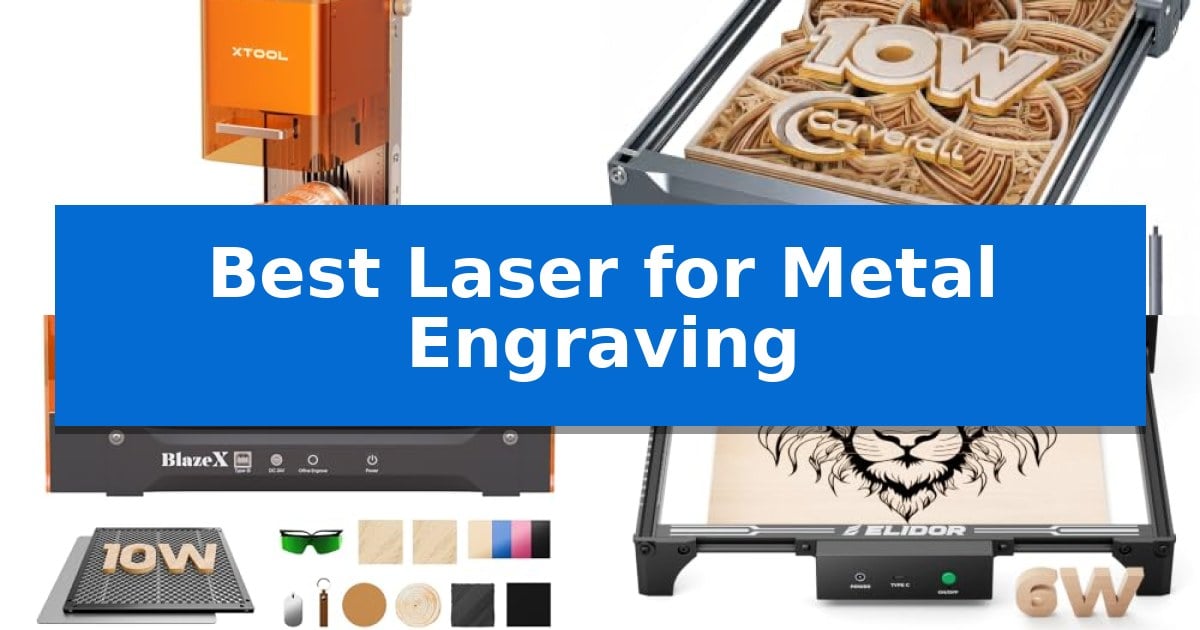
Finding the Best Laser for Metal Engraving requires balancing laser power, beam precision, and software compatibility to ensure your designs appear clearly on hard surfaces. Whether you are looking to mark coated metals for small business branding or seeking deep, vivid color marking on stainless steel, the right machine makes all the difference in achieving professional-grade results without excessive material waste.
Our guide focuses on the technical capabilities of current desktop laser systems, evaluating how different laser types—such as infrared and diode—interact with metal substrates. By understanding the specific needs of your workspace, you can select a tool that provides the accuracy and speed necessary for your creative or commercial metalwork projects.
Best Laser for Metal Engraving in 2026
Quick Comparison
| Product | Best For | Key Strength | Score |
|---|---|---|---|
| xTool F2 Dual Laser Engraver | Best Overall | Dual-laser system combines IR and diode capabilities for diverse material compatibility. | 4.9 |
| Carverall K15 Pro Laser Engraver | Upgradeable for bare metal engraving | Upgradeable design allows for future expansion to bare metal engraving. | 4.3 |
| BlazeX M3 Laser Engraver | Precision metal and glass detailing | High-definition smart camera for real-time design preview and precise material placement. | 4.3 |
| ELIDOR Laser Engraver | Portable option for metal projects | High-precision 0.01 mm accuracy for detailed graphic work. | 4.3 |
| ACMER S1 Laser Engraver | Compact desktop metal engraving | High-precision 0.01mm positioning for detailed work. | 4.9 |
How We Chose
- Laser Type and Power: Assessing whether the machine uses infrared (IR) for metal marking or diode lasers for cutting and embossing.
- Precision and Accuracy: Analyzing motion accuracy and spot size to ensure high-resolution detail on small metal components.
- Software and Connectivity: Verifying compatibility with industry-standard control software like LightBurn and LaserGRBL.
- Workspace Integration: Considering the physical footprint, safety enclosure ratings, and ease of setup for home or workshop use.
- Batch Processing Efficiency: Evaluating features like cameras and extensions that facilitate scaling from single items to small-batch production.
1 xTool F2 Dual Laser Engraver — Fastest for metal color marking
Achieving precise metal marking requires more than just power; it demands the right wavelength to interact with material surfaces. The xTool F2 5W IR & 15W Diode Dual Laser Engraver distinguishes itself by integrating two distinct laser sources into a single desktop unit, allowing users to switch between deep 3D embossing and high-contrast color marking on metal without changing machines.
The device utilizes a 5W infrared laser specifically tuned for metal, enabling the creation of vivid, dark marks that are often difficult to achieve with standard diode lasers alone. For structural work, the 15W diode laser provides the necessary output to cut through thicker materials and perform detailed 3D embossing, making it a versatile tool for varied fabrication needs.
Efficiency is central to the design, with the system capable of reaching speeds up to 6000mm/s. This high-speed operation is supported by a built-in 50MP camera that provides real-time workspace visualization and 0.1 mm alignment accuracy, ensuring that designs are positioned correctly on small pieces to minimize material waste.
Designed for both workshop and mobile use, the xTool F2 features a fully enclosed, leak-proof chassis that includes a built-in fan for fume management. Weighing only 4.6 kg, it is compact enough for transport to markets or pop-up events, arriving fully assembled for immediate deployment.
Best for: Small-batch creators and mobile personalization services requiring both deep cutting and high-contrast metal color marking.
Skip if: Users who require a large-format laser bed for engraving oversized architectural panels or large furniture pieces.
PROS
- Dual-laser system combines IR and diode capabilities for diverse material compatibility.
- 50MP camera enables precise, waste-free alignment on small objects.
- High-speed performance reaches up to 6000mm/s for efficient batch processing.
- Portable, enclosed design allows for safe, fume-managed operation in varied environments.
CONS
- Compact build limits the maximum size of workpieces compared to open-frame or large-bed laser systems.
2 Carverall K15 Pro Laser Engraver — Upgradeable for bare metal engraving
Precision and versatility define the Carverall K15 Pro Laser Engraver, a 10W diode-based system engineered to handle over 300 materials including coated metal, wood, and acrylic. Its one-touch smart focus and 0.01mm precision allow for intricate detailing on small business merchandise, while the dual-fan diode module is specifically designed to manage heat during extended batch processing.
Designed for efficiency, the machine features a compact 11.8×7.9-inch A4 workspace that fits easily into home studios. Users can manage operations via the free CutLabX software on mobile or desktop, or utilize offline engraving by loading files directly onto a TF card. The unit is built for longevity with a module life rated at 15,000 hours and includes four heightening columns to accommodate taller items like skateboards or gift boxes.
The system is built to grow with your creative needs. While the base diode configuration is optimized for non-metallic materials and coated metals, it supports an optional 1W IR laser head for those looking to expand into bare metal engraving on stainless steel and aluminum. This modular approach ensures the hardware remains relevant as your project requirements evolve.
Setup is streamlined with a 6-screw assembly process that takes approximately 3 minutes. The package includes a full starter kit with safety glasses and tools, and the device maintains compatibility with industry-standard software like LightBurn and LaserGRBL for cross-platform flexibility.
Best for: Small business owners and hobbyists who need a compact, upgradeable laser system for batch engraving on coated metals, wood, and acrylic.
Skip if: Users requiring high-speed industrial production or those who need to engrave bare metal immediately without purchasing the optional IR laser head.
PROS
- Upgradeable design allows for future expansion to bare metal engraving.
- Offline engraving capability via TF card eliminates the need for a constant PC connection.
- Compact A4 workspace fits easily into small home or studio environments.
- One-touch smart focus simplifies setup and reduces manual adjustment errors.
CONS
- Bare metal engraving requires the purchase of an additional IR laser head.
- Limited work area may not accommodate larger projects exceeding the 11.8×7.9-inch footprint.
3 BlazeX M3 Laser Engraver — Precision metal and glass detailing
Achieving precise metal detailing requires equipment that balances high-density laser output with advanced positioning tools. The BlazeX M3 Laser Engraver distinguishes itself by integrating a high-definition smart camera that syncs directly with design software, allowing users to preview layouts on materials before engraving begins to eliminate waste.
This system utilizes a high-density laser beam capable of 0.01mm ultra-fine precision, making it suitable for intricate patterns on metal and glass. Beyond its engraving capabilities, the unit functions as a cutter for wood and acrylic, providing a versatile 2-in-1 solution for various DIY projects.
Safety and workspace management are addressed through a Class 1 Safety rating, which includes radiation filtering and an integrated fan system to exhaust smoke and reduce noise. The machine features intelligent sensors that trigger an automatic stop if the lid is opened or the unit is tilted, ensuring controlled operation in home or studio environments.
The BlazeX M3 Laser Engraver supports a wide range of software, including LightBurn, LaserGRBL, and CutLabX, across Windows, macOS, iOS, and Android platforms. Users can expand the machine's utility with optional accessories like a rotary roller for cylindrical items, air assist for cleaner cutting edges, and a purifier for improved air quality.
Best for: Beginners and hobbyists who require high-precision metal and glass engraving with integrated smart camera guidance for accurate design placement.
Skip if: Users who require industrial-grade, high-volume production speeds or those who do not have a compatible PC or mobile device for software-based design control.
PROS
- High-definition smart camera for real-time design preview and precise material placement.
- 0.01mm ultra-fine precision suitable for complex metal and glass patterns.
- Class 1 Safety rating with integrated smoke exhaustion and automatic tilt/lid-open sensors.
- Broad software compatibility including LightBurn, LaserGRBL, and CutLabX.
CONS
- Requires optional accessory upgrades like air assist or rotary rollers to unlock full professional-grade functionality.
- Software-dependent workflow necessitates a connected PC or mobile device for operation.
4 ELIDOR Laser Engraver — Portable option for metal projects
Achieving precise detail on metal surfaces requires a tool capable of high-resolution output, and the ELIDOR Laser Engraver addresses this with a fine 0.04 × 0.14 mm laser spot. This specific focus allows for an engraving accuracy of up to 0.01 mm, ensuring that intricate designs, text, and graphics remain sharp when applied to various materials including metal, glass, and wood.
Designed for versatility and mobility, this machine features a 300 × 300 mm working area while maintaining a lightweight profile of just 2.13 kg (4.7 lbs). This compact form factor makes it suitable for desktop use in home workshops or for transport to craft fairs and classrooms, providing a flexible solution for creators who need to move their equipment between different project sites.
The system integrates with industry-standard software, including LaserGRBL and LightBurn, supporting a wide range of file formats such as NC, DXF, BMP, JPG, and PNG. This compatibility allows users to import complex designs directly from Windows, macOS, or Linux environments, streamlining the transition from digital concept to physical engraving.
For those prioritizing safety in their workspace, the unit supports a Class 1 enclosed setup when paired with a compatible protective enclosure. This configuration is intended to provide a controlled environment for the laser module, which is capable of reaching speeds up to 10,000 mm/min to maintain productivity across diverse DIY projects.
Best for: DIY makers and small business creators who require a portable, high-precision tool for engraving detailed designs on metal and other materials.
Skip if: Users who require a high-power industrial laser for deep metal cutting or those who do not have the space for an external protective enclosure to achieve Class 1 safety standards.
PROS
- High-precision 0.01 mm accuracy for detailed graphic work.
- Lightweight and portable design weighing only 2.13 kg.
- Broad software compatibility with LightBurn and LaserGRBL.
- Versatile material support including metal, glass, and acrylic.
CONS
- Class 1 safety requires a separate protective enclosure not included in the base unit.
- Limited to engraving rather than heavy-duty industrial metal cutting.
5 ACMER S1 Laser Engraver — Compact desktop metal engraving
Achieving precise results on metallic surfaces requires a tool capable of high-frequency output and stable positioning. The ACMER S1 Laser Engraver utilizes a 2500mW diode laser with a 455±5nm wavelength, engineered to deliver ultra-fine accuracy for detailed work on materials like aluminum oxide.
This device is built for efficiency, featuring a 2mm focal length that supports high-precision engraving and cutting. With a maximum engraving speed of 10,000mm/min and 0.01mm repeatable positioning accuracy, it provides the control necessary for complex DIY projects and small-scale professional applications. The unit is constructed from industrial-grade aluminum alloy, ensuring durability while maintaining a lightweight 2kg profile for portability.
Usability is a core focus of the design, as the machine arrives 99% preassembled. Users can complete the setup with a simple 1-minute laser head installation. The system is compatible with macOS, Windows, and Linux, and it supports industry-standard software like LightBurn and LaserGRBL, alongside the proprietary, free-to-use Acmerstudio software.
While optimized for home and small-business use, the 130 x 130mm working area is best suited for compact, detailed tasks rather than large-format industrial production. It offers a versatile 2-in-1 functionality, allowing users to transition between engraving and cutting thin materials like plywood, MDF, and acrylic.
Best for: Hobbyists and small-business owners requiring a compact, beginner-friendly machine for detailed engraving on metal and wood.
Skip if: Users who need to engrave large-format items will find the 130 x 130mm working area too restrictive for their projects.
PROS
- High-precision 0.01mm positioning for detailed work.
- 99% preassembled design for rapid setup.
- Broad software compatibility including LightBurn and LaserGRBL.
- Durable aluminum alloy construction in a portable 2kg frame.
CONS
- Limited 130 x 130mm working area restricts the size of projects.
- 2500mW power output is optimized for light cutting and engraving rather than heavy-duty industrial tasks.
Best Laser for Metal Engraving Buying Guide
Understanding Laser Types for Metal
The most critical factor when choosing a laser for metal is the laser source. Infrared (IR) lasers are generally superior for marking bare metals like stainless steel and aluminum, as the wavelength is better absorbed by the material. This allows for dark, permanent marks without damaging the underlying structure.
Conversely, diode lasers are highly effective for coated metals, such as anodized aluminum or powder-coated tumblers. While they may struggle with bare metal without specialized coatings, they offer excellent versatility for cutting and engraving wood, acrylic, and leather, making them a more flexible choice for multi-material workshops.
Precision and Motion Accuracy
For intricate designs, motion accuracy and laser spot size determine the clarity of your output. Machines with a smaller spot size can achieve higher resolution, which is essential when engraving small text or detailed logos on jewelry or metal tags.
Look for systems that offer 0.01 mm precision or better. High-quality motion systems ensure that the laser head moves smoothly across the workspace, preventing blurred lines or misaligned engravings that can ruin expensive metal blanks.
Software Compatibility and Workflow
A laser engraver is only as good as the software that controls it. The Best Laser for Metal Engraving should support established platforms like LightBurn or LaserGRBL. These programs allow for precise control over power settings, speed, and pass counts, which are vital for achieving specific marking depths on metal.
Many modern machines also include proprietary software that simplifies the initial setup. However, ensure that the hardware remains compatible with third-party software if you plan to integrate the machine into a more complex professional design workflow.
Safety and Enclosure Standards
Metal engraving often involves high-power lasers that can be hazardous to eyesight. A Class 1 safety enclosure is highly recommended, as it contains the laser beam and often includes integrated ventilation or filtration systems to manage smoke and fumes.
If you are operating in a home or shared studio environment, an enclosed system provides essential protection. Always verify that the machine includes safety sensors that automatically pause the laser if the lid is opened during operation.
Scaling for Small Business
If your goal is to transition from personal projects to selling custom metal goods, consider the machine's batch processing capabilities. Features like built-in cameras for visual positioning and support for rotary attachments allow you to engrave multiple items efficiently.
Look for machines that support slide extensions or modular designs. These allow you to grow your production capacity without needing to replace your entire laser setup as your business demands increase.
Frequently Asked Questions
Can all laser engravers mark bare metal?
No. Most standard diode lasers require a marking spray or coating to interact with bare metal. If you need to mark bare stainless steel or aluminum directly, an infrared (IR) laser is typically required.
What is the benefit of a built-in camera?
A built-in camera allows you to visualize the workspace directly on your computer screen. This ensures precise alignment of your design onto the material, significantly reducing waste by preventing misprints.
Is LightBurn compatible with all these machines?
Most modern desktop laser engravers are compatible with LightBurn, but it is always best to check the specific manufacturer's technical specifications to confirm if the machine supports the G-code required for full LightBurn functionality.
How do I maintain my laser engraver?
Regular maintenance includes cleaning the laser lens to prevent debris buildup, ensuring the motion rails are free of dust, and checking that the cooling fans are unobstructed to prevent overheating during long jobs.
Are these machines safe for indoor use?
Enclosed machines with built-in ventilation or those compatible with external air purifiers are generally suitable for indoor use. Always ensure your workspace is well-ventilated to manage any smoke generated during the engraving process.
Conclusion: Our Top Pick
When selecting the Best Laser for Metal Engraving, the xTool F2 Dual Laser Engraver stands out due to its dual-laser design, which combines a 15W diode for cutting and a 5W IR laser for high-quality metal marking. This versatility allows users to handle both bare metal and a wide variety of other materials with a single, compact device.
The inclusion of a 50MP camera for precise positioning and the ability to scale for batch production makes it a highly capable tool for both hobbyists and small business owners. While it represents a significant investment, the combination of speed, accuracy, and dual-laser functionality provides a comprehensive solution for those serious about professional metal engraving.