
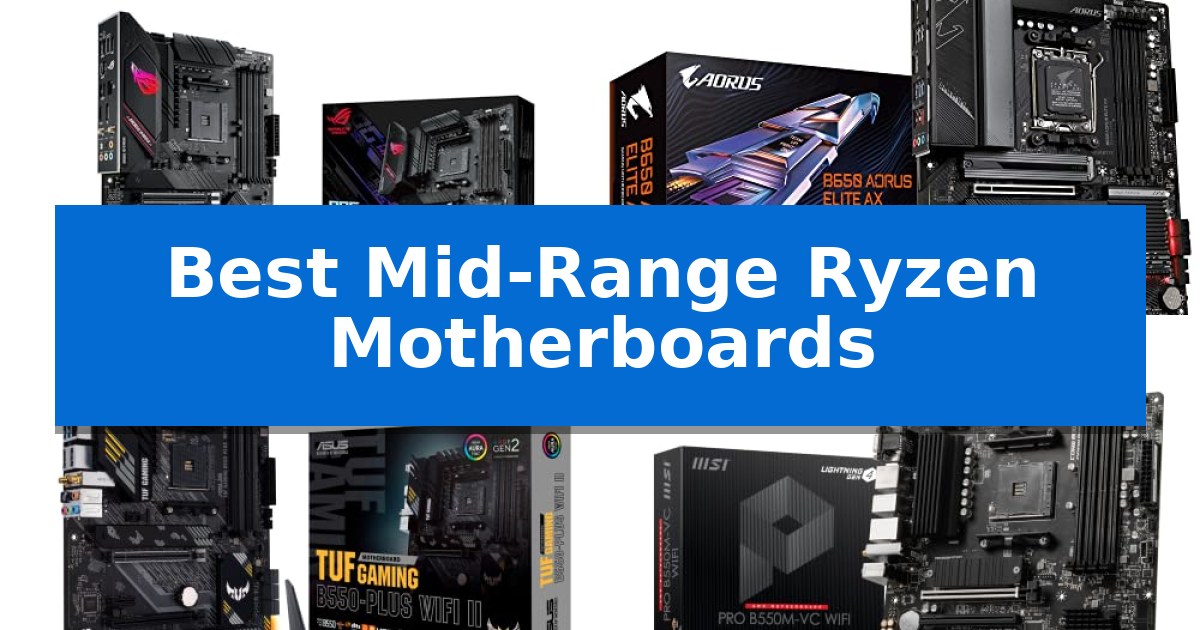
Building a reliable PC requires a foundation that balances performance with long-term stability. Finding the Best Mid-Range Ryzen Motherboards involves navigating various socket types, power delivery designs, and connectivity standards to ensure your processor runs efficiently without unnecessary overhead.
Whether you are upgrading an existing AM4 system or transitioning to the newer AM5 platform, selecting the right board dictates your upgrade path and peripheral support. This guide examines key models to help you identify which features align with your specific computing needs and hardware configuration.
You may also want to compare Best Mid-Range Resin 3D Printer, Best Mid-Range Radar Detectors, and Best Mid-Range Projectors.
Best Mid-Range Ryzen Motherboards
Quick Comparison
| Product | Best For | Key Strength | Score |
|---|---|---|---|
| Asus ROG Strix B550-F Gaming WiFi II | Best Overall | Robust 12+2 power stage design for stable performance. | 4.9 |
| Gigabyte B650 AORUS Elite AX | Future-Proofing with DDR5 Support | 14+2+1 power phase design for stable power delivery. | 4.4 |
| Asus TUF Gaming B550-PLUS WiFi II | Durable Design for Reliable Gaming | Robust 8+2 DrMOS power stages for reliable power delivery. | 4.5 |
| MSI PRO B550M-VC WiFi | Value Pick for Compact Systems | Integrated Wi-Fi 6E and Bluetooth 5.2 for high-speed wireless connectivity. | 4.4 |
| Gigabyte B550 Gaming X V2 | Essential Connectivity for ATX Builds | Q-Flash Plus allows for effortless BIOS updates without requiring a CPU or memory. | 4.7 |
How We Chose
- Socket and CPU compatibility to ensure support for specific Ryzen generations.
- Power delivery and VRM design to assess stability under load.
- Connectivity options including PCIe generation, M.2 slot availability, and rear I/O port selection.
- Networking capabilities such as integrated Wi-Fi standards and Ethernet speeds.
- Form factor considerations to ensure compatibility with standard PC cases.
1 Asus ROG Strix B550-F Gaming WiFi II — Premium Features for Enthusiast Builds
The Asus ROG Strix B550-F Gaming WiFi II provides a robust foundation for AMD-based systems by integrating a 12+2 teamed power stage design with high-quality alloy chokes. This configuration ensures consistent power delivery for 3rd Gen Ryzen and 5000 series processors, making it a reliable choice for users building mid-range performance rigs.
Connectivity is a primary focus for this board, featuring PCIe 4.0 support for high-speed storage and graphics performance. The inclusion of WiFi 6E and Intel 2.5 Gb Ethernet offers modern networking capabilities, while the rear I/O panel provides versatile options including USB 3.2 Gen 2 Type-C, HDMI 2.1, and DisplayPort 1.2 for flexible display configurations.
Usability is enhanced through the intuitive UEFI BIOS dashboard, which simplifies system tuning and monitoring. The board also includes BIOS Flashback for easy updates without needing a CPU installed, and it supports Aura Sync for customizable RGB lighting, allowing for aesthetic integration with other components.
This motherboard balances enthusiast-grade features like ProCool power connectors and comprehensive cooling support with the practical requirements of a standard ATX build. It serves as a well-rounded platform for those prioritizing stable power delivery and modern connectivity standards in their desktop setup.
Best for: This motherboard is best for users building a high-performance gaming or productivity PC using AMD Ryzen 3000 or 5000 series processors who require modern connectivity like WiFi 6E and PCIe 4.0.
Skip if: Skip this board if you are using a CPU outside the AM4 socket ecosystem or if you require a compact form factor, as this is a standard ATX motherboard.
PROS
- Robust 12+2 power stage design for stable performance.
- Advanced WiFi 6E and 2.5 Gb Ethernet networking.
- Comprehensive PCIe 4.0 and USB 3.2 Gen 2 connectivity.
- User-friendly BIOS Flashback and intuitive UEFI interface.
CONS
- ATX form factor may be too large for small-form-factor builds.
2 Gigabyte B650 AORUS Elite AX — Future-Proofing with DDR5 Support
The Gigabyte B650 AORUS Elite AX provides a foundational platform for modern computing by utilizing a 14+2+1 power phase digital VRM solution paired with 70A power stages. This robust power delivery system is built upon an 8-layer 2X copper PCB, designed to maintain stability for high-performance AMD Ryzen 9000, 8000, and 7000 series processors. For builders, this means consistent energy distribution during intensive tasks, supported by a thermal suite that includes a 6mm heatpipe and fully covered MOSFET heatsinks to manage heat dissipation effectively.
Practical assembly is prioritized through the inclusion of the EZ-Latch mechanism, which simplifies the process of securing and removing M.2 drives and expansion cards without the need for small, easily lost screws. The board also features Q-Flash functionality, allowing users to update the BIOS without the requirement of installing a CPU, memory, or graphics card, which is a significant advantage for those performing initial system builds.
Connectivity is a central focus, featuring PCIe 5.0 support and a dedicated PCIe 5.0 NVMe x4 M.2 slot to accommodate high-speed storage solutions. The motherboard integrates WIFI 6E and 2.5GbE networking for fast, reliable data transfer, while the inclusion of front and rear USB-C ports ensures compatibility with a wide range of modern peripherals. Memory performance is managed through four DIMM slots with DDR5 compatibility, supporting both AMD EXPO and Intel XMP profiles for optimized memory tuning.
The Gigabyte B650 AORUS Elite AX is a full-sized ATX motherboard, meaning it offers extensive expansion capabilities at the cost of requiring a standard-sized chassis. While it provides a comprehensive feature set for modern builds, users should ensure their case supports the ATX form factor before purchase. The transition to DDR5 memory is a necessary consideration for the total build budget, as this board does not support older DDR4 modules.
Best for: Builders seeking a feature-rich ATX platform with advanced thermal cooling and future-ready PCIe 5.0 connectivity.
Skip if: Users requiring a smaller form factor, as this is a full-sized ATX motherboard that will not fit in compact ITX or Micro-ATX cases.
PROS
- 14+2+1 power phase design for stable power delivery.
- PCIe 5.0 support for next-generation storage and expansion.
- EZ-Latch and Q-Flash for simplified component installation and BIOS updates.
- WIFI 6E and 2.5GbE for high-speed networking.
CONS
- ATX form factor limits compatibility with smaller PC cases.
- Requires DDR5 memory, which may increase total system build costs.
3 Asus TUF Gaming B550-PLUS WiFi II — Durable Design for Reliable Gaming
Building a reliable foundation for a modern PC requires a balance of power delivery and connectivity, particularly when working with 3rd Gen AMD Ryzen processors. The Asus TUF Gaming B550-PLUS WiFi II addresses these needs through a robust 8+2 DrMOS power stage design, utilizing high-quality alloy chokes and durable capacitors to ensure consistent power delivery even under sustained workloads.
Thermal management is handled by an integrated fanless VRM and PCH heatsink solution, which works alongside multiple hybrid fan headers. Users can fine-tune their cooling profiles using the Fan Xpert 4 or UEFI Q-Fan Control utilities, allowing for precise adjustments to maintain system stability during intensive tasks.
Connectivity is a primary focus for this board, featuring WiFi 6 (802.11ax) and 2.5 Gb LAN for high-performance networking. The board also supports PCIe 4.0 for both the primary expansion slot and one of the two M.2 slots, ensuring compatibility with high-speed NVMe storage and modern graphics cards.
For peripheral and display support, the motherboard includes HDMI 2.1 and DisplayPort 1.2 outputs, alongside USB 3.2 Gen 2 Type-C and Type-A ports. It also provides a Thunderbolt 3 header and an SPI TPM header, offering flexibility for future upgrades and security requirements.
Best for: Users building a reliable, high-connectivity gaming PC using 3rd Gen AMD Ryzen processors who require integrated WiFi 6 and PCIe 4.0 support.
Skip if: Users who require a smaller form factor than ATX or those planning to use processors outside of the AM4 socket ecosystem.
PROS
- Robust 8+2 DrMOS power stages for reliable power delivery.
- Integrated WiFi 6 and 2.5 Gb LAN for fast networking.
- Dual M.2 slots with PCIe 4.0 x4 connectivity.
- Comprehensive thermal management with fanless VRM heatsinks.
CONS
- ATX form factor may be too large for compact PC builds.
- Limited to AM4 socket compatibility.
4 MSI PRO B550M-VC WiFi — Value Pick for Compact Systems
The MSI PRO B550M-VC WiFi offers a balanced foundation for mid-range builds by integrating Wi-Fi 6E and Bluetooth 5.2 connectivity directly onto an mATX form factor. This motherboard is designed to support AMD Ryzen 5000 and 3000 Series processors, providing a versatile platform for users who prioritize modern wireless standards and compact system integration.
Engineered for reliability under load, the board features a Premium Thermal Solution that includes a 7W/mK thermal pad and an additional choke thermal pad. These components work alongside the M.2 Shield Frozr to manage heat effectively during intensive tasks. The power delivery system utilizes a Digital PWM IC and a 2oz thickened copper PCB to support stable operation.
For storage and memory performance, the board supports DDR4 memory up to 4400(OC) MHz and includes a Lightning Gen4 x4 M.2 slot to leverage PCIe 4.0 bandwidth. This configuration is intended to provide a responsive experience for users who require fast data access and efficient memory throughput in a smaller chassis footprint.
The MSI PRO B550M-VC WiFi includes a comprehensive set of rear I/O options, including USB 3.2 Gen 2 ports and both HDMI and DisplayPort outputs. With its 3-year warranty, this motherboard provides a stable and feature-rich option for those building a mid-range system around the AM4 socket.
Best for: Users building a compact mATX system who require integrated Wi-Fi 6E and PCIe 4.0 support for modern Ryzen processors.
Skip if: Users who require compatibility with older Ryzen 5 3400G or Ryzen 3 3200G processors, or those needing an ATX form factor for multi-GPU configurations.
PROS
- Integrated Wi-Fi 6E and Bluetooth 5.2 for high-speed wireless connectivity.
- M.2 Shield Frozr and high-conductivity thermal pads for improved heat management.
- Supports PCIe 4.0 for high-speed storage and component bandwidth.
- Compact mATX design suitable for smaller PC cases.
CONS
- Not compatible with Ryzen 5 3400G or Ryzen 3 3200G processors.
- Limited to mATX form factor, which may restrict expansion slots compared to full ATX boards.
5 Gigabyte B550 Gaming X V2 — Essential Connectivity for ATX Builds
Building a reliable PC requires a foundation that balances thermal management with expansion capabilities, and the Gigabyte B550 Gaming X V2 addresses this by incorporating an Advanced Thermal Armor design. This motherboard features a robust VRM heatsink engineered to dissipate heat effectively during intensive tasks, ensuring the system remains stable under load.
At the heart of its performance is a Digital Twin 10+3 Power Phase solution, which utilizes premium chokes and capacitors to deliver consistent power to the CPU. This board is designed for AMD Ryzen 5000/4000/3000 Series Processors via the Socket AM4 interface, making it a versatile choice for various build configurations. Memory performance is supported through four DIMM slots compatible with DDR4 and Extreme Memory Profile technology.
Connectivity is a highlight, featuring an Ultra Durable PCIe 4.0 x16 slot alongside a PCIe 4.0 M.2 slot for high-speed storage. The inclusion of a Front USB 3.2 Gen 1 Type-C port simplifies cable management for modern cases, while the integrated I/O shield streamlines the assembly process for DIY builders. For those who prioritize ease of maintenance, the Q-Flash Plus feature allows for BIOS updates without the need to install a CPU, RAM, or GPU.
The user experience is further refined by a refreshed BIOS interface, which offers an Easy Mode for intuitive control over system settings. With GbE LAN for stable networking and Bluetooth 5.3 for wireless peripheral support, this board provides the essential infrastructure needed for a functional and responsive desktop environment.
Best for: Builders seeking a reliable ATX foundation with PCIe 4.0 support and simplified BIOS maintenance features.
Skip if: Users requiring specialized features like Wi-Fi connectivity or high-end overclocking headroom may find this board's feature set too basic.
PROS
- Q-Flash Plus allows for effortless BIOS updates without requiring a CPU or memory.
- Advanced Thermal Armor provides effective heat dissipation for the VRM.
- Comprehensive connectivity includes PCIe 4.0 support and front-panel USB-C.
- Digital Twin 10+3 Power Phase ensures stable power delivery.
CONS
- Lacks integrated Wi-Fi, requiring an external adapter for wireless networking.
- Limited to one PCIe 4.0 M.2 slot, with the second slot restricted to PCIe 3.0 speeds.
Best Mid-Range Ryzen Motherboards Buying Guide
Understanding Socket Compatibility
The most critical factor when selecting a motherboard is the CPU socket. The AM4 socket remains a popular choice for those utilizing 3000 and 5000 series processors, offering a mature ecosystem with affordable DDR4 memory support.
Conversely, the AM5 socket is designed for newer Ryzen 7000, 8000, and 9000 series CPUs. This platform introduces DDR5 memory support and PCIe 5.0 capabilities, making it the primary choice for users prioritizing future hardware compatibility.
Power Delivery and VRM Quality
The Voltage Regulator Module (VRM) is responsible for converting power from your supply into stable energy for the CPU. A robust power phase design, such as a 12+2 or 14+2+1 configuration, ensures that the processor maintains consistent performance during intensive tasks.
Look for boards that feature high-quality alloy chokes and durable capacitors. These components are essential for maintaining thermal efficiency and preventing throttling during extended gaming or productivity sessions.
Connectivity and Expansion
Modern motherboards serve as the hub for all your components. Evaluate the number of M.2 slots available for NVMe storage, as well as the presence of PCIe 4.0 or 5.0 lanes for high-speed graphics and storage performance.
Rear I/O connectivity is equally important. Ensure the board provides sufficient USB 3.2 Gen 2 Type-C ports and high-speed networking options like 2.5 Gb Ethernet and Wi-Fi 6E to support fast data transfers and stable online connections.
Form Factor Considerations
Motherboards typically come in ATX or mATX form factors. An ATX board provides more space for expansion cards and additional headers, making it ideal for standard mid-tower builds.
An mATX board is more compact, which is beneficial for smaller system builds. While they offer fewer expansion slots, they often provide the same core functionality as their larger counterparts at a more accessible price point.
BIOS and Ease of Use
A user-friendly UEFI BIOS interface simplifies system tuning and hardware monitoring. Features like BIOS Flashback allow for easy updates without needing a CPU or RAM installed, which is invaluable for troubleshooting.
Look for software suites that provide intuitive dashboards for adjusting fan curves, RGB lighting, and memory profiles. These tools enhance the overall experience of managing your system settings.
Frequently Asked Questions
Can I use an AM4 CPU on an AM5 motherboard?
No, AM4 processors are not physically compatible with the AM5 socket. You must choose a motherboard that matches your specific CPU socket type.
What is the benefit of PCIe 5.0 over PCIe 4.0?
PCIe 5.0 offers double the bandwidth of PCIe 4.0, providing faster data transfer speeds for compatible high-end storage drives and future graphics cards.
Do all these motherboards support Wi-Fi?
Most of the models listed include integrated Wi-Fi, but you should verify the specific version, such as Wi-Fi 6 or 6E, based on your networking requirements.
Is an ATX motherboard better than mATX?
ATX boards offer more expansion slots and connectivity, while mATX boards are better suited for compact builds. Neither is inherently 'better'; it depends on your case size and expansion needs.
What does BIOS Flashback do?
BIOS Flashback allows you to update the motherboard's firmware using a USB drive, even if you do not have a CPU or memory installed in the system.
Conclusion: Our Top Pick
Selecting the right motherboard is a balance between your current hardware needs and your future upgrade plans. For those seeking a comprehensive feature set on the AM4 platform, the Asus ROG Strix B550-F Gaming WiFi II stands out for its robust power delivery and extensive connectivity options.
This board provides a reliable foundation for enthusiast builds, offering high-speed networking and efficient thermal management. While other options may offer different form factors or newer socket support, this model remains a strong contender for users who prioritize stability and performance in their mid-range Ryzen configuration.