
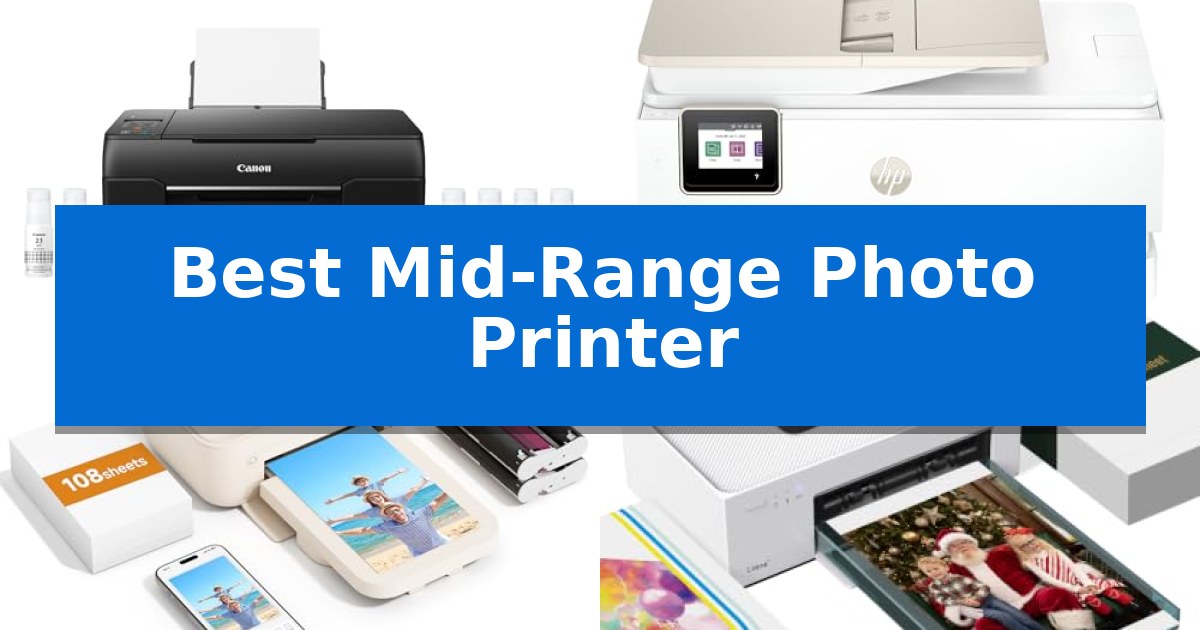
Finding the right device to capture your digital memories in physical form can be a challenge, especially when balancing print quality with long-term maintenance costs. The Best Mid-Range Photo Printer should bridge the gap between basic document printing and professional-grade studio output, offering enough versatility for family projects while maintaining color accuracy.
Whether you are looking to preserve vacation snapshots or create custom scrapbooks, the right printer makes a significant difference in both convenience and output longevity. We have analyzed the current market to identify models that provide the best balance of features, ink management, and ease of use for your home workspace.
You may also want to compare Best Mid-Range Phono Preamps, Best Mid-Range PC Processor, and Best Mid-Range PC Power Supplies.
Best Mid-Range Photo Printer
Quick Comparison
| Product | Best For | Key Strength | Score |
|---|---|---|---|
| Canon PIXMA G620 MegaTank Photo Printer | Best Overall | Extremely low cost per print at approximately 2.5 cents per 4×6 photo. | 4.9 |
| HP Envy Photo 7975 Inkjet Printer | Best All-in-One for Families | Dedicated photo tray for seamless switching between paper types. | 4.5 |
| HPRT CP4100 Photo Printer | Best for AR Video Memories | Includes a massive 108-sheet value pack with ribbons for immediate use. | 4.8 |
| Liene M100 4×6 Photo Printer | Best for Quick Wi-Fi Printing | Thermal-dye sublimation technology provides a durable, laminated finish. | 4.6 |
| HP Envy 6155 All-in-One Printer | Reliable Dual-Band Connectivity | Dual-band Wi-Fi for stable wireless connectivity. | 4.6 |
How We Chose
- Ink efficiency and cost per print for 4×6 inch photos.
- Color gamut and print technology, such as dye-sublimation or multi-color dye ink systems.
- Wireless connectivity options including Wi-Fi, mobile app integration, and direct printing protocols.
- Physical footprint and design considerations for home office or desk placement.
- Ease of maintenance, including ink replacement processes and paper handling.
1 Canon PIXMA G620 MegaTank Photo Printer — Lowest Cost Per Print
Achieving high-volume photo printing without the recurring expense of traditional cartridges is the primary advantage of the Canon PIXMA G620 Wireless MegaTank Photo All-in-One Printer. This device utilizes a high-capacity ink system designed to produce up to 3,800 4” x 6” color photos on a single set of ink, making it a practical choice for those who print frequently.
The printer features a 6-color dye-based ink system, which incorporates dedicated red and gray inks to expand the available color gamut for more nuanced photo reproduction. To ensure longevity, the system supports CHROMALIFE 100 technology, aimed at preserving the quality of printed images over time.
Integration with smart home environments is a core component of its design. By connecting the printer to Alexa, users can receive automated notifications when ink levels are low and utilize Smart Reorders to replenish supplies without needing a subscription. This functionality helps maintain consistent operation without manual monitoring.
The unit is built with a compact design intended to fit into varied workspaces, measuring approximately 17.6 inches in length and 19.1 inches in width. It functions as an all-in-one solution, capable of printing, copying, and scanning, while maintaining a low cost per print of approximately 2.5 cents for a 4” x 6” photo.
Best for: High-volume photo printing where minimizing the cost per individual print is the primary objective.
Skip if: Users who require a specialized professional-grade large-format printer or those who rarely print photos and do not need a high-yield ink system.
PROS
- Extremely low cost per print at approximately 2.5 cents per 4×6 photo.
- High page yield of up to 3,800 photos per full ink set.
- 6-color dye-based system provides an expanded color gamut.
- Smart reorder integration with Alexa for automated supply management.
CONS
- Dye-based ink system may not offer the same archival longevity as pigment-based alternatives.
- Physical footprint requires dedicated desk space despite the compact design.
2 HP Envy Photo 7975 Inkjet Printer — Best All-in-One for Families
Capturing high-quality images at home requires a device that balances versatility with ease of use, and the HP Envy Photo 7975 Inkjet Printer is engineered to handle both creative photo projects and everyday document needs. This AI-enabled multifunction printer adapts to your specific workflow, ensuring that whether you are printing borderless photos or office documents, the output remains consistent and reliable.
Designed for the modern home, this printer features a large intuitive color touchscreen that simplifies navigation through its various functions, including scanning, copying, and wireless printing. The inclusion of an automatic document feeder and automatic 2-sided printing capabilities helps streamline productivity, while the dedicated separate photo tray ensures your specialized paper is always ready for high-quality prints without manual swapping.
Connectivity and maintenance are central to the user experience, with wireless printing support allowing for seamless mobile integration. To assist with ongoing costs, the unit includes a 3-month Instant Ink trial, which automates the supply process by delivering ink directly to your door before you run out. The printer also incorporates security features designed to keep the device updated and protected against potential vulnerabilities.
Measuring approximately 18.11 inches in width and 9.17 inches in height, the HP Envy Photo 7975 Inkjet Printer provides a compact footprint for a device that offers such a wide range of capabilities. While it is built for high-quality output, users should note that print speeds are rated at up to 10 pages per minute for color and 15 pages per minute for black, making it a balanced choice for home-based tasks rather than high-volume commercial environments.
Best for: Families and home users who need a versatile, AI-enabled printer capable of switching between high-quality photo printing and standard document tasks.
Skip if: Users requiring high-volume, professional-grade production speeds or those who prefer to manage ink supplies manually without subscription services.
PROS
- Dedicated photo tray for seamless switching between paper types.
- AI-enabled functionality that adapts to user workflows.
- Automatic 2-sided printing and document feeder for increased efficiency.
- 3-month Instant Ink trial included to simplify supply management.
CONS
- Subscription-based ink model requires cancellation to avoid fees after the trial period.
- Moderate print speeds may not suit heavy-duty office requirements.
3 HPRT CP4100 Photo Printer — Best for AR Video Memories
Capturing moments beyond the static image, the HPRT CP4100 Photo Printer differentiates itself with its unique 15s AR video capability. By using the HeyPhoto app, users can link a specific video frame to a printed photo, allowing the image to play the associated video clip when scanned with a smartphone. This feature transforms standard 4×6-inch prints into interactive keepsakes, ideal for preserving milestones like a child's first steps or birthday celebrations.
Engineered with professional thermal dye sublimation technology, this printer produces high-definition photos with smooth gradients and vibrant color reproduction. Each print is automatically finished with a protective lamination layer, which renders the surface waterproof, oil-proof, and fingerprint-resistant. This coating is designed to resist fading and aging, ensuring that the physical prints maintain their clarity and detail for years to come.
The device offers versatile connectivity options to suit various environments. Through dual Wi-Fi modes, users can connect the printer to a local network via STA mode for multi-user access, or utilize AP mode for a direct, internet-free connection, making it suitable for travel or outdoor events. The compact design, measuring approximately 7.87 x 5.12 x 3.35 inches, allows for easy placement on a desk or storage in a drawer when not in use.
To ensure immediate usability, the HPRT CP4100 Photo Printer arrives as a comprehensive kit including 108 sheets of 4×6-inch photo paper and two full-color ribbons. The companion app further extends functionality with DIY tools such as filters, stickers, and collage templates, as well as the ability to print ID or visa photos at home, providing a flexible solution for both creative projects and practical administrative needs.
Best for: Users who want to combine physical photo printing with interactive augmented reality video playback.
Skip if: Users who require a high-volume office printer for documents or those who need a device that supports larger paper formats than 4×6 inches.
PROS
- Includes a massive 108-sheet value pack with ribbons for immediate use.
- Features 15s AR video printing to bring still photos to life via app scanning.
- Applies a protective lamination layer that is waterproof and fingerprint-proof.
- Supports dual Wi-Fi connection modes for both home networks and direct mobile printing.
CONS
- Limited to 4×6-inch photo paper size.
- Requires 2.4GHz Wi-Fi for network-based printing.
4 Liene M100 4×6 Photo Printer — Best for Quick Wi-Fi Printing
Capturing memories in physical form requires a reliable tool, and the Liene M100 4×6 Photo Printer offers a streamlined solution for those who prefer instant, tangible results. This device utilizes thermal-dye sublimation technology, which allows dyes to penetrate the paper deeply, creating a laminated surface that is resistant to water, scratches, fingerprints, and fading.
Designed with a minimalist and magnetic structure, the printer is highly portable and includes a fully sealed cassette to protect your paper from dust. It operates via a built-in Wi-Fi hotspot, enabling a stable, direct connection to your smartphone without requiring an external network. This makes it an efficient choice for printing directly from mobile devices while on the go.
The Liene M100 4×6 Photo Printer supports multiple device compatibility, allowing up to five users to connect simultaneously. Through the specialized Liene App, users can further customize their prints by adding borders, applying filters, or adjusting brightness and contrast. The printer is also capable of handling specialized tasks like printing ID and Visa photos directly from home.
Included in the package are 100 sheets of photo paper and three color cartridges, ensuring you have enough supplies to start printing immediately. The setup is straightforward, requiring only that the ink cartridge clicks into place, making it a practical addition for those who value ease of use and consistent print quality.
Best for: Best for quick, high-quality Wi-Fi printing from mobile devices in a compact, portable format.
Skip if: Skip if you require professional-grade large-format printing or need to print on media sizes other than standard 4×6 inches.
PROS
- Thermal-dye sublimation technology provides a durable, laminated finish.
- Built-in Wi-Fi hotspot allows for stable, cable-free printing.
- Multiple device support enables up to 5 simultaneous connections.
- Comprehensive starter kit includes 100 sheets of paper and 3 cartridges.
CONS
- Fixed 4×6 inch print size limits versatility for larger or smaller photo projects.
5 HP Envy 6155 All-in-One Printer — Reliable Dual-Band Connectivity
Achieving high-quality prints at home requires a balance of connectivity and ease of use. The HP Envy 6155 All-in-One Printer addresses this by integrating a 2.4-inch color touchscreen that simplifies navigation for daily tasks like scanning, copying, and printing.
This device is built for versatility, featuring auto 2-sided printing and a 100-sheet input tray to handle homework and documents efficiently. It utilizes HP's P3 technology, which is designed to ensure that photos and documents maintain vibrant, true-to-screen colors during the printing process.
Connectivity is a primary focus, with reliable dual-band Wi-Fi that automatically detects and resolves connection issues. Users can manage the entire workflow directly from their smartphones using the HP App, allowing for remote printing and scanning without needing a direct cable connection.
To streamline the user experience, the printer includes HP AI optimization, which automatically removes unwanted content from web pages and emails to prevent wasted paper. The unit is also constructed with at least 60% recycled plastic content, reflecting a commitment to sustainable design.
The HP Envy 6155 All-in-One Printer is a practical choice for households that prioritize wireless convenience and consistent color output for everyday projects.
Best for: Home users who need a reliable, wireless all-in-one printer for everyday documents and photo projects.
Skip if: Users who require high-volume professional office printing or those who prefer using third-party ink cartridges.
PROS
- Dual-band Wi-Fi for stable wireless connectivity.
- Auto 2-sided printing to reduce paper consumption.
- Intuitive 2.4-inch color touchscreen for easy operation.
- HP AI-powered formatting to optimize web and email layouts.
CONS
- Restricted to original HP chips and circuitry for ink cartridges.
- Moderate print speeds of 10 ppm black and 7 ppm color.
Best Mid-Range Photo Printer Buying Guide
Understanding Print Technology
The two primary technologies in this category are inkjet and dye-sublimation. Inkjet printers use liquid ink droplets to create images, which often allows for greater versatility in paper sizes and types, making them ideal for both documents and photos. These systems often feature multi-color ink tanks that can be refilled, significantly lowering the cost per print over time.
Dye-sublimation printers, by contrast, use heat to transfer dye onto specialized paper. This process typically results in prints that are naturally resistant to water, fingerprints, and fading. These units are often more compact and dedicated specifically to 4×6 inch photo sizes, making them a specialized choice for users who prioritize durability and ease of use over document printing capabilities.
Connectivity and Mobile Integration
Modern photo printing is increasingly mobile-centric. The Best Mid-Range Photo Printer should offer robust wireless connectivity, allowing you to print directly from smartphones, tablets, or cloud services. Look for models that support dedicated apps, which often provide essential editing tools like filters, borders, and collage layouts.
Some printers also include features like Wi-Fi Direct or built-in hotspots, which enable printing even when a local network is unavailable. This is particularly useful for events or portable setups where you want to share photos instantly with friends and family without needing to configure complex network settings.
Ink Management and Long-Term Costs
The cost of ownership is a critical factor for any home printer. High-yield ink systems, such as MegaTank technology, are designed to minimize the frequency of refills and reduce the price per individual photo. These systems are an excellent investment if you plan to print in high volumes, as they eliminate the need for frequent cartridge replacements.
For lower-volume users, subscription-based ink services can offer convenience by automating the delivery of supplies before you run out. When evaluating these options, consider your typical monthly print volume to determine whether a high-capacity tank system or an automated delivery service provides better value for your specific usage patterns.
Physical Design and Space Constraints
Mid-range printers vary significantly in size. If your workspace is limited, a compact dye-sublimation printer can often be stored in a drawer or on a small shelf, whereas an all-in-one inkjet printer will require a dedicated desk area. Consider the footprint of the device, including the space needed for paper trays and the path required for paper output.
Design features such as touchscreen interfaces and auto-document feeders can also impact your daily experience. A clear, intuitive display makes navigating settings and troubleshooting connection issues much easier, while an input tray that handles multiple paper sizes adds to the overall functionality of the device.
Print Longevity and Finishing
The longevity of your prints depends heavily on the ink and paper combination. Technologies like ChromaLife 100 or protective lamination layers are designed to resist environmental factors like light and humidity. These features ensure that your photos remain vibrant and clear for years, rather than fading or yellowing over time.
If you intend to display your photos in frames or scrapbooks, prioritize models that offer these protective coatings. This added layer of durability is a key differentiator for mid-range printers, providing a professional finish that protects your memories from smudges and aging.
Frequently Asked Questions
What is the main difference between inkjet and dye-sublimation printers?
Inkjet printers use liquid ink and are generally more versatile, handling both documents and various photo paper sizes. Dye-sublimation printers use heat to transfer dye, typically resulting in more durable, water-resistant 4×6 inch prints that are ideal for scrapbooking.
Can I print from my smartphone with these printers?
Yes, all the models listed feature wireless connectivity and are compatible with mobile apps that allow you to print directly from your smartphone or tablet.
Are high-yield ink systems worth the investment?
High-yield ink systems are highly cost-effective for frequent users. By reducing the cost per print, they pay for themselves over time compared to traditional ink cartridges, especially if you print large quantities of photos.
Do these printers require special paper?
Dye-sublimation printers require specific paper and ribbon kits to function. Inkjet printers are more flexible but perform best when using high-quality photo paper recommended by the manufacturer to ensure color accuracy.
How do I maintain print quality over time?
Regular use is the best way to prevent print heads from clogging in inkjet printers. For all models, keeping the device in a dust-free environment and using the manufacturer's recommended cleaning cycles will help maintain consistent output.
Conclusion: Our Top Pick
When selecting the right model for your home, the Canon PIXMA G620 MegaTank Photo Printer stands out as the most efficient choice for those who value long-term savings and high-volume output. Its 6-color dye-based system ensures a wide color gamut, while the MegaTank design significantly lowers the cost per print, making it a reliable workhorse for any creative household.
While other models offer specific benefits like portability or family-friendly all-in-one features, the Canon PIXMA G620 provides the best balance of professional-grade color reproduction and economical ink management. It is an ideal solution for users who want to print frequently without the constant worry of replacing expensive ink cartridges.