
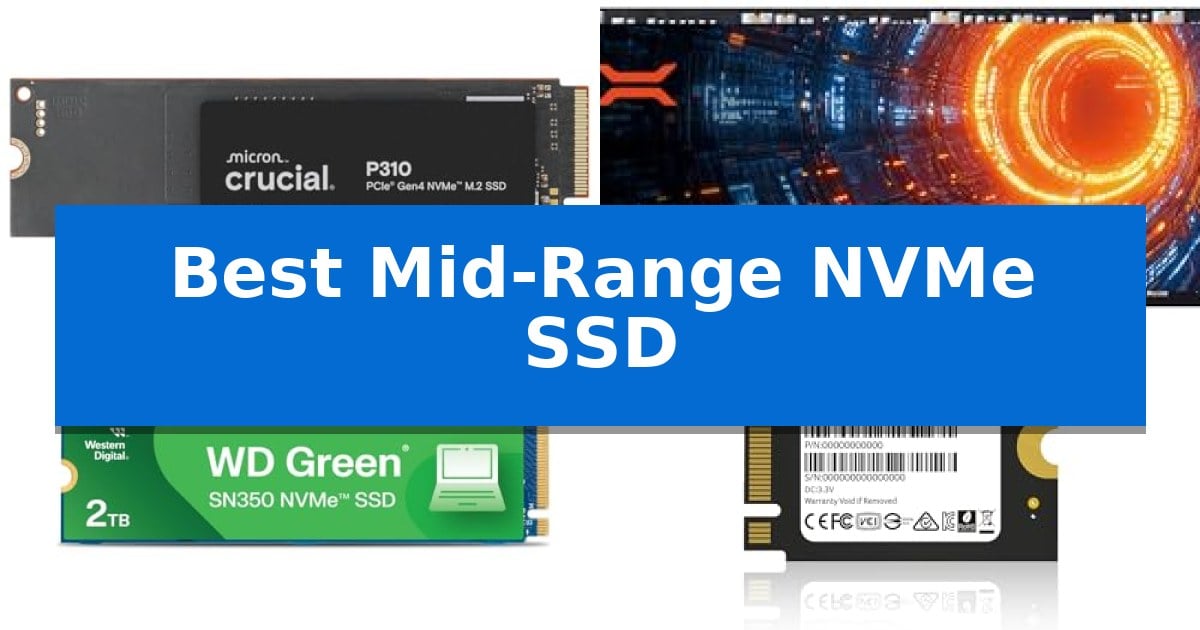
Finding the right storage upgrade can significantly impact your system's responsiveness, whether you are loading heavy applications or booting your operating system. A Best Mid-Range NVMe SSD provides an ideal balance between high-speed data transfer and cost-effectiveness, ensuring you don't overspend on performance you might not fully utilize.
In this guide, we evaluate several drives based on their interface, capacity, and specific use cases. From compact solutions for handheld gaming devices to reliable upgrades for desktop PCs, these drives are selected to help you make an informed decision for your unique computing needs.
You may also want to compare Best Mid-Range NVIDIA GPUs, Best Mid-Range Noise-Cancelling Headphones, and Best Mid-Range Nikon Camera.
Best Mid-Range NVMe SSD
Quick Comparison
| Product | Best For | Key Strength | Score |
|---|---|---|---|
| Crucial P310 NVMe SSD | Best Overall | High-speed PCIe 4.0 performance for faster load times. | 4.9 |
| SIX X7400 NVMe SSD | Performance Boost for Gaming Setups | High-speed PCIe Gen4x4 interface with read speeds up to 7350MB/s. | 4.7 |
| Western Digital Green SN350 NVMe SSD | Efficient Upgrade for Basic Computing | High-capacity 2TB storage for extensive file libraries. | 4.7 |
| Acer MA200 M.2 2230 NVMe SSD | Compact Storage for Handheld Consoles | Compact 2230 form factor ideal for handheld consoles. | 4.4 |
| KingSpec NVMe Gen3x4 SSD | Affordable Speed for Older Systems | High-speed M.2 NVMe Gen3x4 interface for faster data access. | 4.9 |
How We Chose
- Interface and Protocol: We prioritized drives utilizing PCIe Gen4 or Gen3 interfaces to ensure broad compatibility with modern and legacy hardware.
- Form Factor: We assessed whether the drive fits standard M.2 2280 slots or specialized M.2 2230 sizes required for handheld consoles.
- Performance Metrics: We reviewed the manufacturer-rated read and write speeds to gauge efficiency for gaming and productivity tasks.
- Capacity and Value: We considered the storage density provided to ensure it meets the requirements for modern AAA games and media libraries.
- Reliability and Warranty: We looked at the provided warranty terms as an indicator of the manufacturer's confidence in the drive's longevity.
1 Crucial P310 NVMe SSD — Reliable Gen4 Speed for Daily Tasks
Upgrading your storage to a high-speed interface can significantly reduce wait times during system bootups and application launches. The Crucial P310 NVMe SSD leverages PCIe 4.0 performance to deliver read speeds up to 7,100 MB/s and write speeds up to 6,000 MB/s, making it a capable choice for users looking to improve system responsiveness.
Designed for versatility, this 1TB SSD fits into a wide range of hardware, including laptops, desktops, and handheld gaming consoles like the ROG Ally X and Lenovo Legion Go. Its M.2 2280 form factor ensures broad compatibility, while the inclusion of backward compatibility with PCIe Gen3 systems allows for flexible upgrades in older machines without requiring a full system overhaul.
Built with advanced G8 NAND and integrated thermal control, the drive is engineered to maintain consistent operation under load. Whether you are managing large media files, working in resource-heavy applications like Adobe Photoshop, or loading AAA game titles, the drive provides a reliable performance boost compared to previous-generation storage solutions.
To simplify the transition for users, the package includes Acronis Data Recovery Software, which assists in managing and protecting your data during the upgrade process. With a 5-year limited warranty, this drive offers a balance of speed, capacity, and long-term support for both casual gamers and productivity-focused home users.
Best for: Users seeking a reliable, high-speed storage upgrade for laptops, desktops, or handheld gaming consoles.
Skip if: Users requiring specialized high-end enterprise-grade endurance or those with systems that lack an M.2 2280 slot.
PROS
- High-speed PCIe 4.0 performance for faster load times.
- Broad compatibility across PCs and handheld gaming consoles.
- Includes Acronis Data Recovery Software for easier data management.
- 5-year limited warranty providing long-term reliability.
CONS
- 1TB capacity may be limiting for users with extensive media libraries.
2 SIX X7400 NVMe SSD — Performance Boost for Gaming Setups
Upgrading your storage capacity while maintaining high-speed data throughput is essential for modern computing, and the SIX X7400 NVMe SSD provides a solution designed for demanding tasks. By utilizing a PCIe Gen4x4 high-speed interface, this drive enables read speeds of up to 7350MB/s, facilitating faster boot times and efficient file transfers for both desktop and laptop users.
Engineered for versatility, this 1TB M.2 2280 SSD is built to handle heavy-duty applications, including data analytics and content creation. The inclusion of a dedicated heatsink helps manage thermal output during intensive operations, such as gaming or large-scale data processing, ensuring consistent performance under load.
Installation is straightforward, with the manufacturer including necessary components like screws and a screwdriver to assist in the setup process. Whether you are expanding storage for a PS5 console or upgrading a PC build, the drive is designed to integrate into existing systems to improve overall responsiveness and system lifecycle.
Reliability is supported by a 5-year limited warranty, providing long-term assurance for your storage investment. This drive balances high-bandwidth capabilities with practical design, making it a functional choice for users seeking to optimize their system's performance for both work and play.
Best for: Gamers and power users looking to expand storage on a PS5, desktop, or laptop with high-speed PCIe 4.0 performance.
Skip if: Users with older systems that lack PCIe Gen4 compatibility or those requiring storage capacities beyond 1TB.
PROS
- High-speed PCIe Gen4x4 interface with read speeds up to 7350MB/s.
- Includes a heatsink to assist with thermal management during heavy use.
- Broad compatibility with laptops, desktops, and PS5 consoles.
- Backed by a 5-year limited warranty.
CONS
- Limited to a 1TB capacity option.
- Requires M.2 2280 slot availability.
3 Western Digital Green SN350 NVMe SSD — Efficient Upgrade for Basic Computing
Upgrading an older desktop or laptop requires a balance of reliability and speed, and the Western Digital 2TB WD Green SN350 NVMe Internal SSD offers a straightforward path to modernizing your storage. Designed with a slim M.2 2280 form factor, this drive fits seamlessly into most systems equipped with an NVMe slot, providing a significant boost over traditional mechanical drives.
Performance is driven by Gen3 PCIe technology, which supports data transfer rates of up to 3,200 MB/s. This speed is well-suited for daily computing tasks, ensuring faster boot times and responsive application loading. The drive utilizes QLC NAND technology, prioritizing efficiency for general-purpose use cases.
Durability is a key consideration for internal components, and this model features shock-resistance to protect against the accidental bumps and drops that can occur during installation or system movement. To assist with long-term maintenance, users can utilize the downloadable Western Digital SSD Dashboard, which provides real-time monitoring of drive health and storage usage.
Peace of mind is supported by a 3-year limited warranty, reflecting the manufacturer's commitment to the longevity of the hardware. This drive is an effective solution for users seeking a high-capacity, 2TB storage upgrade that prioritizes ease of installation and consistent performance for standard computing workflows.
Best for: Users looking for a high-capacity, reliable storage upgrade for daily computing and general productivity tasks.
Skip if: Power users or professional creators requiring sustained high-speed performance for heavy video editing or intensive data-writing workloads.
PROS
- High-capacity 2TB storage for extensive file libraries.
- Fast NVMe performance reaching up to 3,200 MB/s.
- Shock-resistant design for improved physical durability.
- SSD Dashboard software for easy health monitoring.
CONS
- QLC NAND architecture may not be ideal for heavy, write-intensive professional tasks.
4 Acer MA200 M.2 2230 NVMe SSD — Compact Storage for Handheld Consoles
Expanding the storage capacity of a handheld gaming console requires a specific form factor that balances physical size with high-speed data throughput. The Acer MA200 M.2 2230 NVMe SSD is engineered for this exact purpose, utilizing a compact 2230 footprint that fits seamlessly into devices like the Steam Deck and Asus ROG Ally.
At the core of this drive is a PCIe Gen4 x4 controller that supports NVMe 1.4 standards. This hardware configuration enables read speeds of up to 5200 MB/s and write speeds of up to 4700 MB/s, which are designed to facilitate faster game launches and reduced loading times for demanding titles.
To maintain stability during extended gaming sessions, the drive incorporates HMB + SLC Cache smart buffering to optimize data handling. Furthermore, the inclusion of a graphene heat spreader assists in managing thermal output, helping to mitigate heat buildup in the confined spaces typical of ultra-thin tablets and handheld PCs.
Measuring just 22.0 x 30.0 mm, the Acer MA200 M.2 2230 NVMe SSD provides a reliable storage upgrade path for users needing more space for their digital libraries. With a 5-year warranty included, it offers a durable solution for those looking to expand their portable gaming setup without compromising on performance.
Best for: Gamers and portable device users requiring a high-speed, compact storage upgrade for M.2 2230-compatible handhelds and tablets.
Skip if: Users with devices that require a larger 2280 form factor or those seeking a drive with integrated DRAM cache rather than HMB technology.
PROS
- Compact 2230 form factor ideal for handheld consoles.
- High-speed PCIe Gen4 performance with up to 5200 MB/s read speeds.
- Graphene heat spreader for efficient thermal management.
- 5-year warranty for long-term reliability.
CONS
- HMB (Host Memory Buffer) technology relies on system memory rather than dedicated onboard DRAM.
5 KingSpec NVMe Gen3x4 SSD — Affordable Speed for Older Systems
Upgrading an older system or building a budget-friendly PC requires storage that balances cost with reliable performance. The KingSpec NVMe Gen3x4 SSD utilizes the M.2 NVMe Gen3x4 interface to deliver read speeds up to 2400MB/s, providing a noticeable step up from traditional mechanical drives or older SATA-based storage.
Engineered for consistent operation, this drive incorporates high-quality controllers and 3D NAND TLC/QLC Flash technology. This combination is designed to maintain efficient performance during demanding tasks, ensuring that your operating system and applications remain responsive without unexpected lags.
Data integrity and stability are central to the design of the KingSpec NVMe Gen3x4 SSD. It includes integrated support for S.M.A.R.T, TRIM, Wear Leveling, and LDPC ECC, alongside E2E Data Protection. These features work in tandem to manage data health and prevent loss, providing a stable environment for your files.
Compatibility is a key strength, as the drive supports a wide range of operating systems, including Windows 7-10, RHEL, CentOS, Linux, and Ubuntu. This makes it a versatile choice for various desktop and laptop configurations. The product is backed by a 3-year warranty and lifetime technical support, offering long-term peace of mind for your storage investment.
Best for: Users looking to improve system responsiveness in older laptops or desktops through an affordable M.2 NVMe storage upgrade.
Skip if: Users requiring the extreme throughput of Gen4 or Gen5 NVMe drives for high-end professional video editing or gaming workstations.
PROS
- High-speed M.2 NVMe Gen3x4 interface for faster data access.
- Broad OS compatibility covering Windows and multiple Linux distributions.
- Integrated data protection features including LDPC ECC and E2E protection.
- 3-year warranty with lifetime technical support included.
CONS
- Limited to Gen3 speeds, which may not satisfy users with Gen4 or Gen5 hardware requirements.
Best Mid-Range NVMe SSD Buying Guide
Understanding NVMe Interface Standards
The interface standard, such as PCIe Gen4 or PCIe Gen3, dictates the maximum theoretical bandwidth of your drive. While Gen4 offers significantly higher speeds, it is important to ensure your motherboard or device supports the specific generation to avoid bottlenecking performance.
Most modern drives are backward compatible, meaning a Gen4 drive will often work in a Gen3 slot, though it will be limited to the slower speed. Always check your system's documentation to confirm compatibility before purchasing.
Form Factor and Physical Compatibility
The physical size of the SSD is critical for installation. The M.2 2280 is the standard size for most desktop motherboards and laptops, while the M.2 2230 form factor is specifically designed for compact devices like handheld gaming consoles.
Installing a drive that is too large for your device's slot is physically impossible, so verifying the dimensions is the first step in any storage upgrade project.
Read and Write Speed Expectations
Read speeds affect how quickly your system boots and how fast games or applications load. Write speeds are more relevant when you are frequently moving large files, such as video editing or backing up data.
For daily computing and gaming, high read speeds are generally more noticeable than write speeds. Balance your budget by prioritizing the metric that aligns with your primary usage.
Capacity Requirements for Modern Media
With modern games and high-resolution media files growing in size, 512GB is often considered the minimum for a primary drive, while 1TB or 2TB provides more breathing room.
Consider your current storage usage and future needs. Upgrading to a higher capacity now can prevent the need to replace the drive sooner as your library expands.
Thermal Management and Stability
High-performance SSDs can generate significant heat during sustained operations. Some drives include integrated heatsinks or advanced thermal control to maintain stability.
If you are installing a drive in a confined space like a laptop or a PS5, ensure the drive's thermal solution fits within the available clearance to prevent overheating.
Frequently Asked Questions
Can I use a PCIe Gen4 SSD in a Gen3 slot?
Yes, most PCIe Gen4 NVMe SSDs are backward compatible with Gen3 slots, but the drive will operate at the slower Gen3 speeds.
What is the difference between M.2 2280 and 2230?
The numbers refer to the physical dimensions in millimeters. 2280 is 22mm wide by 80mm long, while 2230 is 22mm wide by 30mm long, commonly used in handheld consoles.
Do I need a heatsink for my NVMe SSD?
A heatsink is recommended for high-performance drives used in gaming consoles or desktops to prevent thermal throttling, but it may not be necessary for basic daily computing.
How do I know if my laptop supports an NVMe SSD?
Check your laptop's service manual or manufacturer specifications to confirm if it has an available M.2 slot that supports the NVMe protocol.
Is 1TB enough for a gaming PC?
1TB is generally sufficient for a library of several AAA games and daily applications, though users with massive collections may eventually require more space.
Conclusion: Our Top Pick
Selecting the right storage involves balancing your specific hardware constraints with your performance needs. For most users, finding a drive that offers reliable speeds and broad compatibility is the key to a successful upgrade.
We recommend the Crucial P310 NVMe SSD as our top pick. It provides a versatile Gen4 performance profile that works well across laptops, desktops, and handheld consoles, backed by the reliability of Micron quality. While other options like the SIX X7400 offer higher peak speeds for specific gaming setups or the Western Digital Green SN350 provides an efficient entry-level path, the Crucial P310 stands out for its balance of speed, broad compatibility, and long-term support.