
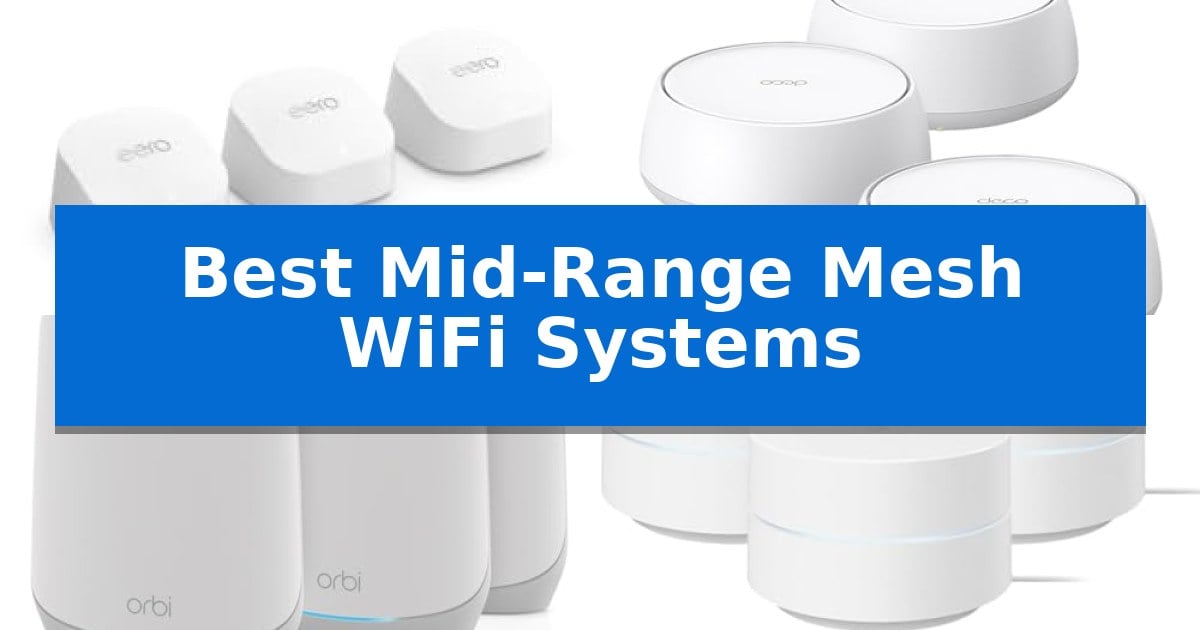
Finding the right network hardware for a modern home often feels like a balancing act between cost and performance. If you are tired of dead zones and inconsistent signals, Best Mid-Range Mesh WiFi Systems offer a practical solution by distributing connectivity across multiple nodes rather than relying on a single router.
These systems are designed to provide stable coverage for multiple devices, making them ideal for households that stream, work, and game simultaneously. We have evaluated several popular mesh kits to help you understand which features, such as coverage area and device capacity, align with your specific home layout and internet usage.
You may also want to compare Best Mid-Range Lenovo Laptops, Best Mid-Range LED Smart TV, and Best Mid-Range Laser Printer Engraving Machines.
Best Mid-Range Mesh WiFi Systems
Quick Comparison
| Product | Best For | Key Strength | Score |
|---|---|---|---|
| Amazon eero 6+ Mesh WiFi System | Best Overall | Built-in smart home hub for Thread and Zigbee devices | 4.9 |
| TP-Link Deco BE25 WiFi 7 System | Future-Proof WiFi 7 Speed | WiFi 7 support for high-throughput performance. | 4.7 |
| NETGEAR Orbi RBK663 WiFi 6 System | Consistent Tri-Band Performance | Dedicated tri-band backhaul ensures consistent performance between the router and satellites. | 4.9 |
| Google WiFi AC1200 Mesh System | Easiest App Management | Whole home coverage up to 4,500 sq. ft. with a three-pack system. | 4.6 |
| DBIT AX1500 WiFi 6 Mesh System | High-Density Device Support | High-density support for 120+ simultaneous connections. | 4.7 |
How We Chose
- Coverage area and signal penetration through walls.
- Maximum device capacity for simultaneous connections.
- Ease of setup and ongoing network management via mobile applications.
- Wired backhaul options and available Ethernet ports for local devices.
- Security features and encryption standards supported.
1 Amazon eero 6+ Mesh WiFi System — Reliable Gigabit Coverage
Maintaining a stable network across a large home often requires more than a single router, and the Amazon eero 6+ Mesh WiFi System addresses this by utilizing TrueMesh technology to intelligently route traffic and eliminate dead spots. This system is designed to support internet plans up to a Gigabit, providing a high-bandwidth foundation for households that rely on consistent connectivity for streaming, video conferencing, and smart home management.
The Amazon eero 6+ Mesh WiFi System stands out by incorporating a built-in smart home hub, which allows users to connect compatible Thread and Zigbee devices directly to the network. This integration simplifies smart home setups by removing the need for additional standalone hubs, while the system remains backward-compatible with previous-generation eero hardware for those looking to expand an existing network.
Performance is bolstered by support for the 160 MHz radio channel, which provides extra bandwidth to handle multiple high-demand tasks simultaneously. Setup is managed through the eero app, which guides users through the installation process, and the system is designed to receive automatic updates to maintain network security over time.
While the system offers robust coverage for up to 4,500 sq. ft., users should note that advanced network management features and specific online security tools are available only through a separate subscription. The compact units, measuring approximately 3.94 x 3.82 x 2.6 inches, are built to integrate into home environments without requiring significant shelf space.
Best for: Households seeking a reliable, easy-to-manage mesh network with integrated smart home hub capabilities for Zigbee and Thread devices.
Skip if: Users who require advanced, granular manual network configuration settings or those who prefer not to rely on a subscription service for extended security and management features.
PROS
- Built-in smart home hub for Thread and Zigbee devices
- TrueMesh technology for intelligent traffic routing
- Supports Gigabit speeds on the 160 MHz radio channel
- Backward-compatible with older eero hardware
CONS
- Subscription required for certain advanced security and management features
2 TP-Link Deco BE25 WiFi 7 System — Future-Proof WiFi 7 Speed
The TP-Link Deco BE25 WiFi 7 System utilizes advanced WiFi 7 technology to deliver high-speed connectivity, reaching up to 4324 Mbps on the 5 GHz band. This system is engineered for demanding environments, supporting 4K/8K streaming and AR/VR gaming across a massive coverage area of up to 6,600 square feet.
Designed for seamless integration, the system employs AI-Roaming to maintain a unified network name, allowing devices to transition between units without manual intervention. The inclusion of 2.5G Ethernet ports enables a high-speed wired backhaul, which works in tandem with wireless signals to ensure stable performance for over 150 connected devices.
Management is handled through the intuitive Deco App, which simplifies setup and provides ongoing firmware updates. Security is a primary focus, as the hardware is built under the CISA Secure-by-Design pledge. Users also gain access to TP-Link HomeShield, which provides essential network security, IoT device identification, and parental controls.
For users requiring advanced network configurations, the system supports both VPN Client and Server modes, allowing devices to access remote servers without individual software installations. The system is backward compatible with all previous WiFi generations, ensuring it fits into existing home networks while providing a path for future upgrades.
Best for: Large households requiring high-speed, low-latency connectivity for numerous smart devices and streaming needs.
Skip if: Users who do not have a separate modem or those who prefer a traditional router interface over app-based management.
PROS
- WiFi 7 support for high-throughput performance.
- 2.5G Ethernet ports for stable wired backhaul.
- AI-Roaming for seamless device transitions.
- Integrated VPN client and server capabilities.
CONS
- Requires a separate modem for internet connectivity.
- App-dependent setup may not suit all user preferences.
3 NETGEAR Orbi RBK663 WiFi 6 System — Consistent Tri-Band Performance
Maintaining a consistent, high-speed connection across a large living space requires a robust infrastructure, and the NETGEAR Orbi RBK663 WiFi 6 System addresses this by utilizing a dedicated tri-band backhaul to ensure router-to-satellite communication remains fast. This system replaces standard router-and-extender setups with a unified mesh network, allowing devices to roam seamlessly between the main router and two included satellites without the need to manually reconnect.
Designed to cover up to 6,600 square feet, the NETGEAR Orbi RBK663 WiFi 6 System supports up to 75 devices simultaneously, making it suitable for environments with high traffic. The system provides AX3800 tri-band WiFi 6 speeds of up to 3.8Gbps, which helps maintain performance for demanding tasks like streaming, gaming, and video conferencing across multiple rooms.
Connectivity options are a primary focus, with the system offering a total of 7 Gigabit Ethernet ports—three on the router and two on each satellite. These wired ports provide stable, direct connections for stationary hardware like gaming consoles, smart TVs, and network-attached storage. Setup and ongoing management are handled through the Orbi app, which provides a centralized interface for network control.
Security is integrated through WPA3 encryption and a 30-day trial of NETGEAR Armor by Bitdefender, which is designed to protect connected devices from malware and identity theft. The system also supports automatic firmware updates to ensure the network remains current with the latest security patches.
Best for: Large homes requiring a unified, high-capacity mesh network with multiple wired Ethernet connections for stationary devices.
Skip if: Users living in smaller apartments or those who do not require the expansive 6,600 square foot coverage and multiple satellite units.
PROS
- Dedicated tri-band backhaul ensures consistent performance between the router and satellites.
- 7 Gigabit Ethernet ports allow for reliable wired connections across the entire mesh network.
- Unified network coverage eliminates the need for manual switching between different access points.
- Integrated security features including WPA3 encryption and Bitdefender-powered protection.
CONS
- Requires an existing modem for internet service, as the system does not include a built-in modem.
- Physical footprint of three units may be significant for smaller living areas.
4 Google WiFi AC1200 Mesh System — Easiest App Management
Maintaining a consistent home network often requires overcoming physical barriers that cause signal degradation in specific rooms. The Google WiFi AC1200 Mesh System addresses this by utilizing a three-pack configuration, which provides a unified, stable connection across homes up to 4,500 square feet. By replacing traditional routers with a coordinated mesh, the system intelligently routes traffic to ensure that high-bandwidth activities like streaming and gaming remain uninterrupted.
This system is designed for a clean, unobtrusive aesthetic, allowing the units to blend into various home environments while maintaining signal integrity. The setup and ongoing management are centralized within the Google Home app, which simplifies the process of configuring the network, managing connected devices, and establishing guest access. This interface also provides integrated parental controls, allowing users to manage internet usage for family members directly from their smartphones.
The Google WiFi AC1200 Mesh System works behind the scenes to eliminate dead zones and signal drop-offs. Because the bundle includes three routers, users are equipped to establish a comprehensive mesh network immediately upon installation. This approach is particularly beneficial for smart home environments where a consistent, reliable connection is necessary for multiple devices to function simultaneously without manual intervention.
While the system offers significant coverage and ease of use, it is important to consider the hardware standards. As an AC1200-rated system, it may present a bottleneck for users with multi-gigabit internet plans who require the higher throughput capabilities of newer Wi-Fi standards. This makes it an ideal solution for standard home connectivity needs rather than high-performance, ultra-fast data environments.
Best for: Homeowners seeking a straightforward, app-managed mesh system to eliminate WiFi dead zones across large living spaces.
Skip if: Users requiring high-speed Wi-Fi 6 or 7 standards, or those who prefer advanced manual configuration options beyond the Google Home app interface.
PROS
- Whole home coverage up to 4,500 sq. ft. with a three-pack system.
- Simple app-based setup and management via the Google Home app.
- Intelligent traffic management to maintain stable speeds for streaming and gaming.
- Integrated parental controls and guest network capabilities.
CONS
- AC1200 speed rating may be limiting for users with multi-gigabit internet plans.
- Lacks advanced hardware features like Wi-Fi 6 or 6E support.
5 DBIT AX1500 WiFi 6 Mesh System — High-Density Device Support
Managing high-density smart home environments requires a robust foundation, and the DBIT AX1500 WiFi 6 Mesh System addresses this by supporting 120+ simultaneous connections. This dual-band system, featuring a 2-pack configuration, is engineered to eliminate dead zones across areas up to 3,900 square feet, providing a unified network that replaces traditional routers and extenders.
The system utilizes WiFi 6 AX1500 technology to deliver combined wireless speeds of up to 1500Mbps, with 1201Mbps allocated to the 5GHz band for bandwidth-intensive tasks like 4K/8K streaming and video conferencing. Each node is equipped with 4 Gigabit Ethernet ports, allowing for stable, wired connections for gaming consoles, PCs, or smart TVs, ensuring that high-traffic devices maintain consistent performance.
Installation and ongoing management are handled through an intuitive mobile app or web GUI, which provides access to parental controls and guest network configuration. Security is prioritized via WPA3-SAE encryption, which proactively manages network access. The system also supports one-click networking, allowing users to add additional nodes to the mesh setup via a dedicated button for flexible coverage expansion.
Designed for versatility, the DBIT AX1500 WiFi 6 Mesh System integrates with existing cable modems or ISP gateways. While it offers extensive coverage and device capacity, users should note that compatibility with specific internet plans may vary, and the system is best suited for those looking to consolidate their home network into a single, managed mesh environment.
Best for: Large homes requiring stable, high-density connectivity for multiple smart devices and bandwidth-heavy streaming.
Skip if: Users with extremely high-speed fiber plans exceeding 1Gbps or those requiring tri-band backhaul for specialized professional networking needs.
PROS
- High-density support for 120+ simultaneous connections.
- 4 Gigabit Ethernet ports per node for wired stability.
- WPA3-SAE encryption for enhanced network security.
- Seamless roaming across large areas up to 3,900 sq ft.
CONS
- Dual-band architecture may limit backhaul performance compared to tri-band systems.
- ISP compatibility depends on specific plan requirements.
Best Mid-Range Mesh WiFi Systems Buying Guide
Understanding Mesh WiFi Coverage
The primary advantage of a mesh system is its ability to create a single, unified network name throughout your home. Unlike traditional range extenders that often create separate networks and reduce bandwidth, mesh nodes communicate intelligently to route traffic efficiently.
When selecting a system, consider the total square footage of your home. While manufacturers provide estimates, physical obstacles like thick walls, metal appliances, and multi-story layouts can significantly impact the actual effective range of each node.
Device Capacity and Traffic Management
Modern homes often have dozens of connected devices, from smart lights and thermostats to high-bandwidth streaming players and gaming consoles. A mid-range system must be capable of handling this density without dropping connections.
Look for systems that support advanced traffic routing technologies. These features ensure that high-priority tasks, such as video conferencing or online gaming, receive the necessary bandwidth even when other devices are active on the network.
Wired Backhaul and Ethernet Connectivity
While mesh systems are primarily wireless, many models offer wired backhaul, which allows you to connect nodes to each other via Ethernet cables. This configuration typically provides the most stable and fastest performance, as it bypasses wireless interference.
Check the number of Gigabit Ethernet ports on each node. Having extra ports is beneficial if you want to hardwire stationary devices like desktop computers, smart TVs, or game consoles directly to the mesh network for maximum stability.
Security and Network Management
Managing your network should be straightforward. Most modern mesh systems rely on dedicated mobile apps that guide you through the initial setup and allow you to monitor connected devices, set up guest networks, and manage parental controls.
Security is another critical factor. Ensure the system supports current encryption standards like WPA3 to protect your data. Some systems also include built-in security services that help identify and block potential threats to your connected IoT devices.
Future-Proofing Your Network
Networking standards evolve quickly. Choosing a system that supports the latest WiFi protocols ensures that your network remains compatible with newer devices as you upgrade your hardware over time.
Consider whether the system allows for easy expansion. If you move to a larger home or find that a specific area still has weak signal, being able to add an extra node to your existing network is a significant long-term benefit.
Frequently Asked Questions
Do I need a separate modem for these mesh systems?
Yes, most mesh WiFi systems act as routers and require a separate modem provided by your internet service provider to supply the actual internet signal.
Can I mix and match different brands of mesh nodes?
Generally, no. Mesh systems are designed to work within their own ecosystem. To ensure seamless roaming and unified management, it is best to stick to nodes from the same brand and product line.
How many nodes do I need for my home?
The number of nodes depends on your home's square footage and layout. A 2-pack is often sufficient for smaller homes, while larger, multi-story homes may require a 3-pack to eliminate all dead zones.
What is the difference between dual-band and tri-band systems?
Dual-band systems use two frequencies for data, while tri-band systems add a third band. This third band often serves as a dedicated backhaul for communication between nodes, which can improve overall speed and stability in high-traffic environments.
Are these systems difficult to set up?
Most modern mesh systems are designed for simplicity. They typically use a mobile app that provides step-by-step instructions, making the setup process accessible even for those without technical networking experience.
Conclusion: Our Top Pick
Choosing the right mesh WiFi system depends on your specific home layout, the number of devices you need to support, and your budget. For most users seeking a balance of reliability and ease of use, the Amazon eero 6+ Mesh WiFi System stands out as a highly effective option. Its TrueMesh technology and straightforward app management make it a dependable choice for maintaining consistent coverage throughout the home.
While other systems may offer higher theoretical speeds or specialized features for high-density environments, the Amazon eero 6+ Mesh WiFi System provides the essential performance needed for modern streaming and work-from-home demands without unnecessary complexity. Always ensure your chosen system's coverage rating matches your home's size to get the best results.