
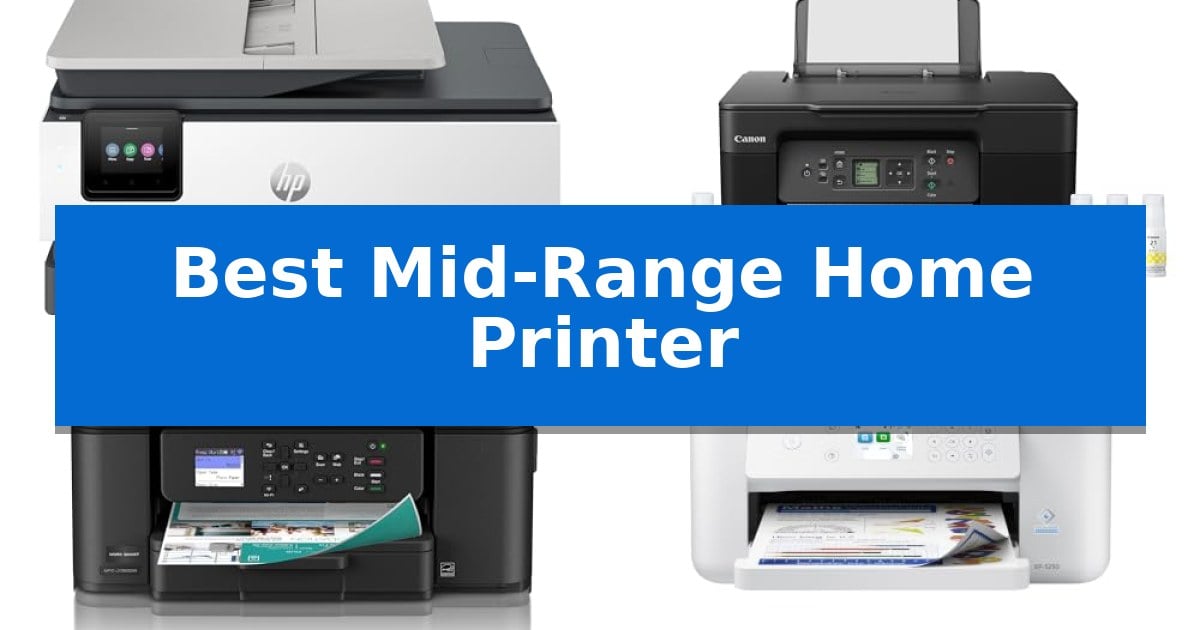
Finding the right balance between professional performance and home-friendly design can be a challenge when upgrading your workspace. Whether you are managing school projects, business reports, or high-quality photo prints, the Best Mid-Range Home Printer should offer reliable connectivity and consistent output without overwhelming your desk space.
Our evaluation focuses on identifying printers that provide essential features like automatic document feeders, duplex printing, and intuitive mobile integration. By prioritizing these practical capabilities, you can ensure your chosen device supports your specific document needs while maintaining a manageable footprint in your home office.
You may also want to compare Best Mid-Range Home Computers, Best Mid-Range Headphones for Music, and Best Mid-Range Headphones.
Best Mid-Range Home Printer
Quick Comparison
| Product | Best For | Key Strength | Score |
|---|---|---|---|
| HP OfficeJet Pro 8125 All-in-One Printer | Best Overall | HP AI-optimized formatting for precise web and email printing. | 4.9 |
| Canon MegaTank G3270 All-in-One Printer | High-Volume Ink Savings | Refillable tank system provides significant long-term ink cost savings. | 4.6 |
| Brother Work Smart 1360 All-in-One Printer | Compact Home Office Productivity | Automatic duplex printing reduces paper waste for multi-page documents. | 4.7 |
| Epson Expression Home XP-5250 Printer | Efficient Two-Sided Printing | Automatic 2-sided printing reduces paper consumption. | 4.8 |
| Canon PIXMA TS4320 All-in-One Printer | Budget-Friendly Versatile Printing | Compact footprint ideal for small workspaces. | 4.7 |
How We Chose
- Document Handling: Evaluating the presence of automatic document feeders (ADF) and duplex printing to streamline multi-page tasks.
- Connectivity Standards: Assessing the reliability of dual-band Wi-Fi and mobile app integration for seamless printing from various devices.
- Output Quality and Speed: Comparing print speeds and resolution capabilities for both text-heavy documents and color graphics.
- Operational Efficiency: Reviewing ink management systems, such as refillable tanks or subscription-based delivery, to minimize long-term costs.
- Physical Design: Considering the overall footprint and interface accessibility to ensure the unit fits comfortably in a home environment.
1 HP OfficeJet Pro 8125 All-in-One Printer — Fast Professional Color Output
Managing professional-quality color documents in a home office requires a balance of speed and precision. The HP OfficeJet Pro 8125 All-in-One Printer addresses this with a robust feature set, including auto 2-sided printing and an auto document feeder, ensuring that reports and presentations are handled with efficiency.
Designed for modern workflows, this printer features a 2.7-inch touchscreen with a user-friendly interface that simplifies navigation. It maintains reliable connectivity through dual-band Wi-Fi, which is engineered to detect and resolve connection issues automatically. Users can also manage tasks directly from a smartphone using the HP app, allowing for convenient printing, scanning, and copying.
The device integrates HP AI to optimize print formatting, specifically for web pages and emails, which helps eliminate wasted paper and awkward layouts. For those concerned about network integrity, HP Wolf Essential Security is built-in to bolster protection against potential cyber threats. The unit is also constructed with more than 45% recycled plastic content, reflecting a focus on sustainable design.
To support ongoing productivity, the printer includes a 3-month trial of Instant Ink, a service that delivers supplies directly to your door. Note that this printer is designed to function exclusively with cartridges containing original HP chips or circuitry; it will block the use of non-HP components to maintain system effectiveness through periodic firmware updates.
Best for: Home office users who require a reliable, AI-optimized all-in-one printer for professional-quality color documents and efficient document handling.
Skip if: Users who prefer the flexibility of using third-party or non-original ink cartridges, as this device enforces the use of original HP chips.
PROS
- HP AI-optimized formatting for precise web and email printing.
- Dual-band Wi-Fi with automatic connection issue resolution.
- Integrated security features via HP Wolf Essential Security.
- Sustainable build utilizing over 45% recycled plastic.
CONS
- Proprietary ink requirement that blocks non-HP cartridges.
- Periodic firmware updates required to maintain system compatibility.
2 Canon MegaTank G3270 All-in-One Printer — High-Volume Ink Savings
Managing high-volume printing tasks at home often leads to frequent, costly cartridge replacements. The Canon MegaTank G3270 All-in-One Printer addresses this by utilizing a refillable tank system designed to significantly reduce ongoing expenses. By including up to two years of ink in the box, this unit offers a practical solution for households that require consistent output without the constant need for new supplies.
This device functions as a versatile wireless print, copy, and scan station, fitting into a compact desktop footprint of 16.4" x 21.9" x 10.6". It features a straightforward 1.35" square LCD display for navigation, ensuring that essential tasks remain accessible. The system is engineered for efficiency, capable of producing up to 6,000 black and white pages or 7,700 color pages from a single set of ink bottles.
While the Canon MegaTank G3270 All-in-One Printer excels in page yield and ink economy, it is strictly a single-sided printing device. This design choice prioritizes simplicity and a lower initial complexity, making it a reliable workhorse for standard document and image production. It is a suitable choice for users who prioritize long-term cost savings over advanced paper handling features like automatic duplexing.
Best for: Home and office users who prioritize high-volume printing and long-term ink cost savings.
Skip if: Users who require automatic double-sided printing or high-speed professional-grade document finishing.
PROS
- Refillable tank system provides significant long-term ink cost savings.
- High capacity yields up to 6,000 black and 7,700 color pages.
- Integrated wireless connectivity for printing, scanning, and copying.
- Compact design fits easily on most desktop workspaces.
CONS
- Limited to single-sided printing only.
- Small 1.35" LCD display may be less intuitive than larger touchscreens.
3 Brother Work Smart 1360 All-in-One Printer — Compact Home Office Productivity
Managing a home office requires hardware that balances footprint with utility, and the Brother Work Smart 1360 All-in-One Printer addresses this by integrating printing, scanning, and copying into a single, compact frame. Measuring just 7.2 inches in height, it is engineered to fit into tight workspaces while providing the essential tools needed for daily documentation and schoolwork.
Efficiency is central to its design, featuring an automatic document feeder (ADF) that holds up to 20 sheets and automatic duplex printing to streamline multi-page tasks. The device supports print speeds of up to 16 pages per minute in black and 9 pages per minute in color, ensuring that routine reports and documents are handled without significant delay.
Connectivity is flexible, allowing users to interface via a wireless network or a direct USB connection. For those working from mobile devices, the Brother Mobile Connect app provides a centralized interface for managing print jobs, scanning, and monitoring ink levels through the integrated Page Gauge feature. The printer also includes a 1.8-inch color display for navigating cloud app connections, including Google Drive and Dropbox.
With a 150-sheet paper tray, this model is built for consistent, everyday use. It offers a practical balance for users who require a reliable, space-saving solution that handles a variety of media types without the complexity of larger, enterprise-grade machines.
Best for: Home office users who need a compact, wireless all-in-one printer capable of handling duplex printing and multi-page document scanning.
Skip if: High-volume professional environments that require laser-grade print speeds or a larger paper capacity than the 150-sheet tray provides.
PROS
- Automatic duplex printing reduces paper waste for multi-page documents.
- Compact dimensions allow it to fit easily on home office desks.
- Integrated cloud connectivity enables direct scanning and printing from popular services.
- Brother Mobile Connect app simplifies device management and ink monitoring.
CONS
- 150-sheet paper tray capacity may require frequent refilling for heavy-duty users.
- 1.8-inch display is functional but limited in size compared to larger touchscreen interfaces.
4 Epson Expression Home XP-5250 Printer — Efficient Two-Sided Printing
Managing home document workflows requires a balance of speed, efficiency, and space-saving design. The Epson Expression Home XP-5250 Printer addresses these needs by integrating PrecisionCore Heat-Free technology into a compact footprint, ensuring consistent print quality while maintaining a permanent printhead architecture designed for the life of the device.
This model serves as a versatile all-in-one solution, offering scanning, copying, and automatic 2-sided printing to help minimize paper waste. Navigating these functions is simplified through a 2.4" color display, which provides a clear interface for managing tasks without needing to rely solely on a connected computer.
Connectivity is a primary focus, featuring wireless printing capabilities that allow users to print directly from laptops, desktops, smartphones, or tablets. The inclusion of Wi-Fi Direct enables router-free printing, while the Epson Smart Panel App acts as a central command center for mobile device management and streamlined setup.
For ongoing maintenance, the printer utilizes individual ink cartridges, allowing users to replace only the specific color that runs out. The unit is engineered to work exclusively with Epson Genuine Cartridges, ensuring compatibility and protecting the internal printing system from potential damage associated with non-genuine alternatives.
Best for: Home users seeking a space-efficient, wireless all-in-one printer capable of automatic duplexing and mobile-app integration.
Skip if: Users who require high-volume professional office printing or those who prefer third-party ink refill systems.
PROS
- Automatic 2-sided printing reduces paper consumption.
- PrecisionCore Heat-Free technology supports long-term reliability.
- Individual ink cartridges allow for cost-effective color replacement.
- Wi-Fi Direct enables easy wireless connectivity without a router.
CONS
- Exclusive use of Epson Genuine Cartridges is required to maintain the warranty and prevent damage.
- 150-sheet paper tray capacity may require frequent refilling for heavy-duty tasks.
5 Canon PIXMA TS4320 All-in-One Printer — Budget-Friendly Versatile Printing
Finding a reliable machine for daily document management often leads to the Canon PIXMA TS4320 All-in-One Printer, a device engineered for those who need a balance of print, scan, and copy functions in a footprint that respects limited desk space. This unit is designed to integrate into home offices and hybrid workspaces, offering a straightforward approach to handling various media types up to 8.5” x 11”.
Performance is centered on a 2-cartridge hybrid ink system that produces sharp text for professional documents and vivid color for photo projects. The inclusion of automatic 2-sided printing helps manage paper usage efficiently, while the dual-band Wi-Fi (2.4GHz or 5GHz) ensures a stable connection to your network, reducing the frustration of dropped signals during wireless tasks.
Usability is a primary focus, with effortless setup for both computers and smartphones. Users can leverage the Canon PRINT App, Apple AirPrint, or Mopria Print Service to initiate printing tasks directly from mobile devices. The integrated scanner further enhances its utility, allowing for quick digitization of physical documents without requiring a separate peripheral.
For those concerned with ongoing maintenance costs, the PIXMA Print Plan provides an option to reduce ink expenses by up to 70% through moderate or frequent subscription tiers. With a compact design measuring approximately 14.8 inches in length and 14 inches in width, this printer fits into environments where space is at a premium, backed by a 3-year manufacturer warranty for added peace of mind.
Best for: Home users and hybrid workers who need a compact, wireless all-in-one device for occasional document printing and scanning.
Skip if: High-volume office environments requiring rapid laser printing speeds or heavy-duty paper handling capabilities.
PROS
- Compact footprint ideal for small workspaces.
- Dual-band Wi-Fi for reliable wireless connectivity.
- Automatic 2-sided printing to reduce paper consumption.
- Cost-efficient ink options via the PIXMA Print Plan.
CONS
- 2-cartridge hybrid system may be less efficient for high-volume color printing compared to individual ink tank systems.
Best Mid-Range Home Printer Buying Guide
Understanding Print Technology
Most mid-range printers utilize inkjet technology, which is ideal for a mix of text documents and vibrant color photos. These printers often use a combination of pigment-based black ink for sharp text and dye-based color inks for rich image reproduction.
When choosing between models, consider whether you prefer individual ink cartridges or refillable ink tanks. Individual cartridges allow you to replace only the color that runs out, while tank systems are designed for high-volume printing and lower cost-per-page over time.
Connectivity and Mobile Integration
Modern home printers rely heavily on wireless connectivity. Look for models that support dual-band Wi-Fi, as this provides a more stable connection by utilizing both 2.4GHz and 5GHz bands, reducing the likelihood of dropouts.
Many manufacturers now offer dedicated mobile apps that act as a command center. These tools allow you to scan, copy, and print directly from your smartphone or tablet, often integrating with cloud storage services like Google Drive or Dropbox for easier file management.
Space and Ergonomics
The physical dimensions of a printer are crucial for home office setups. A compact design with an internal paper tray helps keep your workspace tidy, while an automatic document feeder (ADF) is a significant time-saver for scanning or copying multi-page contracts.
Interface design also impacts usability. A color touchscreen provides a more intuitive experience compared to traditional button-based controls, making it easier to navigate settings, check ink levels, and manage print queues without needing a computer.
Efficiency Features
Automatic duplex printing is a standard feature for mid-range models that helps reduce paper consumption by printing on both sides of the sheet. This is not only environmentally friendly but also keeps your document stacks thinner and more organized.
Consider the input tray capacity if you frequently print large reports. A larger tray means fewer interruptions for paper refills, allowing you to focus on your work rather than printer maintenance.
Security and Maintenance
For home offices handling sensitive information, built-in security features are increasingly important. Some printers include tools that protect your network from unauthorized access and help keep your data private.
Regular maintenance is essential for longevity. Many modern printers feature heat-free technology or permanent printheads designed to last the life of the machine, which helps maintain consistent print quality over time.
Frequently Asked Questions
What is the main advantage of an All-in-One printer?
An All-in-One printer combines printing, scanning, and copying into a single device, saving valuable desk space and simplifying your office equipment needs.
Does wireless printing require a router?
While most printers connect via your home Wi-Fi router, many models also support Wi-Fi Direct, which allows you to print directly from a mobile device without needing a local network.
How do I know which ink system is better for me?
If you print frequently, a refillable tank system offers significant long-term savings. If your printing needs are occasional, standard cartridge-based systems are often more affordable upfront.
Can I print on both sides of the paper automatically?
Yes, many mid-range printers feature automatic duplexing, which flips the paper for you, saving time and reducing paper waste.
Are these printers compatible with smartphones?
Yes, all the models listed are designed to work with dedicated mobile apps, allowing you to print, scan, and manage your printer settings directly from your phone.
Conclusion: Our Top Pick
Selecting the right printer depends on your specific volume and space requirements. For most home offices, the HP OfficeJet Pro 8125 All-in-One Printer stands out as a versatile choice, balancing fast print speeds with reliable connectivity and advanced security features.
This model is particularly effective for users who need a mix of professional document handling and ease of use. While other options like tank-based systems offer lower ink costs for high-volume users, the HP OfficeJet Pro 8125 provides a well-rounded experience that fits most modern home office workflows.