
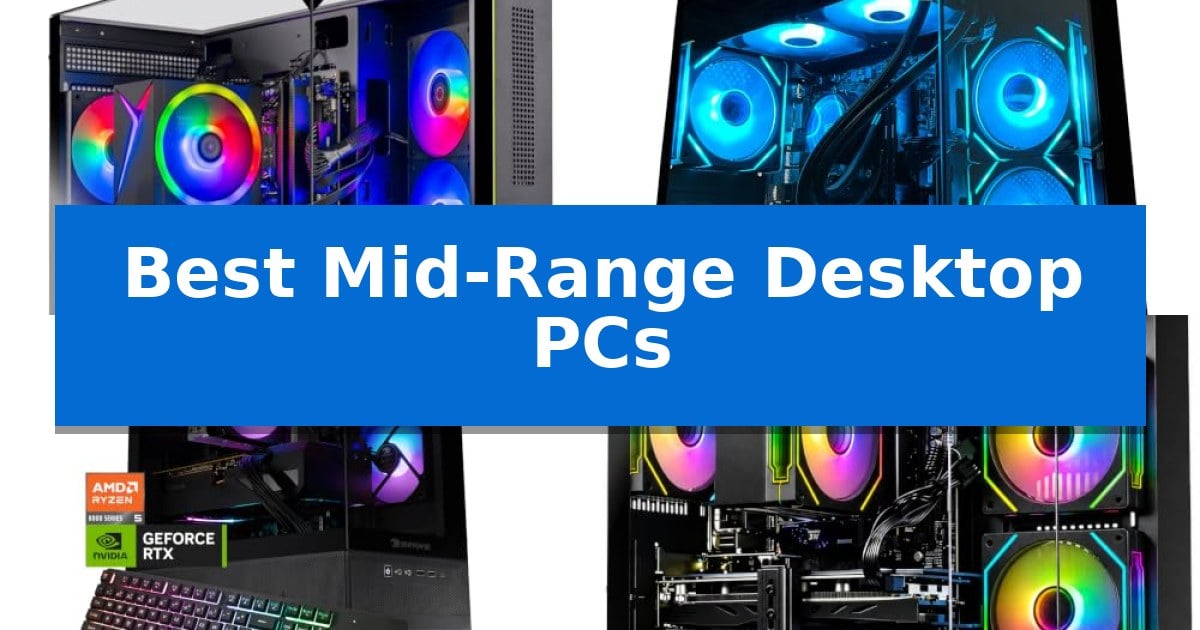
Finding the right computer often feels like a balancing act between high-end performance and budget constraints. Whether you are upgrading your home office or building a new gaming setup, the Best Mid-Range Desktop PCs offer the ideal middle ground, providing enough horsepower for modern applications without the premium price tag of enthusiast-grade hardware.
In this guide, we examine five distinct desktop systems, focusing on their core components, connectivity options, and physical design. By analyzing the hardware specifications and intended use cases, we help you identify which machine aligns best with your specific requirements for productivity, entertainment, or creative workflows.
You may also want to compare Best Mid-Range Desktop PC Processors, Best Mid-Range Desktop Computer, and Best Mid-Range Curved Monitor.
Best Mid-Range Desktop PCs
Quick Comparison
| Product | Best For | Key Strength | Score |
|---|---|---|---|
| Skytech Gaming Crystal Desktop PC | Best Overall | High-performance AMD Ryzen 7 7700 CPU and 32GB DDR5 RAM. | 4.9 |
| YAWYORE Gaming Desktop PC | Balanced Power for Multi-Tasking | AMD Ryzen 7 5700X 8-core processor for efficient multitasking. | 4.7 |
| iBUYPOWER Element SE Gaming PC | Reliable Entry into Modern Gaming | 16GB DDR5 4800MHz RAM for modern memory performance | 4.9 |
| WIWB Gaming Desktop PC | Versatile Choice for Student Work | Ryzen 7 4700LE 8-core processor provides responsive performance for multitasking. | 4.4 |
| BOSGAME P6 Neo Mini PC | Space-Saving Design for Creators | Powerful Ryzen 7 6800H processor handles intensive creative software and multitasking. | 4.8 |
How We Chose
- Processor and Memory: We assessed the CPU core count and RAM capacity to ensure smooth multitasking and responsiveness.
- Graphics Performance: We reviewed the included GPU to verify its capability for gaming, video editing, or graphical design work.
- Storage Speed and Capacity: We prioritized systems featuring NVMe SSDs for faster boot times and efficient file access.
- Connectivity and Expansion: We examined the available ports, wireless standards, and physical case design to determine long-term usability.
- Build Quality and Cooling: We looked at thermal management solutions and construction materials to ensure system stability under load.
1 Skytech Gaming Crystal Desktop PC — High-End Visuals for Modern Titles
The Skytech Gaming Crystal Desktop PC centers its performance around the AMD Ryzen 7 7700 processor, which reaches speeds up to 5.3GHz, paired with an NVIDIA GeForce RTX 5060 Ti graphics card. This configuration is built to handle demanding titles like Cyberpunk 2077 and Starfield at 1080p resolution with high frame rates, making it a capable machine for modern gaming.
Designed with a focus on thermal management, the system features a high-performance air cooler and multiple ARGB fans housed within the Crystal Series case. The inclusion of 32GB of DDR5 5600 RAM and a 1TB NVMe M.2 SSD ensures that the system maintains responsiveness during intensive tasks, while the triple tempered glass panels provide a clear view of the internal components.
Connectivity and usability are addressed through a variety of ports, including USB 2.0, 3.0, and 3.2 Gen1, alongside dedicated HDMI and DisplayPort outputs for monitor setups. The system arrives with Windows 11 Home pre-installed and is free of bloatware, allowing for a cleaner out-of-box experience. A gaming keyboard and mouse are included to complete the setup.
This desktop is assembled in the USA and backed by a one-year warranty covering parts and labor, supplemented by lifetime technical support. The 650W Gold-rated power supply provides the necessary overhead for the internal hardware, ensuring stable operation during extended gaming sessions.
Best for: Gamers seeking a pre-built system capable of running modern titles at 1080p Ultra settings right out of the box.
Skip if: Users who require high-speed Wi-Fi 6 or 7 connectivity, as this model is limited to 802.11 AC standards.
PROS
- High-performance AMD Ryzen 7 7700 CPU and 32GB DDR5 RAM.
- Clean software environment with no pre-installed bloatware.
- Effective thermal management via high-performance air cooling and ARGB fans.
- Comprehensive support including lifetime technical assistance and a one-year warranty.
CONS
- Older Wi-Fi standard limited to 802.11 AC.
- Variable components such as the graphics card brand may differ from the description.
2 YAWYORE Gaming Desktop PC — Balanced Power for Multi-Tasking
The YAWYORE Gaming Desktop PC is built around the AMD Ryzen 7 5700X processor, an 8-core, 16-thread CPU designed to manage demanding multi-line tasks and heavy workloads efficiently. This system provides a balanced foundation for users who require a machine capable of handling both intensive productivity applications and modern gaming requirements.
At the heart of its graphical capabilities is the GeForce RTX 5060 with 8GB of GDDR7 memory. This GPU supports advanced features including DLSS 4 multi-frame generation, ray tracing, and Reflex 2 delay optimization, which help in delivering fluid visuals and responsive performance. The system is further supported by an MSI B550M-A PRO motherboard, chosen for its focus on reliability and stability.
For memory and storage, the desktop comes equipped with 32GB of DDR4 3200MHz RAM and a 1TB M.2 NVMe PCIe SSD, ensuring fast data access and ample space for software and files. Power is delivered through a 650W 80plus bronze certified power supply, which provides the necessary efficiency for the internal components under load.
The chassis features ARGB fans for cooling and aesthetics, and the unit includes built-in WiFi and Bluetooth for flexible connectivity. The manufacturer includes shock-absorbing foam in the packaging to protect the tower during transit, and the system is backed by a 1-year limited warranty.
Best for: Users seeking a balanced desktop for multitasking and gaming that includes modern GPU features like DLSS 4 and ray tracing.
Skip if: Users who require a more compact form factor or those who prefer a platform with more recent DDR5 memory support.
PROS
- AMD Ryzen 7 5700X 8-core processor for efficient multitasking.
- GeForce RTX 5060 with support for DLSS 4 and ray tracing.
- Generous 32GB DDR4 RAM and 1TB NVMe SSD storage.
- Integrated WiFi and Bluetooth for wireless connectivity.
CONS
- Uses DDR4 memory rather than the newer DDR5 standard.
- Tower form factor may be too large for space-constrained desks.
3 iBUYPOWER Element SE Gaming PC — Reliable Entry into Modern Gaming
The iBUYPOWER Element SE Gaming PC provides a balanced entry point for modern gaming by pairing the AMD Ryzen 5 8400F processor with an NVIDIA GeForce RTX 3050 6GB graphics card. This combination is supported by 16GB of DDR5 4800MHz memory, ensuring the system handles contemporary software and gaming titles with efficient data throughput.
Designed with a focus on both aesthetics and utility, the unit features a tempered glass RGB gaming case that includes 16-color lighting. The internal layout is kept clean through the absence of pre-installed bloatware, allowing for a streamlined setup process immediately upon unboxing. Connectivity options are robust for a mid-range build, offering six USB 3.1 ports and an RJ-45 Ethernet port for stable wired networking.
Storage needs are addressed by a 1TB NVMe SSD, which provides ample space for games and applications while maintaining fast access times. The inclusion of 802.11AC Wi-Fi ensures the system is ready for wireless network environments without requiring additional hardware. The package is rounded out with a dedicated gamer keyboard and RGB gaming mouse, providing a complete out-of-the-box solution for new users.
When considering this desktop, it is important to note that the system is optimized for standard mid-range tasks and gaming. The 1-year manufacturer warranty provides a baseline of support for the hardware components, while the standardized internal layout allows for potential future adjustments as user requirements evolve.
Best for: Users seeking an out-of-the-box gaming desktop that includes essential peripherals and modern DDR5 memory support.
Skip if: Users who require high-end graphical processing power for 4K gaming or intensive professional video rendering.
PROS
- 16GB DDR5 4800MHz RAM for modern memory performance
- 1TB NVMe SSD providing generous and fast storage
- No bloatware pre-installed for a clean operating environment
- Included RGB peripherals and tempered glass case
CONS
- RTX 3050 6GB GPU is limited to entry-to-mid-level graphical performance
- 1-year manufacturer warranty is standard but shorter than some premium component warranties
4 WIWB Gaming Desktop PC — Versatile Choice for Student Work
The WIWB Gaming Desktop PC is a versatile computing solution built to handle 1080p gaming and daily productivity tasks within a single, compact tower. By pairing the Ryzen 7 4700LE processor with the Radeon RX 6500 XT graphics card, this system provides a balanced foundation for users who need to switch between esports titles and office applications without hardware bottlenecks.
Performance is supported by 16GB of 3200MHz DDR4 RAM, which facilitates smooth multitasking across browser tabs and productivity software. The inclusion of a 512GB SSD ensures faster system startup and responsive file access, while the A520M-A PRO motherboard serves as a dependable platform for everyday operations.
Connectivity is streamlined through integrated WiFi 6, enabling reliable wireless access for online gaming, remote work, and streaming. Measuring 17 inches in height, this desktop is designed to fit into home office or bedroom setups where space may be at a premium but performance requirements remain consistent.
This system is a practical choice for students, teens, and home-office users looking for a machine that handles light creative projects and entertainment alongside standard coursework. It offers a straightforward, all-in-one approach for those who want a ready-to-use desktop without the complexity of building a custom rig from individual components.
Best for: Students, first-time gamers, and home-office users who require a versatile, pre-built system for 1080p gaming and daily multitasking.
Skip if: Users seeking high-end 4K gaming performance, advanced video editing capabilities, or extensive internal storage expansion for large media libraries.
PROS
- Ryzen 7 4700LE 8-core processor provides responsive performance for multitasking.
- 16GB of DDR4 RAM ensures smooth operation for productivity and gaming.
- WiFi 6 integration offers convenient wireless connectivity.
- 512GB SSD allows for quick system boot times and file access.
CONS
- Radeon RX 6500 XT is optimized for 1080p resolution, limiting higher-end graphical output.
- 512GB storage capacity may require external drives for users with large file collections.
5 BOSGAME P6 Neo Mini PC — Space-Saving Design for Creators
Finding a balance between compact dimensions and high-end processing power is essential for modern workspaces. The BOSGAME P6 Neo Mini PC addresses this by packing an AMD Ryzen 7 6800H processor with 8 cores and 16 threads into a footprint significantly smaller than a traditional tower, making it a viable solution for those who require a Best Mid-Range Desktop PC that does not dominate their desk.
Performance is driven by the integrated Radeon 680M Graphics based on RDNA 2 architecture, which supports demanding tasks such as video editing, design software, and creative projects. The system arrives with 24GB of DDR5 4800MHz RAM, which is user-expandable up to 64GB, and a 1TB PCIe 4.0 SSD that offers high-speed data processing. Users needing more storage can expand the drive capacity up to 4TB.
Connectivity is a primary strength of this model, featuring a versatile USB4 port that supports 8K at 60Hz output and PD 3.0 power delivery up to 100W. The inclusion of triple display support via HDMI, DisplayPort, and USB4 allows for efficient multitasking across multiple monitors. For networking, the device provides dual 2.5GbE LAN ports and WiFi 6E, ensuring stable, high-speed connectivity for complex network configurations.
Designed for long-term reliability, the unit is backed by a 1-year warranty for the machine and a 3-year warranty for parts. Its compact design and robust port selection make it a practical choice for users transitioning from bulky desktops to a more streamlined, space-efficient setup without sacrificing the core capabilities needed for professional productivity.
Best for: This PC is best for creative professionals and power users who need a compact, high-performance machine for multitasking and design work.
Skip if: Skip this model if you require a dedicated discrete GPU for high-end 3D gaming or need internal expansion slots for full-sized PCIe cards.
PROS
- Powerful Ryzen 7 6800H processor handles intensive creative software and multitasking.
- Expandable memory and storage allow for up to 64GB of RAM and 4TB of SSD capacity.
- Versatile connectivity including dual 2.5GbE LAN, WiFi 6E, and USB4 with 8K output.
- Triple display support enhances workflow efficiency for multi-monitor setups.
CONS
- Integrated graphics are not a substitute for dedicated desktop-class discrete GPUs in heavy gaming.
- Compact form factor limits internal hardware customization compared to traditional ATX towers.
Best Mid-Range Desktop PCs Buying Guide
Processor and Graphics Balance
The heart of any desktop is the relationship between the CPU and the GPU. For a mid-range system, you want a processor that can handle background tasks and heavy applications without bottlenecking your graphics card. Look for multi-core processors that provide enough headroom for future software updates.
Graphics cards are the primary driver for gaming and creative work. Ensure the card has sufficient VRAM to handle your target resolution, typically 1080p or 1440p, to maintain high frame rates and visual fidelity in demanding titles or rendering software.
Memory and Storage Standards
Modern computing requires fast memory to keep up with high-speed processors. DDR5 RAM is becoming the standard, offering better bandwidth compared to older DDR4 modules. Aim for at least 16GB of RAM to ensure your system remains responsive during intensive multitasking.
Storage is equally critical. An NVMe M.2 SSD is essential for fast operating system boot times and quick application loading. Consider the total capacity, as modern games and high-resolution media files can quickly consume available space.
Connectivity and Ports
A versatile desktop should offer a variety of USB ports, including high-speed USB 3.2 connections for external drives and peripherals. Check for the number of available video outputs, such as HDMI and DisplayPort, to support multi-monitor setups.
Wireless connectivity is another factor to consider. Systems equipped with Wi-Fi 6 or 6E provide more stable and faster internet connections compared to older standards, which is vital for online gaming and remote work environments.
Thermal Management and Case Design
High-performance components generate significant heat. A well-designed case with adequate airflow and multiple fans is necessary to keep your system running cool and quiet. Look for cases that prioritize ventilation over purely aesthetic features.
The physical size of the case also matters. Mini PCs offer a space-saving alternative for smaller desks, while traditional tower cases provide more room for future component upgrades and better airflow management.
Warranty and Support
Reliability is a key concern when purchasing a pre-built desktop. Check the manufacturer's warranty terms regarding both parts and labor. Having access to technical support can be a major advantage if you encounter hardware issues or need assistance with initial setup.
Some manufacturers offer lifetime technical support, which can provide peace of mind. Ensure the warranty covers the critical components of the system, such as the motherboard, power supply, and graphics card.
Frequently Asked Questions
What is the primary benefit of a mid-range desktop over a laptop?
Desktop PCs generally offer better thermal management and the ability to upgrade individual components like RAM or storage, providing a longer lifespan and better performance-per-dollar.
Is 16GB of RAM enough for modern gaming?
Yes, 16GB is currently the standard for most modern games and productivity tasks. However, if you plan on heavy video editing or running multiple demanding applications simultaneously, 32GB may be a better choice.
What does the GPU brand variation mean?
Many pre-built PC manufacturers source graphics cards from various vendors. While the core performance (e.g., RTX 5060) remains consistent, the cooling solution and physical design may vary between brands.
Do I need a liquid cooler for a mid-range PC?
Most mid-range CPUs perform well with high-performance air coolers. Liquid cooling is typically reserved for high-end, overclocked systems, though it can offer a quieter experience in some configurations.
Can I add more storage later?
Most tower-style desktops allow for the addition of extra SSDs or HDDs. Mini PCs may have more limited expansion options, so it is best to check the internal drive bays or M.2 slots before purchasing.
Conclusion: Our Top Pick
Choosing the right desktop depends on your specific balance of gaming needs, creative requirements, and available desk space. For those seeking a robust system that handles modern titles with ease, the Skytech Gaming Crystal Desktop PC stands out as a top contender due to its powerful Ryzen 7 processor and 32GB of DDR5 memory.
While other options like the BOSGAME P6 Neo offer excellent space-saving benefits for creators, the Skytech system provides a more traditional upgrade path and high-end visual performance. Ensure you verify your specific monitor resolution and connectivity needs before finalizing your purchase to get the most out of your new machine.