
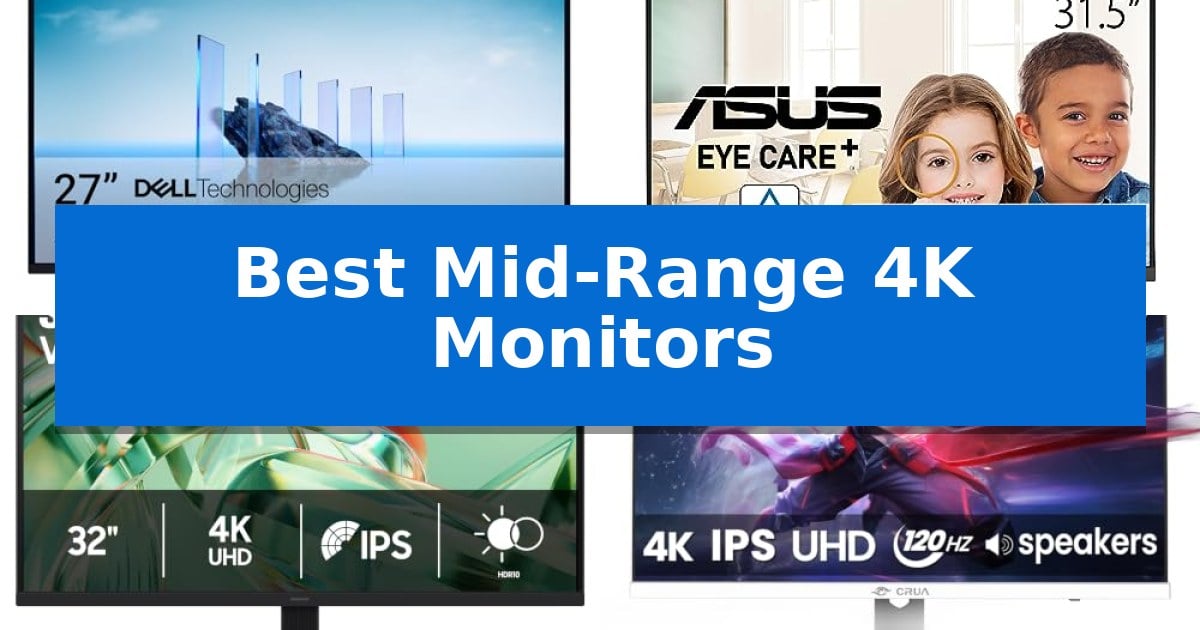
Finding the right display for your desk requires balancing pixel density with your specific workflow needs. Whether you are managing complex spreadsheets or editing high-resolution media, the Best Mid-Range 4K Monitors offer the sharpness needed to reduce eye strain and increase your usable screen real estate.
Selecting a display involves more than just resolution; it requires considering how the panel handles color, motion, and physical adjustment. We have analyzed current market options to help you identify which screen best fits your desk setup and daily tasks.
You may also want to compare Best Mid-Range 4K Gaming TVs, Best Mid-Range 4K Gaming TV, and Best Mid-Range 4K Gaming Monitor.
Best Mid-Range 4K Monitors
Quick Comparison
| Product | Best For | Key Strength | Score |
|---|---|---|---|
| Dell S2725QS 4K Monitor | Best Overall | 120Hz refresh rate provides a smoother visual experience than standard 60Hz panels. | 4.9 |
| ASUS VP327Q 4K Monitor | Large Screen Multitasking | 31.5-inch 4K UHD display for high pixel density. | 4.9 |
| Samsung ViewFinity S7 4K Monitor | Professional Visual Clarity | 4K UHD resolution provides high pixel density for sharp, detailed imagery. | 4.4 |
| CRUA 27-Inch 4K Gaming Monitor | High Refresh Rate Value | 120Hz refresh rate provides smoother motion than standard 60Hz displays. | 4.5 |
| LXZ 32-Inch 4K Monitor | Deep Contrast VA Panel | 4000:1 native contrast ratio for deep black levels. | 4.7 |
How We Chose
- Panel Technology: Evaluating IPS versus VA panels for color accuracy, viewing angles, and contrast performance.
- Refresh Rate and Motion: Assessing support for higher refresh rates and adaptive sync technologies to ensure smooth visual output.
- Ergonomic Flexibility: Checking for height, tilt, and swivel adjustments that support a healthy posture during long sessions.
- Connectivity Standards: Verifying the presence of HDMI, DisplayPort, and USB-C ports to ensure compatibility with modern workstations.
- Eye Care Features: Identifying built-in blue light reduction and flicker-free technologies designed to minimize visual fatigue.
1 Dell S2725QS 4K Monitor — Balanced Productivity and Color
Achieving a balance between high-resolution clarity and smooth motion is the primary challenge when selecting a display for mixed-use environments. The Dell S2725QS 4K Monitor addresses this by pairing a sharp 4K UHD resolution with a 120Hz refresh rate, ensuring that both static text and fast-moving content remain crisp and fluid.
Built with in-plane switching (IPS) technology, this monitor provides consistent color reproduction across a wide viewing angle, covering 99% of the sRGB color gamut. The inclusion of AMD FreeSync Premium further optimizes the visual experience by synchronizing the refresh rate to reduce screen tearing during demanding tasks.
Ergonomics and long-term usability are central to its design. The monitor features Improved ComfortView Plus, which limits blue light emissions to 35% or less, aiming to maintain color accuracy while reducing eye strain. The stand is fully adjustable, offering height, swivel, and pivot functionality to suit various desk configurations.
Connectivity and audio integration round out the package. The Dell S2725QS 4K Monitor includes a versatile port selection, including HDMI, DisplayPort, and USB-C, alongside re-engineered integrated speakers designed for a broader frequency response. Its ultra-thin bezel and ash white finish provide a clean, modern aesthetic suitable for professional or home office setups.
Best for: Users who require a versatile, high-resolution display that balances detailed 4K productivity with the fluid motion of a 120Hz refresh rate.
Skip if: Users who prioritize professional-grade color grading for print or cinema, as this monitor is optimized for sRGB rather than wider color spaces like DCI-P3 or Adobe RGB.
PROS
- 120Hz refresh rate provides a smoother visual experience than standard 60Hz panels.
- Improved ComfortView Plus reduces blue light without significant color shifting.
- Versatile connectivity including USB-C, HDMI, and DisplayPort for multi-device setups.
- Fully adjustable stand supports height, swivel, and pivot for ergonomic positioning.
CONS
- sRGB color gamut coverage may be insufficient for specialized creative workflows requiring wider color spaces.
- Integrated speakers are designed for general utility and may not replace dedicated audio solutions.
2 ASUS VP327Q 4K Monitor — Large Screen Multitasking
The ASUS VP327Q 4K Monitor provides a expansive 31.5-inch display that utilizes 4K UHD resolution to deliver four times the pixel density of standard screens. This large-format panel is designed to support intensive multitasking and high-resolution media consumption, making it a functional centerpiece for a home office or creative workspace.
Visual clarity is supported by an IPS panel that maintains color consistency across a 178-degree viewing angle, ensuring that images remain distortion-free even when viewed from the side. For content creators, the monitor covers 99% of the sRGB color gamut and includes HDR-10 support to enhance contrast and color depth in compatible media.
To assist with extended periods of use, the display incorporates ASUS Eye Care Technology, which includes flicker-free backlighting and a blue light filter. These features are intended to reduce visual strain during long work shifts or late-night sessions. The unit also features Adaptive-Sync technology, which helps maintain smooth visual performance by minimizing screen tearing and lag during fast-action sequences.
The physical design prioritizes versatility with a frameless aesthetic and VESA mount compatibility, allowing for flexible desk or wall-mounted configurations. Connectivity is handled through dual HDMI ports and a DisplayPort, enabling users to switch between multiple devices like PCs, laptops, and gaming consoles without needing to constantly swap cables.
Every unit includes integrated stereo speakers for basic audio output and comes with a 3-year warranty that features advanced replacement and repair services. Additionally, buyers receive a complimentary 1-month subscription to Adobe Creative Cloud, providing immediate access to creative software tools.
Best for: Users who require a large, high-resolution screen for multitasking, content creation, and entertainment.
Skip if: Users with limited desk space who require a smaller monitor footprint or those needing specialized high-refresh-rate gaming features.
PROS
- 31.5-inch 4K UHD display for high pixel density.
- IPS panel with 178-degree viewing angles.
- Adaptive-Sync technology for smoother visuals.
- Versatile connectivity with dual HDMI and DisplayPort.
- 3-year warranty with advanced replacement.
CONS
- Large physical footprint may not fit all desk setups.
- Integrated speakers are limited to basic audio output.
3 Samsung ViewFinity S7 4K Monitor — Professional Visual Clarity
Achieving professional-grade visual fidelity requires a display that balances high pixel density with accurate color reproduction. The Samsung 32" ViewFinity S7 (S71H) 4K UHD IPS HDR10 High Resolution Monitor addresses this need by combining a 3840 x 2160 resolution with an IPS panel, providing the screen real estate necessary for complex design work and intricate diagrams.
This monitor leverages HDR10 to manage contrast and color depth, supporting a gamut of over 1 billion colors to ensure highlights and shadows remain distinct. For those managing long-term projects, the Eye Saver Mode—certified by TÜV—actively works to minimize blue light and screen flickering, which helps reduce eye strain during extended sessions.
Connectivity is streamlined through dedicated HDMI and DP ports, allowing for a straightforward integration into existing professional workstations. Beyond productivity, the inclusion of a dedicated Game Mode provides an automated adjustment to color and contrast settings, which clarifies scenes for a more detailed viewing experience.
The 32-inch form factor offers significant workspace, though it requires a footprint of approximately 28.2 inches in width. With a 1-year manufacturer warranty, this display is positioned as a reliable tool for creators and professionals who prioritize resolution and color accuracy in their daily workflow.
Best for: Professionals and creators who require a large, high-resolution workspace for detailed design, video content, and complex diagramming.
Skip if: Users with limited desk space or those who require specialized ergonomic features like height-adjustable stands or VESA mounting flexibility not explicitly detailed in the specifications.
PROS
- 4K UHD resolution provides high pixel density for sharp, detailed imagery.
- HDR10 support ensures a broad color gamut with improved contrast.
- Eye Saver Mode reduces blue light and flicker for improved comfort.
- Dedicated Game Mode enhances scene clarity through automated adjustments.
CONS
- Large 32-inch footprint may not fit on smaller or compact desks.
- Standard connectivity relies on HDMI and DP without mention of advanced peripheral hub features.
4 CRUA 27-Inch 4K Gaming Monitor — High Refresh Rate Value
Achieving a balance between high-resolution clarity and fluid motion is a common challenge for desktop users, but the CRUA 27-Inch 4K Gaming Monitor addresses this by pairing a sharp 3840×2160 resolution with a 120Hz refresh rate. This combination provides both the pixel density required for detailed creative work and the responsiveness needed for smooth gaming and multitasking.
The display utilizes an IPS panel, which ensures consistent color and image clarity across a 178-degree viewing angle. With 120% sRGB color coverage and a 350-nit brightness rating, the monitor is equipped to handle varied indoor lighting conditions while maintaining vibrant color reproduction. A 1000:1 contrast ratio provides the necessary depth for distinguishing between light and dark elements in media.
Connectivity is handled through HDMI 2.1 and DisplayPort 1.4, allowing for flexible integration with gaming PCs and other desktop hardware. The inclusion of FreeSync technology helps mitigate screen tearing during fast-paced scenes, while the built-in speakers offer a streamlined audio solution for those looking to minimize desk clutter.
Designed for versatility, the monitor features tilt adjustment for ergonomic positioning and a 75x75mm wall-mount pattern for flexible installation. Whether configured as part of a dedicated gaming station or a home office setup, its white aesthetic and wide viewing angles make it a practical choice for diverse environments.
Best for: Users who require a high-resolution 4K display for creative tasks and entertainment but also want a 120Hz refresh rate for smoother gaming and desktop navigation.
Skip if: Users who require professional-grade color accuracy for color-critical production or those who need integrated USB-C docking capabilities for laptop connectivity.
PROS
- 120Hz refresh rate provides smoother motion than standard 60Hz displays.
- 4K UHD resolution ensures sharp, detailed visuals for productivity and media.
- IPS panel technology maintains consistent color and clarity from wide viewing angles.
- HDMI 2.1 and DisplayPort 1.4 offer versatile connectivity options for modern devices.
CONS
- 350 nits brightness may be limited in very bright, sunlit rooms.
- Built-in speakers are designed for basic audio and may not replace dedicated sound systems.
5 LXZ 32-Inch 4K Monitor — Deep Contrast VA Panel
The LXZ 32-Inch 4K Monitor distinguishes itself with a high-contrast VA panel that achieves a 4000:1 native contrast ratio, providing deeper black levels than typical IPS alternatives. This display is designed for users who require ample screen real estate for multitasking, offering a 3840 x 2160 resolution that allows for multiple windows to remain open simultaneously without the need for constant tab switching.
For visual accuracy and entertainment, the monitor covers 100% of the sRGB color gamut and includes HDR10 support, which expands the brightness range for improved detail in dark scenes. The inclusion of DC dimming technology helps eliminate screen flicker, a functional addition for those spending extended hours working or gaming.
Connectivity is handled by a versatile array of ports, including dual HDMI 2.0 and dual DisplayPort 1.4 inputs, enabling the simultaneous connection of multiple devices like a laptop, desktop, and console. Gamers benefit from FreeSync and G-Sync compatibility, which work to minimize screen tearing, alongside a built-in Black Equalizer and crosshair overlay for enhanced visibility in dark environments.
The physical design features a slim-bezel profile to maximize desk space and includes a 100x100mm VESA mount pattern for users who prefer ergonomic arm setups. While the included stand offers basic 5° to 15° tilt adjustment, the VESA compatibility provides a path for more extensive positioning options.
Best for: Home office users and casual gamers who need a large, high-contrast 4K display for multitasking and entertainment.
Skip if: Users who require professional-grade color accuracy for print-ready design or those who need a monitor with a fully adjustable height-stand out of the box.
PROS
- 4000:1 native contrast ratio for deep black levels.
- 100% sRGB color coverage for consistent color reproduction.
- Dual HDMI and dual DisplayPort inputs for multi-device setups.
- Adaptive Sync support for tear-free gaming.
CONS
- Limited stand adjustability restricted to tilt only.
- 60Hz refresh rate may not satisfy competitive high-frame-rate gaming requirements.
Best Mid-Range 4K Monitors Buying Guide
Understanding Panel Types
The choice between IPS and VA panels is fundamental to your viewing experience. IPS panels are widely favored for their superior color reproduction and wide viewing angles, making them ideal for creative work where color consistency is paramount.
Conversely, VA panels often provide significantly higher contrast ratios, resulting in deeper blacks. This makes them a strong choice for users who prioritize entertainment or working in darker environments, as they can reveal more detail in shadowy scenes.
Refresh Rate and Motion Handling
While standard monitors operate at 60Hz, many modern displays now offer higher refresh rates such as 120Hz. A higher refresh rate results in smoother cursor movement and more fluid scrolling, which can make the desktop experience feel more responsive.
When paired with FreeSync or G-Sync compatibility, these monitors can eliminate screen tearing during fast-paced tasks or gaming. If you frequently switch between work and entertainment, a higher refresh rate is a tangible upgrade for your daily routine.
Ergonomics and Physical Setup
A monitor's stand is often overlooked, yet it is critical for neck and eye comfort. Look for models that offer height adjustment, swivel, and tilt capabilities to ensure the screen is positioned at your natural eye level.
If your desk space is limited, consider a monitor with VESA mount compatibility. This allows you to attach the display to an arm, freeing up valuable surface area and providing even greater flexibility in how you position your screen.
Connectivity and Ports
Ensure your monitor has the right ports for your hardware. HDMI 2.1 and DisplayPort 1.4 are essential for driving 4K resolution at higher refresh rates. If you use a laptop, a monitor with USB-C connectivity can simplify your setup by handling video and data over a single cable.
Check the number of available ports if you plan to connect multiple devices, such as a desktop PC, a work laptop, and a gaming console simultaneously. Having multiple inputs allows you to switch between sources without needing to unplug cables.
Eye Care Technologies
Long hours in front of a screen can lead to digital eye strain. Look for displays that feature flicker-free technology and blue light filters to mitigate the impact of prolonged exposure.
These features are particularly important if you work late into the evening. Some manufacturers include certified eye care modes that adjust color temperature dynamically to keep your eyes comfortable without sacrificing the clarity of your 4K content.
Frequently Asked Questions
What is the main benefit of a 4K monitor over a 1080p display?
A 4K monitor offers four times the pixel density of a 1080p display, resulting in significantly sharper text, more detailed images, and more usable screen space for multitasking.
Do I need a high refresh rate for office work?
While not strictly necessary, a higher refresh rate like 120Hz makes scrolling through documents and moving windows feel much smoother, which can reduce the perception of lag and improve overall comfort.
Is an IPS panel always better than a VA panel?
Not necessarily. IPS is generally better for color accuracy and viewing angles, but VA panels offer better contrast and deeper blacks, which may be preferred for watching movies or gaming in dark rooms.
Can I mount any 4K monitor on a wall?
Most modern monitors are VESA compatible, but you should always check the specific model's specifications for the required mount pattern (e.g., 75x75mm or 100x100mm) before purchasing a mount.
What does FreeSync do?
FreeSync is an adaptive sync technology that synchronizes the monitor's refresh rate with your graphics card's frame rate, eliminating screen tearing and stuttering for a smoother visual experience.
Conclusion: Our Top Pick
When evaluating the options, the Dell S2725QS 4K Monitor stands out as the most balanced choice for a wide range of users. Its combination of a high 120Hz refresh rate, accurate color reproduction, and robust ergonomic adjustments makes it a versatile tool for both professional productivity and leisure.
While other models offer specific advantages like larger screen sizes or deeper contrast, this monitor provides the most consistent performance across the criteria that matter most for a daily-use display. Its inclusion of modern connectivity and eye-comfort features ensures it remains a reliable centerpiece for your workspace.