
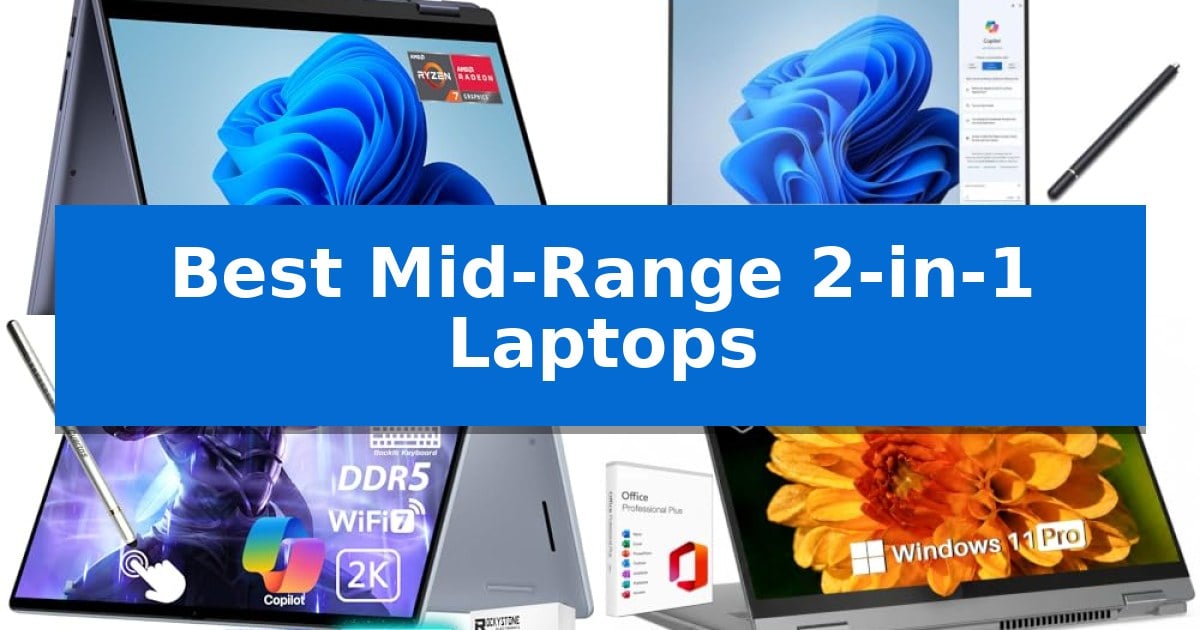
Finding the right balance between portability and power is essential for professionals and students who need a device that adapts to their changing environment. Whether you are switching between drafting documents in laptop mode or sketching ideas in tablet mode, the right hardware makes all the difference in maintaining your workflow.
We have analyzed the current market to identify the Best Mid-Range 2-in-1 Laptops that offer the most reliable performance for daily multitasking. By focusing on essential hardware specifications and build quality, we have curated a selection of devices that provide genuine value for your specific computing needs.
You may also want to compare Best Mid-Profile Keyboards, Best Mid-Priced Wireless Earbuds Under $100, and Best Mid-Priced Wireless Earbuds.
Best Mid-Range 2-in-1 Laptops
Quick Comparison
| Product | Best For | Key Strength | Score |
|---|---|---|---|
| Dell Inspiron 14 2-in-1 Laptop | Best Overall | 360° hinge design enables multiple usage modes. | 4.9 |
| Lenovo IdeaPad 5i 2-in-1 Laptop | Includes Stylus for Creative Tasks | Included capacitive stylus that requires no charging or pairing. | 4.7 |
| Dell 14 Plus 2-in-1 Laptop | AI-Ready Performance for Multitasking | 360-degree hinge design for flexible usage modes | 4.3 |
| Lenovo IdeaPad 5 2-in-1 Laptop | High-Precision Touch Display | 360-degree hinge enables multiple usage modes including tablet and tent. | 4.8 |
| HP OmniBook X Flip 2-in-1 Laptop | Premium Mobility for Professionals | 360-degree hinge allows for versatile usage modes including tablet and tent. | 4.5 |
How We Chose
- Processing power and memory capacity for smooth multitasking.
- Display resolution, brightness, and touch-responsiveness.
- Hinge durability and transition ease between usage modes.
- Port selection and wireless connectivity standards.
- Overall build quality, weight, and portability for travel.
1 Dell Inspiron 14 2-in-1 Laptop — Versatile Hinge for Flexible Modes
The Dell Inspiron 14 2-in-1 Laptop provides a versatile computing experience through its integrated 360° hinge, allowing users to transition between laptop, tablet, tent, and stand modes for various tasks. This flexibility is supported by the latest AMD Ryzen 8000 Series processors and DDR5 memory, ensuring the hardware remains capable for daily productivity and media consumption.
Visual clarity is prioritized with a 16:10 aspect ratio display, which offers a taller screen area compared to traditional 16:9 panels. To support extended use, the device includes Dell ComfortView software to reduce blue light emissions. For remote communication, the integrated AI-enabled video chat features provide auto-framing and eye-contact adjustment to maintain engagement during virtual meetings.
Portability is a core design focus, featuring a slim profile that measures 0.68 inches in height and weighs 3.77 pounds. The unit comes equipped with a 1TB SSD for storage, providing ample space for files and applications. Users also benefit from the inclusion of a 1-year onsite service warranty, which provides support at a location of choice if remote diagnosis is insufficient.
The system is designed for modern connectivity and security, utilizing Wi-Fi 6E for network performance and including a 30-day trial of McAfee LiveSafe for privacy protection. While the device is productivity-ready out of the box, users requiring specialized input for creative tasks may opt for the optional active pen to leverage the touchscreen interface.
Best for: Users who require a flexible, portable device that can switch between traditional laptop and tablet orientations for both work and media.
Skip if: Users who prioritize a dedicated high-performance GPU for intensive gaming or professional-grade 3D rendering, as this model is optimized for general productivity.
PROS
- 360° hinge design enables multiple usage modes.
- 16:10 aspect ratio display provides extra vertical screen space.
- AMD Ryzen 8000 Series processors deliver modern computing power.
- 1-year onsite service warranty included for convenient support.
CONS
- Active pen is optional, requiring an additional purchase for note-taking.
- 3.77-pound weight may be noticeable during prolonged handheld tablet use.
2 Lenovo IdeaPad 5i 2-in-1 Laptop — Includes Stylus for Creative Tasks
The Lenovo IdeaPad 5i 2-in-1 Laptop distinguishes itself by including a dedicated capacitive stylus pen, providing an immediate creative tool for users who need to sketch or annotate directly on the 16-inch touchscreen. This device is built around the Intel Core 5 120U processor, a mid-range CPU from the Raptor Lake-U Refresh series that balances performance and efficiency through a combination of two performance cores and eight efficiency cores.
Designed for versatility, this 2-in-1 features a 16-inch WUXGA IPS display with a 1920 x 1200 resolution. The glass-covered touchscreen is paired with a backlit keyboard and a numeric keypad, making it suitable for both productivity tasks and media consumption. With 16GB of DDR5 RAM and a 512GB SSD, the system provides a solid foundation for multitasking and file storage.
The included aluminum alloy stylus pen is a notable addition, as it requires no Bluetooth pairing and does not need to be charged. Its magnetic cap allows it to attach securely to the laptop, ensuring it stays with the device during travel. The unit itself weighs 4.41 pounds and measures 0.72 inches in thickness, maintaining a relatively slim profile for its screen size.
Connectivity and utility are supported by an integrated memory card slot and HD audio, alongside the standard Windows 11 Home environment. While the 45% NTSC color gamut and 300-nit brightness are standard for this class, the combination of a large touchscreen and the bundled stylus offers a practical, all-in-one solution for students or professionals who frequently switch between typing and digital note-taking.
Best for: Students and professionals who require a large-screen 2-in-1 device for a mix of typing, media consumption, and digital note-taking with an included stylus.
Skip if: Users who prioritize high-end color accuracy for professional graphic design or those who require a lightweight, ultra-portable device for frequent travel.
PROS
- Included capacitive stylus that requires no charging or pairing.
- 16GB of DDR5 RAM for efficient multitasking.
- Versatile 2-in-1 design with a large 16-inch touchscreen.
- Integrated numeric keypad for data entry productivity.
CONS
- 45% NTSC color gamut may not meet the needs of professional color-critical work.
- 4.41-pound weight is on the heavier side for a tablet-style device.
3 Dell 14 Plus 2-in-1 Laptop — AI-Ready Performance for Multitasking
Finding a device that transitions seamlessly between intensive productivity and casual media consumption is a common challenge for mobile professionals. The Dell 14 Plus 2-in-1 Laptop addresses this by integrating a flexible 360-degree hinge, allowing users to shift between traditional laptop, tent, stand, and tablet modes. This versatility is supported by a compact 0.65-inch profile and a weight of 3.55 pounds, making it a practical choice for those who need to adapt their workspace while on the move.
At the core of this device is the Core Ultra 7 256V processor, which is paired with 16GB of 8533 MHz DDR5 RAM to facilitate responsive multitasking. A significant addition for modern workflows is the integrated NPU with 47 TOPS, which provides AI-ready capabilities, including one-click access to Windows Copilot. These specifications are designed to streamline daily tasks, whether you are managing complex applications or utilizing AI-assisted tools.
The 14-inch 2K touchscreen display serves as the primary interface, offering clear visuals for both navigation and content viewing. Connectivity is handled by modern standards, including Wi-Fi 7 for high-speed networking and a Thunderbolt 4 port for peripheral integration. For remote collaboration, the device includes a 1080p webcam and a backlit keyboard, ensuring utility in various lighting environments.
Storage is managed by a 1TB SSD, providing ample space for files while maintaining fast load times. While the device offers a robust feature set for productivity, users should note that the 45% NTSC display is optimized for general use rather than professional color-critical creative work. This balance of performance and portability makes it a strong contender among the Best Mid-Range 2-in-1 Laptops.
Best for: Users who require a versatile, AI-ready 2-in-1 device that balances high-speed memory and storage for professional multitasking.
Skip if: Users who prioritize a high-color-gamut display for professional color-critical creative work, as the 45% NTSC panel may not meet those specific requirements.
PROS
- 360-degree hinge design for flexible usage modes
- AI-enabled processor with 47 NPU TOPS for modern productivity
- Fast 8533 MHz DDR5 RAM for responsive multitasking
- Wi-Fi 7 support for advanced wireless connectivity
CONS
- 45% NTSC display may be limiting for professional color-accurate tasks
4 Lenovo IdeaPad 5 2-in-1 Laptop — High-Precision Touch Display
The Lenovo IdeaPad 5 2-in-1 Laptop offers a versatile computing experience through its 360-degree rotating hinge, allowing users to transition between laptop, tablet, tent, and stand modes. This flexibility is supported by a 16-inch WUXGA IPS touchscreen, which provides 10-point multi-touch input and is certified for low blue light emission to assist with extended viewing comfort.
Under the hood, the device is powered by an AMD Ryzen 7 8845HS processor paired with 16GB of LPDDR5X memory. This configuration is designed to handle multitasking, office productivity software, and streaming, while the integrated Radeon 780M graphics provide visual support. Storage needs are met by a 1TB NVMe SSD, with the added benefit of an M.2 slot for future expansion up to 2TB.
Designed for mobile professionals and students, the chassis measures 0.72 inches in thickness and weighs 4.4 lbs. The inclusion of Wi-Fi 6 ensures stable network connectivity, while physical privacy features like a webcam shutter and a fingerprint reader add layers of security. The backlit keyboard facilitates typing in low-light environments, and the 57Wh battery is engineered for all-day endurance.
Connectivity options include USB-C, HDMI, USB-A, and a microSD card slot, providing compatibility with a range of peripherals and external displays. Preloaded with Windows 11 Pro, the laptop integrates tools like Copilot to assist with workflow efficiency, making it a functional choice for those requiring a balance of performance and convertible design.
Best for: Students and office professionals who require a flexible 2-in-1 form factor for multitasking and mobile productivity.
Skip if: Users who prioritize a lightweight device for frequent travel may find the 16-inch form factor and 4.4 lb weight less portable than smaller, dedicated ultrabooks.
PROS
- 360-degree hinge enables multiple usage modes including tablet and tent.
- AMD Ryzen 7 8845HS processor provides capable performance for multitasking.
- Expandable storage via an additional M.2 slot up to 2TB.
- Enhanced privacy with a physical webcam shutter and integrated fingerprint reader.
CONS
- 4.4 lbs weight is relatively heavy for a 2-in-1 device intended for constant travel.
- 300-nit display brightness may be limited in very bright or outdoor lighting conditions.
5 HP OmniBook X Flip 2-in-1 Laptop — Premium Mobility for Professionals
The HP OmniBook X Flip 2-in-1 Laptop centers its design around a versatile 360-degree hinge, allowing the device to transition between laptop, tent, stand, and tablet modes. This physical flexibility is paired with a 16-inch 2K touchscreen, providing a large, high-resolution canvas for creative projects, document navigation, and media consumption.
Engineered for modern workflows, the device incorporates an Intel Ultra 7 processor with 47 NPU TOPS to support AI-accelerated tasks. The system includes 16GB of LPDDR5X memory and a 1TB SSD, which facilitate responsive multitasking and rapid application loading. Graphics are handled by the Intel Arc 140V, providing support for creative applications and casual gaming scenarios.
Connectivity and user security are prioritized through the inclusion of Thunderbolt 4 ports, which enable data transfers up to 40Gbps and support for high-resolution external displays. For video conferencing, the laptop features a 5MP IR camera with HDR and a privacy shutter, while Windows Hello provides secure, password-free authentication. Wireless connectivity is managed via Wi-Fi 6E.
Designed for portability, the chassis is 0.61 inches thin and weighs approximately 4.15 lbs. The system is built to support productive days with HP Fast Charge, ensuring users can maintain workflow efficiency while traveling or working remotely.
Best for: Professionals and students who require a versatile, AI-ready 2-in-1 device for both intensive productivity tasks and media consumption.
Skip if: Users who prioritize ultra-lightweight portability under 4 lbs or those who do not require the specific AI-acceleration features of the Copilot+ platform.
PROS
- 360-degree hinge allows for versatile usage modes including tablet and tent.
- Intel Ultra 7 processor with 47 NPU TOPS provides robust AI-accelerated performance.
- 16-inch 2K touchscreen offers high-resolution, vibrant visuals for creative work.
- Thunderbolt 4 connectivity supports high-speed data transfer and external displays.
CONS
- 4.15 lbs weight may be heavier than some dedicated ultra-portable laptops.
- 16-inch form factor results in a larger footprint that may not fit in smaller bags.
Best Mid-Range 2-in-1 Laptops Buying Guide
Understanding 2-in-1 Flexibility
A 2-in-1 laptop is defined by its 360-degree hinge, which allows the screen to fold back completely. This design enables four distinct modes: laptop, tent, stand, and tablet. Laptop mode is ideal for traditional typing and heavy productivity, while tent and stand modes are excellent for presentations or media consumption.
When choosing a device, consider how often you will actually use the tablet mode. If you plan to use it for note-taking or sketching, ensure the device supports an active pen and has a screen that resists flex when pressure is applied during touch interactions.
Performance and Multitasking
For mid-range devices, the processor and RAM are the primary drivers of performance. Look for modern AMD Ryzen 8000 Series or Intel Core Ultra processors, which offer a balance of power and efficiency. These chips often include integrated AI-acceleration units that assist with background tasks like video call framing and noise suppression.
Aim for at least 16GB of RAM to ensure your system remains responsive when running multiple applications simultaneously. This amount of memory is currently the standard for a smooth Windows 11 experience and prevents slowdowns during intensive web browsing or document editing.
Display Quality and Eye Comfort
The display is your primary interface, so prioritize models with a 16:10 aspect ratio. This taller screen provides more vertical space, which is significantly more efficient for reading documents and viewing web content compared to traditional 16:9 screens.
Look for features like low blue light certification or software-based comfort settings. These help reduce eye strain during long work sessions, making the device more sustainable for daily use in both office and home environments.
Connectivity and Ports
Even in a thin 2-in-1 chassis, port selection remains vital for productivity. Ensure your chosen model includes at least one Thunderbolt 4 or high-speed USB-C port for fast data transfer and external display support. These ports are essential for connecting to docking stations or high-resolution monitors.
Wireless connectivity is equally important. Look for Wi-Fi 6E or Wi-Fi 7 support, which provides more stable and faster network connections in crowded environments. This ensures that your video calls and cloud-based file syncing remain uninterrupted.
Storage and Upgradability
A 1TB SSD is the recommended baseline for most users, offering plenty of space for documents, media, and applications. Solid-state drives provide significantly faster boot times and file access compared to traditional hard drives, which is crucial for a snappy user experience.
Check if the device allows for future storage expansion. Some models include an accessible M.2 slot, which can be a cost-effective way to increase your storage capacity down the line without needing to replace the entire laptop.
Frequently Asked Questions
What is the main benefit of a 2-in-1 laptop over a traditional one?
The primary benefit is versatility. A 2-in-1 laptop can function as a standard computer for intensive work and quickly convert into a tablet or media viewer, making it a space-saving solution for users who travel or have limited desk space.
Do I need a stylus for a 2-in-1 laptop?
A stylus is not strictly necessary, but it is highly recommended if you intend to use the device for digital note-taking, sketching, or precise photo editing. Some models include a stylus in the box, while others require a separate purchase.
How much RAM is enough for a mid-range laptop?
For most users, 16GB of RAM is the ideal amount. It provides enough headroom for multitasking, running multiple browser tabs, and using productivity software without experiencing significant performance degradation.
Are these laptops suitable for gaming?
While these laptops are designed for productivity and multitasking, they often feature integrated graphics like Intel Arc or AMD Radeon. They are capable of light gaming and media editing, but they are not intended for high-end, graphics-intensive gaming.
What does the 360-degree hinge mean for durability?
Modern 360-degree hinges are engineered to withstand thousands of cycles of opening and closing. However, it is always best to handle the device with care and avoid applying excessive pressure to the screen when it is in tablet mode.
Conclusion: Our Top Pick
When selecting from the available options, the Dell Inspiron 14 2-in-1 Laptop stands out as the most balanced choice for a wide range of users. Its combination of a high-performance AMD Ryzen processor, 16GB of RAM, and a flexible 360-degree hinge makes it a reliable tool for both professional tasks and creative projects.
While other models offer specific advantages like larger screens or specialized AI features, the Dell Inspiron 14 2-in-1 Laptop provides the most consistent performance across all usage modes. Its thoughtful design, including the comfortable display and robust build, ensures it remains a practical investment for your daily computing needs.