
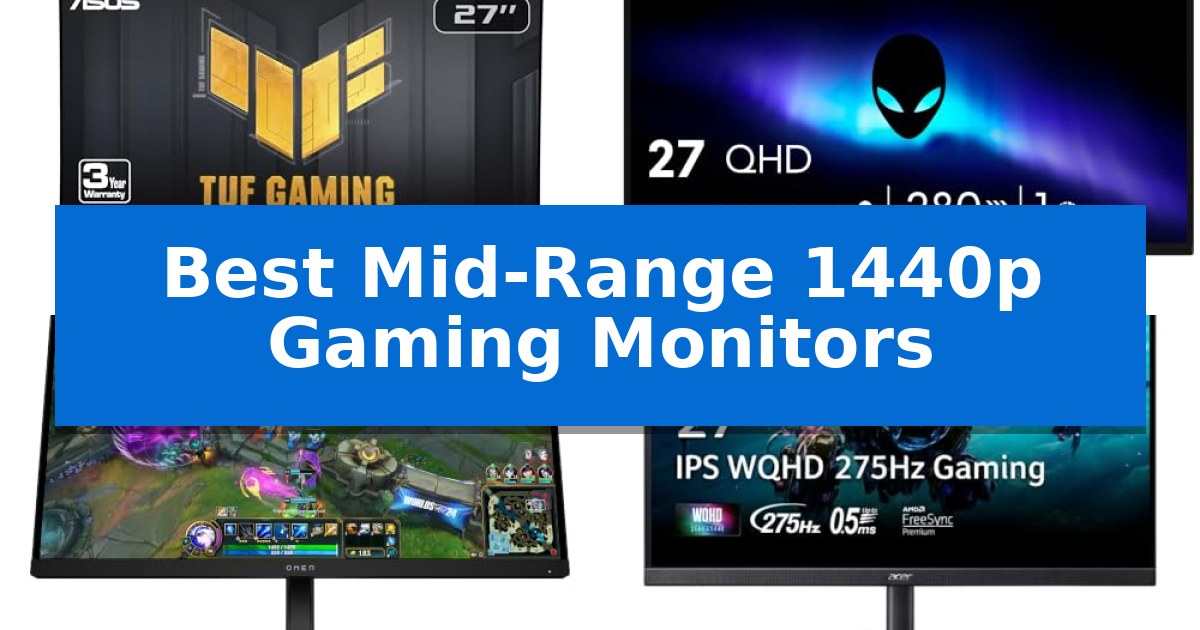
Finding the right balance between resolution and frame rate is essential for modern gaming. The Best Mid-Range 1440p Gaming Monitors provide the ideal middle ground, offering sharp QHD detail without the extreme hardware demands of 4K displays.
Whether you prioritize competitive speed or immersive visual quality, selecting the right panel requires understanding how refresh rates and response times impact your specific setup. We have evaluated the latest options to help you identify which display best aligns with your gaming preferences.
You may also want to compare Best Mid-Range 85-Inch TVs, Best Mid-Range 75-Inch TVs, and Best Mid-Range 65-Inch TVs.
Best Mid-Range 1440p Gaming Monitors
Quick Comparison
| Product | Best For | Key Strength | Score |
|---|---|---|---|
| ASUS TUF Gaming VG27AQ3A Monitor | Best Overall | 180Hz refresh rate for fluid motion in competitive titles. | 4.9 |
| Alienware 27 Gaming Monitor AW2726DL | High Refresh Rate IPS Speed | 280Hz refresh rate for ultra-fluid motion | 4.3 |
| HP OMEN 27qs Gaming Monitor | Enhanced Contrast with IPS Black | IPS Black technology for superior contrast and color accuracy. | 4.3 |
| Acer Nitro KG271U Gaming Monitor | Ultra-Fast Motion Clarity | 275Hz refresh rate for ultra-smooth motion. | 4.3 |
| Samsung Odyssey G5 Gaming Monitor | Essential Features for Daily Gaming | 180Hz refresh rate and 1ms response time for smooth motion. | 4.4 |
How We Chose
- Panel technology and color accuracy for consistent image quality.
- Refresh rate capabilities and synchronization standards for fluid motion.
- Response time metrics to minimize ghosting and motion blur.
- Ergonomic adjustability and physical connectivity options for desk integration.
- Support for HDR and variable refresh rate (VRR) technologies.
1 ASUS TUF Gaming VG27AQ3A Monitor — Balanced Value for Competitive Play
The ASUS TUF Gaming VG27AQ3A is built for those prioritizing fluid motion in competitive environments, featuring a high-speed 180Hz refresh rate paired with a 27-inch QHD (2560 x 1440) panel. This combination provides a balance of visual clarity and rapid responsiveness, ensuring that high-frame-rate gameplay remains sharp during fast-paced action.
Engineered for performance, the monitor integrates ASUS Extreme Low Motion Blur Sync (ELMB Sync), which allows variable refresh rate technologies to function alongside motion blur reduction. This dual-action approach aims to minimize ghosting and screen tearing. The inclusion of FreeSync Premium and G-Sync compatibility ensures that the display synchronizes effectively with various graphics cards to maintain a consistent, tear-free experience.
The display utilizes a Fast IPS panel that supports a 1ms response time, catering to users who require immediate visual feedback. With a color gamut rated at 130% sRGB, the monitor offers vibrant color reproduction suitable for both gaming and general media consumption. Additionally, the HDR10 support enhances the contrast between bright and dark areas, adding depth to supported content.
Practicality is addressed through built-in speakers for basic audio needs and a versatile connectivity suite. The package includes essential cables and an L-shaped screwdriver for assembly, backed by a 3-year warranty. As a bonus, the purchase includes a 3-month subscription to Adobe Creative Cloud, providing additional value for users interested in creative workflows.
Best for: Competitive gamers seeking a high-refresh-rate 1440p display with advanced motion blur reduction technology.
Skip if: Users who require an adjustable ergonomic stand, as this model does not feature height, swivel, or tilt adjustments in its base design.
PROS
- 180Hz refresh rate for fluid motion in competitive titles.
- ELMB Sync technology effectively reduces ghosting and tearing.
- Fast IPS panel provides a 1ms response time and wide viewing angles.
- 130% sRGB color gamut delivers vibrant and accurate visuals.
CONS
- Lack of ergonomic stand adjustments limits viewing angle customization.
- Integrated speakers offer limited audio fidelity compared to external solutions.
2 Alienware 27 Gaming Monitor AW2726DL — High Refresh Rate IPS Speed
The Alienware 27 Gaming Monitor AW2726DL distinguishes itself with a high-speed 280Hz refresh rate, providing the fluid motion necessary for competitive gaming environments. This 27-inch display utilizes an IPS panel to ensure consistent color reproduction and wide viewing angles, making it a versatile choice for both fast-paced action and visually demanding titles.
Equipped with a 2560×1440 resolution, the monitor balances pixel density with performance, offering a sharp 109 PPI. The inclusion of a 1ms gray-to-gray response time is engineered to minimize ghosting and motion blur during intense gameplay, ensuring that fast-moving objects remain clear on screen.
For seamless synchronization with various graphics hardware, the unit supports AMD FreeSync Premium and VESA AdaptiveSync. These technologies work to mitigate screen tearing and stuttering, contributing to a more stable visual experience. The display also features 93% DCI-P3 color coverage, providing a wide color gamut for accurate image rendering.
Designed with ergonomics in mind, the monitor includes a VESA 100×100 mount for flexible installation options. With a peak brightness of 400 cd/m2 and a 1000:1 contrast ratio, it delivers a clear picture in varied lighting conditions. The inclusion of both HDMI and DisplayPort inputs ensures broad compatibility with modern gaming PCs and consoles.
Best for: Competitive gamers seeking a balance of high refresh rates and sharp 1440p resolution for fluid, responsive gameplay.
Skip if: Users who prioritize professional-grade color grading for print or HDR-focused media production, as this monitor is optimized primarily for gaming performance.
PROS
- 280Hz refresh rate for ultra-fluid motion
- 1ms gray-to-gray response time to reduce blur
- 93% DCI-P3 color coverage for vivid visuals
- AMD FreeSync Premium support for tear-free gaming
CONS
- Standard 1000:1 contrast ratio typical of IPS panels
3 HP OMEN 27qs Gaming Monitor — Enhanced Contrast with IPS Black
The HP OMEN 27qs Gaming Monitor leverages IPS Black technology to provide enhanced contrast and deep shadows, ensuring image accuracy across wide 178-degree viewing angles. This 27-inch display is built for competitive play, offering a 280Hz refresh rate that minimizes motion blurring and artifacting for a crisp, responsive visual experience.
Designed for high-fidelity gaming, the monitor features a QHD resolution of 2560 x 1440, delivering sharp detail across its 3.7 million pixels. It is NVIDIA G-SYNC Compatible and includes VESA Certified AdaptiveSync to maintain fluid, stutter-free gameplay with minimal input lag. The inclusion of VESA DisplayHDR 400 further improves the visual range by providing brighter highlights and deeper contrast.
Usability is prioritized through a fully adjustable stand that supports tilt, pivot, and 100 mm height adjustments, allowing for ergonomic positioning. Users can navigate settings efficiently using the integrated joypad OSD button. The monitor is also console compatible, having undergone over 140 test cases to ensure seamless connectivity via HDMI.
Sustainability and build quality are integrated into the design, with the unit constructed using at least 80% recycled plastic, 20% recycled glass in the panel, and 5% recycled metal in the stand base and VESA plate. This model provides a balanced solution for users seeking high refresh rates and color accuracy in a mid-range 1440p package.
Best for: Competitive gamers and creators who require a high 280Hz refresh rate combined with the improved contrast ratios of IPS Black technology.
Skip if: Users who require 4K resolution or a larger screen size for professional-grade creative work may find the 27-inch QHD panel insufficient for their specific needs.
PROS
- IPS Black technology for superior contrast and color accuracy.
- 280Hz refresh rate for highly responsive, fluid motion.
- Fully adjustable stand with tilt, pivot, and height customization.
- NVIDIA G-SYNC compatibility for stutter-free gaming.
CONS
- 27-inch size may be limiting for users preferring larger ultrawide displays.
- QHD resolution is standard for this tier but lacks the density of 4K panels.
4 Acer Nitro KG271U Gaming Monitor — Ultra-Fast Motion Clarity
The Acer Nitro KG271U Gaming Monitor commands attention with a rapid 275Hz refresh rate when connected via DisplayPort, significantly reducing frame rendering time for fluid motion in fast-paced titles. This 27-inch WQHD display utilizes an IPS panel to provide a sharp 2560 x 1440 resolution, ensuring that details remain crisp across the screen.
Designed for competitive stability, the monitor integrates AMD FreeSync Premium to synchronize frame rates with your graphics card, effectively eliminating screen tearing and stuttering. The 0.5ms GTG response time works to minimize ghosting and smearing during rapid transitions, keeping visual clarity high even during intense gameplay sequences.
Beyond gaming performance, the display supports a 90% DCI-P3 color gamut and HDR 10, making it a viable option for color-critical tasks like photo editing or graphic design. The zero-frame design maximizes the active viewing area, while the included stand offers an ergonomic tilt range of -5° to 25° for comfortable positioning.
Connectivity is handled through a versatile array of ports, including one DisplayPort 1.4 and two HDMI 2.0 inputs. While the monitor reaches its maximum 275Hz refresh rate via DisplayPort, it supports up to 144Hz over HDMI. The unit also features built-in 2-watt speakers and is VESA mount compatible for users looking to integrate it into a custom desk setup.
Best for: Gamers and creative professionals seeking a high-refresh-rate 1440p display with accurate color reproduction for both competitive play and design work.
Skip if: Users who require higher peak brightness than 250 nits or those who need HDMI 2.1 bandwidth for console gaming at 4K 120Hz will find this monitor's specifications limiting.
PROS
- 275Hz refresh rate for ultra-smooth motion.
- 0.5ms GTG response time to eliminate ghosting.
- 90% DCI-P3 color gamut for accurate color work.
- AMD FreeSync Premium support for tear-free gaming.
CONS
- 250 nits brightness may be insufficient for very bright rooms.
- HDMI 2.0 ports limit refresh rates to 144Hz.
5 Samsung Odyssey G5 Gaming Monitor — Essential Features for Daily Gaming
The Samsung 27" Odyssey G5 (G51F) Series provides a high-density visual experience through its QHD (2560 x 1440) resolution, offering 1.7 times the pixel density of standard Full HD displays. This monitor is designed for gamers who prioritize clarity and responsiveness, featuring a 180Hz refresh rate and a 1ms response time to minimize input lag and motion blur during fast-paced sequences.
To enhance competitive play, the monitor includes a Black Equalizer that allows users to manually adjust the brightness of dark areas, making it easier to spot hidden details in shadowed environments. The inclusion of AMD FreeSync technology helps maintain visual stability by reducing screen tearing and stuttering, ensuring a smoother transition between frames during complex in-game action.
The display supports HDR10, which contributes to more vivid highlights and deeper shadow contrast, adding a layer of depth to modern game environments. For those concerned with ergonomics, the integrated stand supports tilt, pivot, and height adjustments, allowing users to customize their viewing angle for extended sessions.
Practicality is addressed through the Auto Source Switch+ feature, which simplifies connectivity by automatically detecting and switching to active input devices. This 27-inch monitor balances essential gaming performance with functional design choices, making it a versatile choice for a variety of desktop setups.
Best for: Gamers seeking a balance of high-refresh-rate performance and detailed 1440p resolution for competitive and immersive titles.
Skip if: Users who require specialized color-accurate panels for professional creative work or those who prefer ultra-wide aspect ratios.
PROS
- 180Hz refresh rate and 1ms response time for smooth motion.
- QHD resolution provides high pixel density for sharp image quality.
- Black Equalizer functionality improves visibility in dark scenes.
- Ergonomic stand supports height, tilt, and pivot adjustments.
CONS
- HDR10 support is limited compared to higher-tier display standards.
- 27-inch size may not suit users looking for ultra-wide or larger screen real estate.
Best Mid-Range 1440p Gaming Monitors Buying Guide
Understanding Panel Technology
Most modern displays in this segment utilize Fast IPS or standard IPS panels. These are preferred for their superior color reproduction and wide viewing angles compared to older VA or TN alternatives.
When choosing, look for specifications like sRGB or DCI-P3 coverage. Higher percentages generally indicate more vibrant and accurate color, which benefits both gaming immersion and general productivity tasks.
Refresh Rate and Motion Clarity
A higher refresh rate, such as 180Hz or 280Hz, is critical for competitive titles where every millisecond counts. These rates allow the monitor to keep up with high-output graphics cards, resulting in smoother movement.
Pairing these high refresh rates with low response times (often measured at 1ms) is vital. This combination helps eliminate the trailing effect known as ghosting, ensuring that fast-moving objects remain sharp.
Synchronization Standards
Technologies like FreeSync Premium and G-SYNC Compatible are essential for preventing screen tearing. These standards synchronize the monitor's refresh rate with your GPU's frame output.
By enabling these features, you ensure a tear-free and stutter-free experience, even when your frame rate fluctuates during intense gaming sequences.
Ergonomics and Physical Design
A monitor is a centerpiece of your desk, so physical flexibility matters. Look for stands that offer height, tilt, and pivot adjustments to ensure the screen is at eye level, which reduces neck strain during long sessions.
Check for VESA mount compatibility if you plan to use a monitor arm. This can significantly free up desk space and provide more precise positioning than a standard factory stand.
Connectivity and Console Compatibility
Ensure the monitor has the correct ports for your hardware. DisplayPort is typically required to achieve the maximum refresh rate on PCs, while HDMI 2.1 is often necessary for modern console support.
Some monitors include built-in features like Black Equalizer or Virtual Aim Point, which can provide a slight advantage in specific game genres by enhancing visibility in dark areas.
Frequently Asked Questions
Is 1440p better than 1080p for gaming?
Yes, 1440p offers significantly higher pixel density, resulting in sharper images and more screen real estate, which is a noticeable upgrade for most 27-inch displays.
Do I need a high-end GPU for a 1440p monitor?
While 1440p is more demanding than 1080p, it is much easier to drive than 4K. Most mid-range graphics cards can handle 1440p gaming effectively at high settings.
What is the benefit of a 280Hz refresh rate?
A 280Hz refresh rate provides extremely fluid motion, which is primarily beneficial for fast-paced competitive shooters where tracking targets quickly is essential.
Can I use a gaming monitor for professional work?
Many IPS-based gaming monitors offer excellent color accuracy, making them suitable for photo editing and general design work, provided they cover a sufficient color gamut.
What does G-SYNC Compatible mean?
It means the monitor has been tested to work with NVIDIA graphics cards to provide a variable refresh rate, helping to eliminate screen tearing and stuttering.
Conclusion: Our Top Pick
The ASUS TUF Gaming VG27AQ3A Monitor stands out as a balanced choice for most users, offering a reliable 180Hz refresh rate and Fast IPS technology that excels in both competitive and casual gaming scenarios.
Its inclusion of ELMB Sync and broad color gamut coverage ensures that it remains a versatile and high-performing option for those looking to upgrade their visual experience without needing specialized, high-cost hardware.