
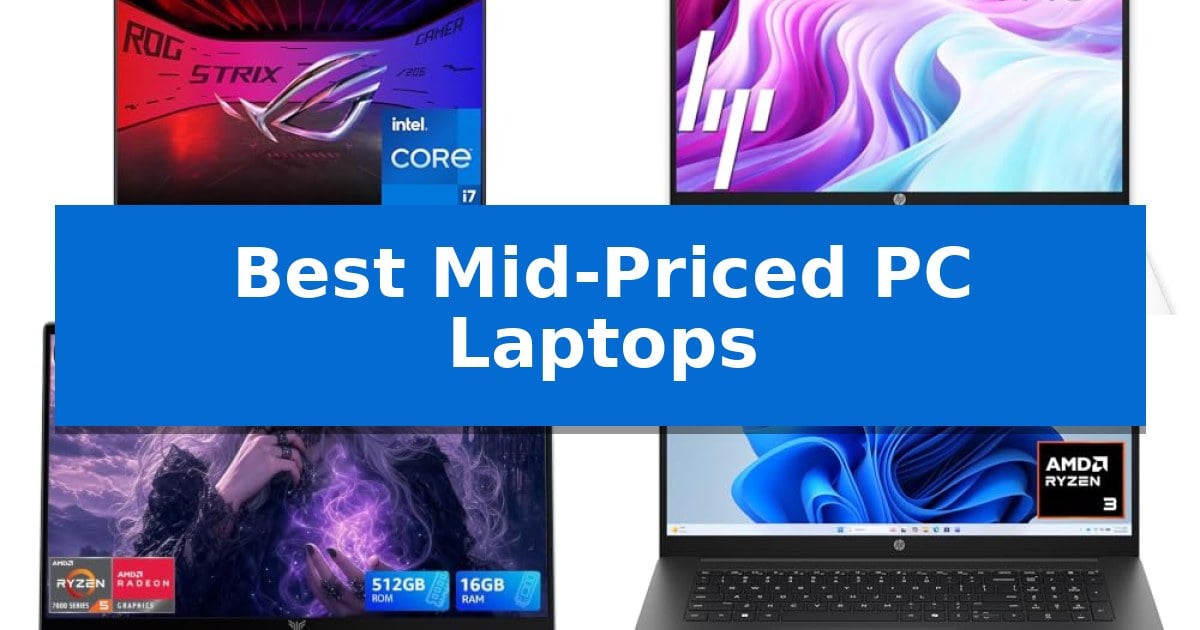
Finding the right machine that balances cost with capability is essential for both students and professionals. The market is saturated with options, but identifying the Best Mid-Priced PC Laptops requires looking past the marketing jargon to focus on the hardware that actually impacts your daily workflow.
Whether you need a device for intensive multitasking, creative projects, or reliable everyday computing, the right choice depends on your specific requirements for processing power, screen real estate, and portability. We have analyzed current offerings to help you navigate these choices effectively.
You may also want to compare Best Mid-Priced On-Ear Headphones, Best Mid-Priced OLED TV, and Best Mid-Priced Noise-Cancelling Headphones.
Best Mid-Priced PC Laptops
Quick Comparison
| Product | Best For | Key Strength | Score |
|---|---|---|---|
| ASUS ROG Strix G16 Gaming Laptop | Best Overall | NVIDIA Blackwell architecture provides advanced graphical capabilities. | 4.9 |
| HP 17 Business Laptop | Spacious Screen for Multitasking | 17.3-inch FHD anti-glare display provides significant screen real estate for multitasking. | 4.4 |
| KAIGERR Gaming Laptop | Upgradable Storage Flexibility | Extensive upgradeability with support for up to 64GB RAM and 4TB storage. | 4.5 |
| HP OmniBook 3 Laptop | Long Battery Life Efficiency | 14+ hours of battery life for extended unplugged use. | 4.4 |
| NIAKUN Laptop | Large Display for Productivity | Spacious 17.3-inch Full HD IPS display for improved visibility. | 4.8 |
How We Chose
- Processing power and memory configurations for multitasking efficiency.
- Display resolution, panel quality, and screen size for visual clarity.
- Storage capacity and the potential for future hardware upgrades.
- Battery longevity and charging convenience for mobile use.
- Connectivity options including port variety and wireless standards.
1 ASUS ROG Strix G16 Gaming Laptop — High-Performance Powerhouse
Finding a balance between high-end gaming performance and everyday utility often leads to compromises, but the ASUS ROG Strix G16 Gaming Laptop addresses this by integrating the latest NVIDIA Blackwell architecture. This machine is built to handle intensive tasks, utilizing an Intel Core i7 Processor 14650HX paired with an NVIDIA GeForce RTX 5060 Laptop GPU to provide a robust foundation for both gaming and creative workflows.
The visual experience is anchored by a 16-inch FHD+ 16:10 display featuring a 165Hz refresh rate and a 3ms response time. ASUS has incorporated a new ACR film on the screen, which is specifically engineered to enhance contrast and minimize glare, ensuring clarity during extended sessions. The 16:10 aspect ratio provides extra vertical screen real estate, which is beneficial for productivity applications.
Thermal management is handled by the ROG Intelligent Cooling system. This setup includes an end-to-end vapor chamber, a tri-fan design, and Conductonaut extreme liquid metal applied directly to the chipset. These components work in tandem to maintain system stability under load, allowing the hardware to operate effectively without excessive noise.
For those who value aesthetics and customization, the laptop features a 360-degree RGB light bar that synchronizes with the keyboard and other ROG peripherals. If the environment requires a more subtle appearance, the integrated Stealth Mode allows users to disable all lighting effects, transitioning the device into a professional, understated aesthetic.
Connectivity and storage are well-supported with 16GB of DDR5-5600MHz memory and a 1TB PCIe Gen 4 SSD, ensuring fast data access and efficient multitasking. The inclusion of Wi-Fi 7 readiness ensures the device is prepared for high-speed wireless networking standards, rounding out a comprehensive package for users who need a versatile, high-performance portable computer.
Best for: This laptop is best for gamers and creators who require a balance of high-end graphical performance and a versatile, professional-looking design.
Skip if: Skip this model if you require a lightweight, ultra-portable device, as its 5.84-pound weight and gaming-focused chassis are designed for power rather than maximum portability.
PROS
- NVIDIA Blackwell architecture provides advanced graphical capabilities.
- ROG Intelligent Cooling with liquid metal ensures thermal efficiency.
- 165Hz FHD+ display with anti-glare ACR film for smooth visuals.
- Stealth Mode allows for a professional, non-gaming appearance.
CONS
- Heavy chassis at nearly 6 pounds may be cumbersome for frequent travel.
- FHD+ resolution may be lower than some creator-focused displays.
2 HP 17 Business Laptop — Spacious Screen for Multitasking
A large-format display can redefine your workspace, and the HP 17 Business Laptop leverages its expansive 17.3-inch screen to provide a dedicated canvas for multitasking. By prioritizing screen real estate, this machine enables users to manage multiple windows or complex documents simultaneously without the constant need for toggling between tabs.
Under the hood, the HP 17 Business Laptop is powered by the latest AMD Ryzen 5 CPU and paired with 16GB of RAM, ensuring a responsive environment for daily productivity tasks. The inclusion of a 512GB SSD provides ample storage for files while maintaining quick access times, and the preloaded Windows 11 operating system integrates with AI Copilot to assist in organizing tasks and summarizing information efficiently.
Design considerations focus on both utility and portability. The chassis features a brushed full-size keyboard complete with a 10-key number pad, which is essential for data entry and financial workflows. Despite the large display, the laptop maintains a slim, sleek profile in a vibrant silver finish, making it a practical choice for those who need a desktop-replacement experience that can still be transported when necessary.
Communication and connectivity are supported by a Wide Vision 720p camera and integrated digital microphones, facilitating clear video conferencing. The device also supports HP Fast Charge technology, allowing users to minimize downtime during busy workdays. With Office 365 for the Web included, the system is ready for immediate document creation and collaboration right out of the box.
Best for: Users who prioritize a large, expansive display for multitasking and data-heavy productivity tasks.
Skip if: Users who require a highly compact or ultra-lightweight device for frequent travel or limited desk space.
PROS
- 17.3-inch FHD anti-glare display provides significant screen real estate for multitasking.
- Full-size keyboard with numeric keypad enhances efficiency for data entry.
- 16GB RAM and AMD Ryzen 5 CPU offer capable performance for professional workflows.
- HP Fast Charge capability reduces time spent tethered to a power outlet.
CONS
- Large form factor may be cumbersome for users needing high portability.
- 720p webcam resolution is standard but may lack the fidelity of higher-end optics.
3 KAIGERR Gaming Laptop — Upgradable Storage Flexibility
Balancing performance with long-term utility, the KAIGERR Gaming Laptop distinguishes itself through a highly flexible internal architecture that supports up to 64GB of RAM and 4TB of total storage. This design choice provides a clear upgrade path for users who need to scale their computing resources as their project requirements evolve.
At the heart of the KAIGERR Gaming Laptop is an AMD Ryzen processor, paired with 16GB of DDR4 memory and a 512GB M.2 NVMe SSD to facilitate responsive multitasking. The 16-inch thin-bezel display offers an expansive workspace, while the 180-degree flat hinge allows for versatile viewing angles during collaborative work or presentations.
Portability remains a central focus, with the device maintaining a slim 18.9mm profile and a weight of 1.7kg. Connectivity is well-supported by a comprehensive array of ports, including USB 3.2, full-function Type-C, and HDMI 1.4, alongside modern wireless standards like WiFi 6 and Bluetooth 5.2.
For privacy-conscious professionals, the inclusion of a physical webcam cover slide provides a simple, effective security measure. The system comes pre-installed with Windows 11 Pro, ensuring compatibility with standard business and creative software environments out of the box.
Best for: Professionals and students seeking a portable, mid-priced laptop with significant RAM and storage upgrade potential.
Skip if: Users requiring a dedicated high-end GPU for intensive 3D rendering or professional-grade gaming will find the integrated graphics and cooling constraints limiting.
PROS
- Extensive upgradeability with support for up to 64GB RAM and 4TB storage.
- Physical webcam privacy switch for enhanced security.
- Versatile connectivity including full-function Type-C and WiFi 6.
- 180-degree flat hinge design for flexible viewing.
CONS
- Limited gaming performance compared to dedicated high-end GPU systems.
- DDR4 memory standard is slower than newer DDR5 alternatives.
4 HP OmniBook 3 Laptop — Long Battery Life Efficiency
The HP OmniBook 3 Laptop is a 17.3-inch portable computer designed to balance everyday productivity with efficient multimedia consumption. Featuring an AMD Ryzen 3 30 processor and 8 GB of LPDDR5 RAM, this device provides the necessary bandwidth for multitasking, photo editing, and casual gaming.
Visuals are handled by a Full HD IPS display that supports 178-degree wide-viewing angles, ensuring consistent image quality from various positions. For entertainment and creative tasks, the integrated AMD Radeon 610M graphics engine supports smooth streaming and realistic visual rendering.
Communication is prioritized through Advanced AI Noise Reduction technology, which utilizes a dedicated personal mode to isolate your voice during conference calls while filtering out background distractions. The integrated FHD camera includes an HDR auto-switch feature, which automatically adjusts contrast and color balance to maintain clarity even when facing challenging backlight conditions.
Designed for sustained use, the laptop offers up to 14 hours and 15 minutes of battery life, complemented by HP Fast Charge technology that restores 50% of the battery capacity in approximately 45 minutes. Connectivity is streamlined with Wi-Fi 6 and Bluetooth 5.4 for high-capacity wireless performance, while the dedicated Copilot Key provides immediate access to integrated AI assistance within the Windows 11 Home environment.
Best for: Users who prioritize a large 17.3-inch display and extended battery life for daily productivity and video conferencing.
Skip if: Users who require a compact, lightweight device for frequent travel or those needing high-performance hardware for intensive professional creative workloads.
PROS
- 14+ hours of battery life for extended unplugged use.
- Advanced AI noise reduction for clearer conference calls.
- FHD camera with HDR auto-switch for improved video quality.
- Fast 512 GB PCIe NVMe M.2 SSD storage.
CONS
- Large 17.3-inch form factor may be cumbersome for mobile users.
- 8 GB RAM may limit performance in memory-intensive multitasking scenarios.
5 NIAKUN Laptop — Large Display for Productivity
The NIAKUN Laptop offers a substantial 17.3-inch Full HD IPS display, providing a wide viewing area suitable for multitasking, document management, and media consumption. This large-format screen is designed to assist users who require more screen real estate for everyday productivity without needing a dedicated desktop setup.
Under the hood, the device is powered by an i5-7Y57 processor, a dual-core chip optimized for low-power operation. This configuration is specifically intended for standard office applications, web browsing, and light multitasking. The system includes 16GB of RAM and a 512GB SSD, which can be expanded to accommodate additional files and applications.
Connectivity is a primary focus for this model, featuring a full-function USB-C port that supports data transfer, display output, and Power Delivery (PD) charging. Users also have access to three USB 3.0 ports for peripheral connectivity, alongside built-in stereo speakers and dual microphones for video conferencing and online classes.
Designed for portability despite its large display, the unit weighs approximately 4.37 lbs and measures 0.81 inches in thickness. It includes a backlit keyboard for use in dim environments and comes pre-installed with Office 365, making it a ready-to-use solution for students and business professionals. The device is backed by a 2-year manufacturer's warranty.
Best for: Students and professionals who prioritize a large 17.3-inch display for document work and everyday office tasks.
Skip if: Users requiring high-performance processing for gaming, video editing, or heavy computational workloads will find the i5-7Y57 processor insufficient.
PROS
- Spacious 17.3-inch Full HD IPS display for improved visibility.
- Full-function USB-C port supporting display output and PD charging.
- Expandable memory and storage options for long-term utility.
- Backlit keyboard included for typing in low-light conditions.
CONS
- Low-power processor limits the device to basic productivity tasks.
- Larger physical footprint compared to standard 15-inch laptops.
Best Mid-Priced PC Laptops Buying Guide
Processor and Memory Performance
The CPU is the heart of your laptop, determining how quickly you can switch between applications or handle demanding tasks. For mid-priced machines, look for processors that offer a balance of cores and threads, which helps in managing background processes without slowing down your primary work.
RAM is equally critical for a smooth experience. While 8GB is often sufficient for basic browsing, 16GB is the recommended standard for modern multitasking. Having enough memory prevents your system from relying on slower storage-based virtual memory, keeping your applications responsive.
Display Quality and Screen Real Estate
A laptop's screen is your primary interface, so resolution and panel type matter significantly. A Full HD (FHD) display is the standard for most mid-priced laptops, offering sharp text and clear images. Look for anti-glare coatings if you plan to work in environments with bright overhead lighting.
Screen size is a trade-off between workspace and portability. A 17-inch display provides ample room for side-by-side windows, making it ideal for productivity, whereas 16-inch models often strike a better balance for those who need to carry their device between home and the office.
Storage Solutions and Expandability
Modern laptops almost exclusively use SSD storage, which is significantly faster than older mechanical drives. A 512GB drive is a solid starting point for most users, providing enough space for the operating system, essential software, and a moderate collection of files.
Consider whether the laptop allows for storage upgrades. Some models feature additional slots or accessible bays, which can extend the life of your device by allowing you to add more capacity as your needs grow over time.
Battery Life and Charging Standards
For users who move frequently, battery capacity and charging speed are vital. Look for features like Fast Charge technology, which can replenish a significant portion of your battery in under an hour, minimizing downtime during busy days.
Check the charging interface as well. Laptops that support USB-C charging offer more flexibility, as you may be able to use a single compact charger for your phone, tablet, and laptop, reducing the amount of gear you need to carry.
Connectivity and Peripheral Support
The number and type of ports determine how easily you can connect to external monitors, drives, and accessories. A good mix of USB 3.0 ports and a full-function Type-C port ensures you can handle both legacy devices and modern peripherals.
Wireless connectivity is also a factor. Devices supporting Wi-Fi 6 or newer standards provide more stable and faster connections in crowded network environments, which is particularly important for video conferencing and cloud-based work.
Frequently Asked Questions
How much RAM do I really need for a mid-priced laptop?
For most users, 16GB of RAM is the sweet spot. It ensures smooth performance when running multiple browser tabs, office applications, and background utilities simultaneously.
Is a 17-inch laptop too heavy to carry around?
While 17-inch laptops offer more screen space, they are generally larger and heavier than 15 or 16-inch models. If portability is your main concern, check the specific weight of the unit before purchasing.
Can I upgrade the storage on these laptops later?
It depends on the model. Some laptops, like the KAIGERR Gaming Laptop, explicitly mention dual M.2 slots for storage flexibility, while others may have soldered components. Always check the manufacturer's documentation.
What is the benefit of a high-refresh-rate display?
A higher refresh rate, such as 165Hz, makes motion on the screen appear smoother. While most beneficial for gaming, it can also make general desktop navigation and scrolling feel more fluid.
Do all these laptops come with Windows 11?
Yes, the models listed are equipped with Windows 11, which includes modern features like AI-powered assistants to help with organization and productivity.
Conclusion: Our Top Pick
After evaluating the current market, the ASUS ROG Strix G16 Gaming Laptop stands out as the most capable choice for those seeking high-level performance. With its robust Intel Core i7 processor, dedicated NVIDIA graphics, and efficient cooling system, it handles demanding tasks and gaming with ease.
While it is designed with a focus on power, its 16-inch display and balanced build make it a versatile machine for creators and professionals alike. If you require a machine that won't struggle under heavy workloads, this model provides the necessary hardware headroom to remain relevant for years to come.