
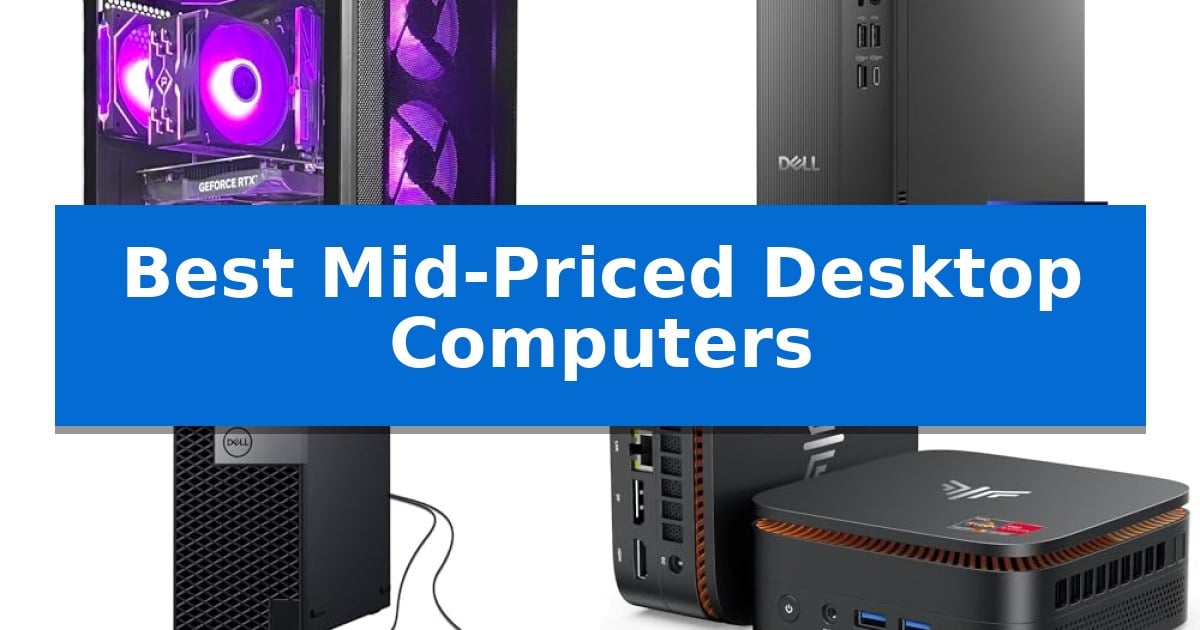
Selecting the right hardware for your home office or creative studio requires balancing raw processing power with practical constraints like desk space and connectivity. Whether you are managing complex spreadsheets, editing high-resolution media, or simply need a reliable machine for daily operations, finding the right balance is essential.
Our review of the Best Mid-Priced Desktop Computers focuses on systems that offer tangible utility for modern workflows. We have evaluated these machines based on their core specifications, physical footprints, and overall versatility to ensure you can make an informed decision without overspending on unnecessary features.
You may also want to compare Best Mid-Priced Computers, Best Mid-Priced Computer Monitors, and Best Mid-Priced Compact Digital Cameras.
Best Mid-Priced Desktop Computers
Quick Comparison
| Product | Best For | Key Strength | Score |
|---|---|---|---|
| ZYNEEX S5 Gaming Desktop PC | Best Overall | AMD Ryzen 5 5500 processor provides solid multitasking capabilities. | 4.9 |
| Dell Slim Desktop PC | Space-saving modern productivity | Compact, sustainable design ideal for small office environments. | 4.8 |
| Dell Optiplex 7050 Desktop PC | High-value refurbished workstation | 32GB DDR4 RAM provides ample memory for multitasking. | 4.7 |
| KAMRUI Pinova P1 Mini PC | Ultra-compact office solution | Ultra-compact 5.06-inch form factor saves significant desk space. | 4.7 |
| HP ProDesk 600 G3 Desktop PC | Reliable business-ready hardware | Compact SFF design saves valuable desk space. | 4.7 |
How We Chose
- Processor capability and core count for multitasking efficiency.
- Storage type and capacity to ensure rapid system responsiveness.
- Physical form factor and its suitability for various workspace sizes.
- Connectivity options including display outputs and peripheral support.
- Upgradeability and long-term serviceability for hardware maintenance.
1 ZYNEEX S5 Gaming Desktop PC — Entry-level gaming performance
Finding a reliable machine for gaming and productivity without overspending requires balancing core components like processor speed and graphics capability. The ZYNEEX S5 Gaming Desktop PC addresses this by pairing an AMD Ryzen 5 5500 processor with a GeForce RTX 3050 6GB graphics card, providing a foundation for 1080p gaming and creative tasks.
This system is built for immediate use, featuring 16GB of DDR4 3200MHz RAM and a 1TB NVMe SSD to minimize load times and provide ample storage for software libraries. The inclusion of built-in Wi-Fi and multiple HDMI and DisplayPort outputs ensures that users can connect to various monitor setups and networks without needing additional adapters.
Thermal management is handled by an advanced ARGB air cooling system with multiple fans, designed to maintain stability during extended sessions. The tower is engineered to be a plug-and-play solution, arriving ready to handle multitasking, video editing, and modern gaming titles right out of the box.
As a mid-priced desktop, the ZYNEEX S5 Gaming Desktop PC offers a practical trade-off by focusing on essential performance hardware rather than unnecessary aesthetic flourishes. It provides a straightforward path for users who need a capable machine for work and play without the complexity of building a custom rig from scratch.
Best for: Users seeking a ready-to-use desktop for 1080p gaming, multitasking, and creative editing tasks.
Skip if: Users requiring high-end 4K gaming performance or specialized hardware for heavy-duty professional rendering.
PROS
- AMD Ryzen 5 5500 processor provides solid multitasking capabilities.
- GeForce RTX 3050 6GB supports ray tracing for enhanced visuals.
- 1TB NVMe SSD ensures rapid load times and quick file transfers.
- Advanced ARGB air cooling maintains stable temperatures during use.
CONS
- Entry-level graphics may limit performance in demanding 4K gaming scenarios.
2 Dell Slim Desktop PC — Space-saving modern productivity
Optimizing a workspace for modern productivity requires hardware that balances a compact footprint with versatile connectivity. The Dell Slim Desktop PC addresses this by integrating the latest Intel Core Ultra processors, which feature built-in AI capabilities designed to streamline demanding tasks and creative workflows.
Engineered for both utility and sustainability, this desktop utilizes recycled materials in a sleek, refined chassis that measures just 3.74 inches in width. The internal layout prioritizes maintenance and longevity, featuring tool-less entry that allows for straightforward access to components, ensuring that future hardware adjustments remain convenient.
Connectivity is a primary strength, as the system supports up to four FHD monitors via DisplayPort 1.4a with daisy-chaining, or dual 4K displays using a combination of HDMI 2.1 and DisplayPort. Security is addressed through a dedicated hardware TPM chip and a built-in lock slot, making it a viable candidate for professional environments.
To ensure reliable operation, the system includes a 1-year onsite service warranty that provides support at your location if remote diagnostics cannot resolve a hardware issue. The package also includes a wired keyboard and 6 months of Dell Migrate software to assist in transferring personal files and records.
Best for: Users needing a space-efficient, AI-ready desktop capable of driving multi-monitor setups for professional or creative productivity.
Skip if: Users who require a high-performance dedicated GPU for intensive 3D rendering or gaming, as this model relies on integrated Intel UHD Graphics.
PROS
- Compact, sustainable design ideal for small office environments.
- Advanced multi-monitor support for up to four FHD displays.
- Tool-less internal access simplifies component upgrades.
- Hardware-level security with integrated TPM chip.
CONS
- Limited graphics capability due to reliance on integrated Intel UHD Graphics.
- Fixed slim form factor may restrict the installation of full-sized expansion cards.
3 Dell Optiplex 7050 Desktop PC — High-value refurbished workstation
The Dell Optiplex 7050 Desktop PC provides a compact computing solution by utilizing a Small Form Factor (SFF) chassis that measures just 3.6 inches in width. This design choice allows the unit to fit into tight workspaces while still housing an Intel Core i7-7700 processor clocked at 3.60 GHz, making it a capable machine for standard office tasks and multitasking.
Equipped with 32GB of DDR4 RAM, this system is configured to handle memory-intensive applications efficiently. The inclusion of a 1TB Solid State Drive (SSD) ensures faster boot times and responsive file access compared to traditional mechanical drives. It comes pre-installed with Windows 11 Pro (64-bit), providing a modern operating environment out of the box.
Connectivity is managed through a variety of integrated ports, including USB 3.0 and 2.0 interfaces, HDMI, and DisplayPort outputs, which facilitate dual monitor support. The package also includes a wired keyboard and mouse, along with a wireless USB WiFi adapter, simplifying the initial setup process for users who require immediate network access.
As a professionally renewed device, this desktop has been tested and certified to ensure operational functionality. It is backed by a 90-day warranty from the seller, offering a layer of support for the hardware. This unit balances performance specifications with a space-saving footprint, suitable for professional or home office environments where desk space is at a premium.
Best for: Users needing a compact, high-memory desktop for office productivity and multitasking who prefer a pre-configured, renewed system.
Skip if: Users who require dedicated graphics cards for intensive gaming or 3D rendering, or those who prefer brand-new hardware with a multi-year manufacturer warranty.
PROS
- 32GB DDR4 RAM provides ample memory for multitasking.
- 1TB SSD offers significant storage capacity with fast boot performance.
- Small Form Factor design saves valuable desk space.
- Dual monitor support via HDMI and DisplayPort enhances productivity.
CONS
- 90-day warranty is shorter than typical new-product coverage.
- Renewed condition may not meet the aesthetic expectations of all buyers.
4 KAMRUI Pinova P1 Mini PC — Ultra-compact office solution
Maximizing desk space without sacrificing processing power is a common challenge for home and business users. The KAMRUI Pinova P1 Mini PC addresses this by packing an AMD Ryzen 3 Pro 7330U processor into a chassis measuring just 5.06 x 5.06 x 2.01 inches, offering a 60% reduction in footprint compared to traditional mini PC designs.
Equipped with 8GB of RAM and a 256GB M.2 SSD, this machine provides the responsiveness needed for daily multitasking, document management, and web-based workflows. The inclusion of W-11 Pro ensures compatibility with professional environments, while the 4K@60Hz HD display support via HDMI, DP, and Type-C ports allows for versatile triple-screen configurations.
Connectivity is a priority, featuring 2.4GHz+5GHz Dual Band WiFi 5, Gigabit Ethernet, and Bluetooth 4.2 for stable networking. The unit includes four USB 3.2 ports, providing ample room for peripherals like external storage, office equipment, or multimedia devices. Its integrated blue LED lighting adds a modern aesthetic to the workspace.
Designed for flexibility, the KAMRUI Pinova P1 Mini PC includes a VESA bracket, enabling it to be mounted directly to the back of a monitor to clear desk clutter. This compact system is built to handle light gaming, image editing, and standard office applications, making it a functional choice for those seeking a balance between performance and portability.
Best for: Users needing a space-saving, versatile desktop for office tasks, web browsing, and multi-monitor setups.
Skip if: Users requiring high-end dedicated graphics for intensive video rendering or heavy gaming will find the integrated hardware limiting.
PROS
- Ultra-compact 5.06-inch form factor saves significant desk space.
- Triple-screen support via HDMI, DP, and Type-C outputs.
- VESA mountable for clean, hidden installation behind monitors.
- AMD Ryzen 3 Pro 7330U provides efficient performance for office workflows.
CONS
- Fixed 8GB RAM may limit performance in memory-intensive multitasking.
- Limited 256GB storage capacity may require external drives for large media libraries.
5 HP ProDesk 600 G3 Desktop PC — Reliable business-ready hardware
Finding a reliable machine for office productivity or home computing often leads to the HP ProDesk 600 G3 Desktop PC, a compact system engineered for efficiency. This unit is built around the 7th Gen Intel Core i5-7500 processor, which provides a base frequency of 3.4 GHz and turbo speeds up to 3.8 GHz, ensuring responsive multitasking for standard business applications.
The system is equipped with 8GB of DDR4 RAM to handle multiple open software operations simultaneously, paired with a 256GB Solid State Drive that balances system boot speeds with necessary storage capacity. This combination is designed to keep the computing experience fluid during daily tasks.
For visual connectivity, the HP ProDesk 600 G3 Desktop PC supports 4K resolution (3840×2160) and is capable of driving a dual display setup, which is useful for users who need extra screen real estate for workflow management. The package includes a USB keyboard, mouse, and a dedicated USB Wi-Fi and Bluetooth adapter for flexible connectivity.
Operating on Windows 11 Pro, this desktop offers a feature-rich environment compatible with a wide range of modern peripherals and software. Its small form factor design makes it a practical choice for crowded desks where space is at a premium, though users requiring heavy-duty graphical rendering may need to consider systems with dedicated high-end GPUs.
Best for: Business professionals and home users requiring a compact, reliable desktop for office productivity and multitasking.
Skip if: Users who require high-end dedicated graphics for gaming or intensive video editing will find the integrated Intel HD Graphics 530 insufficient.
PROS
- Compact SFF design saves valuable desk space.
- 4K dual display support enhances multitasking capabilities.
- Windows 11 Pro included for professional-grade software compatibility.
- Responsive SSD storage ensures quick system performance.
CONS
- Integrated graphics limit performance for demanding creative or gaming tasks.
- 90-day warranty period is shorter than typical new retail hardware.
Best Mid-Priced Desktop Computers Buying Guide
Understanding Processor Requirements
The central processing unit (CPU) acts as the brain of your computer, dictating how quickly you can switch between applications or process data. For most mid-priced systems, look for multi-core processors that offer a balance between base clock speeds and power efficiency.
If your work involves 4K video editing or heavy multitasking, prioritize models with higher thread counts. Conversely, for standard office productivity, a modern mid-range chip will provide more than enough headroom for years of reliable service.
Storage Speed and Capacity
The transition from traditional hard drives to NVMe SSDs has fundamentally changed how quickly a computer boots and loads software. A solid-state drive is no longer a luxury but a requirement for any modern desktop system.
Consider the total capacity based on your file management habits. While 1TB of storage is ideal for large media libraries, a 256GB or 512GB drive is often sufficient for cloud-based workflows and standard document storage.
Form Factor and Workspace Integration
Desktop computers now come in a variety of sizes, from traditional towers to ultra-compact mini PCs. Your choice should depend on the available space on your desk and whether you intend to mount the unit behind a monitor.
Small form factor (SFF) and mini PCs often utilize external power bricks and specialized cooling, which can save significant space but may limit internal expansion compared to larger tower chassis.
Connectivity and Display Support
A desktop is only as useful as the peripherals it can support. Ensure your chosen model has enough USB ports for your keyboard, mouse, and external drives, as well as the correct video outputs for your monitors.
Check for DisplayPort or HDMI 2.1 compatibility if you plan to run multiple high-resolution displays. Some compact units also offer Type-C connectivity, which can simplify cable management for modern peripherals.
Refurbished vs. New Hardware
Choosing between new and refurbished hardware often comes down to your budget and need for the latest architecture. Refurbished workstations can offer excellent value, providing enterprise-grade build quality at a fraction of the original cost.
When buying refurbished, verify the warranty period and the condition of the components. New systems, while more expensive, typically include the latest operating system support and a longer manufacturer warranty, providing peace of mind for business-critical tasks.
Frequently Asked Questions
What is the main benefit of a mini PC?
A mini PC significantly reduces your physical footprint, often allowing you to mount the device directly to the back of a monitor using a VESA bracket, which keeps your workspace clean and organized.
Do I need a dedicated graphics card for office work?
For standard office tasks, web browsing, and document editing, integrated graphics are perfectly capable. A dedicated graphics card is only necessary if you are performing tasks like 3D rendering, gaming, or intensive video production.
Is 8GB of RAM enough for a modern desktop?
8GB of RAM is sufficient for basic multitasking and light office work. However, if you frequently keep dozens of browser tabs open or run memory-intensive software, 16GB is recommended for a smoother experience.
Can I upgrade the storage on a compact desktop?
Many compact and SFF desktops allow for storage upgrades, but the process varies by model. Some use standard M.2 slots, while others may be more restrictive. Always check the manufacturer's documentation for your specific model.
What does 'Renewed' mean for desktop computers?
Renewed or refurbished computers are pre-owned units that have been tested, cleaned, and certified to function like new. They are often a cost-effective way to acquire high-performance hardware that might otherwise be outside your budget.
Conclusion: Our Top Pick
Selecting the right machine depends on your specific balance of performance needs and space constraints. For those seeking a versatile system that handles gaming, streaming, and creative tasks, the ZYNEEX S5 Gaming Desktop PC stands out as a balanced choice due to its dedicated graphics card and ample storage.
This system provides a reliable foundation for users who need more than just basic office functionality. While other options like the Dell Slim or the KAMRUI mini PC are excellent for space-saving productivity, the ZYNEEX model offers the most flexibility for users who may want to expand their digital activities into gaming or media creation in the future.