
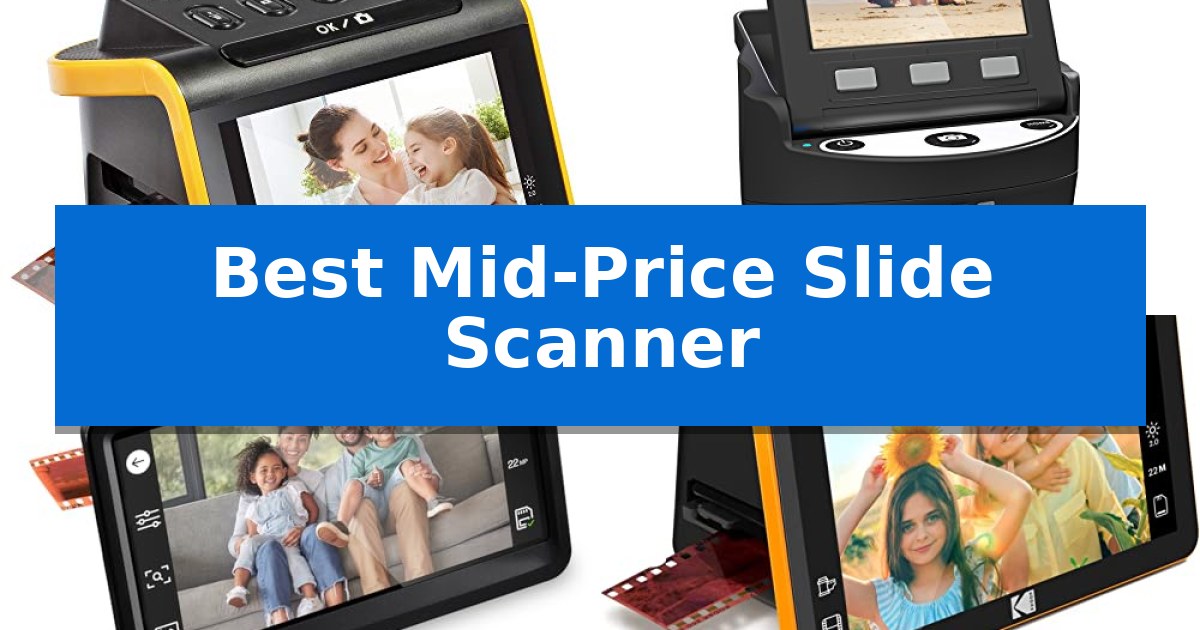
Preserving family history often starts with a shoebox full of aging slides and negatives. Finding the Best Mid-Price Slide Scanner allows you to bridge the gap between physical film and modern digital convenience without the high cost of professional scanning services.
These devices are designed to handle various film formats, providing a straightforward way to convert your memories into high-resolution JPEGs. Whether you have 35mm slides or 110 negatives, selecting the right scanner ensures your collection is preserved for future generations.
You may also want to compare Best Mid-Price i7 Quad-Core Laptop, Best Mid-Price Gaming Monitors, and Best Mid-Price Gaming Mice.
Best Mid-Price Slide Scanner
Quick Comparison
| Product | Best For | Key Strength | Score |
|---|---|---|---|
| KODAK Slide N Scan Film Scanner | Best Overall | Integrated 5-inch LCD screen for real-time preview and editing. | 4.9 |
| KODAK SCANZA Film & Slide Scanner | Versatile Support for Multiple Formats | Versatile format support for 35mm, 126, 110, Super 8, and 8mm film. | 4.3 |
| HP Film & Slide Scanner | Intuitive Touchscreen Interface | 7-inch color LCD touch display for immediate preview and editing. | 4.8 |
| KODAK Slide N Scan Max Scanner | Large Screen for Easy Editing | Quick-feeding tray for efficient, continuous scanning. | 4.9 |
| ClearClick QuickConvert 2.0 Scanner | Scans Photos and Slides Together | No computer or drivers required for operation. | 4.6 |
How We Chose
- Film Format Compatibility: Assessing support for 35mm, 110, 126, and other common film sizes.
- Display Quality: Evaluating the size and resolution of the integrated LCD screen for previewing and editing.
- Conversion Efficiency: Analyzing the speed of the loading mechanism and the ease of one-touch scanning.
- Connectivity Options: Checking for SD card support, USB connectivity, and HDMI output for external viewing.
- Ease of Use: Determining if the device requires computer software or operates as a standalone unit.
1 KODAK Slide N Scan Film Scanner — Fastest Loading for High Volumes
Preserving physical film archives requires a reliable method for digitization, and the KODAK Slide N Scan Film Scanner simplifies this process with its 5-inch LCD display. This integrated screen allows for immediate previewing and editing of negatives and slides without the need for a computer connection during the initial capture phase.
Designed for versatility, the device features quick-feeding tray technology that supports a variety of formats, including 135, 110, and 126mm film, as well as 50mm slides. The unit functions as a standalone scanner, saving digital files directly to an SD or SDHC card (up to 32GB, not included), which streamlines the workflow for high-volume digitization projects.
The scanner incorporates advanced capture software accessible via a single-touch button, enabling users to adjust color, brightness, and date/time settings directly on the device. Its compact dimensions of 5.27 x 5.35 x 3.74 inches allow it to fit easily into home office environments while maintaining a functional, aesthetic design.
For connectivity, the scanner includes USB and HDMI cables, allowing for direct output to a PC, Mac, or television. While it provides a comprehensive suite of adapters and a cleaning brush for maintenance, users should note that the required SD card must be purchased separately to begin the scanning process.
Best for: Users needing a standalone, high-capacity scanner for digitizing various film formats directly to an SD card without constant computer tethering.
Skip if: Users who require professional-grade, high-resolution archival scanning or those who prefer software-heavy, desktop-based image processing workflows.
PROS
- Integrated 5-inch LCD screen for real-time preview and editing.
- Broad format compatibility including 135, 110, 126mm film and 50mm slides.
- Standalone operation with direct-to-SD card saving functionality.
- Quick-feeding tray design for efficient, continuous scanning.
CONS
- SD card required but not included with the device.
- Limited to 22MP resolution, which may not meet professional archival requirements.
2 KODAK SCANZA Film & Slide Scanner — Versatile Support for Multiple Formats
The KODAK SCANZA Film & Slide Scanner simplifies the digitization of analog archives by featuring a large, bright 3.5-inch TFT LCD that allows for direct viewing and adjustment of images before saving. This standalone device eliminates the need for a computer during the initial scanning process, offering a streamlined workflow for converting 35mm, 126, 110, Super 8, and 8mm negatives and slides into digital files.
Equipped with a high-resolution sensor capable of producing 14MP or 22MP JPEGs, the scanner provides flexible output options for various film types. The unit includes a comprehensive set of adapters and film inserts, ensuring compatibility across the supported formats. Users can manage their digital library directly on the device, which supports SD cards up to 128GB for storage.
Operation is facilitated by an intuitive interface and one-touch buttons, which allow for quick adjustments to RGB levels and resolution settings. The package includes essential connectivity options such as HDMI and USB cables, alongside an AC adapter, making it a versatile tool for both standalone use and direct connection to larger displays or computers.
To maintain image quality, the scanner comes with a dedicated film cleaning brush, which is useful for removing dust and speckles from the light box. While the device handles a wide range of film formats, it is specifically limited to the supported 35mm, 126, 110, Super 8, and 8mm media, ensuring that users can focus on their primary archival tasks without complex setup requirements.
Best for: Users looking for a versatile, standalone solution to digitize multiple film and slide formats without requiring a constant computer connection.
Skip if: Users who need to scan film formats outside of the supported 35mm, 126, 110, Super 8, or 8mm specifications.
PROS
- Versatile format support for 35mm, 126, 110, Super 8, and 8mm film.
- Standalone operation with a built-in 3.5-inch LCD display.
- High-resolution output up to 22MP for detailed digital conversions.
- Comprehensive accessory kit including multiple adapters and cleaning tools.
CONS
- Limited format compatibility excludes film types not explicitly listed.
- SD card not included, requiring a separate purchase for storage.
3 HP Film & Slide Scanner — Intuitive Touchscreen Interface
Preserving decades of physical film and slides requires a reliable way to digitize your collection without needing a complex computer setup. The HP Film & Slide Scanner simplifies this process by integrating a 7-inch color LCD touch display, allowing you to view, crop, and adjust brightness or color directly on the hardware before saving your files.
Designed for versatility, this scanner features a 13-megapixel color CMOS sensor that captures fine details from 135, 126, and 110 film formats. The included quick-feed tray and 50mm adapter facilitate efficient batch processing, significantly reducing the time spent handling individual negatives or slides.
Beyond its primary function as a digitizer, the device offers flexible connectivity options including USB for computer transfers and HDMI for direct television output. When not in use, the scanner can function as a digital picture frame in gallery mode, keeping your digitized memories on display.
This unit is built for accessibility, requiring no specialized software or technical expertise to operate. It provides a straightforward solution for those looking to convert old media into digital formats quickly and effectively, making it a strong contender for the Best Mid-Price Slide Scanner.
Best for: Users seeking an all-in-one, computer-free solution to digitize and view various film formats on a large, integrated touchscreen.
Skip if: Professional archivists or photographers requiring high-resolution raw file support or advanced color-correction software beyond basic on-device tools.
PROS
- 7-inch color LCD touch display for immediate preview and editing.
- 13-megapixel CMOS sensor for clear digital captures.
- No computer expertise required for operation.
- Quick-feed tray supports multiple film formats including 135, 126, and 110.
CONS
- Limited to on-device editing tools which may lack the precision of professional desktop software.
4 KODAK Slide N Scan Max Scanner — Large Screen for Easy Editing
Preserving decades of physical media requires a reliable digital bridge, and the KODAK Slide N Scan Max Film Scanner simplifies this task with a quick-feeding tray that enables continuous operation. By eliminating the need to manually reposition every individual frame, this device streamlines the digitization of large family archives.
The scanner features a 7-inch tiltable LCD screen, which functions as both a real-time preview monitor and a standalone digital picture frame. This integrated display allows users to view and share converted images immediately without requiring a connection to a computer or external monitor.
Designed for versatility, the unit supports 135mm, 110mm, and 126mm film formats, making it a comprehensive solution for mixed collections of negatives and slides. Users can save files directly to SD/SDHC cards up to 32GB, providing a portable workflow that keeps digital files organized and accessible.
Operation is centered on one-touch editing capabilities, which allow for quick adjustments such as resizing and conversion without navigating complex software menus. This straightforward interface is intended to make the digitization process accessible for users who prefer a dedicated, hardware-based solution for their photo preservation projects.
Best for: Users who want a standalone, computer-free workflow for digitizing mixed collections of slides and negatives.
Skip if: Users who require professional-grade archival resolution or software-based batch processing for high-volume, commercial-level scanning.
PROS
- Quick-feeding tray for efficient, continuous scanning.
- 7-inch tiltable LCD for immediate preview and standalone use.
- Direct SD card saving eliminates the need for computer connectivity.
- Broad film support including 135mm, 110mm, and 126mm formats.
CONS
- Limited to 32GB SD card capacity for storage.
- Hardware-dependent editing lacks the advanced control of desktop software.
5 ClearClick QuickConvert 2.0 Scanner — Scans Photos and Slides Together
Preserving physical media requires a reliable transition to digital formats, and the ClearClick QuickConvert 2.0 Scanner simplifies this by allowing users to digitize 4×6 photos, slides, and negatives without a computer. This standalone device features a 5-inch instant preview LCD screen, enabling immediate verification of scans as they are processed.
The scanner is engineered for efficiency, boasting a 2-3 second scan time per item. It captures images at a native 14-megapixel resolution, which can be interpolated to 22 megapixels for higher detail. Files are saved directly as JPEG images onto an SD memory card, removing the need for complex driver installations or software compatibility concerns.
Designed for versatility, the unit includes a built-in rechargeable battery for portable, cord-free operation. It accommodates photos directly within albums or mounts, though it is specifically limited to 4×6 photos or smaller, meaning it does not support 5×7 prints. The device is backed by a 2-year warranty and technical support provided by the manufacturer.
For those managing large archives, the lack of an autofeeder means each item must be scanned individually. However, the no-computer-required workflow makes it a straightforward solution for users who prioritize ease of use over high-volume batch processing.
Best for: Users who need a portable, standalone solution to digitize photos, slides, and negatives without connecting to a computer.
Skip if: Users who require an autofeeder for high-volume batch scanning or those who need to scan photos larger than 4×6 inches.
PROS
- No computer or drivers required for operation.
- Built-in rechargeable battery allows for cord-free use.
- 5-inch LCD screen provides instant preview of scans.
- Fast 2-3 second conversion speed per item.
CONS
- No autofeeder, requiring manual scanning for every individual item.
- Does not support 5×7 photos, limiting the size of prints that can be digitized.
Best Mid-Price Slide Scanner Buying Guide
Understanding Film Compatibility
Before purchasing, verify that the scanner supports the specific film formats you own. While most units handle 35mm slides, support for 110, 126, or Super 8 film varies by model.
Choosing a scanner with versatile adapters ensures you can digitize mixed collections without needing multiple devices. Always check the included tray types to confirm they match your specific film stock.
The Importance of Display Size
A larger, high-resolution LCD screen significantly improves the scanning experience by allowing you to preview images before saving. This makes it easier to adjust color, brightness, and orientation on the fly.
Models with tiltable screens or wide viewing angles provide extra comfort during long scanning sessions, acting as a convenient digital picture frame when not in use.
Standalone vs. Computer-Linked Workflow
Many modern scanners operate as standalone units, saving files directly to an SD card. This eliminates the need for complex drivers or computer software, making the process accessible to everyone.
If you prefer to edit images on a larger monitor, look for devices that offer USB or HDMI connectivity. This allows for quick transfers to a PC or Mac and direct viewing on a television.
Resolution and Image Quality
The megapixel (MP) count of the sensor determines the detail captured from your film. Higher resolution sensors generally produce sharper digital files suitable for printing or digital sharing.
Keep in mind that interpolation may be used to reach maximum resolution claims. Focus on the native sensor capability to ensure you are getting the best possible detail from your originals.
Maintenance and Care
Dust and debris are the enemies of clear scans. Choosing a scanner that includes a cleaning brush is essential for maintaining the light box and ensuring your images remain free of spots.
Regularly cleaning your film inserts and the scanner's internal glass will prevent artifacts from appearing on your digital photos, saving you time during the post-processing stage.
Frequently Asked Questions
Do I need a computer to use these scanners?
Most of these models are standalone devices that save images directly to an SD card, meaning you do not need a computer to perform the scanning process.
Can I scan physical photos with these devices?
Most slide scanners are designed specifically for film and negatives. Only specific models, like the ClearClick QuickConvert 2.0, are designed to handle both slides and physical photos.
What is the maximum SD card size supported?
Support varies by model, with many units supporting SD or SDHC cards up to 32GB, while others may support up to 128GB. Always check the specific product specifications.
Can I edit photos on the scanner?
Yes, most of these scanners feature built-in software that allows for basic adjustments like resizing, color correction, and brightness changes directly on the device.
Are these scanners compatible with Mac and PC?
Yes, when you connect the scanner to a computer via USB, it typically functions as a mass storage device, making it compatible with both Mac and PC systems for file transfer.
Conclusion: Our Top Pick
For those seeking a reliable and efficient way to digitize a large collection, the KODAK Slide N Scan Film Scanner stands out as our top recommendation. Its quick-feeding tray technology and intuitive one-touch editing make it exceptionally well-suited for high-volume projects, ensuring you spend less time loading and more time preserving your memories.
While other models offer unique features like larger screens or support for physical photos, the KODAK Slide N Scan provides the best balance of performance, ease of use, and format compatibility for most users. Its ability to save directly to an SD card and its seamless compatibility with modern computers make it a versatile addition to any home office.