
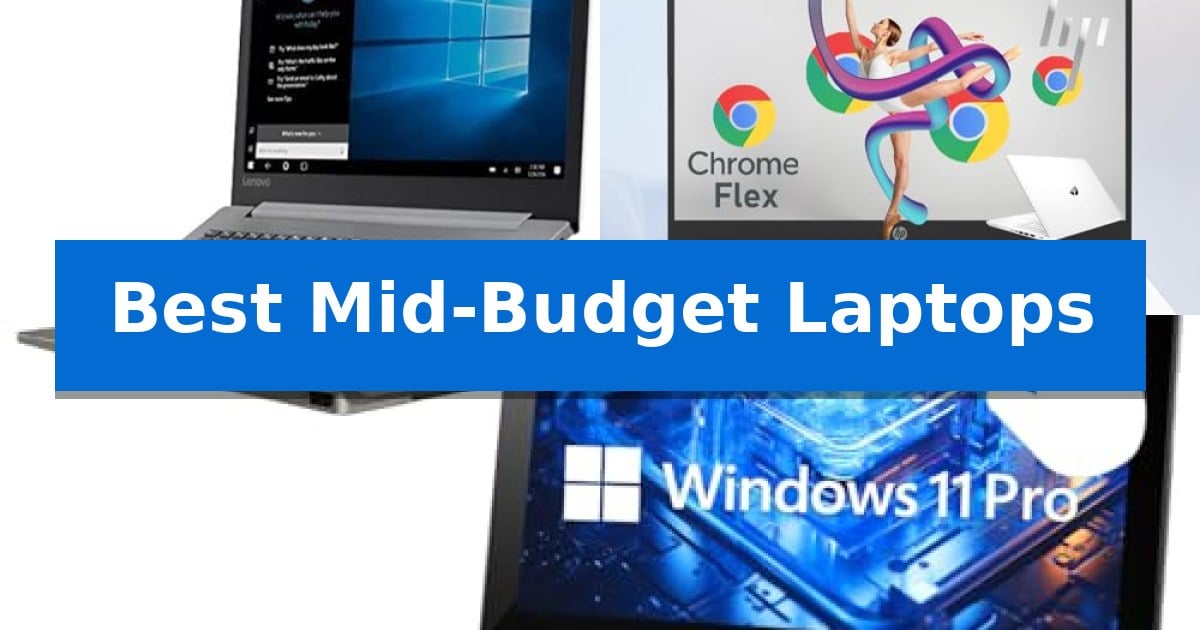
Finding the right balance between cost and capability is essential when shopping for a new computer. Whether you are a student managing coursework or a professional handling daily administrative tasks, the Best Mid-Budget Laptops offer the necessary performance without the premium price tag of high-end workstations.
Our guide focuses on practical machines that prioritize essential features like reliable processing power, sufficient memory for multitasking, and portable designs. By examining specific hardware configurations and intended use cases, we help you identify which device aligns with your daily requirements and budget constraints.
You may also want to compare Best Mid-Budget Headphones, Best Mid-Budget Gaming Laptops, and Best Mid-Budget Computer Speakers.
Best Mid-Budget Laptops
Quick Comparison
| Product | Best For | Key Strength | Score |
|---|---|---|---|
| Lenovo IdeaPad 330 Laptop | Best Overall | 1TB HDD provides significant storage space for files and media. | 4.9 |
| HP 14 Chromebook | Streamlined for Student Productivity | Focused environment with no game support | 4.7 |
| Toshiba Dynabook K50 Tablet | Versatile Two-in-One Portability | Versatile 2-in-1 design allows for use as both a tablet and a laptop. | 4.9 |
How We Chose
- Processing power and multitasking capability through RAM and CPU configurations.
- Storage capacity and the type of drive for file access and system responsiveness.
- Portability factors including weight, dimensions, and battery life for mobile use.
- Display quality and resolution for comfortable viewing of documents and media.
- Connectivity options such as available ports and wireless standards for peripheral support.
1 Lenovo IdeaPad 330 Laptop — Reliable Daily Computing
Reliable daily computing requires a balance of processing power and storage capacity, which the Lenovo Premium IdeaPad 330 15.6" HD LED Laptop PC addresses through its 8th Gen Intel Dual-Core i3-8130U processor. This unit provides a base clock speed of 2.2GHz, capable of reaching up to 3.4GHz with Turbo boost, making it suitable for standard productivity tasks and multitasking.
The laptop features 8GB of DDR4 SDRAM, ensuring efficient memory management for everyday applications. Storage is handled by a spacious 1TB 5400rpm SATA hard drive, offering ample room for documents, media, and software installations. Visuals are displayed on a 15.6-inch HD LED-backlit screen with a 1366 x 768 resolution, supported by Intel UHD Graphics 620 for integrated video processing.
Connectivity options are diverse, including 802.11ac WiFi, Bluetooth 4.0, and an integrated 10/100/1000 Ethernet port for stable wired networking. The chassis includes a USB 3.0 Type-C port, two USB 2.0 ports, an HDMI output, and an SD media reader, providing flexibility for peripherals and external displays. A built-in HD webcam and a standard headphone/microphone jack round out the essential hardware.
Designed with a Platinum Gray finish, the device measures 0.8 inches in height and weighs 4.41 pounds. It comes pre-installed with Windows 10 64-Bit Home and is rated for approximately 5 hours of battery life, offering a functional balance for users who prioritize a mix of connectivity and storage in a portable form factor.
Best for: Students and home office users who need a balance of large storage capacity and essential connectivity for daily productivity.
Skip if: Users who require high-performance gaming, intensive video editing, or all-day battery life without access to a power outlet.
PROS
- 1TB HDD provides significant storage space for files and media.
- 8GB DDR4 RAM supports smooth multitasking for general office applications.
- Versatile connectivity including USB Type-C, HDMI, and Ethernet ports.
- 8th Gen Intel i3 processor offers reliable performance with Turbo boost capabilities.
CONS
- 5400rpm hard drive may result in slower data access compared to SSD alternatives.
- 5-hour battery life is limited for extended mobile use away from a charger.
- 1366 x 768 resolution display lacks Full HD clarity.
2 HP 14 Chromebook — Streamlined for Student Productivity
The HP 14 Chromebook prioritizes a focused, distraction-free environment by intentionally omitting support for game downloads from the Google Play Store. This design choice targets students and professionals who require a streamlined device for web-based assignments, document editing, and video conferencing.
Under the hood, the system is powered by an Intel Celeron Quad-Core processor paired with 8GB of RAM, facilitating smooth multitasking for everyday productivity tasks. Storage is handled by a combination of 64GB onboard memory and an included 64GB USB flash drive, offering a total of 128GB of storage for files and applications.
Portability is a core feature of this model, which measures just 0.71 inches thin and weighs approximately 3.24 pounds. The device is rated for up to 11 hours of battery life on a single charge, with fast charging capabilities that restore 50% of the battery in 45 minutes, supporting extended use throughout the school or workday.
Pre-installed with Chrome OS Flex, the laptop provides a secure and simplified interface. Users can expand functionality by installing necessary tools directly from the Chrome Web Store, ensuring the machine remains dedicated to work-related workflows without the presence of entertainment-focused software.
Best for: Students and professionals who need a dedicated, distraction-free device for web-based productivity and document management.
Skip if: Users who require a device capable of running games from the Google Play Store or those needing high-performance hardware for intensive creative software.
PROS
- Focused environment with no game support
- 8GB RAM for efficient multitasking
- Fast charging reaching 50% in 45 minutes
- Slim and lightweight form factor
CONS
- No support for Google Play Store games
- Limited internal storage requiring reliance on external USB flash drive
3 Toshiba Dynabook K50 Tablet — Versatile Two-in-One Portability
Finding a balance between portability and utility often leads to specialized hardware like the TOSHIBA Dynabook K50 10.1" Windows Tablet, a 2-in-1 device designed to serve as both a tablet and a functional laptop. Its compact 10.1-inch form factor and integrated dock make it a candidate for users who prioritize mobility for educational apps, web browsing, or light productivity tasks.
At the heart of the TOSHIBA Dynabook K50 is an Intel Celeron N4020 dual-core processor paired with 4GB of RAM. This configuration is optimized for everyday computing, such as managing browser tabs or streaming video. The device includes 64GB of eMMC storage, providing space for essential files and applications, while the pre-installed Windows 11 Pro offers professional-grade security and remote management features.
The hardware design emphasizes connectivity, featuring a USB Type-C port, a USB Type-A port, an audio jack, and a microSD card slot. When attached to its dock, the unit gains an HDMI port, facilitating connections to external monitors or projectors for presentations. The 1280 x 720 HD touchscreen display provides a clear interface for interaction, and the overall weight of 2.6 pounds ensures it remains easy to transport.
This device is a practical choice for those who need a versatile, lightweight machine for basic tasks. While it is not intended for high-performance computing, its combination of a detachable design and Windows 11 Pro environment makes it a functional tool for students or mobile professionals who require a compact, reliable system.
Best for: Students and mobile professionals needing a lightweight, 2-in-1 device for basic web browsing, presentations, and light productivity tasks.
Skip if: Users who require high-performance processing power, extensive local storage, or a large screen for intensive creative or multitasking workflows.
PROS
- Versatile 2-in-1 design allows for use as both a tablet and a laptop.
- Windows 11 Pro provides advanced security and remote management capabilities.
- Comprehensive port selection including HDMI, USB-C, and USB-A for peripheral connectivity.
- Compact and lightweight form factor weighing only 2.6 pounds.
CONS
- Limited processing power with the Intel Celeron N4020, suitable only for basic tasks.
- Modest storage capacity of 64GB eMMC may require external storage for large file libraries.
Best Mid-Budget Laptops Buying Guide
Processor and RAM Requirements
The processor is the engine of your laptop, determining how quickly it handles applications. For general productivity, look for dual-core or quad-core processors that offer a balance between speed and power efficiency.
Memory, or RAM, is equally critical for smooth multitasking. We recommend at least 8GB of RAM to ensure that your system remains responsive when running multiple browser tabs or office applications simultaneously.
Storage Types and Capacities
Storage impacts how fast your laptop boots up and how quickly files open. Traditional hard drives offer high capacity at a lower cost, while solid-state drives provide significantly faster data access speeds.
Consider your storage needs based on your workflow. If you store large media files locally, a higher capacity drive is beneficial; however, for cloud-based work, a smaller, faster drive is often more efficient.
Display and Portability
Screen size and resolution dictate your visual experience. A 15.6-inch display provides more workspace for multitasking, while smaller 10-14 inch screens are generally better for users who prioritize portability.
Weight is a major factor if you carry your laptop daily. Lightweight designs under 4 pounds are ideal for students and commuters, whereas heavier units may be better suited for stationary use.
Connectivity and Ports
Ensure your laptop has the necessary ports to connect your peripherals. Look for a mix of USB Type-A and Type-C ports, as well as HDMI for external displays or projectors.
Wireless connectivity, specifically 802.11ac Wi-Fi and Bluetooth, is essential for modern networking and connecting wireless accessories like mice or headphones.
Operating System and Software
Your choice of operating system defines your software compatibility. Windows-based laptops offer broad support for standard desktop applications, while ChromeOS provides a streamlined, web-centric experience.
Consider whether your tasks require specific software that is only available on certain platforms. Always check the system requirements of your most-used applications before finalizing your purchase.
Frequently Asked Questions
How much RAM do I really need for a mid-budget laptop?
For most daily tasks like web browsing, document editing, and video conferencing, 8GB of RAM is the recommended standard to ensure smooth performance.
Are Chromebooks suitable for professional work?
Chromebooks are excellent for web-based professional tasks, such as cloud document editing and video meetings, provided your workflow does not require specialized desktop-only software.
Can I upgrade the storage on these laptops later?
Upgradability varies by model. Some laptops allow for drive replacements, while others have soldered components. It is best to choose a configuration that meets your storage needs at the time of purchase.
What is the benefit of a 2-in-1 laptop?
A 2-in-1 laptop offers the versatility of both a traditional notebook and a tablet, making it useful for users who need to switch between typing and touch-based interaction.
Does a higher processor clock speed always mean better performance?
Clock speed is one factor, but architecture and the number of cores also play a significant role. A modern, efficient processor often outperforms an older chip with a higher raw clock speed.
Conclusion: Our Top Pick
When selecting from the available options, the Lenovo IdeaPad 330 Laptop stands out as the most balanced choice for users seeking a reliable daily computing experience. Its combination of an Intel i3 processor, 8GB of RAM, and a spacious 1TB hard drive provides a solid foundation for standard office tasks and general media consumption.
While it may not be the lightest option on the market, its performance-to-price ratio makes it a dependable workhorse for those who prioritize functional hardware over extreme portability. If you require a machine that handles everyday workloads consistently, this model is our top recommendation.