
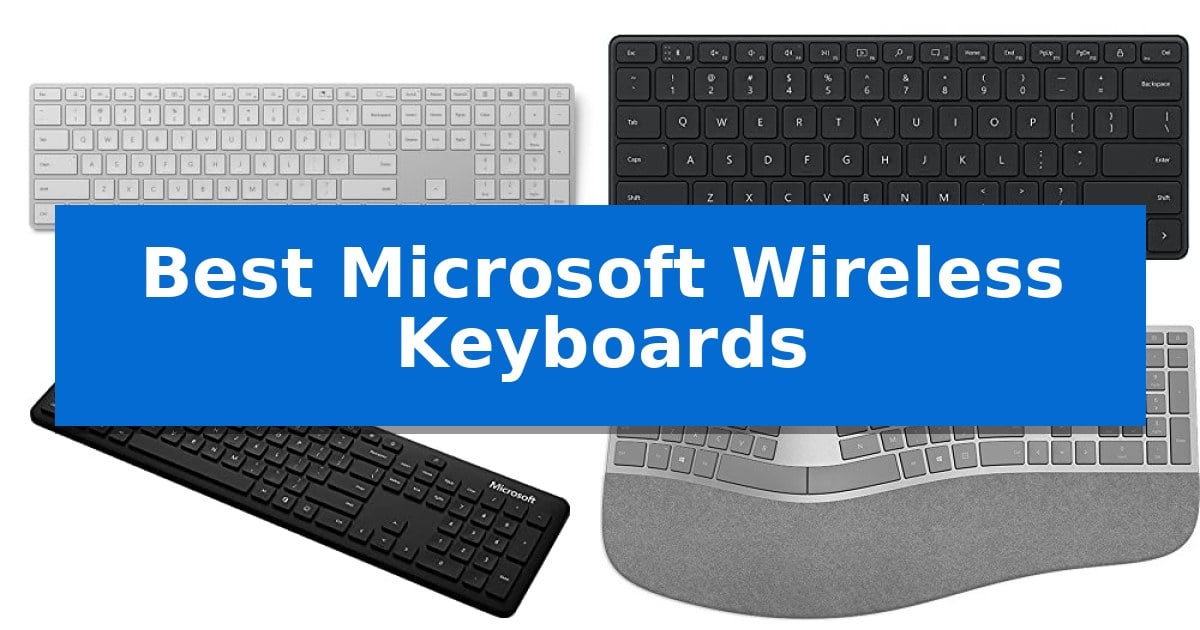
Finding the right input device can significantly impact your daily efficiency and comfort. Whether you are upgrading your home office or seeking a more streamlined workspace, selecting from the Best Microsoft Wireless Keyboards requires balancing your specific layout needs with connectivity preferences.
This guide examines five distinct models, ranging from compact, multi-device solutions to ergonomic designs tailored for long-term comfort. We focus on how these keyboards integrate into your existing Windows environment, ensuring you make an informed decision based on your unique typing habits and desk space constraints.
You may also want to compare Best Microsoft Wireless Keyboard and Mouse Combos, Best Microsoft Wireless Keyboard and Mouse, and Best Microsoft Wired Mouse.
Best Microsoft Wireless Keyboards
Quick Comparison
| Product | Best For | Key Strength | Score |
|---|---|---|---|
| Microsoft Surface Keyboard | Best Overall | Dedicated Copilot key for quick access to Windows 11 AI features. | 4.9 |
| Microsoft Designer Compact Keyboard | Multi-Device Productivity | Multi-device connectivity allows for seamless switching between three paired devices. | 4.7 |
| Microsoft Bluetooth Keyboard | Slim Profile for Office Tasks | Slim, modern design that saves desk space. | 4.7 |
| Microsoft Surface Ergonomic Keyboard | Natural Typing Comfort | Natural arc and slope design for improved ergonomic posture. | 4.8 |
| Microsoft Desktop 850 Keyboard | Secure Encrypted Wireless Input | Advanced Encryption Standard (AES) protects keystroke data. | 4.4 |
How We Chose
- Connectivity reliability and pairing ease.
- Ergonomic design and typing comfort.
- Space-saving footprint and portability.
- Integrated productivity shortcuts and specialized keys.
- Compatibility with Windows operating systems and Surface devices.
1 Microsoft Surface Keyboard — Modern Design for Windows 11
A dedicated Copilot key defines the Microsoft Surface Keyboard (2nd Edition), providing immediate access to modern Windows 11 features directly from your workspace. This peripheral is designed to integrate seamlessly with Surface Pro and Laptop lineups, offering a clean aesthetic that matches the hardware it supports.
Beyond its specialized Windows keys, the device prioritizes a comfortable and responsive typing experience for daily tasks. It includes a suite of convenient shortcuts for functions like Call mute, Snip & Sketch, and Expressive input, which streamline common interactions without requiring complex software configurations. These shortcuts allow users to manage communication and capture screen content instantly, reducing the need to navigate through system menus.
Connectivity is handled via a wireless Bluetooth 4.0 connection, maintaining a stable link within a 16-foot range. The hardware is built for longevity, featuring an efficient power management system that allows for battery life lasting up to a full year, reducing the frequency of maintenance. This extended battery performance makes the keyboard a reliable choice for users who prefer a set-and-forget peripheral.
With a slim profile measuring only 0.76 inches in height, this keyboard is optimized for desk setups where space and minimalist design are prioritized. It serves as a reliable input tool for users already embedded in the Surface ecosystem who require a dedicated, native-feeling typing solution. While it lacks backlighting or multi-device switching, its focus remains on providing a streamlined, consistent experience for Surface Pro and Laptop owners.
Best for: Users of Surface Pro and Surface Laptop devices who want a native, minimalist keyboard with dedicated Windows 11 and Copilot shortcuts.
Skip if: Users who require mechanical switches, backlighting, or multi-device switching capabilities, as this model is optimized for a singular, streamlined Surface experience.
PROS
- Dedicated Copilot key for quick access to Windows 11 AI features.
- Long battery life of up to one year.
- Integrated shortcut keys for common productivity tasks like muting calls and screen clipping.
- Sleek, low-profile design that complements Surface hardware.
CONS
- Limited to Bluetooth 4.0 connectivity.
- Lacks advanced features such as backlighting or multi-device pairing.
2 Microsoft Designer Compact Keyboard — Multi-Device Productivity
Maintaining a clean, efficient workspace often begins with minimizing cable clutter and optimizing desk real estate. The Microsoft Designer Compact Keyboard addresses this by offering a slim, low-profile footprint that facilitates a comfortable, close mouse position, allowing for a more ergonomic setup during extended work sessions.
Designed for versatility, this keyboard features optimized key spacing and travel to support fluid, responsive typing. Beyond its physical build, it integrates an expressive input key for rapid access to emojis and symbols, streamlining communication tasks. The device is built to complement modern aesthetics with a sleek, matte black finish.
Connectivity is a primary focus, as the keyboard allows users to connect up to 3 devices and switch between them seamlessly. This capability makes it a practical choice for those who manage multiple workstations or mobile devices simultaneously, ensuring a consistent typing experience across different hardware environments.
This keyboard is a specialized tool for users prioritizing a minimalist desk aesthetic and multi-device efficiency. While it provides a refined typing feel, its compact nature means it lacks a dedicated number pad, which may be a consideration for users who frequently perform data entry tasks.
Best for: Users who require a space-saving, multi-device keyboard for seamless switching between computers and mobile hardware.
Skip if: Users who rely on a dedicated numeric keypad for frequent data entry or accounting tasks.
PROS
- Multi-device connectivity allows for seamless switching between three paired devices.
- Compact, low-profile design saves significant desk space.
- Optimized key travel provides a fluid and comfortable typing experience.
- Expressive input key offers quick access to symbols and emojis.
CONS
- Lacks a dedicated numeric keypad due to its compact form factor.
3 Microsoft Bluetooth Keyboard — Slim Profile for Office Tasks
Maintaining a clean and efficient workspace often starts with reducing cable clutter, and the Microsoft Bluetooth Keyboard offers a streamlined solution for users seeking a minimalist desktop setup. This keyboard features a slim, modern design that provides a solid, durable feel while integrating seamlessly into professional environments focused on Windows and Office 365 workflows.
Connectivity is handled via Bluetooth, allowing for a quick and reliable link to your Windows laptop or PC. The device supports Swift Pair technology, which enables immediate connection right out of the box, removing the need for complex configuration. This focus on ease of use makes it a practical choice for those who frequently switch between devices or need a reliable secondary input method.
Productivity is enhanced through a suite of built-in shortcuts, including dedicated keys for Office 365, search, emojis, and media controls. These additions allow for rapid access to common tasks like screen snipping, calculator functions, and volume adjustments. With an extra-long battery life of up to 2 years, the keyboard is designed to minimize maintenance, ensuring it remains ready for daily office tasks without frequent power interruptions.
The Microsoft Bluetooth Keyboard is built with a focus on functional ergonomics and workspace optimization. Its dimensions of 17.12 x 4.87 x 0.75 inches provide a full-size layout that remains compact enough to fit comfortably on most desks. For users looking to create a cohesive environment, the keyboard is designed to pair effectively with the Microsoft Bluetooth mouse, completing a unified desktop aesthetic.
Best for: Users seeking a slim, wireless keyboard with dedicated shortcuts for Windows and Office 365 productivity.
Skip if: Users who require mechanical switches, backlighting, or multi-device switching capabilities beyond standard Bluetooth pairing.
PROS
- Slim, modern design that saves desk space.
- Swift Pair functionality for fast, easy connection to Windows PCs.
- Dedicated shortcuts for Office 365, emojis, and media controls.
- Long battery life rated for up to 2 years of use.
CONS
- Lacks backlighting for low-light environments.
- Standard membrane keys may not satisfy users preferring mechanical tactile feedback.
4 Microsoft Surface Ergonomic Keyboard — Natural Typing Comfort
The Microsoft 3RA-00022 Surface Ergonomic Wireless Keyboard is engineered with a distinctive natural arc and slope design, specifically crafted to promote a more relaxed wrist and forearm posture during extended typing sessions. This keyboard integrates a double-cushioned palm rest finished in premium Alcantara, providing a soft, tactile surface that enhances comfort while maintaining a refined aesthetic.
Connectivity is handled via Bluetooth Low Energy (4.0/4.1), offering a reliable wireless range of up to 32 feet. This interface is designed for seamless integration with Windows 10 devices that support Human Interface Device (HID) protocols, making it a tailored companion for the Surface Pro 4, Surface Book, and Surface Studio ecosystems.
Measuring 18.11 inches in length and weighing 2.23 pounds, the keyboard provides a stable, substantial footprint on your desk. The wireless frequency operates within the 2.400 MHz to 2483.5 MHz range, ensuring consistent communication with your host device without the clutter of physical cables.
While the Microsoft 3RA-00022 Surface Ergonomic Wireless Keyboard prioritizes ergonomic alignment, its specialized layout requires a period of adjustment for users accustomed to traditional flat, rectangular keyboards. It is a purpose-built peripheral for users deeply integrated into the Windows 10 environment who value both structural support and material quality.
Best for: Users of Surface devices seeking an ergonomic typing experience with premium material finishes.
Skip if: Users who prefer a compact or portable keyboard, or those who require multi-device switching capabilities beyond Windows 10.
PROS
- Natural arc and slope design for improved ergonomic posture.
- Double-cushioned Alcantara palm rest for enhanced comfort.
- Stable wireless connectivity via Bluetooth 4.0/4.1.
CONS
- Large footprint may not suit smaller desk spaces.
- Windows 10 specific compatibility requirements.
5 Microsoft Desktop 850 Keyboard — Secure Encrypted Wireless Input
Protecting sensitive information during daily computing tasks is a priority for many, and the Microsoft Keyboard/Mouse PY9-00002 Desktop 850 Combo Wireless Black with AES Retail addresses this by integrating Advanced Encryption Standard (AES) technology. This feature encodes your keystrokes, providing a layer of security for personal and business data as you type.
Designed for a clutter-free workspace, this combo utilizes 2.4GHz wireless connectivity to maintain a reliable link between the peripherals and your computer. The system offers an operational range of up to 15 feet, allowing for flexibility in how you arrange your desk or interact with your device from a distance.
The included mouse features Optical Technology with 1000 dpi for responsive cursor control and utilizes LED optical tracking for consistent performance. For added convenience, the snap-in transceiver is designed to stow directly under the mouse, making it easy to keep track of the hardware when moving between locations.
Navigation is streamlined through dedicated Windows shortcut keys, which provide quick access to frequently used functions. Additionally, the keyboard includes integrated media keys for direct control over music and video playback, ensuring essential tools are always within reach during work or leisure.
Best for: Users seeking a secure, entry-level wireless keyboard and mouse combo with integrated encryption for basic office tasks.
Skip if: Users who require advanced ergonomic designs, mechanical switches, or multi-device Bluetooth connectivity will find this basic 2.4GHz-only model too limited.
PROS
- Advanced Encryption Standard (AES) protects keystroke data.
- 2.4GHz wireless provides a reliable 15-foot range.
- Snap-in transceiver storage prevents loss of the USB receiver.
- Integrated media and Windows shortcut keys improve workflow efficiency.
CONS
- Limited to 2.4GHz wireless connectivity only.
- Lacks advanced ergonomic features or specialized mechanical switches.
Best Microsoft Wireless Keyboards Buying Guide
Connectivity and Compatibility
Most modern wireless keyboards utilize Bluetooth technology to maintain a clean, cable-free desk. When choosing, ensure your computer supports the required Bluetooth version to maintain a stable connection without latency.
Some models include proprietary transceivers for a 2.4GHz connection, which can be beneficial if your computer lacks built-in Bluetooth or if you prefer a dedicated, interference-free link.
Ergonomic Considerations
If you spend hours typing daily, an ergonomic layout can help reduce strain on your wrists and forearms. Look for keyboards with a natural arc or slope that promotes a more relaxed hand position.
Consider the inclusion of a cushioned palm rest, which provides essential support during extended sessions. Materials like Alcantara offer both a premium feel and added comfort.
Layout and Form Factor
The physical size of your keyboard dictates how much desk space remains for your mouse and other peripherals. Compact designs are ideal for smaller workspaces or mobile setups where every inch counts.
Full-sized keyboards provide a dedicated number pad, which is indispensable for data entry tasks. Evaluate whether your workflow requires the speed of a numpad or the mouse-positioning benefits of a compact frame.
Productivity Shortcuts
Modern keyboards often feature dedicated shortcut keys that provide instant access to system functions. Keys for Copilot, screen snipping, or media controls can save significant time throughout your workday.
Check for customizable input keys that allow you to quickly access emojis, symbols, or specific applications, streamlining your interaction with Windows 11.
Battery Life and Maintenance
Wireless efficiency is a critical factor for long-term satisfaction. Some models offer battery life lasting up to two years, minimizing the frequency of replacements.
Consider the ease of cleaning and the durability of the key switches. A low-profile design is generally easier to wipe down, while high-quality construction ensures the keyboard remains responsive over years of use.
Frequently Asked Questions
Are these keyboards compatible with macOS?
While many of these models are designed primarily for Windows, some offer compatibility with other operating systems via Bluetooth. Always check the specific product specifications for cross-platform support.
How do I pair my keyboard?
Most Microsoft wireless keyboards pair via Bluetooth settings on your PC. Some models support features like Swift Pair for an even faster connection process.
What is the benefit of the Copilot key?
The dedicated Copilot key provides instant access to AI-powered experiences and features integrated directly into the Windows 11 environment.
Can I connect multiple devices at once?
Certain models, such as the Designer Compact Keyboard, allow you to pair with up to three devices and switch between them seamlessly.
Do I need a USB receiver?
It depends on the model. Some rely exclusively on Bluetooth, while others include a USB transceiver for a 2.4GHz wireless connection.
Conclusion: Our Top Pick
Selecting the right keyboard depends on your specific balance of desk space, ergonomic needs, and the desire for modern Windows shortcuts. For most users, the Microsoft Surface Keyboard stands out as the most versatile option, offering a sleek, reliable, and comfortable typing experience that integrates perfectly with modern Windows devices.
If you prioritize portability or multi-device switching, the other models in this list provide specialized solutions to meet those needs. Regardless of your choice, transitioning to a high-quality wireless setup will undoubtedly improve your daily productivity and workspace organization.