
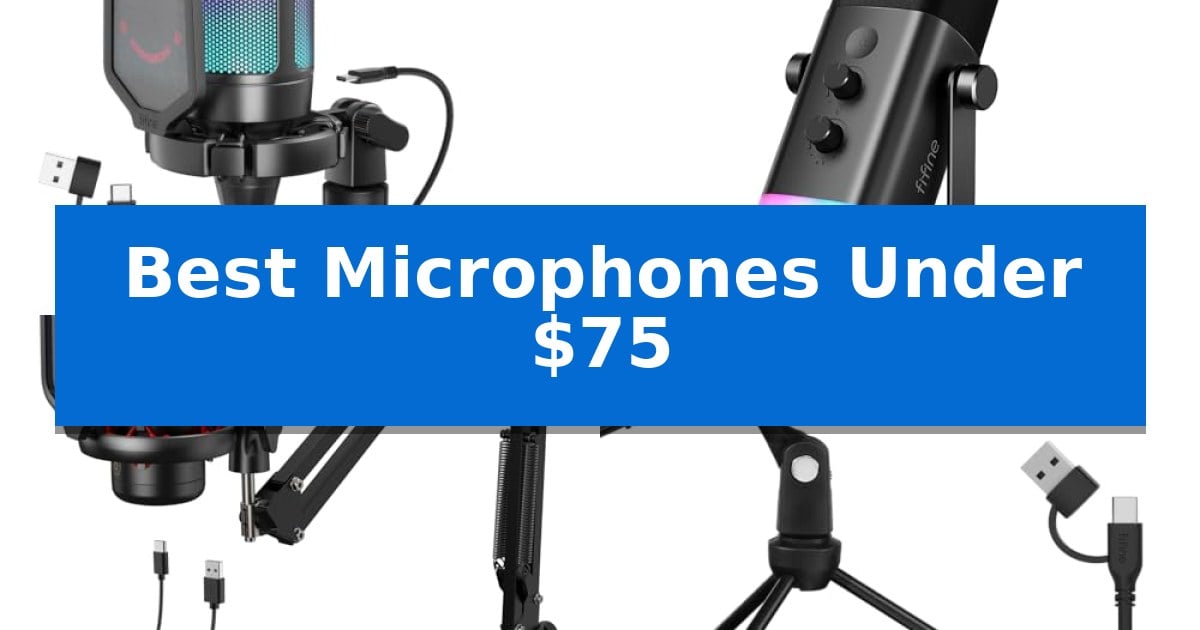
Finding high-quality audio gear on a limited budget can be challenging, but modern hardware has made professional-sounding recordings more accessible than ever. Whether you are building a streaming setup, recording voice-overs, or simply need clearer audio for online meetings, you do not need to spend hundreds of dollars to achieve excellent results.
Our guide highlights the Best Microphones Under $75 that prioritize essential features like plug-and-play connectivity, intuitive controls, and durable construction. By focusing on these core capabilities, you can find a reliable solution that fits your specific workflow without compromising on the clarity your audience expects.
You may also want to compare Best Microphones Under $50 for Singing, Best Microphones Under $50 for Live Performance, and Best Microphones Under $50.
Best Microphones Under $75
Quick Comparison
| Product | Best For | Key Strength | Score |
|---|---|---|---|
| FIFINE AmpliGame A6V USB Microphone | Best Overall | Plug-and-play compatibility with PC and consoles. | 4.9 |
| FIFINE AmpliGame AM8 Dynamic Microphone | Dual USB and XLR Versatility | Dual USB/XLR connectivity for future-proof recording flexibility. | 4.7 |
| TONOR TC310+ USB Microphone Kit | Complete Setup with Boom Arm | All-in-one kit includes a durable metal boom arm and mounting hardware. | 4.8 |
| FIFINE K669B USB Condenser Microphone | Reliable Metal Build for Beginners | Solid metal construction provides long-term durability. | 4.3 |
| CMTECK G009 USB Computer Microphone | Compact Choice for Desktop Use | Flexible 360-degree gooseneck for easy positioning. | 4.5 |
How We Chose
- Audio Fidelity: Assessing the clarity and frequency response capabilities of the condenser or dynamic capsules.
- Connectivity and Compatibility: Evaluating the ease of setup across PC, Mac, and gaming consoles via USB or XLR interfaces.
- Control and Functionality: Checking for onboard features like gain knobs, mute buttons, and real-time monitoring jacks.
- Build Quality and Accessories: Considering the durability of the housing and the utility of included items like shock mounts, pop filters, and stands.
- Versatility: Determining how well the microphone adapts to different environments such as home studios, gaming rigs, or office spaces.
1 FIFINE AmpliGame A6V USB Microphone — Award-Winning Design for Gamers
Achieving clear, professional-sounding audio for streaming or gaming does not require a complex studio setup. The FIFINE AmpliGame A6V USB Gaming Microphone simplifies the process by integrating essential recording tools directly into a compact, plug-and-play package that connects via a 6.6ft-long detachable USB cable.
This condenser microphone features a cardioid polar pattern and a 70dB SNR, which work together to prioritize your voice while minimizing background noise. The device is built for immediate usability, featuring an intuitive gain control knob and a quick mute button that toggles the gradient RGB lighting off, providing a clear visual indicator of your status during live sessions.
Designed with the gamer in mind, the unit includes a specialized anti-vibration shock mount with four rubber bands to dampen mechanical noise from keyboard taps and mouse clicks. It also comes with a detachable pop filter to manage plosives, all supported by a stable tripod stand with adjustable rubber feet for precise positioning on your desk.
Compatibility is straightforward, as the microphone functions with Windows, Mac OS, PS4, and PS5 without the need for additional software drivers. Whether you are coordinating with teammates on Discord or broadcasting on Twitch, this microphone provides a functional, all-in-one solution for desktop audio.
Best for: Gamers and streamers looking for a plug-and-play audio solution with integrated noise-dampening accessories and visual status indicators.
Skip if: Users who require an XLR connection for professional audio interfaces or those who need a boom arm mount rather than a tripod stand.
PROS
- Plug-and-play compatibility with PC and consoles.
- Includes anti-vibration shock mount and pop filter.
- Quick mute button with integrated RGB status light.
- Adjustable gain control for convenient volume management.
CONS
- Tripod stand footprint may occupy significant desk space.
- Fixed RGB lighting patterns may not suit all aesthetic preferences.
2 FIFINE AmpliGame AM8 Dynamic Microphone — Dual USB and XLR Versatility
The FIFINE AmpliGame AM8 Dynamic Microphone offers a unique dual-connectivity approach, allowing users to switch between USB and XLR interfaces depending on their recording setup. This flexibility makes it a versatile tool for creators who may start with a simple plug-and-play USB connection and eventually transition to a professional audio interface or mixer.
Designed with a cardioid dynamic capsule, this microphone focuses on capturing sound directly in front of the element while rejecting off-axis noise. It features a frequency response of 50Hz-16KHz, providing a balanced range for vocal clarity. For those using the USB connection, the device includes a tap-to-mute button with an LED indicator, a headphone jack for real-time monitoring, and a gain control knob to adjust input levels without needing post-production software.
The build quality incorporates 3/8'' and 5/8'' metal threads, ensuring compatibility with a wide range of microphone stands and boom arms without requiring extra adapters. To further improve audio quality, the included noise-canceling windscreen helps minimize hum from nearby electrical appliances. When connected via USB, users can also toggle through RGB lighting modes to match their gaming or studio aesthetic.
While the microphone is highly adaptable, it is important to note that the RGB lighting, mute button, and gain controls are only active during USB operation. When utilizing the XLR connection, the microphone functions as a standard analog device, relying on the connected interface for all power and signal processing. This design choice ensures that users have full control over their signal chain when moving to professional-grade hardware.
Best for: Beginner and intermediate creators who need a versatile microphone that can start as a simple USB device and upgrade to an XLR setup later.
Skip if: Users who require advanced onboard processing or dedicated software control for the XLR connection, as those features are limited to USB mode.
PROS
- Dual USB/XLR connectivity for future-proof recording flexibility.
- Tap-to-mute button with LED indicator for quick privacy control.
- Integrated headphone jack and gain knob for real-time monitoring.
- Universal mounting threads compatible with most standard boom arms.
CONS
- Limited functionality in XLR mode, as RGB and onboard controls are USB-only.
3 TONOR TC310+ USB Microphone Kit — Complete Setup with Boom Arm
Achieving professional-grade audio for streaming or gaming often requires a dedicated setup, and the TONOR TC310+ USB Microphone Kit provides a comprehensive solution right out of the box. This all-in-one package centers on a condenser microphone designed for high-fidelity reproduction, ensuring clear communication during intense gaming sessions or content creation.
The hardware is built for practical utility, featuring a metal-made boom arm with a sturdy clamp that accommodates desks up to 2.36 inches thick. The arm includes multiple adjustable joints, allowing users to position the microphone precisely relative to their monitor and desk space. Connectivity is straightforward via a USB interface, which supports plug-and-play functionality for PC users.
Control and customization are integrated directly into the microphone body. Users can manage audio levels using the gain control dial located on the top, while a tap-to-mute function provides an immediate way to silence the input. For visual flair, the microphone includes vibrant RGB lighting with four distinct modes, including breathing and gradient effects, which can be adjusted for brightness via a long tap on the lighting control icon.
While the kit offers a complete hardware ecosystem, users should ensure their workspace can accommodate the boom arm's footprint. The microphone relies on a stable USB 2.0 or 3.0 connection to maintain its performance, making it a reliable choice for those seeking a streamlined, desk-mounted audio setup without the need for additional external interfaces.
Best for: Content creators and gamers seeking an all-in-one, desk-mounted microphone solution with integrated lighting and physical audio controls.
Skip if: Users who require a portable, handheld microphone or those whose desk configuration cannot support a clamp-on boom arm.
PROS
- All-in-one kit includes a durable metal boom arm and mounting hardware.
- On-mic controls for gain adjustment and tap-to-mute functionality.
- Customizable RGB lighting with multiple modes and brightness settings.
CONS
- Boom arm mounting requires a compatible desk edge for the clamp.
- Wired USB connection limits mobility compared to wireless alternatives.
4 FIFINE K669B USB Condenser Microphone — Reliable Metal Build for Beginners
The FIFINE K669B USB Condenser Microphone distinguishes itself with a solid metal construction that provides a durable foundation for desktop recording, streaming, and voice-over work. Unlike many lightweight plastic alternatives, this microphone is built to withstand frequent use, making it a reliable choice for those looking to upgrade their audio setup without exceeding a modest budget.
Designed for simplicity, this microphone features a plug-and-play USB connection that eliminates the need for complex audio interfaces or external phantom power. It connects directly to a computer's USB-A port, ensuring compatibility with most Windows and Mac systems. The inclusion of a 5.9-foot USB cable provides sufficient reach for various desk configurations, while the stable tripod stand keeps the unit secure during operation.
A key functional highlight is the integrated volume knob, which allows users to adjust sensitivity directly on the device. This control is particularly useful for managing input levels during gaming or video calls, and it can be turned to zero to ensure privacy when the microphone is not in use. The cardioid polar pattern is specifically engineered to focus on the sound source directly in front of the mic, which helps in reducing unwanted background noise during broadcasts or meetings.
While this microphone is highly capable for daily tasks like Discord, Zoom, and YouTube content creation, it is important to note its limitations. It is not compatible with gaming consoles like the Xbox or mobile phones, and it requires users to manage software-level settings—such as disabling automatic volume adjustments in applications like Zoom—to maintain consistent recording levels. For users seeking a straightforward, durable, and cost-effective entry point into USB audio, the FIFINE K669B USB Condenser Microphone offers a practical balance of build quality and essential functionality.
Best for: Beginners and content creators who need a durable, plug-and-play USB microphone for desktop streaming, voice-overs, and online meetings.
Skip if: Users who require compatibility with gaming consoles like Xbox or mobile devices, or those who need an XLR-based professional audio setup.
PROS
- Solid metal construction provides long-term durability.
- Plug-and-play USB setup requires no external phantom power.
- Integrated volume knob allows for quick, on-the-fly sensitivity adjustments.
- Cardioid pickup pattern helps isolate the primary voice source from background noise.
CONS
- Limited compatibility as it does not work with Xbox or mobile phones.
- Manual software configuration is often required to prevent automatic volume fluctuations in specific apps.
5 CMTECK G009 USB Computer Microphone — Compact Choice for Desktop Use
The CMTECK G009 USB Computer Microphone features a flexible, adjustable gooseneck metal pipe that allows for 360-degree positioning, making it a practical choice for users who need to optimize their desktop workspace. This compact device is designed for straightforward operation, requiring no drivers and functioning as a plug-and-record solution for Windows and Mac systems.
Equipped with the CMTECK CCS2.0 SMART CHIP, this microphone utilizes an omnidirectional polar pattern to capture audio. It includes active noise-cancelling technology intended to block background noise, while an integrated pop filter is designed to mitigate plosives during recording or online communication.
Usability is enhanced by a dedicated mute button featuring an LED indicator. The light provides a clear visual status of the microphone: a green light signifies it is connected and active, while a red light indicates the device is in mute mode. Its small footprint and stable base are specifically engineered to maximize available desk space.
This microphone is compatible with Windows 7, 8, and 10, as well as Mac OS and PS4 consoles. It does not require an external power supply, drawing power directly through the USB connection. Note that this model is not compatible with Raspberry Pi, Linux, or Android operating systems.
Best for: Users seeking a compact, plug-and-play microphone for online chatting, dictation, and basic home studio tasks on Windows or Mac.
Skip if: Users requiring compatibility with Linux, Android, or Raspberry Pi systems, or those needing professional-grade XLR connectivity.
PROS
- Flexible 360-degree gooseneck for easy positioning.
- Plug-and-play USB connectivity with no driver installation required.
- Integrated mute button with clear LED status indicators.
- Active noise-cancelling chip and built-in pop filter.
CONS
- Limited OS compatibility (not compatible with Linux, Android, or Raspberry Pi).
Best Microphones Under $75 Buying Guide
Understanding Microphone Types
When shopping for a microphone, you will primarily encounter condenser and dynamic designs. Condenser microphones are generally more sensitive and capture a wider frequency range, making them ideal for studio-quality vocal recordings and detailed voice-overs in quiet environments.
Dynamic microphones are typically more robust and better at rejecting background noise, which makes them a popular choice for gaming or streaming in rooms that are not acoustically treated. Choosing between them depends on your recording environment and the specific sound profile you want to achieve.
The Importance of Polar Patterns
The polar pattern dictates how a microphone captures sound from different directions. Most entry-level USB microphones utilize a cardioid pattern, which is highly sensitive to sound directly in front of the capsule while rejecting noise from the sides and rear.
This directional focus is crucial for streamers and podcasters, as it helps isolate your voice from keyboard clicks, mouse movements, and ambient room noise. Always ensure your chosen microphone features a pattern that suits your specific desk arrangement.
Connectivity and Ease of Use
For most users, USB plug-and-play connectivity is the most convenient option. These microphones act as their own audio interface, allowing you to connect directly to your computer or console without needing external hardware like a mixer or pre-amp.
If you are looking for long-term flexibility, some models offer dual USB and XLR connectivity. This allows you to start with a simple USB setup and later upgrade to a professional audio interface as your production needs grow.
Essential Onboard Controls
Having physical controls directly on the microphone body can significantly improve your workflow. A gain knob allows you to adjust the input sensitivity on the fly, ensuring your audio levels remain consistent without needing to open software settings.
A quick-mute button is another vital feature for gamers and streamers, providing an immediate way to silence your feed during interruptions. Look for models that include a visual indicator, such as an LED light, to confirm when the microphone is muted.
Optimizing Your Recording Environment
Even the best microphone can struggle if your environment is poor. Using a shock mount helps isolate the microphone from vibrations caused by desk bumps or keyboard typing, while a pop filter effectively reduces plosive sounds—the harsh 'p' and 'b' noises that can distort audio.
Positioning is equally important; keeping the microphone at an appropriate distance—typically 2 to 6 inches from your mouth—will provide the most natural and intelligible sound. Investing in a stable boom arm or stand can help you maintain this optimal distance consistently.
Frequently Asked Questions
Do I need an audio interface for these microphones?
Most of the microphones listed are USB-based and do not require an external audio interface. However, if you choose a model with XLR capabilities, you will need an interface or mixer to connect it to your computer.
Are these microphones compatible with gaming consoles?
Many USB microphones are compatible with PS4 and PS5 consoles. Always check the product specifications to ensure it supports your specific platform, as some may not be compatible with Xbox or mobile devices.
What is the difference between gain and volume?
Gain controls the sensitivity of the microphone's input, determining how much signal is captured. Volume, or monitoring level, typically refers to the output level you hear through your headphones.
Can I use these for professional podcasting?
Yes, many entry-level microphones offer excellent clarity suitable for podcasting. The key is to optimize your recording environment and microphone placement to get the best possible sound.
Do I need to install special software?
Most USB microphones are plug-and-play, meaning they use your computer's native drivers. You may need to adjust settings within your recording or streaming software, but dedicated proprietary software is rarely required.
Conclusion: Our Top Pick
Selecting the right microphone depends on your specific needs, whether you prioritize simple USB connectivity or the potential for future XLR upgrades. By focusing on models that offer clear audio capture and essential physical controls, you can significantly enhance your content creation or communication setup.
For most users, the FIFINE AmpliGame A6V USB Microphone stands out as the most balanced choice. Its award-winning design, combined with a convenient tap-to-mute feature, intuitive gain control, and essential accessories like a shock mount and pop filter, provides a comprehensive, high-quality solution that is ready to use right out of the box.