
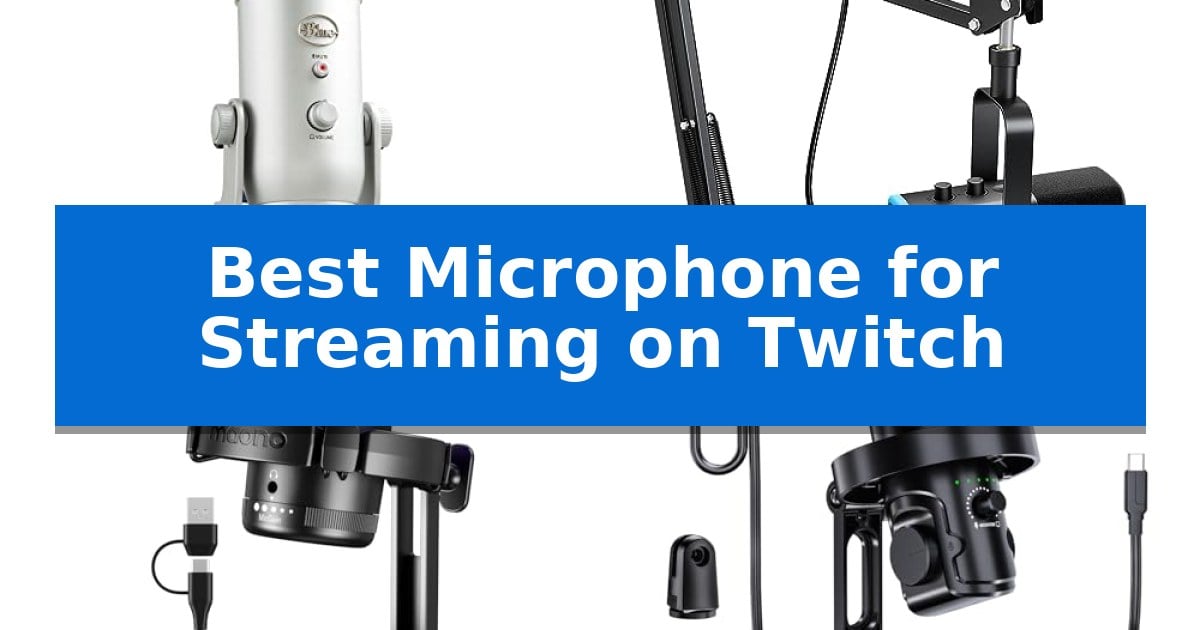
Finding the right audio equipment is a foundational step for any creator looking to build a professional presence. A high-quality microphone ensures your voice remains clear and engaging, cutting through the background noise of intense gaming sessions or long-form commentary.
We have analyzed the market to identify the Best Microphone for Streaming on Twitch for various setups. Whether you need a simple plug-and-play solution or a versatile hybrid interface, these options help you achieve consistent, broadcast-ready audio for your audience.
You may also want to compare Best Microphone for Streaming on Android, Best Microphone for Streaming Music, and Best Microphone for Streaming Live Music.
Best Microphone for Streaming on Twitch
Quick Comparison
| Product | Best For | Key Strength | Score |
|---|---|---|---|
| Logitech Blue Yeti USB Microphone | Best Overall | Four selectable pickup patterns for diverse recording scenarios | 4.9 |
| FIFINE AmpliGame AM8T Microphone | Hybrid XLR and USB Connectivity | Hybrid USB/XLR connectivity for versatile setup options. | 4.9 |
| MAONO DGM20 USB Gaming Microphone | Smart Noise Cancellation Tech | One-key noise cancellation for immediate background sound suppression. | 4.6 |
| tenlamp USB Gaming Microphone | Zero-Latency Real-Time Monitoring | AI noise reduction effectively minimizes background distractions like keyboard clicks. | 4.6 |
| FIFINE K669B USB Microphone | Simple Durable Metal Design | Plug-and-play USB connectivity for quick setup. | 4.8 |
How We Chose
- Connectivity: Assessing whether the microphone offers USB, XLR, or hybrid interfaces to match your existing hardware.
- Pickup Patterns: Evaluating the flexibility of polar patterns for solo streaming versus multi-person podcasting.
- Onboard Controls: Checking for accessible gain, mute, and headphone monitoring features that allow for real-time adjustments.
- Build and Mounting: Considering the physical design, including included stands or boom arm compatibility for desk stability.
- Software Integration: Reviewing available digital enhancements like noise reduction or modulation effects.
1 Logitech Blue Yeti USB Microphone — Versatile Multi-Pattern Broadcast Audio
Achieving professional-grade audio for live broadcasts requires equipment that balances versatility with ease of use, and the Logitech Blue Yeti USB Microphone is engineered to address these specific demands. This condenser microphone features a custom three-capsule array that allows for high-quality audio capture, making it a reliable choice for Twitch streamers, podcasters, and content creators who need consistent sound performance.
The microphone offers significant flexibility through its four pickup patterns: cardioid, omni, bidirectional, and stereo. This allows users to adapt the recording setup to different environments, whether capturing a solo voice for a stream or recording multiple participants. The inclusion of onboard audio controls—including headphone volume, pattern selection, instant mute, and mic gain—provides direct, tactile management of the audio signal without needing to navigate complex software menus during a live session.
For those looking to further refine their sound, the Blue VO!CE software provides access to advanced vocal modulation and HD audio samples. The unit is designed with a positionable stand that enables users to pivot the microphone toward the sound source, while the no-latency monitoring feature allows for real-time audio tracking to ensure levels remain balanced throughout a broadcast.
With its plug-and-play USB connectivity, the Logitech Blue Yeti USB Microphone integrates into existing PC or Mac setups without the need for external audio interfaces. While its robust construction and 3.2-pound weight provide stability on a desk, users should ensure their workspace can accommodate its 11.6-inch height when planning their streaming layout.
Best for: Streamers and creators who require a versatile, all-in-one USB microphone with multiple pickup patterns and direct hardware controls.
Skip if: Users who require a lightweight or ultra-compact microphone for travel or those who prefer an XLR-based setup for professional studio integration.
PROS
- Four selectable pickup patterns for diverse recording scenarios
- Onboard hardware controls for quick adjustments to gain and mute
- Plug-and-play USB connectivity for simple setup
- No-latency monitoring for real-time audio feedback
CONS
- Substantial physical footprint may occupy significant desk space
- Weight of 3.2 pounds requires a sturdy mounting surface
2 FIFINE AmpliGame AM8T Microphone — Hybrid XLR and USB Connectivity
The FIFINE AmpliGame AM8T distinguishes itself with a hybrid connectivity design, offering both USB and XLR outputs to accommodate diverse recording setups ranging from simple plug-and-play PC streaming to professional-grade audio interfaces. This versatility ensures that as your production needs evolve, the microphone remains a functional component of your studio.
Designed with the streamer in mind, the microphone features an integrated mute button and a gain knob for immediate, tactile control over your audio levels without needing to navigate software menus. The inclusion of a headphone jack allows for real-time monitoring, ensuring you can hear your voice exactly as it is being captured during live broadcasts.
The kit includes a sturdy metal boom arm stand with a desk clamp that supports surfaces up to 2 inches thick, facilitating precise positioning for optimal vocal pickup. The cardioid polar pattern is specifically tuned to prioritize sound from the front while minimizing the capture of background noise, which is essential for maintaining clarity in busy gaming environments.
Aesthetically, the FIFINE AmpliGame AM8T incorporates customizable RGB lighting that can be adjusted or toggled off via a dedicated button. This provides a visual flair for your setup without requiring complex software configurations, making it a straightforward addition to any streaming desk.
Best for: Streamers and podcasters who require a flexible microphone that can transition from a simple USB connection to a professional XLR interface.
Skip if: Users who require a dedicated XLR cable included in the box or those with desk surfaces thicker than 2 inches, as the provided clamp will not fit.
PROS
- Hybrid USB/XLR connectivity for versatile setup options.
- Integrated mute button and gain control for quick adjustments.
- Sturdy metal boom arm included for professional positioning.
- Real-time monitoring via the built-in headphone jack.
CONS
- XLR cable is not included in the package.
- Desk clamp limitation of 2 inches may not fit all professional studio desks.
3 MAONO DGM20 USB Gaming Microphone — Smart Noise Cancellation Tech
Achieving professional audio quality for your audience starts with the MAONO DGM20 USB Gaming Microphone, which distinguishes itself with an integrated one-key noise cancellation function. By long-pressing for three seconds, you can actively suppress background interference, ensuring your voice remains the primary focus during intense streaming sessions.
Designed specifically for the demands of modern creators, this microphone utilizes a cardioid polar pattern to isolate sound directly in front of the capsule. The inclusion of adjustable smart noise cancellation software—available for Windows users—provides a level of fine-tuning that is rare for microphones in this class, allowing for cleaner audio output in varied environments.
Usability is at the forefront of the MAONO DGM20 USB Gaming Microphone design, featuring a one-click mute button and a dedicated gain control knob for real-time adjustments. These physical controls allow you to manage your audio levels on the fly without needing to navigate complex software menus, making it an ideal companion for fast-paced gaming or live broadcasts.
For those who require precise monitoring, the device includes a 3.5 mm headphone jack that enables zero-latency, real-time listening. This ensures you can hear exactly what your audience hears, preventing audio issues before they occur. The plug-and-play connectivity, supported by a versatile 2-in-1 USB/USB-C cable, ensures compatibility with PCs, Macs, and consoles like the PS5 without the need for additional drivers.
The aesthetic appeal is bolstered by stunning RGB lighting with multiple modes, including dynamic and static options, to match your existing gaming setup. While the microphone offers robust features for streaming and podcasting, its compact dimensions and lightweight build make it a practical choice for desktop setups where space is at a premium.
Best for: Streamers and gamers who need an all-in-one, plug-and-play microphone with physical controls and integrated noise cancellation.
Skip if: Users who require an XLR-based professional studio setup or those who need advanced multi-pattern recording capabilities beyond a cardioid focus.
PROS
- One-key noise cancellation for immediate background sound suppression.
- Zero-latency monitoring via a built-in 3.5 mm headphone jack.
- Plug-and-play compatibility with USB and USB-C interfaces.
- Physical gain control and mute buttons for quick adjustments.
CONS
- Software-based noise reduction features are limited to Windows operating systems.
- Cardioid-only polar pattern lacks versatility for multi-person recording scenarios.
4 tenlamp USB Gaming Microphone — Zero-Latency Real-Time Monitoring
The tenlamp USB Gaming Microphone simplifies professional-grade audio capture for streamers by integrating AI noise reduction directly into the hardware. By utilizing a cardioid pickup pattern, this microphone isolates the user's voice while actively suppressing keyboard clicks and room echoes, ensuring clear communication during intense gaming sessions or podcasts.
Designed for immediate usability, the device features touch-mute functionality with a red LED indicator, allowing for instant privacy during live broadcasts. Users can maintain precise control over their audio environment using dedicated knobs for mic gain, headphone volume, and mic-to-PC balance, which helps prevent distortion before it reaches the stream.
For those who need to monitor their levels in real-time, the zero-latency 3.5mm headphone output provides an accurate representation of the audio being captured. This eliminates the delay often found in software-based monitoring, allowing creators to adjust their voice dynamics on the fly to avoid clipping.
The microphone includes customizable RGB lighting with multiple modes, such as breathing and cycling, to complement a variety of gaming setups. It arrives as a complete kit, featuring a weighted desktop stand, shock mount, and magnetic pop filter, making it a versatile plug-and-play solution for Windows, macOS, and Android OTG devices.
Best for: Streamers and podcasters who require an all-in-one, plug-and-play audio solution with integrated noise reduction and hardware-based monitoring.
Skip if: Users who require an XLR-based microphone setup for use with external audio interfaces or professional mixing consoles.
PROS
- AI noise reduction effectively minimizes background distractions like keyboard clicks.
- Zero-latency monitoring allows for precise, real-time audio adjustments.
- Comprehensive accessory kit includes a shock mount and magnetic pop filter.
- Integrated touch-mute with visual LED feedback for quick control.
CONS
- Fixed USB-C connectivity limits compatibility with non-USB audio recording workflows.
5 FIFINE K669B USB Microphone — Simple Durable Metal Design
Achieving clear, professional audio for your Twitch broadcasts requires a reliable input source that captures your voice while minimizing unwanted room noise. The FIFINE K669B USB Microphone is a dedicated condenser microphone designed to simplify this process through a straightforward plug-and-play USB connection.
Built with a solid metal construction, this microphone offers the durability needed for frequent use on a desk or streaming setup. It features a cardioid polar pattern, which is specifically engineered to focus on the sound source directly in front of the capsule, helping to reduce background interference during intense gaming sessions or live commentary.
Usability is enhanced by an integrated volume knob located directly on the microphone body. This control allows for immediate adjustments to input sensitivity, ensuring your voice remains at a consistent level without needing to navigate complex software menus. The included stable tripod stand provides a secure base, making it a practical choice for voice-overs, meetings, or streaming on platforms like OBS.
This microphone functions via a USB-powered design, eliminating the need for external 48V phantom power supplies or additional audio interfaces. It is compatible with Windows and Mac systems, connecting directly to a standard USB-A port. While it is highly versatile for various recording applications, users should note that it is not compatible with Xbox consoles or mobile phones.
Best for: Streamers and content creators looking for a durable, plug-and-play USB microphone with integrated volume control.
Skip if: Users who require compatibility with Xbox consoles or mobile devices, or those who prefer an XLR-based audio setup.
PROS
- Plug-and-play USB connectivity for quick setup.
- Integrated volume knob for direct sensitivity control.
- Durable metal construction for long-term use.
- Cardioid polar pattern to reduce background noise.
CONS
- Not compatible with Xbox or mobile phones.
- Requires USB-A port access for direct connection.
Best Microphone for Streaming on Twitch Buying Guide
Understanding Connectivity: USB vs. XLR
The primary decision for most streamers is choosing between USB and XLR connectivity. USB microphones are designed for simplicity, offering a direct plug-and-play experience that connects straight to your computer without needing extra hardware.
XLR microphones provide a more robust path for audio, typically requiring an external audio interface or mixer. This setup is ideal if you plan to expand your audio chain with multiple inputs or high-end preamps, though it requires a larger initial investment and more desk space.
The Importance of Pickup Patterns
A microphone's pickup pattern determines how it captures sound from its surroundings. A cardioid pattern is the standard for streaming, as it focuses on audio directly in front of the mic while rejecting noise from the sides and rear.
Some advanced models offer omni, bidirectional, or stereo modes. These are useful if you frequently switch between solo gaming, interviews, or recording musical instruments, providing versatility that a single-pattern mic cannot match.
Real-Time Monitoring and Control
Zero-latency monitoring is a critical feature that allows you to hear exactly what your audience hears through your headphones without any delay. This helps you maintain consistent volume levels and avoid clipping during loud moments.
Look for microphones with onboard gain knobs and instant mute buttons. Having these controls physically on the device allows you to make quick adjustments without tabbing out of your game or relying on software settings.
Noise Reduction and Audio Clarity
Many modern gaming microphones include built-in noise reduction or AI-enhanced filtering. These features are highly effective at suppressing common background sounds like keyboard clicks, mouse movements, or room echo.
While software-based noise gates can also help, having hardware-level processing ensures your voice remains the primary focus of your stream, even in less-than-ideal acoustic environments.
Mounting and Desk Ergonomics
The way your microphone is mounted significantly impacts audio quality. A boom arm is often preferred over a desk stand because it keeps the microphone closer to your mouth while freeing up valuable space on your desk.
Ensure your chosen microphone is compatible with standard 1/4-inch or 5/8-inch threads if you plan to use a third-party arm. A stable mount also helps isolate the mic from vibrations caused by desk bumps or heavy typing.
Frequently Asked Questions
Do I need an audio interface for a USB microphone?
No, USB microphones are designed to connect directly to your PC or Mac via a USB port, eliminating the need for an external audio interface.
What is the benefit of a dynamic microphone for streaming?
Dynamic microphones are generally less sensitive than condenser mics, which helps them ignore background noise and focus strictly on your voice, making them excellent for noisy rooms.
Can I use these microphones with a gaming console?
Many USB microphones are compatible with consoles like the PS5, but compatibility varies by model. Always check the specific product specifications for console support.
What does 'cardioid' mean in microphone specs?
Cardioid is a polar pattern that captures sound primarily from the front, making it the ideal choice for streamers who want to minimize background noise from their room.
Is a pop filter necessary?
While not always required, a pop filter or windscreen is highly recommended to reduce 'plosives'—the harsh popping sounds created when pronouncing 'p' and 'b' sounds.
Conclusion: Our Top Pick
Selecting the right equipment is essential for maintaining a professional stream. After reviewing the available options, the Logitech Blue Yeti USB Microphone stands out as the most versatile choice for a wide range of creators.
With its custom three-capsule array and four distinct pickup patterns, it provides the flexibility needed to adapt to different recording environments. Its onboard audio controls and Blue VO!CE software integration make it a reliable, high-performance solution for those who want to elevate their audio quality without the complexity of an XLR setup.