
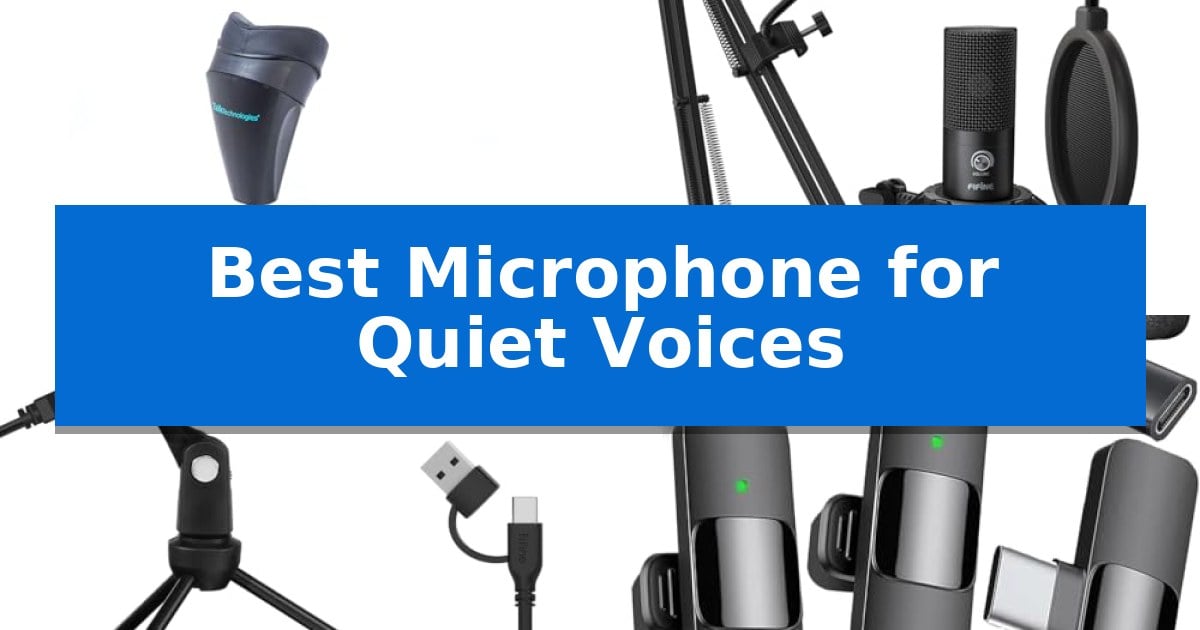
Capturing clear audio when you speak softly can be a significant challenge for standard microphones, which often struggle to distinguish between low-volume speech and ambient background noise. Whether you are dictating in a shared office, recording a quiet podcast, or presenting in a classroom, finding the right equipment is essential for maintaining clarity without needing to strain your voice.
We have evaluated the Best Microphone for Quiet Voices to help you find a solution that prioritizes sensitivity, isolation, and ease of use. From specialized noise-canceling masks to high-gain USB condensers, these options are designed to ensure your message is heard exactly as intended.
You may also want to compare Best Microphone for Quiet Singers, Best Microphone for Professional Voiceovers, and Best Microphone for Professional Studio Vocals.
Best Microphone for Quiet Voices
Quick Comparison
| Product | Best For | Key Strength | Score |
|---|---|---|---|
| Steno SR Pro-1S Microphone | Best Overall | Proprietary micro sound-booth technology for superior noise isolation. | 4.9 |
| FIFINE T669 USB Microphone | Sensitive Capture for Soft Vocals | Cardioid condenser capsule effectively isolates the voice from ambient noise. | 4.3 |
| FIFINE K669B USB Microphone | Adjustable Gain for Quiet Speakers | Integrated volume knob allows for precise sensitivity adjustments. | 4.6 |
| Mini Mic Pro Wireless Microphone | Close-Range Clarity for Soft Voices | Plug-and-play connectivity with included USB-C and Lightning adapters. | 4.8 |
| WinBridge WB005 Wireless Voice Amplifier | Boosts Low Volume for Classrooms | 15W powerful amplification reduces vocal fatigue. | 4.5 |
How We Chose
- Voice Sensitivity: Evaluating the microphone's ability to pick up soft-spoken audio without requiring excessive gain.
- Noise Isolation: Assessing how well the hardware filters out ambient sounds or provides a physical barrier for privacy.
- Connectivity and Compatibility: Checking for plug-and-play support across common platforms like PC, Mac, and mobile devices.
- Form Factor and Ergonomics: Considering the physical design for comfort during extended use or portability requirements.
- Adjustability: Reviewing the presence of gain controls or physical positioning tools to optimize audio input.
1 Steno SR Pro-1S Microphone — Private Isolation for Quiet Speech
Achieving clear, private audio in shared environments requires specialized hardware that physically isolates the source from ambient noise. The Steno SR Pro-1S Microphone utilizes proprietary micro sound-booth technology to create a private acoustic environment, ensuring that your voice input remains isolated even in busy offices or during commutes.
Designed for professionals who require consistent accuracy, this microphone supports silent, private voice input for dictation and AI interaction. By allowing you to speak normally within a contained mask, it effectively eliminates background noise, which prevents external sounds from interfering with your speech-to-text software performance.
The Steno SR Pro-1S Microphone is built for comfort during extended use, making it suitable for long dictation sessions or frequent communication tasks. Its design focuses on maintaining a secure seal, which is essential for maximizing privacy and ensuring that your voice remains the only input captured by your device.
Compatibility is a core strength of this system, as it works with all standard devices and speech-to-text platforms. For those using computers specifically for speech recognition, the manufacturer highly recommends pairing the device with an Andrea USB adapter to ensure optimal signal processing and integration.
Best for: Professionals and commuters who need to dictate or use voice-to-text software privately in noisy or shared environments.
Skip if: Users who require a traditional open-air microphone for broadcasting, singing, or situations where wearing a mask is not practical.
PROS
- Proprietary micro sound-booth technology for superior noise isolation.
- Comfortable design optimized for long-term, private use.
- Universal compatibility with all speech-to-text platforms and devices.
CONS
- Requires a mask-based form factor, which may be restrictive for some users.
- External USB adapter recommended for best results on computers.
2 FIFINE T669 USB Microphone — Sensitive Capture for Soft Vocals
Capturing subtle audio requires a microphone that balances sensitivity with effective noise rejection. The FIFINE T669 USB Microphone achieves this through a cardioid condenser capsule, which is engineered to prioritize sound sources directly in front of the mic while minimizing ambient background noise. This directional focus makes it a practical choice for individuals with softer speaking voices who need their audio to remain clear without picking up unwanted room reflections.
Ease of use is central to this kit, as it utilizes a USB output for a straightforward, plug-and-play connection to PCs and laptops. By eliminating the need for external audio interfaces or complex driver installations, it allows users to begin recording immediately. The inclusion of a double pop filter is a significant addition for vocal clarity, as it uses two layers of dissipation to effectively reduce plosive sounds and air rushes that often compromise recordings of quiet speech.
The physical design emphasizes stability and flexibility for home studio environments. The all-steel scissor arm stand provides a 30-inch reach and 180-degree rotation, allowing for precise positioning near the mouth, which is essential for maintaining consistent volume levels when speaking softly. With a heavy-duty C-clamp and a detachable desktop mount, the setup remains secure on most surfaces without obstructing the user's workspace.
While the FIFINE T669 USB Microphone is well-equipped for voiceovers and conferencing, it is important to note its compatibility limitations. It is not compatible with Xbox consoles, making it strictly a computer-based solution. For those seeking a dedicated, all-in-one package that includes a shock mount and boom arm, this kit provides the necessary hardware to elevate audio quality for streaming, podcasting, or online communication.
Best for: Users with quieter voices who need a complete, plug-and-play USB microphone kit for clear vocal recording on a PC or laptop.
Skip if: Users who require compatibility with gaming consoles like the Xbox or those who need a portable, handheld microphone solution.
PROS
- Cardioid condenser capsule effectively isolates the voice from ambient noise.
- Double pop filter minimizes distracting plosive sounds.
- All-steel boom arm offers flexible and sturdy positioning.
- Plug-and-play USB connectivity requires no additional hardware.
CONS
- Not compatible with Xbox gaming consoles.
- Wired-only connection limits mobility compared to wireless alternatives.
3 FIFINE K669B USB Microphone — Adjustable Gain for Quiet Speakers
Capturing clear, intelligible audio when speaking at a lower volume requires a microphone that balances sensitivity with effective noise management. The FIFINE K669B USB Microphone addresses this need through its integrated mic volume knob, which allows users to directly adjust the input sensitivity to ensure quiet voices are amplified sufficiently for clear output.
Designed for versatility in home office and streaming environments, this cardioid condenser microphone focuses on the primary sound source while minimizing background noise. Its plug and play functionality via a 5.9-foot USB cable simplifies the setup process, as it requires no external 48v phantom power supply to operate with standard desktop or laptop systems.
The construction features a durable metal design that provides stability during extended use, supported by an included tripod stand. This build quality is intended to extend the service life of the device, making it a practical choice for consistent use in voice-overs, online meetings, or content creation.
Users should note that the device is specifically designed for computer-based applications and is not compatible with Xbox consoles or mobile phones. To maintain optimal audio levels, it is recommended to disable automatic volume adjustment features in software like Zoom to prevent the microphone's output from fluctuating unexpectedly.
Best for: Quiet speakers who need an accessible, plug-and-play desktop microphone with manual gain control for consistent volume levels.
Skip if: Users who require a microphone compatible with gaming consoles like Xbox or mobile devices, as this model is limited to PC and Mac connectivity.
PROS
- Integrated volume knob allows for precise sensitivity adjustments.
- Plug and play USB connectivity requires no external power.
- Durable metal construction provides a stable and long-lasting build.
- Cardioid polar pattern helps isolate the speaker's voice from background noise.
CONS
- Limited compatibility as it does not support Xbox or mobile devices.
- Manual volume management may be required in software settings to prevent automatic gain fluctuations.
4 Mini Mic Pro Wireless Microphone — Close-Range Clarity for Soft Voices
Capturing clear audio from a soft-spoken presenter requires a microphone that balances sensitivity with effective noise management. The Mini Mic Pro Wireless Microphone addresses this by combining a lightweight, clip-on design with integrated wind protection, including high-density foam and a dead cat cover, to ensure vocal clarity even in challenging environments.
Designed for immediate usability, the Mini Mic Pro Wireless Microphone offers a plug-and-play experience that eliminates the need for apps or Bluetooth pairing. It includes both USB-C and Lightning adapters, ensuring broad compatibility across iPhones, Android devices, tablets, and laptops. This streamlined approach allows creators to focus on their content rather than technical setup.
For extended recording sessions, the device features a rechargeable battery that supports up to 8 hours of continuous use. A practical design choice allows users to charge their mobile device simultaneously while the microphone is in operation, preventing power interruptions during long interviews or voiceovers.
Weighing under an ounce and constructed from premium, rugged materials, this microphone is built for portability and daily use. Whether recording in a studio or outdoors, the system is engineered to isolate the speaker's voice while minimizing background interference, making it a functional tool for those who need reliable audio capture in a compact form factor.
Best for: Creators and interviewers who need a portable, plug-and-play wireless audio solution for mobile devices.
Skip if: Users requiring professional-grade XLR connectivity or long-range multi-channel broadcast systems will find this compact lavalier too limited.
PROS
- Plug-and-play connectivity with included USB-C and Lightning adapters.
- Simultaneous device charging while recording.
- Integrated wind protection for improved outdoor audio clarity.
- Ultra-portable design weighing under one ounce.
CONS
- Limited to 8 hours of battery life per charge.
5 WinBridge WB005 Wireless Voice Amplifier — Boosts Low Volume for Classrooms
Maintaining clear communication in a classroom or presentation setting often leads to vocal strain, but the WinBridge WB005 Wireless Voice Amplifier offers a solution by providing 15W of powerful amplification. This device allows speakers to project their voice naturally without the need to shout, effectively cutting through background noise to ensure every listener hears the message clearly.
The system features an ultra-lightweight wireless lavalier mic that weighs only 0.64oz, significantly reducing the physical burden compared to traditional headset microphones. Users can clip the mic to a collar, hold it, or use the included strap, providing the flexibility to move freely around a room, write on a whiteboard, or interact with an audience without being tethered by wires.
Designed for long-duration use, the WinBridge WB005 Wireless Voice Amplifier includes a 2600mAh battery in the speaker and a 300mAh battery in the microphone, delivering 12–15 hours of amplification and over 10 hours of mic usage respectively. The system also supports Bluetooth music playback, allowing for seamless integration of background audio from a phone or laptop during presentations or events.
Setup is straightforward with an auto-pair function that connects the mic and speaker instantly upon powering on. For added convenience, both units feature a mute button for quick, private interruptions, and the included Type-C dual charging cable allows for simultaneous charging of both components, ensuring the system is ready for the next session.
Best for: Educators and public speakers who need to project their voice clearly in small-to-medium rooms without physical strain or complex equipment.
Skip if: Users requiring a high-fidelity microphone for professional studio recording or those needing coverage for very large auditoriums beyond the 15W output capacity.
PROS
- 15W powerful amplification reduces vocal fatigue.
- Ultra-lightweight 0.64oz wireless mic for tangle-free movement.
- Long battery life with up to 15 hours of speaker use.
- Auto-pair functionality for simple, immediate setup.
CONS
- Limited 15W output may not be sufficient for very large or noisy venues.
Best Microphone for Quiet Voices Buying Guide
Understanding Microphone Sensitivity
Sensitivity refers to how well a microphone converts sound pressure into an electrical signal. For quiet voices, a high-sensitivity microphone is often preferred because it can capture subtle nuances in speech without requiring the user to speak loudly or move uncomfortably close to the capsule.
However, high sensitivity also means the microphone is more likely to pick up background noise. If you are in a noisy environment, you may need a microphone with a cardioid polar pattern, which focuses on sound directly in front of the mic while rejecting noise from the sides and rear.
The Role of Physical Isolation
When privacy is as important as audio quality, physical isolation becomes a critical factor. Some devices, such as stenomasks, create a sealed environment around the mouth, effectively blocking out external noise and preventing your voice from being heard by others in the room.
This design is ideal for private dictation or sensitive communication in shared workspaces. By creating a micro sound-booth, these microphones ensure that even if you whisper, the input remains clear and free from interference.
Gain Control and Signal Processing
Many USB microphones include a built-in gain knob, which allows you to manually adjust the input level. This is a vital feature for quiet speakers, as it lets you boost the signal directly at the source, ensuring your software receives a strong, clear signal without needing to rely on digital amplification that can introduce hiss.
Always check if your microphone supports plug-and-play functionality to avoid the need for complex drivers or external audio interfaces, which can complicate your setup.
Portability and Wireless Freedom
For those who need to move while speaking, such as teachers or content creators, wireless lavalier microphones offer a significant advantage. These small, clip-on devices allow you to maintain a consistent distance from the microphone regardless of your movement.
Look for models with long battery life and reliable wireless range to ensure your audio doesn't cut out during long presentations or recording sessions.
Compatibility Requirements
Before purchasing, ensure the microphone is compatible with your specific hardware. While many USB microphones work seamlessly with Windows and macOS, mobile-focused microphones may require specific adapters like USB-C or Lightning connectors.
Verify that the device supports the platforms you use most frequently, such as Zoom, Skype, or specialized speech-to-text software, to ensure a smooth integration into your workflow.
Frequently Asked Questions
Do I need a special sound card for these microphones?
Most of the microphones listed are USB-based and include their own internal processing, so they do not require an external sound card or audio interface.
Can these microphones be used for gaming?
Yes, many of these condenser microphones are well-suited for gaming, provided they have a cardioid pattern to focus on your voice and reduce background noise.
What is the benefit of a stenomask over a standard mic?
A stenomask provides total privacy and noise isolation, making it the best choice if you need to speak in a room with other people without disturbing them.
How do I reduce background noise if I have a sensitive mic?
You can reduce background noise by adjusting the gain knob lower, moving the microphone closer to your mouth, or using software-based noise suppression settings in your recording application.
Are wireless microphones better for quiet voices?
Wireless lavalier microphones are excellent for maintaining a consistent distance from your mouth, which helps keep your volume levels stable even if you move around.
Conclusion: Our Top Pick
Finding the right equipment for low-volume speech can transform your recording or communication experience. By selecting a device that matches your specific environment—whether that is a private office requiring total isolation or a classroom needing wireless mobility—you can ensure your voice is heard clearly and consistently.
For those who prioritize privacy and professional-grade voice isolation, the Steno SR Pro-1S Microphone stands out as the most effective solution. Its proprietary micro sound-booth technology offers unparalleled performance for quiet speech, making it our top pick for users who need to speak privately without background noise interference.