
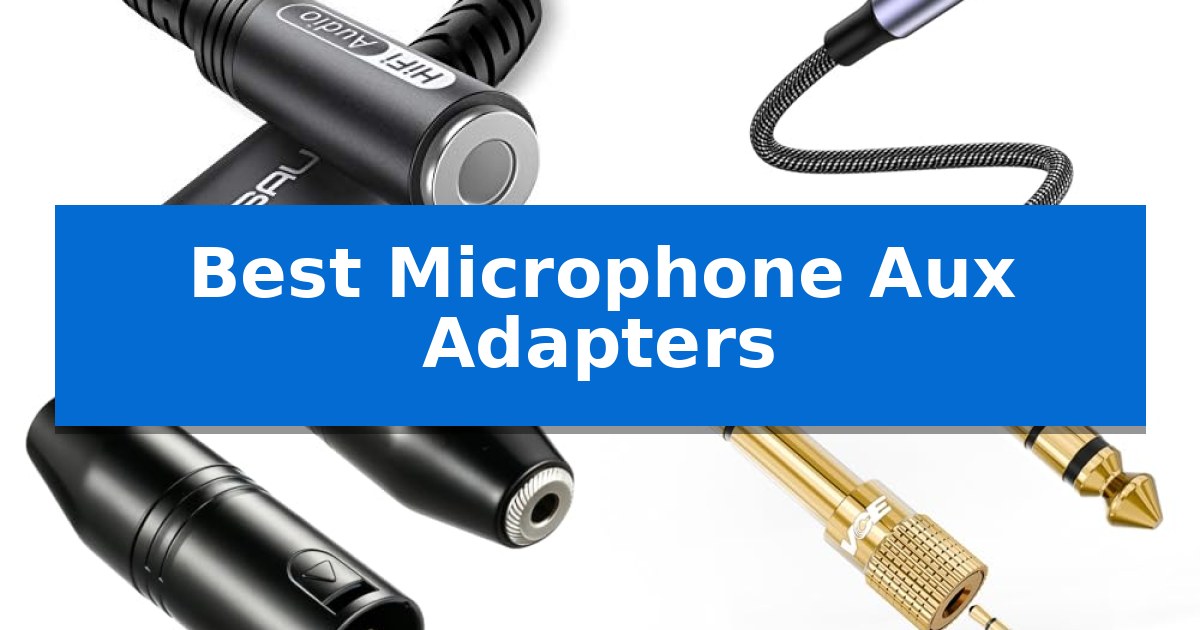
Navigating the world of audio connectivity can be challenging when your microphone plug does not match your recording device. Whether you are connecting a professional microphone to a camera or a headset to a modern laptop, the right hardware is essential for clear, reliable sound.
We have evaluated the Best Microphone Aux Adapters to help you identify which connector solves your specific interface mismatch. From USB-C dongles for smartphones to XLR converters for studio gear, our guide breaks down the technical requirements to ensure your audio chain remains intact.
You may also want to compare Best Microphone Arms, Best Microphone Arm Mounts, and Best Microphone and Webcam Setup for Streaming.
Best Microphone Aux Adapters
Quick Comparison
| Product | Best For | Key Strength | Score |
|---|---|---|---|
| JSAUX USB-C to 3.5mm Audio Adapter | Best Overall | Smart DAC chip for high-quality audio decoding | 4.9 |
| MOSWAG USB to 3.5mm Audio Adapter | External Sound Card for PCs | Advanced built-in DAC chip for stable 16-bit/48kHz audio output. | 4.9 |
| Ancable 3.5mm to XLR Adapter | Connect Microphones to Pro Gear | Solid metal construction provides enhanced durability for field use. | 4.7 |
| VCE 3.5mm to 1/4-Inch Adapter | Studio Equipment Compatibility | 24K gold-plated connectors for improved conductivity and corrosion resistance. | 4.4 |
| Fidioto 3.5mm Microphone Splitter | Gaming Headset Mic Integration | Dual-plug to single-port conversion for broad headset compatibility. | 4.7 |
How We Chose
- Connector Compatibility: Verifying the physical interface (USB-C, XLR, 1/4-inch, 3.5mm) matches common recording hardware.
- Signal Standards: Checking support for CTIA/OMTP and TRS/TRRS wiring configurations to ensure microphone functionality.
- Audio Processing: Evaluating the presence of integrated DAC chips for digital-to-analog signal conversion in USB-based adapters.
- Build Quality: Assessing material durability, such as nylon braiding or metal housing, for frequent use.
- Functional Limitations: Identifying specific exclusions like phantom power support or device-specific control incompatibilities.
1 JSAUX USB-C to 3.5mm Audio Adapter — Clear Audio for Modern Phones
The JSAUX USB-C to 3.5mm Audio Adapter provides a streamlined solution for modern devices lacking a dedicated headphone jack by utilizing a built-in Smart DAC chip. This component ensures efficient digital-to-analog signal conversion, supporting audio sampling rates up to 16Bit/48kHz to maintain original sound quality.
Engineered for durability, the adapter features a relief strain design capable of withstanding over 15,000 bending tests. The internal construction utilizes shielded enamel wire and metal-coated connectors, which work together to facilitate stable, lossless signal transmission during daily use.
Compatibility is a primary focus, as the adapter supports a wide range of USB-C devices, including recent iPhone models, Samsung Galaxy series, Pixel phones, and various iPad and MacBook versions. It allows for essential functions such as call handling, volume adjustment, and playback control via headphone function keys, providing a familiar user experience for those transitioning away from legacy audio ports.
Users should note specific limitations regarding hardware integration. The device is compatible with CTIA standards but does not support OMTP, TS, or TRS microphone-only configurations. Additionally, certain older devices that already feature a 3.5mm jack may not support calling functionality through this adapter, and Apple EarPods with 3.5mm plugs are explicitly noted as incompatible with the adapter's microphone and volume controls.
Best for: Users of modern USB-C smartphones and tablets who need a reliable, durable way to connect standard 3.5mm headphones for audio and communication.
Skip if: Users who rely on Apple EarPods with 3.5mm plugs or OMTP-standard headsets, as these are not supported by this adapter.
PROS
- Smart DAC chip for high-quality audio decoding
- 15,000+ bend lifespan for enhanced cable durability
- Broad compatibility with major USB-C smartphone and tablet brands
- Integrated support for call and volume control keys
CONS
- Incompatibility with Apple EarPods 3.5mm microphone and volume functions
- Limited support for OMTP, TS, and TRS microphone-only devices
2 MOSWAG USB to 3.5mm Audio Adapter — External Sound Card for PCs
The MOSWAG USB to 3.5mm Audio Adapter simplifies audio connectivity by providing an immediate, driver-free bridge between USB-equipped devices and standard 3.5mm TRRS headsets. By integrating an advanced built-in DAC chip, this adapter enables high-quality audio output and noise reduction, ensuring that your microphone and audio signals remain stable and clear across various platforms.
Designed with a durable nylon braided cable and an aluminum shell, this adapter offers a robust alternative to standard plastic-housed connectors. Its compact form factor makes it an ideal travel companion for users who need to add a microphone-in and audio-out interface to laptops, gaming consoles, or desktop computers without complex installation.
Compatibility is a core strength of this device, supporting a wide range of operating systems including Windows, Mac OS, Linux, and platforms like the Raspberry Pi and PS4/PS5. The plug-and-play functionality ensures that the system automatically recognizes the adapter in seconds, making it a reliable solution for those who frequently switch between different hardware setups.
While this adapter excels at adding versatility to existing ports, users should note that the 3.5mm jack is specifically engineered for TRRS headsets and microphones. It does not support TS or TRS connectors, which limits its use with certain older or specialized audio equipment. For those requiring a straightforward, reliable connection for modern headsets, this adapter provides a streamlined and effective interface.
Best for: Users needing a reliable, plug-and-play USB to TRRS audio interface for headsets on PCs, Macs, or gaming consoles.
Skip if: Users who rely on TS or TRS microphone connectors, as this adapter is strictly designed for TRRS compatibility.
PROS
- Advanced built-in DAC chip for stable 16-bit/48kHz audio output.
- Durable nylon braided cable and aluminum shell construction.
- Plug-and-play design requires no drivers for installation.
- Wide compatibility across Windows, Mac, Linux, and gaming consoles.
CONS
- Incompatible with TS or TRS 3.5mm connectors.
3 Ancable 3.5mm to XLR Adapter — Connect Microphones to Pro Gear
Bridging the gap between consumer-grade audio gear and professional recording equipment, the Ancable 3.5mm to XLR Adapter provides a reliable physical interface for connecting standard 3.5mm TRS microphones to XLR-equipped devices. This adapter is built with a solid metal construction, offering a heavy-duty feel that stands up to the rigors of frequent use in field recording or studio environments.
Designed for versatility, this adapter facilitates a connection between a 3.5mm TRS microphone and professional hardware such as camcorders, audio recorders, and mixers. It also functions in reverse, allowing users to output audio from devices like an iPad or iPhone to powered speakers or professional mixing consoles. Its compact size ensures it remains portable, making it a practical addition to any mobile audio kit.
The Ancable 3.5mm to XLR Adapter is specifically engineered for standard 3.5mm TRS (Tip/Ring/Sleeve) microphones. It is important to note that this unit is not compatible with TS or TRRS connectors, nor is it designed to supply phantom power to microphones that require it. Users should verify their microphone's power requirements before integration to ensure proper signal flow.
Each purchase includes a 2-pack, providing a convenient backup solution for audio professionals who need to maintain signal continuity during critical recording sessions. The manufacturer supports this product with a 12-month warranty and a no-questions-asked guarantee, reflecting a commitment to quality for users seeking a straightforward, durable audio conversion tool.
Best for: Content creators and audio professionals needing to connect standard 3.5mm TRS microphones to professional XLR-based recording gear or mixers.
Skip if: Users with microphones requiring phantom power or those using TRRS-style headset connectors will find this adapter incompatible with their equipment.
PROS
- Solid metal construction provides enhanced durability for field use.
- 2-pack configuration ensures an immediate backup is always available.
- Compact design allows for easy transport in small gear bags.
- 12-month warranty offers long-term support for the hardware.
CONS
- Incompatible with phantom power requirements for certain microphones.
- Limited to TRS connectors, excluding support for TS or TRRS devices.
4 VCE 3.5mm to 1/4-Inch Adapter — Studio Equipment Compatibility
Achieving a reliable connection between professional audio gear and personal listening devices often requires a specialized interface. The VCE 3.5mm to 1/4-Inch Adapter is engineered to bridge this gap, allowing users to connect standard 3.5mm auxiliary cables to 6.35mm stereo ports found on amplifiers, mixers, and digital pianos.
This adapter prioritizes signal integrity through the use of 24K gold-plated connectors. These components are designed to maximize conductivity while resisting corrosion, which helps minimize signal loss and unwanted noise during audio transmission. The internal construction features solid brass, providing a robust foundation for the precision-engineered TRS interface.
Usability is enhanced by a knurled, 360-degree grip tread on the exterior of the adapter. This non-slip surface is specifically intended to assist with plugging and unplugging in confined areas, such as the back of a crowded studio mixer or an amplifier rack. Its compact, lightweight form factor ensures it remains portable for musicians who need to transition between studio and mobile setups.
Compatibility is broad, supporting a wide range of pro-audio equipment including electric guitars, bass amps, and studio monitors. By converting a 6.35mm male output to a 3.5mm female input, it enables the use of standard headphones with professional-grade hardware. The product is provided in a 2-pack, offering a practical solution for setups requiring multiple connections.
Best for: Musicians and audio enthusiasts who need to connect standard 3.5mm headphones or auxiliary cables to professional 6.35mm audio equipment.
Skip if: Users requiring a cable-based extension rather than a rigid adapter, or those needing a balanced XLR connection instead of a standard TRS stereo interface.
PROS
- 24K gold-plated connectors for improved conductivity and corrosion resistance.
- Knurled 360-degree grip for easy handling in tight spaces.
- Solid brass construction ensures a secure and durable TRS connection.
- Broad compatibility with guitars, mixers, amps, and digital pianos.
CONS
- Rigid adapter design may exert leverage on delicate ports if the connected cable is heavy or pulled.
5 Fidioto 3.5mm Microphone Splitter — Gaming Headset Mic Integration
Integrating a high-performance gaming headset into a modern computer setup often requires bridging the gap between dual-plug hardware and single-port interfaces. The Fidioto 3.5mm Microphone Splitter addresses this by converting a single 3.5mm TRRS male jack into two distinct 3.5mm TRS female jacks, specifically separating audio output and microphone input signals.
Designed for versatility, this adapter features a 9-inch tangle-free cable constructed from flexible TPE material and reinforced with a nylon braided wire. This physical design choice prioritizes durability and resistance to knots, making it suitable for frequent use with devices like the Steam Deck, PS4/PS5, and various laptops or tablets.
Compatibility is centered on the CTIA standard, ensuring that headsets with separate headphone and microphone plugs can function correctly on systems equipped with a single combo port. It is specifically engineered to support popular gaming peripherals, including models from Logitech, Turtle Beach, HyperX, and Razer, providing a straightforward solution for users needing to utilize their existing headset microphones on newer hardware.
The package includes two units, offering a practical backup or a solution for multiple workstations. With a one-year warranty provided by the manufacturer, this adapter serves as a functional bridge for legacy gaming gear in a single-port environment.
Best for: Gamers who need to connect traditional dual-plug headsets to modern devices featuring a single 3.5mm combo audio port.
Skip if: Users who require a standard audio splitter for sharing music between two pairs of headphones, as this device is strictly for microphone and audio signal separation.
PROS
- Dual-plug to single-port conversion for broad headset compatibility.
- Nylon braided cable provides excellent anti-tangling properties.
- Includes two adapters per package for added value.
- Flexible 9-inch length reduces strain on device ports.
CONS
- Not intended for audio sharing between two different headphones.
- Requires CTIA standard compatibility for proper microphone function.
Best Microphone Aux Adapters Buying Guide
Understanding Audio Connector Standards
The most common point of confusion in audio adapters is the difference between TRS and TRRS connectors. A TRS (Tip-Ring-Sleeve) connector is typically used for stereo audio output, while a TRRS (Tip-Ring-Ring-Sleeve) connector adds a dedicated channel for microphone input. Using the wrong type often results in no sound or a non-functional microphone.
When choosing an adapter, always verify if your device requires a CTIA or OMTP wiring standard. Most modern smartphones and laptops follow the CTIA standard, and using an adapter that does not match this can lead to compatibility issues where the microphone is not recognized by the host device.
The Role of Integrated DAC Chips
For USB-C to 3.5mm adapters, the presence of a Smart DAC chip is critical. Since many modern devices lack an internal analog audio output, the adapter must perform the conversion from digital data to an analog signal.
A high-quality DAC chip ensures that the audio sampling rate, often up to 16Bit/48kHz, is maintained. This prevents the degradation of sound quality that can occur with cheaper, passive adapters that lack proper signal processing capabilities.
XLR and Pro-Audio Integration
Adapting a 3.5mm microphone to an XLR input requires careful attention to power requirements. Many professional microphones require phantom power to operate, which standard 3.5mm-to-XLR adapters often cannot provide.
Always confirm if your microphone is a dynamic or condenser type before purchasing an adapter. If your microphone requires external power, a simple passive adapter will not be sufficient, and you may need an additional power supply or a dedicated audio interface.
Durability and Cable Construction
Adapters are often subject to frequent bending and tension, especially in mobile recording setups. Look for features like relief strain design and nylon braided cables, which are engineered to withstand thousands of bending cycles.
Metal-coated connectors are another feature to prioritize. They provide better contact points for your cables, reducing the likelihood of static, crackling, or intermittent signal loss during critical recording sessions.
Gaming and Splitter Requirements
Gaming headsets often use two separate 3.5mm plugs—one for audio and one for the microphone. If your computer or console only has a single combined port, you will need a microphone splitter.
These adapters function by taking the single TRRS port on your device and splitting it into two distinct TRS female ports. This allows you to utilize both the headphone and microphone functions of your headset simultaneously without losing signal quality.
Frequently Asked Questions
Will these adapters work with all smartphones?
Compatibility depends on the port type and the device's operating system. While most USB-C adapters are widely compatible, some older devices or specific models may have limitations regarding microphone input or volume control.
Do I need a DAC chip for my adapter?
If you are using a USB-C device that does not have a dedicated 3.5mm headphone jack, you must use an adapter with an integrated DAC chip to convert the digital signal to analog.
Can I use a TRS microphone with a TRRS adapter?
Generally, no. A TRRS adapter expects a specific wiring configuration. Using a TRS microphone in a TRRS port often results in the microphone signal not being detected by the device.
Are these adapters suitable for professional studio recording?
While these adapters are useful for connecting consumer-grade gear, professional studio setups often require dedicated audio interfaces to handle phantom power and balanced signal requirements.
What does the 16Bit/48kHz specification mean?
This refers to the audio sampling rate and bit depth. It is the standard for high-quality, clear audio reproduction, ensuring that your recordings retain the original sound quality of the source.
Conclusion: Our Top Pick
Selecting the right adapter requires matching your specific hardware interface with the correct signal standard. For most modern mobile and laptop users, the JSAUX USB-C to 3.5mm Audio Adapter stands out as the most versatile choice due to its integrated Smart DAC chip and wide compatibility with various USB-C devices.
While this adapter provides excellent clarity for calls and recording, always check your specific device's manual if you are using specialized equipment like Apple EarPods, as some proprietary features may not be supported. By prioritizing the correct wiring standard and signal conversion, you can ensure a seamless audio experience for all your recording needs.