
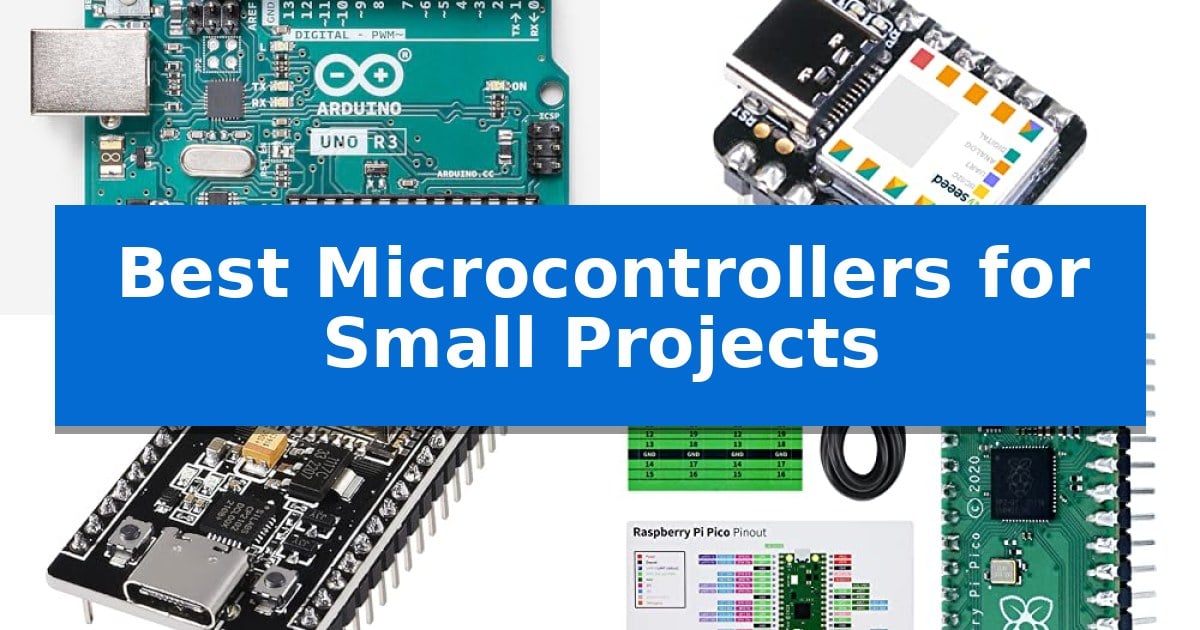
Finding the right hardware is the first step in bringing your electronics ideas to life. Whether you are building a simple sensor array or a complex IoT device, selecting the Best Microcontrollers for Small Projects depends heavily on your specific requirements for size, connectivity, and processing power.
The market offers a variety of boards, each optimized for different tasks. From ultra-compact designs for wearable technology to versatile platforms with built-in wireless capabilities, this guide helps you navigate the options to ensure your next build is both efficient and functional.
You may also want to compare Best Microcontrollers for Remote Control and Sensing, Best Microcontrollers for Multiple Sensors, and Best Microcontrollers for Electronics Projects.
Best Microcontrollers for Small Projects
Quick Comparison
| Product | Best For | Key Strength | Score |
|---|---|---|---|
| Arduino Uno REV3 | Best Overall | Extensive library support via the Arduino IDE. | 4.9 |
| Seeed Studio XIAO SAMD21 | Ultra-Compact for Wearables | Ultra-compact footprint measuring only 20mm x 17.5mm. | 4.6 |
| DIYables ESP32 Development Board | Wireless Connectivity for IoT | Dual-core processor provides robust performance for complex IoT tasks. | 4.6 |
| Freenove Raspberry Pi Pico | Versatile Dual-Core Performance | Pre-soldered headers allow for immediate use without additional assembly. | 4.8 |
| Arduino Nano | Space-Saving Prototyping Essential | Extremely compact 18 x 45 mm footprint ideal for space-constrained projects. | 4.5 |
How We Chose
- Processing capability and memory resources for handling code complexity.
- Physical footprint and form factor suitability for space-constrained builds.
- Availability of I/O pins, including digital, analog, and PWM channels for component interfacing.
- Connectivity options such as integrated Wi-Fi, Bluetooth, or standard USB for data transfer.
- Compatibility with established software ecosystems like the Arduino IDE for streamlined programming.
1 Arduino Uno REV3 — Standard for Learning Electronics
Getting started with electronics requires a reliable foundation, and the Arduino Uno REV3 serves as a standard entry point for those beginning their journey into hardware development. This board is built around the ATmega328P microcontroller, which operates at 16 MHz and provides the necessary processing power for a wide variety of small-scale automation and sensing tasks.
The board is designed with 14 digital I/O pins—including 6 PWM-capable outputs—and 6 analog inputs with 10-bit resolution. These connections allow makers to interface directly with a broad range of external components, such as sensors, motors, and displays, making it a versatile tool for prototyping robotics or IoT projects.
Programming the device is straightforward thanks to its built-in USB connectivity, which facilitates direct communication with a computer for sketch uploads and serial debugging. Because it maintains full compatibility with the Arduino IDE, users gain immediate access to an extensive ecosystem of community-driven libraries and code examples that simplify the development process.
With its 32KB of flash memory, 2KB SRAM, and 1KB EEPROM, the hardware offers enough capacity for most educational and hobbyist applications. Its widespread adoption in classrooms and maker spaces ensures that documentation and troubleshooting resources are readily available for those learning the fundamentals of electronics and programming.
Best for: Beginners and hobbyists looking for a well-documented, versatile platform for learning electronics and building prototypes.
Skip if: Users requiring advanced processing power, integrated wireless connectivity, or a much smaller form factor for space-constrained projects.
PROS
- Extensive library support via the Arduino IDE.
- Versatile I/O options including PWM and analog inputs.
- Reliable ATmega328P architecture.
- Direct USB programming for simple setup.
CONS
- Larger physical footprint compared to specialized compact microcontrollers.
- Lacks integrated wireless features like Wi-Fi or Bluetooth.
2 Seeed Studio XIAO SAMD21 — Ultra-Compact for Wearables
When space is at a premium and project requirements demand a compact footprint, the Seeed Studio XIAO SAMD21 offers a distinct advantage by packing significant processing power into a thumb-sized 20mm x 17.5mm form factor. This microcontroller is built around an ARM Cortex-M0+ 32bit 48MHz processor, providing a notable performance upgrade for developers transitioning from standard 8-bit boards.
The board is designed for versatility, featuring 14 GPIO pins that support a wide range of interfaces including I2C, UART, and SPI. With 256KB of flash memory and 32KB of SRAM, it handles complex logic for rapid prototyping and wearable electronics without requiring excessive power. The inclusion of a USB Type-C interface ensures modern connectivity for programming and power delivery.
Compatibility is a core strength of this device, as it is 100% Arduino IDE compatible. The 2.54mm pin pitch allows for seamless integration into breadboards, making it a practical choice for DIY keyboard builds, wearable devices, or multi-channel TTL applications. By leveraging the comprehensive Arduino library ecosystem, users can deploy code quickly across various small-scale projects.
While the compact design is ideal for space-constrained builds, the trade-off is the physical size of the board, which requires careful handling of connections during prototyping. The Seeed Studio XIAO SAMD21 remains a specialized tool for those who need a balance of processing speed and minimal physical dimensions in their embedded systems.
Best for: Developers and hobbyists building space-constrained wearable devices, DIY keyboards, or compact rapid prototypes.
Skip if: Projects requiring a high number of dedicated hardware peripherals or large-scale I/O expansion that would exceed the 14 available GPIO pins.
PROS
- Ultra-compact footprint measuring only 20mm x 17.5mm.
- Powerful ARM Cortex-M0+ 32bit 48MHz processor for efficient performance.
- Full Arduino IDE compatibility for easy software development.
- Rich interface support including I2C, UART, and SPI.
CONS
- Limited physical space for complex wiring on the board surface.
- Fixed I/O count may restrict larger, more complex hardware integrations.
3 DIYables ESP32 Development Board — Wireless Connectivity for IoT
Integrating wireless connectivity into compact electronics requires a reliable foundation, and the DIYables ESP32 Development Board provides this through its integrated ESP-WROOM-32 dual-core processor. This board is engineered for IoT and automation tasks, offering a balance of processing power and wireless communication capabilities in a small footprint.
The board features a 38-pin layout, which provides extensive GPIO options for interfacing with various sensors, actuators, and expansion modules. This configuration is particularly useful for projects that demand multiple hardware connections without requiring additional complex wiring or external signal multiplexing.
Connectivity and power management are handled via a modern USB Type-C connector paired with a CP2102 USB-to-Serial converter. This combination ensures stable data transfer and power delivery, which is essential for consistent performance during the development and testing phases of small-scale electronics projects.
For those familiar with the Arduino IDE, this board offers straightforward integration, allowing developers to upload code and manage projects using a standard, widely supported environment. The inclusion of built-in Bluetooth and WiFi capabilities further simplifies the process of adding remote monitoring or control features to your hardware prototypes.
Best for: Developers and hobbyists building compact IoT, automation, or smart device projects that require integrated WiFi and Bluetooth connectivity.
Skip if: Users who require a board with a different pin count, specific form factor constraints, or a processor architecture other than the ESP32.
PROS
- Dual-core processor provides robust performance for complex IoT tasks.
- USB Type-C connectivity ensures modern, reliable power and data transfer.
- 38-pin configuration offers versatile hardware interfacing options.
- Arduino IDE compatibility simplifies the programming workflow.
CONS
- Fixed 38-pin form factor may not fit all custom enclosures or breadboard layouts.
4 Freenove Raspberry Pi Pico — Versatile Dual-Core Performance
The Freenove Raspberry Pi Pico is a highly versatile development board built around the dual-core Arm Cortex-M0+ processor, making it a capable foundation for a wide range of small-scale electronics projects. It arrives with pre-soldered headers, which simplifies the initial setup process for makers who want to start prototyping immediately without needing to perform manual soldering.
Designed for accessibility, this board supports multiple programming environments including MicroPython, C, and Java. While the hardware is compact, it provides significant utility through its detailed, project-based tutorial system. Users can access comprehensive guides that include schematics, wiring diagrams, and complete code examples to help navigate various project implementations.
Usability is a core focus, as the board is engineered to be straightforward: simply connect it to a computer via a USB cable to begin programming within a compatible IDE. The package includes a pinout card and stickers, which serve as helpful references during the assembly and wiring phases of development.
For those looking to expand their technical skills, the Freenove Raspberry Pi Pico offers a structured path for learning. It is an effective choice for hobbyists who require a reliable, dual-core platform that balances performance with ease of use, provided they have access to the necessary extra components required for the specific example projects.
Best for: Makers and students looking for a versatile, dual-core platform to learn programming and electronics through guided, hands-on projects.
Skip if: Users who require advanced processing power beyond the Cortex-M0+ architecture or those who prefer a board with built-in wireless connectivity.
PROS
- Pre-soldered headers allow for immediate use without additional assembly.
- Dual-core Arm Cortex-M0+ processor provides efficient performance for small projects.
- Comprehensive tutorial support covers MicroPython, C, and Java.
- Easy USB connectivity simplifies the programming and setup workflow.
CONS
- Requires extra components to complete the example projects provided in the tutorials.
- No paper tutorial included; all documentation must be downloaded via the link provided on the box.
5 Arduino Nano — Space-Saving Prototyping Essential
When space is at a premium, the Arduino Nano [A000005] provides a highly efficient solution for embedded systems and portable electronics. Measuring just 18 x 45 mm, this board integrates the ATmega328P microcontroller into a footprint that fits easily into wearables and compact DIY enclosures without sacrificing functional density.
The board is designed for versatility, featuring 14 digital I/O pins and 8 analog inputs, which provide the necessary interface for managing sensors, motors, and LED arrays. With integrated PWM support, it offers precise control for automation tasks, making it a reliable choice for robotics projects that require multiple input and output channels.
Development is streamlined through a built-in mini-USB port, which handles both power delivery and data communication. This simplifies the prototyping process by eliminating the need for external power components during initial testing. Furthermore, full compatibility with the Arduino IDE ensures that users can leverage an extensive library of pre-written code and community resources.
Whether you are a student or an engineer, the Arduino Nano serves as a robust platform for IoT experimentation and high-performance embedded applications. Its combination of a small form factor and comprehensive I/O options makes it an essential component for projects where physical space is limited but processing requirements remain significant.
Best for: Makers and engineers building compact IoT devices, robotics, or wearables where physical space is limited.
Skip if: Users requiring extensive onboard memory, high-speed processing, or built-in wireless connectivity like Wi-Fi or Bluetooth.
PROS
- Extremely compact 18 x 45 mm footprint ideal for space-constrained projects.
- Versatile I/O configuration with 14 digital pins and 8 analog inputs.
- Simplified development via integrated mini-USB connectivity.
- Broad compatibility with the extensive Arduino IDE ecosystem.
CONS
- Limited physical size may be challenging for beginners to solder or breadboard compared to larger boards.
- Requires external modules for advanced features like wireless communication.
Best Microcontrollers for Small Projects Buying Guide
Understanding Microcontroller Architecture
The core of any board is its processor, which dictates how efficiently it handles tasks. For simple automation, an 8-bit architecture like the ATmega328P is often sufficient and highly reliable. These boards are widely supported by extensive libraries, making them ideal for beginners who need stability.
For more demanding applications, such as those involving complex calculations or high-speed data processing, 32-bit ARM-based controllers offer significant performance advantages. These processors provide faster clock speeds and larger memory capacities, allowing for more sophisticated logic and multitasking capabilities.
Form Factor and Integration
The physical size of your microcontroller is a critical constraint for projects like wearables or compact enclosures. Ultra-compact boards are designed to minimize space while still offering a surprising number of GPIO pins. These are perfect for projects where every millimeter counts.
When selecting a board, consider how it will be mounted. Some boards feature standard pin headers compatible with breadboards, which is excellent for prototyping. Others may require surface mounting or specific connectors, which can add complexity to your hardware assembly.
Connectivity and IoT Capabilities
If your project requires communication with other devices or the internet, integrated wireless connectivity is a must. Boards equipped with Wi-Fi and Bluetooth allow for remote monitoring and control, turning a standalone device into a connected IoT solution.
Evaluate the antenna design and the stability of the wireless module. Reliable connectivity ensures that your project remains responsive and can handle data transmission without frequent drops or interference issues.
Input and Output Versatility
The number and type of I/O pins determine how many sensors, motors, and displays you can connect. Digital pins are essential for binary inputs like buttons or outputs like LEDs, while analog inputs are necessary for reading variable signals from sensors like potentiometers or light detectors.
Check for PWM (Pulse Width Modulation) support, which allows you to control the intensity of LEDs or the speed of motors. Having a mix of these interfaces ensures that your board can handle the diverse needs of your specific project design.
Software Ecosystem and Support
The ease of programming is often tied to the software ecosystem. Boards compatible with the Arduino IDE benefit from a massive community, meaning you can find pre-written code and libraries for almost any sensor or module you intend to use.
Documentation and tutorials are equally important. A board with a wealth of community-driven examples and clear technical guides can significantly reduce your development time, helping you troubleshoot issues and implement features more quickly.
Frequently Asked Questions
What is the main difference between an 8-bit and 32-bit microcontroller?
8-bit microcontrollers are generally simpler, lower power, and sufficient for basic control tasks. 32-bit microcontrollers offer higher processing speeds and more memory, making them better for complex logic, high-speed data processing, and advanced IoT features.
Do all these boards work with the Arduino IDE?
Most modern development boards are designed to be compatible with the Arduino IDE, allowing you to use the same familiar programming environment and vast library ecosystem across different hardware platforms.
How do I choose between a compact board and a standard-sized board?
Choose a compact board if your project has strict space limitations, such as wearables or small handheld devices. Choose a standard-sized board if you have more room and prefer easier access to pins for breadboarding and prototyping.
Is wireless connectivity necessary for all small projects?
No, wireless connectivity is only necessary if your project needs to communicate with other devices, send data to a server, or be controlled remotely. For standalone projects, a board without wireless features may be more power-efficient and cost-effective.
What should I look for if I am a beginner?
Beginners should look for boards with strong community support, extensive documentation, and compatibility with the Arduino IDE. These features make it easier to find tutorials and help when you encounter challenges.
Conclusion: Our Top Pick
Selecting the right microcontroller is essential for the success of your electronics build. For most users, the Arduino Uno REV3 remains the most reliable choice due to its robust architecture, ease of use, and extensive support within the maker community. It provides the perfect balance of I/O flexibility and software compatibility for a wide range of applications.
While more specialized boards offer advantages in size or wireless connectivity, the Arduino Uno REV3 serves as a dependable foundation for learning and prototyping. By understanding your specific project needs—whether they involve space constraints or advanced connectivity—you can confidently select the board that will best support your creative goals.