
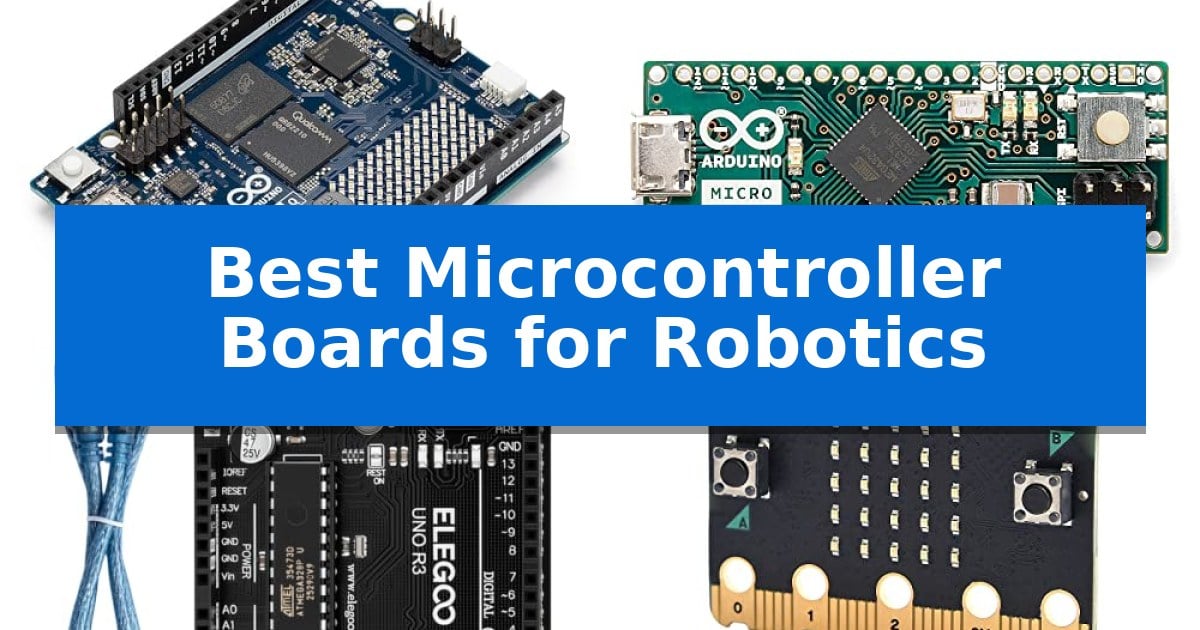
Building a functional robot requires a reliable brain capable of processing sensor data and executing complex motor commands. Selecting the Best Microcontroller Boards for Robotics depends heavily on your specific project needs, whether you are developing advanced AI-driven vision systems or simple automated platforms.
This guide examines five distinct boards, ranging from high-performance hybrid units to compact, space-saving modules. By understanding the unique hardware capabilities and interface standards of each, you can ensure your robotic build has the processing power and connectivity required for your unique application.
You may also want to compare Best Microcontroller Boards for Beginners, Best Microcontroller Boards, and Best Microcontroller Board.
Best Microcontroller Boards for Robotics
Quick Comparison
| Product | Best For | Key Strength | Score |
|---|---|---|---|
| Arduino UNO Q Hybrid Board | Best Overall | Dual-brain architecture combining MPU and MCU for hybrid processing. | 4.9 |
| Arduino Micro Development Board | Compact Design for Embedded Robotics | Compact 1.8" x 0.7" form factor ideal for wearables and small robotics. | 4.3 |
| ELEGOO UNO R3 Microcontroller Board | Standard Foundation for Robotics Labs | Broad compatibility with the Arduino IDE and common shields. | 4.4 |
| EF ELECFREAKS BBC Micro:bit V2.2 Board | Beginner-Friendly Integrated Sensors | Integrated sensors including microphone, speaker, accelerometer, and compass. | 4.8 |
| FORIOT Pro Micro Development Board | Space-Saving Type-C Connectivity | Integrated Type-C interface for modern connectivity. | 4.7 |
How We Chose
- Processor architecture and real-time performance capabilities.
- Availability of digital and analog I/O pins for sensor and motor connectivity.
- Form factor and physical dimensions for space-constrained chassis designs.
- Compatibility with standard development software and programming libraries.
- Integrated features such as wireless connectivity, AI acceleration, or USB interface standards.
1 Arduino UNO Q Hybrid Board — Advanced AI and Vision Processing
The Arduino UNO Q Hybrid Board bridges the gap between high-level processing and real-time control by integrating the Qualcomm Dragonwing QRB2210 MPU with the STM32U585 MCU. This dual-brain architecture enables developers to handle complex AI-powered vision and voice tasks while simultaneously managing low-latency robotic motion, making it a versatile choice for advanced automation projects.
Equipped with 4 GB of LPDDR4 RAM and 32 GB of eMMC storage, this board functions effectively as a single-board computer capable of running Linux Debian OS. It supports Python scripting alongside the traditional Arduino ecosystem, allowing for a flexible development environment where containerized AI models can interact directly with hardware-level logic.
The physical design maintains the classic UNO form factor, ensuring compatibility with existing shields while adding modern connectivity options like dual-band Wi-Fi 5 and Bluetooth 5.1. The inclusion of a Qwiic connector and an 8×13 LED matrix simplifies the integration of sensors and peripherals, streamlining the prototyping process for robotics and IoT applications.
Powering and data transfer are handled via a USB-C connection, providing a standardized interface for modern development setups. By combining high-speed headers for vision and audio peripherals with a robust, hybrid processing core, the board offers a comprehensive platform for innovators looking to deploy sophisticated, AI-driven robotic systems.
Best for: Developers and robotics engineers who need to combine high-level AI processing with real-time hardware control in a single, compact form factor.
Skip if: Users who only require a simple, low-cost microcontroller for basic automation tasks without the need for Linux, AI acceleration, or high-speed processing.
PROS
- Dual-brain architecture combining MPU and MCU for hybrid processing.
- Linux Debian OS support allows for Python and containerized AI development.
- 4 GB LPDDR4 RAM and 32 GB eMMC onboard storage for complex tasks.
- Classic UNO form factor ensures compatibility with existing shields.
CONS
- Higher complexity compared to standard microcontrollers due to the hybrid MPU/MCU design.
2 Arduino Micro Development Board — Compact Design for Embedded Robotics
Integrating advanced control into small-scale robotics requires hardware that balances physical dimensions with functional versatility. The Arduino Micro Development Board addresses this by packing the ATmega32U4 microcontroller into a compact 1.8" x 0.7" footprint, making it a viable candidate for space-constrained builds like wearables or miniature robotic platforms.
At the core of this board is the ATmega32U4 chip, which operates at 16 MHz and provides 32KB of flash memory, 2.5KB SRAM, and 1KB EEPROM. This configuration supports the board's USB HID Support, allowing it to function as a custom keyboard or mouse. This capability is particularly useful for developers creating specialized input peripherals or human-machine interfaces within their robotic projects.
Connectivity and expansion are handled through 20 digital I/O pins, with 7 supporting PWM, and 12 analog inputs. These interfaces provide the necessary flexibility to connect various sensors, motor drivers, and actuators simultaneously. Its breadboard-friendly design ensures that prototyping remains straightforward, allowing for rapid iteration without requiring complex custom PCB layouts during the initial development phase.
The board is fully supported by the Arduino IDE, ensuring that developers can leverage existing libraries and community-driven resources for their code. This integration simplifies the transition from concept to functional hardware, as it maintains compatibility with standard Arduino sketches and development workflows.
Best for: Developers building compact, space-sensitive robotic projects or custom USB input devices that require a small footprint.
Skip if: Users requiring high-performance processing, extensive memory for complex machine learning tasks, or a high number of specialized hardware interfaces beyond what the ATmega32U4 provides.
PROS
- Compact 1.8" x 0.7" form factor ideal for wearables and small robotics.
- Native USB HID support for creating custom keyboard or mouse peripherals.
- Versatile 20 digital I/O pins and 12 analog inputs for sensor and motor integration.
- Seamless Arduino IDE compatibility for efficient programming and library access.
CONS
- Limited memory resources compared to more advanced 32-bit microcontroller platforms.
- No onboard headers included, requiring manual soldering for breadboard or permanent connections.
3 ELEGOO UNO R3 Microcontroller Board — Standard Foundation for Robotics Labs
Building a functional robotics project requires a reliable foundation for processing sensor data and controlling actuators. The ELEGOO UNO R3 Microcontroller Board provides this through its ATmega328P core, which operates at a 16 MHz clock speed to handle logic and automation tasks effectively.
This board is designed for versatility in maker environments, offering 14 digital I/O pins—including 6 PWM outputs—and 6 analog inputs. These connections allow for the direct integration of servos, motors, and various sensors, making it a practical choice for students and hobbyists working in robotics labs or coding clubs.
Connectivity is managed via an ATmega16U2 USB interface, which supports straightforward sketch uploads and serial communication when connected to a computer. The board is compatible with the Arduino IDE, ensuring that users can leverage existing documentation and libraries to streamline their development process.
Power flexibility is a key design feature, as the board can be powered either through the included USB cable or an external 7-12 V supply. While the package includes the board and cable, users should note that additional components like breadboards, sensors, and shields must be sourced separately to complete a full robotics build.
Best for: Students and hobbyists needing a standard, compatible platform for learning robotics and basic automation.
Skip if: Users requiring advanced processing power, built-in wireless connectivity, or high-density I/O configurations for complex industrial robotics.
PROS
- Broad compatibility with the Arduino IDE and common shields.
- Versatile I/O options including PWM and analog inputs for diverse sensor arrays.
- Reliable USB interface for consistent programming and serial communication.
- Flexible power input supporting both USB and external 7-12 V sources.
CONS
- Requires additional components like breadboards and sensors to function as a complete robotics system.
- No integrated wireless connectivity for remote or IoT-based robotics projects.
4 EF ELECFREAKS BBC Micro:bit V2.2 Board — Beginner-Friendly Integrated Sensors
The EF ELECFREAKS BBC Micro:bit V2.2 Board serves as a compact, all-in-one programmable computer specifically engineered to simplify the introduction to robotics and coding. By integrating a built-in speaker and microphone, this board enables immediate interaction with sound and touch, removing the need for complex external modules during initial prototyping.
Designed for versatility, the board features 25 individually-programmable LEDs and two tactile buttons for direct user input. Its onboard sensor suite is particularly well-suited for robotics projects, including a light sensor, temperature sensor, accelerometer, and compass, allowing the device to react to its physical environment without requiring additional hardware.
Communication capabilities are handled through integrated Radio and Bluetooth modules, facilitating wireless data exchange between multiple boards or external devices. Measuring approximately 2.05 by 1.65 inches, the board maintains a minimal footprint, making it highly adaptable for small-scale robotic chassis or wearable electronics.
While the device is a powerful tool for learning, users should note that the package does not include a Micro USB cable or a battery holder. These components must be sourced separately to provide power and connectivity for programming, which is a necessary consideration for those planning their first build.
Best for: Students and beginners looking for an all-in-one, sensor-rich platform to learn robotics and programming.
Skip if: Users requiring high-performance processing, advanced motor control drivers, or specific industrial-grade I/O pins will find more suitable options in dedicated microcontroller platforms like Arduino or Raspberry Pi.
PROS
- Integrated sensors including microphone, speaker, accelerometer, and compass.
- Wireless communication via built-in Radio and Bluetooth.
- Compact dimensions suitable for small robotic projects.
- Programmable LED matrix for visual feedback.
CONS
- Required accessories like the Micro USB cable and battery holder are not included.
- Limited I/O expansion compared to full-sized development boards.
5 FORIOT Pro Micro Development Board — Space-Saving Type-C Connectivity
The FORIOT Pro Micro Development Board integrates a modern Type-C interface directly onto the board, eliminating the need for external USB-to-serial converters. This design choice simplifies the setup process for robotics enthusiasts and developers working on embedded systems, as it allows for direct connection to contemporary hardware.
Measuring just 34 mm x 18 mm, this compact module is engineered for space-constrained environments. Despite its small footprint, it provides 9 digital I/O pins—five of which support PWM output—alongside 4 analog input pins. This configuration offers the necessary flexibility for controlling motors, sensors, and other peripherals common in small-scale robotics.
The board is built around the Atmega32U4 chip and supports standard communication protocols including UART, I2C, and SPI. These interfaces enhance the scalability of your projects, allowing for the integration of various modules and sensors. Furthermore, the board offers flexible power support for both 3.3V and 5V inputs, ensuring compatibility with diverse power sources.
Designed for accessibility, the FORIOT Pro Micro Development Board is fully compatible with the Arduino IDE. This ecosystem integration allows for straightforward code creation and uploading, making it a practical choice for both beginners and experienced developers focused on IoT or robotics applications.
Best for: Small-scale robotics and IoT projects that require a compact form factor and modern Type-C connectivity.
Skip if: You require a high-pin-count microcontroller or advanced processing power beyond the capabilities of the Atmega32U4 chip.
PROS
- Integrated Type-C interface for modern connectivity.
- Ultra-compact 34 mm x 18 mm footprint ideal for embedded systems.
- Broad protocol support including UART, I2C, and SPI.
- Arduino IDE compatibility for simplified development.
CONS
- Limited I/O pin count compared to larger development boards.
Best Microcontroller Boards for Robotics Buying Guide
Processing Power and Architecture
The core of any robotic system is its processor. For basic automation, an 8-bit or 32-bit microcontroller (MCU) is often sufficient, providing predictable, real-time control for motors and sensors. These are ideal for simple line-following or obstacle-avoidance robots where timing is critical.
For more advanced projects involving machine learning, computer vision, or voice recognition, you may require a hybrid board. These systems combine a traditional MCU for real-time tasks with a microprocessor (MPU) capable of running a full operating system, allowing you to handle heavy computational loads without sacrificing responsiveness.
I/O Connectivity and Expansion
Robotics projects rely on a variety of inputs and outputs. Ensure your chosen board provides enough digital I/O pins for your actuators and analog inputs for sensors like ultrasonic distance detectors or potentiometers.
Check for support for common communication protocols such as I2C, SPI, and UART. These interfaces allow you to daisy-chain multiple sensors or motor drivers, simplifying your wiring and allowing for a more modular robot design.
Form Factor and Physical Integration
The physical size of the board dictates the scale of your robot. Compact boards are essential for wearable robotics or small-scale drones where every gram and millimeter counts. These often utilize smaller headers or direct-solder pads to minimize the footprint.
Conversely, if you are building a larger platform, a standard form factor—such as the classic UNO layout—can be advantageous. This standard allows you to easily attach pre-made shields for motor control, power management, or wireless communication, significantly speeding up the prototyping phase.
Programming Ecosystem
The ease of development is determined by the software ecosystem. Boards that are compatible with the Arduino IDE benefit from a vast library of community-contributed code, which can save hours of development time when integrating common sensors.
If you are working with more complex AI models, look for boards that support Python or Linux-based environments. This allows you to leverage powerful data science libraries and containerized applications, providing a more flexible development path for sophisticated robotics.
Power Requirements
Robots are inherently mobile, making power management a critical design consideration. Most boards support a range of input voltages, but you must ensure your power source—whether it is a LiPo battery or a standard battery pack—can provide the necessary current for both the board and your motors.
Some boards offer USB-C connectivity, which simplifies power delivery and data transfer. Always verify the voltage requirements of your peripherals, as mixing 3.3V and 5V logic levels without proper level shifting can damage your components.
Frequently Asked Questions
Can I use these boards for AI-powered robotics?
Yes, specifically boards like the hybrid models that include an MPU and AI acceleration are designed for tasks like object recognition and complex motion detection.
What is the benefit of a hybrid board?
A hybrid board combines a real-time MCU for immediate motor control with an MPU for high-level processing, allowing you to run Linux and AI models alongside precise hardware tasks.
Do I need a specific board for small robots?
For small or wearable robots, look for boards with a compact form factor that offer sufficient I/O pins without the bulk of a standard full-sized development board.
Are these boards compatible with standard sensors?
Most of these boards support standard protocols like I2C, SPI, and UART, making them compatible with the vast majority of hobbyist and industrial sensors.
How do I power my robot using these boards?
Most boards can be powered via USB or an external battery pack connected to the VIN pin. Always check the specific voltage and current requirements for your board model.
Conclusion: Our Top Pick
Selecting the right hardware is the foundation of any successful robotics project. For those requiring a balance of real-time control and advanced computational power, the Arduino UNO Q Hybrid Board stands out as a versatile choice. Its dual-brain architecture allows you to handle both high-level AI tasks and low-level sensor feedback on a single platform.
While the hybrid board is our top recommendation for complex builds, remember to assess your specific space and power constraints before finalizing your choice. For simpler, more compact projects, smaller boards may offer a more efficient solution, ensuring your robot remains lightweight and agile.