
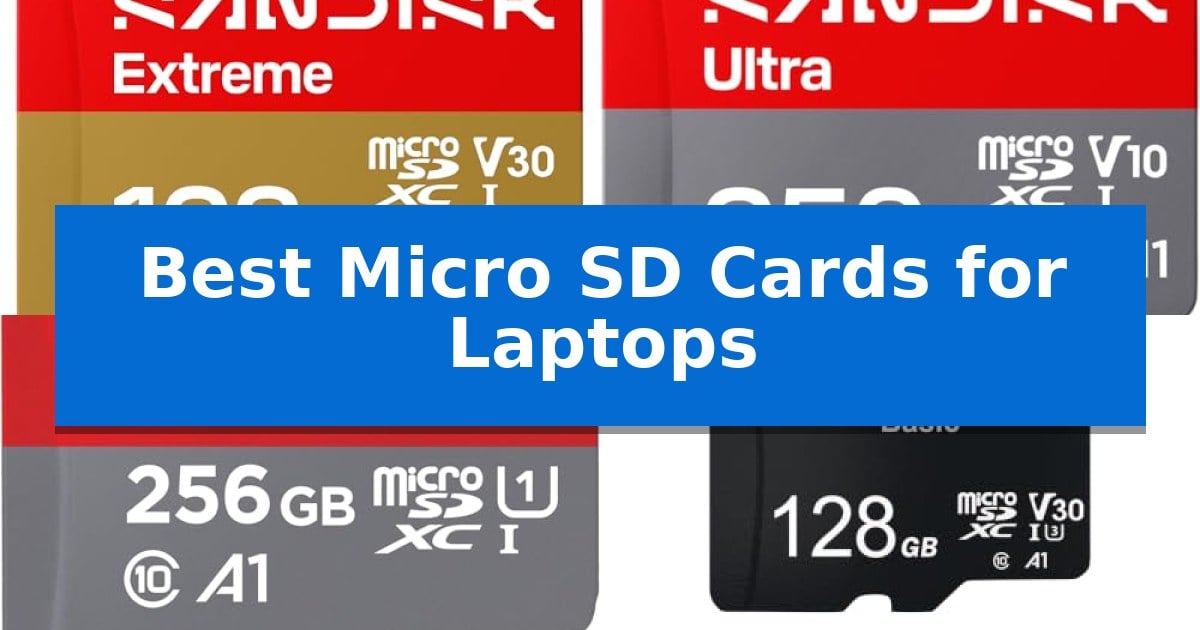
Running out of space on your laptop can be a major productivity bottleneck, especially when you are juggling large files, high-resolution media, or extensive software libraries. Finding the Best Micro SD Cards for Laptops is a practical way to add reliable, portable storage without needing to replace your internal drive.
Whether you are a creative professional needing fast transfer speeds for video editing or a student looking for a simple way to store documents and media, the right card makes a significant difference. We have analyzed the latest storage solutions to help you identify which card best fits your device’s specific performance requirements and your personal storage needs.
You may also want to compare Best Micro SD Cards for Laptop Storage, Best Micro SD Cards for IP Cameras, and Best Micro SD Cards for Internal Storage.
Best Micro SD Cards for Laptops
Quick Comparison
| Product | Best For | Key Strength | Score |
|---|---|---|---|
| SanDisk Extreme MicroSD Card | Best Overall | High-speed data transfer with read speeds up to 245MB/s. | 4.9 |
| SanDisk Ultra MicroSD Card | Reliable Daily Storage Expansion | Massive capacity options up to 1.5TB for extensive media libraries. | 4.9 |
| SANDISK 256GB Ultra microSD Card + Adapter | Balanced Performance for Laptops | A1-rated performance for faster app loading. | 4.3 |
| Teknostone Basic MicroSDXC Card | Budget Friendly Expanded Capacity | Includes an SD adapter for broad laptop and camera compatibility. | 4.7 |
| SIX M100 MicroSD Card | Stable 4K Video Recording | U3 and V30 speed classes ensure stable 4K UHD video recording. | 4.7 |
How We Chose
- Read and write speed ratings to ensure efficient file transfers.
- Capacity options to accommodate varying storage demands.
- Compatibility with standard laptop card readers and adapters.
- Durability features such as temperature and shock resistance for mobile use.
- Performance certifications like A1 or A2 for application loading.
1 SanDisk Extreme MicroSD Card — Fastest Speeds for Creative Work
Managing high-resolution media files directly on a laptop requires reliable, high-speed storage that can keep pace with demanding workflows. The SanDisk 128GB Extreme microSD Card is engineered for creators who need to move large 5K and 4K UHD video files quickly, offering read speeds up to 245MB/s and write speeds up to 170MB/s for higher capacities.
Beyond raw speed, this card is built to withstand challenging environments, featuring temperature, humidity, waterproof, and shock-proof durability. This makes it a robust choice for users who frequently transfer data between action cameras, drones, and laptops in the field. The included adapter ensures seamless compatibility with standard SD card slots found on many workstations.
For efficient organization, the card integrates with the SanDisk Memory Zone app, which simplifies the process of backing up and managing content across devices. With support for UHS-I, V30, and A2 performance classes, it provides the necessary throughput for smooth application performance and rapid file transfers, ensuring your laptop remains a productive hub for creative projects.
While the card offers significant performance for media-heavy tasks, users should ensure their laptop's built-in card reader supports the UHS-I interface to fully realize these transfer speeds. Its lifetime limited warranty provides long-term peace of mind for professionals who rely on their storage media for critical daily operations.
Best for: Creators and professionals who need high-speed, durable storage for 4K/5K video transfers and intensive media workflows on their laptops.
Skip if: Users who only require basic, low-speed storage for document backups and do not need the high-performance V30 or A2 speed ratings.
PROS
- High-speed data transfer with read speeds up to 245MB/s.
- Comprehensive durability including waterproof, shock-proof, and temperature-proof design.
- Optimized for high-res video with V30 and U3 speed class ratings.
- Includes adapter for broad compatibility with standard SD slots.
CONS
- Performance dependent on the host device's internal card reader interface.
2 SanDisk Ultra MicroSD Card — Reliable Daily Storage Expansion
Expanding the storage capacity of your laptop or mobile device is straightforward with the SanDisk Ultra MicroSD Card, which supports massive capacities up to 1.5TB. This card is designed to provide reliable, high-capacity storage for users who need to keep large volumes of photos, videos, and games readily accessible on their portable devices.
The SanDisk Ultra MicroSD Card features A1-rated performance, meaning it is optimized for faster app launching and improved overall app responsiveness. For users who frequently transfer files, the card supports read speeds up to 195MB/s when paired with the SanDisk QuickFlow microSD UHS-I Card USB-A Reader, allowing for efficient content offloading.
Managing your digital library is simplified through the SanDisk Memory Zone app, which assists in backing up and organizing files across your devices. The card comes with an included adapter, ensuring compatibility with devices that utilize standard SD card slots, such as many laptops and digital cameras.
Built for longevity, this storage solution includes a 10-year limited warranty, providing peace of mind for long-term data storage needs. Whether you are storing Full HD video or extensive music libraries, the card offers a balance of capacity and speed for daily digital tasks.
Best for: Users needing reliable, high-capacity storage expansion for laptops, tablets, and cameras with support for faster app performance.
Skip if: Users who require specialized high-end video recording performance or professional-grade write speeds beyond standard UHS-I capabilities.
PROS
- Massive capacity options up to 1.5TB for extensive media libraries.
- A1-rated optimization for faster app launching and performance.
- High read speeds up to 195MB/s for quick file transfers.
- 10-year limited warranty for long-term reliability.
CONS
- Requires specific card reader for maximum advertised read speeds.
3 SANDISK 256GB Ultra microSD Card + Adapter — Balanced Performance for Laptops
Expanding your laptop storage capacity is a straightforward process with the SANDISK 256GB Ultra microSD Card + Adapter. This card provides a reliable way to increase available space for large media collections, including Full HD video and extensive photo libraries, by utilizing the included adapter to fit standard SD card slots found on many Windows laptops and Chromebooks.
The card is built for efficiency, featuring A1-rated performance which helps in loading applications faster when running from the storage media. With read speeds reaching up to 150MB/s when paired with the SanDisk MobileMate USB 3.0 reader, moving large files between your laptop and the card is streamlined, reducing wait times during data transfers.
Beyond its primary use in computers, the SANDISK 256GB Ultra microSD Card + Adapter maintains broad compatibility across various devices, including Android smartphones, tablets, and the Nintendo Switch. The inclusion of the 10-year limited warranty provides long-term assurance for your stored data, making it a practical addition for users who need a versatile storage solution that transitions easily between different hardware ecosystems.
While this card offers a significant boost in capacity, users should note that the 150MB/s read speeds are optimized for specific hardware configurations. It is designed for general storage expansion and media consumption rather than high-end professional tasks requiring extreme write speeds. Its compact design ensures it remains unobtrusive when inserted into a laptop's side port.
Best for: Users needing a versatile, reliable storage expansion for laptops, tablets, and handheld gaming consoles.
Skip if: Professional creators requiring high-speed write performance for 4K video recording or intensive data-heavy workflows.
PROS
- A1-rated performance for faster app loading.
- Includes an SD adapter for broad laptop compatibility.
- Backed by a 10-year limited warranty.
- Supports up to 150MB/s read speeds.
CONS
- Performance speeds are dependent on the host device and reader hardware.
- Not intended for high-write-speed professional applications.
4 Teknostone Basic MicroSDXC Card — Budget Friendly Expanded Capacity
Expanding the storage capacity of your laptop often requires a reliable and compact solution, and the Teknostone Basic MicroSDXC Card provides a versatile way to manage files, media, and applications. This card includes an SD adapter, which is essential for users whose laptops feature a full-sized SD card slot, allowing for seamless integration without needing additional external hardware.
Engineered for diverse use cases, the card features UHS-I Class 10, U3, V30, and A1 speed ratings. These specifications ensure that the card is capable of handling HD video recording and fast application launches, making it suitable for both creative workflows and daily productivity tasks. The A1 rating specifically indicates optimized performance for running apps directly from the card, which can be a significant benefit for users with limited internal laptop storage.
Durability is a core component of this design, as the card is built to be waterproof, shockproof, temperature-proof, X-ray-proof, and magnet-proof. This robust construction provides peace of mind when moving between different environments, ensuring that your data remains protected against common physical hazards. Whether you are transferring large project files or storing media, the card is designed to maintain consistent operation.
When choosing a capacity, users can select from 64GB, 128GB, or 256GB options. It is important to note that the actual available storage may appear smaller than the labeled capacity due to the difference between decimal and binary systems used by manufacturers and operating systems, respectively. This is a standard industry practice that does not impact the card's functional performance or data integrity.
Best for: Users needing a durable, versatile storage expansion for laptops, drones, and mobile devices that require reliable HD video and app performance.
Skip if: Users who require extreme high-speed data transfer rates for 4K/8K professional cinema workflows, as this card is optimized for standard HD and general application use.
PROS
- Includes an SD adapter for broad laptop and camera compatibility.
- Features V30 and A1 ratings for reliable video recording and app performance.
- Built with multi-layer protection against water, shock, and extreme temperatures.
- Available in flexible storage capacities up to 256GB.
CONS
- Performance is limited to UHS-I speeds, which may be slower than UHS-II or UHS-III cards for massive file transfers.
- Actual usable capacity will be slightly lower than the labeled amount due to binary system formatting.
5 SIX M100 MicroSD Card — Stable 4K Video Recording
Managing digital storage for laptops and mobile devices requires a balance of speed and reliability, particularly when handling high-resolution media. The SIX M100 64GB Micro SD Card is engineered to support U3 and V30 video speed classes, ensuring consistent performance for 4K UHD video recording across devices like action cameras, drones, and dash cams.
Beyond its video capabilities, this card offers read speeds up to 100MB/s, which facilitates efficient file transfers between devices. This high-speed data movement is beneficial for users who frequently back up photos or move large video files to a computer, minimizing wait times during routine maintenance or content offloading.
The card is designed for versatility, functioning as a storage expansion tool for Android smartphones and tablets to improve app response times and file access. Its architecture is specifically optimized for continuous loop recording, making it a stable choice for security cameras and dash cams that require sustained write performance over long periods.
While the SIX M100 64GB Micro SD Card provides a dependable storage solution for travelers and casual creators, users should note its specific compatibility requirements. It is designed for broad use across various electronics, though it is important to verify device-specific support for the microSDXC format to ensure seamless integration.
Best for: Users needing a reliable, high-speed storage solution for 4K video recording and general file expansion across laptops, tablets, and cameras.
Skip if: Users requiring compatibility with specific gaming consoles like the Switch2, which this card does not support.
PROS
- U3 and V30 speed classes ensure stable 4K UHD video recording.
- 100MB/s read speeds allow for fast file transfers.
- Optimized for continuous loop recording in dash cams and security cameras.
- Includes an adapter for broader compatibility with laptop SD slots.
CONS
- Incompatible with Switch2 gaming consoles.
- 64GB capacity may be limiting for users with massive high-bitrate video libraries.
Best Micro SD Cards for Laptops Buying Guide
Understanding Speed Classes
Speed classes, such as UHS-I, U3, and V30, indicate the minimum sustained write performance of a card. For laptops, higher speed classes are essential if you frequently transfer large video files or run applications directly from the card.
The V30 rating is particularly useful for users who record or edit 4K video, as it guarantees a minimum write speed of 30MB/s. Always check your laptop's card reader specifications to ensure it can support the maximum speeds offered by your chosen card.
The Importance of Application Performance
If you plan to install software or games on your Micro SD card, look for A1 or A2 ratings. These certifications measure the card's ability to handle random read and write operations, which is critical for smooth application performance.
An A2-rated card generally provides faster app loading times compared to A1 cards. This is a vital consideration if your laptop has limited internal storage and you rely on the SD card as an extension of your primary drive.
Capacity Requirements
Choosing the right capacity depends on your specific workflow. For basic document storage and light media, a 128GB card is often sufficient. However, if you work with high-resolution photos or 4K video, you may need 256GB or higher.
Keep in mind that the actual usable space is slightly less than the advertised capacity due to file system formatting. Always opt for a slightly larger capacity than you think you need to avoid future storage constraints.
Durability for Mobile Use
Since laptops are often used in various environments, durability is a key factor. Many modern cards are waterproof, shockproof, and temperature-proof, protecting your data from environmental hazards.
These features are especially important if you travel frequently or work in outdoor settings. A card that can withstand X-rays and magnets ensures your files remain safe during airport security checks and daily commutes.
Compatibility and Adapters
Most laptops feature a full-sized SD card slot, which is why most Micro SD cards come with a SD adapter. Ensure the adapter is of good quality to maintain a secure connection with your laptop's internal reader.
Always verify that your laptop's card reader supports the microSDXC standard, as older hardware may be limited to lower capacities or slower interface speeds.
Frequently Asked Questions
Can I run programs directly from a Micro SD card?
Yes, but performance will depend on the card's speed class and A1/A2 rating. For the best experience, choose a card with an A2 rating to ensure faster random read/write speeds.
What is the difference between UHS-I and UHS-II?
UHS-I and UHS-II refer to the bus interface. UHS-II cards have an extra row of pins and offer significantly higher speeds, but your laptop's card reader must also support the UHS-II standard to see those benefits.
Do I need an adapter for my laptop?
Most laptops have a full-sized SD card slot. If your laptop has this, you will need the included adapter to use a Micro SD card. Some modern, thin laptops may require a USB-based card reader instead.
How do I format a Micro SD card for my laptop?
You can format the card using your operating system's disk management tools. For Windows, the 'Format' option in File Explorer is usually sufficient, while macOS users can use the Disk Utility app.
Are all Micro SD cards compatible with all laptops?
Most cards are backward compatible, but the maximum capacity and speed are limited by the laptop's built-in card reader. Check your laptop's manual to see the maximum SD card capacity it supports.
Conclusion: Our Top Pick
When selecting the right storage for your laptop, the SanDisk Extreme MicroSD Card stands out as the most versatile option. Its high read and write speeds make it ideal for demanding tasks like 4K video editing and quick file transfers, while its robust durability ratings ensure your data remains safe in various environments.
While other options like the SanDisk Ultra or Teknostone cards offer great value for basic storage needs, the Extreme model provides the best balance of performance and reliability for power users. Ensure your laptop's card reader is compatible with the UHS-I standard to fully utilize the speed capabilities of this card.